

WORKFORCE MANAGEMENT
A NEW ERA OF WORKFORCE MANAGEMENT
Rostering, time and attendance and the daily management of the workforce are the basic building blocks of any business. But many companies still struggle to get it right using manual spreadsheets and siloed legacy systems.
A survey of HR Managers* revealed that 40%of companies still have to manually enter timesheets into payroll. It’s even more difficult when your workforce is global.
But there is an answer - Workforce Management (WFM) software. WFM software helps companies manage the operational deployment of the workforce, and is literally revolutionising the way in which business is conducted.
At the core of mobile integrated WFM solutions are the business critical basics like rostering and time and attendance. But the right solution will also engage employees, improve organisational planning and control costs.
If you are considering an investment in WFM software this eBook will help you identify the benefits and make a business case for an investment that is certain to be a catalyst for business transformation.
*Source: CoreHR Survey of HR Managers
IS MOBILE THE ANSWER TO YOUR ROSTERING PROBLEMS?
Every business knows it needs the right people in the right place at the right time. Right?
But that’s easier said than done.
A worrying 57%* of businesses say that their biggest rostering pain-point is ensuring correct staff coverage while nearly half (47%) struggle to keep within their rostering budget.
Inaccurate rostering systems are a huge cost to business, not just in terms of overtime costs but possible contravention of health and safety and the EU Working Time Directive. Rostering issues can also damage morale.
In some cases the rostering function is controlled by one or two key personnel whose unexpected absence can send HR into a spiral.
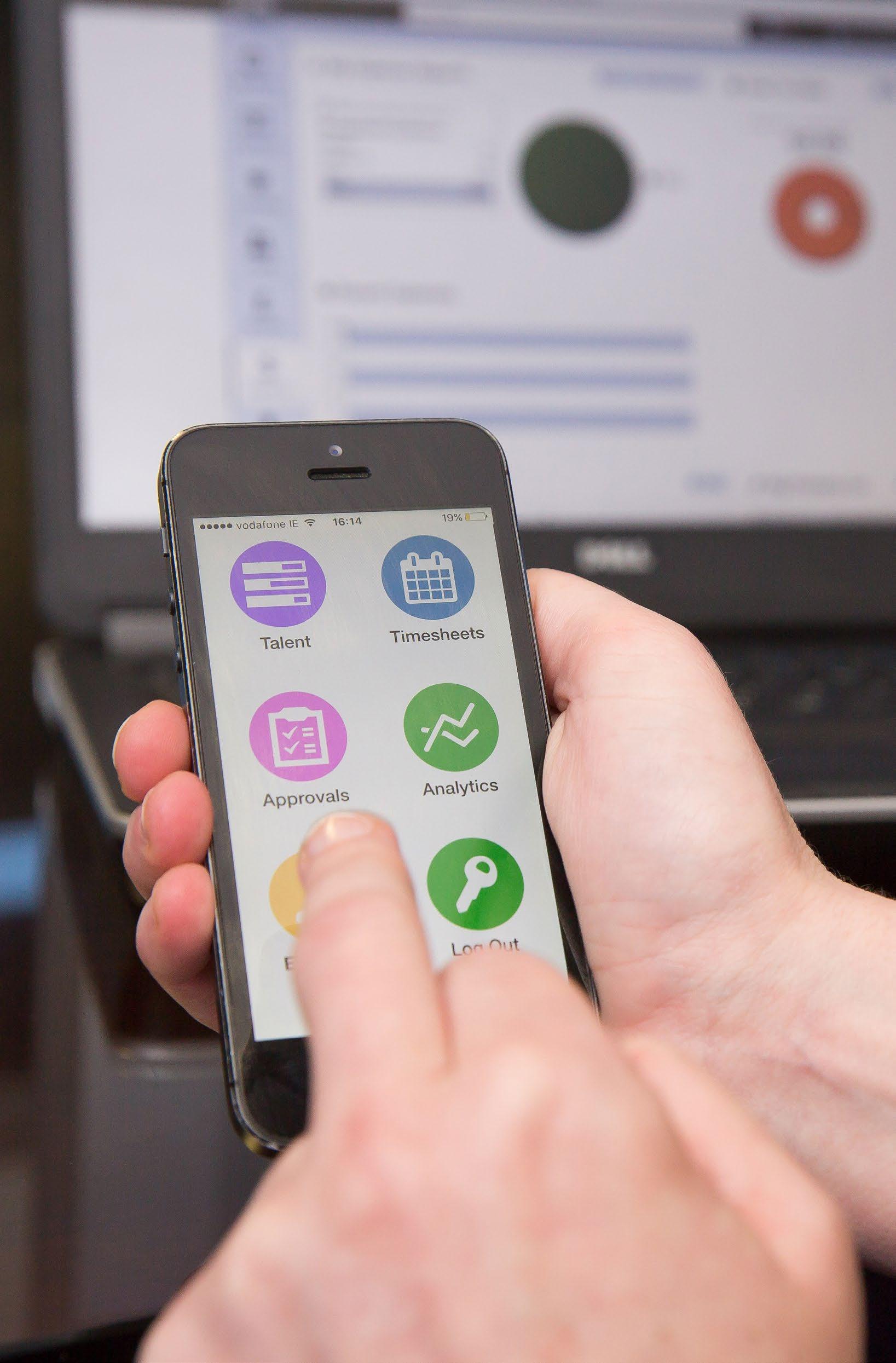
The solution for companies is to levarage their mobile enabled workforce with an always-on mobile WFM solution that will revolutionise their rostering.
BENEFITS OF MOBILE ROSTERING?
Roster on the go with anytime, anywhere mobile functionality. Employees and managers can action tasks and view work schedules on their mobile or smart watch.
Optimised algorithms to have the right people with right skills when needed. This is vital across multiple industries, e.g. an A&E to ensure doctors with the right skills are on hand, or a manufacturing plant that must have the right number of Health and Safety officers present.
Automated compliance with company and regulatory rules such as Health and Safety, Absenteeism levels and the EU Working Time Directive.
Automated forecasting and planning for temporary and casual labour requirements. Integration with 3rd party software (e.g. POS in retail) to create the most optimal roster possible to meet the footfall or spike in demand.
READ MORE: Is Helen or Harry the only one who knows how your roster works?
57%
say the biggest rostering pain-point is ensuring correct staff coverage*
*Source: CoreHR Survey of HR Managers 2015
One major retailer
cut overtime bills by 92% with CoreHR software

IS BAD T&A TRACKING RUINING YOUR BUSINESS?
Time and attendance are the twin pillars of HR heartache – and especially frustrating for managers and employees.
How many days have I worked, how many holidays do I have and did I get paid overtime are basic questions the average HR department will hear every day.
BENEFITS OF A T&A SOLUTION?
Automatic tracking of employee hours worked no matter where they are located.
16% of companies don’t know the staffing levels they need for their business
Only 20% of staff can automatically review their clocking times
Despite advances in technology 40%* of companies still have to manually enter timesheets into payroll and 20% still manage staff capacity planning manually. That’s a lot of spreadsheets, not to mention time and a high margin of error.
Today’s global workforce is living in the feed but companies are only beginning to realise the benefits of always on, mobile enabled workforce management solutions, especially when it comes to T&A.
But that’s all changing. WFM software allows organisations to collect, track and manage employee time and attendance. The benefits are significant and can be a game changer for both the business and its employees.
Employees can manage their working lives with mobile self service; from requesting leave to submitting roster preferences.
Automatic alerts for employees approaching overtime, unapproved time cards and other alerts that require action.
Reduced payroll costs with accurate time collection and seamless payroll integration.
Real time reporting showing a single view of absence across the organisation. Automatic calculation of the yearly cost of paid sick to the company.
*Source: CoreHR Survey of HR Managers 2015
READ MORE: Paper timesheets are a waste of time and we hate them!
DO YOU KNOW THE REAL COST OF ABSENCE?
Absence management has a significant impact on a company’s bottom line never mind on employee morale. In some businesses where payroll costs account for 70% of turnover, even a small improvement can make a substantial difference.
Yet 20%* of companies cannot say what absence is really costing them while 50% have to identify absenteeism manually. These companies can’t track trends, they don’t have a clear picture of absence types and they struggle when calculating holidays and complex rules around Parental, Adoptive, and Carer’s Leave.
Poor absence management is also bad for morale, as compliant employees feel that their exemplary record goes un-noticed.
But that’s all changing. Mobile WFM software allows organisations to track employee attendance across multiple sites and territories in a user friendly way. Truly automated absence management will reduce HR administration by up to 85% and revolutionise forecasting, enabling
*Source: CoreHR Survey of HR Managers 2015
employees to self-serve on the go and give managers full visibility over costs and absence problems.
BENEFITS OF AN ABSENCE MANAGEMENT SOLUTION
A single view of absence across the organisation with accurate and easily configurable reports and automatic calculation of the yearly cost of paid sick to the company.
Easy tracking of planned and unplanned absences by team or location in real time drilling down to the specific record.
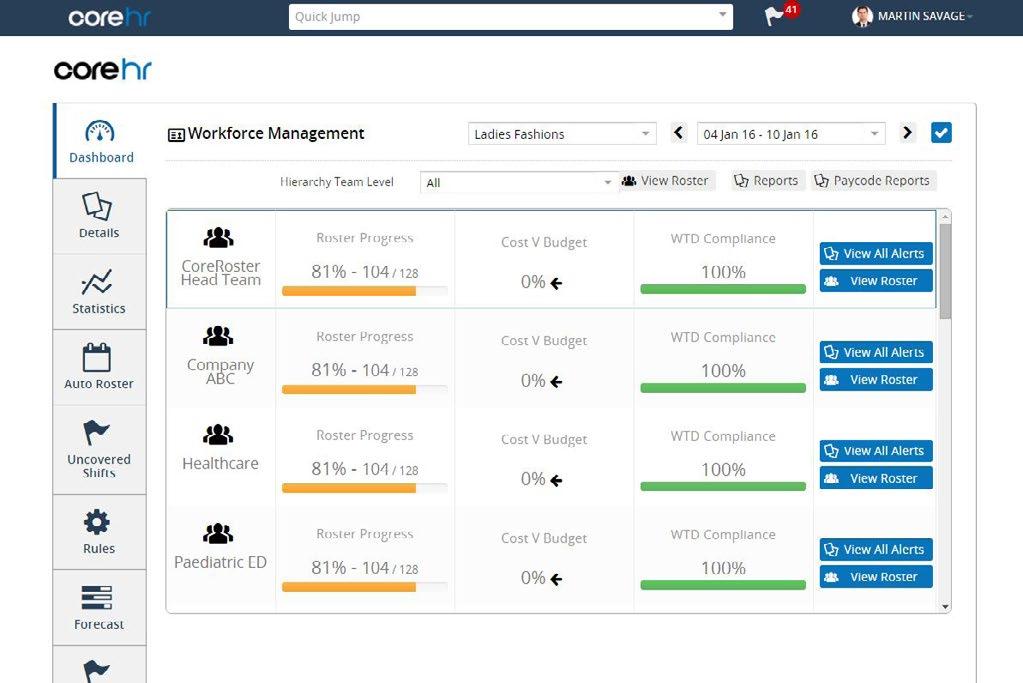
Dashboards make it easy to see who is off sick for the day and any patterns that are forming across your teams.
Employee leave entitlements are based on pre-defined rules that are easy to set up and employees can request leave by mobile self-service from any device.
Smart alerts for managers to remind them when they should take action
of havecompanies to absenteeismidentifymanually 50%
about a staff absence. e.g. request a medical certificate from a team member if sick for a long period whilst the payroll team are notified to reduce pay accordingly.
Improved payroll accuracy and efficiency with automation of time collection.
Create customisable calendar views of team schedules.

IS IT TIME TO ENGAGE WITH YOUR EMPLOYEES?
How engaged is your workforce? Are your best staff planning to leave while you are reading this eBook?
With talent shortages creating significant problems for business growth and succession planning, employers everywhere are looking for solutions to attract, nurture and retain their people. The solution is the mobile technology that now pervades every aspect of our lives.
BENEFITS OF AN EMPLOYEE ENGAGEMENT SOLUTION?
Mobile, real time employee access to work rosters, HR files, payslips and P60s and flexible leave via on-the go rostering.
Flexible feedback options for managers to engage and nurture their workforce.
70% of employees don’t feel they get the recognition they deserve (Forbes)
One report forecasts that in a single year 4.3 million people will walk out British employers’ doors
Smart, mobile WFM in the cloud is transforming recruitment allowing companies to scale their talent pool effectively while ensuring their staff have anytime, anywhere, any device access to all the tools they need to manage their work life balance.
Companies can hire with social media, on board seamlessly and make sure that performance management is merit based and transparent.
Streamlined goal planning, appraisals and rewards, including the distribution of bonuses.
Ability to identify top performers, develop their skills and measure and reward them appropriately.
Merit based performance management and recognition against goals.
READ MORE: It’s time to start treating your employees like your best customers
Workforce Management Software Buyers’ Workbook
Over the next four pages you will find a number of checklists to help you consider your WFM software objectives, identify the business challenge and opportunity and make a business case for the solution.
What is the workforce management problem you are trying to solve?
Perhaps your rostering is critical to health and safety or compliance, your over-time costs are severely hitting the bottom line or you are missing out on benefits like real time reporting or mobile access for employees and managers?
You may be finding it difficult to scale your business without the tools to strategically plan your future workforce needs around the globe.
Whatever the main problem is, you can identify it in writing here. This statement of intent should be front of mind throughout the WFM software solution evaluation process.
The introduction of WFM software is typically a company-wide initiative. Discuss the problem you have identified with other stakeholders like Sales, IT, Operations etc.
They may have a different perspective on the problem that could inform your decision.
Defining Project scope – 2 questions to answer before proceeding to the next stage?
1. What is the scope of the solution you wish to implement? Do you need fully integrated WFM from the outset, or basic rostering and time and attendance?
2. Is the scope local, global or cross functional (e.g. Back office, logistics?) Are the requirements and capabilities common across all functions/locations? What are the specific goals for each function? Are there common cross-functional goals?
How will success be measured?
What business KPIs do you want to improve through an investment in WFM technology? It could be a 50% reduction in rostering costs or zero contraventions of health and safety or compliance. Perhaps it’s a 20% improvement in employee retention, or an issue around succession planning?
Metrics
Preparing a shortlist of vendors
Once you have defined the problem, the scope and the KPIs, prepare a shortlist of vendors who can help. It can take a number of months to engage stakeholders in the process and properly research the market. To develop your shortlist of vendors start with some of the following:
Research vendors online.
Visit their website to get a better understanding of what they offer.
Look for industry specific case studies on the website.
Read blogs or download whitepapers from the company website. This may prompt a follow up call and an opportunity to attend a webinar or a demo to find out more about the product.
Get a demo of the WFM software.
Speak to existing users of the WFM software.
12 questions to ask WFM software vendors
How long have you supplied WFM software? (You will want to ensure the solution you choose is robust, and fool proof).
Does the WFM solution deliver on the business needs identified on the previous pages?
Do you have case studies and references from clients in a similar industry and size to yours? (The needs of a large enterprise or specific industry like retail, healthcare, finance or education can differ widely).
04
Does your WFM solution support complex pay rule processing or deliver proven scalability to support a high volume of transactions? (Ask the vendor to share the most complex pay rules the software has delivered on).
Does the solution support multi-site, multilingual and multicurrency requirements and local regulatory needs across diverse territories? (e.g. legislative rules governing T&A at local level). You may have 100 staff in one location at the minute, but what happens when you grow to 5000+ with multiple global locations?
Does the software support mobile and does it support employee self-service?
Will we be able to deploy the software to a variety of device types? How is it updated to adapt to future changes?
Can you provide customisation of the solution and/or integration with existing applications? If so at what cost?
What are the reporting dashboards most used by other clients and can they be customised for your business?
How good is customer support and training? (Who specifically can you speak to if something goes wrong or in the early days when you are finding your way around the system?)
Is the software mobile driven and mobile enabled?
What are the full costs of implementing the WFM software solution? (What is the initial set up cost? Does it include maintenance, upgrades? Does it increase with the number of users? What’s not included?)
Making a case for investing in WFM solutions checklist
Finalise your shortlist
When you’ve gone through the steps on the previous pages you should have enough information to shortlist the top three providers. Consider their technical and other strengths and weaknesses before making a recommendation to your organisation.
Start to write your business case
As you write your business case constantly refer back to the business problem identified on page 9 and the benefits of the proposed solution. Avoid industry jargon and focus on how the solution will affect the bottom line.
Identify the cost
Include not only the actual cost but the cost or cost savings in terms of ‘people’. How will the new technology impact on headcount, will it require significant training or is it intuitive?
Will the investment benefit other areas of the business?
An investment in the right WFM solution will positively impact throughout the business. Include this information. The more applications it will have the more likely you are to get sign off.
What is the Return on Investment?
Outline the ROI over 3 years. Be realistic. Your WFM vendor should be able to supply tangible proof from similar clients of the cost benefits over time.
Socialise your business case
You may be relying on stakeholders throughout the organisation. Make sure to ‘socialise’ your business case. Ask for their feedback and get their buy-in.
Workbook Complete?
Email it to CoreHR to take the next steps, just click here

WFM IMPLEMENTATION - AVOID THESE 5 COMMON MISTAKES
Before you complete your WFM technology research here are the 5 common mistakes organisations make when implementing a new system.
3) LEAVING IT LATE
2) COMMUNICATE CHANGE
1) PROJECT CHAMPION
The successful implementation of a WFM system needs careful project management and it should be clear from the outset who is calling the shots. “A single decision-maker should sponsor the project, usually a high level executive with a vested interest such as a HR or Financial Director,” advises Richard Limpkin, Head of Partnerships at CoreHR.
Richard also recommends giving the project team bandwidth to complete the project successfully by freeing them from their business-as-usual obligations.
Some organisations fail to communicate well when they are upgrading their technology. The most important thing to communicate is the benefit that change will bring. “Define the business case before you start and always route back to it when you need to make a decision,” Richard advises.
“Ask: does this have an impact on us achieving quantifiable benefits? If a decision has no impact in that regard but carries a degree of jeopardy then it should be re-examined.”
Implementing a new software solution is a great opportunity to de-sludge your system with a data audit, but some companies fail to do this. Make sure to devote sufficient time and staff resources in identifying everything you need to keep –and equally what you will benefit from discarding. At the same time, verify that retained details are accurate and up-to-date.



4) RATIONALISE DATA
Sometimes implementation of a new WFM system is rushed because legacy systems are near or at the end of their natural lifespan. Worried that it may fail at any moment, managers may lower standards with “panic measures”, which they think may avert a worse crisis.

5) TESTING THE SYSTEM
Don’t just test the new WFM system. Allow enough time to respond to what is discovered in the testing process.