Feature
Analysing through Revit Structure Greg Corke considers the importance of links between Revit Structure and analysis.
W
hen Revit Structure first came out in the mid-2000s it was pitched as a design and documentation tool. But, even at this early stage of its development, Autodesk recognised the importance of linking to structural analysis software. Autodesk supports linking through the open Revit API, which enables third-party structural analysis software developers to create workflows both to and from Revit. The process relies on Revit’s analytical model, which is automatically created alongside the physical model. Once the analytical model has been brought across the analysis application can be used to perform all types of structural analysis including non linear, dynamic and seismic. Most analysis applications also perform code checks and any changes to member sizes can then be fed back in to Revit Structure so the whole design stays in sync. It can be a highly iterative process so the workflow is incredibly important. Autodesk makes the Revit software development kit (SDK) freely available so the onus is on the third party developer to produce the link, which is enabled in Revit with a plug-
in. Some developers invest more on this than others so the quality of the links can vary. Compatibility with the latest version of Revit Structure can also be an issue as it can take six months or more for third party developers to get their products in sync. Members of the Autodesk Developer Network (ADN) fare much better here as they get early access to new releases.
All about the data While all analysis applications handle things pretty well from a geometrical perspective, there can be quite a lot of variation when it comes to engineering data. According to Gary Wyatt, Autodesk’s senior industry manager, structural engineering, this can manifest itself in a couple of ways. The first is the amount of data that is sent from one product to the other. “A lot of [analysis] products now allow you to generate things like loads in Revit, allow you to generate things like end releases or different types of support conditions, send those into Revit and then round trip them back again,” says Mr Wyatt. “And in that round tripping back, preserving all of the data that you created in the first place.”
The second is the fidelity of the information that you can send back and forth. This includes some of the things that Revit is not really interested in, as Mr Wyatt explains. “In an analysis product there are things like member numbers and node numbers. There are things like criteria related to how the design codes will treat a member. What design parameters does it put on it in terms of the code of practice that it’s using? How are the members restrained? “Really those are code-based things that Revit doesn’t care anything about. But a lot of the better integrations actually transport those things to and fro. So if you take something from an analysis product, you do some code design, you send that into Revit, those things are in Revit such that if you go back to your analysis product again you don’t have to recreate them. They still exist.”
The workflow To manage the flow of data between the two applications some developers use a file-based approach, whereby the user presses a button in Revit and it creates a file that can be opened in the analysis product. The same process applies when data
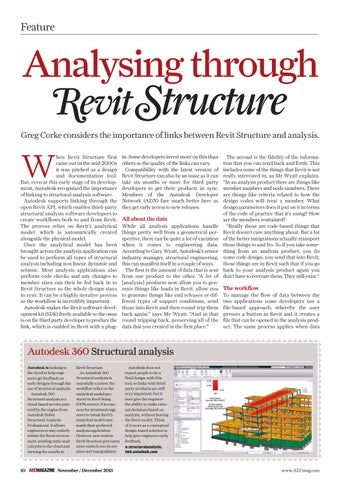
Autodesk 360 Structural analysis Autodesk is looking to the cloud to help engineers get feedback on early designs through the use of structural analysis. Autodesk 360 Structural analysis is a cloud-based service powered by the engine from Autodesk Robot Structural Analysis Professional. It allows engineers to stay entirely within the Revit environment, sending static analysis jobs to the cloud and viewing the results in
10
Revit Structure. As Autodesk 360 Structural analysis is essentially a solver, the workflow relies on the analytical model produced in Revit being 100% correct. It is common for structural engineers to tweak Revit’s analytical model once inside their preferred analysis application. However, new tools in Revit Structure give users more control over its creation and manipulation.
November / December 2013
p10_11_12_13_14_AEC_NOVDEC13_Revit.indd 10
Autodesk does not expect people to do a final design with this tool, so links with third party products are still very important, but it does give the engineer the ability to make rational decisions based on analysis, without leaving the Revit model. Think of it more as a conceptual design-based solution to help give engineers early feedback. ■ structuralanalysis. 360.autodesk.com
www.AECmag.com
20/11/13 10:54:21