Road Test
MoCoWs & MLDs Are you replacing your projector? Check out what our expert Greig Tardiani recommends for Mobile Computers on Wheels (MoCoWs) and Mobile Learning Displays (MLDs)
Things to consider Sick of expensive bulb replacements for your projectors? Are you tired of a poor quality image? MoCoWs and MLDs are great alternatives for
The expert Greig Tardiani is the T4L Schools Innovation Technology Lead. Greig brings his expertise as a past Head Teacher of Computing and TAS. He also has extensive experience with
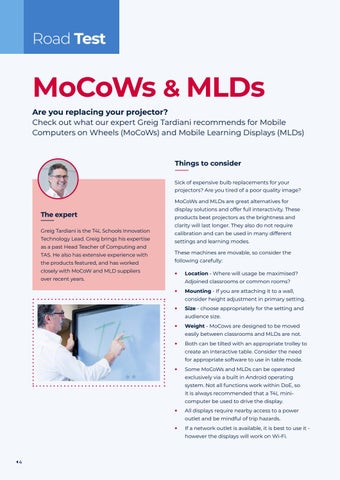
display solutions and offer full interactivity. These products beat projectors as the brightness and clarity will last longer. They also do not require calibration and can be used in many different settings and learning modes. These machines are movable, so consider the
the products featured, and has worked
following carefully:
closely with MoCoW and MLD suppliers
•
over recent years.
Location - Where will usage be maximised? Adjoined classrooms or common rooms?
•
Mounting - If you are attaching it to a wall, consider height adjustment in primary setting.
•
Size - choose appropriately for the setting and audience size.
•
Weight - MoCows are designed to be moved easily between classrooms and MLDs are not.
•
Both can be tilted with an appropriate trolley to create an interactive table. Consider the need for appropriate software to use in table mode.
•
Some MoCoWs and MLDs can be operated exclusively via a built in Android operating system. Not all functions work within DoE, so it is always recommended that a T4L minicomputer be used to drive the display.
•
All displays require nearby access to a power outlet and be mindful of trip hazards.
•
If a network outlet is available, it is best to use it however the displays will work on Wi-Fi.
4