up front | technology
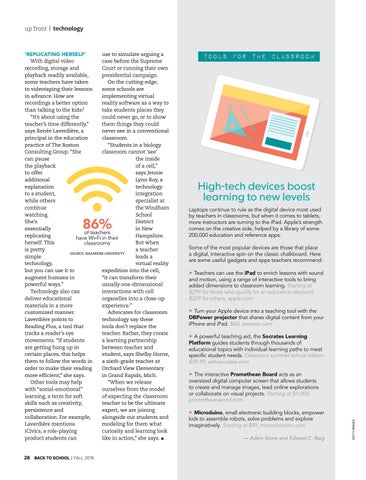
86%
28 BACK TO SCHOOL | FALL 2019
TOOLS FOR THE CLASSROOM
High-tech devices boost learning to new levels Laptops continue to rule as the digital device most used by teachers in classrooms, but when it comes to tablets, more instructors are turning to the iPad. Apple’s strength comes on the creative side, helped by a library of some 200,000 education and reference apps. Some of the most popular devices are those that place a digital, interactive spin on the classic chalkboard. Here are some useful gadgets and apps teachers recommend: uTeachers can use the iPad to enrich lessons with sound and motion, using a range of interactive tools to bring added dimensions to classroom learning. Starting at $299 for those who qualify for an education discount; $329 for others, apple.com uTurn your Apple device into a teaching tool with the DBPower projector that shares digital content from your iPhone and iPad. $60, amazon.com uA powerful teaching aid, the Socrates Learning Platform guides students through thousands of educational topics with individual learning paths to meet specific student needs. Classroom summer school edition $39.99, withsocrates.com uThe interactive Promethean Board acts as an oversized digital computer screen that allows students to create and manage images, lead online explorations or collaborate on visual projects. Starting at $1,000, prometheanworld.com uMicroduino, small electronic building blocks, empower kids to assemble robots, solve problems and explore imaginatively. Starting at $89, microduinoinc.com — Adam Stone and Edward C. Baig
GETTY IMAGES
‘REPLICATING HERSELF’ use to simulate arguing a With digital video case before the Supreme recording, storage and Court or running their own playback readily available, presidential campaign. some teachers have taken On the cutting-edge, to videotaping their lessons some schools are in advance. How are implementing virtual recordings a better option reality software as a way to than talking to the kids? take students places they “It’s about using the could never go, or to show teacher’s time differently,” them things they could says Renée Laverdière, a never see in a conventional principal in the education classroom. practice of The Boston “Students in a biology Consulting Group. “She classroom cannot ‘see’ can pause the inside the playback of a cell,” to offer says Jennie additional Lynn Roy, a explanation technology to a student, integration while others specialist at continue the Windham watching. School She’s District essentially in New of teachers replicating Hampshire. have Wi-Fi in their herself. This But when classrooms is pretty a teacher SOURCE: NAZARENE UNIVERSITY simple leads a technology, virtual reality but you can use it to expedition into the cell, augment humans in “it can transform their powerful ways.” usually one-dimensional Technology also can interactions with cell deliver educational organelles into a close-up materials in a more experience.” customized manner. Advocates for classroom Laverdière points to technology say these Reading Plus, a tool that tools don’t replace the tracks a reader’s eye teacher. Rather, they create movements. “If students a learning partnership are getting hung up in between teacher and certain places, this helps student, says Shelby Horne, them to follow the words in a sixth-grade teacher at order to make their reading Orchard View Elementary more efficient,” she says. in Grand Rapids, Mich. Other tools may help “When we release with “social-emotional” ourselves from the model learning, a term for soft of expecting the classroom skills such as creativity, teacher to be the ultimate persistence and expert, we are joining collaboration. For example, alongside our students and Laverdière mentions modeling for them what iCivics, a role-playing curiosity and learning look product students can like in action,” she says. l