COMPETITION
TABROOM.COM TIP: Online Coin Flip
Learn More! To read about Tabroom.com features and support, visit http://docs.tabroom.com.
by Kevon Haughton
You will also notice some other features available via the online coin flip.
1
I
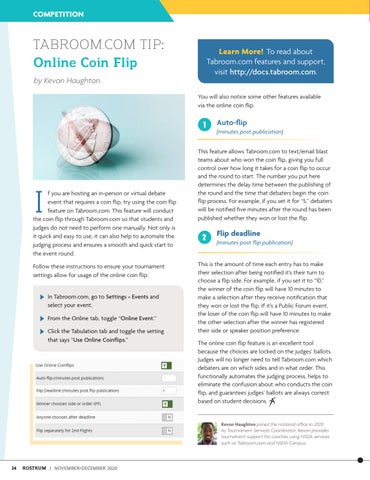
f you are hosting an in-person or virtual debate event that requires a coin flip, try using the coin flip feature on Tabroom.com. This feature will conduct the coin flip through Tabroom.com so that students and judges do not need to perform one manually. Not only is it quick and easy to use, it can also help to automate the judging process and ensures a smooth and quick start to the event round. Follow these instructions to ensure your tournament settings allow for usage of the online coin flip:
In Tabroom.com, go to Settings » Events and select your event.
From the Online tab, toggle “Online Event.”
Click the Tabulation tab and toggle the setting that says “Use Online Coinflips.”
Auto-flip (minutes post publication)
This feature allows Tabroom.com to text/email blast teams about who won the coin flip, giving you full control over how long it takes for a coin flip to occur and the round to start. The number you put here determines the delay time between the publishing of the round and the time that debaters begin the coin flip process. For example, if you set it for “5,” debaters will be notified five minutes after the round has been published whether they won or lost the flip.
2
Flip deadline (minutes post flip publication)
This is the amount of time each entry has to make their selection after being notified it’s their turn to choose a flip side. For example, if you set it to “10,” the winner of the coin flip will have 10 minutes to make a selection after they receive notification that they won or lost the flip. If it’s a Public Forum event, the loser of the coin flip will have 10 minutes to make the other selection after the winner has registered their side or speaker position preference. The online coin flip feature is an excellent tool because the choices are locked on the judges’ ballots. Judges will no longer need to tell Tabroom.com which debaters are on which sides and in what order. This functionally automates the judging process, helps to eliminate the confusion about who conducts the coin flip, and guarantees judges’ ballots are always correct based on student decisions.
Kevon Haughton joined the national office in 2020. As Tournament Services Coordinator, Kevon provides tournament support for coaches using NSDA services such as Tabroom.com and NSDA Campus.
24
ROSTRUM | NOVEMBER/DECEMBER 2020