Quick Start Guide
DVC6200p Digital Valve Controller October 2011
D103562X012
Specifications Refer to table 6 for product specifications.
Function Block Mode Table 5 indicates the permitted modes of a function block and the mode the block should be in during normal operating conditions. Table 5. Function Block Modes Function Block
Permitted Block Modes
Normal
Physical
Auto and OOS
Auto
Transducer
Auto and OOS
Auto
Analog Input
Auto, Manual, and OOS
Auto
Analog Output
Remote Cascade, Auto, Manual, and OOS
Auto
Discrete Input
Auto, Manual, and OOS
Auto
Discrete Output
Remote Cascade, Auto, Manual, and OOS
Auto
Logbook
Auto and OOS
Auto
Alarm Transducer
Auto and OOS
Auto
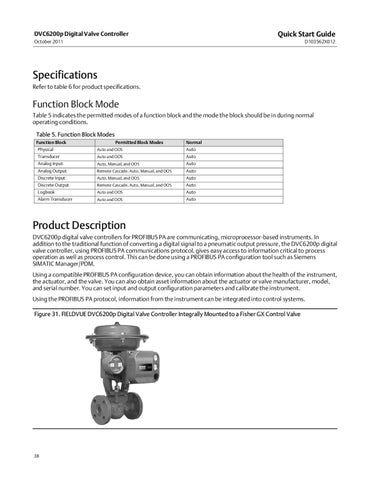
Product Description DVC6200p digital valve controllers for PROFIBUS PA are communicating, microprocessor�based instruments. In addition to the traditional function of converting a digital signal to a pneumatic output pressure, the DVC6200p digital valve controller, using PROFIBUS PA communications protocol, gives easy access to information critical to process operation as well as process control. This can be done using a PROFIBUS PA configuration tool such as Siemens SIMATIC Manager/PDM. Using a compatible PROFIBUS PA configuration device, you can obtain information about the health of the instrument, the actuator, and the valve. You can also obtain asset information about the actuator or valve manufacturer, model, and serial number. You can set input and output configuration parameters and calibrate the instrument. Using the PROFIBUS PA protocol, information from the instrument can be integrated into control systems. Figure 31. FIELDVUE DVC6200p Digital Valve Controller Integrally Mounted to a Fisher GX Control Valve
38