F e a r l e s s Yo u t h A s s o c i a t i o n
-
-
-
&
FMB Radio Project
Set-up your electronic device around 15 mins before your meeting begins. Ensure that your device has a power supply or charged battery. Check that you have a good internet connection. Disconnect any nonessential devices from the internet, disable any applications you are not using on your computer / iPad / mobile device and turn off any streaming services. Try to sit in a quiet, indoor location to control ambient noise. Be mindful that you and your background will be visible to everyone. Ensure that anything you do not want others to see is not in view. Zoom has the ability for you to choose different backgrounds or to ‘blur’ your background. Look at the camera (not the screen) when you speak to others in the meeting, so it feels like you’re talking directly to them. Set-up the camera so that a full head and shoulder shot of you is visible.
Once You Have Joined The Meeting You Will: -
-
-
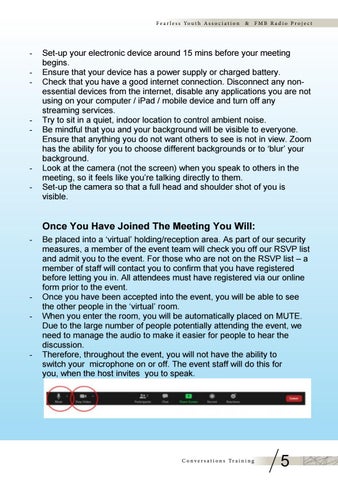
Be placed into a ‘virtual’ holding/reception area. As part of our security measures, a member of the event team will check you off our RSVP list and admit you to the event. For those who are not on the RSVP list – a member of staff will contact you to confirm that you have registered before letting you in. All attendees must have registered via our online form prior to the event. Once you have been accepted into the event, you will be able to see the other people in the ‘virtual’ room. When you enter the room, you will be automatically placed on MUTE. Due to the large number of people potentially attending the event, we need to manage the audio to make it easier for people to hear the discussion. Therefore, throughout the event, you will not have the ability to switch your microphone on or off. The event staff will do this for you, when the host invites you to speak.
C o n v e r s a t i o n s Tr a i n i n g
5