DON’T HESITATE TO RENOVATE B Y C A P T. F R A N K L A N I E R
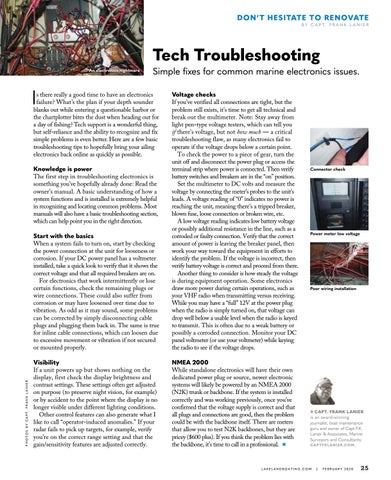
Tech Troubleshooting An electronics nightmare
Simple fixes for common marine electronics issues.
I
Start with the basics When a system fails to turn on, start by checking the power connection at the unit for looseness or corrosion. If your DC power panel has a voltmeter installed, take a quick look to verify that it shows the correct voltage and that all required breakers are on. For electronics that work intermittently or lose certain functions, check the remaining plugs or wire connections. These could also suffer from corrosion or may have loosened over time due to vibration. As odd as it may sound, some problems can be corrected by simply disconnecting cable plugs and plugging them back in. The same is true for inline cable connections, which can loosen due to excessive movement or vibration if not secured or mounted properly.
Voltage checks If you’ve verified all connections are tight, but the problem still exists, it’s time to get all technical and break out the multimeter. Note: Stay away from light pen-type voltage testers, which can tell you if there’s voltage, but not how much — a critical troubleshooting flaw, as many electronics fail to operate if the voltage drops below a certain point. To check the power to a piece of gear, turn the unit off and disconnect the power plug or access the terminal strip where power is connected. Then verify battery switches and breakers are in the “on” position. Set the multimeter to DC volts and measure the voltage by connecting the meter’s probes to the unit’s leads. A voltage reading of “0” indicates no power is reaching the unit, meaning there’s a tripped breaker, blown fuse, loose connection or broken wire, etc. A low voltage reading indicates low battery voltage or possibly additional resistance in the line, such as a corroded or faulty connection. Verify that the correct amount of power is leaving the breaker panel, then work your way toward the equipment in efforts to identify the problem. If the voltage is incorrect, then verify battery voltage is correct and proceed from there. Another thing to consider is how steady the voltage is during equipment operation. Some electronics draw more power during certain operations, such as your VHF radio when transmitting versus receiving. While you may have a “full” 12V at the power plug when the radio is simply turned on, that voltage can drop well below a usable level when the radio is keyed to transmit. This is often due to a weak battery or possibly a corroded connection. Monitor your DC panel voltmeter (or use your voltmeter) while keying the radio to see if the voltage drops.
Visibility If a unit powers up but shows nothing on the display, first check the display brightness and contrast settings. These settings often get adjusted on purpose (to preserve night vision, for example) or by accident to the point where the display is no longer visible under different lighting conditions. Other control features can also generate what I like to call “operator-induced anomalies.” If your radar fails to pick up targets, for example, verify you’re on the correct range setting and that the gain/sensitivity features are adjusted correctly.
NMEA 2000 While standalone electronics will have their own dedicated power plug or source, newer electronic systems will likely be powered by an NMEA 2000 (N2K) trunk or backbone. If the system is installed correctly and was working previously, once you’ve confirmed that the voltage supply is correct and that all plugs and connections are good, then the problem could be with the backbone itself. There are meters that allow you to test N2K backbones, but they are pricey ($600 plus). If you think the problem lies with the backbone, it’s time to call in a professional. ★
s there really a good time to have an electronics failure? What’s the plan if your depth sounder blanks out while entering a questionable harbor or the chartplotter bites the dust when heading out for a day of fishing? Tech support is a wonderful thing, but self-reliance and the ability to recognize and fix simple problems is even better. Here are a few basic troubleshooting tips to hopefully bring your ailing electronics back online as quickly as possible.
P H O T O S B Y C A P T. F R A N K L A N I E R
Knowledge is power The first step in troubleshooting electronics is something you’ve hopefully already done: Read the owner’s manual. A basic understanding of how a system functions and is installed is extremely helpful in recognizing and locating common problems. Most manuals will also have a basic troubleshooting section, which can help point you in the right direction.
Connector check
Power meter low voltage
Poor wiring installation
CAPT. FRANK LANIER is an award-winning journalist, boat maintenance guru and owner of Capt F.K. Lanier & Associates, Marine Surveyors and Consultants:
CAPTFKLANIER.COM.
LAKELANDBOATING.COM
|
FEBRUARY 2020
25