VIRTUAL REALITY
Mural, Mural on the Wall After a few months of Zoom, it might be time to take your virtual gatherings to the next level.
W
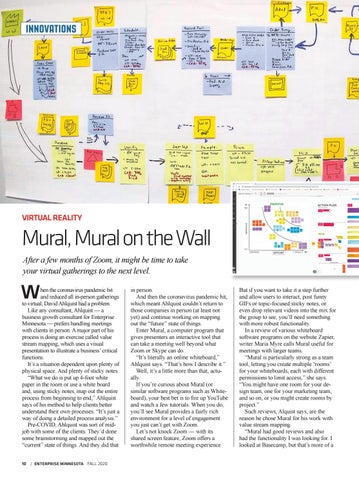
hen the coronavirus pandemic hit and reduced all in-person gatherings to virtual, David Ahlquist had a problem. Like any consultant, Ahlquist — a business growth consultant for Enterprise Minnesota — prefers handling meetings with clients in person. A major part of his process is doing an exercise called value stream mapping, which uses a visual presentation to illustrate a business’ critical functions. It’s a situation dependent upon plenty of physical space. And plenty of sticky notes. “What we do is put up 4-foot white paper in the room or use a white board and, using sticky notes, map out the entire process from beginning to end,” Ahlquist says of his method to help clients better understand their own processes. “It’s just a way of doing a detailed process analysis.” Pre-COVID, Ahlquist was sort of midjob with some of the clients. They’d done some brainstorming and mapped out the “current” state of things. And they did that
10 / ENTERPRISE MINNESOTA FALL 2020
in person. And then the coronavirus pandemic hit, which meant Ahlquist couldn’t return to those companies in person (at least not yet) and continue working on mapping out the “future” state of things. Enter Mural, a computer program that gives presenters an interactive tool that can take a meeting well beyond what Zoom or Skype can do. “It’s literally an online whiteboard,” Ahlquist says. “That’s how I describe it.” Well, it’s a little more than that, actually. If you’re curious about Mural (or similar software programs such as Whiteboard), your best bet is to fire up YouTube and watch a few tutorials. When you do, you’ll see Mural provides a fairly rich environment for a level of engagement you just can’t get with Zoom. Let’s not knock Zoom — with its shared screen feature, Zoom offers a worthwhile remote meeting experience.
But if you want to take it a step further and allow users to interact, post funny GIFs or topic-focused sticky notes, or even drop relevant videos into the mix for the group to see, you’ll need something with more robust functionality. In a review of various whiteboard software programs on the website Zapier, writer Maria Myre calls Mural useful for meetings with larger teams. “Mural is particularly strong as a team tool, letting you create multiple ‘rooms’ for your whiteboards, each with different permissions to limit access,” she says. “You might have one room for your design team, one for your marketing team, and so on, or you might create rooms by project.” Such reviews, Alquist says, are the reason he chose Mural for his work with value stream mapping. “Mural had good reviews and also had the functionality I was looking for. I looked at Basecamp, but that’s more of a