Media Studies for Cambridge International AS & A Level














The following items are available on Cambridge GO. For more information on how to access and use your digital resource, please see inside front cover.
Lesson plan template
Active Learning
Assessment for Learning
Developing learners’ language skills
Differentiation
Improving learning through questioning
Language awareness
Metacognition
Skills for Life
Worksheets
Glossary
Acknowledgements
We are working towards endorsement of this title for the Cambridge Pathway















The Coursebook with Digital edition is designed for learners to use in class with guidance from the teacher. It offers complete coverage of the Cambridge International AS & A Level Media Studies syllabus. Each unit contains in-depth explanations of media studies concepts, definitions of key words with a variety of activities, case studies and images to engage learners. Self-evaluation checklists at the end of each unit enable learners to revise, evaluate their understanding and progress, and reflect on their learning. The digital coursebook includes videos that help learners engage with important concepts and topics.
The digital Teacher's Resource offers inspiring ideas about how to teach this course. It contains teaching guidance, lesson plans, suggestions for differentiation, assessment and language support, and downloadable worksheets.

Media Studies


























Further teacher support is available on our secure online site for Cambridge teachers, the School Support Hub, at www.cambridgeinternational.org/ support. Your exams officer can provide you with a login. Our high quality teaching support includes guidance on planning, teaching approaches, coursework delivery and exemplar materials.
CAMBRIDGE INTERNATIONAL AS & A LEVEL MEDIA STUDIES: TEACHER'S RESOURCE
This Teacher’s Resource contains both general guidance and teaching notes to help you deliver the content in our Cambridge resources. Where appropriate, you are responsible for selecting which teaching ideas to implement to support your learners’ study. These should be appropriate for the learners’ cultural background and learning context, as well as complying with your school policies and local legal requirements.
There are teaching notes for each unit of the Coursebook. At the start of each unit there is a teaching plan This summarises the topics covered in the chapter, including the number of learning hours recommended for each topic, an outline of the learning content, and the Cambridge resources from this series that can be used to deliver the topic.
Each unit also includes information on any background knowledge that students should have before studying content covered in the unit.
There is advice on language focus for each unit. This includes advice on challenges that learners might face regarding terminology and offers language guidance for each unit.
LANGUAGE FOCUS
There is a feature highlighting any common misconceptions that students may have about the topic. Potential misunderstandings are identified, along with the methods of identifying evidence of these misconceptions and suggestions on how to overcome them.
CAMBRIDGE INTERNATIONAL AS & A LEVEL MEDIA
Each section in the teaching notes begins with a learning plan. This will enable you to identify the syllabus learning objectives for each unit, as well as the related learning intentions and success criteria from the Coursebook.
Topic
For each section, there are starter ideas, main teaching ideas and review ideas. You can pick out individual ideas that meet the needs of your class. The main teaching ideas include suggestions for how the activities can be differentiated, with ‘support’ ideas that offer extra practice or guidance, and ‘stretch and challenge’ ideas that extend learning opportunities. There are also assessment ideas for each section.
This Teacher’s Resource includes a range of digital materials that you can download from Cambridge GO. This icon indicates material that is available from Cambridge GO and includes the following:
• Worksheets for each unit
• PowerPoints for each unit to support individual activities or offer general support
• A glossary of the key terms featured in the Coursebook
More information about these approaches to learning and teaching is available to download from Cambridge GO (as part of this Teacher’s Resource).
© Cambridge University Press & Assessment 2026
SectionApproximate number of learning hours
Learning content
1.1 What is media? 9 hoursThis section introduces the concept of media by exploring the definitions of basic media-related terminology. Students will also begin to consider media’s effects on society.
1.2 Media and your life 6 hoursThis section prompts students to analyse the role of media in their personal context. Students will assess their media usage habits and consider how media impacts their perceptions of the world.
Resources
Coursebook:
Activities 1.1–1.4
Teacher’s Resource: Section 1.1 What is media?
Downloadables:
Worksheet 1.1 Reflecting on digital identity
PPT 1.2 The evolution of media
PPT 1.1 slides 2 and 3
Coursebook:
Activities 1.5–1.8
Teacher’s Resource: Section 1.2 Media and your life
Downloadables: Worksheet 1.2 Essay rubric –How does media benefit me?
PPT 1.1 slides 4–6
BACKGROUND KNOWLEDGE
• Key terminology
• The differences between the three major media platforms
• Active vs passive media consumption
Overview
Unit 1 is an introduction to media studies, encouraging students to think about media through an analytical lens instead of the typical approach of consumption for entertainment. This is a significant first step for developing a deep understanding of the roles of media within society.
Unit 1 also encourages students to consider how they use media in their own contexts. Section 1.2 asks students to reflect on the role(s) of media in developing their perception of themselves and the world at large.
The misconceptions listed below apply to both sections in this unit.
Media is purely for entertainment.
Students rely heavily on discussing which media texts they ‘like’ or ‘enjoy’.
Content on social media platforms is not ‘real’ media.
Media texts that entertain are not important.
Some students view social media resources as ‘fun’ spaces, as opposed to more traditional mediums like TV, radio or film.
Prompt students to think more deeply about media texts they already consume. Ask questions like, What is it about the TV show that you like most? and What is your favourite scene in the film? Then, develop deeper questioning that prompts analysis like, How do you think that scene would change if the main character were written as a different gender? and You mentioned you like [a character]. How did their costume contribute to developing the character?
During a discussion about the definition of media, prompt students to develop their own definition about what ‘media’ encompasses. This discussion could take place after completing Activity 1.1, when reflecting upon the type of information that is commonly disseminated through various media forms.
Students are not impacted by the media when deciding how they feel about important topics.
When students are discussing popular media texts, they don’t consider how these are working to communicate content on a deeper level.
Students often claim to learn about important topics –frequently news related – from social media without being aware these may not come from entirely credible sources.
Discussions about active versus passive consumption can lead to discussions about why analysis of all media is important. Questions like, How can we analyse media consistently? and What questions should I ask myself while consuming media? will help students develop media analysis skills.
Prompt students to discuss a prominent local or national story within your teaching context. Ask questions like, Where did you learn that information? and What sources did you consume to learn about this topic? Share two or three social media posts about the topic and discuss how the information is presented in a fashion that is meant to develop a specific perception of the story.
Topic
• Define and explain basic concepts and key terminology for studying media.
• Understand the concepts of media forms and platforms.
• Evaluate the effects of media.
Knowledge and understanding• Students will be able to discuss the various iterations of the word ‘media’ and how they ‘live’ within their media contexts, correctly utilising basic media terms.
Knowledge and understanding• Students will be able to identify various media forms and understand the differences between media forms and platforms.
Knowledge and understanding• Students will be able to analyse how different media forms develop messages that impact society and perception.
• Audience: a person or a group of people who consume media products and might also interact with them. An audience can be analysed using demographics, such as gender, ethnicity, class and age, or psychographics, such as beliefs, attitudes, interests and values.
• Consumption: the process of using or receiving a media product.
• Media form: the specific medium used to communicate meaning, such as television,
film, newspapers, magazines, radio, video games and music.
• Media platform: the method of access and distribution for a media form – digital, online or physical. Some media forms take advantage of more than one media platform; for example, magazines are often distributed physically and digitally.
• Digital identity: a person’s online representation.
• What is media? This is the main question explored in this section. Prompt students to develop a one-line definition of ‘media’, then to exchange definitions. Challenge them by discussing specific word choices, what is included/excluded, etc.
• Is AI-generated content real media? This activity could be paired with the ‘Media = creators’ section in Section 1.1 of the Coursebook. Ask students to develop a list of the characteristics of a piece of media (you may wish to offer more pointed prompts, such as Who creates media? or How is media made available to audiences?). Next, keeping their lists in mind, ask students to discuss the question, Is AI-generated content real media?
1 Who creates the most important media? (35 minutes)
Resources: List of ten media content resources (this list could be presented digitally or on paper), such as prominent TV stations, film production companies, video game production companies, social media resources, YouTube channels, TikTok influencers, newspapers, magazines, etc.
Description and purpose: Students will consider the impact of media content creators on the overall media sphere.
Practical guidance:
• Place students in small groups of three or four. Provide each group with the list of ten media content resources.
• Ask students to list the media content resources in order of importance in the media sphere (1 being the most important and 10 the least important).
• Ask groups to pass their completed lists to another group. Group members should then discuss the new list and make notes on the side indicating how they agree or disagree with the resources’ ratings.
• Groups should return the lists to their creators. Each group should review the feedback and decide if they wish to make any changes. All changes should be documented before submission to the instructor.
2 Evolution of media (90 minutes)
Resources: PPT 1.2 The evolution of media or images of artwork; access to online materials.
Description and purpose: Students will explore how themes are developed within media texts created throughout history.
Practical guidance:
• Put students in pairs or groups of three. Show the painting on PPT 1.2 slide 2 to the class. Prompt each group to analyse the piece and develop a sentence that represents the theme or main topic of the piece. Complete the same task for the remaining paintings in the presentation (slides 3–7) or four or five more pieces of your choosing.
• Afterwards, prompt each group to choose one of the images (slide 8).
• Now, ask each group to find two contemporary pieces of media (created within the past three years) that address a similar theme or represent a similar concept. The piece could be from any media form.
• Develop a short presentation (you should dictate the format) comparing the two media forms. Within the presentation, students should discuss how the messaging about the theme or concept has evolved, both through the media forms and the content illustrated.
1 Media forms extension (60 minutes)
Resources: Internet access or local newspapers, brochures, magazines, TV news clips, radio broadcasts, advertisements; Coursebook Activity 1.1.
Description and purpose: This activity further explores how media forms communicate information in the local media sphere.
Practical guidance:
• Place students in small groups. Assign each group a media form.
• Prompt each member of the group to find examples of this media form in action within their community (you may need to assign this for homework). They may take a picture, bring in a copy or print out their example.
• After finding the media examples online or during the next class, all group members share their findings and respond to the following questions:
• What types of information are most presented through this media form?
• Describe the most likely consumer of this media form.
• Where is this media form most often found?
• What role(s) does this media form serve within society?
Assessment ideas: Each group presents their media examples and summary of discussion to the rest of the class.
Differentiation:
• Support: Provide media examples to those students that may not have access to exploring media within the community. For students who need more time, offer an extended period (one week) to gather media examples.
• Stretch and challenge: After viewing all of the presentations, students create a two- to three-paragraph argument for the following prompt:
• In your community, which media form is the most effective for distributing important information to citizens? Explain and elaborate using specific information from the presentations and your own media consumption experiences.
Reflection: As a full class, engage in a larger discussion about the different roles of media forms.
minutes)
Resources: Coursebook Table 1.2, large poster paper or access to digital mind map creation software; PPT 1.1 slide 2.
Description and purpose: Students will discuss how media forms ‘live’ on various media platforms.
Practical guidance:
• Place students in pairs or groups of three and assign each group one of the media forms listed in Coursebook Table 1.2.
• Ask each group to create a mind map with their assigned media form at the centre, representing how this form is or could be available through the three media platforms: physical, digital and online. Use PPT 1.1 slide 2 as a framework.
• Invite each group to post and share their completed mind maps (either on a digital forum or by hanging up the large poster paper). Students should view mind maps for at least three other media forms.
Assessment ideas: Each student should choose a mind map for a different media form than the one they worked with for the activity. Ask them to write a two- to three-paragraph reflection that summarises the mind map, and evaluates which part most accurately represents availability through the media platform/ which part needs further development.
Differentiation:
• Support: Provide a partially developed mind map for the assigned media form.
• Stretch and challenge: Ask students to provide examples of specific media texts represented through each platform within their mind maps.
Reflection: Invite students to respond to the following questions:
• Which media platform was the most difficult to represent in the mind map? Why?
• Within which media platform is your media form most prominent? Why?
3
Resources: Internet access; list of acceptable media content creators (optional); presentation software of your choice; PPT 1.1 slide 3.
Description and purpose: This activity asks students to deeply explore the contexts of content creators. It could pair with Coursebook Section 1.1, sub-section ‘Media = creators’.
Practical guidance:
• Each student will choose one of their favourite content creators (approved by you) or from an assigned list. Students will conduct research on their content creator to collect the following information (available on PPT 1.1, slide 3):
• Content creator background
• Main media form(s)/platform(s)
• Two or three examples of created content
• Purpose of each example
• Target audience of each example
• Main message of each example
• Statement reflecting why you believe this content is an important part of the media sphere (or why not).
• Prompt students to compile and present the information in a manner that you choose; for example, a class blog, an online document, a shared online folder (this would be suitable for presentations) or within a learning content management system. Students may also create a two-page spread for a magazine that would include all research.
• Repeat the activity for two or three other content creators.
Assessment ideas: Ask students to read or review their peers’ submissions. Choose one submission created by another student and develop an essay comparing their creators.
Differentiation:
• Support: Ask students to only compile listed information for one content creator. Instead of developing a presentation place students in groups of four. They will share their findings with their group members.
• Stretch and challenge: At the beginning of the activity, ask students to choose their favourite genre. They must research content creators that develop work within this chosen genre only.
Reflection: Place students in pairs and prompt them to debate the importance of media created by their content creators. Which content creator is developing media that is more beneficial to society?
Resources: Worksheet 1.1 Reflecting on digital identity.
Description and purpose: Students will consider the types of media content they consume and how they can incorporate more beneficial media content into their consumption patterns. This activity could support (or substitute) Video 1.1.
Practical guidance:
• Distribute Worksheet 1.1 Reflecting on digital identity, or project it and ask students to copy the format onto a sheet of paper.
• Inside the circle, students write down the types of content they typically consume through online or digital platforms. This could include specific content like, ‘Cat videos on YouTube’ or ‘Among Us on phone app’, or listing resources such as TikTok or Instagram. Students should also write down the resource they use most for online searching.
• Now, ask students to consider everything they wrote in the circle. Are they consuming one media form more often than others? How much of their consumption involves information gathering? Entertainment? Explain that what is listed in the circle contributes to developing their digital identity. Much of the media content that is fed to people is the result of the data collected through what they consume in the digital sphere.
• Next to each arrow outside the circle, students should write an explanation of how they wish to change or improve their digital identity. This could be something general like ‘Read more news’, or more specific like ‘Reduce screen time on TikTok’.
Assessment ideas: Provide a fully completed model worksheet. Based on the information listed, ask students to write a list of 15 characteristics of the person represented by this digital identity. For example, if ‘Cat videos on YouTube’ is listed in the model worksheet, a possible characteristic listed may be ‘owns a cat or wishes to get a cat soon’. Students should then write two or three paragraphs explaining what specific information from the digital identity model led them to identify these characteristics.
Differentiation:
• Support: Provide a fully completed model first. Review the different sections of the worksheet using the completed model. Offer specific instructions about what should be listed, such as what students use for online searches, most used app on their phones or how they listen to music.
• Stretch and challenge: Ask students to choose one of their explanations of how they wish to change or improve their digital identity and put that plan into action for two weeks. At the end of the two weeks, ask students to write a short reflection explaining how this change has impacted them.
Reflection: Ask students to write a two- to three-paragraph description of what their digital identity reveals about them, referring to content from their completed worksheet.
1 Persuasive essay (40–60 minutes)
Resources: Writing materials or computer.
Description and purpose: After reviewing Coursebook Section 1.1, sub-section ‘Why study media?’, prompt students to choose one of the sections, ‘Analysis’, ‘Skills’, ‘Digital identity’ or ‘Job prospects’, and develop a persuasive essay about why this is the most important reason to study media. Remind students that the essay should include:
• a thesis focusing on one of the sections (analysis, skills, digital identity or job prospects)
• specific details supporting the argument
• proper organisation, incorporating paragraph breaks when necessary
• correct grammar, sentence structure and spelling.
Differentiation:
• Support: For those students that struggle with writing, ask them to first create an outline of their essay. The outline should include a full thesis statement and bullet points representing what would be discussed in each body paragraph. Review the outline and offer feedback before asking students to create the full essay.
• Stretch and challenge: After students complete their essays, ask them to exchange the essay with a partner. Students should read each other’s essays carefully and think about how they can refute the arguments. At the bottom of their partner’s essay, students should write one or two paragraphs refuting one or more of the arguments. They should then return the essays to their owners, read the new paragraphs on their own essays and engage in discussions about the feedback.
Resources: A space in your classroom where students can post examples of their favourite media content. The space should be divided into categories for each media form or platform.
Description and purpose: Students will share favourite media texts while also reviewing media terminology.
Practical guidance:
• For homework, ask students to bring in a representation of a favourite media text (a picture or drawing, etc.)
• Place students in groups of four. In turn, each group should post their media text representations under the correct media form.
• Ask students to review the completed boards and discuss the following questions in their groups:
• Are all media texts placed in the correct media form? Which ones would you move?
• Which media form is utilised the most? The least? Why?
• Are there any media texts that are repeated? Why is this media text appealing?
Differentiation:
• Support: Provide each group with four representations and summaries of popular media texts. Ask them to post the media texts under the correct category. They should discuss the first two questions above, but replace the third with: Which media texts are new to you? Which ones would you like to check out?
• Stretch and challenge: Working individually, students should choose the media form that is utilised the least, and research productions that have been released within the past three years. They should create a 20-second pitch for why this could be an interesting media text, and then present this to the rest of their group.
Activity 1.1
Support: Provide examples of three different media forms (you may use trailers or excerpts from TV shows or films). Ask students to review the examples and summarise the content that is communicated.
Stretch and challenge: Ask students to consider which media form has the largest audience within their community. How could content creators use this media form to communicate important information about community events?
Activity 1.2
Support: Provide an example for each platform, such as a physical copy of a book, the full book available online and a downloaded copy of a book on a digital reading device or phone. Allow students to work in groups to complete the table.
Stretch and challenge: Prompt students to choose one more media form and add it to the table.
Activity 1.3
Support: Provide students with the titles for each of the listed bullet points. They must conduct research to find the creators.
Stretch and challenge: Students should choose one of the bullet points and research the ten most successful media texts from the previous year. Answer the review questions again.
Activity 1.4
Support: Choose two skills for which you chose ‘inadequate’ or ‘acceptable’. Write two to three sentences describing how you can improve each skill.
Stretch and challenge: Choose one skill for which you chose ‘inadequate’ or ‘acceptable’. Create an explanation for a short lesson that would help you improve this skill.
• By creating a free account on Google, you can access a variety of content creation tools like Google Docs, Slides and Forms. You may also conduct searches without an account.
• Canva is a free-to-use website once an account has been created. You can use it to create presentations, flashcards, worksheets and other educational tools.
Homework idea
1 Vocabulary flashcards with images
As students work through each topic, they could create flashcards with definitions of important terms. Each definition should be accompanied by an image that represents the concept. This image could be symbolic and should serve as a tool to help students remember the term.
Worksheet (downloadable)
Worksheet 1.1 Reflecting on digital identity
• The activity on this worksheet asks students to list the content that develops their digital identity.
• Reflect on the roles of media in your life.
• Assess your media usage habits: why you choose specific media and how often you use it.
• Understand the difference between active and passive media consumption.
• Evaluate how media impacts how you perceive the world.
Knowledge and understanding• Students will be able to reflect on why and how they engage with the media sphere.
Knowledge and understanding• Students will be able to evaluate their personal media usage habits including time spent using media, typical media forms consumed and purpose for each media form.
Knowledge and understanding• Students will be able to identify the practices associated with active and passive media consumption.
Knowledge and understanding• Students will be able to explore and assess how media affects their understanding of the world.
• Text: a newspaper, magazine, television programme, film, radio programme, podcast or video game; sometimes called a media product.
• Media text: any media product (such as a film, TV show, song, photograph, meme, website) that conveys meaning.
• Active media consumption: the process of choosing and interacting with media in a deliberate and engaged way. Purchasing a
ticket to see a specific movie at the theatre is active media consumption.
• Passive media consumption: using media with little to no intention of engagement. When scrolling through a social media resource, a user is consuming the content, often in a passive manner. The resource is making the choices (often through an algorithm) for the consumer.
The following questions can be used for pre-assessment activities such as warm-ups, quick journaling or small group/whole-class discussions.
• Why do I consume media? Before students can learn more about media studies, they must first reflect upon their own media use. More focused questioning related to this essential question could include, Why do I use print media? or Why do I listen to music? This question could also lead students to begin exploring elements of target audience. Activity 1.5 prompts students to consider why different age groups (older family members, younger siblings) use media. The question can be adapted to something like, Why do the older members of your family use media?
• How do I consume media? The way that students interact with media can impact their perception of a media text. This question prompts students to consider how their interactions with media are just as important as the content they are consuming.
• How often do I consume media? This is an important question for students to consider, not only because monitoring media use may be something they rarely do, but also because the answer may be a wake-up call about how integral media is in their lives. Many adults tend to deride young people for what is commonly considered overt media consumption. It is important to create a judgement-free zone around this question and, instead, focus on prompting students to consider how they feel about their media use habits. Do they think they use media too often? Not often enough?
• How does media benefit me? This question pairs well with How often do I consume media? In fact, it could be helpful to prompt students to add another column to the media usage log they create for Activity 1.7, titling this ‘Purpose’ or ‘Time well spent?’
• How does media impact my perception of the world? Asking students about how media impacts their understanding of the world requires them to delve deeper into considering how specific media texts have contributed to the development of their personality and image.
1 Recommendations
Resources: Pens and paper or computer.
Description and purpose: Students will share media recommendations with their peers. Practical guidance:
• At a similar time each week, open up the floor to media recommendations. Ask your students to recommend pieces of media that they enjoyed or found interesting/challenging. If you prefer more structure, create a ‘Fill in the blanks’ template, such as: ‘I recommend ________. You can find this on ___________. The main reasons I recommend this media text are ____________.’
• Periodically, ask each student to consume a media text from their recommendations list and create a critique of it.
• Other approaches to this activity throughout the year could include:
• Each week, ask for themed recommendations such as horror or romance films.
• Ask for book recommendations to read during a rainy day.
• Ask students to recommend their ‘walking song’ – the song that would play in the background of a scene of them walking, confidently, to a future moment.
• Ask students to create a 30-second video critique of a media text they consumed after a recommendation by a peer.
2 Media inspiration (30 minutes)
Resources: A presentation tool like Google Slides or PowerPoint, or poster board and art supplies; PPT 1.1 slide 4.
Description and purpose: Students will reflect upon important media products from their past and explain how the media texts impacted them.
Practical guidance:
• Prompt students to think about the pieces of media that inspired them as they were growing up. For example, maybe one of your students watched a Star Wars film and decided that they wanted to become a pilot. Perhaps another student grew up playing the video game Animal Crossing and started to pursue studying biology.
• Ask students to choose one media text that served as inspiration for something in their lives. They should develop a digital slide (or two), or produce a poster, that lists the student’s name, their inspiring media and how it affected them. Share the sample in PPT 1.1 slide 4.
• Put the slides together in one presentation or place the poster boards around the classroom. Not only will students get to know each other better, they will also consider how media affects them as they grow.
3 Considering the ‘why’ (30 minutes)
Resources: Pens and paper or a computer; PPT 1.1 slide 5.
Description and purpose: Students will think about why they choose to consume media texts.
Practical guidance:
• Ask students to think about their consumption of media texts during the past two days (or a time frame of your choosing).
• They should create a two-column table, as shown in PPT 1.1 slide 5, and list these media texts in the lefthand column. Texts such as ‘My friends’ Instagram posts’ or ‘TikTok cooking videos’ could be listed as a group.
• In the right-hand column, students should list their reason for consumption next to each listed media text. If there was no specific reason for consumption, students could enter something like ‘General entertainment’ or ‘Boredom’.
• Either as a full class or in small groups, discuss the content of the tables using the following questions:
• Could you remember all of the media you consumed over the past two days? Why, or why not?
• What type of media did you consume the most? Why?
• Did you have a specific reason for consuming all media listed? Explain and elaborate.
1 Beneficial media (30–45 minutes)
Resources: Coursebook Section 1.2, sub-section ‘How does media benefit me?’.
Description and purpose: Students will create media text ideas addressing an issue pertinent to their age group.
Practical guidance:
• Working in pairs, students should list some of the problems they experience as a teenager in their local context.
• Now invite them to create an idea for a media text that might improve one of these problems. For example, if it is appropriate, and if they feel their issues/needs are ignored by the school staff, a podcast in which they hold a discussion with a teacher or school administrator might improve this.
• Students should explain their idea using the following format:
• Summary of issue:
• Media form:
• Media text title:
• Media text summary:
• Explanation of how this will work to address the issue:
Assessment ideas: Students can present their ideas using PowerPoint or Google slide presentation with a sound recording. They should offer a critique of ideas suggested in two other presentations.
Differentiation:
• Support: For each pair, assign a specific demographic for which the students must ponder possible issues. For example, one group may be assigned ‘elderly widows’ and another group may be assigned ‘primary or elementary school students’.
• Stretch and challenge: Students will create a sample of the media text idea that they develop.
Reflection: Ask students to create a short essay responding to the following prompt: How does media benefit society? They should reference not only media forms but also specific media texts that are beneficial.
2 Photographic stills (60 minutes)
Resources: A camera that takes digital images that can be shared or uploaded to a computer; collection of still life art works (see Links to digital resources) or PPT 1.1 slide 6.
Description and purpose: This activity creates a representation of a concept by using symbolic objects. It would work well after working through Coursebook Section 1.2.
Practical guidance:
• Ask students to present and discuss a series of still life artworks, using your own collection or the samples in PPT 1.1 slide 6. Discuss the following questions:
• Where is your eye initially drawn?
• What could the objects symbolise?
• Is the organisation of the objects important?
• What aspect of life is represented here? What moment was captured?
• Working in small groups of two or three, students should think about objects that might represent their experiences at school. Each should create a list of these objects and collect as many items as possible.
• The students will then work together to arrange the objects and create their own ‘still life’ artwork. They should take a picture or series of pictures of them, and choose the best one for submission to you.
Assessment ideas: Ask students to create a short essay describing how the objects in the image are used to symbolise school. They should discuss specific objects, their placement in the image and what that could represent.
Differentiation:
• Support: Choose another subject that is more suitable for your teaching context, such as objects representing a favourite subject, extracurricular activity or school spirit.
Reflection: Each student should share the image created in their group with someone outside the school environment. Ask students to ask that person, How do you perceive the image? What do you think each object symbolises? How does this piece of media make you feel?
3 Photographic stills – continuation (30 minutes)
Resources: Collection of still life photos created in previous activity (at least ten), available for students to view on a digital resource (picture slideshow, scrollable collection, etc.).
Description and purpose: Students will explore the differences between active and passive viewing of media.
Practical guidance:
• Prompt students to take 30 seconds to review the collection of photos.
• Ask students the following questions:
• Did you have a favourite ‘still life’?
• Were there any repeated elements in the images? What were they?
• About how long did you take to review each image?
• Now, ask students to choose one of the images and focus on it for at least 20 seconds. Repeat this process for two more images. Ask students the following questions:
• What details did you notice during the longer viewing that you missed during the initial viewing?
• How did your perception of the image change after viewing it for a longer time?
Assessment ideas: Students will create a written summary of both viewing processes – their approach to viewing the media texts during the initial 30 seconds and then how their viewing changed when they spent longer assessing the image.
Differentiation:
• Support: Allow students to work in pairs for the full activity. Each pair should discuss the questions in their small groups.
Reflection: Create a short response explaining how each viewing process represents active or passive media consumption.
1 Active vs passive media (30 minutes)
Resources: Media form table.
Description and purpose: This activity requires students to think about the techniques that are used to develop active or passive consumption. Prompt students to copy and complete this table with examples from each media form that lead to active or passive consumption. A sample answer is provided.
Differentiation:
Choosing text, close reading techniques, annotation
Skimming text, only reading headlines, not questioning text content
• Support: Provide a partially completed media form table and ask students to fill in the empty cells.
• Stretch and challenge: Add an extra column in which students discuss ways to promote more active viewing techniques.
2 How does media benefit me? (60 minutes)
Resources: Worksheet 1.2: Essay rubric – How does media benefit me?
Description and purpose: This activity develops students’ writing and analytical skills. Ask students to create an essay response to the question How does the media benefit me? in a form of their choice. It could be a two- to three-page written essay, or a video or podcast. Their essays should include:
• a clear introduction and thesis
• specific discussion of two to three media texts
• a conclusion that reinforces the main argument.
Differentiation:
• Support: Share the rubric in Worksheet 1.2 with students before they begin to write. Discuss each section of the rubric and ask for examples of what you should see within a high-scoring essay.
• Stretch and challenge: Provide two or three sample essays before students write their own. Using the rubric in Worksheet 1.2, ask students to assess the essays. Discuss scoring and ask students to compare their assessment with yours.
Activity 1.5
Support: Ask students to choose only three of the listed media forms and to explain their motivations for using them.
Stretch and challenge: After students consider their own motivations for using media forms, assign a specific target audience and ask them to complete the activity again thinking about their assigned target audience.
Activity 1.6
Support: Change the listed questions to the following:
• What piece(s) of technology do we typically use to consume media in school?
• Which media form, other than print, is most commonly used for instruction in school?
• How do you access these media forms in school? Does your method of access change the way you interact with the media form?
Stretch and challenge: Prompt students to engage in a discussion about how a specific media form, like episodic shows, is typically consumed. What technologies or platforms are used to access it? How does the technology or platform change the way we interact with the media form?
Activity 1.7
Support: Add another column, labelled ‘Media platform’, to Table 1.4. Students must write whether they use a physical, digital or online platform.
Stretch and challenge: Ask students to choose one area of their media usage log that is negative (for example, they may spend too much time on social media). Prompt them to create a personal challenge that they will attempt for one week, to reduce their viewing time over a week, for example. After that week, ask students to share their experiences and outcomes through a short presentation or writing task.
Support: Before working through this activity, invite students to speak with someone in their local context about the concept of ageing, and ask them the questions listed.
Stretch and challenge: Ask students to choose another age or social group that is often underrepresented in the media. Choose three pictures representing this age or social group and explain how the images may impact perceptions of the age or social group.
For still life examples, search for ‘still life’ on the websites of the following museums and galleries:
• Rijksmuseum (Amsterdam)
• Tate Britain (London)
• Metropolitan Museum of Art (New York)
• National Gallery (London; search for ‘Cezanne still lifes’ for a lesson plan on still life).
1 Beneficial media
Ask students to choose another social problem or issue and find two to three examples of media that were created to address it. They should create a document that includes a description of the problem/issue, a link to or image of each media example, and a written analysis of how each media example works to address the problem or issue. Students may also evaluate whether the media is successful at drawing attention to the issue or actively works to improve the issue.
2 Still life – continuation at home
This activity would work well after working through Section 1.2. Ask students to choose objects and create their own ‘still life’ photograph (or series of photographs) using items from home. They should submit the photographs alongside a short description of how each object symbolises their character/personality.
Worksheet (downloadable)
Worksheet 1.2 Essay rubric – How does media benefit me?
• This worksheet offers a rubric for assessing an essay.
SectionApproximate
2.1 Semiotics3 hoursThe focus is on learning the concept and language of semiotics, and being able to engage in a semiotic analysis of a media text.
Resources
Coursebook: Activity 2.1
Teacher’s Resource: Section 2.1 Semiotics
Downloadables: Worksheet 2.1 Theory card template PPT 2.2 Semiotic analysis
2.2 Shots, angles, movement, composition 4 hoursThe focus is on identifying technical aspects of cinematography, using the technical vocabulary associated with it and being able to discuss how aspects of cinematography can generate meaning in a text.
2.3 Sound6 hours
The focus is on learning the technical elements of sound, the specialist vocabulary associated with them and how to deconstruct the elements of sound in a media text, suggesting how they contribute to meaning.
Coursebook: Activities 2.2 and 2.3
Teacher’s Resource: Section 2.2 Shots, angles, movement, composition
Coursebook: Activities 2.4 and 2.5
Teacher’s Resource: Section 2.3 Sound
Downloadables: Worksheet 2.2 Sound identification PPT 2.1 slide 2
2.4 Mise-enscène 5 hoursThe focus is on being able to deconstruct a media text, identifying elements of mise-en-scène and suggesting how they have been used to generate meaning for the audience.
2.5 Editing8 hoursThe focus is on learning the technical aspects of editing, learning the specialist vocabulary associated with it and being able to analyse a media text and identify the editing techniques used, as well as how they contribute to meaning for audiences.
Coursebook: Activities 2.6–2.9
Teacher’s Resource: Section 2.4 Mise-en-scène PPT 2.1 slides 3–6
Coursebook: Activities 2.10–2.13
Teacher’s Resource: Section 2.5 Editing
Downloadables: Worksheet 2.3 Editing terms
• Basic knowledge of how and why people consume media
• The role of media in understanding the world around you
Unit 2 focuses on media texts and technical elements – specifically the micro elements of media language. The technical elements are camera shots, angles, movement and composition, sound, mise-en-scène and editing. Studying the technical elements will enable students to discuss how they can be used to create specific representations of individuals, groups, events and places, and help to articulate specific messages and values that have social, cultural and historical significance.
Students will develop skills and confidence in analysing aspects and combinations of media language and how it is used to communicate meaning to audiences. The unit will ask students to deconstruct a variety of moving image texts.
Topic Skills
• Explain the concept of semiotics.
• Define the terms ‘denotation’ and ‘connotation’.
• Analyse a media text, identifying the connotations of signs.
Knowledge and understanding• Students will be able to confidently discuss semiotics and the theory behind it.
Knowledge and understanding• Students will be able to use the language of semiotics confidently and correctly in analysis of a media text.
Analysis and evaluation• Students will be able to discuss the connotations of signs and signifiers within a text, and suggest how this contributes to overall meaning for audiences.
• Case studies: analyses of connected media texts, exploring their production and distribution.
• Media language: how a media text uses technical elements, forms and conventions to convey meaning to an audience.
• Semiotics: the study of signs (anything can be a sign in a media text, e.g. a word, an image, a colour).
• Technical elements: the micro elements of media creation – sound, cinematography, editing and mise-en-scène.
• Codes: the technical and symbolic elements in media texts used to create meaning (also referred to as the micro elements).
• Conventions: the expected elements, structure and language of a type of media text.
• Denotation: a literal description of a sign.
Misconception
The signifier is the same as the signified.
• Connotation: the meanings we take and associations we make from the sign. This is also referred to as the signified.
• Polysemy: when a sign has multiple related meanings or can be interpreted in multiple ways.
Signs have fixed meanings which are controlled solely by the producer of the media text.
How to identify
Students don’t make a distinction between the signifier and what is signified; they simply describe the signs in a text rather than analysing them.
Students may attribute the construction of meaning to a producer.
How to overcome
Probe students and ask them to explain what may be associated with a particular sign.
Scaffold analytical sentences to encourage students to analyse.
Provide students with example texts and ask them to identify signs, highlight connotations and relate them to wider viewpoints and ideologies.
Encourage students to identify the meaning intended or preferred by the producer, but acknowledge that different audience members will read and interpret signs differently.
Before you begin teaching the unit, engage students in a baseline pre-assessment activity to assess their existing understanding of semiotic concepts. The activity will allow you to assess student awareness of the language of semiotics, their ability to analyse media texts and their awareness of audience and cultural context.
Provide students with a media text such as a film poster, a magazine cover or an advertisement. Ask the following questions:
• What is the purpose of the text?
• Identify two or three signs used in the imagery.
• What do you associate with each sign?
• If you combine the associations, what meaning is created for the audience? How is the media text trying to influence the audience?
• Do you think different audiences might make different interpretations? Why?
1 Vox pop (20 minutes)
Resources: Printed and laminated images from popular culture.
Description and purpose: This activity will enable students to consider how culture, age, gender, sexuality, personal experience, etc. can affect how individuals interpret texts.
Practical guidance:
• Invite students to show the printed images to people in school/college from different social groups and ask what they associate with each one. Do associations differ? Are there any patterns?
• Students should then spend five minutes discussing their findings in small groups or as a class.
1 What is semiotic analysis? (45 minutes)
Resources: Roland Barthes, Elements of Semiology (1964); teacher presentation; series of images; still image from a film/TV drama; PPT 2.2 Semiotic analysis.
Description and purpose: This activity supports Coursebook Activity 2.1, and will provide students with the theoretical understanding and technical language needed to conduct a semiotic analysis. PPT 2.2 provides a structure for this lesson.
Practical guidance:
• Slides 2 and 3: After conducting the ‘Before you start’ activity in the Coursebook, introduce Roland Barthes’ concept of semiotic analysis. Provide definitions of signifier/signified, denotation and connotation, and illustrate these with a series of examples.
• You could provide students with a blank vocabulary grid to complete as they progress through the unit. To allow for deeper processing, turn this into a dual-coded grid and ask students to include an example/image/drawing or symbol in the right-hand column to help reduce cognitive load. An example is provided in this table:
Terminology Definition
Connotation
Illustration/example
The meanings we take and associations we make from the sign. This is also referred to as the signified.
For some audiences a red heart can signify love.
• Slide 4: Students work in pairs to identify the denotation and connotation of the image on the slide, and then share their ideas with the class.
• Slide 5: Consider how different signs combine to create meaning in this image. The advertisement is for candy sweets, in this case fruit gums. The saturated colours are eye-catching and bright – the suggestion is that consuming the product will evoke feelings of happiness and brighten up the consumer’s day. The use of real fruit and juice being poured into the sweets challenges the stereotype of candy sweets being unhealthy. The association of fruit with health and goodness transfers to the candy sweets.
• Slides 6 and 7: Ask students to analyse the images and to feed their ideas back to the class. How does the meaning of a text change when the signs are changed? The concept is the same in both images –a man on a motorbike – but the meanings are different. Ask which signs alter the meaning and why.
• Slide 8: Introduce the concept of signs being culturally dependent. Discuss the concept of polysemy. Ask students to consider how people from different social and cultural backgrounds might interpret social media. This is a culturally relevant topic that should spark a lot of class discussion. Following this discrete lesson, students should have the foundation knowledge to complete independent analysis and begin developing their skills in analytical writing.
Assessment ideas: Provide the class with a still image from a film or TV drama. Ask students to work in pairs to identify the connotations of each sign/signifier and then how the connotations all work together to provide meaning.
Differentiation:
• Support: Scaffold the assessment by identifying signs and signifiers for some pairs of students. Mix up the student pairs to offer an element of challenge for less confident students and allow more confident students to adopt a teaching role.
• Stretch and challenge: Student pairs choose a still image and allocate it to another pair. Without any scaffolding, they have five minutes to deconstruct it. Ask students to consider alternative interpretations, applying Barthes’ concept of signs being culturally dependent.
Reflection: Opportunity for class discussion. Could the signs be interpreted differently? Who produced the text? What was their intended reading of the signs/signifiers?
2 Describe your semiotic analysis (30 minutes)
Resources: Coursebook Section 2.1; Activity 2.1 (optional).
Description and purpose: This activity allows students to develop their analytical writing and critical thinking skills. They could base their descriptions on their answers to Coursebook Activity 2.1.
Practical guidance:
• Ask students to write a description of a holiday or vacation destination image, and consider its associations.
• Remind them to use the newly acquired terminology of signifier, signified, denotation and connotation.
Assessment ideas: Students could peer-assess and share their sentences with a partner.
Differentiation:
• Support: Use modelling and provide sentence starters or exemplar sentences for alternative images.
• Stretch and challenge: Comparative analysis – ask students to compare the image with a similar image in a different context, and think about how context can change and influence meaning.
Reflection: Ask students to research how the destination could be interpreted differently by people from different cultures or based upon individual experiences. This introduces the students to the concept of polysemy.
3 Walk and talk: engaging in semiotic analysis (60 minutes)
Resources: Laminated still images from films/TV dramas/advertisements; sticky notes.
Description and purpose: This activity promotes collaborative learning and can deepen conceptual understanding because students are thinking critically and articulating their ideas to others.
Practical guidance:
• Place laminated images around the classroom.
• Place students in small groups, provide them with images and ask them to spend five minutes on each image.
• Students should identify a minimum of two signs in each image, write down the connotations associated with them on sticky notes and stick them around the image.
• Students should move around all images.
Assessment ideas: Provide each group with an image and the sticky notes. Individually, students should write analytical sentences for the images.
Differentiation:
• Support: Provide exemplar sentences and sentence starters. Students could refer to Figure 2.2 or 2.3 in the Coursebook to support their writing.
• Stretch and challenge: Ask students to incorporate the ideas of Roland Barthes and to consider alternative interpretations. Are the signs culturally dependent? Could polysemic meanings be made? What was the preferred reading, as intended by the producer?
Reflection: Students could compare their sentences to some you have pre-prepared and reflect on their own work. Can they write a target for improving their own writing?
Resources: Teacher-created quiz.
Description and purpose: This is a recall activity that will assess students’ knowledge and understanding of newly acquired technical language.
Practical guidance:
• Provide students with a series of questions that test their knowledge and understanding of the theory of semiotics and their newly acquired technical terminology.
• You could present this in two ways: create a self-marking form in Google Forms, or use websites such as Kahoot! to design an interactive quiz.
Differentiation:
• Support: Multiple-choice questions can be an excellent quick diagnostic tool. They will enable you to identify any misconceptions but also provide students with the correct answer. This is a safe way of students identifying any misunderstandings they have.
• Stretch and challenge: If you use multiple-choice questions, ask students to explain why an answer is correct and the others are not. This will help promote deeper conceptual thinking.
Resources: Sticky notes with a place, person or icon written on them.
Description and purpose: This activity will assess students’ ability to conduct semiotic analysis, and will highlight how audiences may make sense of and interpret signs differently.
Practical guidance:
• Give each student a sticky note to place on their forehead.
• Students must guess what is written on the note by moving around the room and asking a peer for a connotation. For example, if a student has ‘beach’ written on their note, peers may provide connotations such as holiday and relaxation, but also connotations such as arrival, departure or destination, or foreign shores.
Differentiation:
• Support: Provide images (signs) from around the word to help illustrate the signifier and allude to connotations. For example, if the word is ‘beach’, include images such as a sunlounger, a passport or a bucket and spade.
• Stretch and challenge: Use images rather than words to signify more abstract concepts such as peace, freedom and romance. For example, an open cage could signify freedom, a white dove could signify peace and a candlelit dinner could signify romance. If students make alternative interpretations, discuss this as a class, highlighting the fact that signs are culturally dependent and the concept of polysemy.
• Create a free account on the website Kahoot! and then select ‘create’ to make an interactive quiz for your class. Students can play your Kahoot! quiz by accessing the website or downloading the app and typing in the game PIN, which is generated when you select ‘play > classic mode’.
• YouTube is a free streaming platform that you can use to search and locate a variety of different moving image texts.
• Use Google Images to search for a variety of images that students can analyse. If you create a free Google account, you will be able to access and create Google Forms. When you are logged into Google, a simple way to do this is search ‘Google Forms’.
1 Analysis practice
Students should practise their newly acquired skills by analysing a series of media texts such as film sequences, magazine covers and advertisements. They should identify signs and signifiers in their chosen media texts, discuss the connotations provided, and then suggest how the signs work in combination to influence overall meaning and effect for the audience.
2 Theory card
Students should complete Worksheet 2.1 Theory card template for Roland Barthes. Alternatively, they could be creative and design their own card. Encourage students to use this card template when they learn about other theorists in the course. This will act as an excellent revision tool as well as a retrieval activity to help develop metacognitive skills.
Worksheet (downloadable)
Worksheet 2.1 Theory card template
• The template in this worksheet is provided as guidance for students to generate their own theory cards. It can be utilised throughout the course as a means of revision, and modified as required.
LEARNING
• Identify all types of camera shots in a media text.
• Identify all types of camera angles in a media text.
Knowledge and understanding Analysis and evaluation
• Students will be able to recognise and categorise a range of camera shots in a moving image text. They will be able to discuss the shot in terms of distance and suggest how it helps to construct meaning for audiences.
Knowledge and understanding Analysis and evaluation
• Identify all types of camera movements in a media text.
Knowledge and understanding Analysis and evaluation
• Students will be able to recognise and categorise the use of camera angles in a moving image text and suggest how this helps to generate meaning for audiences.
• Students will be able to recognise and categorise a range of camera movements in a moving image text and discuss how the movement can generate meaning for audiences.
CAMBRIDGE INTERNATIONAL AS & A LEVEL MEDIA STUDIES: TEACHER’S RESOURCE
Topic Skills
• Identify aspects of composition in a media text.
Knowledge and understanding Analysis and evaluation
• Discuss how camerawork can influence the meaning of a text.
Success criteria
• Students will be able to discuss how shots have been composed and how this can impact the meaning communicated to audiences.
Analysis and evaluation• Students will be able to watch an extract of a moving image text, identify all aspects of cinematography and discuss how elements work in unison to generate meaning for audiences.
• Streaming service: an online entertainment provider. Examples include Netflix, Apple TV, Prime Video, YouTube and Disney+.
Misconception
Studying shots, angles, movement and composition is merely about identifying technical elements in media texts.
• Rule of thirds: a way of composing visual images.
How to identify
Students will describe aspects of camerawork and how they have been used.
How to overcome
Encourage students to consider how the technical aspects of camerawork and composition contribute to meaning and effect in a text.
Always ask students how they are encouraged to feel because of the camerawork and composition – what emotional or visceral effect does it have on them?
• Concept mapping: Provide students with a blank mind map with the term ‘Cinematography’ in the centre. Ask them to write any words they associate with camerawork around it. Students could dual code this by drawing a visual to support it. This activity is a pre-assessment to establish students’ prior knowledge of cinematography and their range of vocabulary.
• Self-assessment: Provide students with a checklist of cinematographic techniques such as camera distance, camera movement, framing, depth of field, etc. and ask them to rate their confidence with each. This quickfire activity will help you to tailor and differentiate your lessons. It would also be useful to ask students to return to this checklist at the end of the section to review their progress.
1 It’s your turn (30 minutes)
Resources: Cameras; laptop, Mac or PC; Google Docs or Google Slides or access to Microsoft Office; a printer.
Description and purpose: This activity will build upon the starter idea in the previous section, to develop technical thinking regarding cinematography and apply it in a real-world context.
Practical guidance:
• Students should work in pairs to capture images quickly and storyboard a short sequence. An example could be: ‘A person walks into a room. They look nervous. They sit down in front of another person. A heated exchange occurs.’
• Students should then upload their pictures to a document and create a storyboard. They should justify their choices and decisions, and print this work for their files.
1 Shot types and angles (60 minutes)
Resources: Coursebook Section 2.2, sub-section ‘What is camerawork?’, ‘Camera shots’ and ‘Camera angles’; film and TV clips; laptop, Mac or PC.
Description and purpose: This activity introduces students to new technical terminology and model examples.
Practical guidance:
• Present the different camera shots and angles using the definitions and examples in the Coursebook.
• Invite students to record the cinematographic techniques and descriptions in a table like that shown below. This could be dual coded with an example of the distance or angle. Students should also locate examples or hand-draw a shot. An example has been provided.
Cinematographic techniqueDescription
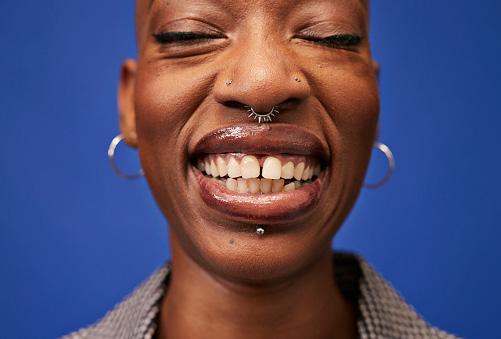
This shot tightly frames a person’s face or specific detail of a subject/ object. It can be used to highlight emotion or encourage the audience to focus on important detail.
Assessment ideas: Students could create their own handouts for camera shots and angles, locating their own examples from texts less than three years old. Students could create their own presentations.
Differentiation:
• Support: Some students may benefit from a teacher-generated template to scaffold the activity. This could include pre-populated examples.
• Stretch and challenge: Students could engage in additional reading to extend their knowledge on how elements of cinematography are used to generate meaning in media texts. Some starting points can be found in the Coursebook at the end of Unit 2.
Reflection: Students should engage in peer teaching using the resources they have created.
Resources: Coursebook Section 2.2, sub-section ‘What is camerawork?’; cameras.
Description and purpose: This activity will encourage students to think about different types of camerawork and apply their learning in a practical context.
• Introduce students to each camera movement. This could be a practical demonstration or could be done via a series of film clips; search ‘camera movements or camera techniques’ on YouTube for a range of ready-made tutorials.
• Place students into small groups of three or four. Challenge them to film the same sequence in three different ways. For example, ‘a person walks across a room and picks up a cup’: the first time they should use a panning movement as they walk, the second time a tracking shot and the third time a handheld camera. Assign each group a different scenario and camera movements.
• Screen the work to the class. Ask students to identify the movement and suggest how it changed the mood and/or meaning.
Assessment ideas: Question students as they complete their activity – ask open-ended questions about students’ examples.
Differentiation:
• Support: Give examples of camera movements in different media texts, to provide a guide. Adapt questioning techniques to probe students and help build their analytical confidence; ask directed and leading questions such as How does the movement make the audience feel tense?
• Stretch and challenge: To promote deeper thinking, provide students with a specific mood or meaning for each take and ask them to select a camera movement that they feel best conveys this.
Reflection: Help students to evaluate their work by asking the following questions: Which camera movements did you use? What was your intended effect of each movement? Did your finished sequence achieve this? Why/why not? How did different movements change the audience’s perspective on what was happening?
Resources: Coursebook Section 2.2, sub-section ‘Composition’; examples of different compositional techniques from a variety of moving image texts; pens and paper; Kahoot!
Description and purpose: The purpose of this activity is to engage students in different modes of learning. They will apply their learning in a practical context before retrieving their knowledge to help improve long-term retention of the information. Try this activity after presenting and discussing the different compositional techniques in the Coursebook.
Practical guidance:
• Students should sketch different shots under your direction, using the rule of third grids. They should choose a variety of scenarios; for example, where a character would be placed to look vulnerable, represented as dominant or to directly address the audience.
• Engage in a class Kahoot! quiz. Students could complete this individually or in teams. If you do not have access to Kahoot!, this could be delivered as a Google Form quiz or a paper-based quiz. Provide students with a range of shots and ask them to identify which compositional technique has been used.
Assessment ideas: Record and retain students’ quiz scores. You could repeat the quiz as an example of retrieval practice in a lesson starter during the delivery of a different topic.
Differentiation:
• Support: Multiple-choice questions can be used. This will enable you to identify any misconceptions but will also provide students with the correct answer.
• Stretch and challenge: Students could create their own quiz for their peers to complete. This will promote metacognition because students are reflecting on their own learning.
Reflection: Ask students to reflect on their quiz performances and create a target for improvement. This will encourage them to take ownership of their learning and identify any gaps in their knowledge.
1 Post your learning (15 minutes)
Resources: Access to a social media platform such as X; a class hashtag of your own devising, such as #camerareflection; projection screen. If access is not possible, set up a Google document and invite your students to be editors.
Description and purpose: This activity will provide a snapshot of students’ overall knowledge and understanding.
Practical guidance:
• Invite students to post, within a character limit, three ways that aspects of cinematography can generate meaning in a text.
• Live stream individual comments on the classroom projector. Collate all comments and create a handout for the group as a revision tool.
Assessment ideas: Individual section-wide assessment.
Differentiation:
• Support: Provide a sample post and make a list of key language that students must incorporate.
• Stretch and challenge: Encourage students to incorporate alternative audience interpretations, recalling their prior learning of polysemy and the impact that social and cultural context can have on the construction of meaning.
2 Practical demonstration (30 minutes)
Resources: Cameras and teacher-created scenarios.
Description and purpose: This activity enables students to consolidate and demonstrate their learning in a practical context as they create their own short video.
Practical guidance:
• Provide small groups with a utilitarian working script with ambiguous dialogue for two characters or film scene of no more than two characters, and outline specific technical elements of cinematography that must be included in their video.
• Invite students to spend ten minutes filming this scene in one take on their camera or another recording device such as a mobile phone.
Assessment ideas: Students should review the work of other groups and identify the technical elements included. They should then review it against the original scenario/scene description.
Differentiation:
• Support: Introduce the activity with an example, such as a storyboard that you have created and annotated. Provide students with a specific shot list.
• Stretch and challenge: Encourage students to replicate the style of a particular director to promote deep thinking regarding the choices they are making. For example, students could be asked to consider Alfred Hitchcock’s techniques in generating suspense, Wes Anderson’s use of symmetry or Sophia Coppola’s use of intimate framing and minimal use of camera movement, opting for more static shots.
• Follow the advice given in Links to digital resources in Section 2.1 to generate an interactive quiz on Kahoot!
• YouTube is a free streaming platform that you can use to search and locate a variety of different moving image texts.
• Use Google Images to search for a variety of images that students can analyse. If you create a free Google account, you will be able to access and create Google Forms and Documents. Once you are logged into Google, a simple way to do this is search ‘Google Forms’ or ‘Documents’.
• Create a free account on Canva and then search for free magazine templates. When completed, work can be downloaded.
1 Create a film magazine article
Ask students to write a cinematographic review of their favourite film, for a film magazine such as Little White Lies. They could use a website such as Canva to find a free template or, if they wanted to challenge themselves, they could use software such as Adobe InDesign.
2 Create a podcast
Students could work in pairs or small groups to create a new podcast episode where they talk about recent film releases and the way camerawork is used to create meaning for audiences.
3 Research an auteur
Students should be allocated an auteur (e.g. Martin Scorsese, Akira Kurosawa, Lucrecia Martel, Kathryn Bigelow or Jane Campion) and research their use of camerawork, both stylistically and thematically. Students could present their findings as a poster, leaflet, video diary or any other creative medium.
Topic Skills Success criteria
• Understand the difference between sound that features inside or outside the story world.
• Identify different elements of sounds.
Knowledge and understanding• Students will be able to clearly and accurately identify sounds that are inside and outside the story world in a variety of moving image texts. Students will be able to label sounds as diegetic or non-diegetic.
Knowledge and understanding• Students will be able to accurately identify the different types of sound, and use the appropriate technical vocabulary to describe the term and how it has been used.
• Identify different aspects of a soundtrack.
• Analyse the role of sound in the construction of meaning in a media text.
Knowledge and understanding• Students will be able to discuss how sounds are combined to create a multilayered soundscape.
Analysis and evaluation• Students will be able to analyse a combination of sounds, describe their use and discuss how they contribute to the generation of meaning in a media text.
• Soundscape: different sound recordings mixed together to create a multilayered soundtrack.
• Diegesis: the story or fictional world that characters inhabit.
• Diegetic sound: sound within the diegesis, which the characters can hear.
• Non-diegetic sound: sound outside the diegesis, which the characters cannot hear.
• Synchronous sound: sound that matches what we see on-screen.
Identifying the different types of sound used is all that is required.
• Asynchronous sound: sound that does not match what we see on-screen.
• Homodiegetic voiceover: narration of a media text by a character who is not the main protagonist.
• Protagonist: the main character with whom the audience are encouraged to identify.
• Autodiegetic voiceover: narration of a media text by the main protagonist.
Student responses will accurately identify elements of sound and use appropriate technical terminology. However, responses will be limited to a description of the sound used.
Silence in a media text means that nothing of importance is happening.
Students will fail to discuss periods of silence in a text.
Encourage students to consider why particular sounds have been used – how was the producer of the text attempting to fix meaning for the audience?
Ensure students consider how different elements of the soundscape work together to communicate meaning. For example, how is the audience encouraged to feel? How does it signify genre? How does the sound reflect the psyche of the characters or represent a place?
Encourage students to reflect on the use of silence. For example, silence can help heighten tension or build suspense. It can also connote that a character feels isolated or provide insight into their emotional or psychological state.
• Ask students to design a soundscape for the image in PPT 2.1 slide 2. This can act as a pre-section assessment to provide you with understanding of students’ baseline knowledge. Ask them to explain and justify the choices they have made.
• Retrieval quiz: Provide students with definitions and have them correctly identify the technical aspect of sound being referred to.
• Use a free online crossword creator to create a crossword to assess student knowledge and understanding of technical elements of sound.
• For a classroom assessment, screen a five-minute TV or film sequence from the last three years. Show it three times so that students can first identify the different diegetic and non-diegetic sounds, and then analyse the role of these in the production of meaning. Students should then spend 20–30 minutes writing up their analysis.
• Practical production: Provide students with a moving image extract, but mute the sound. Ask students to design the soundscape. They should write a reflective commentary or a director’s audio commentary to justify their choices and decisions, and explain how these contributed to the construction of meaning.
• Group presentations: Put students into groups, allocate a TV or film sequence, and ask them to conduct a group analysis of the sound use, suggesting how it generates meaning and effects for the audience. Each group should present to the rest of the class.
1 Training your ear (30 minutes)
Resources: Coursebook Section 2.3, ‘Before you start’ box; access to a streaming service, YouTube or DVDs.
Description and purpose: This activity will encourage students to focus solely on the use of sound, an often neglected micro element. It is a small-group or paired activity.
Practical guidance:
• Each group should choose a film or TV show and select a sequence from it. A streaming service or YouTube is a good place to start.
• The groups should take turns to screen their chosen sequence to the class with no visuals, only sound. They should play the sequence twice. The first time that the students outside the group listen to the sequence, they should write down every sound they hear. The second time they listen to the sequence, encourage them to write down what they think is happening – what do they think the visuals will show?
• Students should feed back their analysis and justify their decisions. Screen the sequence with the visuals showing, and ask students to compare it with their analyses.
• Ask students to reflect on their initial response. What impact do they think sound has on the production of meaning, and how are audiences encouraged to feel when they watch a text? Can other aspects of media language work with the sound to influence meaning? If so, how?
Resources: Video editing software and mixkit.co (a website that provides copyright-free stock footage and sound); access to streaming services.
Description and purpose: This activity explores the impact that sound can have on the construction of meaning and the audience’s emotional response to it.
Practical guidance:
• Ask students to work in pairs to develop a 60-second soundscape for the opening of a new TV drama. Screen some TV dramas in different genres to encourage ideas. Students can source footage and sounds from mixkit.co. Students should share their soundscape with another pair.
• Ask students to reflect on the activity, either in a class discussion or by writing a short paragraph. Encourage them to justify their choices and decisions and to state the meaning they intended to create.
• You could repeat this activity at the end of the unit to assess individual progress, knowledge and understanding.
1 Diegetic and non-diegetic sound analysis (45–60 minutes)
Resources: A3 paper and three teacher-chosen TV or film sequences.
Description and purpose: This activity allow students to develop their analytical skills and apply their learning in context.
Practical guidance:
• Provide students with definitions of diegetic and non-diegetic sound.
• Screen a variety of sequences and ask students to individually note down diegetic and non-diegetic sounds on the A3 paper.
Assessment ideas: Students could self-assess the sounds they have identified against a list of sounds you have prepared that have been used in the chosen sequences.
Differentiation:
• Support: Provide a template for identifying different types of diegetic and non-diegetic sound. For example, under diegetic sound, you could ask students to identify sound effects (those the characters can hear), dialogue and background sounds.
• Stretch and challenge: Provide a text extract from a different genre, and ask students to consider why the sound design is different and how it elicits a different emotional response from the audience.
Reflection: To extend student understanding of diegetic and non-diegetic sound, ask them to consider why these types of sound are used and how they think they can influence meaning and effect for audiences. This could be done as a paired discussion. Circulate and question students to provoke deeper thinking.
2 Identifying sounds and elements of the soundtrack (90 minutes)
Resources: Worksheet 2.2 Sound identification; access to streaming services.
Description and purpose: This reflection activity will consolidate learning. Worksheet 2.2 can also be used to support Coursebook Activity 2.4.
Practical guidance:
• After you have covered different sounds and elements of a soundtrack using examples to illustrate and aid understanding, use Worksheet 2.2 so that students can complete sound identification.
• Screen three five-minute extracts from films or television dramas. Ask students to identify the different types of sound used, and the impact they have on the construction of meaning and effect.
Assessment ideas: Students could share their ideas with a peer. Use questioning techniques to extend students’ understanding and enable them to develop and enhance their skills of analysis. Focus on what impact the sound has on the audience. How are they encouraged to feel? How does the sound aid understanding of the narrative? How does it encourage audiences to respond to characters?
Differentiation:
• Support: Engage in the ‘I do, we do, you do’ strategy. Model an example for students. Complete an example as a class before handing the task over to students to complete independently.
• Stretch and challenge: Encourage students to consider the use of silence and the purpose it serves. Also, ask them to find two to three examples of each sound and consider how the sound is used differently in each text.
Reflection: To consolidate learning, screen a short sequence and ask students to analyse how the different aspects of sound have been used to create a layered soundscape and how it helps construct meaning in the text. What emotional response does it elicit from the audience?
Resources: Presentational tool, e.g. PowerPoint, Google Slides, or camera and video editing software; a teacher-created case study.
Description and purpose: This activity will encourage active engagement with media texts, building critical thinking and independent learning skills. Creating a detailed case study at the end of the unit will allow students to consolidate their learning, requiring them to apply key concepts and ideas rather than just recall and identify them.
Practical guidance:
• First, take students through a pre-prepared case study: screen a sequence from a chosen film or TV drama and analyse how sound has been used to generate meaning for audiences. Ensure technical vocabulary is used, and introduce more advanced theory on physiological and psychological response to moving image texts.
• Now invite students to create their own case study, either individually or in pairs/small groups. They should choose their own moving image text and analyse the use of sound in a key sequence. They should focus on how the text provides the audience with narrative information, and how the audience is being positioned to respond to the text.
• Students could create their presentations as a director’s commentary or a visual presentation such as PowerPoint.
Assessment ideas: While students present their case studies to the class, use questioning techniques to provoke deeper thinking and assess overall knowledge and understanding.
Differentiation:
• Support: Some students may need a scaffold or template for producing their presentation following your demonstration. Suggest moving image texts and sequences to use.
• Stretch and challenge: Encourage students to research theories of spectatorship and the physiological and psychological impact that sound can have on audiences. For example: active and passive spectatorship; Stuart Hall’s reception theory; Christian Metz’s work on audience identification; Murray Smith’s work on alignment and allegiance.
Reflection: Place students into pairs and ask them to explain their case study in two minutes. They should address the most significant use of sound they discovered and how the sound helped to shape meaning and effect.
Resources: Kahoot! or another online quiz creator.
Description and purpose: Create a quiz to assess knowledge and understanding of the technical language of sound. This activity will engage students in retrieval practice and help to embed newly acquired knowledge into their long-term memory.
Assessment ideas: This is a section-wide assessment. Save the scores of individual students and repeat the quiz later in the course as a revision activity to measure their progress and retention of knowledge.
Differentiation:
• Support: This could be a multiple-choice quiz after you have provided students with a mix of definitions and examples of sounds.
• Stretch and challenge: Ask students to explain why some definitions are not correct. This will encourage deeper thinking.
Resources: Online crossword creator (see Links to digital resources).
Description and purpose: Students should complete a teacher-created crossword using the technical vocabulary in Coursebook Section 2.3 to consolidate overall knowledge and understanding of sound.
Assessment ideas: This is a topic-wide assessment. This will build student confidence because the correct answer will be provided and enable them to identify gaps in their own knowledge.
Differentiation:
• Support: You could support students with this activity in different ways: provide a word bank or list the words that students need to link to questions; use familiar definitions from the Coursebook or your teaching of the unit; pre-prepare a clue for each question and provide students with three clue cards they can request to use during the activity.
• Stretch and challenge: Reverse the task and ask students to create their own crossword to activate deeper and critical thinking. Also, ask them to write a short paragraph using three to five words from the crossword.
CAMBRIDGE INTERNATIONAL AS & A LEVEL MEDIA STUDIES: TEACHER’S RESOURCE
• Follow the advice given in Links to digital resources in Section 2.1 to generate an interactive quiz on Kahoot!
• YouTube is a free streaming platform where you can search and locate a variety of different moving image texts.
• Free-to-use websites such as Education, Quizlet and Cram enable you to create and download your own crossword puzzles and flashcards.
1 Flashcards
Students could create their own flashcards for the vocabulary associated with the micro element of sound. They could use traditional card and pens or create digital flashcards using a website such as Quizlet or Cram.
2 Changing meaning
Ask students to select a sequence from a TV drama or film and suggest how they would change the sound design to alter meaning for the audience. Students could then present their ideas as a lesson starter. Question students and ask them to justify the choices and decisions that they have made.
Worksheet (downloadable)
Worksheet 2.2 Sound identification
• This is an editable worksheet and can be used to support Main teaching idea 2 and Coursebook Activity 2.4.
Topic Skills
• List and identify the different elements of miseen-scène in production design.
• List and identify the different types of lighting.
• Analyse the role of mise-enscène in the construction of meaning in a media text.
Success criteria
Knowledge and understanding• Students will be able to accurately identify and use the technical vocabulary associated with aspects of mise-en-scène.
Knowledge and understanding• Students will be able to accurately identify and use the technical vocabulary associated with aspects of lighting.
Analysis and evaluation• Students will be able to analyse how elements of mise-en-scène work in unison to generate meaning in a diverse range of media texts.
• Antagonist: a character who opposes the protagonist.
• Proxemics: the study of the physical space between characters and objects to create meaning and effect.
Refer to the language of semiotics when analysing mise-en-scène.
Misconception How to identify How to overcome
Mise-en-scène is about describing what media texts look like.
Students will solely describe what is happening in a scene and the stage design.
Mise-en-scène is not related to issues of context.
Students will overlook performance.
Students may fail to consider social, cultural and historical context and the impact this has had on the choices and decisions made.
Encourage students to discuss the connotations of elements of the mise-en-scène and how this contributes to overall meaning and effect.
Ensure students consider the country of origin of the text and remind them that meaning is culturally dependent.
Encourage students to discuss how individual aspects of the mise-en-scène work together to construct meaning and how audiences may interpret it.
Provide students with different key terms printed on cards, some of which should be associated with this section and others from the rest of the unit. Ask them to pick out the mise-en-scène cards. This should provide you with a baseline assessment regarding their understanding of this micro element.
As another pre-assessment task to identify baseline knowledge and ability in applying prior learning of semiotics, ask students to complete a nine-frame analysis. They could use the website Art of the Title and select the opening nine frames of a film or TV drama. Students should analyse how the mise-en-scène has been used to communicate meaning. Ask them to get into pairs and share their analysis.
1 The significance of location (15 minutes)
Resources: Coursebook Section 2.4, ‘Before you start’ activity.
Description and purpose: This activity will activate students’ thinking and consider the creative decisions behind set design. It will also provide a baseline overview of students’ ability to think creatively and consider elements of mise-en-scène.
Practical guidance:
• Place students in small groups and allocate one of the four locations listed in the Coursebook ‘Before you start’ activity.
• Students can simply describe what their location would look like, or write it down and provide feedback to their group.
2 Where do I belong? (15 minutes)
Resources: PPT 2.1 slides 3 and 4; mini whiteboards.
Description and purpose: This activity will encourage students to consider the role that mise-en-scène has in the overall production of meaning.
Practical guidance:
• Place students into groups of four to five, and screen PPT 2.1 slides 3 and 4. Alternatively, you can source your own images.
• Invite students to write on mini whiteboards what they think happened before and after the shot. They should then feed back their ideas to the class.
• Ask students what led them to make this assumption, and what they think the narrative of the film/TV show might be.
1 Flipped learning activity (60 minutes)
Resources: Coursebook Section 2.4, information about technical aspects of mise-en-scène in sub-section titled ‘Elements of mise-en-scène to analyse in a media text’; PPT 2.1 slide 5.
Description and purpose: The purpose of a flipped classroom is to enhance student engagement and enable them to develop skills of independence. Students use the lesson time to apply their learning and analyse texts. This will provide you with more time to offer targeted support to individuals.
Practical guidance:
• Students should research the technical aspects of mise-en-scène and its role in the production of meaning for audiences.
• Students should create Cornell notes; PPT 2.1 slide 5 provides an example. Cornell notes support recall and retrieval, and promote deeper thinking when students organise their notes into three sections: notes from the text, key terms and prompts, and an overarching summary of the text.
Assessment ideas: Create a quiz and assess students’ knowledge at the start of the lesson and then throughout the lesson by repeating the same questions to assess individual understanding and progress.
Differentiation:
• Support: Provide some videos from YouTube that discuss the role of mise-en-scène. This may make the content more accessible to some students.
• Stretch and challenge: Recommend academic reading with differing levels of difficulty. Include some more challenging, thought-provoking and abstract texts that will require students to engage in more critical analysis and aid the development of metacognitive thinking.
Reflection: Refer to Homework activity 1, ‘Blog review’. Students could analyse a series of teacher-found images and discuss how meaning is communicated through aspects of the mise-en-scène.
Resources: Coursebook Section 2.4, ‘Think like a ... film director’ box; camera, studio lights.
Description and purpose: This activity will consolidate students’ knowledge and understanding, but will also help them to develop some preliminary production skills in preparation for coursework.
Practical guidance:
• Before the lesson, create a risk assessment in line with your own college safeguarding and acceptable use policy for technology.
• Place students into small groups. Ask them to create either a film sequence or a series of still images that demonstrate some of the lighting techniques they learned during their flipped learning activity. Use a studio or classroom with minimal natural light so that the light source can be easily manipulated.
• Every student in the group should take their own images.
Assessment ideas: Check the accuracy of the lighting techniques in the images/filmed sequences constructed, and offer appropriate feedback for improvement.
Differentiation:
• Support: Provide a ‘how-to guide’ for students – where to position the lights and camera to achieve the desired effect.
• Stretch and challenge: Ask students to create a scene that is encoded with a particular meaning. This will require them to think more critically about the choices and decisions that they will make. Also, ask them to create their own ‘how-to guide’ – where to position the lights and camera to achieve the desired effect. This will encourage evaluative thinking.
Reflection: Ask students to write a short reflection about their choices and decisions. How did they encode meaning into their text? They should show their peers their finished products and ask them how the lighting contributes to meaning – is it the same as their intention? If not, this is an excellent opportunity to recall prior learning and discuss how the social and cultural background of audience members can contribute to how they interpret a text. Students should then write themselves some targets for improvement for the next time they complete a practical activity.
3 Developing a case study (90 minutes)
Resources: Coursebook Activity 2.9; presentational tool, e.g. PowerPoint, Google Slides, or camera and video editing software; a teacher-created case study; PPT 2.1 slide 6.
Description and purpose: The purpose of students producing their own case study is to aid metacognitive thinking, apply their learning in context and help them practise and develop their skills.
Practical guidance:
• Before students embark on Coursebook Activity 2.9 to create their own case study, take them through a case study that you have prepared on a text from the last three years, which demonstrates how to discuss aspects of mise-en-scène.
• Now invite students to create their own case study, using a moving image text. They can either create their presentation as a set of slides or develop their video editing skills by creating a director’s commentary where they edit a voiceover over an extract of a moving image text.
• Explore these questions with them:
• Look at the language being used. Does it have any connotations?
• What kind of audience is it appealing to?
• What are people wearing? What connotations do their clothing have? What does their positioning say?
• Is there anything in the background?
• What colours are being used?
Students should present their case study to the class.
Assessment ideas: Ask students probing questions such as: What are the key elements of mise-en-scène in this scene that create meaning? How do your observations relate to audience reception or the producer’s intended meaning? Could you suggest alternative decisions that the producers could have made, and how this may alter the meaning? While questioning students, monitor their use of technical terminology and make suggestions about where this could be improved.
Differentiation:
• Support: Provide a scaffold or template for producing students’ presentations, and suggest moving image texts and sequences to use. Encourage more confident students to research and include some theory on spectatorship and emotional response.
• Stretch and challenge: Introduce students to some feminist thinkers. This will be a useful foundation for later study of representation. Some suggestions include Laura Mulvey and her work on the male gaze, Barbara Creed and her work on the monstrous feminine, and Annette Kuhn and her ideas on gendered representation and spectatorship. PPT 2.1 slide 6 provides support with this.
Reflection: Students should refer to the Coursebook and reflect on their learning for the section, completing the Progress check.
Resources: Coursebook Activity 2.8; card, coloured pens, scissors.
Description and purpose: This activity will help retrieve ideas from earlier in the section but will also be a tool that students can refer to when deconstructing media texts. Students should follow the steps in Activity 2.8 to create a colour wheel that is appropriate to their culture. Inform students that no colour means just one thing and that they should avoid being too simplistic in their assertions.
Assessment ideas: Students could turn this into a written paragraph as a homework activity. You should provide feedback on their use of technical terminology and address any misconceptions.
Differentiation:
• Support: Model the activity for students. If requesting students to write a paragraph as an assessment, provide a technical terminology word list.
• Stretch and challenge: Ask students to consider how people from different social and cultural backgrounds may interpret the colours. Students could apply Stuart Hall’s ideas of active spectatorship.
Resources: Teacher-created Guess Who? boards.
Description and purpose: This activity develops critical thinking skills and applies learning in a fun and practical way. The activity is time-consuming to prepare, but once you have made the boards you can reuse them.
Practical guidance:
• Create a Guess Who?-style board, based on the board game of that name, but replace the images with film/TV drama stills/frames. You can use your preferred internet search engine to see examples of a board.
• Place students into pairs to play the game, where they have to ask questions about aspects of the miseen-scène in order to correctly identify their partner’s image. The game follows the typical rules of the board game Guess Who?: out of all the options on the board, both players choose one secret image, and the aim of the game is to identify the other player’s image by asking questions that require yes or no answers, such as Is it a film? Does it have a colourful set design? Are there many actors in the shot?
Assessment ideas: This is a section-wide assessment. As the students play the game, circulate and assess individuals’ progress regarding their skills of analysis and ability to refer to technical aspects of mise-enscène with accuracy.
Differentiation:
• Support: Scaffold this activity by providing a list of questions students could ask their partner.
• Stretch and challenge: Encourage students to incorporate some theory into their questions. For example, Could it be argued that the character is positioned for the male gaze?
• YouTube is an excellent resource for accessing film and TV extracts.
• The website Art of the Title provides nine-frame opening sequences that students could use to engage in still frame analysis.
• Students can access Google Drive to use slides and documents for their presentations.
• Use free websites to create presentations (Canva), digital presentations (Prezi; students will need to create a free account), websites and blogs (Wix, Squarespace or WordPress; you can create a free account).
CAMBRIDGE INTERNATIONAL AS & A LEVEL MEDIA STUDIES: TEACHER’S RESOURCE
Homework idea
1 Blog review
Students should contribute to a teacher-created blog and write an analytical review of a film or TV drama of their choice. This should be agreed with you beforehand for decency purposes. Students should focus primarily on mise-en-scène, but more confident students will refer to camerawork and sound as well. You will need to create a free account on one of the following websites so that you can create a blog: Wix, Squarespace, WordPress.
Topic
• Define and explain the concept of editing.
• List and identify the different types of continuity and non-continuity systems.
• Analyse the role of editing in the construction of meaning in a media text.
Knowledge and understanding• Students will be able to accurately discuss the role and purpose of editing in media texts.
Knowledge and understanding• Students will be able to accurately identify aspects of editing and use the appropriate technical language associated with it.
Analysis and evaluation• Students will be able to deconstruct a diverse range of media texts, suggesting how editing has contributed to the generation of meaning.
• Continuity systems: a system of editing where time and space are consistent, and events occur in chronological order.
• Non-continuity systems: a system of editing where time and space are disrupted.
• Linear narrative: a story provided in chronological order.
• Visceral response: a physical or emotional reaction while consuming a media text. Editing techniques can induce this response – for example, hypercutting during an intense car chase scene may increase the viewer’s heart rate as they are in a state of suspense.
Misconception
Listing and identifying editing techniques is all that is required.
Editing is only about the construction of a media text.
How to identify
How to overcome
Students’ work is descriptive.Encourage students to consider how editing techniques affect the construction of the narrative.
Students fail to discuss and analyse the role of editing in audience response.
Ask students to relate editing techniques to meaning and effect.
The ‘Before you start’ activity in Coursebook Section 2.5 will provide a baseline assessment of students’ ability to use a critical eye to identify transitions between shots.
Also in Coursebook Section 2.5, ‘Think like a ... film editor’ is a creative activity that will demonstrate students’ understanding of continuity. While students are completing this activity, ask questions about the choices and decisions they are making and how these are contributing to the chronology of the sequence.
A Kahoot! quiz can be used to assess the accuracy of students’ identification of continuity and non-continuity systems. Short clips can be imported into Kahoot! from YouTube, and students can be provided with multiplechoice or true/false questions. Students should reflect on their performance and devise a SMART target for improvement.
A formative assessment could take place in the classroom. Screen a sequence from a film or TV drama (chosen by you) and ask students to write for 30 minutes about how different continuity and non-continuity systems have been used to communicate meaning for audiences. Provide students with structured feedback on the strengths and weaknesses of their writing when reviewing their responses.
1 Physical and emotional response to shot duration (30 minutes)
Resources: Coursebook Section 2.5; streaming service.
Description and purpose: This activity will activate students’ thinking and encourage them to focus on a moving image text with a critical eye. They will experience the physical effect that editing pace can have on a viewer. The activity is collaborative, which will enable students to learn from one another.
Practical guidance:
• Put the students in pairs and ask them to select two moving image sequences. One sequence should be calm and slow-paced and the other should be fast-paced and action-packed.
• Students should screen the sequences and write down their physical responses (such as increasing or slowing down heartbeat and breathing patterns) and emotional responses (such as feeling nervous, anxious or calm). They could record their responses in a table such as this one, which includes a sample response:
Fast-paced car chase. Each shot duration = 1 second.
Increased heart rate.Quickened as the sequence progressed.
Nervous and exhilarated. Sweating palms.
• Students should reflect on the activity by discussing how their body reacted to the fast cuts versus the slow cuts, and how the editing pace affected their emotional response. Invite students to consider why they think producers choose such shot durations in specific scenes.
2 Adolescence (60 minutes)
Resources: Episode 1 of the British television drama Adolescence (2025, Netflix); Netflix streaming service; internet capability.
Guidance: Adolescence is rated 15 by the BBFC. It includes themes of violence and discrimination, and coarse language. Please use your professional judgement and college/school policies, and decide whether this is suitable for your students. An alternative text that uses a similar approach to editing is the film 1917 (2019, Mendes). The opening 15 minutes of the film will illustrate the desired editing techniques.
Description and purpose: This activity emphasises the impact that editing can have on an audience and how it plays a significant role in the construction of meaning.
Practical guidance:
• Screen episode 1 of Adolescence. Each episode of the TV drama is a single continuous shot, to suture the audience into the on-screen action and heighten tension throughout. Similarly, 1917 uses a single take during the opening, creating verisimilitude and taking the audience on the soldiers’ journey.
• Ask students what they find interesting about the editing of this television drama (or the film), how it makes them feel and what they feel is the purpose of a single take.
• Recommend further research into this media text. The website No Film School has an excellent article on the editing of Adolescence – titled ‘How they got “that” shot on Netflix’s Adolescence’, which has embedded videos. See also an article entitled ‘How WWI epic 1917 was filmed to look like one continuous shot’ on the website Insider.
1 Jigsaw learning (90 minutes)
Resources: Coursebook Section 2.5; Worksheet 2.3 Editing terms; streaming services; internet search engines.
Description and purpose: This activity will deepen student understanding through peer teaching. It promotes metacognitive thinking and collaborative learning.
Practical guidance:
• Place students into four groups and assign each group an aspect of editing: cutting, other transitions, editing pace and effects. Provide students with a list of techniques that they need to research.
• Groups should create a definition of each technique and source an example of each one. This should be completed on Worksheet 2.3. The remainder of the worksheet will be completed during group feedback.
• Students should then be regrouped so that there is a member of the original group present in each new group.
• In the new groups, students should take turns to teach their peers the techniques they have researched. As each group member provides feedback, students should complete the remainder of their worksheets.
• In order to consolidate, engage students in a class discussion. Consider the impact of different techniques on the audience.
• This is a good time to screen different clips and discuss how meaning has been constructed for the viewer.
Manage the time so that there is 30 minutes of student research time, 30 minutes of teaching time and 30 minutes of class discussion.
Assessment ideas: Before students teach each other, and as they are completing their research, circulate to monitor findings and check accuracy. You need to ensure that students have correctly identified the editing technique and the role it plays in the construction of meaning. To assist with this, provide the students with a generic list of techniques and the purpose they serve in generating meaning. Students can then self-assess their findings.
Differentiation:
• Support: Provide students with examples of texts that they could refer to. Model how to explain points clearly.
• Stretch and challenge: When students have completed their research, ask them to explain how the editing technique influences the construction of meaning and effect in their example.
Reflection: Students should complete the table in Worksheet 2.3 to consolidate classroom learning and address any gaps in their knowledge. Answers are available in the Coursebook.
2 The use of contemporary visual effects (60 minutes)
Resources: Coursebook Activity 2.12; streaming services and a range of clips.
Description and purpose: This activity engages students in a discussion about the use of visual effects and how the cultural demands of audiences have changed. Students will explore the concept of the blockbuster film and how this changed the expectations of audiences.
Practical guidance:
• Ask students what they expect of blockbuster films now and ask them what blockbusters they have seen recently. Link the demand for immersion and spectacle to the use of visual effects. Steven Spielberg is often referred to as the ‘godfather of the blockbuster’, as director of the film Jaws (1975); refer to Sven Mikulec’s post on the blog Cinephilia & Beyond, titled ‘Jaws: The groundbreaking summer blockbuster that changed Hollywood, and our summer vacations, forever’.
• Screen a range of clips from contemporary high-concept films and discuss the visual effects. Examples could include: Jurassic World: Rebirth (2025, Edwards); Snow White (2025, Webb); Lilo and Stitch (2025, Fleischer Camp); How to Train Your Dragon (2025, DeBlois), Turning Red (2022, Shi) and the anticipated film KPop Demon Hunters (2025, Kang).
• Students should now complete Coursebook Activity 2.12 about the use of visual effects (VFX). Ask them to share their research with a peer and analyse the impact that visual effects have on a media text.
Assessment ideas: Students should create a short essay-based response to the following question, to develop their analytical and writing skills: What impact do visual effects have on a media text? Check that students understand what visual effects are and can classify them accurately. Can they identify how visual effects work with other aspects of the media language such as cinematography, mise-en-scène and sound? Are students discussing how visual effects enhance narrative development and what impact they have on audience engagement? Finally, are students engaging in conceptual thinking: can they link production context such as budget, genre and mainstream versus independent film to the use of visual effects?
Differentiation:
• Support: Give students some starting points for texts to research such as Disney remakes or Marvel films.
• Stretch and challenge: Encourage students to consider issues of economic context, linking the use of effects to create spectacle to the need to generate box office success. A synoptic link here can be made to industry.
Reflection: Ask students to consider how the cultural demands of the audience have changed, and how this might be attributed to a change in technology and editing techniques.
Resources: Camera and video editing software; streaming service; a teacher-created case study.
Description and purpose: This creative activity will demonstrate students’ understanding of editing techniques while applying theory to practice. Students will be engaging in critical thinking and using subjectspecific terminology as they develop their communication and media production skills. This activity builds on Coursebook Activity 2.13.
Practical guidance:
• Ask students to film themselves discussing the editing techniques used in a media text. They should have selected a film opening or the opening of an episode of a TV show from within the last three years, and identified the cuts, transitions and visual effects used.
• Students should suggest how the technical aspects of the editing have contributed to the construction of meaning, and consider these questions:
• How is the audience encouraged to feel watching the on-screen action?
• How does the editing contribute to the construction of time?
• How has the editing contributed to how audiences interpret the characters?
• If visual effects are present, how does this meet the cultural demands of audiences?
• How would meaning and effect be altered if different techniques were used?
Assessment ideas: Students could self-assess the content of their podcast against a case study that you have created. Encourage them to compare the level of depth and analysis in their work, the accuracy of their use of technical language and their ability to discuss the impact of technical aspects of editing. Check that students are not merely describing the use of editing techniques.
Differentiation:
• Support: Students could complete the work in pairs. Provide less confident students with a scaffold/ template or series of prompts.
• Stretch and challenge: Students can consider how the editing works in unison with the other three micro elements. This will prepare them for their detailed work on media texts.
Reflection: Following self-assessment, students should create a target for their own improvement.
1 Revision cards paired activities (60 minutes)
Resources: Coursebook Section 2.5 ‘Reflection’ activity; flashcards or a digital flashcard creator such as Quizlet.
Description and purpose: This is a recall activity, and will help students to commit learning to their long-term memory. Once the cards have been created students can engage in a variety of assessment activities.
Practical guidance:
• Ask students to create a set of revision cards. On one side they should detail a technical aspect of editing and on the other a brief definition/description of the technique.
• Encourage students to complete the cards without their class notes to provide an element of challenge and act as a recall activity, helping to develop their metacognitive skills.
• In pairs, students can now use the cards in a variety of ways:
• Paired quiz 1: Partner A should read aloud a definition. Partner B should state the correct term. Once all cards have been used, students should swap roles.
• Paired quiz 2: Students should repeat the quiz, but now partner A should read the term and partner B should provide the definition.
• Match and snap: Partners A and B should each have their own pack of revision cards. Partner A should place a card on the table containing a key term. Partner B must match this with a definition from their pack. Once all cards have been used, the roles can be reversed.
• Misleading definition: Partner A must read out a term and provide an incorrect definition. Partner B must identify the mistake and provide a correct definition. Students should swap roles at each turn.
Assessment ideas: Place students in pairs and ask them to test each other. As students complete the activities, circulate the room and observe them. Where students provide incorrect definitions, make a note so that you can provide additional support.
Differentiation:
• Support: Model the activity for students so they develop confidence.
• Stretch and challenge: Ask students to provide an example and outline the impact it has on the construction of meaning and effect.
2 Manipulating meaning (30–60 minutes)
Resources: Laminated stills/frames provided by the teacher.
Description and purpose: This activity will encourage students to consider how different editing techniques can change the meaning of a text.
Practical guidance:
• Provide students with a set of laminated still images/frames and a series of different meanings/audience positions.
• Students should order the images and suggest what editing techniques they would use in order to achieve the desired meaning and effect.
Assessment ideas: This activity will assess students’ ability to put theory into practice and demonstrate a secure understanding of how meaning can be created. As students complete the activity, observe them: can they use the correct technical terminology and do they understand the purpose of each technique? Ask them to explain how the chosen technique affects meaning and audience response. They would demonstrate secure knowledge and understanding if they can make a statement such as: ‘Crosscutting has been used to cut between two lines of action, providing the audience with omniscience and heightening tension and suspense.’
Differentiation:
• Support: Model the activity for students, explaining your choices and decisions.
• Stretch and challenge: Ask students to apply theories of spectatorship to their sequences. How might different audience members respond?
Support:
• Model activities for students. Use the ‘I do, we do, you do’ method: first provide a teacher demonstration, then complete an activity as a class and finally ask students to complete the task independently.
• Provide sentence starters.
• Provide scaffolds for essay writing and reduce these as students become more confident.
• Provide vocabulary lists, with illustrations for key terms.
• Provide suggested texts that students can refer to and use for case studies.
• If providing further reading, summarise texts for students.
• Dual code teacher-created worksheets. This involves combining written text with visual representations. This will help students understand information and commit it to their long-term memory.
• When asking students to create case studies, the Coursebook provides examples to help them get started with their own writing. You could model this for students and provide additional sentence starters. Moreover, you could provide a list of key technical terms that students should use in their writing; this should also incorporate the language of semiotics.
Stretch and challenge:
• Use open-ended questions during activities to stimulate critical thinking.
• Encourage students to engage with theoretical perspectives.
• Suggest more complex and abstract media texts for independent analysis.
• Reverse tasks: ask students to create questions or ‘how-to’ guides.
• Provide complex further reading that requires students to explore a range of theoretical perspectives.
• Ask students to consider polysemy and how different audiences may interpret texts differently.
• Try brain writing: a collaborative pedagogical technique where students are provided with a visual stimulus and discussion questions. Students think about and prepare responses to the questions and bring their ideas back to class where a discussion can begin. Use open questioning techniques to probe students for deep thinking.
• YouTube is a free streaming platform where you can search and locate a variety of different moving image texts. Mrs Fisher’s Media Studies Revision Channel has some good videos that offer an introduction to key words for media studies.
• Netflix is a subscription-based streaming service where you can access an array of television dramas and films.
• Cinephilia & Beyond is a blog that provides academic perspectives and opinions on a range of moving image texts.
• No Film School is a website about filmmaking; it has a range of articles on the technical construction of film.
• Quizlet is a free-to-use website that enables teachers, parents and students to create and download flashcards.
• Insider is a news website that provides a plethora of articles on a variety of topics and issues.
• Follow the advice given in Links to digital resources in Section 2.1 to generate an interactive quiz on Kahoot!
• To explore more deeply how technical elements of media language are used to communicate meaning, Media Magazine, published by the English & Media Centre, offers an array of articles.
In order to develop skills of independent working and consolidate key ideas covered in the classroom, encourage students to regularly watch moving image texts, and make notes on the variety of editing techniques used and the role they play in the generation of meaning for audiences. In order to formalise this, provide students with a designated notepad/guided independent learning booklet. For each media text, they should:
• summarise the extract/sequence
• analyse the editing techniques used and their role in the generation of meaning for audiences.
Encourage students to use the ‘Take it further’ suggestions in the Coursebook alongside their own additional research to read around the topic area in more detail. To formalise the activity, ask students to write a review of the source they have read. For each source, they should summarise the key findings and consider the following questions:
• How will this enhance your own analysis?
• What new ideas have you been introduced to?
• How will you use this to improve your own analysis of media texts?
Students’ notes could be shared with their peers as a lesson starter activity.
Worksheet 2.3 Editing terms
• This worksheet supports Main teaching idea 1, and can be used to consolidate classroom learning and address any gaps in students’ knowledge.