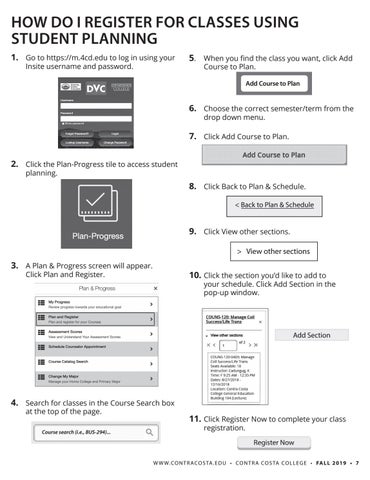
HOW DO I REGISTER FOR CLASSES USING STUDENT PLANNING 1. Go to https://m.4cd.edu to log in using your
Insite username and password.
5. When you find the class you want, click Add
Course to Plan.
Add Course to Plan
6. Choose the correct semester/term from the
drop down menu.
7. Click Add Course to Plan. 2. Click the Plan-Progress tile to access student planning. 8. Click Back to Plan & Schedule. < Back to Plan & Schedule
9. Click View other sections. > View other sections
3. A Plan & Progress screen will appear.
10. Click the section you’d like to add to
Click Plan and Register.
your schedule. Click Add Section in the pop-up window.
Add Section
4. Search for classes in the Course Search box
at the top of the page.
Course search (i.e., BUS-294)...
11. Click Register Now to complete your class registration. Register Now W W W. CO N T R A CO S TA . E D U • CO N T R A CO S TA CO L L E G E • FA L L 2019 • 7