CASE STUDY
RTV Tools
Advertorial
Complete Guide to Automatic Revit File Upgrades
By Luke Johnson @lukeyjohnson Luke is an expert in BIM technologies and has authored the blog What Revit Wants for over 9 years
➲E
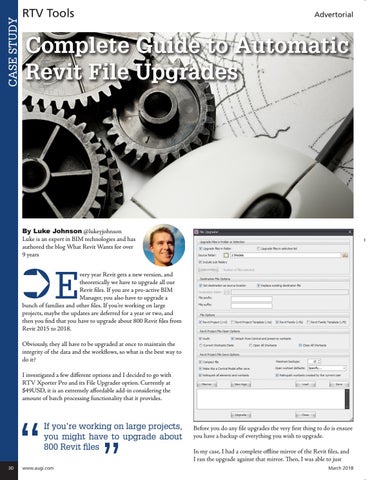
very year Revit gets a new version, and theoretically we have to upgrade all our Revit files. If you are a pro-active BIM Manager, you also have to upgrade a bunch of families and other files. If you’re working on large projects, maybe the updates are deferred for a year or two, and then you find that you have to upgrade about 800 Revit files from Revit 2015 to 2018. Obviously, they all have to be upgraded at once to maintain the integrity of the data and the workflows, so what is the best way to do it? I investigated a few different options and I decided to go with RTV Xporter Pro and its File Upgrader option. Currently at $49USD, it is an extremely affordable add-in considering the amount of batch processing functionality that it provides.
“
If you’re working on large projects, you might have to upgrade about 800 Revit files
30
www.augi.com
”
Before you do any file upgrades the very first thing to do is ensure you have a backup of everything you wish to upgrade. In my case, I had a complete offline mirror of the Revit files, and I ran the upgrade against that mirror. Then, I was able to just March 2018