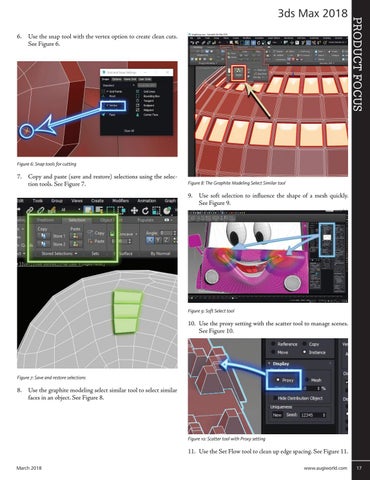
6. Use the snap tool with the vertex option to create clean cuts. See Figure 6.
PRODUCT FOCUS
3ds Max 2018
Figure 6: Snap tools for cutting
7. Copy and paste (save and restore) selections using the selection tools. See Figure 7.
Figure 8: The Graphite Modeling Select Similar tool
9. Use soft selection to influence the shape of a mesh quickly. See Figure 9.
Figure 9: Soft Select tool
10. Use the proxy setting with the scatter tool to manage scenes. See Figure 10.
Figure 7: Save and restore selections
8. Use the graphite modeling select similar tool to select similar faces in an object. See Figure 8.
Figure 10: Scatter tool with Proxy setting
11. Use the Set Flow tool to clean up edge spacing. See Figure 11. March 2018
www.augiworld.com 17