skip the step of creating a polyline and go directly to creating the alignment. By using the aforementioned resources, I learned how to use the Alignment Layout Tools to increase my productivity. For example, in Land Desktop occasionally the curves and lines would get out of whack and not connect correctly. With the Alignment Layout Tools I don’t have to worry about it as much since the float and free types of alignment tools ensure they are always connected the way I want.
AutoCAD
Civil 3D All Versions
Now that I’ve brought up the Fixed, Float, and Free terms, I probably should explain what they are. When you use a Fixed tool, the curve, spiral, or line location is determined by the parameters used and doesn’t look to other objects for its location. For example, a Fixed Line (two points) will be defined by the two points determined when you place the entity. Now I say “almost,” due to the ability of the float and free to affect it.
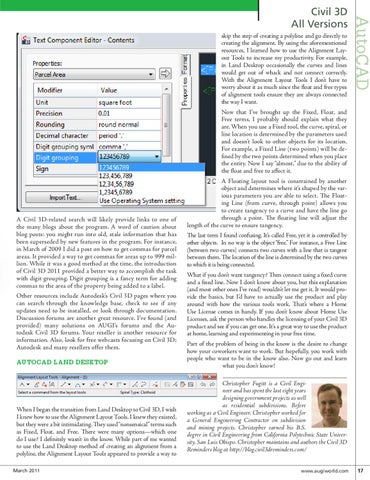
A Civil 3D-related search will likely provide links to one of the many blogs about the program. A word of caution about blog posts: you might run into old, stale information that has been superseded by new features in the program. For instance, in March of 2009 I did a post on how to get commas for parcel areas. It provided a way to get commas for areas up to 999 million. While it was a good method at the time, the introduction of Civil 3D 2011 provided a better way to accomplish the task with digit grouping. Digit grouping is a fancy term for adding commas to the area of the property being added to a label. Other resources include Autodesk’s Civil 3D pages where you can search through the knowledge base, check to see if any updates need to be installed, or look through documentation. Discussion forums are another great resource. I’ve found (and provided) many solutions on AUGI’s forums and the Autodesk Civil 3D forums. Your reseller is another resource for information. Also, look for free webcasts focusing on Civil 3D; Autodesk and many resellers offer them.
AUTOCAD LAND DESKTOP
When I began the transition from Land Desktop to Civil 3D, I wish I knew how to use the Alignment Layout Tools. I knew they existed, but they were a bit intimidating. They used “nonsensical” terms such as Fixed, Float, and Free. There were many options—which one do I use? I definitely wasn’t in the know. While part of me wanted to use the Land Desktop method of creating an alignment from a polyline, the Alignment Layout Tools appeared to provide a way to March 2011
A Floating layout tool is constrained by another object and determines where it’s shaped by the various parameters you are able to select. The Floating Line (from curve, through point) allows you to create tangency to a curve and have the line go through a point. The floating line will adjust the length of the curve to ensure tangency. The last term I found confusing. It’s called Free, yet it is controlled by other objects. In no way is the object “free.” For instance, a Free Line (between two curves) connects two curves with a line that is tangent between them. The location of the line is determined by the two curves to which it is being connected. What if you don’t want tangency? Then connect using a fixed curve and a fixed line. Now I don’t know about you, but this explanation (and most other ones I’ve read) wouldn’t let me get it. It would provide the basics, but I’d have to actually use the product and play around with how the various tools work. That’s where a Home Use License comes in handy. If you don’t know about Home Use Licenses, ask the person who handles the licensing of your Civil 3D product and see if you can get one. It’s a great way to use the product at home, learning and experimenting in your free time. Part of the problem of being in the know is the desire to change how your coworkers want to work. But hopefully, you work with people who want to be in the know also. Now go out and learn what you don’t know! Christopher Fugitt is a Civil Engineer and has spent the last eight years designing government projects as well as residential subdivisions. Before working as a Civil Engineer, Christopher worked for a General Engineering Contractor on subdivision and mining projects. Christopher earned his B.S. degree in Civil Engineering from California Polytechnic State University, San Luis Obispo. Christopher maintains and authors the Civil 3D Reminders blog at http://blog.civil3dreminders.com/
www.augiworld.com 17