Civil Engineering
Civil 3D Guide to 10 Map 3D Tools
➲
A
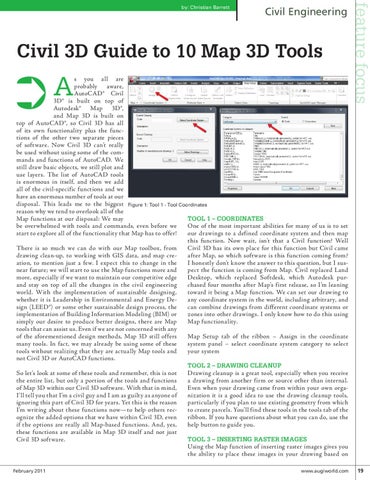
s you all are probably aware, AutoCAD® Civil 3D® is built on top of Autodesk® Map 3D®, and Map 3D is built on top of AutoCAD®, so Civil 3D has all of its own functionality plus the functions of the other two separate pieces of software. Now Civil 3D can’t really be used without using some of the commands and functions of AutoCAD. We still draw basic objects, we still plot and use layers. The list of AutoCAD tools is enormous in itself, and then we add all of the civil-specific functions and we have an enormous number of tools at our disposal. This leads me to the biggest Figure 1: Tool 1 - Tool Coordinates reason why we tend to overlook all of the Tool 1 – Coordinates Map functions at our disposal: We may One of the most important abilities for many of us is to set be overwhelmed with tools and commands, even before we our drawings to a defined coordinate system and then map start to explore all of the functionality that Map has to offer! this function. Now wait, isn’t that a Civil function? Well Civil 3D has its own place for this function but Civil came There is so much we can do with our Map toolbox, from after Map, so which software is this function coming from? drawing clean-up, to working with GIS data, and map creI honestly don’t know the answer to this question, but I susation, to mention just a few. I expect this to change in the pect the function is coming from Map. Civil replaced Land near future; we will start to use the Map functions more and Desktop, which replaced Softdesk, which Autodesk purmore, especially if we want to maintain our competitive edge chased four months after Map’s first release, so I’m leaning and stay on top of all the changes in the civil engineering toward it being a Map function. We can set our drawing to world. With the implementation of sustainable designing, any coordinate system in the world, including arbitrary, and whether it is Leadership in Environmental and Energy Decan combine drawings from different coordinate systems or sign (LEED®) or some other sustainable design process, the zones into other drawings. I only know how to do this using implementation of Building Information Modeling (BIM) or Map functionality. simply our desire to produce better designs, there are Map tools that can assist us. Even if we are not concerned with any Map Setup tab of the ribbon – Assign in the coordinate of the aforementioned design methods, Map 3D still offers system panel – select coordinate system category to select many tools. In fact, we may already be using some of these your system tools without realizing that they are actually Map tools and not Civil 3D or AutoCAD functions. Tool 2 – Drawing Cleanup Drawing cleanup is a great tool, especially when you receive So let’s look at some of these tools and remember, this is not a drawing from another firm or source other than internal. the entire list, but only a portion of the tools and functions Even when your drawing came from within your own orgaof Map 3D within our Civil 3D software. With that in mind, nization it is a good idea to use the drawing cleanup tools, I’ll tell you that I’m a civil guy and I am as guilty as anyone of particularly if you plan to use existing geometry from which ignoring this part of Civil 3D for years. Yet this is the reason to create parcels. You’ll find these tools in the tools tab of the I’m writing about these functions now—to help others recribbon. If you have questions about what you can do, use the ognize the added options that we have within Civil 3D, even help button to guide you. if the options are really all Map-based functions. And, yes, these functions are available in Map 3D itself and not just Tool 3 – Inserting Raster Images Civil 3D software. Using the Map function of inserting raster images gives you the ability to place these images in your drawing based on
February 2011
feature focus
by: Christian Barrett
www.augiworld.com 19