4 minute read
Back Page Blog

Tech // back page blog
The Importance of Memory Meets a Console Oddity
Mike Levine: Mix Technology Editor, Studio Write It Down!: If I asked you to name the most useful feature in your DAW, you’d probably answer, “editing capabilities,” “total recall,” “unlimited track count,” “pitch correction,” or one of the many other “major” features. And you wouldn’t be wrong.
I doubt a lot of people would mention the ability to enter descriptive text in the form of track notes.
If you didn’t take notes, and you had to come back six months later to make a change in a session, could you re-create the setup from memory? Not likely.
Here’s another hypothetical example: I’m recording a project, and one of the parts I track is a guitar solo overdub. Several days later, as I’m getting ready to fix it because of the way it flows into the last verse, I realize that I can’t remember the pickup setting on the guitar, nor which preamp I tracked through. Getting the sound to match at the end of the solo is now going to require a lot of work and may never sound entirely right.
Notes will be handy for any audio you record in your studio. What was the signal chain on those vocals? Did you use a compressor on input? If so, how was it set? How far off the mic was the singer? Recall sheets are also quite useful for remembering settings of analog processors, but the beauty of track notes is that they’re saved as part of the session file.
You can also use your track or project notes to keep tabs on your progress and to note something that still needs doing. So writing down stuff like, “Still need to comp the vocal,” or “Re-record this keyboard part with a different sound”—whatever it is—can jog your memory when you reopen the project.
It doesn’t take long to type in the info, and it just may save your ass down the road.
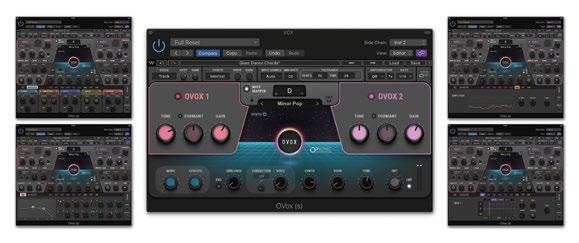
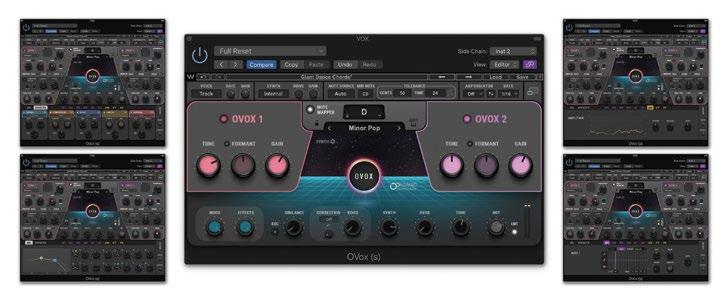
Product of the Month: Waves Ovox. Waves made a big splash at NAMM with OVox, a powerful and deep vocal processor and synthesizer that runs as a plug-in or as a stand-alone application. It’s designed to create a wide range of vocal effects, and you can use it on instrument sources, too. OVox combines vocoding with harmonization, pitch correction, doubling and more. The Advanced mode features a more extensive selection of adjustable parameters. Some examples are a 4-band EQ, a Noise Generator and a Formant Filter. You also have access to a modulation section, which lets you apply LFOs, a step sequencer and what Waves refers to as the “Organic Modulators.” These include amplitude, pitch and formant data extracted from the source signal.
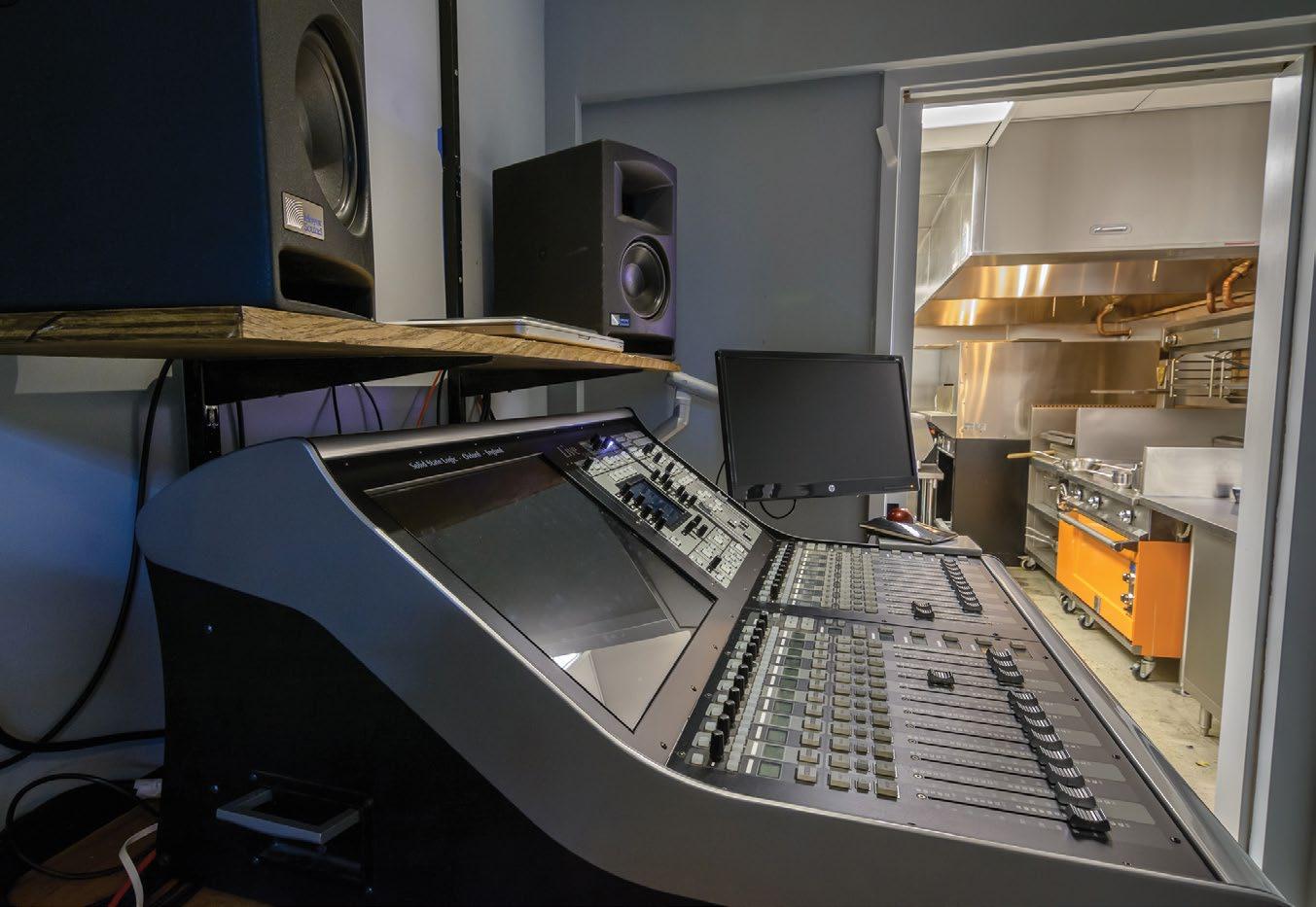
Steve La Cerra: Mix Technology Editor, Live Rack Toms for Everyone: At a recent soundcheck I had a really weird encounter with a digital console. I loaded my file, and when checking the VCA group assignments I noticed that Rack Tom 2 was in several VCA groups where it didn’t belong. Rack Tom 2 is always in my Drums VCA, but Rack Tom 2 is never in my Guitar or Vocal VCA groups. Nevertheless, Rack Tom 2 appeared mysteriously in these groups. I attempted to remove it from the groups, but was unable to do so.
As I scrolled through channels and different layers of channels, Rack Tom 2 constantly held the position of one particular physical channel, even when the channels around it scrolled.
Things got really weird when I started checking my vocal microphones. As mentioned, Rack Tom 2 appeared in the vocal VCA group. If I solo’d that channel, I heard audio from one of my lead vocal microphones. When I scrolled to other banks of faders, the channel labeled Rack Tom 2 would produce audio from whatever channel was supposed to be in that position. Confused? So was I.
My situation boiled down to this: No matter what layer I was on, or which faders I was polling, the scribble strip on that one particular channel was always labeled Rack Tom 2—but when I pressed the select button on that channel, the label on the main screen showed a different (correct) name.
Not knowing what else to do, the systems engineer and I agreed that we’d restart the console after soundcheck. We saved the file, backed it up to a USB drive (or three), held our breaths and rebooted the desk. The problem disappeared.
Was it a bug? Maybe. Was it a graphics IC that went out for a bite to eat? Possibly. As it turns out, the changes in assignment weren’t necessary because it was all an optical illusion.
Product of the Month: L-Acoustics Kara II. Based upon its successful Kara Line Array, L-Acoustics has introduced the Kara II Long Throw Line Source. Kara II features Panflex, which enables the enclosure to provide four different horizontal coverage patterns, including 70-degree or 110-degree symmetrical, or 90-degree asymmetrical on either side. Each Kara II enclosure is a two-way system employing dual 8-inch neodymium low-frequency cone drivers and one 3-inch neodymium high-frequency compression driver. Bandwidth is specified as 55 Hz to 20 kHz, with a maximum SPL of 142 dB (@ 70-degree symmetric). Input and link connections are available via four-pole SpeakOn connectors, and a four-point captive rigging system facilitates inter-enclosure angles of 0, 1, 2, 3, 4, 5, 7.5 or 10 degrees. The enclosure is constructed from premiumgrade Baltic birch plywood, and cabinet weight is 57 pounds. n