YLS Young Lawyers Section
In Brief A Periodic Newsletter of the Young Lawyers Section of the Arkansas Bar Association
In this issue
YLS IN THE NEWS 2 WHAT JUDGES WANT 4 AN INTERVIEW WITH JUDGE BRAD KARREN JOSH MOSTYN CASE LAW UPDATES 6 INTELLECTUAL PROPERTY: JOEL B. CARTER TAX LAW: NICK LIVERS REAL ESTATE: CLIFF MCKINNEY HEALTH LAW: LINDSEY PESEK FLYING SOLO 9 SOLO SHARKS VICTORIA “TORI” LEIGH JOINT CUSTODY 10 LAUREN WHITE HAMILTON CLE SCHEDULE 11 TECH TIPS FOR THE MOBILE LAWYER
13
MAKING THE MOST OF YOUR EMAIL SIGNATURE JENNIFER WELLS
14
Vol. 17 #3
TASTY TIPS 17 RASHAUNA NORMENT BROOKE MOORE NEW MEMBERS 18 YLS REPORT 19 CLIFF MCKINNEY
FROM THE EDITOR Hello all! I am Brooke Moore, the new Editor-In-Chief of the YLS In Brief newsletter. I have big shoes to fill but I am excited to be involved with this award-winning publication and look forward to serving the Arkansas Bar YLS in this capacity. Several talented attorneys have contributed their knowledge and expertise to this fall issue of the newsletter. Here’s what you have to look forward to....Josh Mostyn continues to build our arsenal of What Judges Want with his Judge Brad Karren interview. Tori Leigh kicks off our solo series with her article “Solo Sharks” emphasizing the traits of a successful trial attorney. Lauren White Hamilton breaks down the components of Joint Custody after a revision to the Arkansas Code Annotated favoring the MOORE arrangement. Alex Bigger provides tips on Apps to improve the mobile lawyer’s paperless office. Blogger, Jennifer Wells, addresses the importance of your email signature. You will also find some yummy recipes in our Tasty Tips section, as well as an article from YLS Chair Cliff McKinney challenging young lawyers from across the state to give more in return. Additionally, we have added some new sections to the newsletter since its last publication. Specifically, we have included a Case Law Update section, which provides relevant information regarding new legal precedents and trends. Joel Carter, Nick Livers, Lindsey Pesek and Cliff McKinney have made a year-long commitment to contribute substantive law updates and we hope to add more authors and content to grow this section. We are also planning to develop a section geared toward solo practitioners called Flying Solo which gives practical tips and advice for attorneys who have hung their own shingle. In Brief is always eager to involve new contributors and there is currently a need for an Arkansas Traveler Review Editor, Case Law Update Editor, and Flying Solo Editor. I encourage everyone to consider getting involved with this newsletter and getting plugged into YLS. If you are interested in writing for In Brief or serving as an Editor, email me at Brooke@kbmoorelaw.com. Also, don’t forget to get your big news to me for inclusion in the Hats Off section of the Spring issue!
MEET THE NEW IN BRIEF EDITORS
BIGGERS
The Arkansas Bar Association is pleased to announce Brooke Moore as the incoming editor-in-chief of In Brief. Brooke is replacing Tasha Taylor who recently retired from her tenure as editor. Brooke Moore is the owner of the Law Office of K. Brooke Moore, Inc. located in the Sherwood/ North Little Rock area, where she NORMENT practices primarily Elder Law in the areas of Medicaid and Veterans benefits. Brooke has developed an editorial team consisting of Rashauna Norment, Assistant Editor and Tasty Tips Editor; Alexander Bigger, Tech Tips Editor; and Megan Wooster, What Judges Want Editor.
WOOSTER 2
YLS In brief
www.arkbar.com
YLS Young Lawyers Section
In Brief EDITORIAL Editor-In-Chief BROOKE MOORE Assistant Editor RASHAUNA NORMENT Tech Tips Editor ALEXANDER BIGGER What Judges Want Editor MEGAN WOOSTER Tasty Tips Editor RASHAUNA NORMENT Case Law Updates Editor POSITION OPEN Flying Solo Editor POSITION OPEN Arkansas Traveler Review Editor POSITION OPEN Graphic Design & Layout ANNA HUBBARD
YLS EXECUTIVE COUNCIL Chair: J. CLIFF MCKINNEY II Chair-Elect: JESSICA S. YARBROUGH Secretary/Treasurer: GRANT M. COX Immediate Past Chair: VICKI S. VASSER District A Rep.: MATTHEW L. FRYAR District A Rep.: RYAN BLAKE PETTIGREW District A Rep.: WILLIAM M. PRETTYMAN III District B Rep.: CORY D. CHILDS District B Rep.: GREGORY J. NORTHERN District B Rep.: STEPHANIE A. LINAM District C Rep.: CHASE A. CARMICHAEL District C Rep.: LESLIE J. LIGON District C Rep.: RYAN M. WILSON At Large Rep.: AMBER DAVIS TANNER At Large Rep.: BROOKE MOORE U of A School of Law Rep.: CHRIS E. BROWN UALR School of Law Rep.: DOMINQUE KING YLS In Brief is published online quartlery by the Arkansas Bar Association.
YLS NEWS MOCK TRIAL COMPETITION This year’s chair of ArkBar’s Mock Trial Committee, Jordan Tinsley, encourages YLS members to volunteer in this year’s competition. TINSLEY “I have been involved in the Arkansas high school “If you’re mock trial compelooking for an tition as either a opportunity participant, an attorney coach, or a to serve the member of the Mock community Trial Committee and educate for almost as long young people as I can rememwhile learning ber,” Tinsely said. a ton about “I can’t think of a more valuable opyour own portunity for young skills as a trial lawyer, look no attorneys in Arkansas. Not only does further.” volunteering for the mock trial competition allow you to positively influence high school students across the state, but it also provides you with uncanny insight into your own strengths and weaknesses as a litigator by forcing you to really think about what the students did well and what they needed to do better. If you’re looking for an opportunity to serve the community and educate young people while learning a ton about your own skills as a trial lawyer, look no further.” The Mock Trial Competition will be held on February 21–22, 2014. There are some big changes this year. To provide more trial time and a better experience for our students, we will be hosting a two-day round robin tournament in Little Rock. There will be three preliminary rounds of competition, and the championship round will be held Saturday evening. We need over 100 attorneys and judges who are willing to serve as scoring judge or presiding judge in February. For more information on Mock Trial, visit: http://ace.arkbar.com/ARMockTrial/Home
HATS OFF Megan E. Wooster (formerly of James Law Firm and Anderson, Murphy, and Hopkins) opened, M.W. Law, PLLC, a domestic relations law practice in downtown Little Rock in early June. Her office is located in the Stephens Building at 111 Center Street, Suite 1200 in Little Rock, AR 72201. She can be reached at (501) 372-3700 or by email at m.w.law.pllc@gmail.com. Rashauna Norment, a patent attorney, recently opened her own intellectual property law practice in Little Rock where she provides legal services to business owners, entrepreneurs, and inventors in matters related to patent, trademark and copyright law in addition to contracts related to intellectual property. Her website is www.normentlawfirm.com. Lyndsey Dilks opened Dilks Law Firm, a bankruptcy, mortgage litigation and foreclosure defense law practice in downtown Little Rock. The office is located at 212 Center Street, 10th Floor in Little Rock, AR 72201. The firm can be reached at 501244-9770 or by email at ldilks@dilkslawfirm.com. Victoria “Tori” Leigh of Leigh Law Firm, located in Little Rock, and Joey Moore were married on July 27, 2013. Phil Brick, of Friday, Eldredge and Clark, LLP, recently became engaged to Megan Moore. Tyler Bone of Friday, Eldredge and Clark, LLP and Hannah Gillispie with the Pulaski County Prosecutor’s Office recently married. Jennifer Corbin joined James Law Firm in Little Rock. Clark Brown recently became a Staff Attorney and Director of Health and Safety for the Sigma Alpha Epsilon National Fraternity. Heather Kees joined Wal-Mart as an Attorney in the International Ethics and Compliance Division. Adrienne Woods joined Mitchell Williams, Rogers Office. Jonathan Cloar joined Perkins Coie LLP in Washington D.C. Carla Miller was admitted to the Bar of the State of New York on June 19, 2013. Josh McFadden, of Davis, Clark, Butt, Carithers, & Taylor, PLC in Fayetteville, was recently admitted to practice in Oklahoma. Anthony L. McMullen, Visiting Professor of Business Law and Director of Forensics at the University of Central Arkansas, was named College Teacher of the Year at the Arkansas Communication and Theater Arts Conference last month. In addition to teaching business law at UCA, Mr. McMullen serves as the debate coach. If you have information on YLS Members who deserve a “Hats Off” or would like to submit ideas for articles, please contact the editor of In Brief, Brooke Moore at brooke@kbmoorelaw.com.
3
WHAT JUDGES WANT
What Judges Want An Interview with Judge Brad Karren By Josh Mostyn SOMEWHERE ON EVERY NEW LAWYER’S TOP TEN LIST OF THINGS TO DO ON THEIR FIRST DAY IN COURT (after “get justice for client” or perhaps even before “remember to address the judge as ‘Your Honor’”) is “TRY NOT TO LOOK LIKE A COMPLETE IDIOT.” That’s a tall order for some of us! Hopefully this helps. Although every judge is different, it is not necessary for a young lawyer to learn each judge’s idiosyncrasies to be successful in the courtroom. It helps to know a thing or two about how each court is run, but you can’t be expected to know everything on day one. A young lawyer—any lawyer for that matter— should know his or her own limitations. To improve, keep studying the law and don’t be afraid to ask for help. And never, under any circumstance, jeopardize your integrity. These are some of the pointers I picked up from Benton County Circuit Judge Brad Karren. I had the chance to sit down with the former Rogers District Court Judge and find out what he believes will help new lawyers begin their careers on the right foot in court. Me: What advice would you give to a young lawyer appearing in your courtroom for the first time? Judge Karren: I’d say to be prepared. That may sound broad, but I mean it in a broad sense. I’m not suggesting that you have to know every single detail of a client’s life story or interview all the witnesses before arraignment in a criminal matter, but be prepared as in speak with the client ahead of time and know why you’re in court. I want lawyers to have checked out the file, to have reviewed the P.C. Affidavit, and to have advised their clients of their constitutional rights before coming to court. The last thing you want starting out is a Rule 37 Petition.
4
YLS In brief
www.arkbar.com
Judge Karren: Ask the court for time to confer with the client. You may get moved down the docket, but you won’t be a liar. Of course it’s best to refresh yourself on the basics before ever going to court. Me: So what are the basics?
Me: Remind me again please. What’s a Rule 37 Petition? Judge Karren: Ineffective Assistance of Counsel. Try not to commit malpractice on your first day, Josh. (Laughs). Seriously though, it’s going to take time to earn respect and gain experience…but only a moment to lose your integrity. Don’t do that. Develop a process for client intake and make it a habit. In criminal cases, judges ask whether counsel has reviewed the facts of the case with their client and advised the client of his constitutional rights. A lawyer looks really dumb when he answers “yes” while the client shakes his head “no.” Me: Excellent. This is what I’m here for…tips not to look stupid. So what happens in a situation like that? Judge Karren: I ask the lawyer to take his client out of the courtroom and talk. And I expect that to never happen again. Good luck to that lawyer trying to get a judge to sign off on a TRO in the future once word of his reputation gets out. Lawyers need to keep a reputation for truthfulness to be trusted by any judge. Me: So, hypothetically, if a new lawyer finds himself in that situation, where you ask a question and he should have spoken to his client about it already, what should the lawyer do?
Judge Karren: Depending on what court you’re in, know things like what’s needed for a search warrant to issue, Rules 609, 404(b), 401, and 403. Know what constitutes a proper 3.1 stop. Know what you need in a Motion for Summary Judgment or how to propound interrogatories. If you’re in a suppression hearing for an improper search, understand what constitutes a proper one. Me: Any other basics we should be aware of, pertaining to the particular court maybe? Judge Karren: Take the time to find out the court’s rules. Just call the clerks and ask. I’ve seen a lot of lawyers wasting time coming to court needlessly. In my court, you can waive an appearance to certain things by fax. You don’t need an Omnibus hearing? Fax it in. We’ll even allow lawyers to appear telephonically. You’ve got another hearing across town? Call in. Not every court utilizes the same technology that we do, but learn what’s allowed and you can save a lot of time and energy. Me: You practiced in both the District Court and the Circuit Court, and now you have had time on both benches. What would you say is the biggest difference for lawyers practicing in each court? Judge Karren: There’s a lot alike. Both courts use the same Rules of Evidence, Criminal Procedure, Civil Procedure, etc. But in Circuit Court, the consequences are more severe. You can think of District Court as the bumper cars at the fair. You get in,
and there’s a lot going on all around you. It’s exciting, r into there’s a bunch of Deepe g in g Dig ology w n noise, and you’re h c e T La bumping into one another. But when it’s over, everyone goes home. Circuit Court is more like a real June 11-14, 2014 car crash. People Hot Springs, AR can get hurt. PeoArkansas Bar Association Learn more at www.arkbar.com ple don’t just “go home.” What you rience first. You can’t take a capital murder do as a lawyer has a longer lasting effect. Mistakes you make case right out of the gate. And you shouldn’t will affect your clients’ lives much more. It’s attempt to. But you also have to move up important to stay on top of your game and sometime, right? Start out with less complex to stay current on the law. It’s what your cli- cases to get your feet wet. Do some default ents expect, and it’s what the judges expect. divorces. And if one turns out to be contested—as they tend to become sometimes— Me: How should a new lawyer stay on top then ask other attorneys in the local Bar for help. Benton County has a great Bar. There’s of his game? always someone willing to help out a young Judge Karren: Well you’ve got to get a game lawyer. A great way to learn the criminal side is first. Take as many District Court cases as to get certified by the Arkansas Public Deyou can while starting out. Build that pracfender Commission and become a conflict tice. Learn what you’re doing at the “DC” attorney. You can be appointed to cases level doing misdemeanors. If you have a good “DC” practice, you’ll do fine in Cir- when the PD’s office is already handling a cuit Court. It’ll take time to get experience co-defendant.
&
and to get comfortable handling even the smaller cases. Then move up to Circuit. Me: So what about the new-ish lawyer who finds himself in Circuit Court for a civil matter or takes a felony case to keep the lights on? Judge Karren: It’s always tempting to take a big case. You’ve got to get a little expe-
Me: I also hear the Arkansas Bar has implemented a mentorship program. Judge Karren: Do it. Definitely get a mentor. Get to know as many other lawyers as you can and ask for help. The only thing a lawyer loves better than telling you how they handled a case is telling you how you should handle your case. ■
JOSH MOSTYN co-founded Mostyn Prettyman, PLLC, in Northwest Arkansas, and handles both civil and criminal matters. He is a past recipient of the TC & Rosemary Carlson Memorial Award at the University of Arkansas School of Law in Fayetteville, and he catches bigger fish than you. For more information, visit ARKLAWYERS.com or call 1-855-HOG-4-LAW.
RESOURCES WEEKLY CASE SUMMARIES ArkBar provides weekly case summaries of significant Arkansas Supreme Court and Court of Appeals each Tuesday in the ebulletin. Case summary mini reviews are availalbe on Twitter (@ArkBar) #arcaseslawupdates.
Sign up in ACE to receive mini-case summaries in your email for same-week updates on decisions. Join the ArkBar Case Summary community to receive email digests including mini-case summaries of the weekly case summaries prepared by Robert S. Tschiemer.
8th CIRCUIT CASE LAW UPDATES RSS FEED Available at your member portal on www.arkbar.com
ARKBAR LAW PRACTICE MANAGEMENT WEBSITE ace.arkbar.com/pages/ LawPracticeManagement.aspx Members-only website that provides a variety of services to help you start and manage your law office.
ARKANSAS JUDICIARY WEBSITE https://courts.arkansas.gov Your source for oral argument videos, docket search, proposed rule changes, opinions and disciplinary decisions, and online services.
5
CASE LAW UPDATES
CASE LAW UPDATES Intellectual Property, Tax, Real Estate and Health Law
fully understand any restrictions the patent holder has placed on the seed’s use. Often a farmer “agrees” to such restrictions by opening a seed container according to the terms of the container’s label. Given the high cost of defending patent infringement suits and large damage awards for patent infringement, farmers should make sure they have the right to plant any seeds they purchase before sowing them. It is also worth noting that genetic testing can be used to determine if a farmer has planted patented seed.
INTELLECTUAL PROPERTY LAW UPDATE ARKANSAS FARMERS SHOULD TAKE HEED WHEN PLANTING SECOND GENERATION SEED By Joel B. Carter When a buyer purchases a patented item, the law normally assumes that the buyer can freely use the item without interference from the patent owner. The doctrine of patent exhaustion limits the extent to which patent holders can control an individual article of a patented product after an authorized sale. Under this doctrine, once an unrestricted, authorized sale of a patented item occurs, the patent holder’s exclusive rights to control the use and sale of that article are exhausted, and the purchaser is free to use or resell that article without further restraint. Patent owners can attempt to avoid patent exhaustion by entering contracts with purchasers restricting the use of a patented item post sale. Patent exhaustion also does not apply when the buyer rebuilds a patented item such that it is “made anew.” For example, a buyer cannot rebuild a patented hand grenade after it has exploded and then avoid a patent infringement claim based on patent exhaustion. The U.S. Supreme Court recently dealt with the patent exhaustion doctrine in the context of soybean seeds. See Bowman v. Monsanto Co., 133 S.Ct. 1761. Monsanto produces and sells patented soybean seed that is genetically altered to resist Monsanto’s “RoundUp” herbicide. Upon purchasing soybean seed from Monsanto, distributors and growers enter an agreement with Monsanto that permits a grower to plant the purchased seeds in one (and only one) season. Purchasers can then consume the resulting crop or sell it as a commodity, usually to a grain elevator or agricultural processor. Bowman purchased soybean for planting from a grain elevator, knowing that 6
YLS In brief
www.arkbar.com
most of the grain elevator soybean would be Monsanto’s herbicide-resistant soybean. In the subsequent patent infringement suit brought by Monsanto, Bowman argued that Monsanto’s sale of the original seed that was used to produce the second generation seed he purchased exhausted any patent rights in the seed. The argument was rejected by both the District Court and the Federal Circuit, and the Supreme Court agreed to review the case. The Supreme Court found that, while patent exhaustion prevents the patent owner from controlling certain uses, it does not extend to a use such as planting to reproduce the patented article. According to the Court, the product of self-replicating seed constitutes a newly infringing article, not an article subject to patent exhaustion as a result of a sale. The Court explained that under the patent exhaustion doctrine, an authorized sale of a patented product cuts off the patent owner’s right to control of that product. However, this limitation on patent rights applies only as to the particular article sold. If the purchaser could make and sell endless copies, the patent would effectively protect only the very first sale of a patented article. The holding in Monsanto is important to Arkansas farmers, especially rice and soybean farmers who often use patented seed. Farmers who purchase patented seed should
TAX LAW UPDATE
By Nick Livers THE IRS RECENTLY ISSUED REV. PROC. 2013-17 in response to the United States Supreme Court of United States v. Windsor, 570 U.S. ____, 133 S.Ct. 2675 (2013), in which Section 3 of the Defense of Marriage Act was declared unconstitutional. Section 3 of the Defense of Marriage Act barred same-sex marriage couples from being recognized as spouses for purposes of federal law. The IRS issued this Revenue Procedure to provide certainty about when same-sex couples will be treated as married under the Internal Revenue Code. After the Windsor decision, it was uncertain about whether the IRS would look to where a marriage was performed or to the state of residence of the taxpayers to determine whether a same-sex couple was married. For example, if a samesex couple married in Vermont, where their marriage is legally recognized, but resided in Arkansas, where their marriage is not recognized, it was uncertain to which state the IRS would look to determine if the couple was legally married. This Revenue Procedure answers that question. The IRS provided that if a same-sex couple
is legally married under state law, they will be treated as a married couple for all purposes under the Internal Revenue Code. All references to “marriage” and “spouses” under the Internal Revenue Code will apply to such couples. To determine whether a couple is lawfully married, the IRS stated that it will look to the state in which the marriage was performed. It will not look to the state of residence of the taxpayers. Thus, if a samesex couple is legally married under the state law in which the marriage was performed, the IRS will recognize that marriage, even if the couple resides in a state where their marriage is not recognized. This avoids treating same-sex couples differently based upon their residence. The IRS will not look to the state of residency to determine the validity of the marriage, but rather the state where the marriage was performed. However, the IRS will not treat a civil union, domestic partnership, or other similar arrangement as a marriage. In summary when a same-sex couple is legally married in a state that recognizes samesex marriages, their marital status will be recognized by the IRS, even if they reside in a state where their marriage is not recognized.
REAL ESTATE LAW UPDATE
By Cliff McKinney THE BIGGEST CURRENT ISSUE IN THE REAL ESTATE COMMUNITY is the impact of the Arkansas Supreme Court’s decision in Primus Automotive Financial Services, Inc. v. Wilburn, 2013 Ark. 258 (June
20, 2013). In Primus, the plaintiff obtained a judgment against the defendant more than ten years before the case. The plaintiff failed to renew its judgment lien by either of the two accepted methods: 1. Obtaining a writ of scire facias within ten years of the debt; or 2. Filing a suit on the judgment. However, the plaintiff filed a petition for a writ of garnishment prior to the expiration of the ten year statute of limitations. In what many in the real estate community consider a surprising decision, the Arkansas Supreme Court found that filing for a writ of garnishment tolled the ten year statute of limitations on the judgment lien, thus extending the judgment lien. This decision is having ripple-effects in the real estate community as it significantly impacts title review standards. Previously, title examiners could assume that judgment liens were expired if the examiner did not find a writ of scire facias or a suit on a judgment within the ten year statute of limitations. This “new” method of extending judgments means that title examiners will have to examine the case file of any judgment liens shown in the records—regardless of how old—to determine if a writ of garnishment was issued in the case. Also, title examiners may now fear that other actions in a case might toll the ten year statute of limitations. The net result is that it will be more difficult for title examiners to comfortably remove old liens from title commitments. This may mean that judgment debtors wishing to sell property beyond the ten year statute of limitations in a case will be forced to obtain a satisfaction of judgment or a declaratory judgment that a lien is expired if there has been any action in the case—even a case that is decades old— that may have resulted in the statute of limitations tolling.
HEALTH LAW UPDATE By Lindsey C. Pesek A CURRENT HOT-BUTTON ISSUE IN HEALTH LAW is the highly debated Patient Protection and Affordable Care Act often referred to as the Affordable Care Act, which was signed into law by President Barack Obama on March 23, 2010. Pub. L. No. 111-148, Pub. L. 111-152. It represents one of most dramatic regulatory changes of this country’s healthcare system and has been widely contested for many reasons. Of particular note, under a portion of the Act, employers with fifty or more employees offering non-exempt health insurance plans must cover women’s “preventative care,” which includes contraceptives, in accordance with regulations created by the Health Resources and Services Administration (“HRSA”), a subagency of the Department of Health and Human Services. 42 U.S.C.A. § 300gg13(a)(4); see 78 Fed. Reg. 39870 (July 2, 2013). Often referred to as the “Mandate,” this requirement has upset numerous forprofit and secular corporate businesses and several have initiated litigation challenging the mandate for violating various constitutional and statutory protections. While the Eighth Circuit Court of Appeals has yet to face any legal issues regarding the Mandate, a handful of its sister circuits have. Of note, one of several issues faced by the federal courts of appeal is whether or not the entities bringing the suit are able to challenge the Mandate under the Free Exercise Clause of the First Amendment and the Religious Freedom Restoration Act (RFRA),
ARKANSASFINDALAWYER® The Benefits of Membership Market Your Law Practice for only $75/year Special Discount of only $40/year for members licensed less than two years
www.arkansasfindalawyer.com 7
CASE LAW UPDATES 42 U.S.C. § 2000bb. So far, there is a split in the Circuits faced with this issue. Primarily, on June 27, 2013, the Tenth Circuit in Hobby Lobby Stores, Inc. v. Sebelius, 723 F.3d 1114 (10th Cir. 2013), permitted a for-profit secular corporation and individuals who controlled the corporation to seek injunctive relief under the RFRA and Free Exercise Clause. Relevant here, the Tenth Circuit noted that plaintiffs’ businesses were considered “persons” for purposes of the RFRA and that for-profit corporations have the right of free exercise of religion. The Court went as far to state that plaintiffs also made a showing that they had suffered a substantial burden by requiring a mandatory contraceptive care against their religious beliefs, that they had “established [that] they are likely to succeed on their RFRA claim” and that the Mandate threatened them with irreparable harm. The Court ultimately remanded the case for a determination regarding the remaining preliminary injunction factors. “Respectfully disagree[ing]” with the Hobby Lobby decision, on July 26, 2013, the Third Circuit in Conestoga Wood Specialties
Corp. v. Sec’y of U.S. Dep’t of Health & Human Servs., 724 F.3d 377 (3rd Cir. 2013), affirmed the lower court’s denial of injunctive relief to a for-profit corporate employer and held that a for-profit secular organization did not have rights under the Free Exercise Clause of the First Amendment and the RFRA. The Third Circuit began by acknowledging that certain associations have Free Exercise rights. It limited this, however, to “churches and other religious entities.” The Court explained, citing the lower court in Hobby Lobby: General business corporations do not, separate and apart from the actions or belief systems of their individual owners or employees, exercise religion. They do not pray, worship, observe sacraments or take other religiously-motivated actions separate and apart from the intention and direction of their individual actors. The Court further stressed that a corporation is a separate legal entity and that this
prevents its owners from asserting Free Exercise claims through the corporation. As the Court concluded: “A holding . . . that a forprofit corporation can engage in religious exercise . . . would eviscerate the fundamental principle that a corporation is a legally distinct entity from its owners.” Likewise, on September 17, 2013, in Autocam Corp. v. Sebelius, No. 12-2673, 2013 WL 5182544 (6th Cir. Sept. 17, 2013), the Sixth Circuit held that a secular, profit-seeking corporate employer was not a “person” capable of “religious exercise” as intended by RFRA, and therefore could not seek to enjoin implementation of the Mandate. This issue discussed above, as well as the remaining procedural and substantive aspects of this heavily contested area of law are worth monitoring if and when any religiously affiliated for-profit businesses in this jurisdiction chose to challenge the Mandate. ■ If you are interested in being the editor of Case Law Updates, please contact Brooke Moore at brooke@kbmoorelaw.com.
Discount for ArkBar members
8
YLS In brief
www.arkbar.com
FLYING SOLO
SOLO SHARKS FIRST ARTICLE IN NEW FLYING SOLO SERIES BY VICTORIA “TORI” LEIGH All of the European immigrants sailing for America shared one characteristic: fortitude. They believed in their personal physical and emotional strengths. Fortitude, fortitude, and more fortitude is the element required to venture into the minefield of running a law business. No one in my family punches a time clock; they are all self-employed in one capacity or another, legal and illegal: I had no choice. With a law license and a few business cards I attended networking events, joined professional groups, knocked on doors, everyone’s door, including my competition’s door, asking for business. My clients laughingly met me at the Laman Library conference room, McDonalds and Panera Bread. The glaring reality of our society is simple: “any lawyer willing to work a notch above minimum wage, will be hired.” Law school did not teach me to talk forever and say absolutely nothing; but, my sales background did. It became a game, I timed my spiels repeating their dire predicament in great detail and always ended with, “…I can solve your problem.” Without exception I was handed their Walmart sack of “important documents,” and I set off to Bowen. With a few months’ experience I was ready for clients with street addresses and moved into an executive type arrangement
with a lawyer-acquaintance. My entrance into the “inner circle” kept me up at night; it was impossible for me to concentrate on the issue at hand due to the uncertainty of my cohort’s law license stability. My sanity demands that there be one key to the sanctuary, dangling from only my key ring—as Frankie sings, “…I’ll take my blows…. doing it my way!” A close cousin to fortitude is determination; I played the odds, every “no” put me one step closer to the “yes,” paying my dues with absolute glee: what could possibly be better than a law license? A neophyte can attend the Better Business Bureau seminars soaking up and taking copious, but illegible notes on how to “…write a business plan, finance a business, choose a location, obtain a tax identification number, obtaining state and city business licenses, how to hire an assistant,” but without fortitude and determination, coupled with a VICTORIA “TORI” LEIGH, a solo practitioner in West Little Rock, is a member of the Arkansas Trial Lawyers’ Association and the American Association of University Women. Tori also serves as a pro bono attorney for Arkansas Legal Aid. She lives in North Little Rock with her husband —Joey and their two dogs— Toby and Benny. Tori is proud to represent Arkansans in wide variety of areas. From family issues to real estate concerns and many things in between, Leigh Law will Roar to the Rescue!
deep-rooted belief in yourself, your abilities, your competitive winning strengths, all of that organizational business knowledge will be for naught. My nephew plays T-ball— and they don’t keep score! Apparently when you’re four, everyone wins. That’s not real. American society, the society in which we live, is extremely competitive and unfair—there are clear winners and conspicuous losers in every aspect of life from the cradle to the grave; solo practitioners are no exception. Lawyers’ worldwide reputation of being aggressive, ruthless, fearless, is well-deserved: the thin-skinned may pass the bar exam, but they do not make it on their own and certainly do not join the ranks of trial attorneys. Townsfolk complain, criticize, and spoof attorneys but when served with a summons they eagerly seek out the most aggressive, ruthless, fearless attorney because the name of the game is always to win. Victoria Leigh Leigh Law LLC 501.227.7627 (office) 501.227.7628 (fax) Mailing address: Post Office Box 21514 Little Rock, Arkansas 72221 Physical address: 2024 Arkansas Valley Drive, Suite 608 Little Rock, Arkansas 72212
9
JOINT CUSTODY WHAT DOES IT EVEN MEAN? BY LAUREN WHITE HAMILTON UNLESS YOU HAVE BEEN LIVING UNDER A ROCK since the conclusion of the 89th General Assembly, you know by now that in an action for divorce an award of “joint custody” as defined in Arkansas Code Annotated § 9-13-101 is now favored in Arkansas. “Joint Custody” means the approximate and reasonable equal division of time with the child by both parents individually as agreed to by the parents or as ordered by the court.” Ark. Code Ann. § 9-12-101(a) (5) (2013). The 2013 amendment purports to overturn the long standing precedent that joint custody or equally divided custody is disfavored. See e.g. Bailey v. Bailey, 97 Ark. App. 96, 98, 244 S.W.3d 712, 714 (2006). The long term impact of whether the amendment will effect true changes to custodial arrangements in Arkansas or simply changes to visitation and child support is yet to be seen, but for the practitioner there are some serious considerations that you need to be aware of in preparing your client’s case. KNOW YOUR JUDGE Since we do not have any published opinions (yet), I will tell you anecdotally that our firm is seeing an uptick in the award of joint custody, especially on a temporary basis. Cases proceeding to a temporary hearing which would not have ordinarily included a
custody claim now regularly include a request for joint custody by one parent and more frequently these claims are successful. There are definitely courts and counties that are more inclined to award joint custody. Find out before you go because your client needs to be prepared that a joint custody award not only impacts time-sharing but also decisionmaking and child support as discussed below. DECISION-MAKING Noticeably absent from the definition of joint custody is the issue of decision-making. In awarding joint custody, the crucial factor under past decisions is whether the parties’ have a mutual ability to cooperate in reaching shared decisions in matters affecting the child’s welfare. Dansby v. Dansby, 87 Ark. App. 156, 166, 189 S.W.3d 473, 481 (2004). The critical time for parties to demonstrate this ability is “before and at the hearing that is the basis of the joint-custody award, not some later time in an unknown future based on unproven facts.” Id. Since § 9-12-101(a) (5) does not make an award of joint custody dependent on a mutual ability to cooperate, one should still be prepared to argue that a final decision-maker should be appointed by the court. It is wise to have a parent designated the final decision-maker on at least education and medical decisions otherwise a
LAUREN WHITE HAMILTON lives and practices in North Little Rock, Arkansas with the firm of Hilburn, Calhoon, Harper, Pruniski, & Calhoun, Ltd. Ms. Hamilton’s practice consists of a wide variety of domestic relations litigation as well as probate and general civil litigation. Ms. Hamilton is a 2006 graduate of the Bowen School of Law and graduate of the 2012 Arkansas Bar Association Leadership Academy.
10
YLS In brief
www.arkbar.com
client will find themselves back in court sooner than later. Another option is to alternate the tie-breaking decision between the parents, but be wary as this sometimes leads to decisions based on gamesmanship rather than best interest of the children. CHILD SUPPORT Child support under a joint custody order is issued at the discretion of the court. Ark. Code Ann. § 9-12-101(b)(1)(A)(iv) (2013). This means that the court can award support consistent with Administrative Order No. 10 or deviate as permitted by the same guidelines. Id. Special attention should be given to the following deviation considerations: food, shelter, and utilities; child care; accustomed standard of living; and other income or assets available to support the child from whatever source including the income of the custodial parent; extraordinary time spent with the noncustodial parent, or shared or joint custody arrangements. In Re: Administrative Order No. 10, Arkansas Child Support Guidelines, Section V (2007). Separate from the 2013 changes, the current child support guidelines are being reviewed and one of those reviews includes going from a percentage-of-obligorincome guideline model to an income shares model. Jane Venohr, Ph.D. Review of Arkansas Child Support Guidelines. (February 6, 2013). Used by 38 states, the incomes share model considers both parents’ incomes in the determination of support. If joint custody is a long term trend, then changes to the current system seem likely. Finally, be advised that it is also unknown whether the Hollandsworth presumption in favor of relocation will apply to these joint custody awards and those with final decisionmaking authority in the same manner as it does for “primary custodial parents”. It is a can of worms that can be avoided if and when Hollandsworth is finally overturned, but that is another article for another day. ■
-Cle LIVE SEMINARS NOVEMBER 20 —Gun Trusts: What are They and How Do I Set One Up? Remington Gun Club, Lonoke
2014 Mid-Year Meeting
January 23-24, 2014 Peabody Hotel, Memphis, TN
NOVEMBER 21 —Criminal Law, Little Rock NOVEMBER 22 —14th Annual Government Practice Institute, Little Rock JANUARY 23-24 — Mid-Year Meeting, Memphis
ONE-HOUR WEBINARS NOVEMBER 18—Ethics, Virtual Law Offices and Multi-Jurisdictional Practice NOVEMBER 19—Estate Planning for the Elderly, Part 1; NOVEMBER 20— Part 2 NOVEMBER 21—Attorneys & Conflicts With Their Clients, Part 1; NOVEMBER 22—Part 2 NOVEMBER 25—Corporate Governance for Nonprofits NOVEMBER 26—Indemnification and Hold Harmless Provisions in Business Agreements DECEMBER 2 —Ethics and Email in the Law Office DECEMBER 3—2013 Fiduciary Litigation Update DECEMBER 4—Ethics Issues in Representing Elderly Clients DECEMBER 5—Mergers and Buyouts of Closely Held Businesses, Part 1; DECEMBER 6 —Part 2 DECEMBER 9 —Ethics and Tribunals: Attorney Duties When Communicating With the Courts and Governmental Agencies DECEMBER 10—Multi-Family Development and Management Agreements DECEMBER 11—Attorney Ethics in Real Estate Practice DECEMBER 13—Attorney Ethics in Multi-Party Representations DECEMBER 16—Ethics and the Use of Metadata in Litigation and Law Practice DECEMBER 17—Joint Ventures in Business, Part 1; DECEMBER 18—Part 2 DECEMBER 19—Directors of Private Companies: Duties, Conflicts, and Liability DECEMBER 19—Ethics & Alternative Fee Arrangements DECEMBER 20—Incentive Compensation in LLCs & Partnerships DECEMBER 23—Ethics and Dishonest Clients
Exciting NEW CLE BREAK-OUT sessions Return of RENDEZVOUS
Rooftop Reception New time...new day... House of Delegates
Arkansas Bar Association January 23-24, 2014
2014 Mid-Year Meeting
Peabody Hotel, Memphis, TN
Register @ http://www.arkbar.com/pages/ continuing_legal_education.aspx
11
10% discount for arkbar members*
“WordRake paid for itself in a week. Brilliant.”
—Lewis L. Cobb, Partner Spragins, Barnett & Cobb PLC
*use coupon code ArkBar for discount
12
YLS In brief
www.arkbar.com
TECH TIP
TECH TIPS FOR THE MOBILE LAWYER
BY ALEX BIGGER YES, THERE’S AN APP FOR THAT. As we all know, there are a limitless amount of applications available for purchase in your smartphone’s application store. Several of these applications, however, can assist attorneys in a variety of practice settings. In this Tech Tips article I will share a few of my favorite mobile applications along with some quick tips for making the paperless office a much easier endeavor for the mobile lawyer. JOTNOT SCANNER PRO is an application that will turn your handheld device into a mobile scanner. This application allows the user to photograph a physical document and make a digital copy that the user can either send by fax or export to the cloud by syncing the file with Dropbox, Evernote, or Google Drive. This application scans a physical document, preferably in good light, and saves the scanned file within the application. After the document is scanned into JotNot Scanner Pro, the user can fine-tune the document to ensure proper format. There are many options for tweaking black and white documents, color documents, receipts, and documents with light text. You can even add a timestamp. JotNot includes an image stabilization feature which snaps the photo only when the phone is perfectly still. Along with
the high megapixel cameras built in to the latest smartphone devices, this allows for outstanding image clarity suited for reproduction on a full-sized computer screen. Furthermore, while the mobile faxing functionality is one of the biggest perks of this application, the greatest draw of JotNot Scanner Pro is how easy it is to use. It works nicely. Pro tip: With this application, users can scan documents while in court or in the court clerk’s office, which is an impressive feat and useful in a pinch. Onlookers often find it remarkable as well. PDF EXPERT is an application that lets you markup and edit PDF files from your iPad and iPhone. It allows the user to upload documents from Dropbox, iCloud, and Google Drive, or through a variety of other applications. Among other convenient features, the PDF Expert user can search, highlight, underline, and peruse PDF files. The user can easily import documents from many sources, including e-mail attachments, and can even add a digital signature to PDF files. This application is very robust and has one of the most intuitive interfaces around. If you need to fill out PDF forms, then this is the best application you can buy. One great feature is that the application automatically recognizes blank spaces and allows the user
ALEXANDER S. BIGGER practices law in Pocahontas, Arkansas with his father, Stephen R. Bigger. Alex received his J.D., cum laude, from the Mississippi College School of Law in Jackson, Mississippi, and he received his M.B.A. and B.S. in Marketing from Arkansas State University. Alex currently handles a variety of practice areas involving business law, municipal law, real estate, personal injury claims, and bankruptcy.
to input text with ease. Organizing PDF files with PDF Expert is also a snap, and uploaded files are fully searchable by name or content. Pro tip: With PDF Expert, a user can digitally sign a PDF document while on the move or when not at the office desk. Once the document is digitally signed or annotated, the document can then be uploaded to the user’s choice of cloud storage. CloudOn is a free application program whose mobile versions of Word, Excel, and Powerpoint give the user an Office 2007/2010 interface when working on files stored on Google Drive, Dropbox, Box, and SkyDrive. With this application, the user can easily edit, review, and share documents to anyone. It is also one of the few iPad programs that will allow the user to view tracked changes, a current feature in Microsoft Word. Serious data entry on an iPad or similar device can be a challenge, but this productivity application has all the essential features needed for the end-user and, notably, provides a full set of word-processing features in a familiar interface. If you don’t have hugely complex editing needs, working with the CloudOn application is actually very easy, and simple to moderate tasks can be performed just as you might do on a PC or Mac. Pro tip: A most useful feature with this program is the ability to send files as an email attachment while within the CloudOn native application. Using these three applications in conjunction makes a powerful enhancement to the software suite of the mobile lawyer. Did I mention that these applications are affordable, too? Each can be downloaded for less than $10.00 each. If there are other tech tips you would like to share, feel free to contact me at alex@thebiggerlawfirm.com. ■
13
MAKING THE MOST OF YOUR EMAIL SIGNATURE BY JENNIFER WELLS
IF YOU’RE LIKE ME, YOU PROBABLY HAVEN’T THOUGHT TOO MUCH ABOUT YOUR EMAIL SIGNATURE (that block at the end of your emails that identifies you and may include a ridiculous amount of fine print). In fact, after a recent email provider move, I forgot to include one at all. That’s a bad idea. I rely on email signatures for quick access to people’s phone numbers, mailing addresses, etc. But, email signatures can be more than that! They can also be a chance to market yourself or your firm. So, here is a basic review on some handy tips for email signatures. SETTING UP A SIGNATURE. This is probably something you can do automatically through your email program. In Microsoft Office [version?] you create a signature by going to Tools, Options, Mail Format tab, and then Signature. In Gmail, you use the Settings button (the one that looks like a bolt on the top right), then Settings, then Signature. Because every program differs, this may not explain your particular set up, but a quick google search will probably tell you the answer. You can also you the little help button, if that is available.
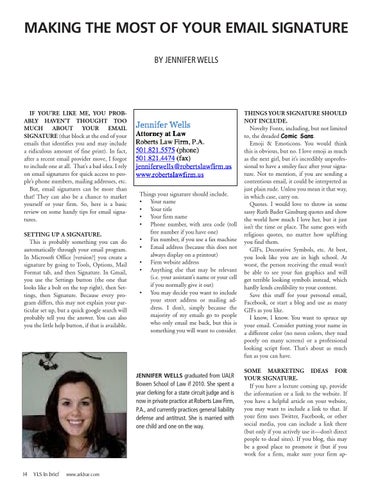
Things your signature should include. • Your name • Your title • Your firm name • Phone number, with area code (toll free number if you have one) • Fax number, if you use a fax machine • Email address (because this does not always display on a printout) • Firm website address • Anything else that may be relevant (i.e. your assistant’s name or your cell if you normally give it out) • You may decide you want to include your street address or mailing address. I don’t, simply because the majority of my emails go to people who only email me back, but this is something you will want to consider.
JENNIFER WELLS graduated from UALR Bowen School of Law if 2010. She spent a year clerking for a state circuit judge and is now in private practice at Roberts Law Firm, P.A., and currently practices general liability defense and antitrust. She is married with one child and one on the way.
14
YLS In brief
www.arkbar.com
THINGS YOUR SIGNATURE SHOULD NOT INCLUDE. Novelty Fonts, including, but not limited to, the dreaded Comic Sans. Emoji & Emoticons. You would think this is obvious, but no. I love emoji as much as the next girl, but it’s incredibly unprofessional to have a smiley face after your signature. Not to mention, if you are sending a contentious email, it could be interpreted as just plain rude. Unless you mean it that way, in which case, carry on. Quotes. I would love to throw in some sassy Ruth Bader Ginsburg quotes and show the world how much I love her, but it just isn’t the time or place. The same goes with religious quotes, no matter how uplifting you find them. GIFs, Decorative Symbols, etc. At best, you look like you are in high school. At worst, the person receiving the email won’t be able to see your fun graphics and will get terrible looking symbols instead, which hardly lends credibility to your content. Save this stuff for your personal email, Facebook, or start a blog and use as many GIFs as you like. I know, I know. You want to spruce up your email. Consider putting your name in a different color (no neon colors, they read poorly on many screens) or a professional looking script font. That’s about as much fun as you can have. SOME MARKETING IDEAS FOR YOUR SIGNATURE. If you have a lecture coming up, provide the information or a link to the website. If you have a helpful article on your website, you may want to include a link to that. If your firm uses Twitter, Facebook, or other social media, you can include a link there (but only if you actively use it—don’t direct people to dead sites). If you blog, this may be a good place to promote it (but if you work for a firm, make sure your firm ap-
proves this first). Try to change this part of your signature, keep it current, and only put in one or two items, at most. NOTICES. Email signatures often contain notices, which are mostly an unread waste of space, but they can still be important. Try not to overdo it here. Don’t include information that isn’t necessary. For instance, there is no need for an IRS 230 notice if you never practice tax law. Many websites advocate doing away with confidentiality notices altogether. I’m not comfortable with that, but I try to keep it short and sweet in order to avoid triggering spam filters and taking up space. This is my notice: NOTICE: This message is for the sole use of the intended recipient(s) and may contain confidential and privileged information. Any unauthorized review, use, disclosure or distribution is prohibited. If you are not the intended recipient, please contact the sender by reply e-mail and destroy all copies of the original message. Short and sweet. I do not include an IRS disclosure as a routine matter, because tax law is not an area that I usually deal with. If you practice tax law, use the IRS Circular 230 Notice (Google it if you don’t know what it is). FORMATTING TIPS. You may want to include a few blank lines before your signature, if your email service puts your signature right at the top. You can
Discount for ArkBar members
also include just your name, i.e. “Jennifer,” at the top of the signature so that you don’t have to type it every time. You may want to put dividers before your signature and before any marketing content and notices. Play with your formatting and see what looks best. VCARDS. A VCard is basically an electronic business card that uses the .vcf format and shows up as a little card at the bottom of the email. I don’t currently use this, because I don’t like the clutter, but many people find them helpful. In Outlook and other programs, all the information from the VCard can be automatically imported to the address book by double-clinking on the .vcf attachment. To set up a VCard, Google how to do it for your service provider or use the help button. PHOTOS. Many email providers allow your photograph to show up with your emails. This is more of a profile issue than a signature issue, but let’s talk about it anyway. If you use Gmail and you have a Gmail profile with a photo, that photo will automatically show up. Again, if you want to check your email provider’s option, a Google search should
explain the details. Your photo doesn’t have to be a headshot of you with a wall of law books behind you, but it should be professional. No juggalo face paint, no kegstands, etc., etc. You may want to use your firm’s logo, which is acceptable, but consider using a photo of yourself, so that people you don’t often deal with in person have a better shot of recognizing you. FIRM POLICY. If you work in a firm, the best thing to do is to check and make sure that there is no firm policy that dictates how your signature should look. When in doubt, copy your boss’s format. OFFICE STAFF. Check your office staff ’s signatures to make sure they comply with the guidelines listed above. After all, their signature reflects on you, too. Do you have a good tip about email signatures? Send it to hawglawblawg@gmail.com and I’ll publish it with credit to you! http://hawglawblawg.com/
Supporting Legal Professionals
ADVANCING CAREERS Visit the ABA Career Center, where we’re connecting legal professionals with top employers in Arkansas. Find local legal jobs and recruit qualified candidates dedicated to the profession!
Visit the ABA Career Center today! www.arkbar.com/pages/Benefits.aspx
15
ArkBar Practice Handbooks Build Your Library with handbooks on substantive areas of state and federal law written by expert attorneys and judges.
HANDBOOK
NON-MEMBER PRICE
Arkansas Bankruptcy Handbook, 2009 ed.
$225
$125
Arkansas Domestic Relations Handbook, 2007 ed., 2 volume set
$300
$195
Arkansas Probate System Handbook, 2005 ed.
$225
$125
Debtor/Creditor Handbook, 2012 ed.
$250
$150
Elder Law Desk Manual, 2013 ed.
$225
$125
Handling Appeals in Arkansas Practice Handbook, 2013 Supplement to the 2007
$150
$50
Handling Appeals in Arkansas Practice Handbook, 2007 (updated through the 2011 Cummulative Supplement)
$250
$150
Revocable Trusts for Arkansas Practitioners, 2007, ed.
$225
$125
Standards for Examination of Real Estate Titles in Arkansas, 2013 ed.
$75
$45
Workers Compensation Desk Book, 2013
$225
$125
A GUIDE TO ARKANSAS STATUTE OF LIMITATIONS NON-MEMBER PRICE
MEMBER PRICE
$200 Soft bound $200 EPub Version $375 Soft bound & EPub
Free Download or $25 Soft bound $25 EPub Version $40 Soft bound & EPub
Scan the QR code with your smart phone and order you book today!
For ordering information and to purchase print or electronic handbooks go to www.arkbar.com/pages/Practice_Handbooks.aspx
16
MEMBER PRICE
YLS In brief
www.arkbar.com
TASTY TIPS CRESCENT CASSEROLE
CHICKEN FAJITA CASSEROLE
This is a hearty, warm, delightful dish!
6-8 flour tortillas 2 c. (more if you have it) left over shredded chicken fajita (see recipe) ½ c. sour cream 1 c. milk, divided 2 tbsp butter 3 tbsp flour ½ c. chicken broth 2 c. Mexican blend cheese
by Rashauna Norment PREP TIME: 15 – 20 minutes COOK TIME: Time to cook sausage (varies per cooking method) 15 – 20 minutes to cook assembled dish
INGREDIENTS 2 cans of crescent rolls 4 oz cream cheese 1 ½ cup shredded cheddar cheese ¾ cup shredded Monterrey and Colby cheese 1 pound sausage
DIRECTIONS • Cook sausage until browned, but do not overcook. Drain. Crumble sausage into bite-sized pieces. • In a medium-sized bowl, combine cream cheese and sausage. • In a separate medium-sized bowl, combine cheeses. • Pre-heat oven to 375ºF. Lightly spray or grease a casserole pan. For thicker casserole, 8 1/2 by 8 1/2 inches. For thinner, 12 by 9 inches. • Unroll and place 4 crescents as the bottom layer in the pan, and pinch the ends together. Place 4 more crescents on top of first layer, and pinch the ends together. • Place pan in oven for 4-7 minutes to lightly brown crescents. • Spread sausage-cream cheese mix over the crescents. • Spread shredded cheese mix over sausage-cream cheese layer. • Unroll and place 4 crescents over cheese, and pinch the ends together. • Cook in oven to brown top layer of crescents, as desired. Serve hot with syrup, honey, or salsa. Can substitute pork sausage with turkey sausage, bacon, or other meat. This recipe can be easily customized. For a thicker casserole, you can add more sausage or/and another layer of crescents. * Recipe adapted from friends.
CROCK POT FREEZER MEALS by Brooke Moore I have spent many days overscheduled and rushing only to get home to three hungry kids and the dreaded dinner time dash (or its’ fast food drive through alternative). After mounds of dirty dishes, much time lost and lots of money wasted, I finally realized that the solution was simple-—Crock Pot Freezer Meals! I realized it would be a huge undertaking preparing and freezing these meals but the time and money saved would be well worth it. After a long day of menu making, grocery shopping and ingredient chopping I had nearly a month’s supply of meals. It has been wonderful coming home to yummy, healthy dinners waiting for us. The recipes below were a big hit with my family. Enjoy!
DIRECTIONS: 1. Pre-heat oven to 375 degrees and grease 8x8 pan. 2. In small sauce pan melt butter. Whisk in flour. Then add ½ c. milk and chicken broth. Simmer over medium heat while whisking until it’s thick. 3. Add sour cream and other ½ milk and remove from heat. 4. Pour a little liquid mixture on bottom of pan. 5. Cut tortillas in half and cover bottom of pan. Cut small overlapping piece to cover the middle. 6. Add 1/3 of the meat, 1/3 of the cream mixture, and then some cheese. 7. Repeat-tortillas, meat, cream mix, cheese for a total of 3 layers. 8. Make sure you end with cheese. 9. Cover with foil and bake 30 minutes. Remove the foil and broil for a few minutes until the cheese is bubbly and starts to brown. TASTY TIPS EDITOR RASHAUNA NORMENT
CHICKEN FAJITAS 1 ½ lbs chicken breasts 1 onion 2 peppers (your choice) ½ c. chicken broth Taco seasoning packet 1 tsp. chili powder ½ tsp. paprika 1 tsp. salt *Also needed: tortillas, tomatoes, cheese, cream, etc.. DIRECTIONS: 1. Put all of the ingredients in a large freezer bag. 2. Dump all in slow cooker and cook on high for 3-4 hours or low for 5-6 hours. 3. When it’s cooked, shred the meat and add it back to the pepper mixture and serve on warm tortillas with favorite toppings (use left overs for chicken fajita casserole).
NORMENT CONTRIBUTOR BROOKE MOORE
MOORE If you have a recipe to share, please contact Rashauna at Rashauna@NormentLawFirm.com 17
Association News Congratulations to the new members admitted to the practice of law October 2013 Two swearing-in ceremonies were held at the Arkansas Supreme Court on October 4, 2013. Association President Jim Simpson presented the 147 new admittees to Chief Justice Jim Hannah who administered the Attorney’s Oath of Admission. The Young Lawyers Section hosted a reception at the courthouse to welcome the newest members to the association. Photos by Nelson Chenault.
The Oath of Admission was revised to include a pledge of civility on February 23, 2013.
Thomas Edward Allgood Charles Scot Allison Erin Nicole Anderson Christopher Bryant Arnold Ryne Heath Ballou Kelsey Kaylyn Bardwell John Benjamin Barnett Drew Courtney Benham R. Alec Berry Michael Clayton Bristow Guy Beau Blann Britton, Jr. David Brophey Kirk Allen Brown Robyn Ashley Brown Christopher Michael Bryant Jack Dale Burns Luke Kent Burton Katherine Church Campbell Joseph Shane Charlson Angela Shay Cole Lauren Katherine Collins Kitty Lynn Cone Sarah Elizabeth Cowan Andrew Whitley Cox John Benjamin Crabtree Sarah Creasman Bryant Evans Crooks Patrick Ryan Culver Dustin Keith Doty Wesley Grant DuBois Sean Rahmani Dugan Katelyn Marie Eaves Susan Kate Fletcher Christopher Michael Floyd Kelsey Eaton Fohner Matthew Michael Ford Billy Jack Gibson
John Colton Gregory Ebony Gulley Lucas Warren Harder Danielle Kayrene Hasty Brandon Michael Haubert Lesley Gail Haught Aaron Marshall Heffington Juan Carlos Hernandez Mark Adam Holt Ellen Kathryn Howard Lori Denise Howard Cassandra Renee Howell Kasper F. Huber Darlene Marie Irwin Adam Donner Jackson Brooke Jackson Samuel Randolph Jackson Joshua Dean Jacobs Michelle Loren Jacobs Andrew Garrett Johncox April Michelle Jones David Chan Jung Michael Allen Kee John Daniel Kennedy Jack David Khavinson Nikki Lynn Killingsworth Alexandra Constantina Kosmitis Emily Beth Kostelnik Joanna Bates Kuhn Michael Alan Lafreniere Barbara Gregory Lagasse Christina Dawn Lasdavanh Sidney Latture Leasure Nathan Daniel Lewis Sonya Evette London E. Lee Lowther Joseph Karl Luebke
Molly Summers Magee Robert D. Malin John Alexander Mallory Bryan K. Malloy Danica Eliana Maslov Stefan Kane McBride Dillon McClain Mary Catherine Molly McGowan Scott Christian Mcintosh Rachel Lyn McKay Ben Ross Mclintock Abtin Mehdizadegan Lanie Michele Miller Katherine Elizabeth Moffett William Kirkman Montgomery Ethan Rowe Moore Madeline Kurrus Moore Natalie Jo Morrison Donald Ryan Mullenix Harold D. Nations Robert Milan Naumoff Zoe Elizabeth Naylor Joshua Thomas Ogle Jonathan Chad Owens Michael L. Owens Thomas M. W. Parker Dana William Patton Kara Ann Petro Alyssa Jo Pipho B. R. Price Cortney Vonne Price Kendra Khrystal Pruitt Melanie Ann Reese Andrew Scott Ritchie Christopher Allan Rittenhouse Bradford T. Rose
Stewart Calhoun Rose Jennifer Rose Rovetti Mallory Aaron Sanders Marissa Amerine Savells Brian J. Shepherd John Thomas Shepherd Jong Min Shin David Finlayson Slade Candice Morgan Smith Sylvester L. Smith Ariel Jonella Snyder Sarah Elizabeth Solomon Brooke N. South Mark Evan Stallings Matthew Beau Stephens John Siever Stobaugh Andrea Catherine Stokes Roger Dennis Sumpter Sonia Anne Sylls Robert Marcus Terrell George Robert Toombs Jesus Amador Torres Cole A. Truitt Elizabeth Leigh Tucker Matthew Eugene Weisenfels Anna Marie Williams John Charles Williams Tyler LeaAnne Williams Robert Martin Wilson Zibilla Lee Wolfe Kerry Nicole Wood Kimberly Renae Woods Jacob Wooley Thomas Hartley Wyatt Paul Bradley Younger Aliya Hussaini Yousufi
M. Elizabeth Brooks-Tolley Rose
Originally published in the Fall 2013 issue of The Arkansas Lawyer magazine. 18
YLS In brief
www.arkbar.com
Young Lawyers Section Report
The theme for the Young Lawyers Section (YLS) this year is the fulfillment of the ideal that those who have been given much have an obligation to do and give even more in return. As lawyers, we all fall into the category of those who have been given much. I am happy to report that young lawyers across the state are meeting the challenge to give even more in return. YLS is the home for the state’s young attorneys—providing social and networking opportunities, service opportunities and support services to help lawyers launch their careers. The section traditionally acts as the service arm of the Arkansas Bar Association and has a tremendous history of service. This year, the section is exploring new ways to serve others. The section’s outreach will touch young adults, attorneys, members of the public who cannot afford legal services and victims of disaster. The Disaster Relief Committee is hard at work developing a handbook to help lawyers who provide assistance to disaster victims. The Disaster Relief Committee is also on standby to literally answer the call in the event a natural disaster happens in our state, though the committee hopes its services will be unnecessary. The Legal Education Committee is building a library of videos of experienced attorneys and judges providing advice for young attorneys. The committee is also updating several of YLS’s most important handbooks, including 18 and Life to Go. The committee also recently attended the Swearing in Ceremony and presented every new attorney with a copy of the section’s newest handbook, The New Admittee Survival Guide. The Citizenship Education Committee is considering possible legislation to improve the lives of young adults and protect their
legal rights. YLS has a unique perspective and opportunity to advocate for the needs of young people. The Minority Outreach Committee is continuing its initiative to encourage people of diverse backgrounds to enter the legal profession and, once in the profession, to excel. The committee is reaching out to diverse young people to encourage them to consider a career in the law.
The American Bar Association recently honored YLS with two awards.
The Communications Committee is expanding the YLS newsletter, InBrief, with the addition of “Hot Topics” articles by practitioners from many legal fields to help attorneys keep up with current issues. InBrief will continue to keep young lawyers informed about the various happenings in the section and the accomplishments of its members. The Pro Bono Committee is working on several new avenues of service, including a new partnership with Habitat for Humanity of Pulaski County, Arkansas Access to Justice and the Center for Arkansas Legal Services called “Build A Will.” This new program will offer pro bono estate planning to recipients of Habitat for Humanity homes. The program is starting in Central Arkansas but could spread throughout the
by J. Cliff McKinney
state if successful. The Recruitment & Social Committee recently hosted a Razorback watch party at the Bar Center that was a great success and gave young lawyers and law students an opportunity to socialize. The committee continues to plan great networking and socializing activities for young lawyers. The volunteers of YLS participate without expectation of reward or recognition. However, it is always nice when recognition is received—especially national recognition. It is my exceptional privilege to report that the Arkansas Young Lawyers Section was honored twice by the American Bar Association Young Lawyers Division at the Annual Meeting of the American Bar Association in San Francisco this August. YLS received first place in the category of Newsletter for our publication, InBrief. The section also received first place in the category of Service to the Bar for The New Admittee Survival Guide. These awards would not have been possible without the excellent work of Vicki Vasser, last year’s YLS Chair; Tasha Taylor, last year’s Editor-In-Chief of InBrief; and Matt Fryar, chair of the committee that created the The New Admittee Survival Guide. The activities of the section would not be possible without the very dedicated efforts of these and many other young lawyers. However, there is always room for more to get involved in the activities and opportunities of the section. I challenge all young lawyers—and anyone else who would like to be involved—to find ways to help. It is our hope that many more will become actively involved as the year progresses. As lawyers who have been given so much, it is incredibly important and rewarding to give back. ■
Originally published in the Fall 2013 issue of The Arkansas Lawyer magazine. 19