PRESENTATION ON STUDY VISA EXTENSION/RENEWAL



What do I do?
What documents do I need?




Extension/Renewal of a Study Visa can be submitted in South Africa only.


All applications to be applied for online https://www.vfsglobal.com/southafrica/.

The completed form and supporting documents to be submitted in person at the selected VFS Office. All documents must be printed single sided.

The application MUST be submitted 60 days before the current visa expires.

If you are unable to submit the application in South Africa before the expiry of the current visa, you
MUST:


Return to your home country to apply for the new study visa

Have a South African Police (SAP) Clearance Certificate for the new application.
The issuing of the SAP Clearance Certificate takes a minimum of four weeks plus to obtain.

If you are in South Africa after the visa has expired, you will be illegal.
Printed copy of the completed online form
Confirmation of appointment
Certified copy of valid Passport
Certified copy of current study visa
Certified copies of all supporting documents as per the VFS Checklist for the relevant visa category

Not older than six (6) months

The Medical Report MUST be stamped by the attending Practitioner with a Practice number, contact details, address and signature.


Proof of medical cover renewed annually for the period of study with a medical scheme registered in terms of the Medical Schemes Act.
Sponsored Students: in the case of a foreign state accepting responsibility for the applicant in terms of a bilateral agreement, a written undertaking from such foreign state to for the departure or deportation/repatriation of the applicant.
Student Accompany Parents: an undertaking by the parents or legal guardian that the student will have medical cover for the full duration of the period of study;


Proof of confirmation of registration from the Faculty
This is a visa letter issued by the Faculty Office confirming your registration and specifying the duration of your programme for visa extension purposes..
Masters (Research) and PhD students must first obtain a letter from their Supervisor before approaching the Faculty Office for the visa letter.
Undertaking from the University
This letter is issued by the International Students Office (ISO) based on the visa letter issued by the Faculty office.
Unaccompanied Student: Proof of sufficient financial means available to the student while resident in the Republic.
All fees due to the University must be paid in full before the undertaking letter can be issued.
All foreign bank statements MUST be converted to South African Rand (ZAR)



Proof of sufficient financial means available to the student while resident in the Republic
Original personal stamped bank statement for the past three (3) months
The statements MUST NOT be older than two weeks at the time of submission
Letter from parent/guardian confirming payment of tuition fees and living expenses
Original personal stamped bank statement OR pay slips for the past three (3) months
The bank statements MUST NOT be older than two weeks at the time of submission
Certified copy of passport of parent/guardian

The sponsorship/bursary letter MUST:
Confirm for when the sponsorship is for e.g., 2023 or 2024
Confirm what the sponsorship/bursary is covering i.e., tuition, living expenses etc.
Have your name, student number and name of institution




The VFS Office is linked to the South African Police Services.

Biometrics will be taken for the Police Clearance when submitting the application.

This is at an additional cost, remember to check the box when making payment.
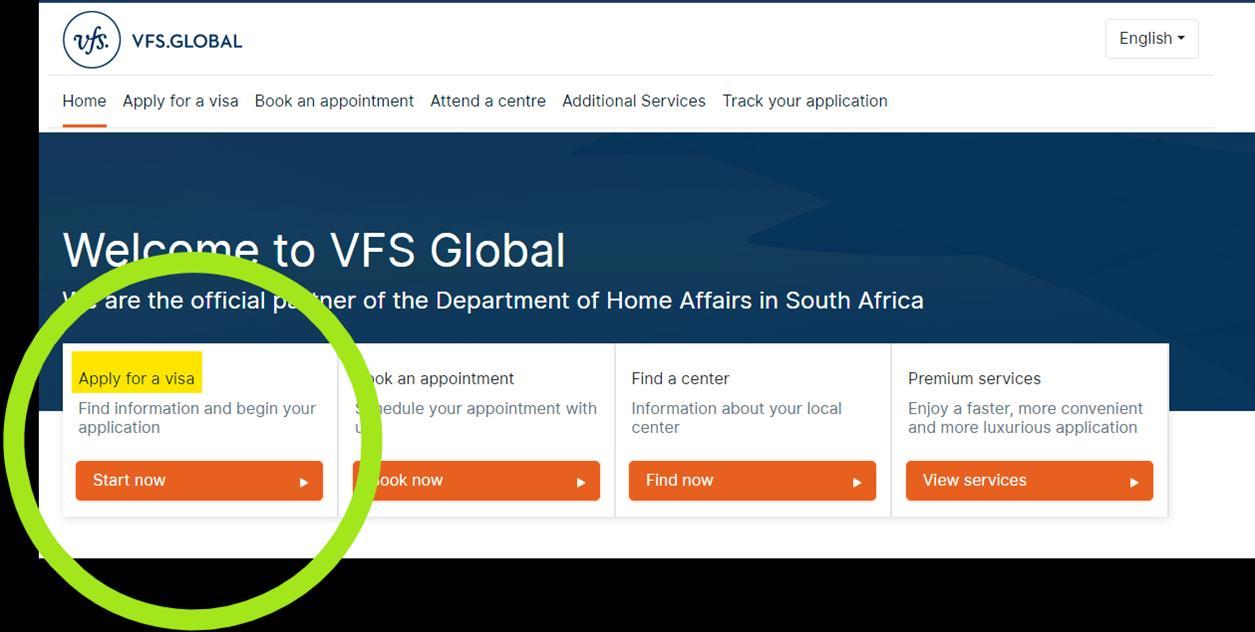
• Go to the VFS website DHA Visa Information in South Africa
• Click on “South Africa Visa & Permit Application/Renewal”
• Click on “Apply for a visa"
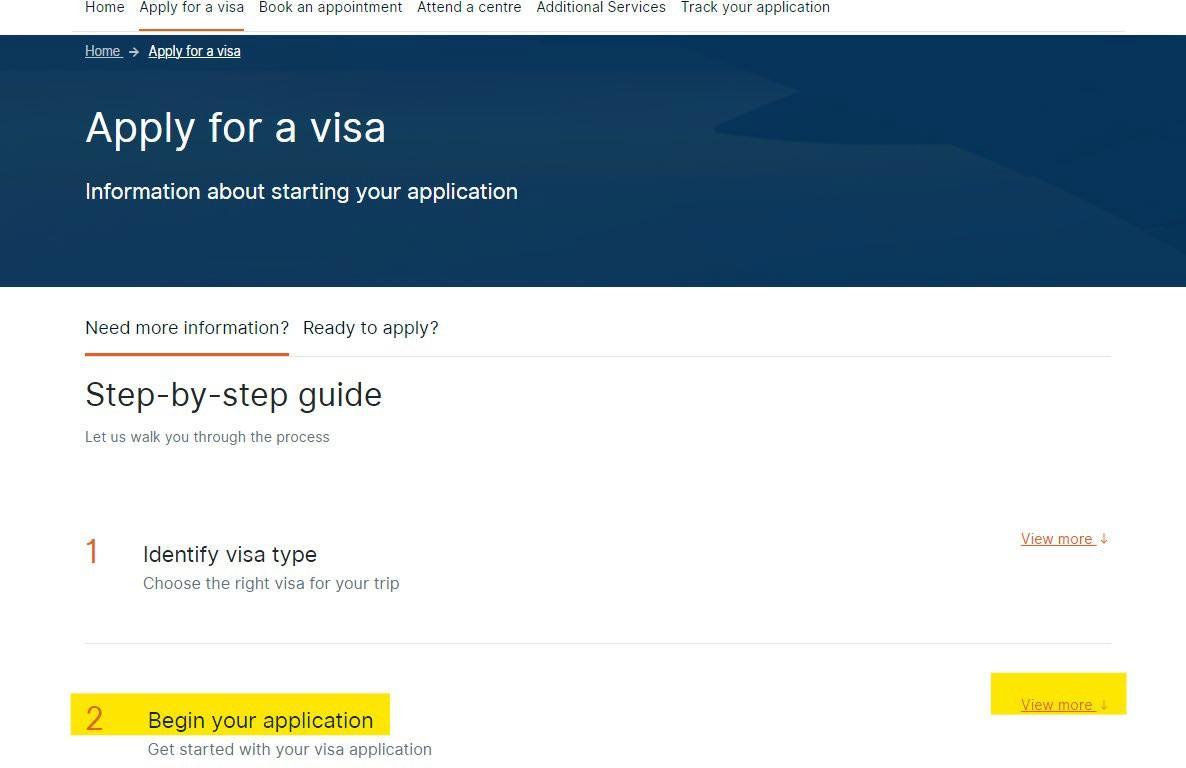
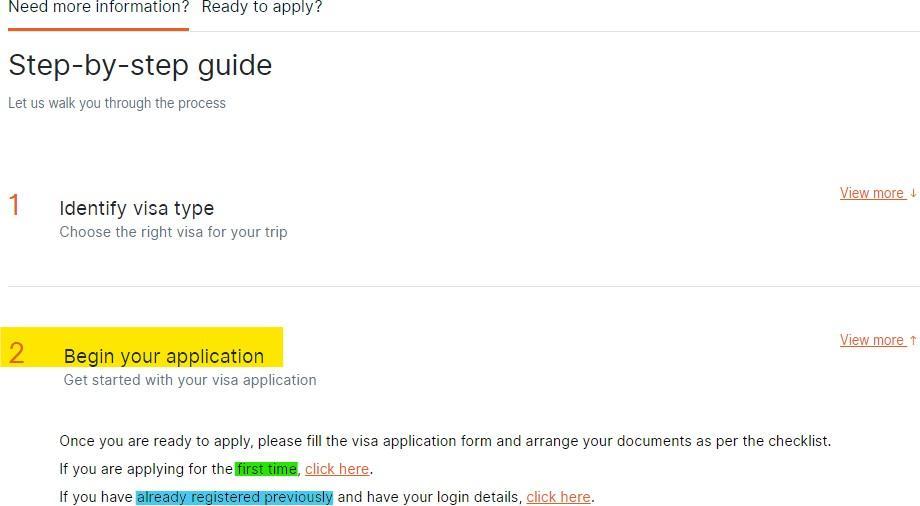
Choose the applicable application status
If you have ‘already registered previously go to Slide 16
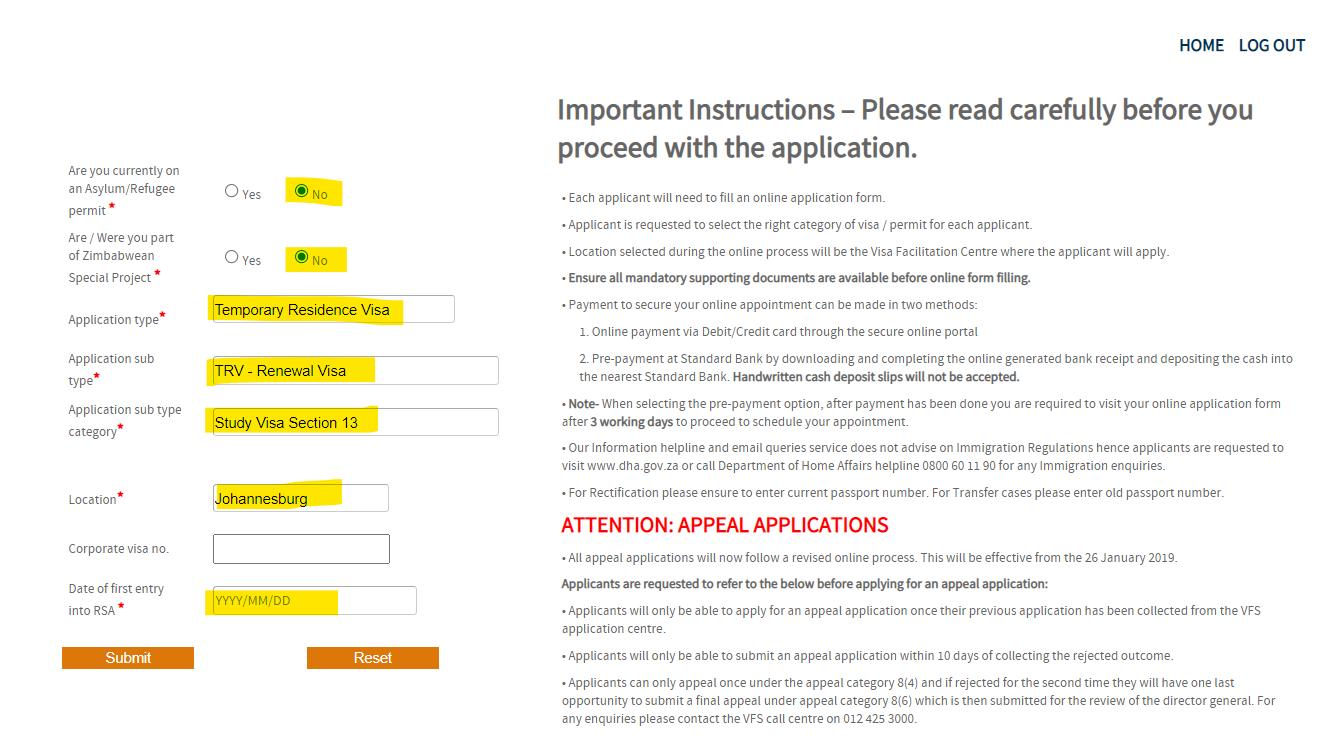
Complete the highlighted fields and click “Submit”
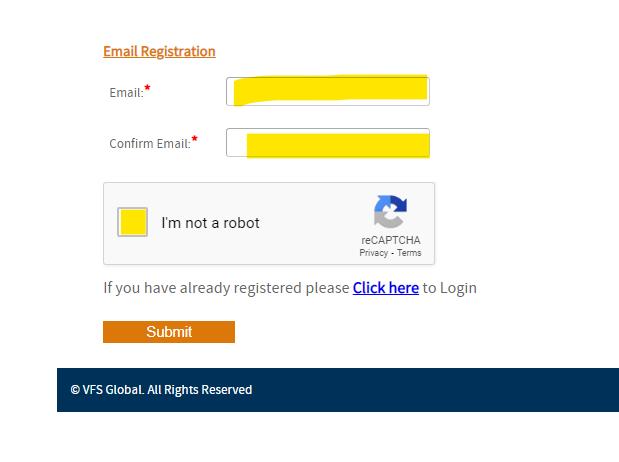
Complete the highlighted fields and click “Submit”

The above message will appear.
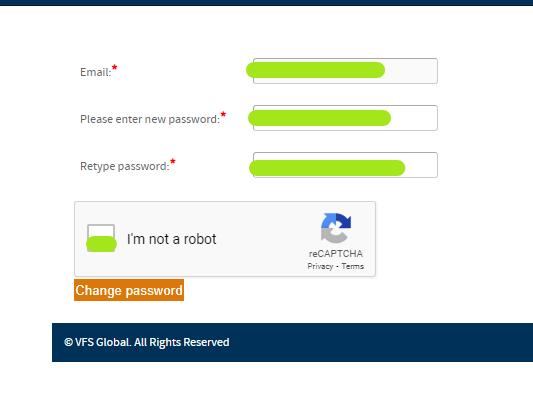
Complete the highlighted fields. The following message will appear: “Password Change successful.”
First time applicant and previously registered applicant
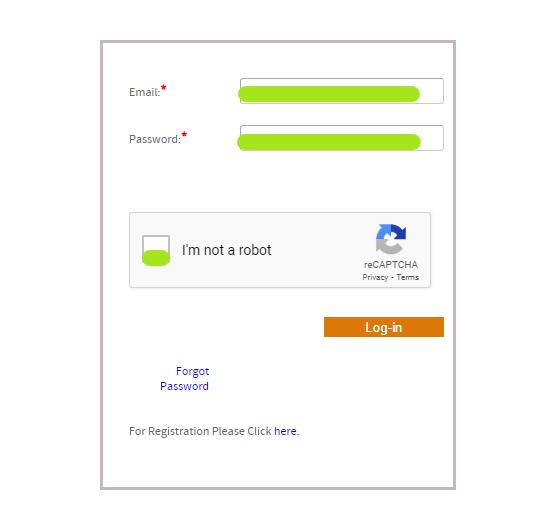
Complete the highlighted fields and log-in
Click on the ‘TRR’ Reference Number to access the form.
First time applicant and previously registered applicant Complete
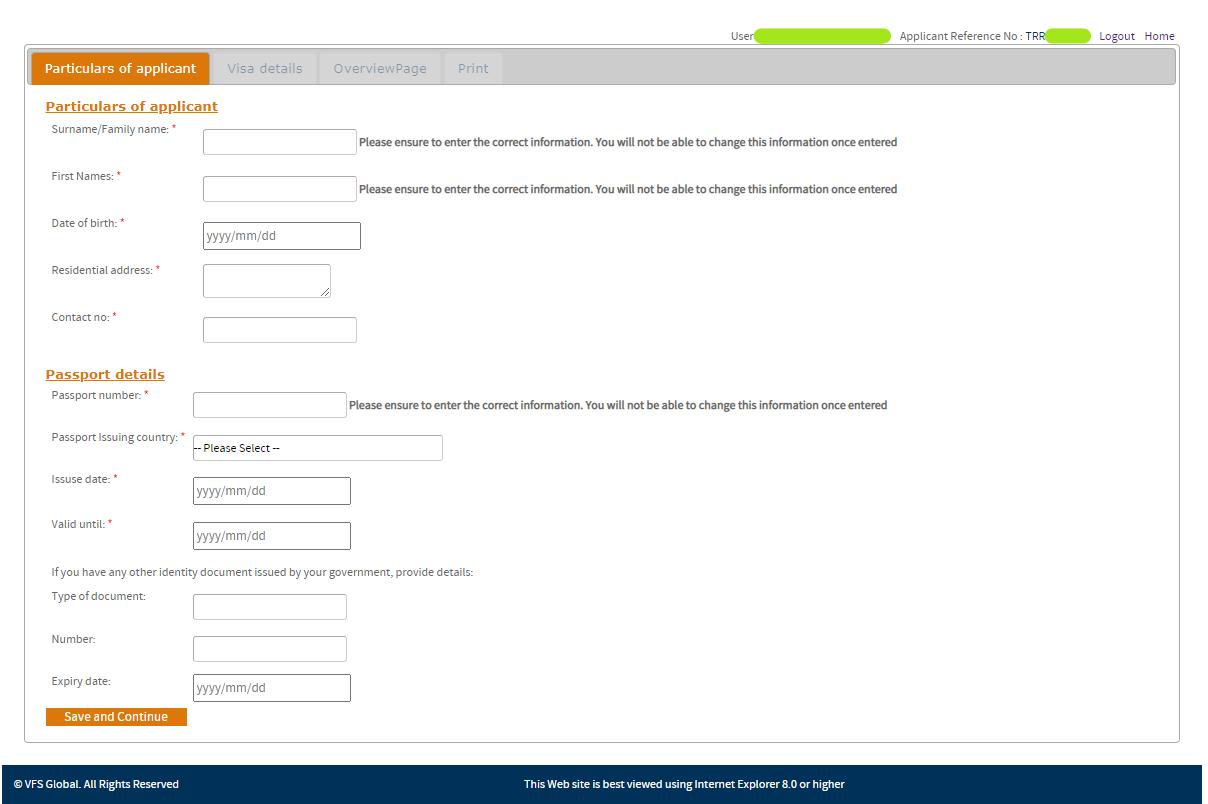
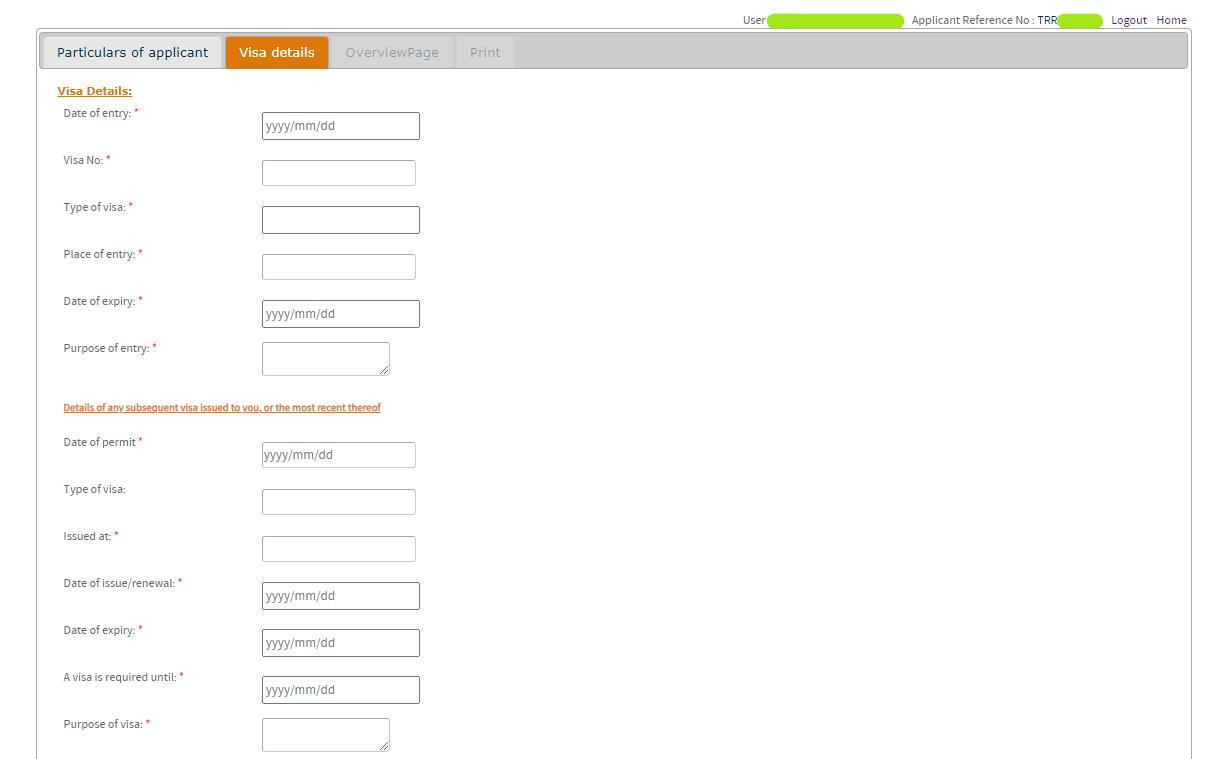

Details of the first SA visa issued to you.
First time applicant and previously registered applicant
e.g., University
Insert year of study e.g., 1 or 2, etc
e.g., Bachelors, Honours, Masters or PhD
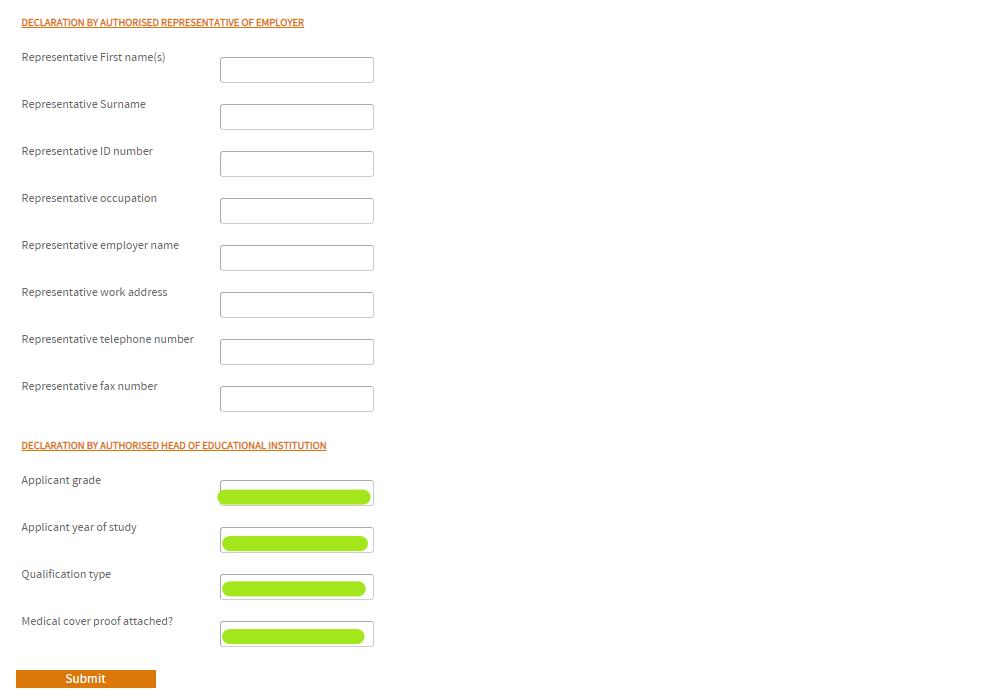
Yes or No. The medical aid membership certificate MUST be submitted with the application.
Complete the page, click on ‘Save and Continue’
Overview Page:
Allows the applicant to review and amend the information captured on the application form before submitting.
✓ Check the ‘Visa Fee’
✓ Check the ‘SMS Fee’ if you want to receive SMS communication from VFS
✓ Check ‘By selecting the box, I confirm…’
✓ Click on ‘Proceed to payment’
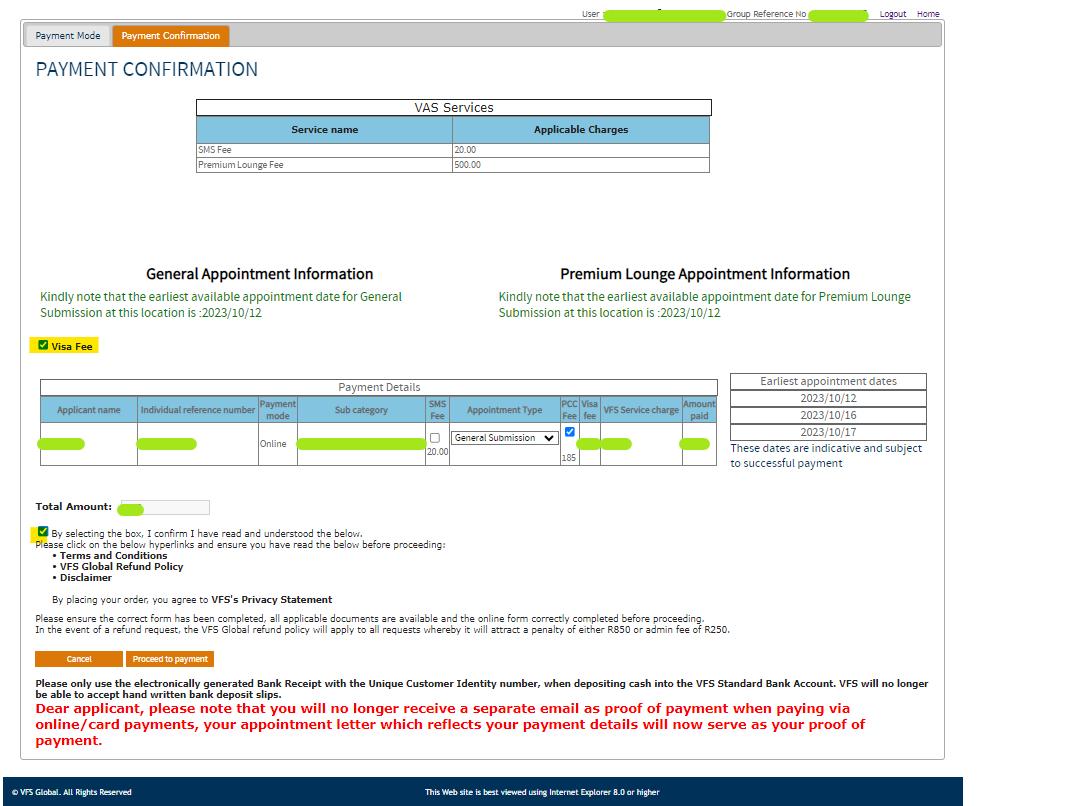
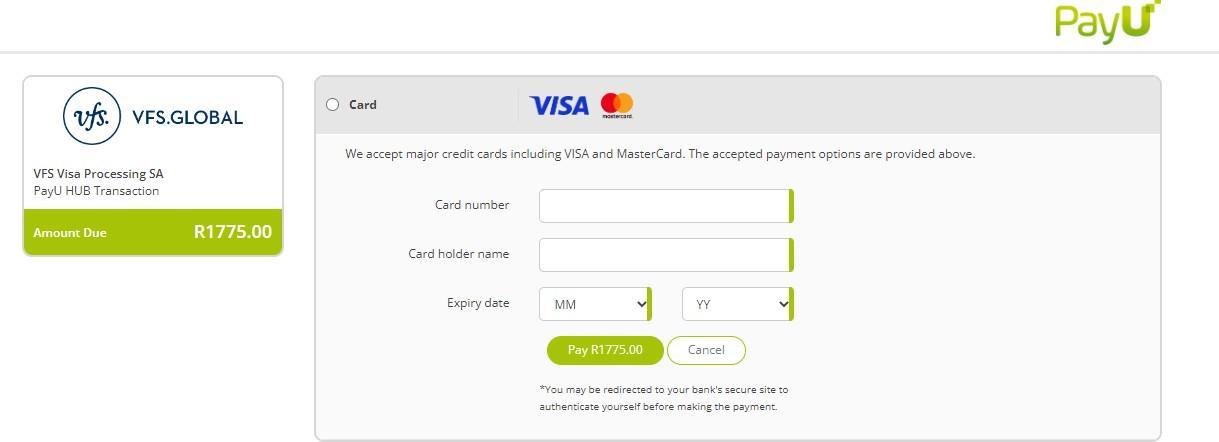
✓ Check the ‘Visa Fee’
✓ Check the ‘SMS Fee’ if you want to receive SMS communication from VFS
✓ Check ‘By selecting the box, I confirm…’
✓ Click on ‘Download Bank Receipt’
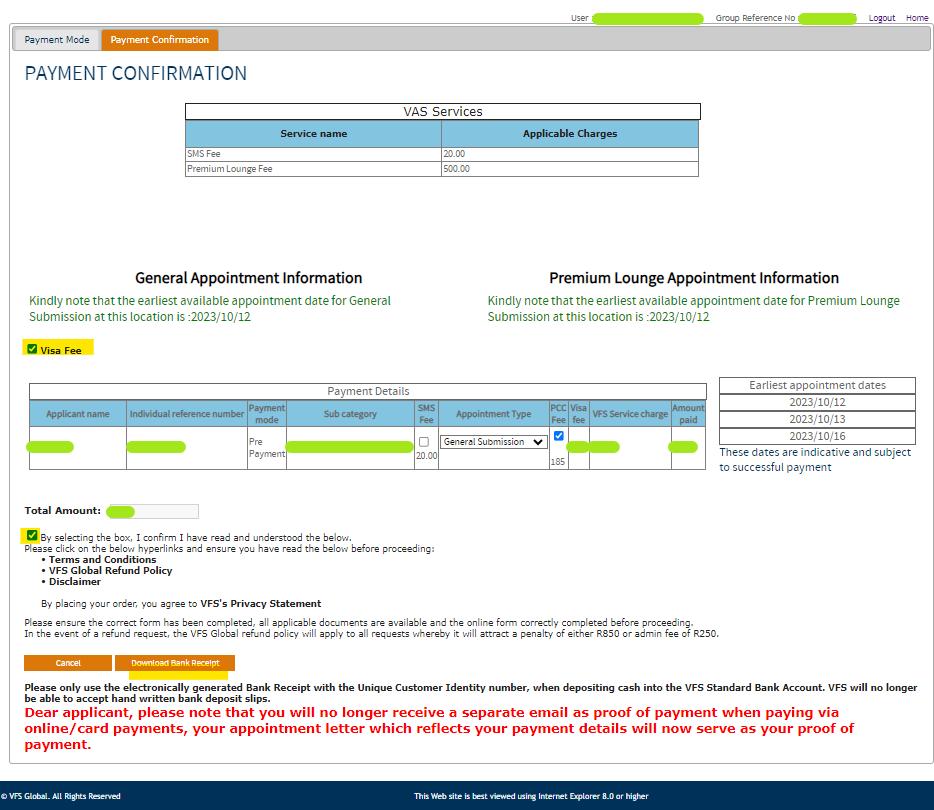
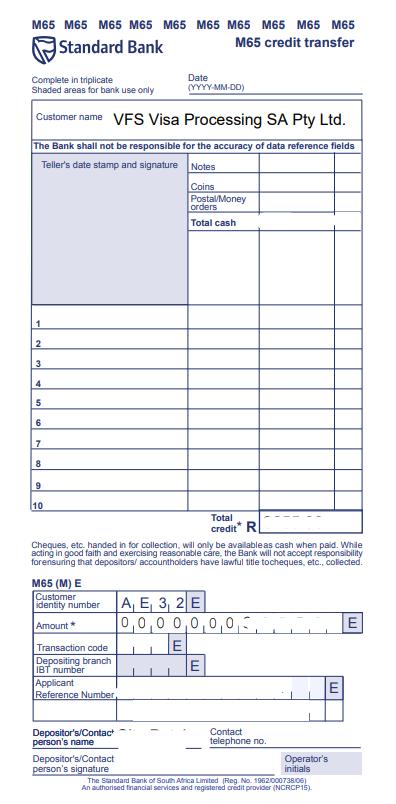
• Print the bank deposit slip and make payment at the bank
• Note the reference number and your name on the deposit slip
• VFS banking details is linked to Customer Identity Number ‘e.g., AE32’
• After payment is made the dates will be made available to ‘Schedule Appointment’. The funds take approximately two days to clear.
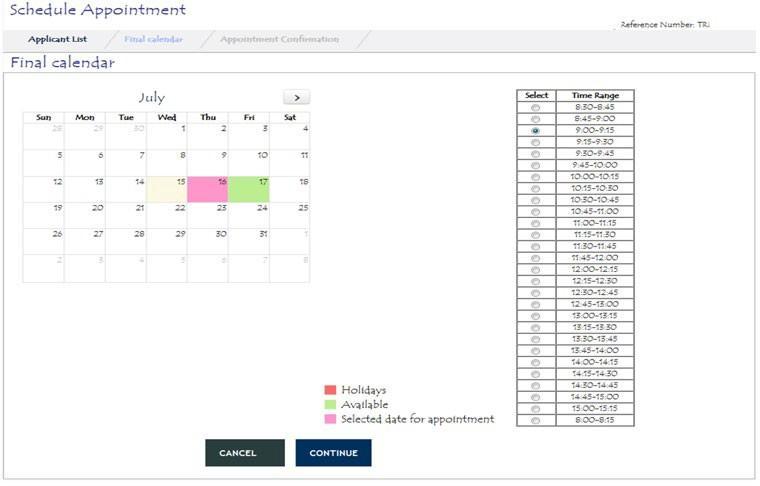
• Select the office to submit application
• Select the desired date and time, click ‘CONTINUE’
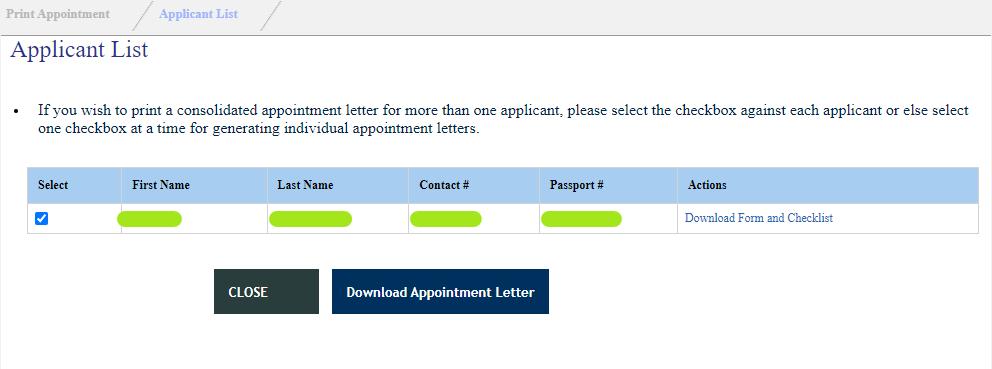
• A confirmation of appointment will generate.
• Click on ‘Download Form and Checklist’
• The following documents will be made available


TRR TRR _Completed Online Form.pdf _Checklist.pdf
Prepare all supporting documents as per the check list. Sign the completed form. Submit the completed application and supporting documents at the VFS Office on the scheduled appointment date.
Please Note:
▪ DO NOT submit original copies of supporting documents.
▪ The supporting documents can be copied and certified for submission.
▪ Always keep copies of the completed application form and supporting documents submitted.
▪ All forms, checklists and supporting documents must be printed single sided.
INTERNATIONAL STUDENTS OFFICE
Ground Floor, Solomon Mahlangu House, Wits University


+27 (0)11 717 1054
StudySA.international@wits.ac.za

VFS GLOBAL https://www.vfsglobal.com/southafrica/
Johannesburg VFS Office
1st Floor Rivonia Village, Cnr Rivonia Boulevard and Mutual Road
+27 (0)12 425 3000