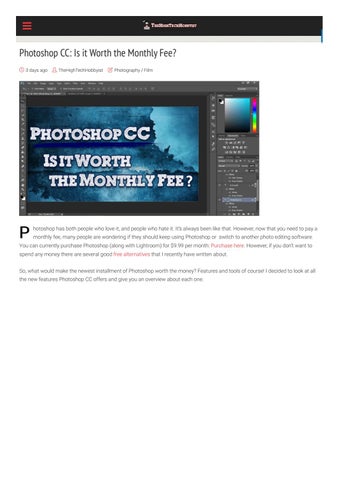
Photoshop CC: Is it Worth the Monthly Fee? 3 days ago
P
TheHighTechHobbyist
Photography / Film
hotoshop has both people who love it, and people who hate it. It’s always been like that. However, now that you need to pay a monthly fee, many people are wondering if they should keep using Photoshop or switch to another photo editing software.
You can currently purchase Photoshop (along with Lightroom) for $9.99 per month: Purchase here. However, if you don’t want to spend any money there are several good free alternatives that I recently have written about. So, what would make the newest installment of Photoshop worth the money? Features and tools of course! I decided to look at all the new features Photoshop CC offers and give you an overview about each one.
1. Interface A lot of changes have been done to the interface of Photoshop CC. In the welcome screen, for example, you’ll be able to see your recent les thumbnails, and have direct access to libraries and presets. If you’re new to using Photoshop CC or just need a refresher, Adobe has included personalized tutorials available on this same screen. Besides the welcome screen, they also have redesigned the icons and have made the interface color consistent throughout the entire software.
Photoshop continues to implement a lot of changes for Microsoft Surface users. It detects some gestures, as well as some keyboard shortcuts on the Surface.
2. Mobile Design It’s important that you know how your project is going to look like on mobile devices. With Photoshop CC you can install the Adobe Preview CC Mobile app (along with the Design Space and Artboards) on your tablet or smartphone.
The Adobe Preview app is a useful tool to have
The Design Space also received an upgrade. The workspace is smaller and the toolset is a lot simpler.
With Artboards, you can create documents with multiple views for different screen sizes.
3. Libraries and Apps In this latest version of Photoshop, libraries have evolved. They don’t only sync documents. They also sync color themes, font styles, and brushes. And that’s not all. You can not only access and create them through Photoshop CC, but you can also use other mobile apps to achieve this (Photoshop Mix, Premiere Clip, and Hue CC are just a few). Plus, they are all free.
4. Adobe Stock With Fotolia’s acquisition, Adobe Stock now includes over 40 million vectors, images, video clips, and illustrations. Even if you’re not a Creative Cloud member you are able to purchase these assets. Adobe also makes it possible for you to sell your own assets, where you can make 33% of the sales, which is better than the 25% average that is paid by the industry.
Adobe Stock is fully integrated within Photoshop
5. New Font Tricks Most people who have been using Photoshop for some time are going to notice a drastic change in the fonts. You can now lter your search for speci c fonts. Examples of categories include script, blackletter, and serif. But you can do even more. You can choose a font you like and ask Photoshop to show similar fonts. These upgrades are real time-savers.
6. Behance Integration If you’ve never heard of Behance, it’s a social network specially designed for creative professionals. Through Behance, you can share your portfolio or some project you’re working on and ask for feedback from other users. You can share your project directly from Photoshop with a single click. Besides asking for other users opinions, Behance may also help you nd new clients. By sharing your portfolio, people who are looking for a designer, may see your work and hire you for their project.
Behance offers a great oppurtunity for artists to share their work
7. New Tools for Photo Editing We can’t forget about photo editing tools since this was how Photoshop started and until today, no other software can beat it.
Tool cheat sheet (click to enlarge)
Photoshop CC has great support for raw camera les, allowing you to make any effects or corrections you can think of. From adding or removing objects to stained-glass effect lters to histogram adjustments, Photoshop has it all. Still, it keeps getting better and better. One of the new and best features in Photoshop CC is the camera-shake reduction. Simply put, it analyzes the photo for the path of shake motion and then automatically aligns the shifted pixels.
New Shake Reduction Tool
Within the camera raw features, Photoshop CC now has Upright, a new geometry correction tool. With Upright, you’ll be able to x parallel horizontal and vertical lines. A new capability of the Camera Raw is the ability use it as a lter to any image layer, and apply some adjustments to video as well.
8. More Tools for Artists and Designers Your old photos might not seem so good as they once were because of the higher resolutions. And Photoshop CC can help you with this thanks to its upsampling algorithm. A great addition to designers is the ability of Photoshop CC to generate the CSS code. Plus, it can also import color directly from a website’s CSS or HTML code, making your life much easier.
9. 3D Tools Adobe made a great step in improving the 3D tools . They are now faster as well as having a more realistic shadow rendering. In addition, you can now download sample 3D documents to get you started.
Many tools are available when working with 3D models
With Photoshop CC you can duplicate your 3D objects and they’ll re ect any edits you might have done.
When you think about 3D, one of the main topics discussed around it is 3D printing. This latest installment has made it much easier to create and export a printable 3D object.
10. New Export Improvements There have been major upgrades to the Export features. It is much faster and will allow you to compress your les, even more.
One particularly interesting upgrade is that you can easily export in different sizes at the same time. You can also export just a single layer, or Artboards.
Conclusion: With all the new and upgraded features of Photoshop CC, Adobe didn’t change to a monthly fee to rip you off. They have made such an upgrade to the various Photoshop CC tools that paying the monthly fee is worth it. What’s your opinion? Let me know in the comments below! And don’t forget to subscribe to the TheHighTechHobbyist’s weekly newsletter (at the bottom of the page) to stay updated on the latest tech articles.
Share this: Twitter
Related
Facebook 35
î ş Previous post
6 Awesome Apps to Easily Customize your iPhone
Next post
Tutorial: How to Create Interactive 360 Degree Panoramas for Facebook
0 Comments Recommend
1
TheHighTechHobbyist
⤤ Share
Login
Sort by Best
Start the discussion…
ALSO ON THEHIGHTECHHOBBYIST
Tutorial: How to Create Interactive 360 Degree Panoramas for Facebook 5 comments • 2 days ago•
question, thank you!
Top 5 Free Photo Editing Software of 2016 5 comments • 25 days ago•
TheHighTechHobbyist — Thanks for sharing. Great tip! That
helps justify the cost a little.
Subscribe
d
Add Disqus to your site
1 comment • 17 days ago•
TheHighTechHobbyist — Anyone try one of these yet? Please
TheHighTechHobbyist — Well I guess that answers the
✉
25 Best Photoshop Tutorials of 2016
� Privacy
post a link to the photo!
Stay Connected
A Little About Me‌ TheHighTechHobbyist Hi there! Thanks for visiting my site. Here's a little about me: My name is Ryan, and I am a student currently working on a doctorate degree. While I do have a busy schedule, I love to research and tinker with tech in my free time. My passion for technology has led me to create TheHighTechHobbyist. My favorite gadget is the Phantom drone, but I also love my camera, smartphone, and 3D printer. Feel free to contact me with any questions, suggestions, or just want to chat.
Categories Drones Photogrammetry Photography / Film Smartphones
Search
î‚?
Type here to search...
Latest Posts Tutorial: How to Create Interactive 360 Degree Panoramas for Facebook Photoshop CC: Is it Worth the Monthly Fee? 6 Awesome Apps to Easily Customize your iPhone 25 Best Photoshop Tutorials of 2016 Top 5 Free Photo Editing Software of 2016
Subscribe to the Newsletter
address: Your email address
Sign up
TOP POSTS Tutorial: How to Create Interactive 360 Degree Panoramas for Facebook
Must Have Apps for the DJI Phantom Drone
Top 5 Free Photo Editing Software of 2016
SUBSCRIBE TO THE NEWSLETTER Email address: Your email address
Sign up
Sign up
KEEP UPDATED WITH FACEBOOK TheHighTechHobbyist 118 likes
Like Page
Copyright © 2016. Privacy Policy
Share
Home Drones Photogrammetry Photography / Film
Smartphones Contact