WIKI / ERGOGEAR BUYER’S FIELD GUIDE / NOVEMBER 2026
Best Standing Desks A practical guide to sit-stand height, stability and ownership
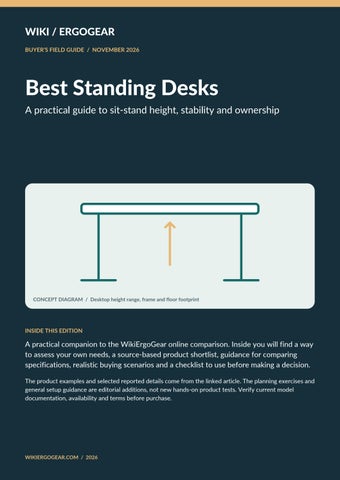
CONCEPT DIAGRAM / Desktop height range, frame and floor footprint
INSIDE THIS EDITION
A practical companion to the WikiErgoGear online comparison. Inside you will find a way to assess your own needs, a source-based product shortlist, guidance for comparing specifications, realistic buying scenarios and a checklist to use before making a decision. The product examples and selected reported details come from the linked article. The planning exercises and general setup guidance are editorial additions, not new hands-on product tests. Verify current model documentation, availability and terms before purchase.
WIKIERGOGEAR.COM / 2026
WIKI / ERGOGEAR • FIELD GUIDES
DESKS
Start with both working heights A standing desk is valuable because it permits a person to alternate between a seated and a standing work surface. It is not necessary to abandon seated work or spend the whole day standing. The useful question is whether the desk allows both positions to fit the person's ordinary tasks. A large motor capacity, premium finish or long warranty does not solve a minimum height that is too high for the intended user. Measure the approximate level of your relaxed elbows while seated in an appropriately adjusted chair, then measure it while standing with your usual footwear. Consider the thickness of your keyboard and mouse when identifying a usable work surface height. If you intend to use a standing mat or walking pad, its thickness changes the relationship between your body and the desk. Keep measurements for each intended configuration, not just a single standing height. If two people share the desk, measure both sets of requirements. The minimum and maximum positions should accommodate the intended users without unsafe modifications. Check how the manufacturer measures the quoted height range: a frame-only specification may exclude the thickness of the top. A complete desk range may include it. Compare equivalent measurements before deciding whether one model has more useful travel than another.
WIKIERGOGEAR.COM / NOVEMBER 2026
02 / 08
WIKI / ERGOGEAR • FIELD GUIDES
DESKS
Plan the desktop and moving load Measure the wall, nearby furniture and the path through which the assembled desk will be moved. Then map the equipment on the proposed worktop. A 48-inch surface may be sufficient for a laptop and one monitor, while multiple displays, speakers or paperwork may call for a wider or deeper top. Use the actual footprints and cable exits instead of estimating from screen diagonals or an online photo. Make an equipment inventory with approximate weights from the manufacturers. Include monitors, approved arms, speakers and any mounted computer or storage accessory. Verify how the desk manufacturer defines capacity and whether the top's own weight is included in that definition. Do not treat a lift rating as permission to sit on the desk or use it for loads outside its intended purpose. A desktop must also be suitable for any clamp or bracket attached to it. Check the space beneath the desk for your chair, legs and accessories in all positions. Drawers and crossbars may limit clearance. A desk that rises near a shelf or windowsill may contact objects at a certain height. Consider the complete motion path, not just the floor footprint. Check the manual for setup and obstruction precautions, and plan a layout in which the desk can travel without relying on an automatic safety feature to prevent contact.
WIKIERGOGEAR.COM / NOVEMBER 2026
03 / 08
WIKI / ERGOGEAR • FIELD GUIDES
DESKS
Read the seven source candidates The source comparison covers seven powered desks with different top sizes, height ranges, rated loads and support terms. The table reports selected specifications rather than independent stability measurements. A product's lift capacity should be read together with the approved desktop and equipment configuration. Verify the current version, size and warranty. Several names identify product families, so specifications for one size should not be assumed to apply to every model sold under that name. MODEL
REPORTED FEATURE / SPECIFICATION
FLEXISPOT E6 MAX 55 x 28
24.4–50 in height; 330 lb rating
Vari Classic 72 x 30
25–50.5 in height; 180 lb rating
UPLIFT V3 72 x 30
Warranty-focused option in comparison
VIVO Electric 60 x 24
29.3–48.5 in height; four presets
Huuger 55 x 28
Deep desktop
ErGear EGESD5B 48 x 24
Compact single-motor design
FLEXISPOT EN1 48 x 24
Entry-level one-piece top
Source: WikiErgoGear online comparison. Confirm the exact model and current specifications.
Decision worksheet Build a decision matrix with separate mandatory and optional criteria. Mandatory columns should include minimum and maximum working height, available floor space, top dimensions, intended equipment load and compatibility with your accessories. Add optional columns for control presets, finish, cable organization and service preferences. Record whether each specification refers to a frame or a complete desk; do not combine unlike measurements. When a value is missing, request the information for the exact configuration rather than assuming it matches another size. Next, map the complete vertical travel alongside any shelves and stationary objects. Include the position of the seated chair and clearance for a mat if you use one. For models that meet the essential requirements, compare total delivered cost and the warranty terms for each major component. A desk with a narrower range of optional finishes can still be the better purchase if its working heights and service arrangements fit the user's needs. Keep the final worksheet for later accessory additions.
WIKIERGOGEAR.COM / NOVEMBER 2026
04 / 08
WIKI / ERGOGEAR • FIELD GUIDES
DESKS
Compare stability, controls and service Stability is influenced by the complete system: leg geometry, top dimensions, assembly, floor level, equipment placement and working height. A desk may feel different at its upper setting than at its lower setting. If you use a monitor arm, check whether normal typing motion is transmitted to the display. A heavy desk is not automatically more stable, and a particular motor count cannot establish performance without considering the rest of the construction. Controls should be accessible and easy to understand. Memory settings can be convenient for returning to a preferred position, especially in a shared workspace. Verify how limits, reset functions and any lock feature operate in the exact manual. Keep the moving area clear and do not depend on an obstruction detector to replace visual checks. Children and pets should be kept away from moving parts according to the manufacturer's safety guidance. Compare warranty coverage on the frame, motors, electronics, worktop and accessories separately. The longest advertised number may apply only to selected components. Ask how service is arranged in your region and whether an approved replacement control or motor can be supplied. Include assembly, shipping and return costs in the buying decision. A desk that is easy to maintain may be preferable to a design with features you will rarely use.
WIKIERGOGEAR.COM / NOVEMBER 2026
05 / 08
WIKI / ERGOGEAR • FIELD GUIDES
DESKS
Compare compact and equipment-heavy offices A remote worker in a small room may have a laptop, an external display and a keyboard. A compact desk can save space, but its minimum height remains important. Sketch the monitor base, input devices and a notebook on the proposed top. Check whether a wall or shelf limits vertical movement. A compact model with an appropriate height range may be a better match than a larger desk that crowds the room. A workstation with two large monitors and a desktop computer has different requirements. Check the actual load and the compatibility of the monitor mount with the top. A deeper surface may help provide an appropriate viewing distance, while a wider surface may simplify the arrangement of multiple applications. If equipment is mounted beneath the desk, verify clearance around the legs and lift mechanism. Do not attach items in unapproved locations. For a shared office, compare how each person will establish their settings. If one user is substantially shorter, a desk with a low minimum position may be more useful than one with a very high maximum. Keep a note of the actual work surface height for each person, then save presets only as described by the manufacturer. Revisit the settings if equipment, footwear or chair height changes. The best choice solves the measured needs rather than winning on a single advertised number.
WIKIERGOGEAR.COM / NOVEMBER 2026
06 / 08
WIKI / ERGOGEAR • FIELD GUIDES
DESKS
Establish a repeatable working routine Assemble the desk according to the manual, inspect all parts and verify the approved orientation of the frame and top. Before placing equipment, carry out any initialization procedure described by the manufacturer. Route cables so they can move throughout the approved range without tension. Keep cords out of pinch points and check clearance to stationary outlets and furniture. Start with a normal seated task, then try a comfortable standing interval. Position the input devices so they are accessible in both modes, and adjust monitor placement as appropriate. Do not assume that standing indefinitely is beneficial. Alternate positions according to comfort and tasks, and incorporate ordinary movement breaks. If the equipment shakes, binds, contacts an object or behaves unexpectedly, discontinue movement and consult the manual or service provider. During the trial period, record the settings that work and any limitations. A desk that fits typing may need a different arrangement for handwriting or video calls. Review cable routing after moving an accessory and reinspect hardware as instructed. Keep the product model and service documentation. For ongoing pain, numbness or other symptoms, seek appropriate professional advice; an adjustable desk is a furniture option, not a treatment or a guarantee of a health result. Read the full comparison on WikiErgoGear
WIKIERGOGEAR.COM / NOVEMBER 2026
07 / 08
WIKI / ERGOGEAR • FIELD GUIDES
DESKS
Before you buy Use this checklist to record the measurements and decisions that matter for your own workspace. Keep the exact product model and applicable instructions; treat unspecified requirements as open questions rather than confirmed features. Record seated and standing working heights. Measure desktop size and complete motion area. Inventory equipment and check load definitions. Confirm monitor arm and top compatibility. Compare warranty by component. Verify cable clearance and controls after assembly.
Frequently asked questions Is a dual motor always better? No; evaluate the complete desk, approved load, height and service.
How high should a standing desk be? Use your own working-height measurements and input device thickness.
Can I use a monitor arm? Only with a compatible top and approved installation.
Should I stand all day? No; use position changes and movement according to comfort and tasks. SOURCE AND FURTHER READING
See the original product comparison, selection criteria and buying information: https://wikiergogear.com/best-standing-desks/ Disclosure: WikiErgoGear is reader-supported and may earn affiliate commissions. General product information only; no new testing or medical outcome is claimed.
WIKIERGOGEAR.COM / NOVEMBER 2026
08 / 08