WIKI / ERGOGEAR FIELD GUIDE / NOVEMBER 2026
Best Monitor Wall Mounts Single, dual and articulating mount selection
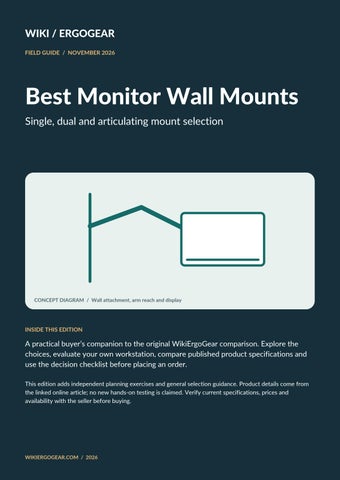
CONCEPT DIAGRAM / Wall attachment, arm reach and display
INSIDE THIS EDITION
A practical buyer’s companion to the original WikiErgoGear comparison. Explore the choices, evaluate your own workstation, compare published product specifications and use the decision checklist before placing an order. This edition adds independent planning exercises and general selection guidance. Product details come from the linked online article; no new hands-on testing is claimed. Verify current specifications, prices and availability with the seller before buying.
WIKIERGOGEAR.COM / 2026
DISPLAYS / BUYER’S FIELD GUIDE
When the wall is the better support A wall-mounted display can clear the desktop without occupying the rear edge with a clamp or a freestanding base. This arrangement is particularly attractive when the desk is shallow, the back edge cannot accept a clamp, or the room has a dedicated screen location. However, moving the screen from the desk to the wall also moves the structural responsibility to the building. Installation is therefore part of the buying decision, not a task to consider after purchasing the arm. Begin by describing the workspace. Is the desk fixed against a wall, or does it move up and down? Is the screen used from one position, or must it turn toward another person? Do you need to lift it during a change from sitting to standing? These questions determine whether a compact mount is sufficient or a mechanism with greater travel is necessary. Keep the load path in mind. A display held away from the wall produces a different mechanical demand from one mounted close to the surface. The correct mounting arrangement depends on the wall construction, hardware, arm and display together. If the wall cannot safely accept the selected mount, consider a compatible desk mount or a freestanding support instead of improvising a wall installation.
WIKI / ERGOGEAR • FIELD GUIDES
02 / 08
DISPLAYS / BUYER’S FIELD GUIDE
Screen compatibility comes first Find the technical documentation for the exact monitor model. Record its mass without the original stand and the hole spacing on the back. Check the shape of the mounting area: some displays have recessed holes or a curved rear housing that requires a manufacturer-approved adapter or spacer. Use the monitor’s documentation and the mount instructions to confirm the hardware combination. A mount must support the screen’s weight and any applicable screen-size limit. A moving arm can also specify a minimum supported weight. A monitor below that range may not remain where it is positioned even though it is light enough to fall below the maximum. When evaluating a large curved screen, check for additional restrictions on its shape and dimensions rather than assuming all monitors of the same diagonal are equivalent. For a dual mount, verify the capacity of each individual arm and any total limit in the instructions. Check whether the two screens can fit beside each other when tilted or rotated. Measure the physical housing, not just the diagonal of the visible panel. A monitor may satisfy the load and hole-pattern requirements yet still collide with the wall, an adjacent screen or a shelf during ordinary movement.
WIKI / ERGOGEAR • FIELD GUIDES
03 / 08
DISPLAYS / BUYER’S FIELD GUIDE
A shortlist organized by motion and load The original comparison includes single-screen mounts and two-screen systems. The selected specifications illustrate the wide differences among compact fixed-height brackets and arms intended for repeated repositioning. A heavy ultrawide monitor calls for a different screening process from two lightweight displays. The important specification is the permitted load for the exact configuration, not a broad marketing term such as heavy duty. Use the table below to identify candidates, then review the complete documentation. If a reach figure is unavailable, request a dimensioned drawing rather than guessing how close the monitor will come to your seated position. Verify the permitted VESA patterns, screen dimensions, wall construction and installation hardware separately. The table contains selected published specifications from the source article, not new structural testing or a guarantee of suitability. A premium arm can be valuable when the screen is moved often, while a compact fixed-height design can be perfectly appropriate for a display that remains in one location. The useful range depends on the tasks performed and on the building, so compare the cost of motion with the cost and complexity of installation. MODEL
PUBLISHED SPECIFICATION SNAPSHOT
WALI GSWM001
1 screen; up to 22 lb; 19.3 in reach
Ergotron LX Wall
1 screen; 7–25 lb; 13 in lift
VIVO MOUNT-VW01M
1 screen; up to 44 lb; 10.5 in reach
Mount-It! MI-765
1 screen; up to 14.3 lb; 17.1 in reach
HUANUO HNWSS4
1 screen; 6.6–26.4 lb; up to 200 mm VESA
HUANUO HNWDS1
2 screens; 4.4–17.6 lb each
MOUNTUP MU2004
2 screens; 4.4–19.8 lb each
Source: WikiErgoGear online comparison. Specifications are as reported there; confirm the current model.
WIKI / ERGOGEAR • FIELD GUIDES
04 / 08
DISPLAYS / BUYER’S FIELD GUIDE
Plan the room and installation safely Before buying hardware, identify the type of wall and determine whether a suitable mounting location exists. Do not attach a mount to a surface that its instructions do not approve. The wall finish alone is not enough to establish the underlying construction. If the structure, anchor requirements or location of concealed utilities are uncertain, consult a qualified installer. This guide is not a substitute for the installation manual or a structural assessment. Mark the intended display position on a room sketch. Include the desk depth, seated and standing working positions, wall outlets, shelves and any nearby doors. Use the mount’s dimensioned drawing to visualize the screen at its closest and farthest positions. Ensure that the display will not obstruct a walking route or strike furniture during adjustment. Plan the cables before placing the screen. A power or video cable must accommodate the full intended movement without becoming taut or caught in a joint. Confirm the connector locations and leave suitable slack as directed by the equipment manufacturer. If the installation requires electrical work, use an appropriately qualified professional. Never modify the mount, substitute unapproved anchors or exceed the stated load. Once installed, check the setup using the manufacturer’s recommended inspection procedure.
WIKI / ERGOGEAR • FIELD GUIDES
05 / 08
DISPLAYS / BUYER’S FIELD GUIDE
Fixed desk versus sit-stand desk At a fixed workstation, the display may need only occasional tilt or swivel. The priority is an appropriate viewing position, with the mount attached at a suitable location. A compact bracket may leave more of the room free than an arm with a long extension. The disadvantage is that a future change in desk or chair height could require a different mounting position. At a sit-stand workstation, the screen must remain usable across the actual working range. Measure both preferred eye-level positions and compare the difference with the mount’s documented travel. Also consider whether the changing desk height affects cable slack or places the desk against the monitor. A mount attached to the wall will not automatically follow a rising desk. For two monitors, map your actual tasks. A primary display used for most work may deserve the central position; a secondary display used for reference can sit to one side. A symmetric arrangement may suit people who divide work more evenly. Confirm that the physical arms can create the intended layout without collision. The objective is a usable viewing arrangement, not merely fitting the maximum number of screens onto a bracket.
DECISION NOTE
On a room plan, mark the monitor location at the shortest and longest intended viewing distance. Then identify the physical wall location that would be required for the mount. This exercise can uncover obstructions before the installation is purchased, but it cannot establish structural suitability. Have the attachment location and construction verified when needed. A different mounting approach is preferable to forcing a bracket into an unsuitable wall. Retain the approved installation instructions for future monitor replacements.
WIKI / ERGOGEAR • FIELD GUIDES
06 / 08
DISPLAYS / BUYER’S FIELD GUIDE
Inspect, adjust and maintain After installation, use the manufacturer’s procedure to confirm the screen is attached correctly and that the moving parts are adjusted for the approved load. Do not rely on a brief successful movement as proof of structural safety. If there is unexpected movement at the wall plate, visible damage or a slipping joint, stop using the installation and arrange an inspection. Set up the workstation in the order that the user experiences it: chair or standing position, input devices, then monitor. Check that the display can be viewed without reaching forward or repeatedly turning the head for a primary task. Adjust the screen within the approved range; do not try to gain extra reach by forcing joints beyond their stops. Ensure cables are free throughout the motion. Record the exact mount and monitor models in a maintenance note. If the display is replaced later, repeat the compatibility checks rather than assuming the new screen is interchangeable. Keep the manuals and supplied accessories available for servicing. In a shared office, explain the permitted range of motion to other users. A well-planned wall mount should make the workspace easier to use without introducing an uncertain attachment or a recurring cable problem. Read the complete online comparison at WikiErgoGear
WIKI / ERGOGEAR • FIELD GUIDES
07 / 08
DISPLAYS / BUYER’S FIELD GUIDE
Before you buy Use this checklist to turn your research into a decision. Record the measurements and keep the documentation for your final choice. If a requirement is not met or remains unclear, leave that model off your shortlist until you can verify it. Record monitor mass without the original stand. Verify hole pattern and any required approved adapter. Identify suitable wall construction with a qualified installer if needed. Map the required movement and screen clearance. Plan cable routing through the full range of motion. Retain the manuals and follow the inspection instructions.
Frequently asked questions Can a mount attach to any wall? No. Follow the exact mount’s approved wall types and get professional help if the structure is uncertain.
Is screen diagonal enough for compatibility? No. Verify weight, hole pattern, screen shape and the permitted size range.
Will a wall arm rise with a standing desk? Not automatically. Compare its usable travel against both working positions.
Can a dual arm support two different displays? Only if each display and the complete configuration satisfy the manufacturer’s limits.
SOURCE & FURTHER READING
Full product comparison, methodology and current buying links: https://wikiergogear.com/best-monitor-wall-mounts/ Disclosure: the linked website is reader-supported and may earn affiliate commissions. This publication offers general product information, not medical advice or a guarantee of suitability.
WIKI / ERGOGEAR • FIELD GUIDES
08 / 08