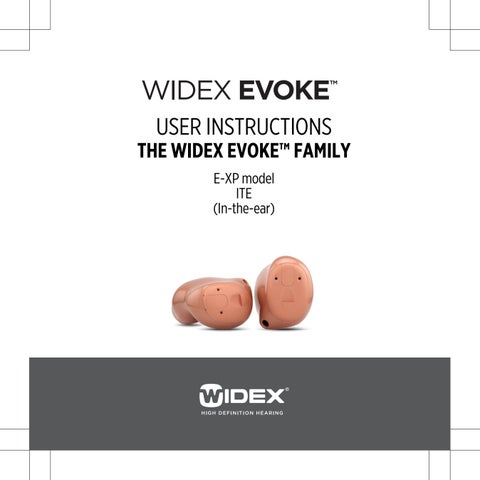
USER INSTRUCTIONS
THE WIDEX EVOKEâ„¢ FAMILY E-XP model ITE (In-the-ear)
YOUR HEARING AID (To be filled out by the hearing care professional) Vent: Short Full length Your hearing aid series:
None
PROGRAMS Universal
Audibility Extender
Quiet
Audibility Extender
Comfort
Audibility Extender
Transport
Audibility Extender
Urban
Audibility Extender
Impact
Audibility Extender
Party
Audibility Extender
Social
Audibility Extender
Music
Audibility Extender
T
Audibility Extender
T
Audibility Extender 2
SPECIAL PROGRAMS Zen
Audibility Extender
Phone
Audibility Extender
SMARTTOGGLE PROGRAMS Zen+
Audibility Extender
NOTE
The program names in the table are the default names. If you have chosen to use some of the other names available, write the new names in the table. That way you will always know which programs you have in your hearing aids. NOTE
Read this booklet carefully before your start using your hearing aid. NOTE
This hearing aid allows direct wireless control and sound streaming from smartphones and other devices. For more help and information contact your hearing care professional or visit: global.widex.com/EVOKE. This hearing aid works wirelessly with the TONELINK App. We take no responsibility if the hearing aid is used with any third part App or if the TONELINK App is used with any other device.
3
CONTENTS YOUR HEARING AID...................................................................................6 Welcome...........................................................................................................6 Important safety information.........................................................................7 THE HEARING AID......................................................................................9 Indications for use........................................................................................... 9 Intended use.....................................................................................................9 The battery....................................................................................................... 9 Sound signals...................................................................................................11 How to tell right from left..............................................................................12 Turning the hearind aid on and off...............................................................12 Putting on and removing the hearing aid................................................... 13 Sound adjustment.......................................................................................... 13 Programs......................................................................................................... 15 PAIRING YOUR HEARING AID AND SMARTPHONE....................................21 CLEANING................................................................................................ 22 Tools................................................................................................................ 22 Cleaning.......................................................................................................... 22 The wax guard............................................................................................... 25 ACCESSORIES.......................................................................................... 29 TROUBLESHOOTING................................................................................ 30 4
REGULATORY INFORMATION...................................................................33 EU directives...................................................................................................35 FCC and IC statements..................................................................................36 SYMBOLS................................................................................................. 39
5
YOUR HEARING AID Welcome Congratulations on your new hearing aid. Use your hearing aid regularly, even if it takes some time getting used to it. Infrequent users don’t usually get the full benefit of a hearing aid. NOTE
Your hearing aid and its accessories may not look exactly as illustrated in this booklet. We also reserve the right to make any changes we consider necessary.
Your hearing aid at a glance
1. Microphone openings 2. Battery compartment (on/off function) 3. Nail grip
7
4. Sound outlet 5. Wax guard 6. Vent (optional) 7. Left/right identification. Blue indicates your left hearing aid, while red is for your right hearing aid.
6
Important safety information Read these pages carefully before you begin using your hearing aid. Hearing aids and batteries can be dangerous if swallowed or used improperly. Swallowing or improper use can result in severe injury or even fatalities. In case of ingestion, contact a doctor immediately and the 24 Hour National Button Battery Ingestion Hotline at (202) 625-3333. Take your hearing aids out when you are not using them. This will help to ventilate the ear canal and prevent ear infections. Contact your doctor or hearing care professional immediately if you suspect you may have an ear infection or an allergic reaction. Contact your hearing care professional if the hearing aid doesn't feel comfortable, or if it doesn't fit properly, causing irritation, redness or the like. Remove your hearing aids before showering, swimming or using a hair dryer. Do not wear your hearing aids when applying perfume, spray, gels, lotion or cream. Do not dry your hearing aid in a microwave oven - this will ruin it. Never use other people’s hearing aids and never allow others to use yours, as this could damage your hearing. Never use your hearing aids in environments where there may be explosive gases, such as in mines, etc.
7
Keep hearing aids, their parts, accessories and batteries away from children and mentally disabled people. Never try to open or repair the hearing aid yourself. Contact your hearing care professional if you need to have your hearing aid repaired. Your hearing aids contain radio communication technology. Always observe the environment in which you are using them. If any restrictions apply, you must take precautions to comply with these. Do not expose your hearing aids to extreme temperatures or high humidity, and dry them quickly if they get wet, or if you perspire heavily.
Your hearing aids should be stored and transported within the temperature and humidity ranges of -20°C to +55°C (-4°F to 131°F) and 10%-95% rH. Your hearing aids are designed to operate within the temperature, humidity and atmospheric pressure ranges of 0°C (32°F) to 50°C (122°F), 10%-95% rH and 750 to 1060 mBar. You can find technical data sheets and additional information on your hearing aids on: http://global.widex.com.
8
THE HEARING AID Indications for use The hearing aids are indicated for individuals older than 36 months with a range of hearing loss from minimal (10 dB HL) to severe (90 dB HL) and all hearing loss configurations. They are to be programmed by licensed hearing care professionals (audiologists, hearing aid specialists, otolaryngologists) who are trained in hearing (re)habilitation.
Intended use The hearing aids are intended as air conduction amplification devices to be used in everyday listening environments. The hearing aids may be equipped with the Zen program intended to provide a relaxing sound background (i.e. music/noise source) for adults older than 21 years who desire to listen to such a background in quiet.
The battery Use a type 312 zinc-air battery for your hearing aid. Always use a fresh, new battery that is precisely the kind recommended by your hearing care professional.
9
NOTE
Check that the battery is completely clean and free of any residue before inserting it in the hearing aid. Otherwise your hearing aid may not function as expected. Never attempt to recharge a zinc-air hearing aid battery, as it could explode. Never leave a weak battery in the hearing aids while storing them. It could leak and ruin your hearing aid. Dispose of used batteries as indicated on the packaging and take note of the expiry date.
Low battery indication
When the battery is weak, a sound signal will play. If the battery drains suddenly there may however be no warning. We recommend carrying a spare battery with you wherever you go.
Changing the battery
To change the battery, do as follows: Take the adhesive tab off the new battery and make sure there is no sticky substance left on it. Let it ‘breathe’ for 60 seconds. Use the nail grip to push the battery compartment cover downwards and open the cover.
10
Now place the battery in the battery compartment as shown. Close the battery compartment door. If it doesn't close easily, the battery is not placed correctly. If you are not using the hearing aid for a few days, remove the battery. NOTE
Avoid dropping your hearing aid - hold the hearing aid above a soft surface while changing the battery.
Sound signals Your hearing aid plays sounds to inform you that certain features have been activated or that you have changed programs. These sounds can be spoken messages or tones. Ask your hearing care professional to turn these sounds off if you don't need them.
Lost partner
(Only available in selected models) Your hearing care professional can turn on a feature in your hearing aid that warns you whenever it loses contact with the hearing aid in the opposite ear. You will hear a spoken message in your ear.
11
How to tell right from left The hearing aid for your right ear has a red mark. The hearing aid for your left ear has a blue mark.
Turning the hearind aid on and off To turn the hearing aid on, close the battery door and push it upwards. The hearing aid will play a sound signal to indicate that it is on, unless your hearing care professional has deactivated this function. To turn off the hearing aid, push the battery door downwards.
NOTE
You can also cup the hearing aid in your hand to verify that it is turned on. If it's on, it will whistle. Don't forget to turn off the hearing aid when it is not in use.
12
Putting on and removing the hearing aid Close the battery lid completely. Hold the hearing aid with your thumb and forefinger and insert it slowly into your ear until you feel resistance. Then use the tip of your forefinger to gently push the hearing aid into your ear until it feels comfortable. Pulling the outer ear upwards and backwards while you insert the hearing aid can be helpful.
Removing the hearing aid
Hold the hearing aid with your thumb and forefinger and pull carefully.
NOTE
If you find it difficult to take out the hearing aid, move it carefully from side to side.
Sound adjustment Your hearing aid adjusts the sound automatically according to your sound environment.
13
If you have a remote control, you can also adjust the sound manually to achieve more comfort or more audibility, depending on your needs and preferences. For more information on how this works, consult your hearing care professional. Depending on the hearing aid settings and features, any sound adjustment you make will affect both hearing aids. Each time you operate the volume control, you will hear a beep-tone unless your hearing care professional has deactivated this function. When you reach the maximum or minimum setting, you will hear a steady tone. To mute your hearing aid do as follows: â—? Keep pressing the lower part of the volume key on the remote control until you can hear the steady sound To turn the sound on again: â—? Press the upper part of the volume key or â—? Change program Any adjustment of the volume will be canceled when you turn off your hearing aid or if you change program. NOTE
You can also use your App for changing programs and adjusting the sound in your hearing aids.
14
Programs PROGRAMS
USE
Universal
For everyday use
Quiet
Special program for listening in quiet environments
Comfort
Special program for listening in noisy environments
Transport
For listening in situations with noise from cars, trains, etc.
Impact
Use this program if you prefer a clear and sharp sound
Urban
For listening in situations with changing sound levels (in supermarkets, noisy workplaces or similar)
Party
For listening in situations with many people talking at the same time
Social
Use this program if you are in small social gatherings, such as family dinners
Music
For listening to music
15
PROGRAMS
USE
T
With this program you listen through the hearing aid's telecoil, which allows you to listen directly to the sound without background noise (requires a teleloop system)
M+T
This program is a combination of the hearing aid's microphone and the telecoil. You listen to the sound source, but can also hear other sounds
SPECIAL PROGRAMS
USE
Zen
Plays tones or noise for a relaxing sound background
Phone
This program is designed for listening to phone conversations
SMARTTOGGLE PROGRAMS USE Zen+
This program is similar to Zen but allows you to listen to different types of tones or noise
NOTE
The names in the list of programs are the default names. Your hearing care professional can also select an alternative program name from a preselected list. Then it is even easier for you to select the right program in each listening situation.
16
Depending on your hearing loss, your hearing care professional can activate the Audibility Extender feature. Ask your hearing care professional if you could benefit from this. If your needs and preferences change over time, your hearing care professional can easily change your program selection
The Zen program
Your hearing aid may be provided with a unique optional listening program called Zen. It makes musical tones (and sometimes a rushing noise) in the background using the latest Fractal technology. These sounds are shaped according to your hearing loss so you can listen to them at any time and at any place with a simple push of the program button.The Zen program may be used alone (without amplification) in quiet when you are not required to hear surrounding sounds. Or, it may be used with amplification so that both the surrounding sounds and the generated sounds (fractal tones and noise) are heard together. CAUTION
Use of the different Zen programs may interfere with hearing surrounding sounds including speech. The programs should not be used when hearing such sounds is important. Switch the hearing aid to a non-Zen program in those situations.
The duration of the Zen play time can be set by your hearing healthcare professional according to your needs.
17
Benefits The Zen program may provide a relaxing listening background for some people. When the Zen program is used in a tinnitus management program, its wearer may experience some relief from tinnitus. Indications for use The Zen program is intended to provide a relaxing sound background for adults (21 years and older) who desire to listen to such a background in quiet. It may be used as a sound therapy tool in a tinnitus treatment program that is programmed by a licensed hearing healthcare professional (audiologists, hearing aid specialists, otolaryngologists) who is trained in tinnitus management. Directions for use The Zen program can be activated with a simple push of the program button on the hearing aid (or on the remote control). Depending on how your hearing care professional has set up the program, you can access the Zen program by a "short-press" of the program button or a "long-press" of the program button. â—? "Short-press" option - the program button is pressed for less than a second. At most two listening programs can be programmed for Zen. â—? "Long-press" option - the program button is pressed and held for more than 1 second. Up to three Zen styles are available. A "short-press" of the program button in the long-press mode will allow you to cycle through the available Zen styles. You can exit the "long-press" mode by pressing and holding the program button for more than one second. 18
Because of the unique ways in which Zen is programmed in your hearing aid, please follow the recommendations of your hearing care professionals as to how to use the program, when to use the program and/ or how long to use the program. Precautions To ensure the safety and effectiveness of the Zen program when used as a sound therapy tool for tinnitus, the tinnitus management program must be designed and conducted by hearing care professionals who are trained in tinnitus management. A tinnitus management program should include a complete audiological evaluation, tinnitus diagnosis, counseling, use of proper amplification and/or sound therapy tools. Prior to any tinnitus management program, it is advisable that you seek medical attention to exhaust any medical or surgical treatment options. Use your hearing aid and the Zen program according to the directions and schedule recommended by your hearing care professionals. Contraindications The following symptoms are contraindicated for the use of hearing aids. Including the Zen program ● Congenital or traumatic deformity of the ear ● Active drainage from the ear within 90 days ● History of rapid progressive hearing loss within previous 90 days ● Acute or chronic dizziness ● Sudden unilateral hearing loss in previous 90 days 19
Warnings Use of the Zen program may interfere with hearing everyday sounds including speech. It should not be used when hearing such sounds is important. Switch the hearing aid to a non-Zen program in those situations. Risks There are no known risks or side effects associated with the use of the Zen program. However, consistent with our recommendations on the use of conventional hearing aids, stop using the hearing aids (and the Zen program) and seek attention from your hearing care professional if any of the following symptoms are noted: â—? Skin irritation â—? Perceived decrease in loudness, tolerance of sounds, speech not as clear, or worsening tinnitus
Changing programs
To change programs, simply push the program key on your remote control.
Zen+
To access this program, press and hold the program key for more than one second. A quicker press then allows you to cycle through the available Zen styles. To exit the program, press and hold down the program key for more than one second.
NOTE
You can also use your App for changing programs and adjusting the sound in your hearing aids.
20
PAIRING YOUR HEARING AID AND SMARTPHONE To pair your hearing aids and smartphone you need to restart your hearing aid. Do as follows: 1. Restart your hearing aids by opening and closing the battery compartment. 2. Keep the hearing aids close to your phone and follow the instructions on your phone. 3. The hearing aids and smartphone are now ready to use. NOTE
Your hearing aids are only in pairing mode for three minutes after you restart them. You might need to restart them again if you didn't pair them in time.
21
CLEANING Tools You will receive the following cleaning tools with your hearing aid: 1. Cloth 2. Brush 3. Long wax-removing tool 4. Short wax-removing tool 5. Battery magnet 1.
2. 3. 4. 5.
You will receive the following cleaning tools with your hearing aid: 1. Cloth 2. Brush 3. Long wax-removing tool 4. Short wax-removing tool 5. Battery magnet 1.
2. 3. 4. 5.
Cleaning Cleaning your hearing aid every day will make it more efficient and more comfortable to wear.
22
The hearing aid
The sound outlet
Just wipe it with the a soft cloth (for example the cloth you received from your hearing care professional).
Remove any visible earwax from around the sound outlet with the small brush or cloth. Never try to clean the wax guard.
NOTE
If you can't clean the sound outlet, contact your hearing care professional.Never insert anything into the sound outlet as this can ruin your hearing aid.
23
The microphone openings
Clean the microphone openings in the hearing aid front as follows: Open the battery door and turn the hearing aid so the lid is facing downwards (see illustration). Guide the short wax removing tool (no. 4 ) through the microphone openings on the door from the inside (see illustration).
NOTE
If you suspect that earwax or dirt has got into the microphone inside the hearing aid, contact your hearing care professional. Do not insert anything into the microphone.
The vent
Clean the vent every day by passing the long wax removing tool (no. 4) all the way through the vent. When not in use leave the hearing aid open to ventilate it.
NOTE
It is important for the performance of your hearing aid that you keep the vent clean and free of earwax, dirt and the like. Clean it every day after use and consult your hearing care professional if the vent is blocked.
24
Dry your hearing aid quickly if it gets wet, or if you perspire heavily. Some people use a special dehumidifier like Widex Dry-Go to help keep their hearing aids dry and clean. Ask your hearing care professional if this is right for you. NOTE
It is recommended to remove the batteries from the hearing aids before placing the hearing aids in a dehumidifier. Do not use any kind of liquid or disinfectant to clean your hearing aid. Clean and inspect your hearing aid every day after use to check that it is not broken. If the hearing aid breaks while you are wearing it, leaving small fragments in your ear canal, contact your doctor. Never try to take out the fragments yourself.
The wax guard The wax guard helps to protect the hearing aid against earwax. Always use wax guards supplied by Widex with your hearing aid.
Changing the wax guard
Open the wax guard case as illustrated.
25
2
The wax guard consists of the following parts: 1. Removal hook 2. New wax guard
1
Insert the removal hook into the used wax guard.
Keep the holder at a right angle.
Pull the used wax guard straight out.
26
Insert the new wax guard into the opening of the sound outlet and press it gently.
Pull the holder straight out.
Ask your hearing care professional about how often you should change the wax guard.
27
The wax guard is for one-time use only and is not intended to be cleaned. If the wax guard fits loosely, discard it and use a new one. If the wax guard falls off inside your ear, contact your doctor or hearing care professional to have it removed. Do NOT attempt to remove the wax guard yourself.
28
ACCESSORIES You can use a variety of accessories with your hearing aid. To see whether you could benefit from using these accessories, ask your hearing care professional. Name Use RC-DEX remote control TV-DEX for listening to TV and audio PHONE-DEX for easy landline use FM+DEX for streaming audio and FM signals T-DEX for connecting hearing aids to mobile phones via a telecoil UNI-DEX for connecting hearing aids to mobile phones CALL-DEX for easy wireless connection to mobile phones COM-DEX for wireless connection to mobile phones and other devices via Bluetooth COM-DEX Re- for helping hearing aid users hear speech in difficult mote Mic listening situations Available in some countries only.
29
TROUBLESHOOTING These pages contain advice on what to do if your hearing aid stops working or if it doesn't work as expected. If the problem persists, contact your hearing care professional. Problem Possible cause Solution The hearing aid is completely silent
It is not turned on
Make sure the battery is placed correctly and the battery compartment cover is closed correctly.
The battery does not work
Insert a new battery in the hearing aid
The sound outlet is blocked
See the cleaning section
The microphone open- See the cleaning section ing is blocked The hearing aid volume is not powerful enough
The sound outlet is blocked
See the cleaning section
Your ear is blocked by Contact your doctor earwax Your hearing may have changed 30
Contact your hearing care professional/doctor
Problem
Possible cause
Solution
The hearing aid whis- Your ear is blocked by Contact your doctor tles continuously earwax It is not correctly Take it out and reinsert it placed in your ear canal It fits loosely in your ear canal
Contact your hearing care professional
The hearing aid is un- It is not correctly Consult your hearing care comfortable to wear placed in your ear ca- professional nal. It does not fit your ear Contact your hearing care properly professional Your outer ear or ear canal is sore
31
It is important that firsttime users only wear the hearing aid for short periods of time at the beginning. Take 2-3 weeks to gradually get used to the hearing aid. If the soreness continues, contact your hearing care professional
Problem
Possible cause
Solution
Your hearing aids are The connection beTurn them off and on again not working in syntween the hearing aids chrony is lost The hearing aids do not respond with a corresponding change in volume or program to the device
a. The device is used beyond the transmission range b. Strong electromagnetic interference in the vicinity c. The device and the hearing aids are not matched
You hear “interrupted� speech (on and off) from the hearing aids or no speech (muted) from the opposite hearing aid.
a. The battery in one of a. Replace battery in one or the hearing aids has both hearing aids expired b. Move away from known b. Strong electromag- source of EM interference netic interference in the vicinity
32
a. Move the device closer to the hearing aids b. Move away from known source of EM interference c. Check with your hearing care professional to make sure device is matched with the hearing aids
REGULATORY INFORMATION Warning to hearing aid dispensers A hearing aid dispenser should advise a prospective hearing aid user to consult promptly with a licensed physician (preferably an ear specialist) before dispensing a hearing aid if the hearing aid dispenser determines through inquiry, actual observation, or review of any other available information concerning the prospective user, that the prospective user has any of the following conditions: (i) Visible congenital or traumatic deformity of the ear. (ii) History of active drainage from the ear within the previous 90 days. (iii) History of sudden or rapidly progressive hearing loss within the previous 90 days. (iv) Acute or chronic dizziness. (v) Unilateral hearing loss of sudden or recent onset within the previous 90 days. (vi) Audiometric air-bone gap equal to or greater than 15 decibels at 500 hertz (Hz), 1,000 Hz, and 2,000 Hz. (vii) Visible evidence of significant cerumen accumulation or a foreign body in the ear canal. (viii) Pain or discomfort in the ear. Special care should be exercised in selecting and fitting a hearing aid whose maximum sound pressure level exceeds 132 decibels because there may be risk of impairing the remaining hearing of the hearing aid user. 33
Important notice for prospective hearing aid users Good health practice requires that a person with a hearing loss have a medical evaluation by a licensed physician (preferably a physician who specializes in diseases of the ear) before purchasing a hearing aid. Licensed physicians who specialize in diseases of the ear are often referred to as otolaryngologists, otologists, or otorhinolaryngologists. The purpose of medical evaluation is to assure that all medically treatable conditions that may affect hearing are identified and treated before the hearing aid is purchased. Following the medical evaluation, the physician will give you a written statement that states that your hearing loss has been medically evaluated and that you may be considered a candidate for a hearing aid. The physician will refer you to an audiologist or a hearing aid dispenser, as appropriate, for a hearing aid evaluation. The audiologist or hearing aid dispenser will conduct a hearing aid evaluation to assess your ability to hear with and without a hearing aid. The hearing aid evaluation will enable the audiologist or dispenser to select and fit a hearing aid to your individual needs. If you have reservations about your ability to adapt to amplification, you should inquire about the availability of a trial-rental or purchase-option program. Many hearing aid dispensers now offer programs that permit you to wear a hearing aid for a period of time for a nominal fee after which you may decide if you want to purchase the hearing aid. Federal law restricts the sale of hearing aids to those individuals who have obtained a medical evaluation from a licensed physician. Federal law permits a fully informed adult to sign a waiver statement declining the medical 34
evaluation for religious or personal beliefs that preclude consultation with a physician. The exercise of such a waiver is not in your best health interest and its use is strongly discouraged. Children with hearing loss In addition to seeing a physician for a medical evaluation, a child with a hearing loss should be directed to an audiologist for evaluation and rehabilitation since hearing loss may cause problems in language development and the educational and social growth of a child. An audiologist is qualified by training and experience to assist in the evaluation and rehabilitation of a child with a hearing loss.
EU directives Directive 2014/53/EU
Hereby, Widex A/S declares that this E-XP is in compliance with the essential requirements and other relevant provisions of Directive 2014/53/EU. The E-XP contains a radio transmitter operating at 10.6 MHz,-54 dBÎźA/m @10 m. A copy of the Declaration of Conformity according to 2014/53/EU can be found at: http://global.widex.com/doc N26346
35
Information regarding disposal
Do not dispose of hearing aids, hearing aid accessories and batteries with ordinary household waste. Hearing aids, batteries and hearing aid accessories should be disposed of at sites intended for waste electrical and electronic equipment, or given to your hearing care professional for safe disposal.
FCC and IC statements FCC ID: TTY-UXP IC: 5676B-UXP Federal Communications Commission Statement This device complies with part 15 of the FCC Rules. Operation is subject to the following two conditions: (1) This device may not cause harmful interference, and (2) this device must accept any interference received, including interference that may cause undesired operation. NOTE: This equipment has been tested and found to comply with the limits for a Class B digital device, pursuant to part 15 of the FCC Rules. These limits are designed to provide reasonable protection against harmful interference in a residential installation. This equipment generates, uses and can radiate radio frequency energy and, if not installed and used in accordance with the instructions, may cause harmful interference to radio communications. However, there is no guarantee
36
that interference will not occur in a particular installation. If this equipment does cause harmful interference to radio or television reception, which can be determined by turning the equipment off and on, the user is encouraged to try to correct the interference by one or more of the following measures: — Reorient or relocate the receiving antenna. — Increase the separation between the equipment and receiver. — Connect the equipment into an outlet on a circuit different from that to which the receiver is connected. — Consult the dealer or an experienced radio/TV technician for help. NOTE: This equipment complies with FCC radiation exposure limits set forth for an uncontrolled environment. This transmitter must not be co-located or operating in conjunction with any other antenna or transmitter. Changes or modifications to the equipment not expressly approved by Widex could void the user’s authority to operate the equipment. Industry Canada Statement / Déclaration d’industrie Canada Under Industry Canada regulations, this radio transmitter may only operate using an antenna of a type and maximum (or lesser) gain approved for the transmitter by Industry Canada. To reduce potential radio interference to other users, the antenna type and its gain should be so chosen that the equivalent isotropically radiated power (e.i.r.p.) is not more than that necessary for successful communication.
37
This device complies with Industry Canada licence-exempt RSS standard(s). Operation is subject to the following two conditions: (1) this device may not cause interference, and (2) this device must accept any interference, including interference that may cause undesired operation of the device. Conformément à la réglementation d’Industrie Canada, le présent émetteur radio peut fonctionner avec une antenne d’un type et d’un gain maximal (ou inférieur) approuvé pour l’émetteur par Industrie Canada. Dans le but de réduire les risques de brouillage radioélectrique à l’intention des autres utilisateurs, il faut choisir le type d’antenne et son gain de sorte que la puissance isotrope rayonnée équivalente (p.i.r.e.) ne dépasse pas l’intensité nécessaire à l’établissement d’une communication satisfaisante. Le présent appareil est conforme aux CNR d’Industrie Canada applicables aux appareils radio exempts de licence. L’exploitation est autorisée aux deux conditions suivantes : (1) l’appareil ne doit pas produire de brouillage, et (2) l’utilisateur de l’appareil doit accepter tout brouillage radioélectrique subi, même si le brouillage est susceptible d’en compromettre le fonctionnement.
38
SYMBOLS Symbols commonly used by WIDEX A/S in medical device labelling (labels/IFU/etc.) Symbol Title/Description Manufacturer The product is produced by the manufacturer whose name and address are stated next to the symbol. If appropriate, the date of manufacture may also be stated. Catalog number
The product’s catalog (item) number.
Consult instructions for use
The user instructions contain important cautionary information (warnings/precautions) and must be read before using the product. Warning
Text marked with a warning symbol must be read before using the product.
WEEE mark
“Not for general waste”. When a product is to be discarded, it must be sent to a designated collection point for recycling and recovering to prevent the risk of harm to the environment or human health as a result of the presence of hazardous substances.
39
Symbol Title/Description CE mark
The product is in conformity with the requirements set out in European CE marking directives. RCM mark The product complies with electrical safety, EMC and radio spectrum regulatory requirements for products supplied to the Australian or New Zealand market. Interference
Electromagnetic interference may occur in the vicinity of the product.
40
41
42
43
WIDEX A/S
Nymoellevej 6, DK-3540 Lynge, Denmark http://global.widex.com Manual no.: 9 514 0428 041 #01 CIB number: CIB384/0418 9 514 0428 041 #01 Issue: 2018-04