fals
fals
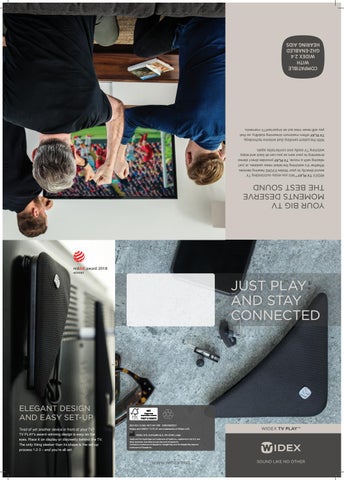
COMPATIBLE WITH WIDEX 2.4 GHZ-ENABLED HEARING AIDS With the patent-pending dual antenna technology, TV PLAY offers maximum streaming stability, so that you will never miss out on importantTV moments. WIDEX TV PLAY™ lets you enjoy outstanding TV sound directly to your Widex EVOKE hearing devices. Whether it’s watching the latest news updates, or just relaxing with a movie, TV PLAY provides direct stereo streaming to your ears so you can sit back and enjoy watching TV easily and comfortably again.
YOUR BIG TV MOMENTS DESERVE THE BEST SOUND
JUST PLAY AND STAY CONNECTED
™
ELEGANT DESIGN AND EASY SET-UP Tired of yet another device in front of your TV? TV PLAY’s award-winning design is easy on the eyes. Place it on display or discreetly behind the TV. The only thing sleeker than its shape is the set-up process: 1-2-3 – and you’re all set.
2021-03 / 9 502 4873 041 #01 CBR208/0321 Widex and WIDEX TV PLAY are trademarks of Widex A/S.
WIDEX TV PLAY™
Widex A/S, Nymoellevej 6, DK-3540 Lynge Apple and the Apple logo are trademarks of Apple Inc., registered in the U.S. and other countries. App Store is a service mark of Apple Inc. Android is a trademark of Google Inc. Google Play and the Google Play logo are trademarks of Google Inc.
WWW.WIDEX.PRO
SOUND LIKE NO OTHER
fals
fals
HEAR IT YOUR WAY
With the easy to use WIDEX App, you can choose the sounds you want to hear. Whether it be balancing the sounds from your environment — or choosing to hear more of the sound from the TV, you have the controls to make it happen.
Don’t have a smartphone? No problem. Simply activate the TV PLAY™ directly from your hearing devices or RC-DEX™ personal remote.
TV PLAY is compatible with Widex 2.4 GHz-enabled hearing aids.
Volume control and mute
CONTROL WHAT YOU HEAR – WITH YOUR SMARTPHONE Controlling TV PLAY is easy. Just use the WIDEX app on your smartphone or control directly from your hearing devices or RC-DEX.