Home
Blog Home Blog Desktop as a Service: Where is DaaS used?
Desktop as a Service: Where is DaaS used? Friday, September 17, 2021
Features
Industries
Let's Compare
Use Cases
Marketplace About Us Contact Us Buy Now Live Demo
The era of desktop computing is disappearing. More and more businesses are looking for ways to streamline their IT costs by moving toward a more managed service environment. Desktop as a Service (DaaS) has become an increasingly attractive option for those who work on mission critical projects and need constant support with hardware/software issues, don't want the costs associated with logistics, for the ones looking for a remote workforce option, and for those who don't want to participate in training employees/students on desktop life cycle.
Desktop as a Service: A Quick Overview DaaS or Desktop as a Service is a model that allows you to outsource your desktop needs. DaaS, instead of using assets on-site, provides users with desktops which are centrally hosted within managed data centers and provided as a service. It saves organizations from all the costs associated with hardware ownership – including purchasing, upgrading, deploying, maintaining and supporting desktops. Just as you subscribe to a SaaS (software as a service) application like vDesk.works, you will now be able to subscribe to your desktop solution and get started in seconds.
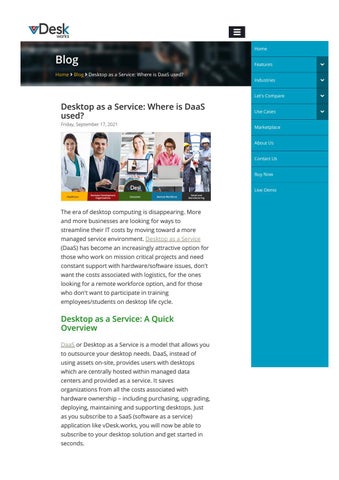
Top 5 Areas Where DaaS is Used Here are the top 5 areas where DaaS is used: Remote Workforce With a growing number of employees working remotely (whether travelling on the road, at home or in the o몭ce), more and more organizations are looking for ways to allow these workers access to critical business applications like Outlook and O몭ce without having them to carry a dedicated PC/Laptop with all the preloaded software and associated data. In this case, rather than wasting money and resources on an on-site desktop that goes largely unused, organizations have the option to provide their mobile workforce with a virtualized desktop hosted in a data center. The end result is increased security and access control since you can manage who has access to your business applications in addition to greater mobility for your remote workers without the hassle of managing PCs. Education Institutions Schools and colleges also have the same challenges as many other organizations. On top of budget constraints, they also need to provide a convenient way for students to access their applications, requiring them to go through layers of IT bureaucracy. In addition, schools need network access on-demand without numerous logins and passwords. And 몭nally, they also require increased security and the ability to comply with multiple compliance mandates. In this case, it's advantageous for institutions to use DaaS (for example VMware is working with Schoology) where students can easily access their desktops simply by logging in via a browser. Retail and Manufacturing For retailers or manufacturers who are looking for ways to increase customer satisfaction scores as well as improve operational e몭ciencies, DaaS can be a great option. With DaaS, your employees have access to their 몭les and applications from a broad range of devices (for example all the major mobile platforms), which means no matter where they are or what device they choose
to use; there's always an application available for them. In addition, there is no need for employees to carry company laptops or mobile devices as they can access their 몭les and applications from a secure cloud-based portal. Healthcare For organizations in the healthcare industry, increased productivity and better control over equipment is critical to success. With DaaS, clinicians now have centralized access to patient records, research materials, critical medical applications and information systems thua a multitude of connected devices they need not bring in preloaded laptops. In addition, hospitals are also looking for ways to increase patient safety, as well as improve collaboration between clinicians, further increasing the need for centralizing desktop resources while also ensuring compliance with HIPAA regulations. Business Development Organizations Sales team typically has a critical need for desktop resources while on the road. Being able to access their email, 몭les and applications from a browser or mobile device in real-time is often vital to success – yet providing them with an actual PC isn't always feasible. In this case, sales teams can use DaaS (for example through vDesk.works) where they can quickly and easily subscribe to a cloud-based desktop solution that allows them real-time access to all their 몭les, email and applications from a mobile device or a browser while on the road. DaaS is one technology that allows companies to bring together the best of both worlds – improved collaboration and productivity while also ensuring control, security and compliance. In this case, DaaS allows organizations to provide their mobile workforce with a secure cloud-based solution that will allow them to easily access all their 몭les, applications and email from any device or browser without the hassles of managing and supporting PCs. Just make sure you sign up for a reliable and secure
DaaS service that can allow you to easyly and securely manage access to your business applications from any device within a secure, centrally-managed environment. Posted By Admin Tags:
Desktop as a Service
Desktop as a Service
DaaS Providers
DaaS Providers
Desktop as a Service
DaaS Providers
Search Blog
Search Categories Cloud Computing DaaS Quickbooks Software VDI Virtual Desktop
Tags Amazon Workspaces Cloud Migration
AWS Workspaces
DaaS Providers
Desktop as a Service
DRaaS Recovery Services
Disaster Recovery Solutions IaaS
Managing Remote Employees
SaaS
Site Recovery
DaaS Service Providers
Disaster Recovery
Disaster Recovery Solution
Remote Employees
Cloud Computing
Managed Desktop Services PaaS
Remote Working VDI Azure
Virtual Desktop Infrastructure
DRaaS
Quickbooks hosting Run Windows On Mac
VDI provider
VDI Solutions
Virtual Desktop Providers
virtual desktop service
Window 10 VDI
Window 10 Virtual Desktop
Work From Home
Working Remotely
Latest Posts Desktop as a Service: Where is DaaS used? Friday, September 17, 2021
Best Virtual Workspace Tools for Boosting Your Productivity in 2021 Friday, September 10, 2021
Desktop as a Service: The Pros, Cons, and Advantage Over On-Premise Computers Friday, September 03, 2021
4 Real World Cases Of VDI And Its Bene몭ts For Small Businesses Friday, August 20, 2021
Why Should Businesses Deploy DaaS in 2021? Thursday, July 29, 2021
Our Clients
Get Started vDesk.works o몭ers DaaS (Desktop as a Service), VDI, Quickbooks and SigerTax based Virtual Desktop Solution with servers hosted on secure datacenters spread globally. It also o몭ers hosted DaaS and VDI on Cloud Services including Microsoft Azure.
Contact Us Have a question? Give us a call 650-461-9170 | 469-908-0801
Have a question? Give us a call 650-461-9170 | 469-908-0801 (Sales) Join our fast growing vDesk.works community
Resources About Us Blog Buy Now Contact Us Live Webinar FAQ Features Industries Infographics Lets Compare Privacy Policy Terms and Conditions
Features vDesk.works Manager
vDesk.works Client
Centralized Management
Client Features
Enhanced Monitoring
Cross Platform Client
Interactive Dashboard
Enhanced User Experience
Simplifying Database Mgmt
Remote Assistance
Security
Cloud Agnostic
Advanced Security
Build Anywhere
Backup and Restoration
Desktop as a Service
Disaster Recovery
General Features
Secure Data Storage
Provisioning & Integration
Azure DaaS
Azure VDI
Industries Accounting & Financial Services Business Development Business Process Outsourcing Construction Education Healthcare Human Resources Legal Services Marketing
Social Links
Schedule Your Demo
Buy Now Live Demo
Rated 4.95/5.0 by 105+ clients over 180+ implementations Copyright © 2021 - vDesk.Works. All Rights Reserved.