Blog Home Blog Desktop as a Service: The Pros, Cons, and Advantage Over On-Premise Computers
Desktop as a Service: The Pros, Cons, and Advantage Over On-Premise Computers Friday, September 03, 2021
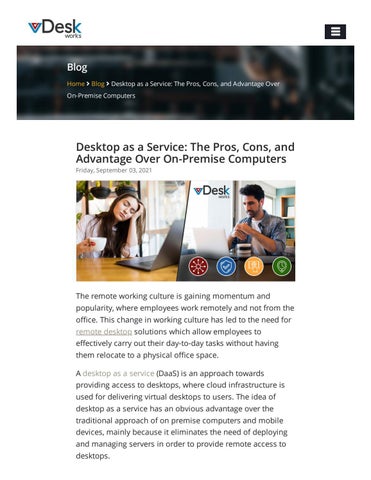
The remote working culture is gaining momentum and popularity, where employees work remotely and not from the o ce. This change in working culture has led to the need for remote desktop solutions which allow employees to e ectively carry out their day-to-day tasks without having them relocate to a physical o ce space. A desktop as a service (DaaS) is an approach towards providing access to desktops, where cloud infrastructure is used for delivering virtual desktops to users. The idea of desktop as a service has an obvious advantage over the traditional approach of on premise computers and mobile devices, mainly because it eliminates the need of deploying and managing servers in order to provide remote access to desktops.
Desktop as a Service: The Pros Centralized Management Since DaaS is delivered via the cloud, it can be centrally managed and con gured. This means one does not have to worry about installing any software or apps on a host of devices, instead only a web browser should be su cient in order to provide remote access to desktops. Improved Security Managing and con guring hardware or software on a number of di erent devices can be di cult, and that is exactly where DaaS scores over the traditional approach towards providing remote access to desktops. Since DaaS provides virtual desktop environment in the form of cloud infrastructure, it simpli es remote desktop management by making it more manageable and secure. Improved User Experience DaaS provides users with an optimized remote desktop environment and there is no need for a user to carry out any installation or con guration changes in order to access his/her virtual desktop. Since DaaS delivers desktops via cloud, it also reduces the bandwidth usage as data transfer takes place over a high-speed network connection. Access from Anywhere, Anytime DaaS provides desktops to users from the cloud. This means that a user can access his/her desktop on any device, be it a computer or mobile phone, no matter where in the world he/she is located. A high-speed network connection is all that is needed in order to provide access for remote desktop solutions.
Desktop as a Service: The Cons Initially Expensive The biggest drawback of using DaaS as a remote desktop solution is that it requires an upfront investment for purchasing software licenses and hardware, in most cases the cost being higher than what a business would have to pay while deploying traditional on premise computers. But only DaaS Provider will buy that. Being a client you need not to spend money on that. Data Security Concerns Although data security is maintained by DaaS providers, companies have to trust them for providing access to their sensitive data without any security breach. This is a major drawback of using DaaS as a remote desktop solution, and is the reason that some businesses are skeptical about even trying its bene ts.
Advantage over On-Premise Computers A DaaS is an important remote desktop solution, which provides both businesses and professionals with the following bene ts: Centralized data access without the need of having to maintain any hardware or software: DaaS delivers desktops via cloud and hence there is no need of deploying and maintaining servers in order to provide remote desktop access to end-users. True mobility: Since DaaS provides users with virtual desktops, there is no need of downloading and con guring any software on user's device, all he/she has to do is open the web browser in order to access his/her virtual desktop.
Remote Support: DaaS provides an excellent platform for providing remote support to devices, as it allows accessing end-user’s desktops without them having to install any software or apps.
Concluding There are a ton of di erent business needs that can be ful lled by DaaS solutions, making it an important remote desktop solution. Cloud-based technologies are gaining popularity and it is only a matter of time when more businesses and professionals embrace the bene ts of DaaS solutions.
Posted By Admin Tags:
DaaS Providers
Remote Working
DaaS Providers
Search Blog
Search Categories Cloud Computing DaaS Quickbooks Software VDI Virtual Desktop
Tags
DaaS Providers
Desktop as a Service
DaaS Providers
Amazon Workspaces Cloud Migration
AWS Workspaces
DaaS Providers
Desktop as a Service
DRaaS
Managed Desktop Services Quickbooks hosting
Managing Remote Employees
SaaS
VDI Solutions
Virtual Desktop Providers Window 10 Virtual Desktop
Disaster Recovery Solution
DRaaS Recovery Services
Remote Employees
Run Windows On Mac VDI provider
DaaS Service Providers
Disaster Recovery
Disaster Recovery Solutions
Cloud Computing
IaaS
PaaS
Remote Working
Site Recovery
VDI Azure
Virtual Desktop Infrastructure
virtual desktop service Work From Home
Window 10 VDI
Working Remotely
Latest Posts Why Should Businesses Deploy DaaS in 2021? Friday, September 03, 2021
Desktop as a Service: The Pros, Cons, and Advantage Over On-Premise Computers Friday, September 03, 2021
4 Real World Cases Of VDI And Its Bene ts For Small Businesses Friday, August 20, 2021
Why Should Businesses Deploy DaaS in 2021? Thursday, July 29, 2021
Make Your Business Remote Working Ready with vDesk.works Today! Friday, July 23, 2021
Our Clients
Get Started vDesk.works o ers DaaS (Desktop as a Service), VDI, Quickbooks and SigerTax based Virtual Desktop Solution with servers hosted on secure datacenters spread globally. It also o ers hosted DaaS and VDI on Cloud Services including Microsoft Azure.
Contact Us Have a question? Give us a call 650-461-9170 | 469-908-0801 (Sales) Join our fast growing vDesk.works community
Resources About Us Blog Buy Now Contact Us Live Webinar FAQ Features
Industries Infographics Lets Compare Privacy Policy Terms and Conditions
Features vDesk.works Manager Centralized Management Enhanced Monitoring Interactive Dashboard Simplifying Database Mgmt
vDesk.works Client Client Features Cross Platform Client Enhanced User Experience Remote Assistance
Security Advanced Security Backup and Restoration Disaster Recovery Secure Data Storage Azure DaaS
Cloud Agnostic Build Anywhere Desktop as a Service General Features Provisioning & Integration Azure VDI
Industries Accounting & Financial Services Business Development Business Process Outsourcing Construction Education Healthcare Human Resources
Legal Services Marketing
Social Links
Schedule Your Demo
Buy Now Live Demo
Rated 4.95/5.0 by 100+ clients over 175+ implementations Copyright © 2021 - vDesk.Works. All Rights Reserved.