EXECUTIVE SUPPORT / FIELD GUIDE
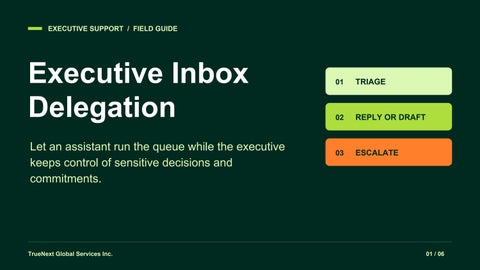
Executive Inbox Delegation Let an assistant run the queue while the executive keeps control of sensitive decisions and commitments.
TrueNext Global Services Inc.
01
TRIAGE
02
REPLY OR DRAFT
03
ESCALATE
01 / 06
01 / TRIAGE
Route every thread to a next action. Read for the ask, deadline, owner and sensitivity before assigning a label.
01 / NOW
02 / NEXT
03 / NO ACTION
Act or escalate
Queue the work
File for reference
Pull out same-day deadlines and blocked decisions. Flag risk before responding.
Reply or draft within scope. Assign an owner and due time to work that stays open.
Archive routine notices only when no reply, decision or follow-up is owed.
At handoff: list what is due next, what is waiting, and who owns each item.
TrueNext Global Services Inc.
02 / 06
02 / DECISION RIGHTS
Know when to reply or draft. Agree in writing what the assistant may send, from which account, and in whose name.
SEND ONLY IF PREAPPROVED
DRAFT FOR APPROVAL
Routine and low risk
New or sensitive
Confirm receipt, send an approved scheduling reply, or share a public resource. Use the agreed sender identity and don't make new commitments.
Draft replies about pricing, promises, complaints or confidential matters. Add the decision needed and due time. Send only after approval.
If the authority is unclear, draft rather than send.
TrueNext Global Services Inc.
03 / 06
03 / CALENDAR
Resolve conflicts without guessing. Compare priority, flexibility, time zones, travel buffers and required attendees.
01 / PROTECT
02 / PROPOSE
03 / ASK
Keep the hard hold
Offer two options
Name the trade-off
Don't move board meetings, customer commitments or focus blocks marked as protected.
Suggest two windows with time zones. Mark any hold tentative until confirmed.
If both meetings are fixed, explain what each move would affect and ask the executive to choose.
Change invites only within agreed authority. Confirm the final time with attendees.
TrueNext Global Services Inc.
04 / 06
04 / ESCALATION
Make urgent decisions easy to take. Agree on the escalation channel, coverage hours, and the backup decision-maker.
ESCALATE PROMPTLY
Suspected fraud or security incident, legal notice, or a deadline you can't protect.
Include
Example (illustrative)
The issue, impact, decision deadline and time zone, recommended action, and a link to the original thread.
Two fixed meetings overlap at 2 p.m. ET. Decide by noon ET. Recommend keeping the customer call and sending a delegate to the internal review.
TrueNext Global Services Inc.
05 / 06
05 / EXAMPLE LABELS
Use labels that name the next step. Reply today
An approved routine reply is due today.
Draft for approval
The executive must review and approve the reply.
Calendar conflict
Meeting options or a priority decision are needed.
Waiting on
Name the owner and set a follow-up date.
Escalate now
Notify the decision-maker in the agreed channel.
TrueNext Global Executive Support
TrueNext Global Services Inc.
https://www.truenextglobal.com/
06 / 06