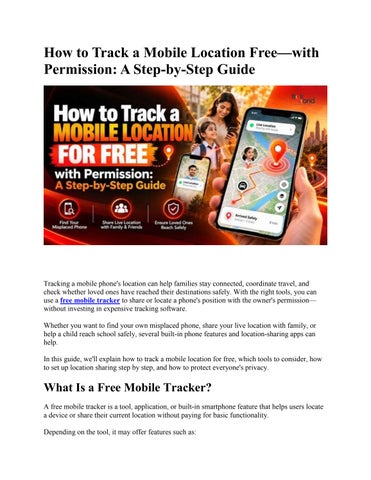
How to Track a Mobile Location Free—with Permission: A Step-by-Step Guide
Tracking a mobile phone's location can help families stay connected, coordinate travel, and check whether loved ones have reached their destinations safely. With the right tools, you can use a free mobile tracker to share or locate a phone's position with the owner's permission— without investing in expensive tracking software. Whether you want to find your own misplaced phone, share your live location with family, or help a child reach school safely, several built-in phone features and location-sharing apps can help. In this guide, we'll explain how to track a mobile location for free, which tools to consider, how to set up location sharing step by step, and how to protect everyone's privacy.
What Is a Free Mobile Tracker? A free mobile tracker is a tool, application, or built-in smartphone feature that helps users locate a device or share their current location without paying for basic functionality. Depending on the tool, it may offer features such as:
Live location sharing: Share your current location with an approved person for a limited period. Phone recovery: Find your own lost or misplaced smartphone. Family location sharing: Help family members coordinate journeys and everyday activities. Location history: Review previous location information when the selected service supports it. Safety notifications: Receive alerts when supported devices enter or leave selected locations.
Not every free tracker offers all these features. Some services provide basic location sharing at no cost but charge for additional functionality. Most importantly, legitimate mobile tracking depends on the appropriate permissions, account access, and device settings. A tracking app cannot reliably locate every phone in every situation.
Is It Possible to Track a Mobile Location for Free? Yes. You can track a phone's location for free using several legitimate methods, depending on your requirements. Here are three common options: 1. Google Maps Location Sharing: Share your location with a trusted person using an Android phone or iPhone. 2. Google Find Hub: Locate your own compatible Android device when the necessary settings and account access are available. 3. Apple Find My: Locate your own Apple devices and share locations with people you choose. These tools serve different purposes. Location sharing helps people see where you are, while device-finding services are primarily designed to locate devices associated with your account or devices you are authorized to help manage. Let's look at how to use each option.
Step 1: Choose the Right Free Mobile Tracker Before setting up a free mobile tracker, decide what you need it to do. Your requirement Share your live location with a friend Find your misplaced Android phone
Tool to consider Google Maps Google Find Hub
Find your lost iPhone Coordinate family journeys Support a child's locationsharing needs
Apple Find My Google Maps or an appropriate family location-sharing service A family safety tool configured with appropriate parental involvement and consent
Choose a service that works with your device and provides clear controls for enabling, pausing, and stopping location sharing. Avoid websites that claim to reveal a person's exact location using only their mobile number. A phone number alone generally does not give an ordinary user access to another person's live GPS location.
Step 2: Check Your Phone's Location Settings Before sharing your location, make sure the phone's location services are enabled.
On Android 1. 2. 3. 4. 5.
Open your phone's Settings. Find Location. Turn on location services. Review the location permissions for your selected application. Allow the necessary location access while using the app or when the feature requires it.
Menu names may vary depending on your Android version and phone manufacturer.
On iPhone 1. 2. 3. 4. 5.
Open Settings. Select Privacy & Security. Tap Location Services. Turn on Location Services. Review the location permission for the app you want to use.
For better location accuracy, GPS, Wi-Fi, mobile networks, and the phone's available location settings may work together. Remember that location accuracy can be affected by indoor environments, weak signals, batterysaving settings, and network availability.
Step 3: Share a Mobile Location Using Google Maps Google Maps is a convenient option when two people want to share their locations with each other or when one person chooses to share their location with a trusted contact.
Follow these steps: 1. 2. 3. 4. 5. 6. 7. 8.
Open Google Maps on your Android phone or iPhone. Sign in to your Google Account. Tap your profile picture. Select Location sharing. Tap the option to share your location. Choose how long you want to share it. Select a contact or use an available sharing link. Confirm the sharing settings and send the invitation.
The other person can then view your shared location according to the settings and access permissions you selected.
How to View the Shared Location If someone has shared their location with you: 1. 2. 3. 4. 5.
Open Google Maps. Tap your profile picture. Select Location sharing. Choose the person who is sharing their location with you. View their available location information on the map.
The person's location may not update if their phone is switched off, disconnected, unable to obtain a location, or no longer sharing. Privacy tip: Choose a limited sharing duration whenever possible. You can stop sharing when the journey or activity is over.
Step 4: Find Your Own Lost Android Phone with Google Find Hub If you have misplaced your Android phone, Google's Find Hub service can help you locate it, provided the device and account meet the relevant requirements. Follow these steps: 1. Open Google's official Find Hub service on another device or use its supported application. 2. Sign in with the Google Account associated with your missing phone. 3. Select the missing device from the available list. 4. Review its available location information. 5. If supported and available, use the service to play a sound, secure the device, or take other protective actions.
The phone's location availability depends on factors such as its settings, connectivity, battery status, and supported offline-finding capabilities. If the phone may have been stolen, prioritize securing your accounts and personal information. Do not confront a suspected thief based on a map location.
Step 5: Find Your Own Lost iPhone with Apple Find My Apple's Find My service helps users locate compatible Apple devices and manage certain devicesecurity features. To find your iPhone: 1. Open the Find My app on another Apple device, or access Apple's official iCloud Find Devices service. 2. Sign in with the Apple Account associated with the missing iPhone, when required. 3. Select your missing iPhone. 4. Check its available location on the map. 5. Use supported options such as playing a sound or marking the device as lost. Some functions depend on whether Find My was enabled before the device went missing and on the device's connectivity and configuration. If you are helping another person find their iPhone, use an authorized method and have them sign in or share the relevant location information themselves.
Step 6: Use a Family Location Tracker Responsibly Families may want to share locations for practical reasons, such as school journeys, travel coordination, or meeting at a crowded public place. A family location tracker can make these activities easier when everyone understands what is being shared. For example:
Parents and children can coordinate school pickups. Family members can share their locations during a long journey. Friends can confirm when they have reached a meeting point. Caregivers and relatives can coordinate visits with an older family member who agrees to location sharing. Travellers can share their journeys with trusted contacts.
For children, parents or guardians should choose an age-appropriate setup, explain how location sharing works, and follow applicable laws and platform rules. Location tracking should complement communication and supervision rather than replace them.
What About Dedicated GPS Trackers? A dedicated GPS tracking product may be useful when a family needs features beyond ordinary smartphone location sharing. For example, Trakbond offers family-oriented tracking solutions designed around location awareness and safety. Depending on the specific product and plan, features may include live location, geofencing, location history, and alerts. Before choosing a product, check its current specifications, compatibility, subscription requirements, privacy practices, and whether the features you need are included in the selected plan. A dedicated tracker is not necessarily free simply because it supports location tracking. Review the complete cost before purchasing.
Step 7: Check Whether the Location Is Accurate Once location sharing is enabled, take a moment to confirm that the displayed information makes sense. Use these checks: 1. Check the timestamp: Determine whether the location is current or was last updated earlier. 2. Check the map marker: A location indicator may represent an approximate area rather than an exact position. 3. Check connectivity: Weak mobile data, Wi-Fi, or GPS reception may delay updates. 4. Check permissions: Confirm that the relevant app still has the necessary location access. 5. Check battery settings: Power-saving restrictions may affect background updates in some circumstances. Do not assume that every map marker represents a person's precise, real-time position. If accuracy is important for a safety decision, confirm the person's location directly through a phone call or message whenever possible.
Step 8: Stop Sharing When You No Longer Need To Responsible tracking includes knowing how to turn it off.
To Stop Google Maps Location Sharing 1. 2. 3. 4. 5.
Open Google Maps. Tap your profile picture. Open Location sharing. Select the person with whom you are sharing. Choose the option to stop sharing.
To Review Apple Location Sharing 1. 2. 3. 4.
Open the Find My app or the relevant location-sharing settings. Review the people who can see your location. Select the relevant person or sharing option. Stop sharing when you no longer want that person to see your location.
Menu names and controls may vary by operating system version. Review your sharing settings periodically, especially after changing phones, installing new apps, or sharing your location for a temporary activity.
Free Mobile Tracker vs. Paid Tracking Apps A free mobile tracker may be sufficient for basic location sharing and recovering your own device. Paid applications or dedicated devices may provide additional tools, but more features do not automatically mean better privacy or accuracy. Feature Basic location sharing Find your own lost phone Location history Geofencing alerts Dedicated GPS hardware Subscription fees
Free or built-in tools Often available Available through supported services Limited or service-dependent Not universal Usually not included Basic features may be free
Paid apps or dedicated devices Usually available Depends on the product May offer additional history May be included Available with compatible products May require recurring payments
Always verify the current terms and pricing. Free features, limits, and subscription models can change.
Safety and Privacy: What You Should Know A free mobile tracker should help people coordinate safely—not become a tool for surveillance.
Follow these best practices:
Get permission: The phone owner should understand and agree to location sharing. Use trusted services: Prefer official applications and verified providers. Protect your account: Use a strong password and multifactor authentication where available. Review app permissions: Avoid granting unnecessary access to your contacts, microphone, camera, or other personal information. Limit sharing duration: Share your location only for as long as necessary. Avoid suspicious tracking links: Do not install unknown APK files or profiles to track a phone. Check data policies: Understand how a service collects, stores, and uses location information. Review access regularly: Remove contacts or applications that no longer need access.
Never use a tracking service to secretly monitor an adult, bypass another person's security settings, or access their account without authorization.
Common Problems When Tracking a Mobile Location Even a properly configured free mobile tracker may occasionally fail to show a current location. Problem 1: The phone is not appearing on the map. Check that location services are enabled and that the owner has shared their location or authorized the device-finding service. Problem 2: The location is outdated. The phone may be offline, have a low battery, or lack sufficient location or network connectivity. Problem 3: The location is inaccurate. Move to an area with a clearer GPS signal and check the app's location permissions. Buildings and other obstructions may affect accuracy. Problem 4: Location sharing has stopped. The owner may have ended sharing, the selected duration may have expired, or account and device settings may have changed. Problem 5: A website asks for payment to reveal a location from a phone number. Be cautious. A mobile number alone is not a reliable way for an ordinary website to retrieve another person's exact live location. Avoid sharing sensitive information with suspicious services.
Conclusion Tracking a mobile location for free is possible when you use legitimate tools and have the appropriate permission. Google Maps is useful for sharing locations with trusted contacts, while Google Find Hub and Apple Find My can help locate your own compatible devices. The best free mobile tracker depends on whether you want basic location sharing, lost-phone recovery, or more advanced family safety features. Compare the available functions, check privacy settings, and choose a tool that matches your needs. For families looking for additional location-awareness features, Trakbond's family-oriented tracking solutions may also be worth exploring. Review the specific device, plan, and privacy terms before deciding whether a dedicated solution is appropriate. Above all, make consent, transparency, and data protection part of every location-tracking decision.
Frequently Asked Questions (FAQs) 1. Can I track a mobile location for free? Yes. Services such as Google Maps Location Sharing, Google Find Hub, and Apple Find My offer supported location-sharing or device-finding features without requiring payment for every basic function. Availability depends on the device, account, and settings.
2. What is the best free mobile tracker? The best option depends on your needs. Google Maps works well for consensual location sharing, Google Find Hub is designed to help locate compatible Android devices, and Apple Find My supports compatible Apple devices.
3. Can I track a phone using only its mobile number? Generally, no. A phone number alone does not give ordinary users access to a phone's exact live GPS location. Use a consent-based location-sharing service or an authorized device-finding feature.
4. Can I track an Android phone from an iPhone? Yes, for compatible location-sharing services. For example, a person using Android can share their location through Google Maps with someone using an iPhone, subject to the service's settings and permissions.
5. Does a free mobile tracker work when the phone is switched off?
Live location updates generally require the phone to be operating and able to determine or transmit its location. Some supported devices offer limited offline-finding capabilities, but these depend on the device, settings, and service.
6. Is free mobile tracking safe? It can be safe when you use a trusted service, obtain permission, secure your account, and review privacy settings. Avoid unknown apps or websites that promise unauthorized access to another person's location.
7. Can I use a mobile tracker to monitor my child's location? Parents and guardians can use appropriate family safety tools, subject to applicable laws and platform rules. Choose an age-appropriate solution, explain its purpose, and configure location sharing responsibly.
8. Is Trakbond a free mobile tracker? Trakbond offers family-oriented tracking solutions, but pricing and included features depend on the specific product and plan. Check the current official product information to confirm costs, subscriptions, and available features.
9. How can I stop someone from seeing my location? Open the location-sharing settings of the service you use, select the relevant person or sharing session, and stop sharing. You can also review app permissions and account access if you have privacy concerns.
10. What should I do if a free mobile tracker shows the wrong location? Check the last-updated time, GPS reception, internet connectivity, and app permissions. If the location is being used for a safety-related decision, contact the person directly to verify where they are.