Time Timer®
Element
Digital Water Resistant Timer
IMPORTANT SAFETY AND PRODUCT INFORMATION
Battery Warnings
If these guidelines are not followed, batteries may experience a shortened life span or may present a risk of damage to the device, fire, chemical burn, electrolyte leak, and/or injury.
• Do not force discharge, recharge, disassemble, heat above the temperature ranges specified in the printed manual, or incinerate. Doing so may result in injury due to venting, leakage or explosion resulting in chemical burns.
Temperature Range for normal use: 50–104°F / 10–40°C
• Do not modify, re-manufacture, puncture, or damage the device or batteries.
• Do not remove or attempt to remove the non-user-replaceable battery.
Device Warnings
• To avoid possible device damage, do not leave the device exposed to a heat source or in a high-temperature location, such as in the sun in an unattended vehicle.
• Do not operate or store the device for an extended time outside of the applicable temperature range listed in the manual in the product packaging.
• Do not use a power cable, data cable, and/or power adapter that is not supplied or is not properly certified.
Product contains batteries and/or recyclable electric waste. For environment protection, do not dispose of in household waste, but for recycling take to electric waste collection points provided in your country.
This device complies with Part 15 of the FCC Rules.
Operation is subject to the following two conditions: (1) this device may not cause harmful interference, and (2) this device must accept any interference received, including interference that may cause undesired operation.
Changes or modifications not expressly approved by the party responsible for compliance could void the user’s authority to operate the equipment.
NOTE: This equipment has been tested and found to comply with the limits for a Class B digital device, pursuant to Part 15 of
the FCC Rules. These limits are designed to provide reasonable protection against harmful interference in a residential installation. This equipment generates, uses and can radiate radio frequency energy and, if not installed and used in accordance with the instructions, maybe cause harmful interference to radio communications. However, there is no guarantee that interference will not occur in a particular installation. If this equipment does cause harmful interference to radio or television reception, which can be determined by turning the equipment off and on, the user is encouraged to try to correct the interference by one or more of the following measures:
- Reorient or relocate the receiving antenna.
- Increase the separation between the equipment and receiver.
- Connect the equipment into an outlet on a circuit different form that to which the receiver is connected.
- Consult the dealer or an experienced radio/TV technician for help. Designed and Engineered in the U.S.A. Patent Protected. ©2025 Time Timer LLC. All rights reserved. Time Timer® is a registered trademark of Time Timer LLC.
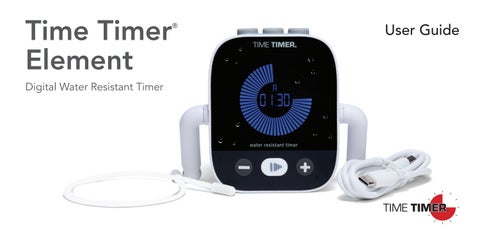
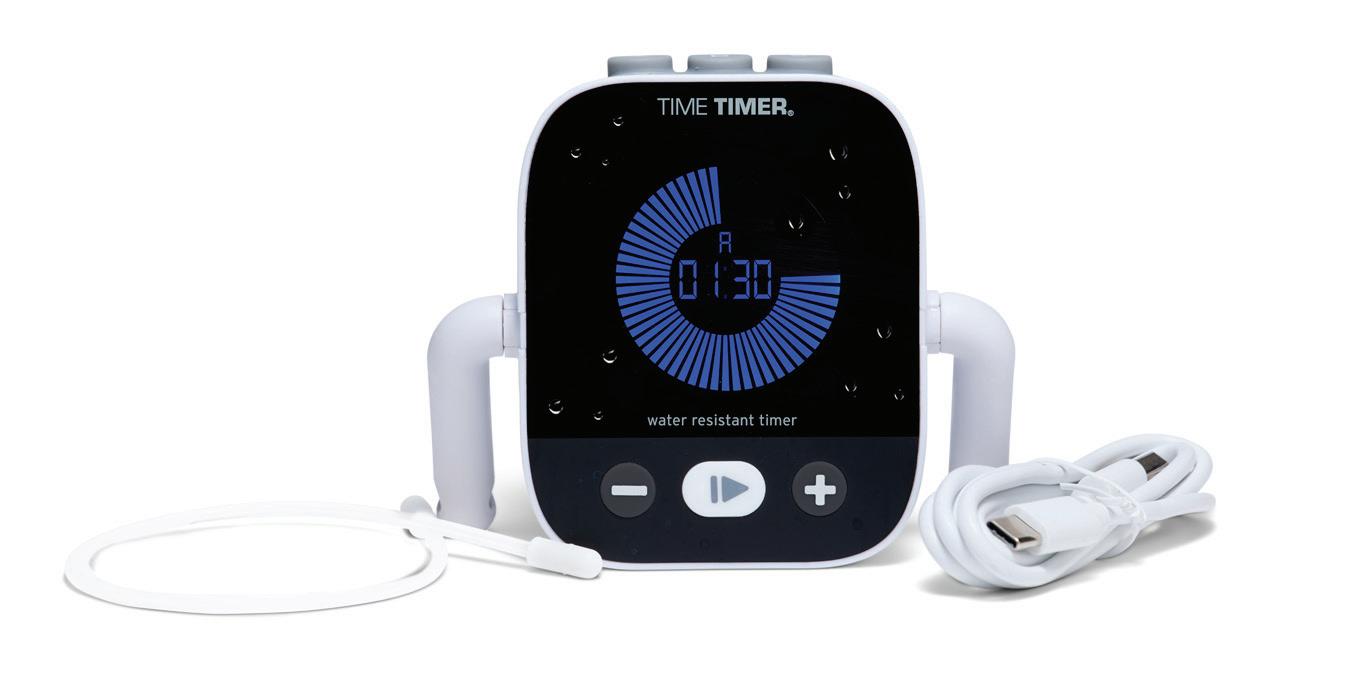
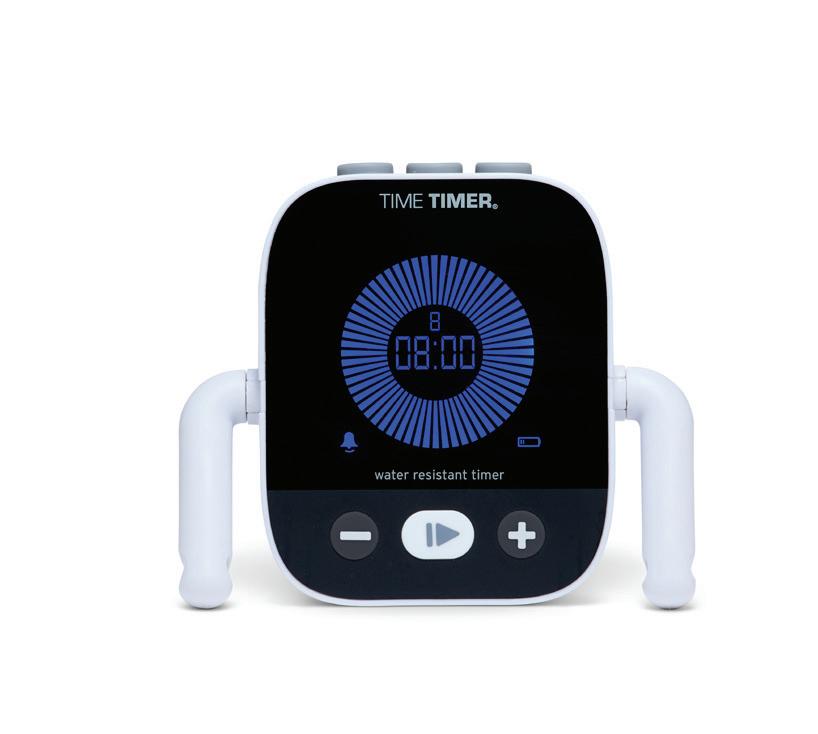
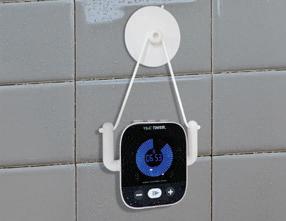
The Time Timer® Element uses an LCD blue disk to visually depict how much time remains. As time elapses clockwise, the disk gradually disappears, helping you see and manage time more effectively.
Scan the QR code or visit timetimer.com/H2O to view instructions in other languages
Every Time Timer® Element comes with one-year warranty that covers all
and material defects. It does not cover damage caused by abuse, misuse, or common wear and tear.
Time Timer® Element has a rechargeable lithium-ion battery. Please charge fully before first use.
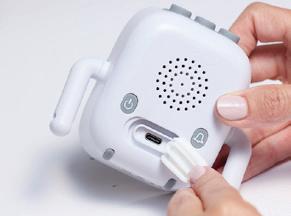
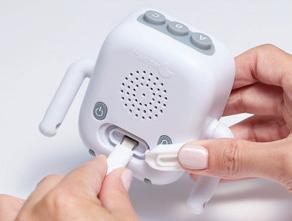
Open charging port by gently pulling up on left side of charging port cover
Note: The battery icon on the front of product will turn ON when charge is below 30%. Product should be charged when low battery indicator light comes on. Battery icon flashes when product is charging and turns OFF when timer is fully charged.
When charging is complete, remove charging cable and secure rubber closure to ensure waterproofing Using provided charging cable, plug the USB-C port into the product and the USB-A port into a charging block or power source
Note: The charging port cover should be sealed in place prior to use. Failure to properly close and secure charging port cover could lead to product malfunction.
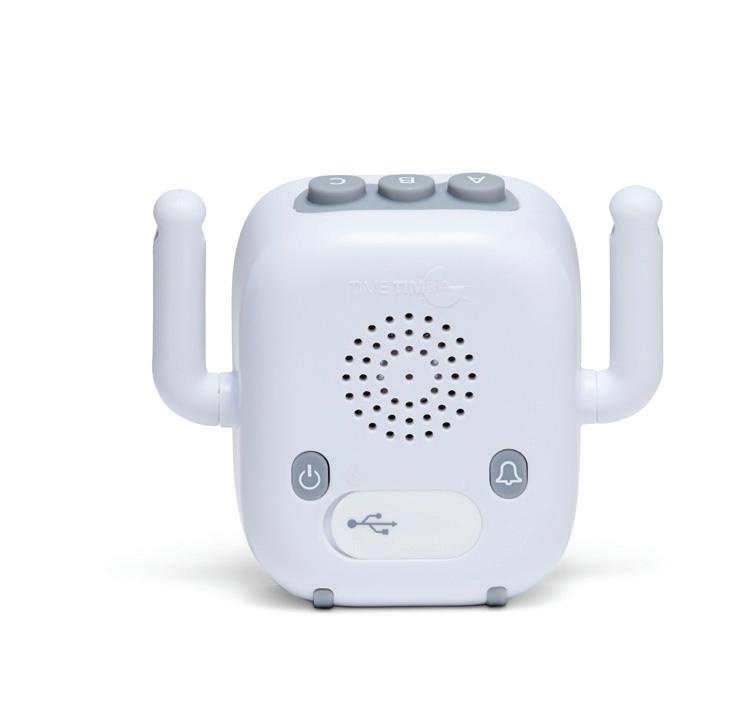
Power On/Off
Alert Volume
2-Minute Timer
8-Minute Timer
25-Minute Timer
INDICATOR
PRESET BUTTONS
Volume Off
Low Volume
High Volume
Low Battery Indicator
Play/Pause
ROTATING ARMS
PRESET BUTTONS
ROTATING ARMS
by 1 second
by 10+ seconds
Time Increase by 1 second
Increase by 10+ seconds
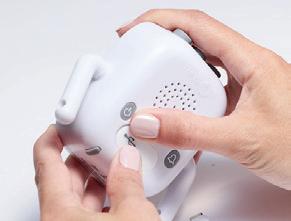
Press and Hold preset button to program custom preset
Press and Hold Play/Pause button to reset timer to 00:00
CHARGING PORT
Press and Hold – and + to factory reset timer
STEP 2: CHOOSE DISPLAY METHOD
The Time Timer® Element can sit on a flat surface, or hang using the provided removable cord and suction cup.
Flat Surface:
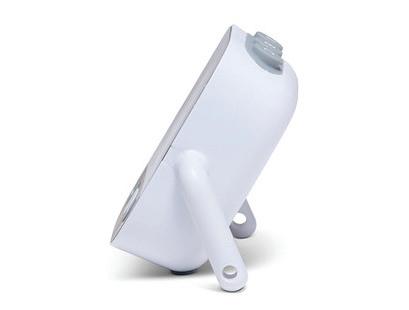
Gently rotate the arms so your Time Timer® Element rests on them at desired viewing angle.
Hanging:
Gently feed one end of the removable cord through the hole at the end of the arm and secure by ensuring the tab is fully through the hole and extended to the outside of the arm. Repeat with the other end of the cord on the opposite arm.
Simply hang your Time Timer® Element from desired location, or hang from the provided suction cup that has been secured to a flat, vertical surface.
SUCTION CUP USE TIPS:
Surface Preparation
• Clean thoroughly: Use rubbing alcohol or mild soap to remove dirt and oils from the wall or tile. Let it dry completely.
• Smooth surfaces only: Suction cups adhere best to glass or tile.
Suction Cup Handling
• Warm the cup slightly: Soaking the suction cup in warm water for a few minutes can soften the material and improve adhesion.
• Press firmly: Push the cup against the surface and press out any air bubbles.
Safety and Load Considerations
• Weight limits matter: Overloading can cause sudden detachment and damage or injury. Don’t use suction cups to hold fragile or other items except the Time Timer® Element.
• Check regularly: Inspect suction cup weekly for signs of loosening.
STEP 3: SETTING YOUR TIMER
Power On/Off: To power timer on or off, press the power button on the back of timer.
The timer will automatically go to sleep if inactive for 3 minutes when the timer reads 00:00, or if paused on any duration after 1 hour.
Adjusting Time
You can adjust the timer to any duration of your choice from 00:01 – 99:59.
All timers must be stopped to set the timer duration.
1X
Press the or button 1x to decrease or increase time by 1 second up to 1 minute, then by 10 seconds.
Press and hold the or button to decrease or increase time by 10 seconds up to 1 minute, then by 1 minute.
Once desired time is reached, simply press play/pause to start your timer.
STEP 4: SETTING A PRESET TIMER
The three buttons on top are preset durations:
2-minutes 8-minutes 25-minutes
Programming a Preset Button
You can program any preset button to a duration of your choice from 00:01 – 99:59.
All timers must be stopped to set a preset button.
Press the preset button you wish to program. That letter will display on the face of the timer with the current preset time.
Press the or button 1x to decrease or increase time by 1 second up to 1 minute, then by 10 seconds.
Press and hold the or button to decrease or increase time by 10 seconds up to 1 minute, then by 1 minute.
Once desired time is reached, press and hold desired preset button to lock in time. The new preset time will flash.
To reset timer to 00:00 press and hold the play/pause button.
To factory reset timer to factory preset durations, press and hold the - and + buttons at the same time. The timer will read 00:00 and the presets will be reset to 2-minutes, 8-minutes, and 25-minutes.
STEP 5: SETTING AUDIBLE ALERT
There are three audible alert options:
Volume Off Low Volume High Volume
Press the alert volume button on the back of the product to display the audible alert option of your choice. The selected audible alert option will display on the front of the screen in the lower left circle for 10 seconds.
Pre-Alert
For any timer over 2-minutes, there will be pre-alert sound at 1 minute of time remaining if the audible alert is set to low or high volume. If the audible alert is off, there will be no pre-alert sound.
STEP 6: STARTING YOUR TIMER
Select the preset of your choice, or adjust the time to your desired time
Press Play/Pause button and timer will immediately display full blue disk with desired time and begin counting down.
Final Alert
When the time has elapsed, a flashing alert will appear on the screen. If the audible alert is on low or high volume, there will also be an audible alert. If the audible alert is off, there will be no audible final alert.
COMMON QUESTIONS:
Is Time Timer® Element water-resistant? Timer is tested to be IPX6 water-resistant against all sprays, splashes, and accidental submerges when charging port cover is properly secured and timer is used for intended purpose. Recommended to keep away from saltwater exposure, sand and grit.
What are the preset button durations?
A: 2-minutes B: 8-minutes C: 25-minutes
How do I program a preset button? Press desired preset button. Set timer to desired duration. Press and hold that preset button until the time flashes. This preset is now set to your desired time.
How do I reset to the factory preset durations? Press and hold the – and + buttons at the same time until 00:00 flashes.
Questions? We’re Here To
Why does my timer turn off? The timer will automatically go to sleep to conserve battery if the timer has ended and is left inactive for 3 minutes. If the timer is paused or inactive at any duration other than 00:00 for more than one hour, it will go to sleep to conserve battery.
What type of battery is used? This product uses a rechargeable lithium-ion battery.
What is the battery life? The expected life of a fully charged battery is 6 hours of use. For best results, it is suggested that you charge your Time Timer® Element when the low battery icon comes on.