AI Literacy Skills
What is Artificial Intelligence? Answer Key
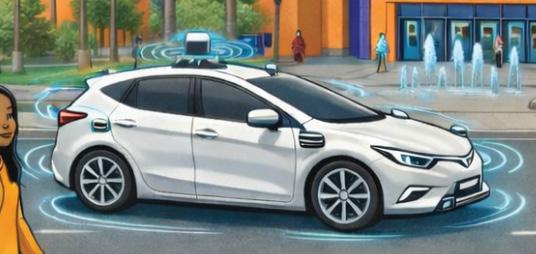
self-driving car
The machine learning AI in selfdriving cars processes data from cameras and sensors. This helps the car drive without needing human input.
cameras
AI computer vision systems are trained on a lot of images to recognize objects and people. They can sometimes show bias or make mistakes.
voice recognition
At first, these tools had to be programmed to respond to specific questions. Now tools like Siri and Alexa can respond to many questions with AI.

computer programmers
Not every computer program uses AI, but many programmers today use AI tools in their work. AI systems are designed, built, and trained by people to follow instructions and learn from data.

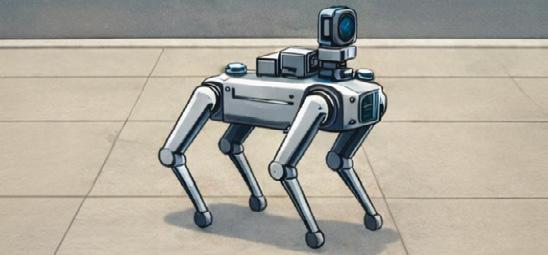
robot dog
Some robots use AI to move on their own. But many, of them, like Gizmo at The Tech, are still just programmed and controlled by humans.
advertisements Pictures and videos that are generated by AI are all around us. Use critical thinking to question whether what you are seeing and hearing is real.
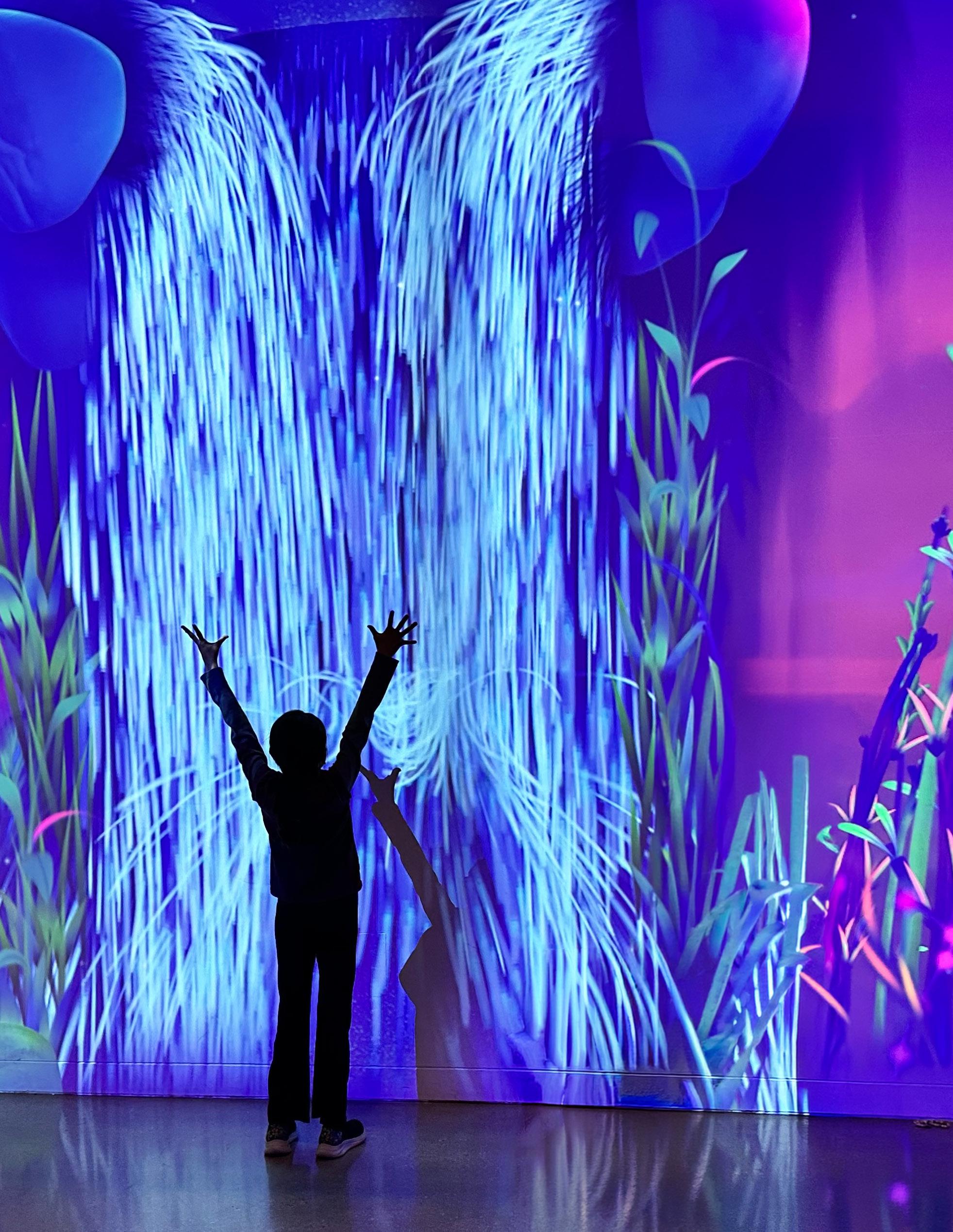
Dream Garden at The Tech Interactive
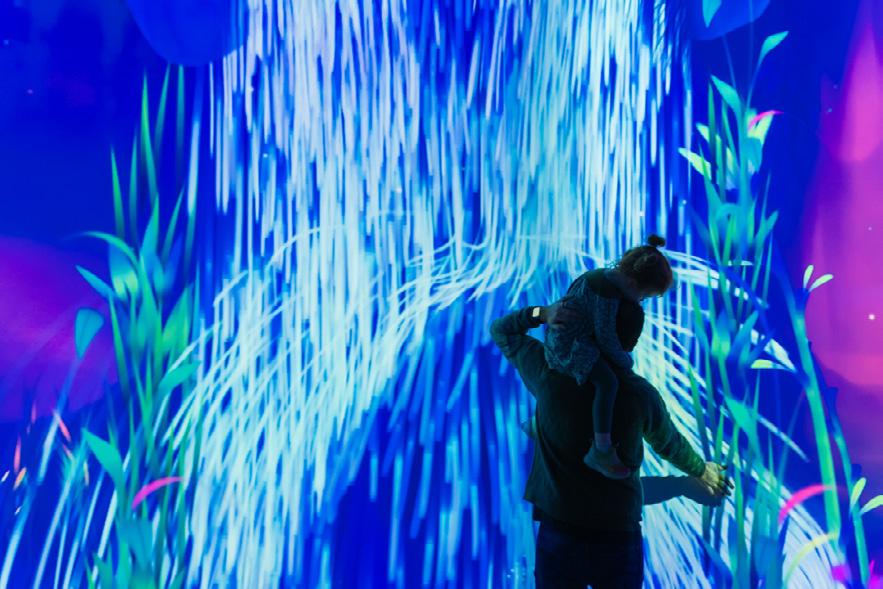
This exhibit at The Tech uses artificial intelligence to interpret and respond to your movements.

toys
Some toys today use AI to talk and interact with kids. Even though they may sound friendly, they are not real people, so it’s important to talk to trusted adults about what they say.

What is Artificial Intelligence?
AI tools and systems are all around us. Take a look at this ordinary scene and see if you can tell which things are powered by artificial intelligence.
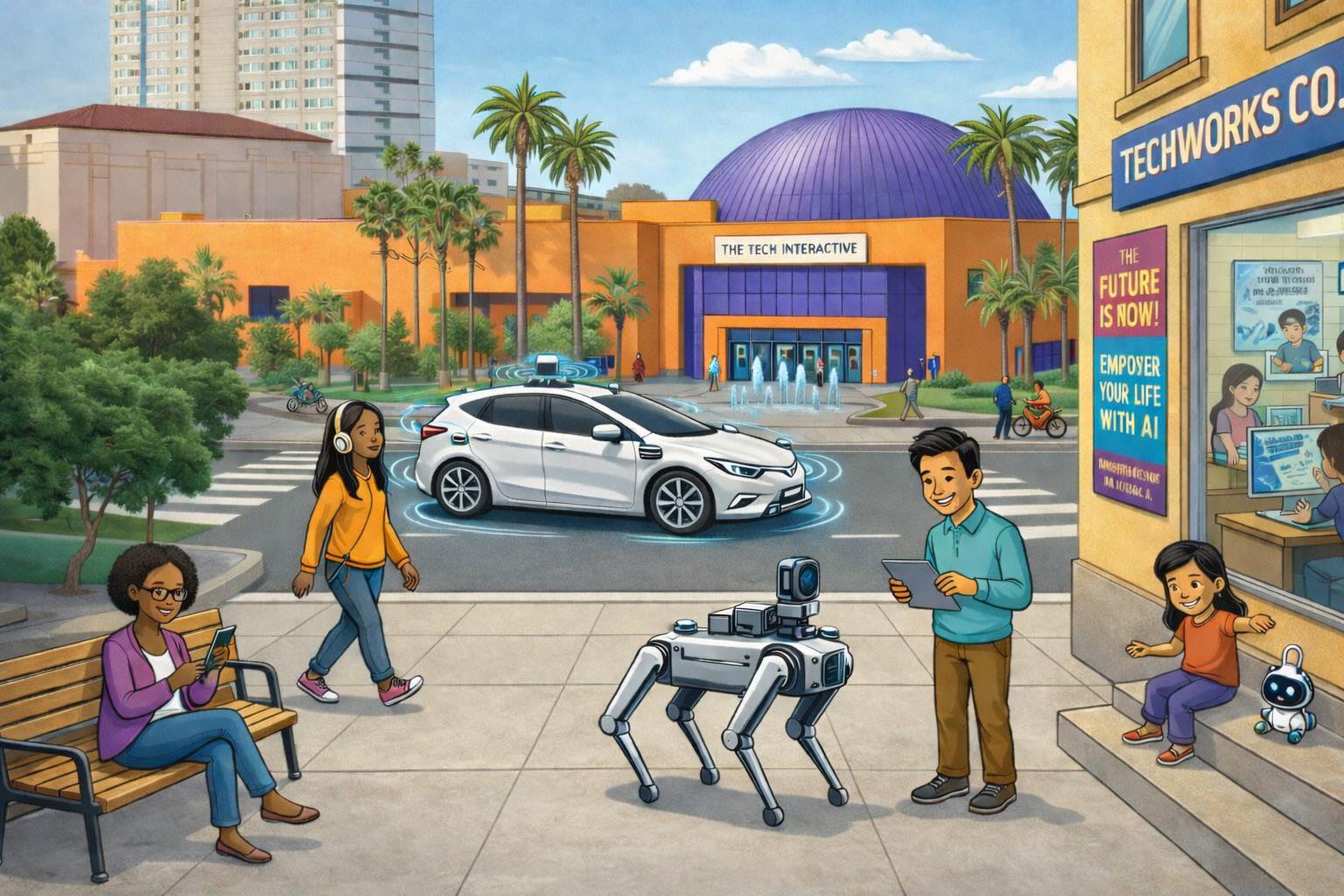
What did you notice?
Where did you see AI being used? What looks like AI but is just another kind of technology?
AI was used to generate this image. Humans edited it, but we left some of the errors for you to find.
I Spy the AI
Are you an AI super sleuth?
Use your critical thinking skills to look for clues in the two photos below, one is AI generated and the other is a real photo. Can you spy the AI?


Some areas of the photo might require you to think critically and analyze.
• Do the backgrounds have noticeable AI characteristics?
• Do the squirrels have paws, whiskers, and ears in the right sizes and areas?
• Are there any parts that could be from AI, digital editing, or just very good photography skills?
Technology is moving fast and it might get harder and harder to tell what is AI generated and what isn’t. So it’s important to stay curious and think critically even if something looks real to you.
Can you spy the AI in the photos below? Is it more difficult to identify which is real?
A C B D

Check out the I Spy the AI activity in the Lower Level atrium during National AI Literacy Day to test your skills with more images!

Animal Identification with AI
Did you know…
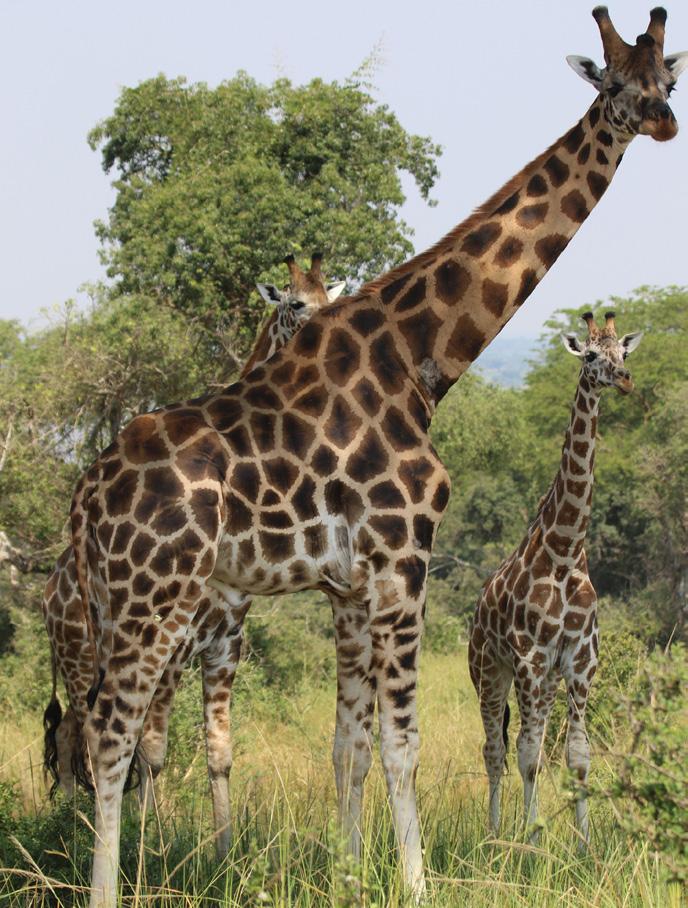
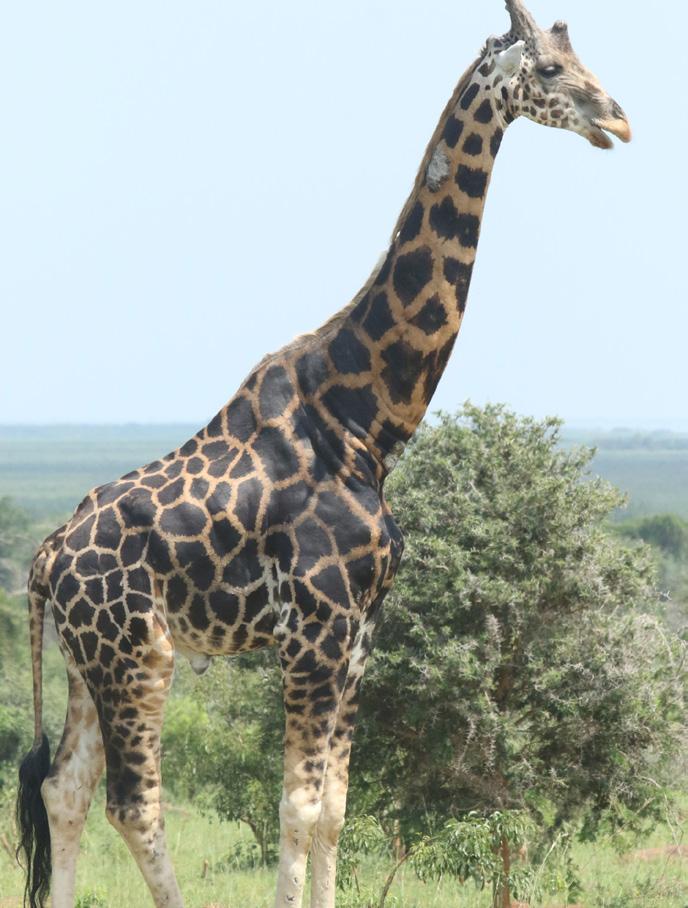
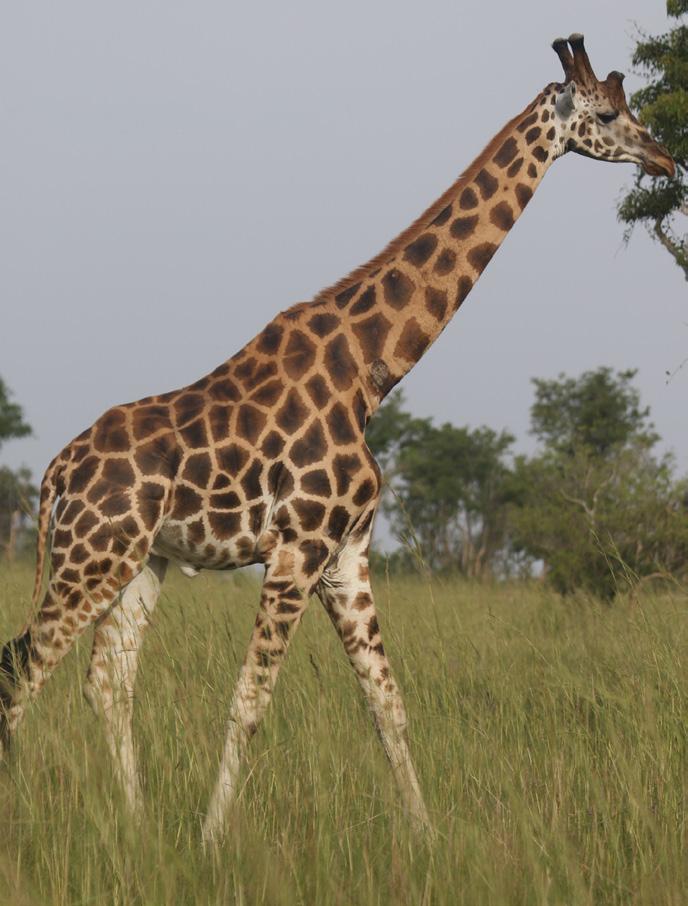
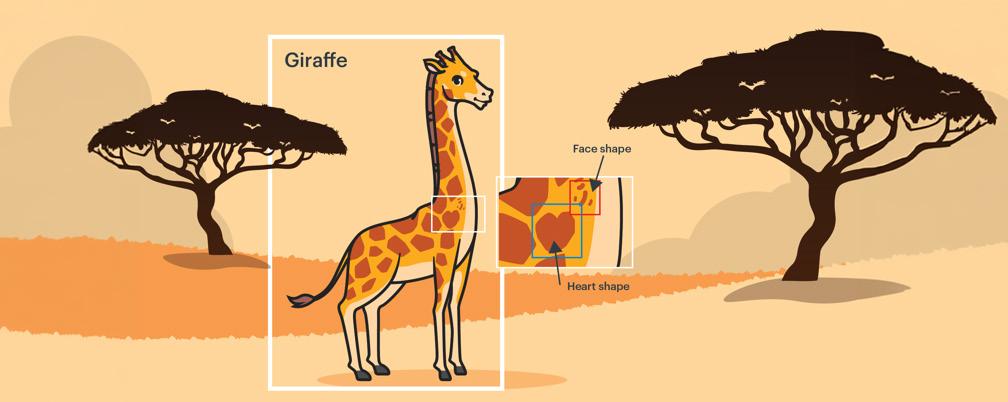
Every giraffe has a different pattern of spots. Like human fingerprints, spots can be used to tell giraffes apart. This means conservation groups can identify and track individual giraffes. AI is helping researchers do this by quickly processing a lot of image data like pictures of herds of giraffes.
How does it work?
AI programs are trained by drawing a rectangle called a bounding box around identifying features on a picture. This box shows AI what to look for when it searches through lots of images.
Try it yourself!
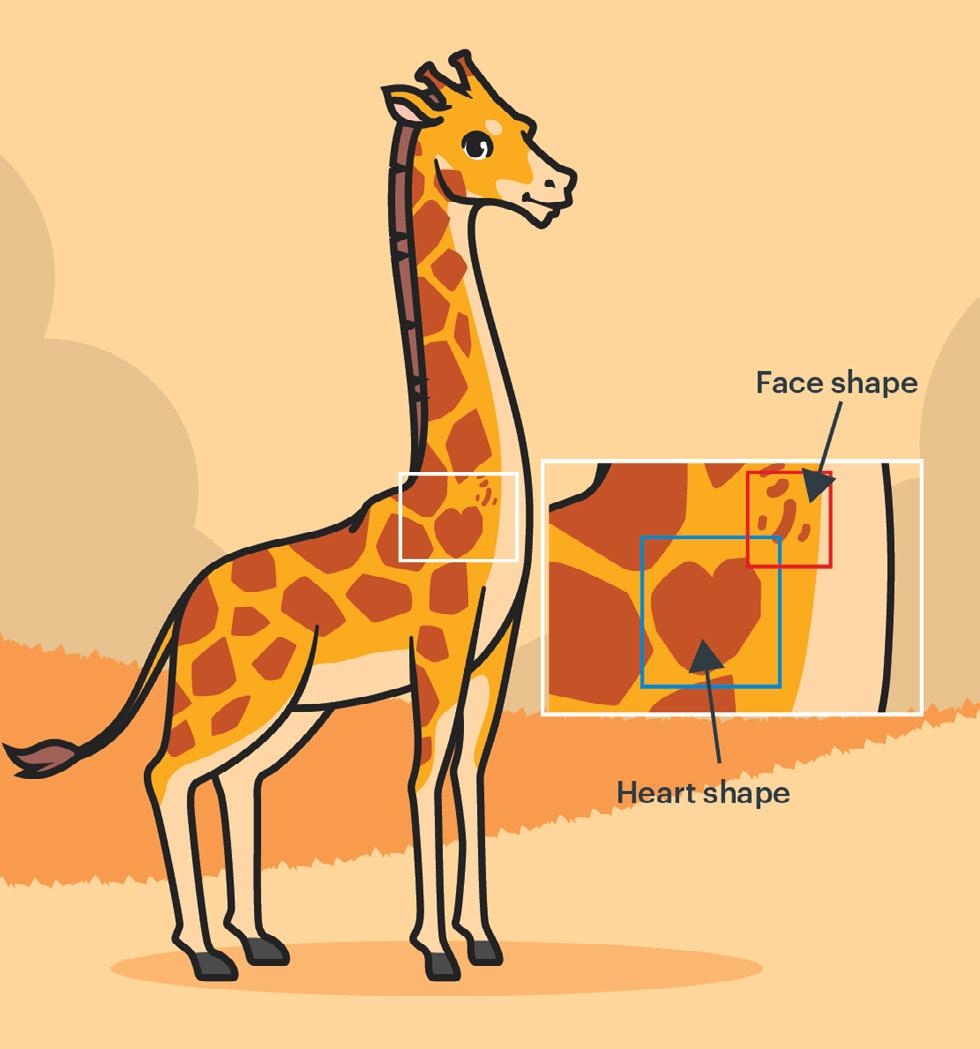
Two of these giraffes are the same animal. Draw boxes around the spots that you think look the same.
Making the Call on AI Referees
Did you know...
Most major sports leagues are using some kind of AI referee tools. Tennis was one of the first sports to use AI to help decide if a ball was out of bounds. Its Hawk-Eye technology uses high-speed cameras to capture the motion of the ball and analyze it.

For the 2026 World Cup, FIFA (Fédération Internationale de Football Association) and Lenovo partnered to develop a new AI tool called Football AI Pro. This tool allows analysts to compare patterns using video clips and 3D avatars.
Does including AI referee tools improve the game?
Check out these two examples from professional sports leagues and make the call yourself!
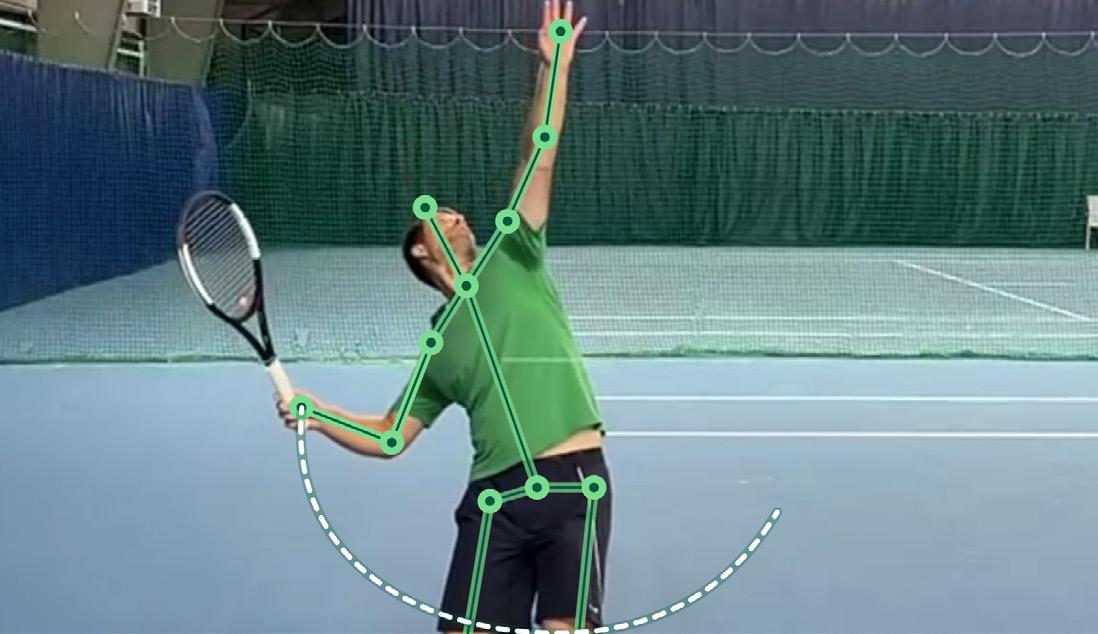
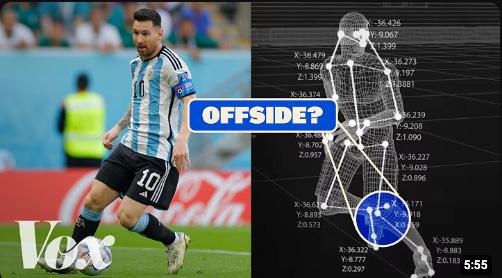
Image sources: (Pg. 6 left) https://www.skysports.com/tennis/news/12110/13234287/artificial-intelligence-in-tennis-as-wimbledon-embraces-ai-how-canplayers-use-the-technology-to-improve-their-game (Pg. 6 right) https://www.youtube.com/watch?v=C164kYMGV1A (Pg. 7 left) https://sport.le360.ma/football/foot-la-fifa-planche-sur-une-var-simplifiee-deployee-grande-echelle-81283/ (Pg. 7 right) https://www.mlb.com/video/looking-at-strike-zone-dimensions
Image created with ChatGPT
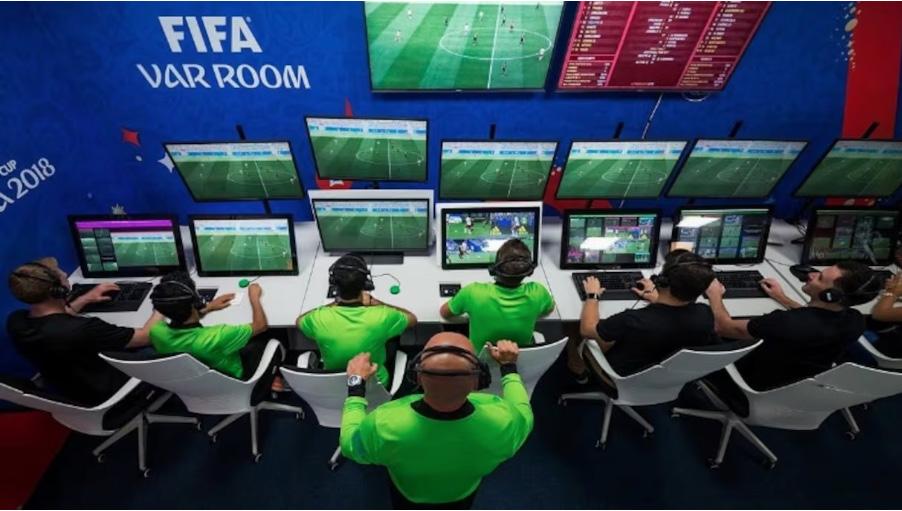
AI assistance isn’t new to professional soccer fans. Since the 2022 World Cup, FIFA has been using Video Assistant Referee (VAR), an AI instant replay system designed to help referees decide if a player is offside.
This technology shows the bodies of players from 12 different camera angles. This data is then used to create a 3D visualization of the play that can be viewed from any angle, providing perspectives that neither the referee on the field and the audiences can see.
However, FIFA fans have not been fans of VAR. Many people have complained that VAR causes constant delays and has led to more confusion over referee calls for offside or goals. Some critics have even suggested that this technology has taken away human referee’s ability to use their own common sense when making calls.
What’s your call?
AI tools give human referees more information but add more time to the game. Are they worth it?
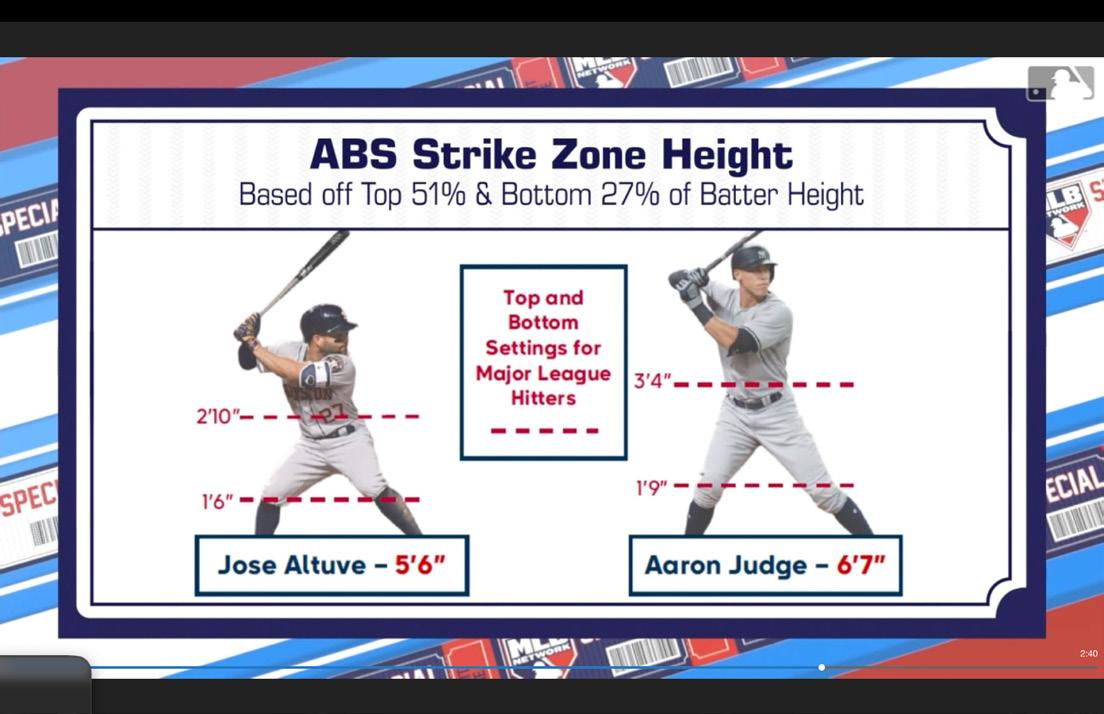
Starting with the 2026 season, Major League Baseball (MLB) players will be able to challenge the calls made by home-plate umpires. The MLB is adding the Automated Ball-Strike (ABS) Challenge System, an AI tool that monitors the location of the ball for every pitch.
The home-plate umpire calls whether a pitch is a ball or a strike. If the batter, pitcher. or catcher doesn’t agree with the call, the players can request to have it reviewed. The graphic will also be displayed for viewers at the stadium and at home. Teams will get up to four challenges per game.
This system has already been implemented into Minor League Baseball, with each challenge generally being resolved within a few seconds. Evidence from Minor League games has shown that ABS could potentially change the nature of the whole game, with fans noting that adding it changed the way pitchers threw and batters swung.
What’s your call?
Do you think AI tools will make the game better or worse for fans?
Want to try out the idea of an AI referee yourself? Check out our lesson Making the Call on AI Referees or share with your teacher.
1
AI to the Rescue: Finding Lost Pets
Play this “Guess Who” style game with another person. Pet Owner (Clue Giver) AI Drone (Guesser)

Use the information on this page to provide clues to help the AI drone find your missing pet.
You Lost Your Pet!
Use the information on pages 10 and 11. Listen to the clues and try to guess which image in your dataset is the correct pet.
They could be anywhere in the neighborhood. Luckily you have a drone that can help you search from the sky. The drone uses AI, so you need to give the drone’s machine learning program information. Tell it what to look for. Make sure it has a detailed description of what your pet looks like so it can help you find it.


Choose one of the pictures below to be your missing pet.
3

2

Study your picture. Look for details that seem unique. You will need to give your drone’s machine learning program accurate information (clues) to help find your pet.
Jelly (Cat)
Coral (British red shorthair kitten)
Ada (Husky puppy)
Write your clues in the boxes below.
• Your clue cannot name the animal in this picture
• Each clue can be up to 5 words
Tips
Focus on what the animal looks like. For example:
• Lines near the eyes
• Orange and white
Remember, the AI drone will not know your pet’s name, or what it likes to play. The only information it has is the picture.
AI to the Rescue: Finding Lost Pets
Can you find the lost pet?



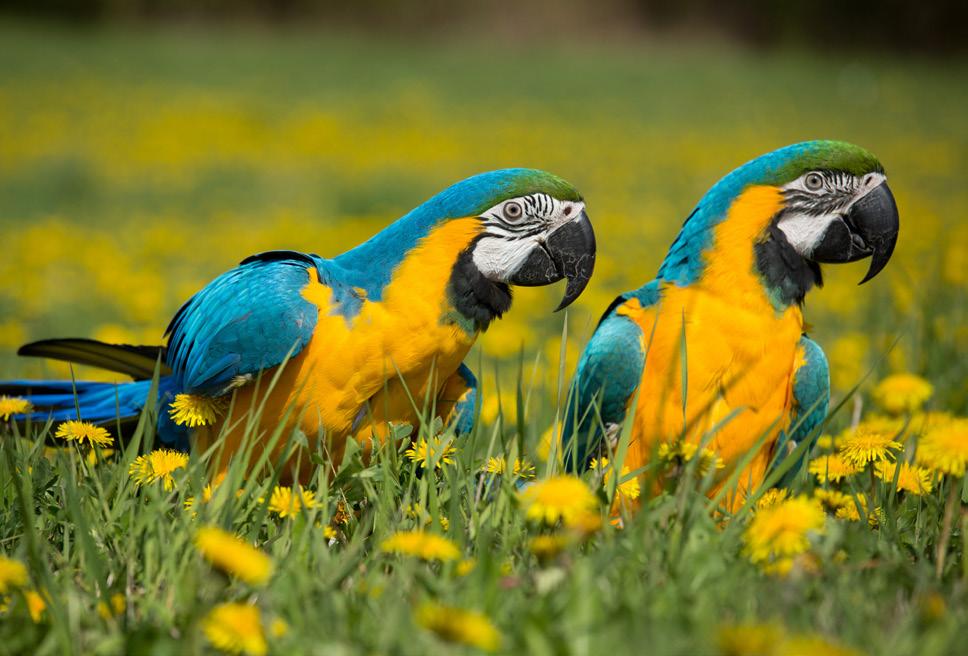


Listen to the clues. Guess which picture is the lost pet. The only information you have is the clues (training data) you are given!
Ada (Husky puppy)
Wire (Ball python snake)
Micro (Hamster)
Jelly (Cat)
Turbo (Rabbit)
Dot & Dash (Macaw birds)






Keep track of clues and ideas here. You can also write on the pictures.
The more information (data /clues) an AI system has, the better it becomes at predicting or guessing. Think about:
• What clues are the most helpful to you?
• How confident are you that your guess is correct?
Coral (British red shorthair kitten)
Sparky (Rosy-faced lovebird)
Darwin (Siberian husky dog)
Atom (Hamster)
Hotdog (Corn snake)
Lightning (Rabbit)
Where AI, Sensors, and Creativity Meet
BY THE NUMBERS
• 4 Infrared Cameras are built into the walls
• 10 Depth-Sensing Cameras capture movement with precision
• 1,210,564 lines of code bring this interactive experience to life
AN INTERACTIVE EXPERIENCE FOR ALL
• Accessible for everyone: Designed for visitors using wheelchairs and mobility devices.
• Alternate controls: Allows interaction through eye or mouth movements for those with paralysis.
• Inclusive motion detection: Recognizes diverse movements at various heights.
• Multi-sensory engagement: Sound and light cues enhance the experience for all.
AI IN ACTION
• Gesture Recognition: Google MediaPipe tracks movement.
• Poetry Generation: Microsoft Phi-3.5 creates poems based on your movements.
POWERED BY INNOVATION & CREATIVITY
Dream Garden was designed by Design I/O, an award-winning creative studio specializing in the development of immersive, interactive installations and new forms of storytelling. If their work looks familiar it’s because they are the team behind our Connections Wall in Solve for Earth (2020).
The sound and music were composed and created by Murlo, an artist known for his innovative fusion of music and visual art.

Check out the Dream Garden on the Upper Level to experience it yourself!
Animaker
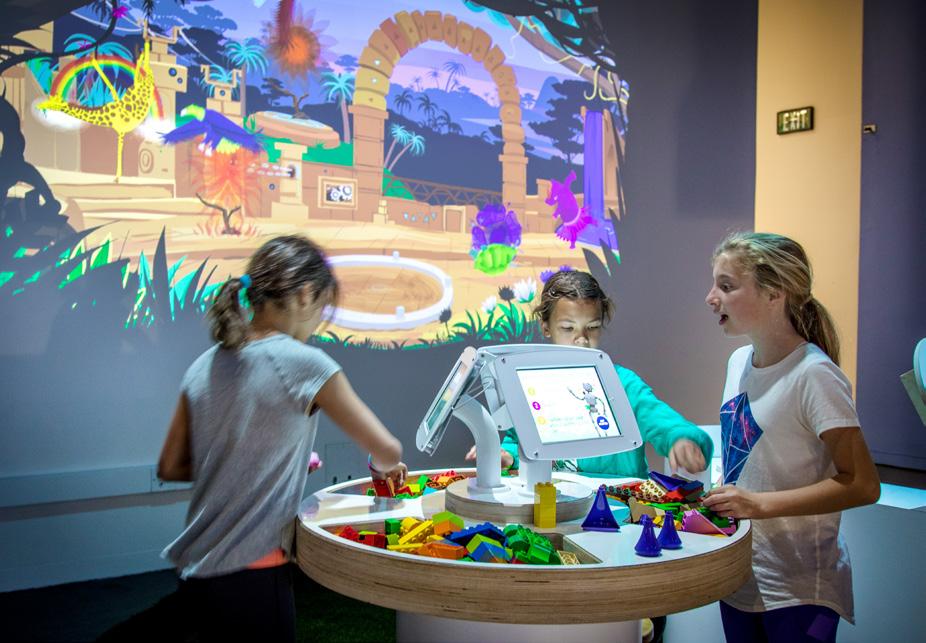
Animaker is an AI exhibit at The Tech Interactive. It uses machine learning and visual recognition to identify the LEGO animals you show it.
This might not matter much to LEGO animals, but imagine if an AI tool scanned your face and accidentally identified you as the wrong person?
Think critically about AI tools and who or what they might be leaving out. The wider the range of data the model has, the better the AI program will be.
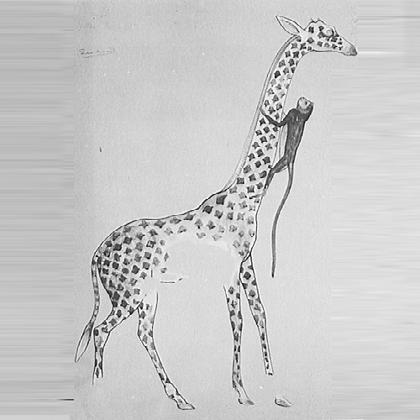


Build a giraffe from LEGO bricks.
Because of how simple giraffes are to build, Animaker has been shown more giraffes than any other animal. This means that Animaker has actually developed a BIAS for giraffes. So this means it might accidentally identify camels or horses as giraffes. Can’t visit the museum? Try this home version of Animaker! 1 2 3 Get inspired by how others created giraffes.
Share your animal with someone else and ask them to be the AI. Can they tell what you built?
Scan the QR code for a video example
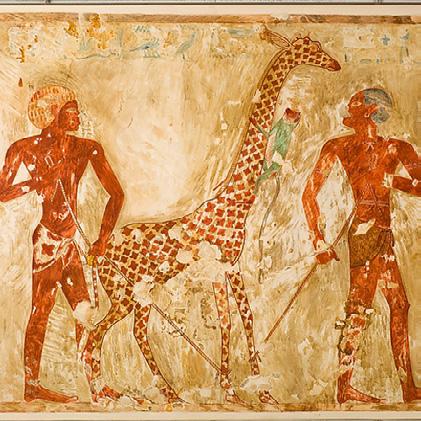
AI Tips for Students
We asked some high school students how they use AI. This is what they said:
Brainstorm
Help me write professional e-mails
Summarize documents
Explain notes I don’t understand
Remember the mistakes I frequently make
Generate practice problems Synthesize research articles- but I always have it cite its sources
Make interactive multiple choice quizzes
Think about different perspectives and how to respond to them
Rewrite my questions and prompts
Create summaries
These are their tips for using AI
1. AI bridges the gap between expert-level knowledge and accessibility in a way that has never been done before. But that power comes with real responsibility.
2. The output is only as good as the input. Details and structure are key.
3. AI learns from every voice ever written down, which means it sounds like everyone and yet truly sounds like no one. It cannot replace your personalization, yet.
4. Don’t mistake AI’s certainty for correctness. Learn to question the answers.
5. Your voice and your thinking are built through struggle. No shortcut, including AI, can ever replicate that process for you.
“One key lesson I’ve learned is that being specific in my prompts is essential; I usually clarify that it should rely only on the text I provide and give thorough explanations.” — Myra
“I always scan the work it outputs and completely make it my own before actually using it because generative AI does in fact have hallucinations!!” — Claire
Thanks to Myra Jain, Yash Maheshwari, Nikita Narang, Claire Schwarzhoff, Dhruv Vijay and Sophia Zhang members of the Mountain View High School Tech Internship Program for their insights into using Artificial Intelligence
A is for Algorithm
A step-by-step set of instructions that tells a computer what to do.
B is for Bias
Sometimes AI reflects unfair patterns or opinions that come from the people or data that created it.
C is for Chatbot
A computer program that can have a conversation with people.
D is for Data
Information (like words, pictures, or numbers) that AI learns from.
E is for Ethics
Rules about what is right and wrong that help us use AI responsibly.
F is for Feedback
Information that helps improve how an AI system performs.
G is for Generative AI
AI that can create new things like stories, pictures, music, or videos.
H is for Hallucination
When AI gives an answer that sounds correct but isn’t true.
I is for Inteligencia Artificial
Artificial intelligence in Spanish. Computer systems that can do tasks that usually require human thinking, like solving problems.
J is for Judgment
AI can give suggestions, but humans should make important final decisions.
K is for Knowledge
AI uses patterns in data to build “knowledge,” but it doesn’t understand things the way people do.
L is for Large Language Models (LLMs)
AI that can understand and generate human language (e.g., ChatGPT). These models require a lot of data, computing power, and energy.
M is for Machine Learning
A type of AI where computers “learn” patterns from data instead of being programmed for every step.
N is for Neural Network
A computer system inspired by how the human brain works. This helps AI recognize patterns.
O is for Output
The answer or result the AI tool gives you.
P is for Prompt
The question or instruction you give to an AI tool.
Q is for Questions
Ask questions and review AI results to make sure they are accurate and helpful.
R is for Responsibility
People are responsible for how AI is built and used.
S is for Small Language Models (SLMs)
An AI model built from smaller sets of data that is used for specific tasks. SLMs usually use less energy than LLMs.
T is for Training Data
The examples AI studies to learn how to respond.
U is for Understanding (Limits)
AI does not truly understand feelings, meaning, or context like humans do.
V is for Visual Recognition
When AI recognizes objects, people, or patterns in images or videos using computer vision.
W is for World Impact
AI is changing how people live, work, and solve problems.
X is for XAI (Explainable AI)
AI that can show or explain how it made a decision.
Y is for Your Data
Information about you that AI tools may collect or use.
Z is for Zero Shot Learning
When AI can do a task it was not specifically trained for. For example, a self-driving car stopping for a giraffe even if it has never seen one before.
AI was used for the brainstorming and editing of this resource.
AI Tips for Educators
1 2 3 4 5 6 7
Lead with curiosity and critical thinking
Encourage students to ask thoughtful questions about how AI works, when it is helpful, and where it may fall short. Explore possible bias, misinformation, and limitations together. Provide opportunities for students to distinguish between human intelligence and artificial intelligence
Focus on computational thinking (CT)
Build student understanding of the elements of this foundational problem solving process (decomposition, pattern recognition, abstraction, and algorithms). In addition to being the building blocks for AI, CT can be applied across content areas and everyday life, providing students with adaptable skills that will last beyond specific tools.
Take a human-centered approach
Remind students that people design, train, and improve AI systems. Discuss the human decisions behind the technology and how tools can be adjusted to reduce bias and better serve communities. Highlight individuals developing AI solutions for the global good.
Find opportunities to explore AI alongside your students
Many students are already experimenting with AI tools, but they need guidance to use them responsibly. Use AI together so you can model questioning, problem-solving, and help students decide when it is appropriate to use AI. This also helps you understand the challenges students may face.
Emphasize responsible use
Teach students to practice responsible use of AI tools. AI systems collect and process large amounts of student data. Make sure you are aware of privacy and security concerns and that the tools you use with students are in alignment with your local laws and school policies. Create space for conversations about fairness, privacy, sustainability, relationships, and responsibility. Help students think about how AI impacts individuals and society. Help them reflect on their relationships with these systems and how these tools could be designed for healthy engagement. The goal is to prepare them to shape technology thoughtfully, not just consume it.
Embrace the creative process
Help students see AI-generated content as a draft, not a finished product. Encourage them to revise, improve, and apply their own thinking. Emphasize that strong work still requires human creativity and judgment.
Leave space for adaptation
AI is evolving quickly, the tips and technology that you and your students are learning today may be less useful in a year. Teaching students how to adapt may be one of the most important skills for their future.
















































Educator Resources
Check out the AI resources and lesson plans that accompany the activities in this magazine at thetech.org/ai or scan the QR code.
Learn more about custom PD and other resources for educators. Email education@thetech.org .
Featured Lessons
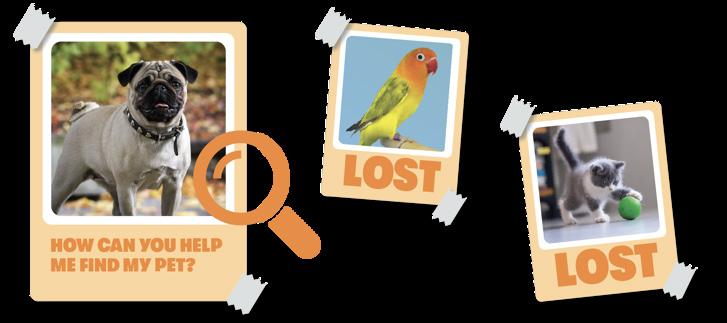
AI to the Rescue: Finding Lost Pets
Duration: 45 minutes
In this lesson, students will explore how
Grade Levels: K-5
Making the Call on AI Referees
Duration: 45 minutes
Grade Levels: 3-8
Animal Identification with AI
Duration: 50 minutes
Grade Levels: 4-12
What’s Your Problem?
Duration: 45 minutes
Grade Levels: 3-12

AI for Global Good
Duration: 40 minutes
Grade Levels: 4-12 AI
Sustainability Challenge
Duration: 90 minutes
Grade Levels: 6-12
How Does Artificial Intelligence Affect the Environment?
DATA
AI tools must be trained on vast amounts of data in order for machine learning to happen.
DATA CENTERS
When people store information on the "cloud," it is actually stored and processed in large data centers that are physical buildings or rooms with networked computer servers.
PARTICLES
Many data centers have gas or diesel energy generators on site that release dangerous particles into the atmosphere and make people and animals sick.
ENERGY
Data centers require a large amount of energy to operate. Some of this comes from renewable sources, but it can also be from fossil fuels or nuclear energy.
HEAT
Data centers emit heat as they process information. Cooling them can use a lot of energy and water.
WATER
Use of water to cool data centers can pollute or use up local water sources.
NOISE & LIGHT
Generators and processors in data centers create a lot of noise and light that affects both people and animal life nearby.
Imagining What’s Possible
Designing Better Data Centers
Researchers are trying to design data centers that use less energy and water for cooling. For example, they are testing surrounding the machinery in special liquid that doesn’t conduct electricity.
Another example is the city of Stockholm, in Sweden. Because Stockholm is cold, the city uses heat created by data centers to warm buildings nearby through underground pipes. The city has a goal of being fossil free by 2024, meaning that all its energy comes from renewable sources.
Tracking Data Center Energy Use
Technology communities and researchers are making tools for tracking AI models’ impact on the environment. It is difficult to get this information, so it is helpful to have independent groups measure sustainability.
A PEEK INSIDE
Computer chips and algorithms are just some of the many components that make up the hardware and software that process AI’s data.
LAND
Large data centers can use a lot of land, increase the cost of land, or threaten wildlife and natural habitats.
How do you think AI could be developed sustainably and responsibly?
Where do you see opportunities for new solutions?
One example of this is Hugging Face global community which has developed a rating system for scoring AI models for sustainability. This is crowdsourced data, where people work together towards monitoring AI energy use.
Improving AI Inputs and Outputs
Researchers want to reduce the energy needed to process AI’s complex math equations. This might mean simplifying the equations they use, or simplifying training. Large Language Models (LLMs) are trained continuously on huge amounts of data so they “learn” to respond. Limiting the length of LLM chatbot responses is another way to reduce energy use.
Reducing Data Center Noise and Light Pollution
Communities are frustrated by noise and light pollution from data centers. Old rules don’t usually ban the low humming noise produced by processors, cooling fans, and other moving parts. Lights from the data center are too strong and disrupt bird migration. People living nearby suffer health problems and their homes are harder to sell.
Now when a data center is being planned, residents attend meetings to express their concerns and ask for regulations. In some places they work with local officials to make sure engineers build the data center to reduce friction in its moving parts, limit light pollution, and remain accountable to citizens.
What is AI and how will it shape our future?
Chances are that the more you hear about artificial intelligence (AI), the more questions you have about this emerging technology. Whether you’re an educator or just curious about AI, we’re here to help.
The Tech will be hosting events, creating educational resources, and more. We believe that when everyone feels empowered to use and understand a new technology, then the future that technology creates will be better for all of us.
Check out the AI resources and lesson plans that accompany the activities in this magazine at thetech.org/ai or scan the QR code.