2 minute read
2. Basics of Google Slides II

Objectives
In this session, students will apply what they have learned from the previous class to complete tasks on Google Slides.
Keywords
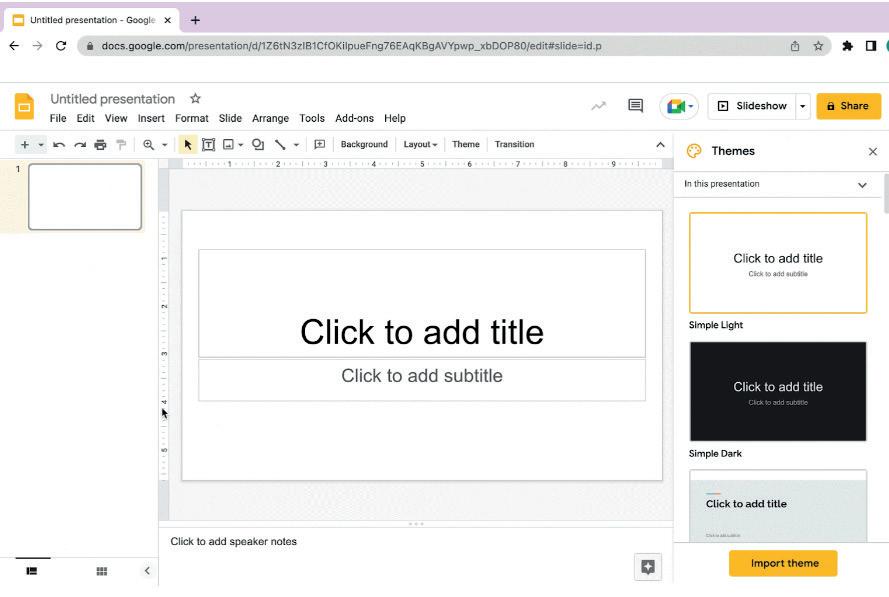
● Themes: Pre-designed sets of visual elements such as colours, fonts, and backgrounds that can be applied to a presentation
● Tools: Functionalities that help to modify the slides
WEBS at a Glance
● Say: Do you remember what we learned in the previous session?
● Invite responses from some students.
● Say: Let’s revise what we have learned.
● Instruct: Go to the Panel and open Lab on Intro to Google Slides – II.
● Show slides one by one and discuss the concepts shown on the slide in the panel.
● Discuss the following questions one by one to check students’ understanding:
■ If you wish to create a presentation in Google Slides, which topic would you choose?
Possible Responses: Birthday story; Summer story; A day in the life of my mom; My country; My city; My home; My best friend
■ Which elements would you add in your presentation?
Possible Responses: Table; Columns; Image; Text; Title; Moral; Paragraph
■ What are some benefits of using themes in Google Slides?
Possible Responses: Can help create a consistent and polished look throughout a presentation; Can help save time by providing pre-designed layouts and colour schemes.
■ Where can you show your presentation skills in Google Slides?
Possible Responses: School; Friends; Mom; Dad; Grandparents; Cousins
● Invite answers from as many students as possible
● Invite answers from as many students as possible.
● Address any doubts that students may have related to the concepts presented in the slides
● Address any doubts that students may have related to the concepts presented in the slides.
● Instruct: We know how to star t creating a presentation in Google Slides
● Instruct: We know how to start creating a presentation in Google Slides.
● Now, let’s practise our learning Click on the Practice button on the Assignment page to attempt the activity
● Now, let’s practise our learning. Click on the Practice button on the Assignment page to attempt the activity.
● Click on the Attempt button to open the activity page
● Click on the Attempt button to open the activity page.
● Walk around in the classroom and obser ve the activity done by the
● Walk around in the classroom and observe the activity done by the students.
● Instruct: Click on the Confirm button to submit your work when you are done with the activity.
● Instruct: Click on the Confirm button to submit your work when you are done with the activity
● Conclude: Today, we have learned how to create a presentation in Google Slides.
● Instruct: Practise the same activity at home.
● Assign the following as homework:
■ Project: Lab Time on Page 93.
Note
● The project is optional. Kindly assign if feasible.
