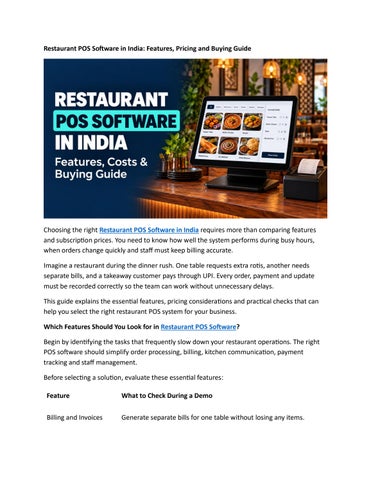
Restaurant POS Software in India: Features, Pricing and Buying Guide
Choosing the right Restaurant POS Software in India requires more than comparing features and subscription prices. You need to know how well the system performs during busy hours, when orders change quickly and staff must keep billing accurate. Imagine a restaurant during the dinner rush. One table requests extra rotis, another needs separate bills, and a takeaway customer pays through UPI. Every order, payment and update must be recorded correctly so the team can work without unnecessary delays. This guide explains the essential features, pricing considerations and practical checks that can help you select the right restaurant POS system for your business. Which Features Should You Look for in Restaurant POS Software? Begin by identifying the tasks that frequently slow down your restaurant operations. The right POS software should simplify order processing, billing, kitchen communication, payment tracking and staff management. Before selecting a solution, evaluate these essential features: Feature
What to Check During a Demo
Billing and Invoices
Generate separate bills for one table without losing any items.
Kitchen Order Management
Add items to an existing order and verify that the updated kitchen ticket is generated correctly.
Cloud and Offline Access
Confirm which billing functions, printers and reports remain available during an internet outage.
Staff Permissions
Check whether a cashier can request a refund and a manager can authorize it.
You can also explore this restaurant billing software guide to understand how billing fits into your daily workflow. Visit TechRestro's features page to identify the capabilities you want to test during your product demonstration. UPI enables instant bank-to-bank payments, as explained in NPCI's official UPI FAQs. During your demo, verify that completed payments are correctly associated with their respective bills. A QR code or digital payment option alone does not guarantee accurate payment reconciliation. Understanding Restaurant POS System Costs The total cost of a restaurant POS system includes more than its subscription fee. Hardware, installation, employee training, taxes and additional integrations can affect your overall expenditure. Before purchasing, ask the provider for a complete quotation that covers the initial payment, recurring charges and renewal costs. According to TechRestro's pricing page, checked on 19 October 2026, the listed subscription plans are: Plan
Monthly Payment Annual Payment
Entry Plan
₹499
₹4,999
Advanced Plan ₹999
₹9,999
Pro Plan
₹29,999
₹2,999
These prices represent TechRestro's listed plans and may differ from the pricing offered by other providers.
For example, paying ₹499 monthly for twelve months totals ₹5,988, whereas the listed annual price is ₹4,999. Compare the available plans carefully to understand the potential savings and included features. Check whether GST is included in the quoted amount. You should also request details about optional expenses, such as receipt printers, delivery platform integrations, data migration and additional user accounts. Review the TechRestro pricing page for plan details before making your decision. How to Evaluate a Restaurant POS Demo A product demonstration is an opportunity to see how the software handles your restaurant's actual requirements. Instead of relying entirely on a sales presentation, ask the provider to demonstrate everyday tasks using your menu and billing scenarios. Use this checklist:
Test a complicated order: Add a half portion, an extra topping and two payment methods to check how easily the system handles changes.
Review previous transactions: Open a sale from the previous day and examine its available transaction history and end-of-day totals.
Check data export: Request a sample report, open the exported file and confirm that the information is readable and useful.
Evaluate customer support: Ask about support availability, response times, onboarding and staff training.
Confirm data ownership: Find out how you can access and export your records if you decide to change providers.
These checks help you compare different POS systems based on practical performance rather than marketing claims alone. Final Thoughts The best restaurant POS software is one that supports your team's daily work, maintains clear transaction records and fits your budget. Before making a commitment, test the essential features, calculate the complete cost and confirm that the provider offers the support your restaurant needs. Explore TechRestro, prepare a few real-world order scenarios and request a demonstration. A practical evaluation will help you decide whether the software is the right fit for your restaurant.