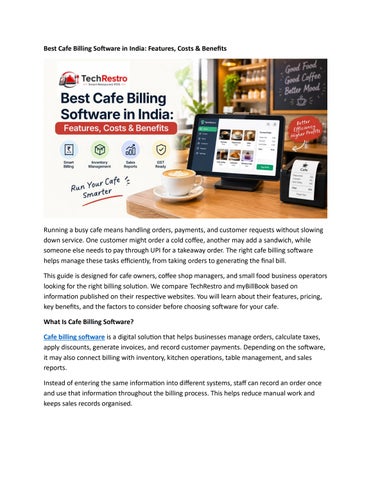
Best Cafe Billing Software in India: Features, Costs & Benefits
Running a busy cafe means handling orders, payments, and customer requests without slowing down service. One customer might order a cold coffee, another may add a sandwich, while someone else needs to pay through UPI for a takeaway order. The right cafe billing software helps manage these tasks efficiently, from taking orders to generating the final bill. This guide is designed for cafe owners, coffee shop managers, and small food business operators looking for the right billing solution. We compare TechRestro and myBillBook based on information published on their respective websites. You will learn about their features, pricing, key benefits, and the factors to consider before choosing software for your cafe. What Is Cafe Billing Software? Cafe billing software is a digital solution that helps businesses manage orders, calculate taxes, apply discounts, generate invoices, and record customer payments. Depending on the software, it may also connect billing with inventory, kitchen operations, table management, and sales reports. Instead of entering the same information into different systems, staff can record an order once and use that information throughout the billing process. This helps reduce manual work and keeps sales records organised.
However, not every billing tool is designed specifically for cafes. Some applications mainly focus on invoicing, GST compliance, and accounting, while cafe-focused systems offer additional features such as dine-in billing, kitchen order tickets, and table tracking. Understanding these differences can help you choose a solution that matches your daily operations. You can also read our beginner's guide to restaurant billing to understand how the order-to-payment process works. What Features Should Cafe POS Software Include? The best cafe POS software should simplify everyday tasks and help your staff serve customers faster. Before choosing a solution, look for the following features.
Quick billing: Generate bills efficiently during busy periods and reduce queues at the counter.
Kitchen Order Tickets (KOT): Send orders directly to the kitchen or coffee preparation area.
Order management: Handle dine-in, takeaway, and delivery orders through an organised workflow.
Table management: Monitor occupied, available, and reserved tables.
Inventory tracking: Keep track of essential ingredients and supplies, including coffee beans, milk, and other stock items.
Payment management: Record transactions made through cash, cards, and UPI.
Sales reports: Review revenue, taxes, and other business figures to understand performance.
For a small cafe, starting with reliable billing, kitchen order tickets, payment tracking, and basic reporting is often sufficient. You can add more advanced capabilities as your business expands. TechRestro vs myBillBook: Which Software Is Better? TechRestro and myBillBook support Indian businesses, but their primary purposes are different. Comparing their features can help you determine which platform better suits your requirements. TechRestro: A POS System for Cafes and Restaurants TechRestro is designed to support restaurant and cafe operations through a dedicated POS system. According to its website, the platform includes point-of-sale billing, kitchen order ticket management, QR code ordering, table management, and reservation features.
It also lists integrations with food delivery platforms such as Zomato and Swiggy, along with delivery management and menu management tools. Additional features include sales reports and analytics, waiter and staff management, multibranch management, customer displays, and online payment gateway integrations such as Razorpay, Stripe, and PayPal. Depending on the selected plan, users can also access features such as inventory management, WhatsApp functionality, cash register tools, self-service kiosks, and support for multiple kitchens. TechRestro offers a seven-day trial, allowing cafe owners to explore the system before making a purchase. Visit the complete TechRestro feature list to review the available tools. myBillBook: GST Billing and Accounting Software myBillBook focuses on GST billing and business management for small businesses. Its website highlights features such as GST and non-GST invoicing, inventory tracking, payment collection, bookkeeping, marketing tools, loyalty features, and business reports. The platform also promotes GST reporting, input tax credit features, e-invoicing, and e-way bill functionality. Multi-device compatibility and multi-user access can help businesses manage billing activities across different devices and team members. Restaurants are included among the business categories served by myBillBook, making it worth considering for cafe owners whose main priorities are billing, accounting, and stock management. The company also displays performance-related claims on its website, including the ability to create a GST bill in eight seconds. These figures are published by the provider and should not be treated as independently verified results. TechRestro vs myBillBook: Feature Comparison The following table summarises the features listed on the providers' websites. Feature
TechRestro
myBillBook
Primary purpose
Cafe and restaurant operations
GST billing for small businesses
Kitchen Order Tickets
Listed
Not listed
QR code ordering
Listed
Not listed
Table management
Listed
Not listed
Zomato and Swiggy integration
Listed
Not listed
Inventory management
Listed
Listed
GST reports and einvoicing
Tax reporting features listed
GST reports, e-invoicing, and e-way bills listed
Payment features
Payment gateway integration
Payment collection and reminders
Marketing tools
WhatsApp functionality listed
Marketing and loyalty tools listed
Staff access
Role-based staff logins
Multi-user access
Trial or demo
Seven-day trial
Free sign-up and demo booking
Note: A feature marked as not listed was not identified on the reviewed homepage. This does not necessarily mean the provider does not offer it through another plan or product. What Is the Price of Cafe Billing Software in India? The cost of cafe billing software in India depends on the provider, subscription period, and features included in the selected plan. Before purchasing, compare the subscription price with any additional expenses for hardware, installation, training, taxes, and renewals. TechRestro publicly lists the following subscription plans: Plan
Monthly Price Annual Price
Economy
₹499
₹4,999
Advanced ₹999
₹9,999
Pro
₹2,999
₹29,999
For the Economy plan, paying ₹499 every month totals ₹5,988 over 12 months. Choosing the annual subscription at ₹4,999 saves ₹989 compared with monthly payments at the listed rate. However, not every feature is necessarily included in every subscription tier. Options such as multi-branch management and customer displays may depend on the selected plan. Review the current plan details before purchasing. How Much Does myBillBook Cost? Pricing for myBillBook was not publicly visible on the homepage reviewed for this comparison. Cafe owners should contact the provider or book a demonstration to obtain current pricing and understand which features are included. Tip: Compare the total annual cost rather than choosing software based only on its lowest advertised monthly price. A slightly more expensive solution may offer the operational features your cafe needs. Prices and features can change, so verify the latest details directly with each provider. How Does Cafe GST Billing Software Help? Cafe GST billing software helps businesses generate invoices with the appropriate tax calculations and required invoice information. It can reduce manual calculations, organise transaction records, and make it easier to review sales and tax reports. Under Rule 46 of India's Central Goods and Services Tax Rules, a tax invoice must contain applicable details, including the invoice number, date, taxable value, and tax amount. Billing software can help record these details and perform calculations based on configured settings. However, using software does not guarantee GST compliance. Cafe owners should confirm applicable tax rates, invoice requirements, and other obligations with their accountant. Payment reconciliation is another important consideration. If customers pay through UPI, check whether the software helps you match each payment with the correct bill. The NPCI UPI Help portal can also assist with questions about UPI transactions. Which Cafe Billing Software Should You Choose? The right choice depends on the type of service you provide and the tasks you want to simplify. Choose TechRestro if:
Your cafe handles regular dine-in orders.
You need kitchen order tickets and table management.
You want QR code ordering and delivery-related tools.
You prefer a POS system designed around restaurant and cafe workflows.
Consider myBillBook if:
Your main requirement is GST billing and invoicing.
You need bookkeeping and inventory management.
You want billing tools that can support different types of business operations.
You prioritise accounting and tax-related features alongside everyday billing.
For coffee shop POS software, features such as order routing, table tracking, and kitchen coordination can be particularly useful. However, a takeaway-focused cafe may have different requirements from a full-service restaurant. Before making a decision, test the shortlisted software using your actual menu, payment methods, and daily order process. Buyer Checklist for Cafe Owners Use this checklist when evaluating cafe billing software: 1. Identify your requirements: List the tasks you need to manage, including billing, KOTs, inventory, and payments. 2. Test complex orders: Create a sample order with add-ons, portion changes, and split payments. 3. Check printer compatibility: Confirm that invoices and kitchen tickets print correctly on your existing hardware. 4. Verify GST settings: Ask your accountant to review the tax configuration and invoice format. 5. Ask about offline access: Find out which functions remain available during an internet outage. 6. Check data export options: Confirm that you can download your sales and business records when needed. 7. Review the total cost: Compare subscription fees, renewal prices, hardware expenses, and any additional charges.
8. Involve your staff: Let cashiers and other team members test the software to see whether they can use it comfortably. For more guidance, read our restaurant POS buying guide for India before finalising your purchase. Final Thoughts The best cafe billing software is one that helps your team manage orders, process payments, and generate accurate bills without creating unnecessary work. myBillBook is worth considering for businesses that prioritise GST invoicing, accounting, and inventory management. TechRestro is a cafe-focused alternative for businesses looking for features such as dine-in billing, table management, kitchen order tickets, QR ordering, and delivery workflows. For small cafes seeking an integrated POS system, TechRestro may be a suitable option, depending on the features available in the chosen plan and the outlet's requirements. Rather than choosing software based on price alone, test it with your own menu and daily operations. You can start with the TechRestro seven-day trial to assess whether its features and workflow meet your cafe's needs.