

Installation guide. Thank you for ordering Sure Fibre Broadband. sure.com

When you ordered fibre, you booked a time for a Guernsey Fibre engineer to visit your home.
During this visit, they will need to talk to the landline account holder, for around 30 minutes to check:
• Where your existing broadband, router and landline connections get into your home
• your mobile phone signal
• the location where the fibre equipment will go
• any Lifeline (or personal care alarm) equipment you may have
They will be in uniform and can show you their photo ID, so you know who they are.
Your fibre broadband will need some new equipment installed:

• Splice box
• Optical Network Terminal (ONT) and cabling box
• Cabling connecting fibre to the ONT and the router (up to 7m)
• Battery backup if you have a personal care alarm
Once it’s been agreed where the equipment will sit, you’ll need to arrange a date with the engineer for them to come and install it.
We will send you an email confirming when this is.
Routers are connected to fibre broadband and then spread a WiFi signal around your home.
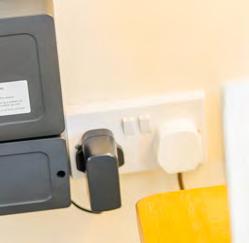
If you ordered a new Sure router, it will be sent out by recorded delivery. If you haven’t received your router 2 days before your installation visit, please call 700700 for a tracking reference.
If you did not buy a new router when you ordered fibre and your current router is more than 2 years old, it’s likely it won’t be compatible with fibre. Your engineer can advise if you need a new router in the pre-installation visit.
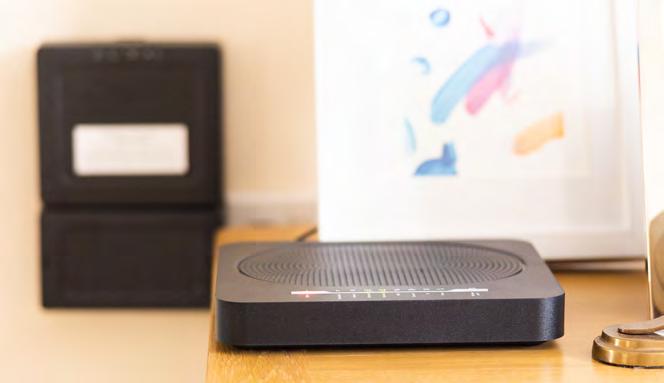
If you are using your own router, please have your login ready to share with the engineer.
Both the router and ONT need electricity, so must be plugged into one of your double power sockets. The engineer can provide a free 5-metre four-socket extension lead if you need one. Or you can ask an electrician to install a new double socket near to where the fibre equipment will be installed. This needs to be fitted before your fibre installation visit.
During the pre-installation visit, the engineer will advise on the best place for the fibre equipment, taking into consideration where you’d like it. For a free standard installation, the engineer needs to install the fibre equipment within three metres of the nearest habitable room where the fibre cable appears at your property and a maximum of four metres from a power supply.
Don’t place your router near:
• T V
• sound bar
• microwave
• radiator
• mirrors
• fish tank
• cordless phone
• baby monitor
Your router’s location may affect your WiFI signal.
Should the recommended location or cabling not suit you, you can ask for a non-standard installation and have the equipment wherever you’d like. This will incur an extra charge:
• The engineer can give you a fixed price quote to cover the additional cost in their first visit based on the cost of extra cable lengths or trunking and labour at £65 an hour.
• If you are happy with the quote, you can authorise it there and then or take time to think about it. You are under no obligation, and you can opt for a standard installation instead.
On your first visit, your engineer will talk to you about making emergency calls in a power cut. If you or someone in your household relies on a landline to call the emergency services (for a health condition) and you don’t have access to a mobile phone you may be classed as vulnerable, and eligible for a free fibre battery backup or a free mobile phone. If you’re not classed as vulnerable but you’d still like a Guernsey Fibre battery backup, you can buy one for £26.85 if it is installed at the same time as fibre, or £59.35 post-installation.
If you are having a battery backup unit installed, this will be at your second visit and the engineer will explain how to test it.
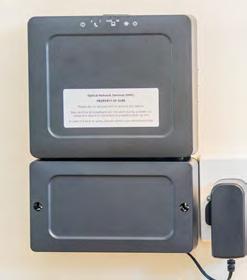
Around two weeks after your first visit, the engineer will visit again to install fibre. This will take between two and four hours and your broadband and landline won’t work for this time. Your electricity won’t be affected.
The external fibre cable location varies from building to building, some will be fed by an overhead pole, and some will be through an underground duct (pipe).
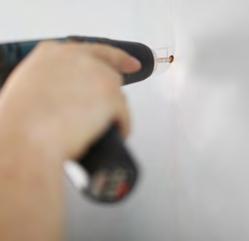
The engineer may need to drill a very small hole through an outside wall of your home into a ground floor room or under the roof eaves - but they will leave everything neat and tidy. The fibre cable is then fed into your property,
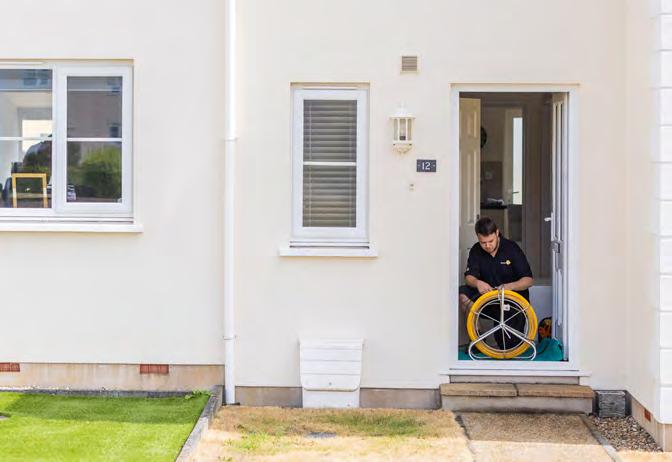
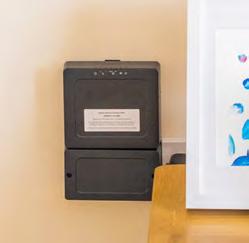
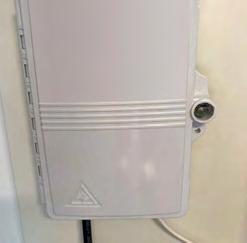
Your installer will take this cable to a splice box. This may be on the outside wall of your home, or inside (depending on where the main fibre cable is).
The ONT, cable box and router will then be fitted in your pre-agreed locations, plugged into your double power socket and connected.
The engineer will also install your router and check your WiFi and fibre connection is working.
Fibre broadband needs a router to send the signal around the house by WiFi. This signal is affected by where the router is placed, the thickness of your walls, and the surfaces nearby
Your installation engineer will be happy to set-up one of your internet-enabled devices and ensure that you have a fully working service before they leave. They’ll also carry out their own speed test.
If you didn’t upgrade to a new router, your device might run slowly as your old router is less able to handle fibre’s speeds. The engineer will be able to advise if your router is compatible with a fibre connection, or they can provide a new one.
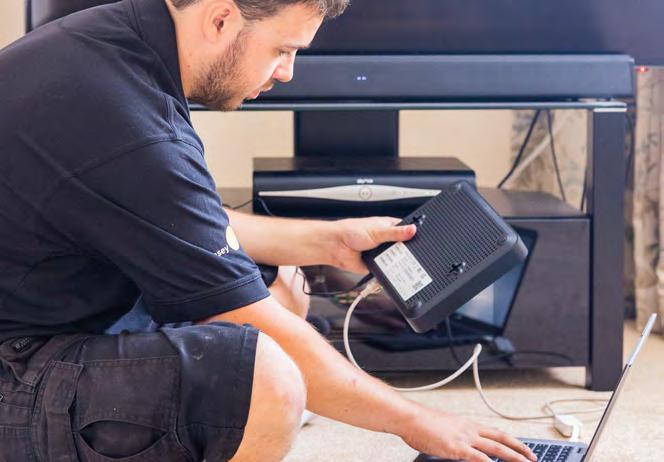
The engineer will ask you to choose a broadband and router password. If you choose a new password, you’ll need to enter this password in any internetenabled home technology such as a TV, tablet, mobile phone, laptop, and connected thermostats.
At the end of the installation, the engineers will tidy where they’ve been working and ask if you are happy with the work.
Your Sure Fibre will be live from the end of the installation visit. The engineer will leave your home satisfied that both your fibre and your WiFi are working properly.
All phone sockets that were live will still work with a landline handset plugged in but you may hear a slight difference in your home phone dial-tone and system announcements. Customers who rely on Star Service call features may notice some differences in call features.
We hope that you’ll love your new fibre broadband, but if you have any issues, please call us on 01481 700700.
If you’d like to carry out speed tests yourself, here’s how:
•Turn off your router’s WiFi and if it has Speedtest built in, test using this •Or, from an internet-enabled device that is connected to your router via an ethernet cable (such as a TV, PC or console) go to the website speedtest.ne
• If it's not possible to use an ethernet cable, run your speed test standing next to the router and try with different devices
•Run tests at different times of the day and week to give a real-world outcome
If you want to test your equipment, please note faster connections above 300Mbps, a device will achieve its highest speed if it is connected to the router by an ethernet cable. However, using wired equipment with a lower specification than fibre supports will affect the speed you can get.
If your router is moved to a new location after your Fibre installation, and you find your Wi-Fi is slower or no longer reaches parts of your property, then additional equipment may help. A Mesh Wi-Fi system can eliminate dead zones and provide fast, uninterrupted Wi-Fi throughout your home.
If your WiFi is fast at first and then slows down or you experience any other internet-related problems, turn the router off for 30 seconds. It should reconnect when you turn it back on.
If you are still having problems then you can download our app from the App Store or Google Play store. Search for "Sure Support" then download and install the App to your phone.
When asked to choose an option, select “Network scan” which will analyse your network. Then you will see a ‘key’ (a number) at the top of the app. Please take note of this so you (if you are the account holder) can call us on 014181 700700 to tell us the key, plus your landline number (or account number).
Once you have called us with this key, we can test your fibre service to run a more detailed live analysis and find a solution.
If you have any more questions, please call 01481 700700 or email: fibre@sure.com