
This book belongs to:
Copyright©2026
Author:ErinGoodwin
Editors:AsmaMahamedi,LindseyOwn,NatashaKarampela,HariMukulSagar,and RebeccaMcDowell
ISBN:978-981-17494-3-8
Publishedby: SKOOL21PTE.LTD.
71RobinsonRoad,#14-01,068895,Singapore
FirstEditionpublishedbySKOOL21PTELTD-Singapore,2024
SecondEditionpublishedbySKOOL21LLC-UnitedStates,2026
Nopartofthisbookmaybereproduced,distributed,ortransmittedinanyformorbyany means,includingphotocopying,recording,orotherelectronicormechanicalmethods, withoutthepriorwrittenpermissionofthepublisher,exceptinthecaseofbriefquotations embodiedincriticalreviewsandcertainothernon-commercialusespermittedby copyrightlaw.
Forpermissionsorinquiries,pleasecontact:
Email:info@skool21.org
Website:https://skool21.org
Address:600CaliforniaSt,#13-021,SanFrancisco,CA94108,UnitedStates
Welcometoyourbook! Welcometoyourbook! STEMInnovator!
Youarea Youarea
STEMInnovator STEMInnovator..AnInnovatorisaherowho AnInnovatorisaherowho usesdataandsmartrobotstosolvebigchallenges! usesdataandsmartrobotstosolvebigchallenges!

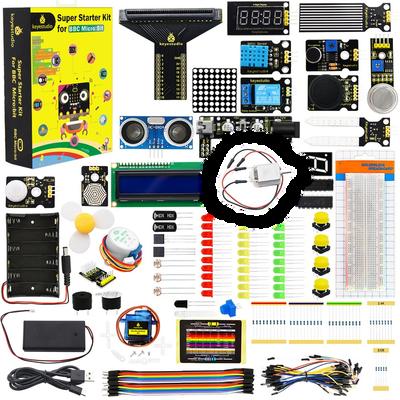
Openyour OpenyourSTEMMicro:BitKit STEMMicro:BitKit..Insideyouhave: Insideyouhave: iill: ll:
TheBrain: TheBrain:Amicro:bittothinkandrunyourrobots. Amicro:bittothinkandrunyourrobots.

nse nses: s:Sensorsthatmeasuremoistureandlight Sensorsthatmeasuremoistureandlight tion: ion:Expansionboardthatmakeyourmachineswork. Expansionboardthatmakeyourmachineswork.
Seismograph Seismographttomeasure omeasurehowtheground howtheground dur duringaninganearthquake. earthquake. withaMarsRover withaMarsRoverttolearnhowrobotshelpus olearnhowrobotshelpus erworlds. erworlds.
Nature Naturebymakingasmartsensortohelpplants bymakingasmartsensortohelpplants gettherightamountofwater. gettherightamountofwater.
EarnYour EarnYourRewards Rewards!!
Asyoucompleteeachproject,youwillearn Asyoucompleteeachproject,youwillearnIInnovatorStickers nnovatorStickers..
Attheendofthisbook,youwillreceiveyour Attheendofthisbook,youwillreceiveyourCertificateofInnovation CertificateofInnovation ttoshowtheworldthatyouarea oshowtheworldthatyouareaMasterofArtificialintelligence! MasterofArtificialintelligence!
Let’sbuildtogether! Let’sbuildtogether!

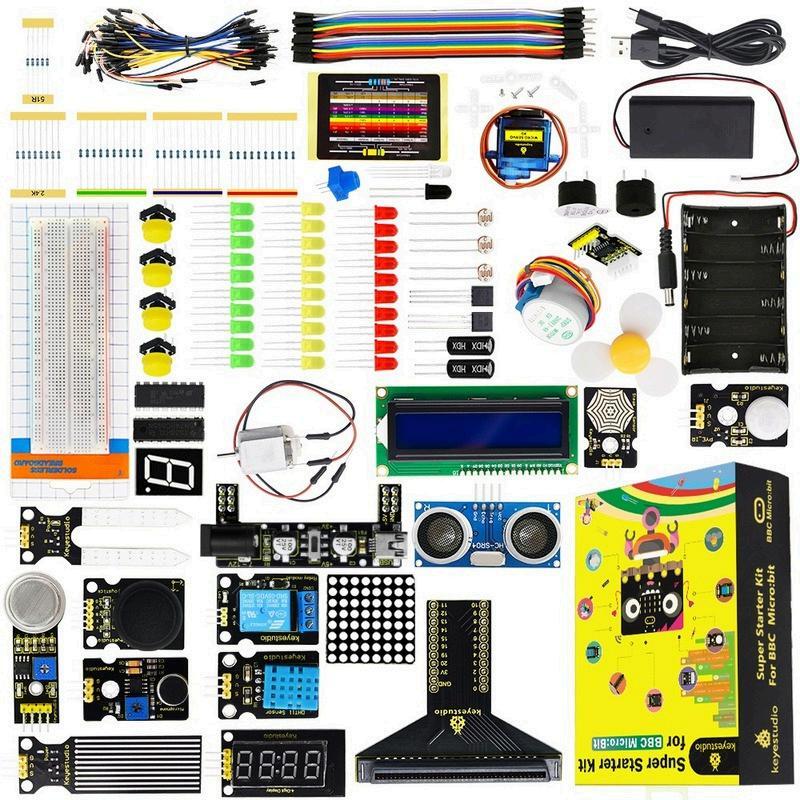
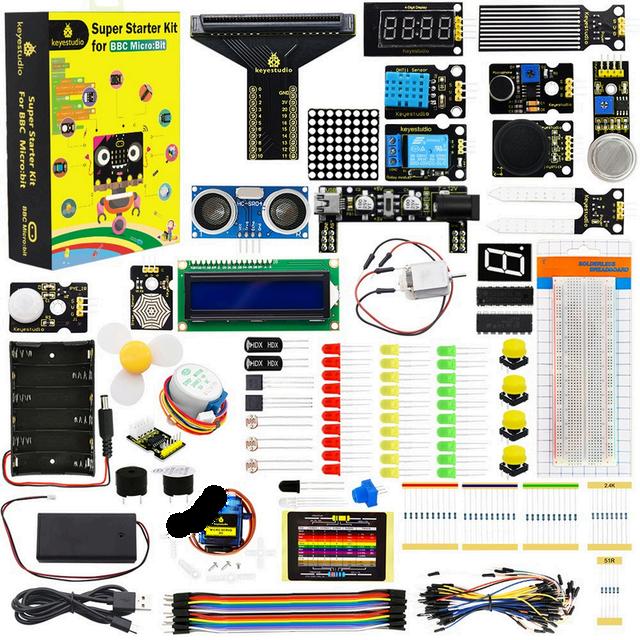
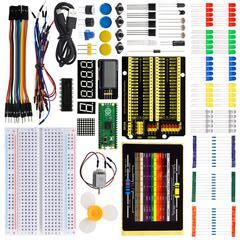
MeetYourSKOOL21STEMMicro:bitKit!
Openyourboxandseewhatisinside!Thiskithas everythingyouneedtobuildandplay.Useyour micro:bitwithprogrammingandsensors.Youcan turnyourbigideasintorealworkingsimulations. Let’sbuildtogether!
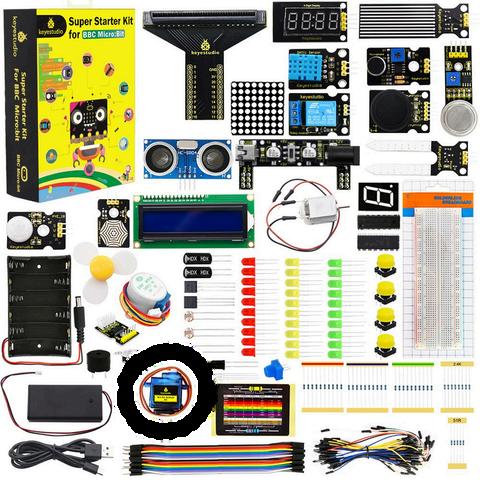
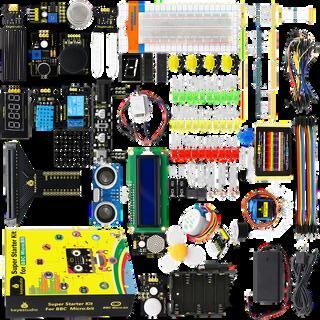
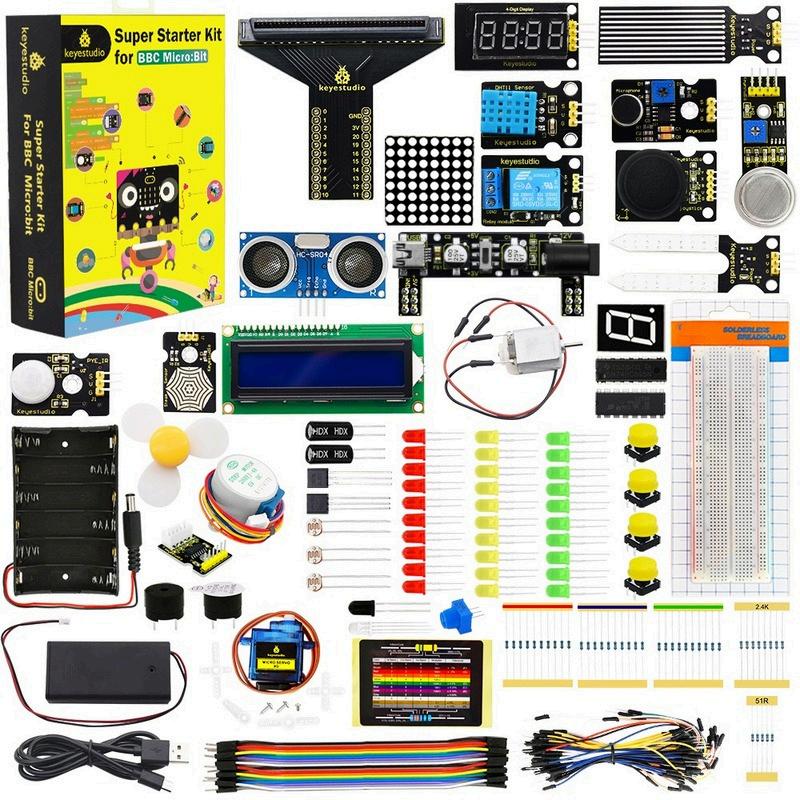
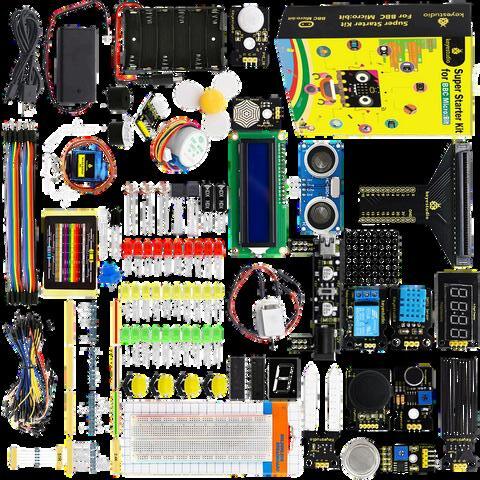
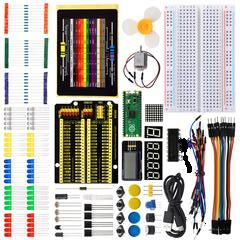
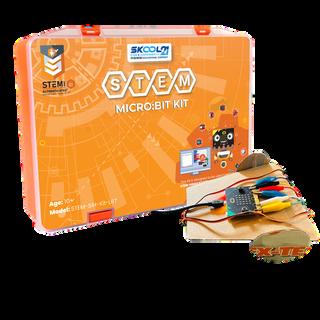
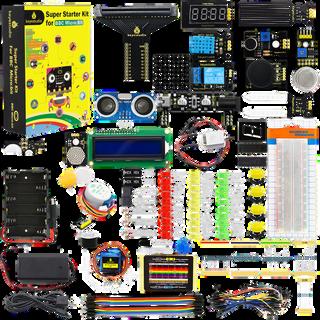
KITCOMPONENTS KITCOMPONENTS
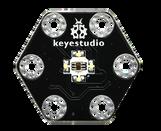
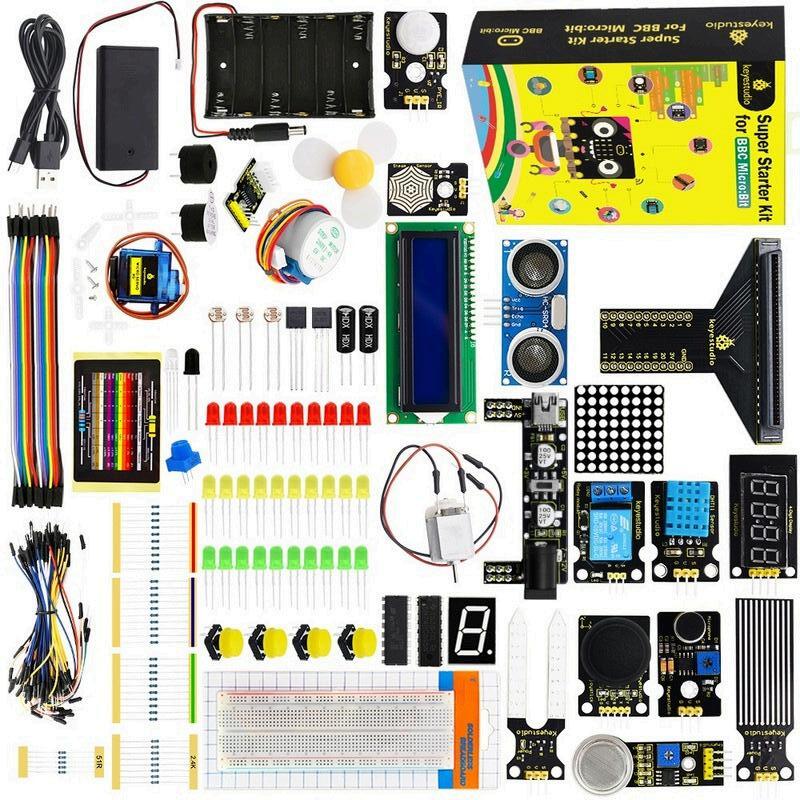
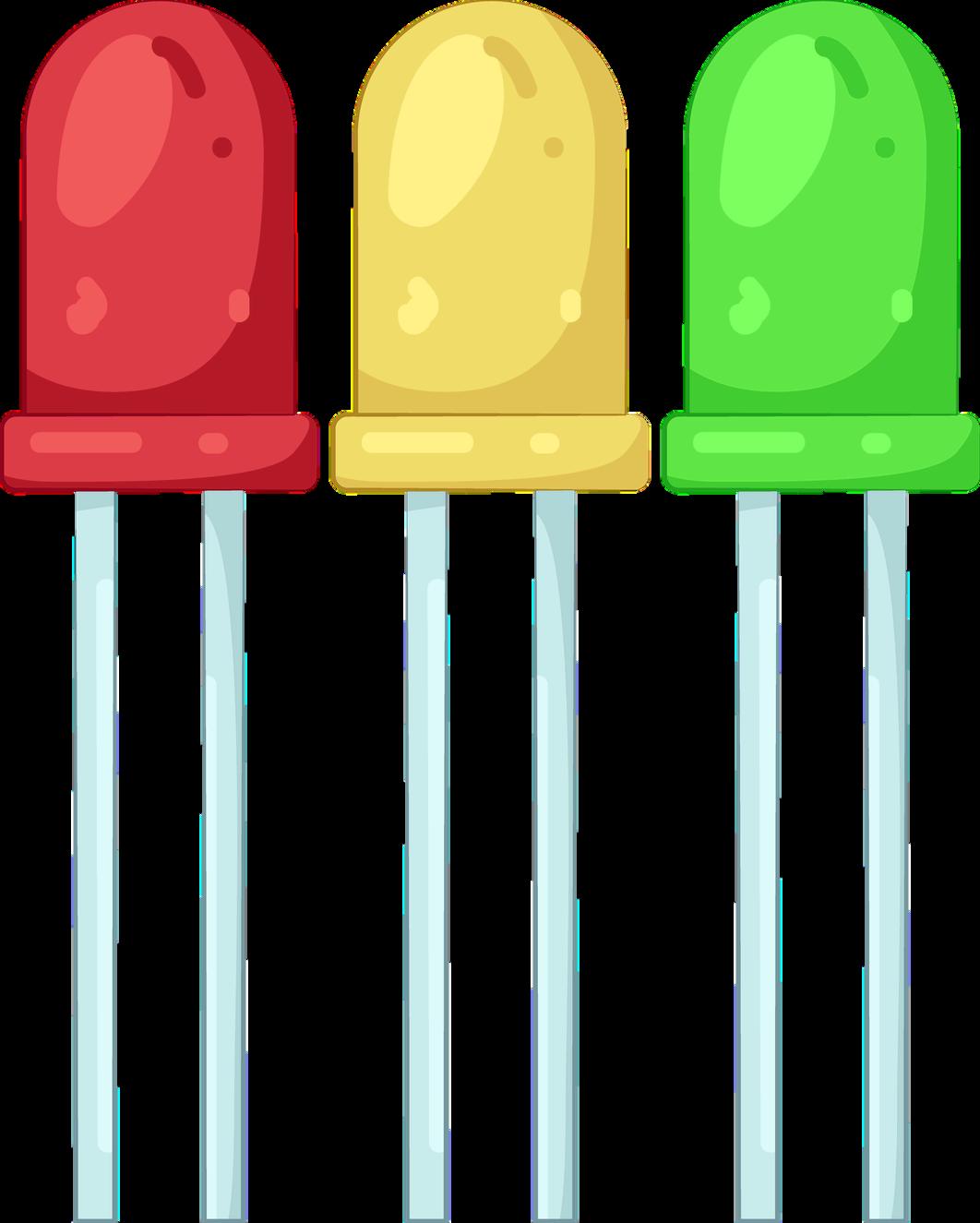

LEARNINGOBJECTIVES LEARNINGOBJECTIVES
Attheendofthislesson,learnerswillbeableto:
OpentheMakeCodewebsite
Createanewproject
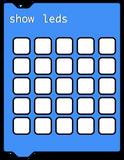
UseblockstocontroltheLEDpad
Downloadyourprogramtothemicro:bit
Explainwhattheforeverblockdoes
VOCABULARY VOCABULARY



MATERIAL MATERIAL

Thewebsitewhereyouprogramthemicro:bit
The25smalllightsonthemicro:bit
MakeCodeisawebsite.Youuseblockstomakeaprogram.Theblockstellthe micro:bitwhattodo.TheLEDpadshowstheresult.With MakeCode,youcan:
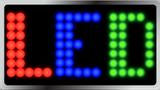
Showpictures andwords



InMakeCode: Program Aprogramis madewith blocks Blocks Blocksare usedtobuild instructions LEDPad


TheLEDpad showswhatthe programdoes
1.OpenGoogleChrome.
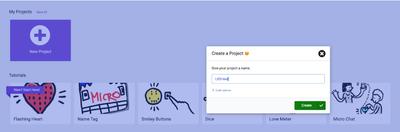
4.Nameyourproject:LEDTest. GETTINGSTARTED GETTINGSTARTED
2.Goto:makecode.microbit.org
3.ClickNewProject.


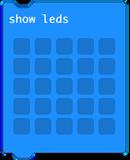
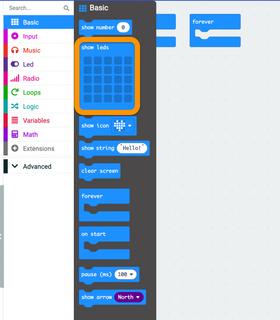
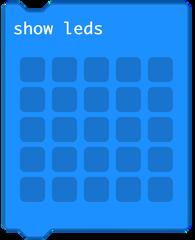
5.Draga block.
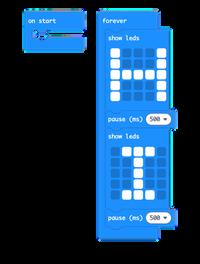
6.FromBasic,drag intoforever.
7.FromBasic,drag intoforever.

8.FromBasic,drag intoforever.
9.FromBasic,drag intoforever
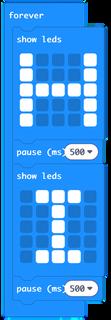
IIMPORTANTIDEA MPORTANTIDEA
Theforeverblockrepeatsthecodeagainandagain.
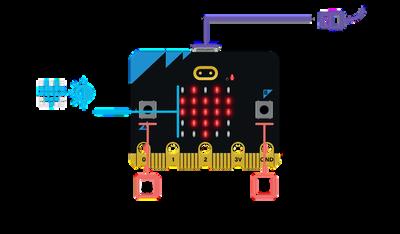
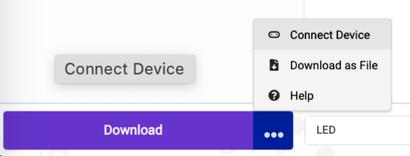
2.ClickDownload(bottomleft).Click ConnectDevice. CONNECTYOURMICRO:BIT
1.Connectthemicro:bittothecomputer.
3.SelectyourBBCmicro:bitfromthelist. Waitafewseconds.
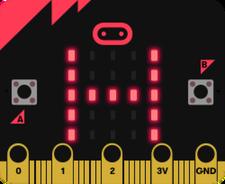
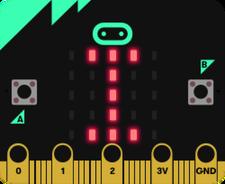
YouwillseeHIHIontheLEDpad. Watchthescreen
IIMPORTANTIDEA MPORTANTIDEA
IfYourDeviceDoesNotConnect
UnplugandplugtheUSBagain
LookfortheMICROBITdriveonyourcomputer
ClickDownloadasFile
DragthefileintotheMICROBITdrive
TRYITYOURSELF TRYITYOURSELF
Changeonethinginyourprogram:
ChangeHItoyourname
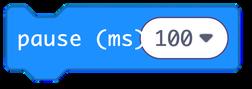
Makethepauselonger
Addanumberaftertheletters
Downloadagainandtest.
STOPANDTHINK STOPANDTHINK
1.Whatdoestheforeverblockdo?






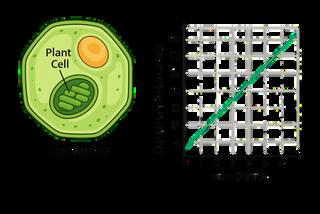
Plantandanimalcellsusedifferentcellpartstocreateenergy.Whileanimalcells usemitochondriatobreakdownaminoacidsintoenergy,plantcellsuse chloroplasts,whichusesunlight,togenerateenergyforthecellthroughthe processofphotosynthesis.Butjusthowmuchenergywillaplantgenerate?This dependsontheamountoflightshinesontheplantcell.Forgardenerswith'full sun 'plants thosethatrequireatleast8hoursofsunlightaday maximizing incidentlightisessential.Thentheyneedatleasteighthoursofdirectdirect, intenselightaday.Thebuilt-inlightsensoronthemicro:bitcanhelpusersfind thebestplacementforplantstomaximizetheenergyproducedthrough photosynthesis.
Agardenerneedsadeviceto identifytheoptimallocationfor theirfull-sunplants.Canyour teamhelp?
MEASUREYOURSUCCESS

Yourprojectshould:
Measurethelightintensity
Alerttheuserwithpitch,volume,and frequencywhenthelightintensityis high

Yourprojectmust: Useonlythematerials provided Includedesignideasfrom everyteammember
Workwithyourteamtodeterminewhowillcompleteeachroleforthisproject.
ProjectManager
ResourceManager
ProjectCommunicator
ProjectTester

VOCABULARY
Reviewthefollowingvocabularytermsandtheircorrespondingdefinitions,which youwillencounterthroughoutthischallenge.


REQUIREMENTS
1.Haveyoumadeamicro:bitaccountifyouwishtosaveyourcode?
2.HaveyouensuredthatyourdevicehasaUSBport,orthatyou havethenecessaryadapter?
Ifyouanswered“yes”toallofthe questions,thenyouarereadyto beginthisproject!
GETTINGSTARTED TECHNOLOGYINFOCUS
Ifyouanswered“no”toanyofthequestions,you mightwanttoreviewthatsectionbeforebeginning thisproject!
A4×4membranekeypadisasmallinputdevicethatletsuspressbuttonsto sendcommandstotheRaspberryPi.Wecanuseitto:
Unlockdoorsusingapasscode
WIRE
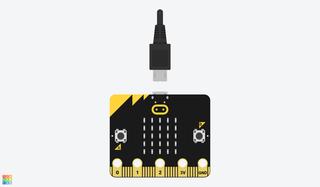
Step1:Takethemicro:bitoutofthepackageand connectittoyourdevicewiththeUSBcord.
Start/stopdeviceswithabuttonpress
CODE
Step1:Openmakecode.microbit.org.First,wewilllearnhowthe built-inlightsensorworks.
Step2:Whenthemicro:bitis pluggedin,createthe followingcode.

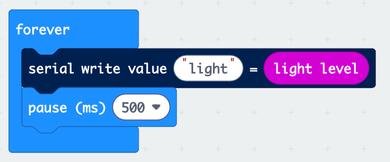
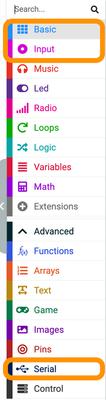
Hint:thecolorsofthecommandscanbematchedtothecorrespondingcolor tabsontheleft-handside.Additionally,commandscanbesearchedinthe “Search”baratthetopofthetabsforquickeraccess.
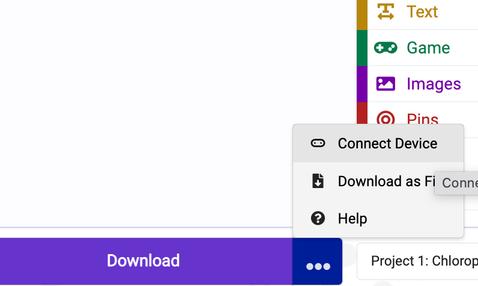
Step3:Pairyourmicro:bitwithyour computerbyclickingthe“...”tothe rightof“Download”andselecting “ConnectDevice”.
Step4:Afterdownloadingthecode, click“ShowData-Device”toprint& graphthelightsensorreadings.
BUILD
Step1:Createaprogramtoalerttheuserwhenthelightlevelexceedsa certainthresholdusingthebuilt-inbuzzer.Notethatthecodeneedstobe downloadedtodisplayonthedevice.
Youcanstartwith thefollowingcode, butupdatethe thresholdtofind themaximum amountoflightfor yourenvironment.
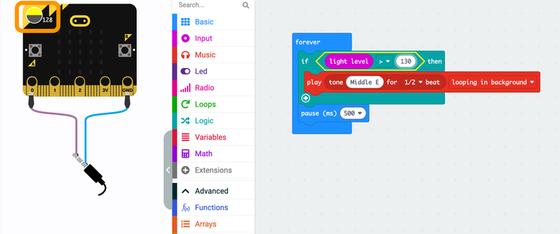
Note:Thesimulatorshowsanincidentlightlevelof128,soachosenthresholdof130allows theusertokeepmovingthesensortotrytofindabrighterlocation
THISISWHEREYOUUSEYOUROWNTHINKING! THIS IS WHERE YOU USE YOUR OWN THINKING!
Createacodethatwillhelptheuserfindthebestlocationfortheirplantsto optimizethelightreachingtheirchloroplasts.Considerpitch,volume,and frequencyinyoursolution.
Afterdownloadingthecode,poweryourmicro:bitwiththebatterypackso youcanunplugtheUSBcableandcarryitaroundtheroomwithyou.Where isthebestplaceforthechloroplaststoreceivethemostlight?
Createasketchforyoursolutiontothechallengebelow.
TEST
Gobacktothe'MeasureYourSuccess'sectionandcheckthe boxes.Doesyourprojectmeetallthecriteriaandconstraints?
MATHANDSCIENCECONNECTION


1.Ifthelightsensorrecordedthatlightwasincreasingataconstantrateof3/4 lumensperhourandiscurrentlysensing2lumensofbrightness,howbrightwillit sensein4hours?
2.Ifthereare15plantsinagardenand ½cupofwateraday,howmuchwater willbeneededtowatertheplantsfortwoweeks?
SUSTAINABILITYINFOCUS
Industry,InnovationandInfrastructure(SDG9)aimstosupporttechnological progressinindustries,andbuildaskilledworkforceforthefuture.Thisincludes:


1.HowdoestestingfrictionhelptheEarth?Circlethecorrect answer.




2.Whichjobdesignssafeandfastcars?Circlethecorrectanswer.






FEEDBACK FEEDBACK
Showyourprojectto3friendsandcollectstickers!


Trytowireandprogramthesolutionyourself Ifyouarehavingtrouble,look attheimagesbelowforguidance.
SAMPLESOLUTION
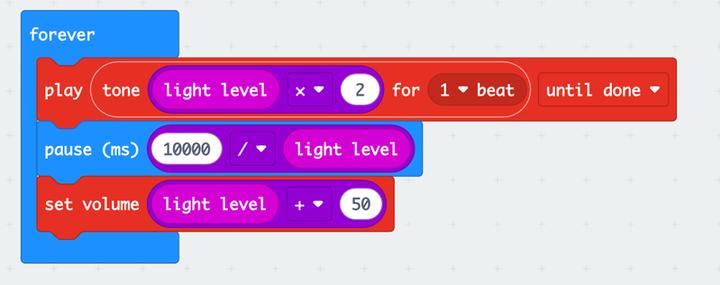
Notehowmathematicalequations,thepurplebubblesthatshow multiplication,division,andaddition,usingthelightlevelsensorreadingwere usedtoscalethedesiredoutputaccordingly.
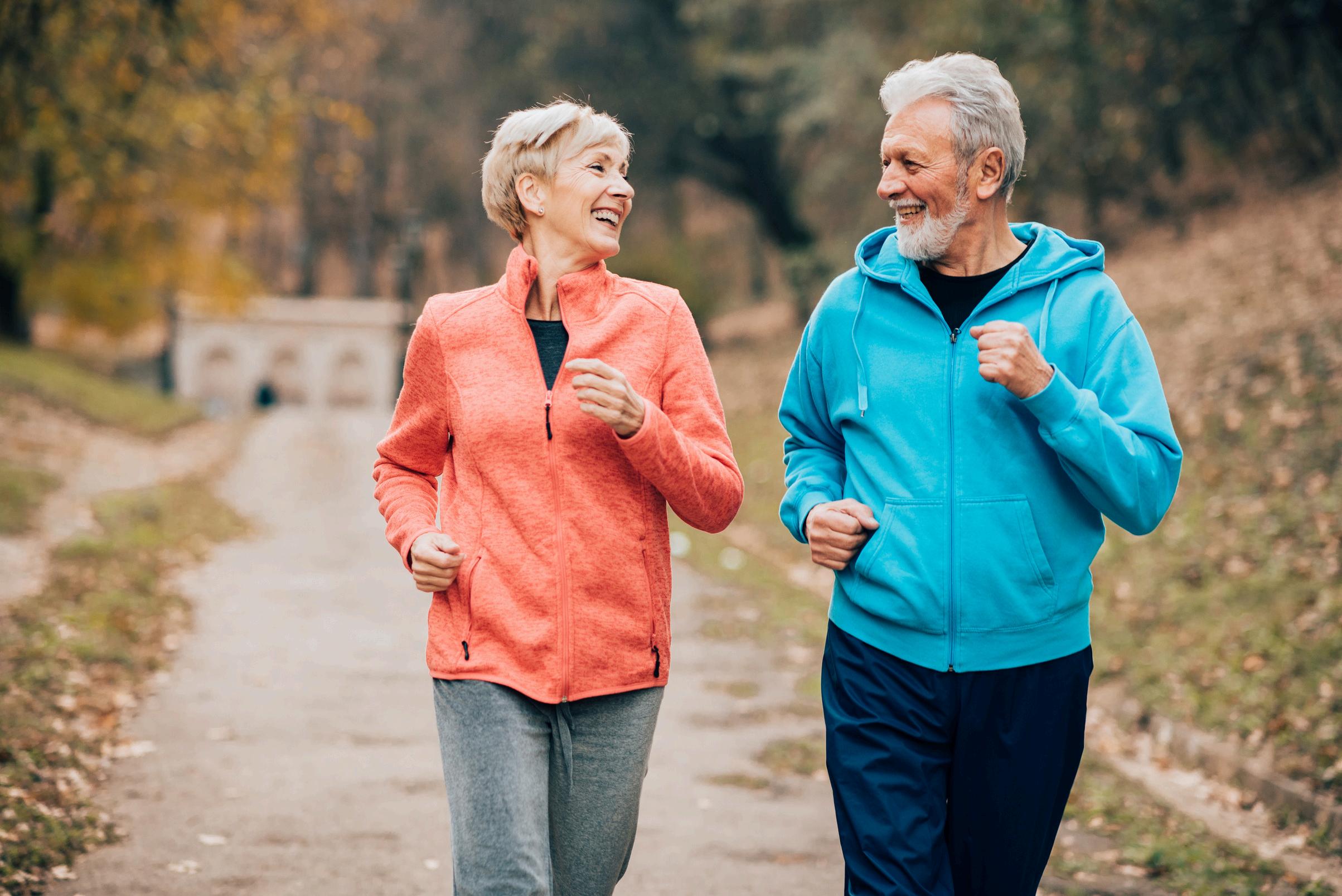

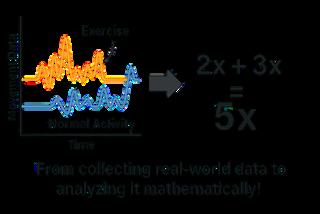
Our bodies convert chemical energy from food into mechanical energy for movement, and regular exercise is an important part of a healthy lifestyle. But how can technology tell when someone is active? Fitness devices use sensors, likeanaccelerometer,totrackmovementanddetectpatterns.WiththehelpofAI andmachinelearning,theycanrecognizewhenmovementincreasesandtrack the amount of time spent exercising. This allows the technology to analyze activitylevelsandprovideusefulfeedbackonphysicalactivity.

An elderly care facility wants you to help them create a fitness timer to trackhowlongsomeoneisexercising. LightforPhotosynthesis
MEASUREYOURSUCCESS
Yourprojectshould:
1. Automatically and accurately measure thelengthofexercise
2.Bewearableandstayonduringexercise
3. Meet the criteria for one additional challenge
TEAMROLES

Yourprojectmust:
1.Useonlythematerialsprovided
2.Includedesignideasfromevery teammember
3.Besafeandcomfortabletouse
Workwithyourteamtodeterminewhowillcompleteeachroleforthisproject.
ProjectManager
ResourceManager
ProjectCommunicator
ProjectTester
VOCABULARY
Reviewthefollowingvocabularytermsandtheircorrespondingdefinitions,which youwillencounterthroughoutthischallenge.


GETTINGSTARTED
WIRE
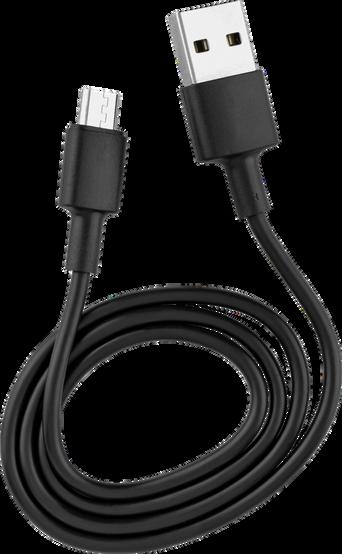
Step1.Plugthemicro:bitintoyourdeviceusingtheUSBcable.
COLLECTDATA
Step1.Opencreateai.microbit.org/andselect“GetStarted.”
Step2.Select“Newsession”andnameit“AIFitnessTimer.”
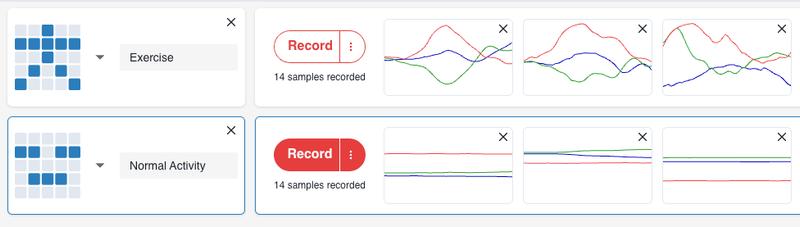
Step3.Select“Addaction”andchooseanimagethatlookslikeexercising.Name theaction“Exercising.”
Step4.Select“Connect”andfollowthepromptstodownloadthedatacollection softwaretothemicro:bit.
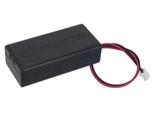
Step5.Afterdownloading,itwillpromptyoutodisconnecttheUSBandconnect the battery. Do so, then follow the prompts to bluetooth pair the micro:bit with yourdevice.
Step 6. Now, each team member will take turns providing data to train the AI model. For this part of the activity, you will just hold the micro:bit and battery pack in your hand. Then, you will perform different types of exercises after each countdown. After completing 10, hand over the micro:bit for the next teammate toprovidedata.
Step7.Fromthe“Record”menuselect“Record10samples.”Dothisforeachteam member.
Step8.Select“Addaction”andchooseanimagethatlookslikerestingornormal activity.Nametheaction“Normalactivity.”
Step 9. Take turns collecting resting and normal activity data. Make sure to collectdatawiththemicro:bitindifferentorientations.
Step10. Reviewyoursamplesandremoveanythatappeartobedataoutliers.
TRAINTHEAIMODEL
Step1.Select“Trainmodel”then“Starttraining.”
Step2.Take the Tour to test your model then test its accuracy. Identify types of exercises that are not recognized. Then, select “Edit data samples” and provide moredatatoimprovetheaccuracyofyourmodel.
Step 3. Once you are satisfied with the accuracy of your model, select “Edit in MakeCode.”
CODE
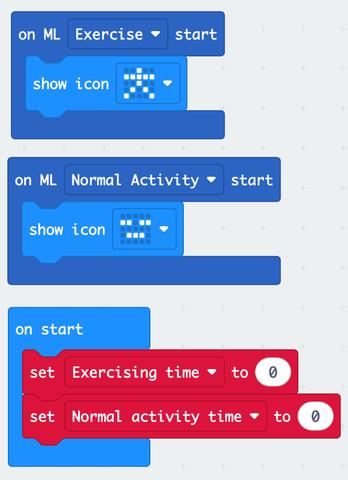
Step1. In MakeCode you should now have the twoblocksofcodeprovidedasshownhere.
Step 2. Add “on start” then make two new variables called “Exercising time” and “Normal activity time.” Use these variables to build the codeshown.
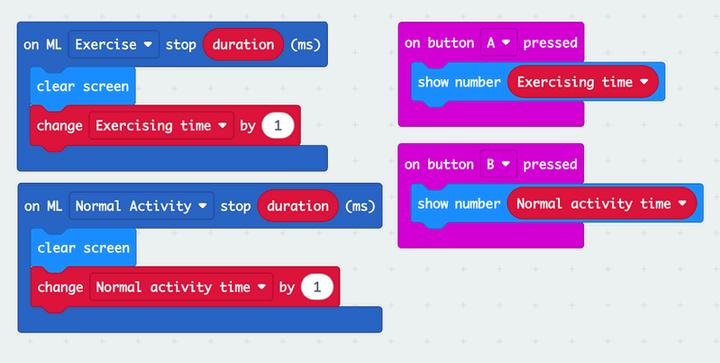
Step3.FromtheMachineLearningmenuaddan on ML duration stop block. Set the variable to “Exercise.” Stack a “clear screen” and a “change exercising duration” block inside the ML block. Duplicate the code and change the variables as shown.
Step 4. Build the code so that pressing the buttons will display the amount of time for each typeofactivity.
CHALLENGE
Use the materials to design a way to wear the micro:bit during exercise. Then, chooseoneormoreofthefollowingchallengestocomplete Addsound,lights,and/ortexttoprovidefeedbackandmotivationtotheuser Addcodeblocksthatshowa'?'whenthemodelcannotidentifyyouraction.
Retrain your AI model to detect and time specific types of exercises or activities.
DESIGNANDPLAN
Create a sketch for your solution for the wearable design and your chosen challengebelow.
BUILDANDCODE
Remember to use ideas from everyone in your solution and work together to buildandcodeyoursolution.
TESTANDEVALUATE
To test your solution press the reset button, exercise for 30 seconds, then press button A. You should see a number close to 30 scroll across. Now, go back to Measure Your Successandchecktheboxes.Doesyourprojectmeetallthe criteriaandconstraints?
TEST TEST
Gobacktothe'MeasureYourSuccess'andchecktheboxes. Doesyourprojectmeetallthegoalsandrules?
MATHANDSCIENCECONNECTION
1.Whyisitimportanttolookfortrendsinthedataandidentifyandremovedata outlierswhentraininganAImodel?
2. A fitness tracker records a runner’s pace over three segments of a workout. Thetimesforeachsegmentaregiveninminutes:
Segment1:2�� +1.5
Segment2:3�� 0.5
Segment3: �� +2.25
Writeandsimplifyanexpressionforthetotalworkouttime.
REFLECT REFLECT
SUSTAINABILITYINFOCUS
GoodHealthmeansmakingsureeveryone’sheartandbloodstaystrong.Your circulatorysystemmodelhelpsscientiststestnewmedicinesandvaccinesfor everyone.Thisincludes:
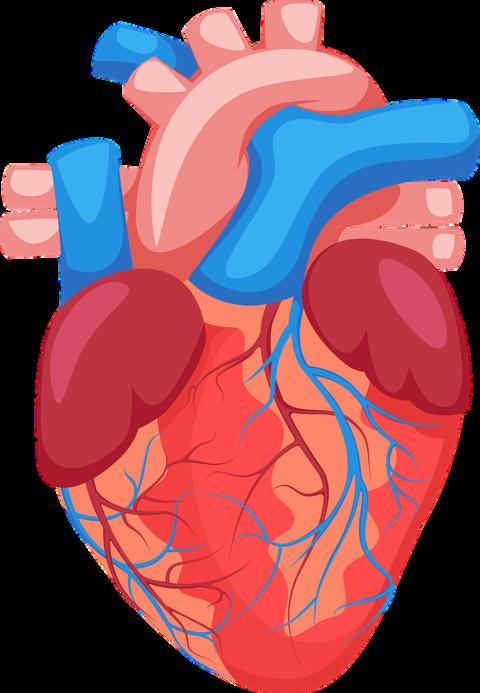
1.Howdoesyourscannerhelppeoplestayhealthy?Circlethecorrect answer.




2.Whichjobhelpsmothersandbabies?Circlethecorrectanswer.


FEEDBACK FEEDBACK






Completethefollowingsentenceandpracticesayingtoyourfriends:
Showyourprojectto3friendsandcollectstickers!


Trytowireandprogramthesolutionyourself Ifyouarehavingtrouble,look attheimagesbelowforguidance.
SAMPLESOLUTION
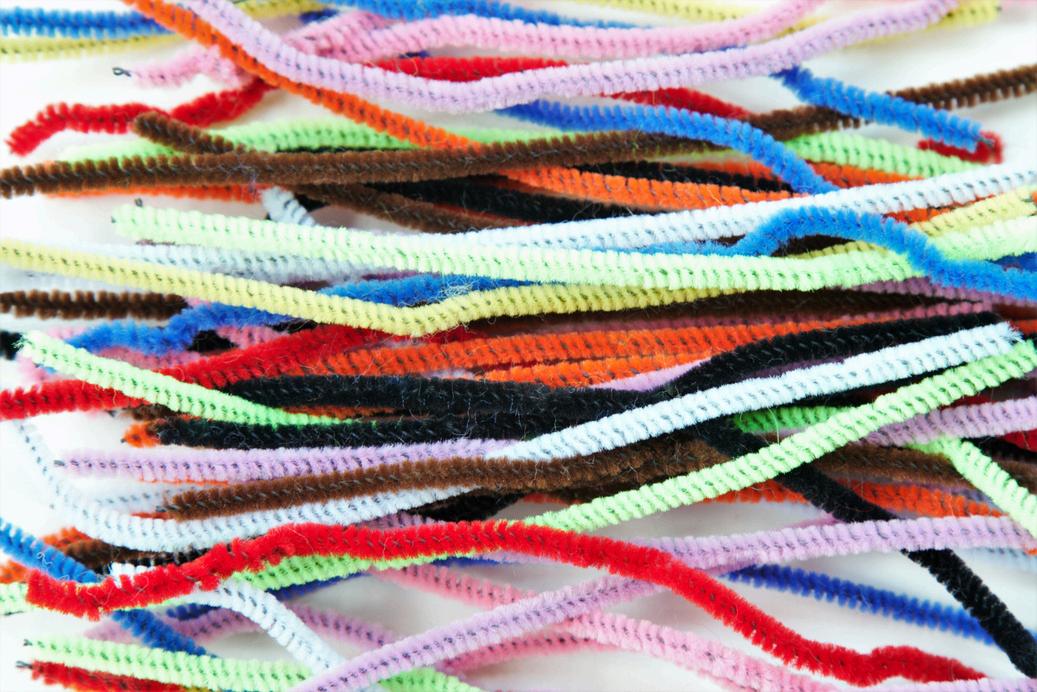
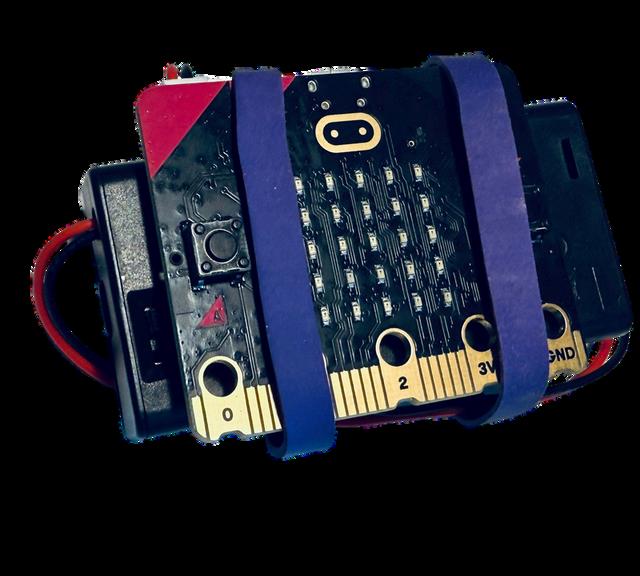
One way to build the wrist strap uses elastic bands to hold the battery and micro:bit together. Then, loop the chenille stems through the bands to form an adjustablewristband.
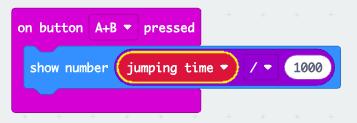
Ifyouaddathirdactivity,youcanusethe“onbuttonA+Bpressed”blocktoshow thetime.

C E R T I F I C A T E O F I N N O V A T I O N C E R T I F I C A T E O F I N N O V A T I O N C E R T I F I C A T E O F I N N O V A T I O N C E R T I F I C A T E O F I N N O V A T I O N