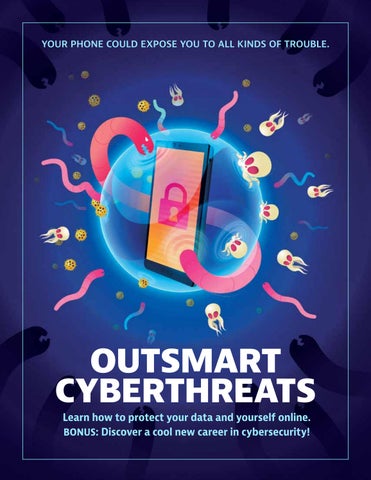
YOUR PHONE COULD EXPOSE YOU TO ALL KINDS OF TROUBLE.
OUTSMART CYBERTHREATS Learn how to protect your data and yourself online. BONUS: Discover a cool new career in cybersecurity!
Dear Student, Think about how much of your life happens online. Your phone, tablet, or computer might hold your photos, messages, favorite games and apps, schoolwork, passwords, and more. Because technology is such a big part of our lives, knowing how to stay safe online is an important skill — just like knowing how to stay safe in the real world. Every time you go online, you leave behind a digital footprint. That includes the things you post, the websites you visit, the apps you use, and the information you share. Even small choices can add up and tell people more about you than you might expect. Unfortunately, not everyone online has good intentions. Scammers, hackers, and other cybercriminals may try to trick you, steal information, or get into your accounts. But you can learn how to recognize these risks and make smart choices. This booklet will show you how to: • Protect your devices, accounts, passwords, and personal information • Spot scams, phishing, and other online tricks • Think before you click, post, or share • Use technology responsibly and help keep others safe • Understand AI and how it is changing the way we use technology • Explore careers in cybersecurity, technology, and data protection You don’t have to be a technology expert to be good at cybersecurity. Every one of us has a role to play in staying safe online. Whether you’re playing a game, watching videos, doing homework, talking with friends, or exploring something new, the choices you make online matter. The more you know, the more confident and prepared you can be. The skills you learn in this guide can help you protect yourself, your friends, your family, your school, and your community. You’ve already taken the first step by opening this booklet. Ready? Let’s get started! Sincerely, Kelli Arena President & CEO
808 Landmark Drive, Suite 223, Glen Burnie, MD 21061 www.cryptologicfoundation.org
➜ WHAT'S INSIDE PART 1: A DAY IN THE LIFE OF YOUR PHONE
4 4 5 6 7 8 8 9 10 10 11 13
PART 2: HOW THINGS GO WRONG ONLINE...
14 14 15 16 17 18 19 20 22 22
PART 3: CONTROL YOUR RISK ONLINE
24 24 25 26 26 28 29 31
Your phone has a busy day Apps that track you the most Big Idea 1: Data security Your business is big business Which leads us to cyber crime Cyber criminals love your data. Here's why. How schools get hacked Everyone has a responsibility The value of "data care." How strong are your passwords? Something for everyone
The next, no-good, very awful day Key cyber safety terms The trouble with trust How to spot a phishing attempt Big Idea 2: Establishing trust How to know a website is safe The next steps get tricky The security mindset Watch what you say or send or snap
The day gets better … eventually Tips to stay safe in the AI era Living with online risk How does AI actually work? Big Idea 3: Risk How the scam worked The world wants you
PART 4: EXPLORE A FUTURE IN CYBERSECURITY 32
How they do what they do It’s all in how you look at things Is a spot in cyber right for you? Types of cyber jobs How cyber stars took flight
32 33 34 35 36
National Cryptologic Foundation offerings
38
ILLUSTRATIONS BY HUAN TRAN
OUTSMART CYBERTHREATS ➜ PAGE 3
PART 1: A DAY IN THE LIFE OF YOUR PHONE
Your phone has a busy day 6:45 AM: Right next to your ear,
12:45 PM: At lunch, that guy Greg is
something clicks and beeps as the alarm
playing Zynga Poker online with who
on your phone goes off. Your Sleep Cycle
knows who and bragging about how much
app claims to know just when to wake
he’s won. Guh. Your phone buzzes with a
you up, but it’s always too early.
text from a friend from camp last summer about a fun new game called Space
7:20 AM: Over breakfast, you check out
Noodle with a link to download. Quickly,
new Instagram Stories from Nike and
you click and get the game yourself.
some friends — you heart a couple, comment on a few, share some more.
3:15 PM: Here comes a text from the
PHOTOS BY ISTOCKPHOTO.COM UNLESS OTHERWISE INDICATED
principal about school pictures being
PAGE 4 ➜ OUTSMART CYBERTHREATS
taken the next day. Not awesome. Now your mom is really going to care about what clothes you wear.
APPS THAT TRACK YOUR EVERY MOVE
6:45 PM: After dinner delivered by DoorDash, you put in your ear buds and sink into scrolling for funny TikToks. After a while, you remember you wanted new shoelaces to go with the sneakers you bought on Amazon last week. A quick chat with Siri shows you dozens of options, and you quickly find just the right color for free delivery. 8:35 PM: You sneak in some YouTube before 9 PM phonesoff, just as a text comes in with an update to the game you got at lunch. Weird, but convenient, so you click the link and watch the file download before shutting down for the night. After a day like this, your phone has learned about your sleep habits, sense of humor, clothes interests, food preferences, game-playing habits, and footwear fashion sense. And that’s just for starters. Every time you interact with a company or an app online, you deliver even more information. Companies have a voracious appetite for information. In a study to determine which apps gather the most data, every company named above was in the top 25. Besides obvious items like your email, name, and phone number, these apps also collect things like age, gender, geographical location, and home address. They can even learn about your hobbies, bank account, and any pets you own. Oh, and often companies gather much of the same information about everyone you connect with through an app — your family, friends, online contacts, and so on.
OUTSMART CYBERTHREATS ➜ PAGE 5
BIG IDEA 1: Data Security Data lives in many places and in many forms. Keeping it secure and private is crucial. One part of data security involves control over physical access to devices that store data. Another involves virtual access and all the technical measures that keep digital data safe from bad guys. PHYSICAL ACCESS: Think about all of the machines that gather and store data. ➜ How many can you name? ➜ Where do people store data in your school? ➜ What kinds of restrictions are in place at your school to keep people out of spaces where data is stored? VIRTUAL ACCESS: To get access to your data stored in computer systems, you typically must get through two “gates”: authentication and authorization. Authentication is you proving that you are you. It usually involves something that ➜ only you know, such as a password, ➜ only you have, such as a key, or ➜ only you are—your fingerprint, for example, or your retina. Authorization is what you are allowed to see or do with data once you have proved that you are you. AI can make both of these gates smarter and stronger, adding sophisticated security measures to do with unique behaviors and traits of users — things like how they type and use a mouse to when and where they usually login to the kinds of things they do with their data once they’re inside a system. The best data security systems combine both physical and virtual controls in multiple layers or sequences of security measures. If one layer were to fail in a cyber attack, then the next layers would be in place to prevent further access to the stored data. Think about where you put your phone overnight, when it is out of your physical keeping. What kinds of physical and virtual security layers are in place to protect it? Can you imagine how each of these layers might fail? What could you do to improve the overall security profile of your phone? 6 KIPLINGER’S PERSONAL FINANCE 03/2021
Your business is big business It has become big business — no, huge
about our interests and needs to the
business — to gather, analyze, and then sell
companies offering these tools.
information. The global market for buying and selling data ran to more than $250
Companies do mostly use online data for
billion in 2022. Big data lets companies
understandable business purposes — to
connect all the dots and get to know us
improve services and products, learn more
inside and out — what we buy, care
about what we want from them, and
about, feel, and do in the real world.
devise new approaches to marketing and advertising. Those shoelace ads that pop up
The explosion of artificial intelligence
in your Google searches, for example, result
tools in recent years has only super-
from the tracks you leave online looking for
charged these data-gathering and analyz-
new laces for the sneakers you just bought.
ing activities. Companies use AI tools to
And AI tools like chatbots and virtual
harvest even more personal data, find
assistants are built atop all this online
and monitor social media accounts more
data, often saving users and companies
fully, and track where we go online with
alike time and money. “Talking” with
greater precision and detail. And all our
personal technologies that seem to know
ChatGPT queries and Alexa commands
who we are and what we want might be a
conveniently serve up valuable data
little creepy, but the results can be useful.
KIPLINGER’S PERSONAL FINANCE 7 OUTSMART CYBERTHREATS ➜ PAGE 7
03/2021
Which leads us to cyber crime But. All those bits and pieces of our digital
dollars every year. Data breaches expose
selves sloshing around online also present
hundreds of millions of online accounts to
risk. People with bad intentions acquire
potentially criminal exploitation.
and misuse our online data, making cybercrime big business as well. Damages
In addition, people can use AI tools to
attributed to cybercrime cost billions of
amplify the dangers of cybercrime and
CYBER CRIMINALS LOVE YOUR DATA. HERE'S WHY. 8
KIPLINGER’S PERSONAL FINANCE
03/2021
PAGE 8 ➜ OUTSMART CYBERTHREATS
Bad guys online don’t care so much about kids themselves IRL — but they do love kids’ data. That’s because kids usually have no financial
history attached to their data. With a full set of real-person data and no financial history attached, criminals can do all sorts of fraudulent
make attacks bigger, more frequent and effective, and harder to detect and defeat.
HOW SCHOOLS GET HACKED
Keeping online data safe from bad actors and their AI weapons is the main concern of people who work in cybersecurity. They try to build
PowerSchool, a leading educational
safer networks, more secure phones and
technology company, provides software
computers, stronger security programs,
that helps almost 15,000 U.S. schools man-
and systems for managing data that
age students’ personal data and test scores, as
resist intrusion or attack. And
well as information about teachers’ compensa-
they get to use AI tools, too.
tion and benefits. The company is a longtime
All the ways AI can make
supporter of high standards for student data privacy
cyberattacks more effective
practices. And yet, just after Christmas in 2024, a hacker
also contribute to making
in Ukraine used pirated login credentials to break into the
AI-powered cyber
company’s systems and steal enormous volumes of students’
defenses stronger,
and teachers’ personal data, ranging from grades and addresses to — in some cases — Social Security Numbers. As usual in K-12, the
smarter, and more
breach resulted from lax safety practices by companies or organiza-
nimble.
tions working with schools, not the schools themselves. But the risks to students’ data remain, and the problem is only
Cybersecurity is a
getting worse. More online and distance learning, ever-
fast-growing, fast-
growing volumes of data, and new forms of learning
changing industry, with exciting opportunities and ample rewards for people with the skills, interests, and drive needed to succeed. In this book, you will identify skills and interests of your own that might make you a good candidate for work in this field.
technologies are filling schools with more and more online computer systems. This growth in digital data will only increase the number of “attack surfaces,” or vulnerabilities to cyber threats, that K–12 schools are going to have to learn better how to protect.
things to borrow and spend money, all in real kids’ names. The bad part is that when these kids grow up and apply for credit
cards, student loans, or other forms of credit and debt, they will find their identities have already been tied to
irresponsible or even illegal money behaviors — even if they had nothing to do with them in the first place. 03/2021 KIPLINGER’S PERSONAL FINANCE
9 OUTSMART CYBERTHREATS ➜ PAGE 9
Everyone has a responsibility Even if you don’t make cybersecurity a
you can think of health care and “data
career, you still have a job that every in-
care” in some of the same ways. They
ternet user shares: take better care of
both require continuous learning and at-
personal data to start with. It’s a lot
tention, and the consequences
like taking care of your health. In fact,
of letting your guard
HELP WANTED
Cyber jobs to fill in 2025:
PHOTO BY JOPWELL FROM PEXELS
750,000*
WHAT MAKES FOR SUCCESS IN CYBER CAREERS?
10
KIPLINGER’S PERSONAL FINANCE
You might think knowing all about computers and software and networks is what it takes to succeed in cybersecurity. For some jobs, that’s definitely the case. But
for far more jobs, it takes other kinds of skills and interests. High-level cybersecurity leaders agree that imagination, problemsolving, teamwork, a
03/2021
PAGE 10 ➜ OUTSMART CYBERTHREATS
*SOURCE: 2023 OFFICIAL CYBERSECURITY JOBS REPORT BY CYBERSECURITY VENTURES
down can be dire. Prevention and vigilance, on the other hand, are key. Good “data care” means understanding what we offer up online about ourselves and thinking hard about what makes us comfortable. It means both demanding that companies take care of our data and being able to take back the data we have shared if they prove untrustworthy. We also need to practice appropriate online safety — building and maintaining strong passwords, staying alert
HOW STRONG ARE YOUR PASSWORDS? Think you know how to build a strong password? Most people don’t. Cracking simple passwords is child’s play even for novice hackers. A password of eight letters can be cracked in about five seconds. Add a few numbers and it takes about a minute. AI tools can crack passwords even more quickly, and such tools are widely available in online criminal marketplaces.
to scams and sharing our personal information only with trusted, known entities. So when we talk about cybersecurity, or “data care,” we are really talking about a job that nearly everyone must do. From ordinary, daily internet users to individuals and companies whose business involves digitized data to governments that make rules and enforce laws about online security — all these groups need to do their part for the internet to be as safe as it can be for everyone who uses it.
commitment to keeping people safe online, and a desire to learn matter more than technical skills. People with these kinds of abilities can make huge contributions to keeping online bad guys at bay and making the internet safer for all of us.
The most common passwords are things like 123456, password, letmein, abc123, and so on. If any of your passwords look like these, put this book down and go change them. NOW. A strong password is unique—a one-of-akind code you use only once. It should be longer rather than shorter (12 or more characters). Use numbers, upper- and lowercase letters, and symbols. Avoid personal information. Best of all is to figure out a system to generate and remember passwords. You can even use full sentences or phrases, like “rain, rain, go away” or “my avatar has blue hair.” Do things like substitute 3’s for E’s and 1’s for L’s to make them harder to crack. The good news is that even AI can’t crack complex passwords. A complex, 16-character password would take more time to crack than the Earth has existed. Password managers can also work, as long as you don’t forget the main, master password. Get more advice on passwords—and other online safety practices— at StaySafeOnline.org. 03/2021 KIPLINGER’S PERSONAL FINANCE 11 OUTSMART CYBERTHREATS ➜ PAGE 11
Your data will get to places online you’d never imagine.
Taking care of your data starts with YOU and what you decide to share online about who you are, where you go, and what you do. 12 KIPLINGER’S PERSONAL FINANCE 03/2021 PAGE 12 ➜ PAGE OUTSMART 12 ➜ CYBER CYBERTHREATS GUIDE TITLE TK
PART 1 TAKEAWAYS → Every time you
interact with a company or an app online, you generate data.
Something for everyone
→ AI amplifies the
As you can tell from this
environment for online data,
view of cybersecurity, the
we also need people who
field is staggeringly complex
can do things besides write
and wide-reaching. It
code, build networks, and
involves people with a huge
develop security systems.
range of skills, interests,
We need imaginative
and abilities performing
problem-solvers,
many kinds of jobs related
creative communicators,
to generating, gathering,
insightful policy-makers,
analyzing, using, and
knowledgeable teachers,
protecting the nearly
thoughtful business
unimaginable volumes of
leaders, and, perhaps
data flowing through digital
most important, informed
devices and networks. And
citizens.
data in order to sell or ransom it for big bucks.
Your behaviors and
In Part 2 of this book, you
→ AI makes cybercrime
choices now can help
will learn some things you
keep your data safer
can do now to protect
online. In this book, you will
yourself and your data
learn how what you choose
online. And you’ll also learn
to do now can help launch
some things about yourself
you on a path to a career in
and your interests that
this world.
might make you a good
ability of companies to collect and learn from our personal data.
→ Companies create models of our behaviors and preferences to understand and predict what we buy, care about, feel, and do in the real world. → Cyber criminals steal
really, it all starts with you.
more dangerous AND cybersecurity more effective.
→ Damages attributed to cyber crime run to the billions of dollars every year.
candidate for work in a Cybersecurity can be
data-related field. If you
technical and computer-
don’t think a career like
focused, and skills in these
this is for you, you might
areas are vital to online
be surprised. Read on to
digital protections. But to
find out!
→ Keeping online data
safe from bad actors is the main concern of people who work in cybersecurity.
→ The cyber field is rich in jobs and needs imaginative problemsolvers.
build and maintain a safe
KIPLINGER’S PERSONAL FINANCE 13 OUTSMART CYBERTHREATS ➜ PAGE 13
03/2021
PART 2: HOW THINGS GO WRONG ONLINE AND WHAT TO
The next, no-good, very awful day 6:45 AM: The same clicking and beeping sound wakes you up as the alarm on your phone breaks through the deep sleep you were enjoying. Some days start off worse than others. Well ... just you wait. 7:07 AM: After brushing your teeth, you pick up your phone and notice that your lock screen has more notifications than usual. Way more. It’s jam-packed with text message notifications, from top to bottom. 7:09 AM: You’ve read the first 14 messages. They all say the same thing: “We are Space Noodle Assault Team 1! We encrypt your down. You lose. Send $18 with credit card on this link or you never get to
14
KIPLINGER’S PERSONAL FINANCE
03/2021
PAGE 14 ➜ OUTSMART CYBERTHREATS
MIRAGE3/123RF
phone and lock all files
DO ABOUT IT
open any phone apps again: http://tiny.url.com/41s00pNe33” 7:14 AM: In the next batch of messages, a bunch of your friends are complaining about getting a text from you recommending a game called Space Noodle. And then getting a weird message about their phones being locked down for ransom. What the ... !?! 7:17 AM: Daaaad!! Moooom!! 7:21 AM: With the help of your parents, you swipe left to delete all the text messages without opening them, do a hard reboot of your phone, and test it out to see what’s what. Phew! Everything works. Just a hoax? Or maybe a misfire? Whatever. You quickly delete the Space Noodle app and start texting back to your friends, saying sorry, sorry, sorry, and here’s how you can check to see if your phone’s all right. How did all this happen? Turn the page to find out.
KEY CYBER SAFETY TERMS Deepfake: A video, picture, or sound that has been changed using AI to make it look or sound real when it’s not. For example, someone might use a deepfake to make it seem like someone is saying or doing something they never actually did. Malware: Short for “malicious software,” malware is software designed by cyber criminals to gain access to and damage other people’s computers or computer networks. It’s usually spread by emails or texts that encourage people to click on links or open attachments that can then serve to infect people’s devices. Phishing: Seemingly legitimate or innocent emails asking you to respond with personal data or a click on a link; once you take the bait, though, the hacker gains access to your online identity or even your device and does bad things. See page 17 for more on phishing. Ransomware: Software that encrypts data on someone’s device until the person agrees to pay money to regain access to files. Spyware: Tracking software that collects data by capturing keystrokes, browsing habits, or other user data and behaviors. All this information is visible to the hacker who has installed the spyware on someone else’s computer. Virus: Software written to damage a computer’s performance, steal or alter stored data, or interfere in other ways with the normal functions of a machine or network. Worm: Damaging software that replicates and spreads on its own among computers linked through a network. The further they spread in a network, the faster they can replicate and cause problems, from slowing down networks to damaging files and operating systems.
03/2021 KIPLINGER’S PERSONAL FINANCE 15 PART 1 ➜ CYBER GUIDE TITLE TK ➜ PAGE PAGE 5 15
The trouble with trust What went wrong with your phone to
The malware then got access to all your
make for such a crummy start to the day?
friend’s contacts and generated the
Well, first, nothing went wrong with your
extortionate text. When you clicked on
phone. Something went wrong with
the Space Noodle link inside the text, you
how you used your phone — specifically,
downloaded that same malware onto your
how you trusted what was happening
phone, and voila! Threatening text
with your phone.
messages were sent to any of your friends who also clicked and downloaded the app.
That text message with a link to download
16
Space Noodle didn’t actually come from
You trusted the text because it seemed to
your friend from summer camp. It came
be from someone you already knew and
from the hackers — perhaps Russians,
trusted in real life. But getting a tip on a
perhaps the Chinese, or maybe someone
fun, new game from your friend in person
pretending to be Russian or Chinese — who
is different from getting a tip via text. And
infected your friend’s phone with malware.
AI can make it even harder to know if you
KIPLINGER’S PERSONAL FINANCE
03/2021
PAGE 16 ➜ OUTSMART CYBERTHREATS
HOW TO SPOT A PHISHING ATTEMPT should trust what shows up on your screen. Because of all the personal data AI tools can uncover about us from scraping the web, details and facts about our lives can show up in misleading ways. Scams powered by AI can customize individual messages like this one with information we’d expect only real friends to know. And once downloaded, AI-powered malware can learn and adapt to our device’s unique software environment and work in devious, changeable ways, like scouring our contacts and sending out personalized but fake messages. So how do we know who and what to trust online? We all bring a lot of trust to the things we do online. We buy sneakers and books and stocks and bonds, we pay bills, we post pictures and stories of our real-world lives — all with trust that these exchanges are safe. And yet, at the same time, we need to practice unblinking caution at all times for fear of answering a fraudulent request for data that we shouldn’t trust. Building and maintaining trust between people, face to face, is hard enough. And as a species, we’ve been at it for tens of thousands of years. Trust between a person and a machine — over the internet and with AI in the mix — is even more elusive and challenging. And
Knowing a bogus email when you see one has always been tricky. But bad grammar, wonky formatting, and low-quality images used to be reliable indicators. Now, though, new AI tools have made phishing emails much harder to identify, with more individualized content, smoother writing, and graphics that look exactly like what a real company would use. Worse, AI has made it easier to launch phishing campaigns, so the volume of bogus emails has exploded since 2022. Even so, there are always some give-away traits: They’re too good to be true! Money for nothing just doesn’t happen, in email or real life. Act now! If you’re being rushed to do something, you’re probably being tricked. Funky hyperlinks. Hover your cursor over a link and look at the URL at the bottom of the page. If it’s weird, steer clear. Even an AI-made phishing email must lead to a fake URL. Unexpected attachments. If you’re not expecting an attachment, don’t open an attachment. Simple rule. You can always write back to confirm something with the sender. Unknown sender. If you don’t know the person sending you something, don’t open it. Another simple rule.
we’ve only just started to figure it out. Turn the page to learn more.
To practice identifying phishing emails, do an internet search for “phishing quiz” and pick out three or four of the quick and usually fun quiz options that come up. KIPLINGER’S PERSONAL FINANCE 17 OUTSMART CYBERTHREATS ➜ PAGE 17
03/2021
BIG IDEA 2: Establishing Trust To trust an online data system, we need to have faith in three things: the confidentiality, integrity, and availability of our data. This is the “CIA triad,” and all trustworthy online systems should be designed so that: 1. Data is confidential, accessible only to ourselves and appropriately authorized people in the organization holding our data. 2. Data has integrity; it is correct, authentic, and reliable, corresponding to off-line reality as we know and expect it to be. 3. Data is available, and we can get to it and put it to use when and where we need to. Designing a system that meets these three goals AND is easy to use is tricky. You wouldn’t trust a bank if you could log into your account with just your name. On the other hand, if you had to enter a username, change your password every week, do a retina scan, and answer three security questions just to check your balance, what an incredible pain! AI tools raise unique data challenges, for both system designers and users. The value of the tools’ outputs depends on the quality of the data used to train them. If the training data is garbage going in, the responses will be garbage coming out. Designers of AI systems don’t always use the right kind of training data, and users of AI tools will mostly have no idea one way or the other. So “data integrity” is hugely important but very difficult to assess, which complicates the question of how much to trust AI systems. Using any online data system — from Instagram to Amazon to ChatGPT — requires ongoing consideration of how much trust it deserves. Usability and security are always in tension. Designers of data systems must balance security requirements with user convenience, but the balance might not always be right for you. You can always just walk away from any website or system that seems squirrelly. Remember, the only safe, reliable assumption about online data is that nothing is ever completely safe. 18 KIPLINGER’S PERSONAL FINANCE 03/2021 PAGE 18 ➜ OUTSMART CYBERTHREATS
How to know a website is safe Establishing trust between person and
(authorization). Pretty simple, in theory,
machine is probably easier than
even though the password part can trip
maintaining it. As human users, we all
people up. More on that later.
become quickly acquainted with the basic tools for joining an online network: the
On the machine side, things are more
username and password. You introduce
technical. Sensitive information should
yourself to a machine with a username, as
always be encrypted, and by far most
in: “Hi, I’m FreeToBe@youandme.com. Can
websites now use powerful encryption
I come in?” The machine says, “Hmm. I’m
tools to make all traffic—sensitive or
not sure I believe you are who you say
otherwise—impossible to hack while in
you are. I’m going to ask you something
digital transit. You can tell a website is
that you and only you should know.”
safe if the address begins with “https,” with the “s” standing for “secure.” Even
Then you enter a password to prove that
AI can’t crack this kind of code, at least
you are you (remember authentication?),
not yet. So you know the technical side of
and you get access to the data in that
things is safe if “https” is in force. But
system that you are allowed to see
there's more — turn the page.
KIPLINGER’S PERSONAL FINANCE 19 OUTSMART CYBERTHREATS ➜ PAGE 19
03/2021
The next steps get tricky To keep trust alive in the person-machine
suffers. If you enter your password
exchange, though, both people and ma-
incorrectly too many times, the machine
chines must keep doing the right things.
might say, “Sorry, come back later and try
Individuals should be effectively manag-
again.” When you learn that a machine has
ing and protecting login credentials. Orga-
messed up handling your data, you should
nizations should be enforcing strict rules
think twice about sharing any more of it.
about who gets to see the information you provide, let alone who gets to do
But even when things go right between
anything like change it or move it or sell
you and the machine, things can go wrong
it (which happens too often!). Machines
online. Your phone got infected with
storing your information should be on,
malware because hackers exploited
accessible, and physically protected at all
a friendship of yours to finagle
times, with backup systems in place for
transmission of an apparently
the inevitable hiccups.
harmless text message. You read the text, clicked a link, and bad things
When things go wrong, the level of trust
20 KIPLINGER’S PERSONAL FINANCE 03/2021 PAGE 20 ➜ OUTSMART CYBERTHREATS
happened as a result.
To take better care of your data, imagine how things can go wrong to improve chances for things to go right. Develop a
security mindset.
You should bring it with you everywhere you go online. KIPLINGER’S PERSONAL FINANCE 21 OUTSMART CYBERTHREATS ➜ PAGE 21
03/2021
The security mindset But none of this happened because of a
And AI just makes it all worse—enabling
failure in machine security. It was all hu-
more personal data harvesting, refining
man error, induced by so-called social en-
code to make malware more elusive,
gineering. Social engineering involves
automating attacks to make them faster
tricking people into believing they are
and more numerous. All these “advances”
involved in trustworthy exchanges and
make it more likely that people will trust
making mistakes. Indeed, over 90 per-
things that are not what they seem and do
cent of data breaches arise from careless
things they should not do.
human behaviors, like clicking on links to malware, giving up login credentials, or
The Space Noodle scam is a form of
other, generally sloppy ways of handling
“phishing,” which can come at you by text
access to networks.
or email. A message arrives pretending to
WATCH WHAT YOU SAY OR SEND OR SNAP Kids love their messaging apps. It’s so easy to dash off a “hey” or a joke, a funny selfie, a video, whatever. And then the message PAGE 22 ➜ OUTSMART CYBERTHREATS
disappears, drowned in a quickly rising thread, as the moment passes. Except when the message doesn’t disappear. And it’s
something private, like a picture that the whole world should definitely NOT be seeing. Teenagers’ worst selfie nightmares came true
PART 2 TAKEAWAYS be from someone you already
the networks that store and
know. It asks for information
transmit data are unsafe. If you
that allows the sender to gain
expect all data systems to have
improper access to the
flaws, you will approach any
recipient’s machine or online
digital request for a click or
account or other digital asset.
personal information with
No matter how well we guard
heightened caution. You will
against these tricks, they still
develop the habit of looking
work. (See page 17.)
for ways that things can go wrong in online security
Phishing is just one weapon in
systems. In other words, you
cyber criminals’ arsenal of
will start to develop a
deceit and trickery. A witches’
“security mindset,” an ability
brew of viruses, scams,
to think like an attacker — not
disruptive schemes, and
just a user — of online
direct attacks lurks in the
networks.
dark corners of the internet. And AI makes it easier for
The best cybersecurity profes-
criminals even without
sionals, no matter their role
technical expertise because
in protecting the internet, ap-
attack-ready AI systems are
proach their tasks with a secu-
widely available for sale on
rity mindset. In Part 3, you’ll
black internet markets.
learn more about what a security mindset can look like and
With threats always lurking
how to start developing your
and getting more deceptive all
own personal version of it. It just
the time, what do we do? As a
might be the best online safety
broad principle, assume that all
tool you ever learn to use.
→ Expect anything you
post or share online to become public.
→ Phishing hackers are
counting on people not paying close attention to emails and just clicking or answering without looking very hard at what they’re doing.
→ To trust an online data system, we need to have faith in three things: the confidentiality, integrity, and availability of our data. → AI makes online trust even harder to find— scams, deepfakes, even responses to simple ChatGPT queries can seem totally real but be completely false. → A strong password
contains at least eight characters, including numbers, upper- and lower-case letters, and symbols.
→ Social engineering
in 2014 when over 100,000 revealing Snapchat messages got hacked, and in short order, thousands of extremely
inappropriate photos and videos of kids, some as young as 13 years old, got posted online for all the world to see. The lesson? Expect
anything you post or share online to become public. Once you hit send, you lose control, and the message is loose in the world.
involves tricking people into believing they are involved in trustworthy exchanges or activities.
→ Developing a "security
mindset" will keep you safer online and could lead to an exciting cyber career.
PART 3: CONTROL YOUR RISK ONLINE
The day gets better … eventually 7:45 AM: All dressed up for pictures, you
8:25 AM: Adele, that sometimes mean girl
enter the school, wondering what kind of
with a locker near yours, looks you up and
response you’ll get from friends with mal-
down as you’re stowing your backpack.
ware-infected phones.
“Hah!” she says. “Don’t you look sweet! Didn’t you know? The school picture text
7:48 AM: After having three phones full of
was a hoax. Read the school calendar
ransom demands thrust under your nose,
much?”
accompanied by variations of “bruh, 9:40 AM: By the time you get to morning
annoyed.
break, you realize you are one of the few
GETTY IMAGES/ JON FEINGERSH PHOTOGRAPHY INC
this?!”, you get your answer. People are
24 KIPLINGER’S PERSONAL FINANCE 03/2021 PAGE 24 ➜ OUTSMART CYBERTHREATS
TIPS T0 STAY SAFE IN THE AI ERA people who fell for the school picture hoax. Walking around all day in dressy clothes feels a great big fail. 11:30 AM: At lunch, you learn that they caught the kids who sent the hoax text. Turns out they snuck into the principal’s office, found the username and password for the school’s text message account on a Post-it note, and sent the text out as a joke. No real harm, but it’s still a big problem for those kids — and a lesson for the principal to take better care of his login credentials. 2:45 PM: Your dad is excited about something when you get home. “Hey, look, we can get RayBan sunglasses for $20 a pair on super sale, today only. I saw a tweet about it.” Your newly sensitized
AI makes online safety more complicated. It sucks up more personal data from more sources, analyzes it more fully, produces totally realistic digital content, and is constantly evolving. But AI also powers new tools and systems to keep us and our devices safer. As always, combine your human intelligence with AI tools to stay safe, starting with these tips:
SETTINGS
⊲ Look for ways to set up devices, browsers, and online accounts to limit or prevent sharing personal data. ⊲ Opt out wherever you can of data collection or personalization operations.
BEHAVIORS
sale. Some random tweet? C’mon!”
⊲ Avoid sharing personal information with AI chatbots or assistants—they gather data and link it to users’ individual profiles.
2:55 PM: Sure enough, a quick search for
⊲ Learn to spot AI-generated images, videos, and text.
cybersecurity antennae tune in right away. “What?! Dad, that sounds totally sketch. They never go on
“Ray-Ban sale scam” serves up multiple debunkings. Your dad gives you a sheepish look. “Um, thanks. I should have known better after our morning today.” You answer, “I know, right, I am ready to turn off my phone forever.” 4:15 PM: Buzz. Your phone perks up with a text from your friend Rafael. “Wanna play some Murder Mystery 2 in my private server?” And off you go to Roblox land. Maybe phones aren’t so bad after all.
⊲ Fact-check and verify things you learn online from multiple sources, especially the more surprising or dramatic these things are.
TOOLS
⊲ Take advantage of AI-powered antivirus and spam detection tools, often available as apps, built into devices, or as part of software packages. ⊲ Use multi-factor authentication, especially with sensitive data — AI makes password cracking easier for bad guys. KIPLINGER’S PERSONAL FINANCE 25 OUTSMART CYBERTHREATS ➜ PAGE 25
03/2021
HOW DOES AI ACTUALLY WORK?
Living with online risk Sometimes the hard way is how you learn a lesson. At the end of a no-good, very awful day with your phone, you applied new un-
derstanding of how things can go wrong online to save your AI systems combine two things to do the incredible dad from giving up his credit card info to the sunglasses work they do: enormous scammers. Your security mindset in action helped you amounts of data and amazingly recognize a clear and present risk, and you acted to powerful computers. First, comkeep your family safe from internet trouble. puter experts create complicated models of the world out of huge sets of data. Then, they feed this data into As you know by now, every online data exsophisticated computer programs that change involves risk. But that doesn’t keep identify patterns in data as corresponding us from going online. Every time we share to objects in the world, essentially creating a map of reality inside an AI system. The AI system or collect data, we must assess risk “learns” about the world this way in a process called and then decide whether or not to “machine learning.” It then uses this learning to answer do what we have set out to do. AI questions about the virtual map of the world that help complicates this assessment of risk people then learn things about the real world. because it creates digital “realities” that
Machines, in fact, learn in ways similar to how our might not in fact be “real.” Deepfakes, brains learn. Our brains are made up of distinct, highly polished phishing messages, and halinterconnected parts that process information lucinatory answers from AI chatbots can all from the world in different ways, depending seem believable and trustworthy even when on the kinds of brain cells, or “neurons,” that make up these parts. Working together, they are totally not so. For your personal online these interconnected parts form “neural safety and career options, though, getting a handle networks” that perform reasoning opon risk is fundamental. So let’s talk about risk. erations to help us learn about the world. AI systems are built this way, too, using digital “neural Risk can be understood as a combination of two networks” to identify and factors: the chance of a bad thing happening and how match patterns in data to bad the thing would be if it actually happened. In other learn about objects in the words, likelihood of damage and severity of damage. Analyzworld. So “machine learning” combines with ing both variables is necessary for assessing the risk of any on“neural networks” line data exchange. Sometimes the likelihood might be high but to make AI systems the severity not so bad, so you complete the exchange. Putting up faster, more powerful, and more complicated than computers ever used to be. 26 KIPLINGER’S PERSONAL FINANCE 03/2021
a silly Story on Instagram might be em-
25 can help, along with your own careful
barrassing but probably not harmful, so
attention to information you share.
you do it anyway. In all cases, though, you assess the risk Other times, the chance of damage is low
factors in play and then decide what
but the potential severity is great. Paying
action to take. Exactly this calculation
someone by PayPal connects your bank
lies at the heart of nearly every job you
account or credit card to another person’s
can imagine in the professional world of
financial institution, but the encryption
cybersecurity.
and overall security of the transaction are so strong that you do it for the conve-
How cybersecurity professionals
nience. And then there are times when
assess risk depends on the kind of
both the likelihood and severity of dam-
responsibility their jobs give them for
age are too great to complete the trans-
taking care of data. You can think of
action, such as with the sunglasses scam.
cybersecurity jobs as falling into any of
With AI working in the background on so
three broad “fields” within the career
much of what we do and see online, it
landscape. Looking back at the kinds of
can be hard to make an informed assess-
trouble you had with your phone can il-
ment of risk factors. The tips on the page
lustrate what these fields are all about.
03/2021
KIPLINGER’S PERSONAL FINANCE
OUTSMART CYBERTHREATS ➜ PAGE 27
27
BIG IDEA 3: Risk Risk is a part of our lives every day. We are always judging how bad something might be against the chance of it actually happening as we make decisions about what to do or what NOT to do. Assessing risk to online data and systems occupies the attention of all cybersecurity professionals. It’s almost a formula: the possibility of damage to a network or system times the likelihood of such damage actually occurring. Three basic factors drive cybersecurity professionals’ assessment of risk, and each of these factors draws on different kinds of skills and interests. Read on to see where you might fit in the business of assessing risk:
VULNERABILITY: a weakness in the security of a system, like a broken lock on your front door. Finding vulnerabilities can take technical knowledge of programs, computers, and networks. The work can be like navigating a maze or solving a Rubik’s Cube. If you like these kinds of activities, this area of cybersecurity might be fun for you.
THREAT: the bad guys, the burglars prowling around at night looking for houses to break into. Identifying and tracking down threats means figuring out who might want to get their hands on data in a system you are protecting. It could be anyone from run-of-the-mill bad guys to organized criminals to other countries’ military or intelligence forces. If you like thinking about what makes other people tick, analyzing threats might be a good job for you.
ATTACK: the event itself, a burglar breaking in and looking for something to steal. Attacks can come from any direction at any time. You have to be alert and prepared, ready to defend your networks against an attack and then fight back. If bad guys make your blood boil and you like the intensity of competition, you might find work in this area satisfying. 28 KIPLINGER’S PERSONAL FINANCE 03/2021 PAGEPAGE 28 ➜ 28 OUTSMART ➜ CYBER GUIDE CYBERTHREATS TITLE TK
How the scam worked The Space Noodle scam had two parts: (1)
online exchanges, whether they start in
malware written by someone with bad in-
real life and move online or take all-digital
tentions and (2) a strategy to trick you into
form. Here, too, AI complicates things be-
trusting a fraudulent text message.
cause it can interact with us online in ways that can seem human, meaning “social”
The development and delivery of the malware highlight the “logical field” of cybersecurity careers. People in the logical field study the ways that bad
considerations must extend to both human and virtual actors. People in this field study and/or try to shape the thought processes, actions, and values we bring
guys use software, AI
to online activities, as
tools, and online de-
well as new issues to
vices to attack net-
do with how AI works.
works and network
Teachers, researchers,
data. They also de-
government officials,
velop programs and
businesspeople, and law
machinery, all based on
enforcement are among
the “logic” of circuits and
those concerned with how
electronics, to protect against cyberattacks. Luckily,
our social, real-world selves can expose us to online risk.
they also get to use AI tools in the cause of online safety. The computing
The school picture hoax happened be-
power, learning potential, and extensive,
cause kids got physical access to data in
real-time monitoring capabilities of AI cy-
a place meant to be off-limits. So, in this
bersecurity measures make for strong de-
“physical field,” people work on security
fenses against cybercrime.
controls, creating and guarding spaces where data and equipment are stored.
The strategy to trick you is based on your
That means everyone from architects and
trust for a friend, and it shows the impor-
engineers involved in design, to builders
tance of understanding human psychology
and security personnel, to makers and sell-
and behavior. This “social field” addresses
ers of technologies used to monitor and
the interpersonal, or social, elements of
protect physical locations.
03/2021 KIPLINGER’S PERSONAL FINANCE 29 OUTSMART CYBERTHREATS ➜ PAGE 29
Effective, reliable cybersecurity work takes many people doing many kinds of jobs. Whatever you’re good at or like to do,
there’s a place for you. 30 KIPLINGER’S PERSONAL FINANCE 03/2021 PAGE 30 ➜ OUTSMART CYBERTHREATS
CYBER GUIDE TITLE TK ➜ PAGE 9
PART 3 TAKEAWAYS → Almost all data breaches result from bad choices people make. We the people present the biggest risk to our own data.
The world wants you Whatever they do in these fields, cybersecurity professionals rely on the same core capacities: assessing risk, knowing
→ To assess risk, you
their subject areas, and solving problems with imagination. And driving them all is a commitment to making the
need to understand the chance of a bad thing happening and how bad the thing would be if it actually happened.
internet a safer place for everyone. The more you can learn about the actual jobs these people do, the better you can decide if a career in one of these fields
→ Risk is everywhere
might work for you. By now, you know well that the professionals in these fields focus on keeping our data safe in all
online. But we still use the internet all the time. We just have to be smart about it.
the ways it gets transmitted and stored online. In Part 4, you will start learning how to connect your skills and interests to possible careers in these fields. And you will find out more about what “keeping our data safe” means in jobs that
→ AI amplifies the risk of bad things happening online, but it also makes cybersecurity tools stronger, faster, and better.
people actually do.
→ Cybersecurity jobs
involve an incredible variety of skills and interests. The jobs can be divided into three general areas: the logical field, the social field, and the physical field.
→ You’re almost sure to find a place in the field that works for you, if you want to.
KIPLINGER’S PERSONAL FINANCE 31 OUTSMART CYBERTHREATS ➜ PAGE 31
03/2021
➜ PART 4: EXPLORE A FUTURE IN CYBERSECURITY How they do what they do People who work in cybersecurity do a lot
imagination and persistence to solve
of different things in their jobs. You
problems. Tricky problems. They find pat-
might imagine they write code, work on
terns and connections where other people
computers, and study online network data
just see differences. They like figuring out
and traffic. And that is often true. But just
puzzles in words, numbers, pictures, or
as often, they never write a line of code in
pieces. Crosswords, Sudoku, Tangrams,
their whole career.
those 3D puzzles you solve with interlocking wooden pieces.
Instead, they put other skills and abilities Many of them like solving tricky prob-
enjoy! — jobs in cybersecurity draw on
lems in teams or, even better, in competi-
PHOTO BY FAUXELS FROM PEXELS
to work. People who are good at — and
32 KIPLINGER’S PERSONAL FINANCE 03/2021 PAGE 32 ➜ OUTSMART CYBERTHREATS
IT’S ALL IN HOW YOU LOOK AT THINGS tion with other teams. Working together — under pressure, on the clock — brings out the best in them. They are good at listening to each other’s ideas, connecting those ideas to what they themselves know, and putting it all together in a way none of them could do on their own. The jobs they do are important. Cyberattacks can cost people, companies, and governments a lot of money. They can also do real damage. A 2021 attack came close to poisoning the water supplied to a Florida town of 15,000 residents, but alert plant operators stopped the hack and restored the system to safety. Still,
Do you like solving brain teasers and tricky puzzles? Can you see problems from a slightly different angle than other people? If so, you might be a good candidate for work in data care. Try solving these problems. Look for creative and different ways to “see” the questions. Remember, you can learn and get better at “imaginative problem-solving” once you get the hang of it. 1. Find a word that completes the sequence below. Fun, boo, tree, gore, hive, mix, heaven, rate, sign, ____ Hint 1: Say the words out loud. Hint 2: Say the words out loud, but drop the sound of the first letter.
the danger persists. Cyberattacks on wa-
2. What number is missing below?
ter plants jumped by almost 70 percent
46, 10, 28 17, 8, 44 39, 12, 57 96, __, 78
from 2023 to 2024. Because so many of these plants use outdated software systems that are easy to break into, cybercriminals find them inviting targets. In a cybersecurity job, you will always be working to protect something valuable and important to your organization, your community, maybe even your country. You will have to be imaginative, collaborative, and tenacious in fulfilling your mission. If you think that sounds like fun, you could be headed for success in the field.
3. A certain five-letter word becomes shorter when you add two letters to it. What is the word? ANSWER #1: The words rhyme with the numbers 1 through 9, so any word that rhymes with 10 would complete the sequence. ANSWER #2: 15. The numbers in the middle equal the sums of the digits of the numbers on either side. ANSWER #3: Short. Adding two letters— “er”—to “short” makes it “shorter.” Nyuk, yuk. KIPLINGER’S PERSONAL FINANCE 33 OUTSMART CYBERTHREATS ➜ PAGE 33
03/2021
Is a spot in cyber right for you? Learning about real-world examples of
your own school who work with the comput-
data breaches and cyberattacks can help
ers and networks used by students, teachers,
you understand more deeply what “keep-
and staff.
ing our data safe” means. News stories More and more clubs and after-school
every week. You can find them on TV, in
programs focus on cybersecurity and on-
the newspaper, online—anywhere you go
line safety topics. CyberPatriot, for exam-
to find out what is happening in the world.
ple, teaches students how to protect actual
And you can ask your parents or teachers
online data networks. Participants then com-
to help you dig more deeply into these
pete in teams to show off their skills at this
stories. Look for documentaries, magazine
vital dimension of real-life cybersecurity
articles and books, and even people at
work. Check it out at uscyberpatriot.org.
ICONS BY KEVIN MYERS
about data security failures appear almost
PAGE 34 ➜ OUTSMART CYBERTHREATS
TYPES OF CYBER JOBS
In the battle against online bad guys, people with more technical, security-focused jobs are on the front lines.
INVESTIGATORS
Investigate and review cyber crimes.
They often work with law enforcement and counterintelligence.
ANALYSTS
Collect and analyze threat information from multiple sources.
They also evaluate the capabilities and activities of cyber criminals.
PROTECTORS
Search for weaknesses in software, hardware, and networks.
Also known as “ethical hackers,” they work in many different fields.
PROGRAMMERS
Conceptualize, build, and test secure computer systems.
They also create tools for virus, spyware, or malware detection.
MANAGERS
Oversee the cybersecurity program.
They also offer legal or policy advice and recommendations. 03/2021
KIPLINGER’S PERSONAL FINANCE
35
HOW CYBER STARS TOOK FLIGHT See how leading lights in cybersecurity found their places in the field.
Yonesy Feliciano Nuñez
Financial services intern
Completed information systems certifications and graduate work
Diva Hurtado
Degree in international affairs
Started on-campus hackathon and digital self-defense classes
Alissah Abdullah
Worked in cryptography and codebreaking
Became White House information security officer
Bianca Lewis (BiaSciLab)
Dr. Calvin Nobles
PAGE 36 ➜ OUTSMART CYBERTHREATS
Started hacking at age 10
Specialized in cryptology and info warfare in U.S. Navy
Cybersecurity industry leader and innovator in making online finance safe and secure
Creates digital security for learning apps, password manager services, and online tax filing systems
Leading the charge for online credit card safety
Founded Girls Who Hack and started speaking worldwide about cybersecurity and girls' empowerment
Is youngest member of Cult of the Dead Cow, the oldest hacker activist group
25+ year cybersecurity career, focused on human factors engineering
Serves as Dean of UMGC's School of Cybersecurity & IT, and Board Member at NCF
SOURCE: LINKEDIN
PART 4 TAKEAWAYS And you can learn lots more about the field at the website of the National Cryptologic Foundation (www.cryptologicfoundation.org). Many schools offer computer science classes as early as 6th grade. See what catches your interest whenever you work on computers and look for chances to learn more. While much of the content might be technical, remember that jobs in the field vary widely. Remember that “data care,” just like healthcare, relies on a combination of expertise and practice across many interconnected areas of knowledge, with empowered and knowledgeable individuals at the heart of the effort. In this book, we have tried to show you how to take better care of data in your personal life as well as how you can do it in a career. You get to decide if you want to work in cybersecurity or just apply these lessons to your own online life. Either way, you can be sure that people like you — our best and brightest students with a desire to make the world a better place — will lead the way to safer, better lives online for all of us.
→ People with careers
in cybersecurity do a lot of different things, but they all draw on imagination and persistence to solve problems.
→ Working together
on tricky problems, cybersecurity professionals get things done that they couldn’t do on their own.
→ Cyberattacks can
do real damage. In a cybersecurity job, you will always be protecting something valuable and important to other people.
→ Learn more about the field by following news of cyberattacks and taking computer science classes.
PHOTOS COURTESY
→ Protecting the
online world is a mission we all share. We need our best and brightest students to help make the internet safer for all of us. Could that include you?
OUTSMART CYBERTHREATS ➜ PAGE 37
EDUCATION AND WORKFORCE DEVELOPMENT
NCF Education and Workforce Development Programs
For students, educators, families, K-12 schools, higher education, industry, and community partners
1
OUTSMART CYBERTHREATS
2
Cyber safety resources for students and adults, supported by educator guides, student workbooks, assessments, and classroom lessons.
3
CYBER SATURDAY
5
A 4-8 week experience for grades 4-8, with high school mentor opportunities, that builds cyber leadership and culminates in a pinning ceremony.
4
Hands-on cybersecurity learning for K-12 students and families through challenges, labs, competitions, career exploration, and partner-led activities.
EDUCATOR PROFESSIONAL LEARNING
Summits, workshops, and classroom-ready training in cyber literacy, artificial intelligence, emerging technology, and workforce pathways.
STUDENT AMBASSADOR PROGRAM
HIGH SCHOOL CYBERSECURITY
Free curriculum and introductory course resources, developed with Teach Cyber, that build foundational knowledge and connect learning to career pathways.
6
ESCAPE ROOM IN A BOX
A portable, team-based cyber challenge that helps schools and community partners build problem-solving, collaboration, and cybersecurity awareness.
WORKFORCE DEVELOPMENT NCF connects K-16 learning to careers through campus engagement, cross-sector convenings, and collaboration among industry, academia, and government partners.
1
Cyber awareness and literacy
2
Hands-on skills and career exploration
3
Postsecondary pathways
4
Employer and agency connections
BRING NCF PROGRAMS TO YOUR SCHOOL OR COMMUNITY Dr. Alisha Jordan, Director of Education | ajordan@cryptologicfoundation.org cryptologicfoundation.org PAGE 38 ➜ OUTSMART CYBERTHREATS
National Cryptologic Foundation | Building cyber's future together
Outsmart cyberthreats. Build a safer digital future. Booz Allen is proud to partner with the National Cryptologic Foundation to expand cyber awareness among young people. Through our TechXplore initiative, we connect students, parents, and educators with free resources to develop the AI, cybersecurity, and advanced technology skills young people need to navigate—and help secure—our increasingly digital world.
Scan the QR code to access free educational resources from TechXplore. OUTSMART CYBERTHREATS ➜ PAGE 39