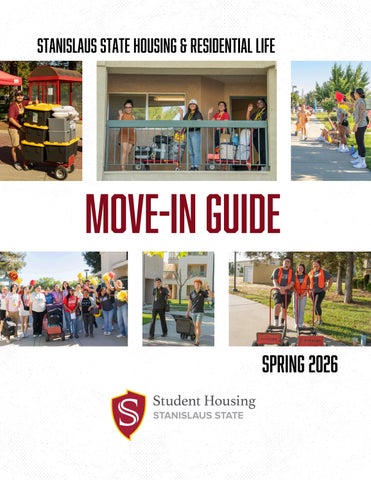
stanislaus state housing & residential Life
move-in guide Spring 2026
what to expect on move-in day Move-In Day is Friday, January 23 from 8:00 a.m. to 5:00 p.m. We can’t wait to meet you.
Residents are welcome to bring guests with them on Move-In Day! Plan your arrival during business hours. listed below. We encourage all students to move in on the contracted Move-In Day (Friday). The office is closed on Sundays. Planning to arrive after Saturday? You must notify the Housing Office at housing@csustan.edu at least 48 hours prior to your arrival. Parking is free on weekends and Move-In Day. Permits are required all other days. Your Meal Plan is active starting on Move-In Day. Starbucks is open 7:30 a.m. to 2:00 p.m. and Main Dining is open 10:00 a.m. to 2:00 p.m. and 4:30 p.m. to 7:00 p.m. Use your Guest Meal voucher to treat your guests to a post-move meal in Main Dining! Find the voucher in the Chartwells brochure inside your Welcome Bag.
check in at the housing office Friday, January 23: 8:00 a.m. to 5:00 p.m. Saturday, January 24: 10:00 a.m. to 2:00 p.m. Monday, January 26 - Friday, January 30: 8:00 a.m. - 5:00 p.m.
Still have questions after reviewing the guide? Contact the Housing Office: Monday - Friday, 8:00 a.m. - 5:00 p.m. Phone: 209-667-3675 Email: housing@csustan.edu
other things to consider Purchase a Parking Permit Parking permits are required after Move-In Day. Purchase yours at MyCampusPermit.com. Permits are mailed to the address provided at the time of purchase, so enter your on-campus address if you want it to be sent to Housing. We recommend purchasing an “Economy” pass to save a little money. A limited number of Economy permits are sold each semester, so purchase yours ASAP!
Do You Have Your Warrior ID Card? You need your Warrior ID to access your Meal Plan and numerous campus services.
Lost your card? visit the OIT Help Desk for a new onE
Didn’t get your ID at New Student Orientation? Visit the OIT Help Desk in the Library or submit a passport-style photo online via warriorphoto.csustan.edu to receive your ID. We recommend completing this task before arriving to campus, so your ID is ready once you arrive.
Update Your Mailing Address Letters and non-packages will be delivered to your unit’s mailbox. Packages will be delivered and safely stored at the Housing Office until pick-up.
FOR PACKAGES:
FOR LETTERS & NON-PACKAGES:
Your Name Housing & Residential Life, Unit ### One University Circle Turlock, CA 95382
Your Name Housing & Residential Life, Unit ### P.O. Box 819003 Turlock, CA 95382
Please note that mail is first delivered to the Stan State mailroom, not directly to the Housing Office, often resulting in a slight delay. You will receive an email notification from the Housing Office once your package has arrived.
move-in map
Building 39: Housing Office Check-In Location for all spring residents. You don’t need to go through the gates to access!
Parking Lots 6 & 7 Unloading zones for Move-In Days. We recommend Lot 6 for units ending in -00 to -30 and Lot 7 for units -31 to -55.
Building 12: Main Dining Take a break from unpacking and visit Main Dining, the all-you-care-to-eat dining space.
the check-in process For a seamless check-in, please review these instructions prior to Move-In Day.
Arrive During designated business hours Housing staff are excited to welcome you, so please arrive during business hours to ensure a smooth check-in. If you need to arrive outside of business hours, you must email the office at least 48 hours prior to arrival. If you arrive after business hours, please call the Housing Office at 209-667-3675 for assistance.
pick up your keys @ the housing office Proceed directly to the Housing Office, on the south side of Parking Lot 6 to receive your keys. Review the map on Page 4 for a campus map.
unload your belongings Wheelbarrows and handcarts are available to borrow from the Housing Office with an ID once you check-in. These items can be checked out for 2-hour increments, along with cleaning tools like mops.
unloading zones: Units -00 to -30 Village 1 Circle or Lot 6 Units -31 to -55 Lot 7 near tennis courts
finding parking after unloading Parking is free on Move-In Day (1/23) and weekends, but not during the week. If you do not have a parking permit, daily parking passes at available at any of the drive-up kiosks near the entrances of campus. There is one located between Lot 6 and 7.
complete your room inspection within 5 days of moving in When you check-in you will receive a paper Room Inspection sheet. Complete this form and turn it into the Front Desk within 5 days of moving in. It can help you avoid unnecessary damage charges after you move out!
getting settled Connecting Your Devices The OIT Help Desk, located on the second floor of the library, can troubleshoot any connectivity problems or explain how to connect. You can also call them at (209) 667-3687. All rooms are equipped with WiFi internet access through the eduroam network. Certain smart devices, such as Alexa or Echo, need OIT assistance to connect. Bedrooms have hardwire connections for televisions, desktops, consoles, or other devices. Learn more about connecting devices on OIT’s website: www.csustan.edu/oit/services-students
Community Recycling & Dumpsters Do not dispose of your trash and recycling bags in the community trash cans. Dumpsters are located: In the Village Circle, past the Hubs Outside the Housing Office Behind the Village Cafe
Cardboard boxes can be broken down and set next to the dumpsters for recycling.
The recycling chute for plastic, glass, and aluminum is located in Village 2 attached to the green cage. Please empty or clean out your recycling before disposing of it.
Register Your Bicycle Plan to bike around campus? Register your bicycle with the University Police Department to have your bike photographed and numbered. You’ll get a free heavy-duty bike lock for registering!
Maintenance Requests If you have a clogged toilet or emergency maintenance, call (209) 667-3675.
Non-Emergency Maintenance For non-emergency maintenance, such as a beeping smoke detector or blinking light, file a work order in the Housing Portal. Work orders are typically fulfilled within 24 business hours.
submit a work order in the housing portal 1. Select the “Maintenance” tab 2. Select “New Job” and include detailed information about the problem, your contact information, and a 2-hour timeframe between 8AM and 4PM
dining on campus Your Meal Plan is active starting on Move-In Day. Meal plans are automatically loaded to your Warrior ID Card each semester. Swipe your ID at any on-campus dining location to utilize your funds.
TYPES OF MEAL PLAN FUNDS Meal Swipes Used at Main Dining for all-you-care-to-eat Swipes expire at the end of the semester
Flex Dollars Function like a debit card at all dining locations Unused funds roll over from fall to spring semester Up to $100 can also be used at the Canteens Funds expire at the end of spring semester, unless... If you renew for Fall 2026, 10% of leftover funds will roll over
track spending and view balances on warriorcard.com Residents have until February 3, 2026 to change their selected plan. Use the Meal Plan Change form on the Housing Portal homepage to reselect.
a gift from warrior eats One Free Guest Meal in Main Dining One Discounted To-Go Box Find these vouchers in the Chartwells brochure inside your Welcome bag!
living with roommates Your move to campus may be the first time you’ve ever had to share a bedroom or living space with others. We recommend connecting with your roommates prior to move-in, if possible.
How to Message Your Roommates
Login to the Housing Portal and open your housing application. On the Application Status page, you’ll find a list of your roommates and the option to message them. Find your messages in the “Messages” section of the portal.
Sharing a Bedroom? Identify your specific roommates by finding the matching letters in your unit number. For example, residents in 330A1 and 330A2 share a bedroom. Beds in shared bedrooms are not pre-assigned, so you will be responsible for communicating your preference with your roommate(s).
pre-move-in discussion topics Move-in dates and times Initial groceries (cases of water, toilet paper, paper towels, etc) Mutually-shared items for the bedroom and/or unit such as mini-fridge, appliances, television, cleaning supplies, storage, dishware, and decorations Shared bedrooms can only have one mini-fridge, smaller than 3 cubic feet Cooking appliances such as crockpots, toasters, toaster ovens, rice steamers, electric grills, and electric frying pans are permitted in apartments only. These appliances are not permitted in suites as there is not a designated kitchen area in suite-style units.
your roommate agreement Within the first few weeks of moving in, roommates should plan a time to meet and discuss their Roommate Agreement. This is a set of “house rules” for your unit. Your RA can assist with this conversation and offer advice on helpful topics and rules. Compromise is a crucial piece of living with roommates. It is important to have an honest conversation about things in which you may need to compromise, such as room temperature, common area chores, cleaning schedule, noise levels, and having visitors.
packing guide Connect with your roommates prior to Move-In Day to discuss common area items such as kitchen supplies and appliances, cleaning tools, decor, and toilet paper to avoid packing multiples.
What to Pack Twin XL Bedset and Pillows Clothes Hangers Shower Caddy Towels Personal Toiletries Toilet Paper Our Laundry Rooms are free, but don’t forget to bring: Laundry Hamper Laundry Detergent Dryer Sheets Vacuums, mops, and brooms are available to borrow from the Front Desk, but make sure you have:
Desk Lamp (non-halogen light bulbs only) Power Strip Dishes & Silverware Toaster, coffeemaker, or other small kitchen appliances (apartment-style units only) Command Strips or Tiny Nails First Aid Kit Decorations Mini-Fridge smaller than 3 cubic feet *only one mini-fridge allowed per bedroom
what not to pack...
All-Purpose Cleaner Sponges Dish Soap Garbage Bags (6-10 Gallon) Paper Towels
Space Heater Microwave Candles, Incense, and Wax Melts Smoking or Vape Products Animals, unless a service animal, approved ESA, or fish in a tank less than 5 gallons Non-UL-Approved Devices
What’s a ul-approved device? UL-Approved devices pass safety testing and ensure that a product is properly manufactured. The risk of malfunction, potentially causing a fire, is much less than a device that is not UL-approved. As you’re packing, look for the UL logo on your items that may have plugs or lightbulbs. Types of devices that need to be UL-approved include surge protectors, extension cords, and decorative lights.
UL
must-have campus apps We recommend downloading these apps to help you stay in-the-know about dining, campus events, and more.
Campus Groups aka “Warrior Life” Download Campus Groups, search “Warrior Life” View and sign up for campus events Search for clubs and orgs Chat with other students and staff Easily check in for events
Boost Mobile ordering Order your meals or drinks in advance Starbucks mobile ordering Pick up at the Boost counter Meal plan payment accepted
dine on campus View campus dining venues and menus Dining Hours of Operations Recharge your meal plan Submit dining feedback
speed queen laundry View real-time availability of washers and dryers Set reminders or alerts for your laundry cycles