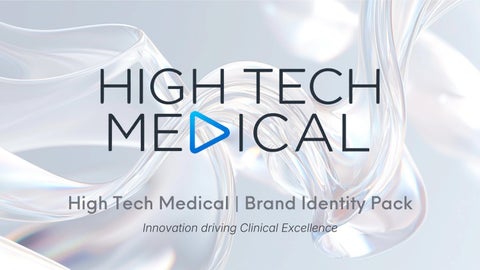
High Tech Medical | Brand Identity Pack Innovation driving Clinical Excellence
Brand Overview & Mission Brand Essence
The intersection of cutting-edge technology and trusted clinical practice — precise, progressive, and humancentered. High Tech Medical exists where engineering rigor meets clinical empathy.
Brand Promise
Delivering technology that empowers clinicians to achieve better patient outcomes — every time.
Brand Name
High Tech Medical
Tagline
Innovation driving Clinical Excellence
Brand Personality Authoritative yet approachable, innovative yet reliable, technical yet empathetic
Target Audience
Healthcare professionals, clinical and medical technology partners
Clinical Precision
Every solution engineered to exacting clinical standards
Technology Leadership
Pioneering innovation at the forefront of medical technology
Patient-First
Human-centered design driving better clinical outcomes
Evidence-Based
Regulatory-compliant, rigorously validated, clinically proven
Logo Architecture & Construction 1
Primary Wordmark "HIGH TECH MEDICAL" in bold, wide-tracked sans-serif. A distinctive blue play-button triangle replaces the letter "D" in MEDICAL — the brand's most recognisable signature element.
2
Triangle Icon Element The right-pointing blue triangle embedded in the wordmark symbolises forward momentum, innovation, and clinical progress — the visual engine of the brand.
Primary Logo — Full Colour on Dark
3
Wordmark Typeface Wide, geometric sans-serif set in Charcoal Navy #1C2B3A for maximum legibility across clinical and digital environments.
Clear Space Rule
Digital Minimum
Minimum clear space equal to the height of the "H" character on all four sides
120px wide — never render smaller in any digital context
Print Minimum
Logo Variants
30mm wide — enforced across all print and physical collateral
Full colour, reversed white, single-colour charcoal, single-colour blue, monochrome black
COLOUR PALETTE
inspiration
SLATE BLUE
CHARCOAL LIGHT
SILVER SLATE
SOFT BLUE
Logo Usage Guidelines Approved Backgrounds
Aspect Ratio
White, light grey, deep charcoal, and solid brand blue. Never place the logo on busy photographic backgrounds without a protective container.
Always scale proportionally from a corner handle. Never stretch, compress, or skew the logo under any circumstances.
Tagline Lockup
Co-branding
"Innovation driving Clinical Excellence" set in NeueEinstellung Light, tracked at +20, positioned below the wordmark with an 8px vertical gap.
When paired with partner logos, maintain equal visual weight and separate with a 1px vertical rule in mid-grey.
File Format Reference SVG — Digital, web, and UI applications EPS / PDF — All print and production use PNG (transparent) — Presentations and documents
Digital Favicon: Use the isolated blue triangle icon only — never the full wordmark at favicon scale.
Color Palette — Primary HTM Blue — #2A9FD6
Charcoal Navy — #1C2B3A
The exact blue of the triangle icon. Used for CTAs, highlights, icons, and interactive elements. The brand's primary action color.
Deep and authoritative. Used for all primary headings, the wordmark, and body copy requiring maximum legibility.
Pure White — #FFFFFF
Light Grey — #F2F4F6
Primary background for clinical clarity and clean, open layouts. The dominant color across all brand materials.
Section backgrounds, card fills, and structural dividers. Provides visual breathing room without competing with content.
Recommended Color Usage Distribution
Mid Grey — #8A9BAE Body text, captions, secondary labels, and UI borders. Supports hierarchy without drawing focus away from primary content.
White backgrounds dominate at 40% to maintain clinical clarity. HTM Blue commands 20% — enough to signal authority without overwhelming.
Color Palette, Extended & Usage Rules Clinical Green
Alert Red
Deep Blue
#27AE60
#E74C3C
#0D1F2D
Use sparingly for positive status
Reserved strictly for critical alerts, error
For dark-mode interfaces, event
indicators, success states, and clinical
states, and contraindication callouts in
backdrops, and premium print collateral
outcome highlights only.
clinical UI contexts.
requiring maximum depth.
Gradient Usage
Accessibility Standard
Color Limit Rule
Permitted only as a background treatment
All primary text and background
Never use more than 3 brand colors on a
HTM Blue (#2A9FD6) to Deep Blue
combinations must meet WCAG 2.1 AA
single layout. Clinical Green and Alert Red
(#0D1F2D), applied at a 135° angle. Never
contrast ratio (minimum 4.5:1). Charcoal
are functional UI colors only —
apply gradients directly to the logo or
Navy on White achieves 12.6:1 —
never decorative or brand colors.
wordmark.
confirmed compliant.
Typography — NeueEinstellung System Primary Typeface NeueEinstellung a precise, geometric sans-serif that mirrors the logo's technical authority and clinical clarity. Every weight in the family serves a specific hierarchical role. Fallback Web Font Inter (Google Fonts)
Display / H1 NeueEinstellung Bold — 48–72pt, Charcoal Navy, letter-spacing +5. Hero headlines and cover titles.
Section Heading / H2 NeueEinstellung SemiBold — 28–36pt, Charcoal Navy or HTM Blue. Primary section and card headings.
Sub-heading / H3 NeueEinstellung Medium — 18–22pt, Charcoal Navy, letter-spacing +10. Supporting headings and category labels.
Body Copy NeueEinstellung Regular — 14–16pt, Mid Grey, line-height 1.6. All running text and paragraph content.
approved for use only when NeueEinstellung is unavailable in digital environments. Never use as a primary brand typeface.
Captions & Labels NeueEinstellung Light — 10–12pt, Mid Grey, letter-spacing +20, ALL CAPS. Metadata, image captions, UI microlabels.
Tagline NeueEinstellung Light Italic — 14pt, HTM Blue, letter-spacing +15. Always sentence case.
Typography — Hierarchy & Spacing Rules
1.25
Type Scale Ratio
Major Third — ensures harmonious size progression across all heading levels
1.5×
Paragraph Spacing
Body font size multiplier — e.g., 24px spacing for 16px body text
Alignment Rule Left-aligned for all body copy and headings. Centred alignment reserved exclusively for hero and cover layouts.
All Caps Usage Permitted for labels, navigation items, and section tags only. Never for body copy or headings longer than 4 words.
Numeral Style Use tabular (monospaced) numerals in data tables and clinical metrics for precise vertical alignment.
60–75
Characters Per Line Body copy line length target; never exceed 90 characters for optimal clinical readability
12pt Print Minimum Never set body text smaller than 12pt in any print application Prohibited Combinations: Never mix NeueEinstellung with decorative or serif typefaces. Never set body text smaller than 12pt in print. These rules are non-negotiable across all brand materials.
Iconography System Icon Construction Standard All icons constructed on a 24×24px base grid with 2px padding. Scale only at approved sizes: 16px, 24px, 32px, and 48px.
Stroke Weight
Clinical Domain Icons
Vital Monitoring Heartbeat, pulse, and waveform icons for clinical monitoring contexts
2px — outlined, geometric, consistent across the entire icon library.
Corner Radius
Life Sciences DNA helix, microscope, and stethoscope for research and diagnostics
2px on all icon strokes — softens clinical precision without losing technical authority.
Color Rule HTM Blue on light backgrounds. White on dark or blue backgrounds. Never use secondary colors for icons.
Compliance Shield, hospital cross, and data chart for regulatory and safety contexts
Technology Circuit board, AI network, cloud upload, and analytics dashboard Prohibited: Emoji-style icons, filled solid icons, icons with drop shadows, and any icons sourced outside the approved HTM icon library.
Brand Voice & Messaging Framework Tone & Language Principles Confident and Precise Never boastful — authoritative without being inaccessible to clinical audiences. Speak with earned confidence.
Clinical Vocabulary Professional technical language balanced to include non-specialist stakeholders. Avoid jargon that excludes.
Active Voice
Short declarative sentences for headlines. Structured, evidence-led paragraphs for all body copy.
Tagline Usage Always sentence case, never all caps. "Clinical Excellence" may be bolded for emphasis where appropriate.
Four Messaging Pillars Innovation "Pioneering technology that redefines what's clinically possible"
Excellence "Every solution engineered to the highest clinical standard"
Partnership "Working alongside clinicians to solve real-world challenges"
Trust "Evidence-based, regulatorycompliant, and built for clinical environments"
Do's — Correct Brand Application Default Logo Application Use the full-colour logo on white or light grey backgrounds as the primary and default application across all materials.
Clear Space Always Maintain the prescribed clear space around the logo at all times — no exceptions for any format, size, or application.
NeueEinstellung Throughout Use NeueEinstellung across all brand touchpoints without exception — digital, print, and environmental applications.
HTM Blue for Accents Use HTM Blue as the primary accent color for interactive elements, icons, and key data highlights across all materials.
Tagline in Formal Use Pair the logo with the tagline in formal communications, proposals, and event materials for maximum brand coherence.
Central Brand Library Request brand assets from the central brand library to ensure you always use the latest approved and version-controlled files.
Don'ts — Brand Violations to Avoid Never Distort the Logo
No Unauthorised Color or Effects
Never stretch, rotate, skew, or alter the logo's proportions in any way. Proportional scaling from a corner handle only.
Never recreate the logo in unauthorised colors, gradients, or with added effects such as shadows, glows, or outlines.
No Busy Backgrounds
Triangle Is Not Standalone
Never place the logo on busy photographic backgrounds without a white or dark protective container.
Never use the blue triangle icon element independently as a decorative shape — it is a logo component, not a standalone graphic.
No Unauthorised Typefaces
Green and Red Are Functional Only
Never substitute NeueEinstellung with unauthorised typefaces. Use the approved fallback (Inter) only when technically necessary.
Never use Clinical Green or Alert Red as decorative or brand colors — strictly reserved for functional UI states.
Never Alter the Tagline
No Off-Brand Applications
Never alter the tagline wording, capitalisation, or punctuation. It must always read: Innovation driving Clinical Excellence.
Never apply the brand to materials that conflict with clinical, regulatory, or ethical standards.
Brand Applications & Collateral
Digital
Presentations
Packaging
Website, clinical portal UI, email
Business cards, letterhead, clinical
Slide deck master template using
Product boxes and device packaging
signatures, social media profiles
brochures, product datasheets,
NeueEinstellung, HTM Blue accents,
— charcoal base with HTM Blue
(LinkedIn, X), and digital advertising
conference posters, and exhibition
and white and charcoal layouts.
accent stripe and white wordmark.
banners.
stands.
Environmental
Apparel
Signage, wayfinding, trade show
Embroidered logo on navy or white;
booths — minimum logo size 80mm;
screen-printed on clinical scrubs and
deep charcoal or white backgrounds
lab coats.
only.
All approved files (SVG, EPS, PNG, PDF) are available in the central brand portal at brand.hightechmedical.com
Brand Governance & Compliance 01
Brand Ownership All brand decisions governed by the High Tech Medical Marketing and Brand team. Submit all requests and queries via the brand portal. 02
Approval Process All external-facing materials must be reviewed and approved by the Brand team before publication or distribution — without exception. 03
Version Control This brand pack supersedes all previous brand guidelines. The version date must appear in the footer of all brand documents. 04
Partner and Agency Briefing All external agencies must be onboarded with this brand pack and sign the Brand Usage Agreement before commencing any work. 05
Annual Review Cycle Brand guidelines reviewed annually — or following any significant product launch, merger, or market expansion event.
Brand Contact For all brand enquiries, asset requests, and approval submissions: brand@hightechmedical.com
Brand Portal Access all approved files, templates, and guidelines at: brand.hightechmedical.com
Document Version v1.0 September 2026
Innovation driving Clinical Excellence