SOUND ON SOUND THE WORLD’S BEST RECORDING TECHNOLOGY MAGAZINE
THE WORLD’S BEST RECORDING TECHNOLOGY MAGAZINE
CELEBRATING 40+ YEARS 1985 — 2026 TM
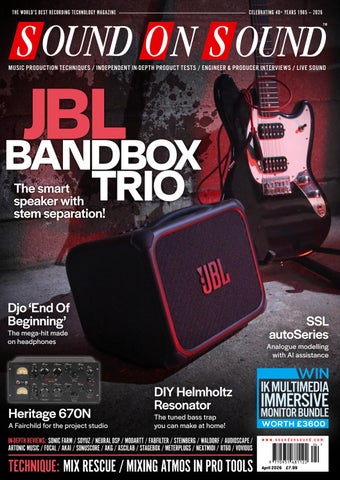
JBL BANDBOX
MUSIC PRODUCTION TECHNIQUES / INDEPENDENT IN-DEPTH PRODUCT TESTS / ENGINEER & PRODUCER INTERVIEWS / LIVE SOUND
TRIO
The smart speaker with stem separation!
APRIL 2026
www.soundonsound.com
Djo ‘End Of Beginning’
SSL autoSeries
The mega-hit made on headphones
Heritage 670N VOLUME 41 • ISSUE 6
A Fairchild for the project studio
Analogue modelling with AI assistance
DIY Helmholtz Resonator The tuned bass trap you can make at home!
IN-DEPTH REVIEWS: SONIC FARM / SOYUZ / NEURAL DSP / MODARTT / FABFILTER / STEINBERG / WALDORF / AUDIOSCAPE / ARTONIC MUSIC / FOCAL / AKAI / SONUSCORE / AKG / ASCILAB / STAGEBOX / METERPLUGS / NEXTMIDI / RT60 / VOVIOUS
TECHNIQUE: MIX RESCUE / MIXING ATMOS IN PRO TOOLS
WIN IK MULTIMEDIA
IMMERSIVE
MONITOR BUNDLE WORTH £ 3600
www.soundonsound.com
April 2026 £7.99
BANDBOX TRIO
BANDBOX SOLO
JBL BANDBOX SOLO and TRIO are portable practice amps with real-time AI that separates vocals and instruments, provides powerful JBL sound, and comes loaded with built-in guitar effects. No band? No problem.
FEATURING: Real-time AI stem separation
Built-in amp tones and pedal effects
Bold JBL sound
Portable with built-in battery
4-channel mixer* * TRIO only
JBL BandBox is exclusively distributed in the UK and ROI by Sound Technology. For more information please call 020 8962 5080 or visit soundtech.co.uk
LE ADER
OUT OF THE BOX N
ot so long ago, it seemed as though studios would become entirely virtual. Instead, hardware has had a resurgence. DAWless synth setups are a thing. Producers are integrating outboard into computer-based studios. Sales of reel-to-reel tape are up year on year. Even in live sound, there’s a growing trend to incorporate analogue rackmount kit into front-of-house rigs. AI seems likely to accelerate these trends. The smouldering perception that using computers to make music is somehow inauthentic is being fanned to a flame by the rise of generative music creation services and virtual session musicians. But AI has also opened up a gap in capabilities between computers and dedicated hardware. Even the most DAWless of setups often incorporate multiple pieces of digital kit. Some are based around DSP chips or FPGAs. Many are essentially embedded computers. Yet few are remotely as powerful as the average Mac or PC. A machine running code that is tightly optimised for a single task simply doesn’t need the same raw processing capability as a general-purpose computer. A consequence of this is that it’s difficult to retrospectively add AI capabilities to existing music hardware. There is no spare computing capacity available to execute machine-learning models, even if it’s practical to code them for the platform.
ALLIA BUSINESS CENTRE KING’S HEDGES ROAD CAMBRIDGE CB4 2HY T +44 (0)1223 851658 sos@soundonsound.com www.soundonsound.com
This doesn’t just mean that we can’t generate AI backing tracks or synthesize voices. It also limits the use of AI for more mundane but arguably more useful jobs, such as navigating huge preset libraries, or real-time interactive help. And whereas we’re now used to accessing cloud-based services on our computers, that seems like a less attractive option on a workstation keyboard. Which is why I think this month’s cover product is so significant. The JBL BandBox is the first standalone device I know of in our sector to be designed around AI. Stem separation is no longer groundbreaking in itself, but its implementation in a Bluetooth amplifier very much is. This is a grounded, practical application for AI that makes obvious sense, solves a real-world problem and helps to differentiate the BandBox from its competition. It’s also one that plays to the traditional strengths of hardware, being portable, simple and direct. As I understand it, the BandBox has been developed from the ground up as an entirely original design. In general, I suspect this approach will prove easier and more productive than to try to bolt machine learning onto existing platforms. Is it the first in a wave of disruptive products? Will we see new manufacturers entering this space? How will the existing giants adapt? And will the perception that hardware is more authentic than software survive such a paradigm shift?
ADV ER T ISIN G
admin@soundonsound.com
sos.feedback@soundonsound.com
adsales@soundonsound.com
Managing Director/Chairman Ian Gilby
Editorial Director Dave Lockwood
UK Media Sales Manager Chris Cope
Editorial Director Dave Lockwood
Executive Editor Paul White
Marketing Director Paul Gilby
Editor In Chief Sam Inglis
Finance Manager Keith Werthmann
Technical Editor Hugh Robjohns Reviews Editor David Glasper Reviews Editor Matt Houghton
P R ODUC T I ON
Production Editor Chris Korff
graphics@soundonsound.com
News Editor Luke Wood
Nick Humbert
Printing Warners Midlands plc Newstrade Distribution Warners Group Distribution Ltd, The Maltings, Manor Lane, Bourne, Lincolnshire PE10 9PH, UK.
support@soundonsound.com
ISSN 0951‑6816
Digital Media Director Paul Gilby
A Member of the SOS Publications Group
www.soundonsound.com/subscribe Circulation Manager Luci Harper
April 2026 / www.soundonsound.com
International Business Development
Designer Andy Baldwin
subscribe@soundonsound.com
4
marketing@soundonsound.com
O N LIN E
S UB S CR I P T I ON S
NORTH AMERICA
M AR K E T IN G
Designer Mick Reilly
Design Andy Baldwin
UK/WORLD
“The JBL BandBox is the first standalone device I know of in our sector to be designed around AI.”
EDI T O R I AL
Production Manager Michael Groves
WOR LDW I D E E D I T I O NS
Editor In Chief
A DM I N I S T R AT I O N
Reviews Editor Chris Korff
WWW.SOUNDONSOUND.COM/SUBSCRIBE
Sam Inglis
Administrator Nathalie Balzano
Web Content Editor Callum Hall Web Editor Adam Bull Digital Media Manager Atheen Spencer www.soundonsound.com twitter.com/soundonsoundmag facebook.com/soundonsoundmag instagram.com/soundonsoundmag
The contents of this publication are subject to worldwide copyright protection and reproduction in whole or part, whether mechanical or electronic, is expressly forbidden without the prior written consent of the Publisher. Great care is taken to ensure accuracy in the preparation of this publication but neither Sound On Sound Limited nor the Editor can be held responsible for its contents. The views expressed are those of the contributors and not necessarily those of the Publisher or Editor. The Publisher accepts no responsibility for the return of unsolicited manuscripts, photographs, or artwork. © Copyright 2026 Sound On Sound Limited. Incorporating Music Software magazine, Recording Musician magazine, Sound On Stage magazine, SPL magazine, Sound Pro magazine and Performing Musician magazine. All rights reserved. All prices include VAT unless otherwise stated. SOS recognises all trademarks.
Unlock Your Best Mixes If you can’t trust what you’re hearing, you can’t trust your mix. The truth is your room is likely holding you back. Introducing ORIA Mini, the room correction powerhouse that sits between your audio interface and speakers. Powered by Sonarworks, ORIA Mini is a dedicated hardware solution that analyses and corrects your room’s acoustic imperfections in minutes, transforming your studio monitoring.
Powered by
88 INSIDE TRACK
IN THIS ISSUE
www.soundonsound.com
April 2026 / issue 6 / volume 41
WIN
FEATURES 34 How I Got That Sound Danton Supple explains how a fire extinguisher and a chair contributed to a memorable percussion loop on Coldplay’s ‘Low’.
46 Mix Rescue: Ember Rev New arrangements, new mixes and new masters present an album in a fresh light — and offer an escape route from a sonic trap.
64 Classic Tracks:
The United States Of America
The United States Of America released a single album of uniquely experimental music in 1968. Decades later, the rest of the world began to catch up to what was almost a lost classic of the psychedelic era.
88 Inside Track: ‘End Of Beginning’
IK MULTIMEDIA IMMERSIVE MONITOR BUNDLE WORTH £3600 PAGE 78
Adam Thein mixed Djo’s second album entirely on headphones — including a hit that went viral twice and topped charts five years after its release.
106 Talkback
120 Spotlight: Column PA Systems
Musician and producer Emmally Parsons, aka e.m.arson, discusses eclectic listening, discarded instruments and why her go-to reference track is a painting.
Bigger isn’t always better in the world of live sound!
108 Building A DIY Helmholtz Resonator
Your studio and recording questions answered.
Affordable and effective, broadband absorbers are the first port of call for acoustic treatment, with good reason. But sometimes you’ll hit on an acoustics challenge that requires greater precision...
6
April 2026 / www.soundonsound.com
136 Q&A 138 Why I Love... Improvisation Simon Paterson explains how there’s more than one kind of improvisation in music.
68 AKAI MPC XL
ON TEST
116 FRCTL Audio GRN 72
68 Akai MPC XL
AKG C104, C114 & C151 Capacitor Microphones
93 Ali Modular Esu’s Trifecta Eurorack Module
C O V E R
76
100 AsciLab A6B Passive Monitors
54 AudioScape XL-305R
Portable Guitar Amp & PA System
10
30 Meterplugs Dynameter 2 Metering Plug-in
86 Midifex Lujin MIDI Controller
12
Music Business by Louis Austin Book
24 Modartt Pianoteq 9
John Mayer X Guitar Rig Modelling Plug-in
Plug-in Host Software
32 Steinberg Cubasis 3.8 DAW Software For iOS & Android
118 Strymon NightSky Reverb Plug-in
125 Sub51 & Soundtrax Drop Pad 3 Sample Library
22 Vovious Vocal Tuning Plug-in
124 VSL Synchron Duality Strings
58 Waldorf Protein Wavetable Synthesizer
28 Nextmidi Divisimate Core Arrangement Software
18
RT60 Songzap 3 Songwriting & Recording App For iOS
Compressor Plug-in
26 Solid State Logic autoSeries DAW Plug-ins
Eurorack Module
Main Monitors
96 StageBox
Sample Libraries
36 FabFilter Pro-C 3
80 Focal Utopia Main 112
Dynamic Microphone
16 Neural DSP Archetype:
Pico Atomic Cluster
92 Ferry Island Modular Four Seas
Soyuz V1
Ostinato + FX
Sample Library
Resonant Oscillator Pedal
14
Modelled Virtual Piano
124 e-instruments Velvet Guitars 116 Electro‑Harmonix
Minimal Audio Poly Flanger Modulation Plug-in
Eurorack Module
117 Ducking & Diving: A Life in the
Olympia Noise Co Patterning 3 Virtual Drum Machine For iOS & macOS
Stereo Spring Reverb
94 DPW SW3 Splice
Heritage Audio Herchild 670N
40 JBL BandBox Trio
62 ARTonic Music ChordAXE MIDI Plug-in
Complete 4 Sample Library
Dual-channel Variable-mu Compressor
Sampling Workstation
112 Sonuscore The Orchestra
Granular Effects Plug-in
8
Sonic Farm 2DI4 MkII Valve DI Box
WORKSHOPS 126 SOS For Artists 128 Studio Pro 130 Pro Tools 132 Cubase 134 Logic
www.soundonsound.com / April 2026
7
ON TE ST
If you plan on splashing the cash on a DI box of the highest quality, this versatile red box should definitely be on your audition list! BOB THOMAS
F
ounded in Vancouver, Canada, in 2009, Sonic Farm design and manufacture an impressive range of original, high-quality audio hardware. Uniquely, as far as I can tell, all of their valve-based products are hybrid designs, featuring EF86 pentode-based input gain stages and solid-state outputs. The original version of the company’s 2DI4 Pentode Direct Box was released way back in 2014, and it was already lovely, but now, over a decade on, they’ve decided to expand its feature set. The result is the new 2DI4 MkII reviewed here.
Controls & Features As with every Sonic Farm product I’ve encountered to date, the workmanship, component quality and construction of the MkII are of the highest quality. The chunky, blood-red, all-metal enclosure is similar in outline to that of the original version, but the latter’s solid metal handle has now been replaced by a rubberised strap — a simple but thoughtful change that means it’s now possible to stack multiple units. The inside is different though, with new features and a redesigned circuit board. And it’s not often that I single out a power supply for special praise, but the 2DI4 MkII’s chunky internal toroidal mains transformer and associated filter board were a welcome sight. The fact that this power supply shares an enclosure with unscreened audio circuits, without any detectable impact on its sonic performance, is a testament to Sonic Farm’s engineering skills. In terms of facilities, the 2DI4 MkII offers the I/O that you’d expect of any DI box, but also a lot more besides. On the left of the front panel is a quarter-inch jack for the unbalanced 2.2MΩ input, but you’ll also find both an auxiliary input and a headphone output. The aux input can accept the output of a computer, mobile device, media player or Bluetooth receiver, the idea being that it makes it possible to use the device for practice; the aux signal is routed directly to the headphone output, where it can be mixed with the DI signal to taste using the large chicken-head output
8
April 2026 / www.soundonsound.com
Sonic Farm 2DI4 MkII Valve DI Box
level knob (of which more later). The rear panel carries XLR connectors for both that main transformer-balanced microphone-level output, as well as an electronically balanced line-level output. Underneath sit two quarter-inch jack sockets to carry the buffered instrument-level thru signal and an unbalanced line-level output. Note that the aux signal isn’t present on any of these outputs — it’s only auditioned on the dedicated headphone out. Finally, there are a ground-lift switch, a mains voltage selector and a fused IEC mains connector. Returning to the front, a blue LED lights to confirm the presence of the EF86’s heater voltage, thus serving as a power-present indicator, and a Triode/Pentode mode switch (with dual-colour LED: green for signal-present, red for overload) selects the valve operating mode, of which more in the separate ‘Pentode & Triode Modes’ box.
You’ll also find four three-position switches. The leftmost applies a M, L or H (mid, low or high-gain) boost. Measuring a 400Hz sine wave on my DAW’s VU meters showed that the M (mid) boost added +7dB in pentode mode and +3dB in triode, while H (high) added +16.5 and 6 dB for the pentode and triode modes, respectively. (The boosts were the same for 1 and 10 kHz sine waves). The next two switches activate low- and high-frequency shelf boosts, and select their corner frequencies. There are twin recessed trim pots to set the level of these 6dB/octave shelving boosts (up to +9dB in pentode mode and +4.5dB in triode mode), which can be set to 300 or 500 Hz for the low shelf, and 2 or 4 kHz for the high one. (When no filters are engaged, the 2DI4 MkII’s frequency response is quoted as ±3dB from 10Hz to 50kHz.) A final switch can engage a -12dB pad or mute the output. As in a guitar or bass amplifier, the instrument input is connected directly to the control grid of the EF86 pentode, which operates in Class A at a plate voltage of 285V. This valve is the MkII’s only gain stage, in fact, and the high voltage (in the normal range for preamp stages of valve guitar amps) gives the MkII a significantly higher headroom than the many valve preamps that operate on starved plate voltages. The EF86’s output signal is routed to the Cinemag transformer that provides the usual balanced DI output and, in parallel, both the balanced and unbalanced line-level outputs. Above, I mentioned in passing the large output level knob found on the front panel. This has no effect on the valve stage at all, but as well as allowing you to set
the balance of the aux and DI signals in the headphones output, this sets the overall level for the various other outputs. Since it affects the level before the signal hits the DI output’s balancing transformer, it also serves (in conjunction with the level of the incoming instrument signal and your chosen settings for the pentode/triode mode, boost, and low and high shelf) to determine the amount of transformer-related harmonic distortion at this output.
In Use Just as I’d hoped, the 2DI4 proved to be extremely flexible and a great-sounding DI: in both the pentode and triode modes, there’s something extremely attractive about the way that it adds warmth while still bringing out the details in a sound. The performance with electric guitars was an instant delight, and the characteristics of instruments fitted with single-coil and humbucking pickups were conveyed with impressive detail. It’s well worth exploring and exploiting the pentode/triode switching and various gain and EQ boost permutations to sculpt a great guitar sound, and I’d say that’s particularly the case if you’re into re-amping or seeking a source to drive the pedal, amp, cab and effects models within your DAW. In general, my personal preference overall has been for triode mode, but there were times when only the pentode profile would do it for me. Do note that switching between the triode and pentode modes involves switching off the EF86’s screen
Pentode & Triode Modes The 2DI4 MkII’s EF86 valve can be switched between triode and pentode modes, and due to the differences in gain, harmonic distortion and bias configuration, each has its own sonic signature. A pentode offers higher gain (about 7dB more in this case) than a triode, and there’s ample evidence that an EF86 pentode is well suited to guitar amplification — it features in the normal channels of Vox’s 1960s AC10, 15 and 30 amps. The pentode mode’s greater gain comes at the cost of headroom, meaning that harmonic distortion begins at lower levels than in triode mode, but that’s not necessarily a bad thing from a guitarist’s point of view. Triode mode might offer less gain, and be less ‘effective’ at higher frequencies, but it delivers the warmer-sounding, more linear performance that’s characteristic of the 12AX7 triodes found in the preamp stages of so many guitar amps.
and bias configurations — this creates loud transients, so you should take care to mute the MkII before doing this. The distortions are relatively subtle until the levels are pushed fairly assertively. With my early Heritage H-150’s humbuckers on 11, pentode mode engaged, gain boost set to high and output control fully open, I heard a pleasant crunch coming from the DI output. Backing the output control off until that crunch vanished left me with a big, warm, clean sound full of harmonic colour. Switching to triode mode revealed a clean sound that gave those humbuckers a more defined, articulate character that I really liked. Repeating the experiment with my Strat and its custom‑shop single-coil pickups yielded similar results, with its performance in triode mode being my absolute favourite overall. The results I obtained when pairing the MkII with acoustic guitars fitted with magnetic or piezo pickup systems were also impressive. Personally, I think that valve-based preamps tend
to produce more natural and musical results with pickup-equipped acoustics than with their solid-state equivalents, and the MkII did nothing to prove me wrong. With basses (both electric and acoustic), it delivered further outstanding performances. For a bass that delivers articulation, tonal balance and detail across its register, the MkII will showcase its abilities, and allow you to explore further possibilities within them. Keyboardists, especially those who record or gig with vintage Fender Rhodes and Wurlitzer electric pianos, should also consider auditioning this red box. I could also see the 2DI4 MkII doing nice things to the outputs of analogue and digital synths.
Final Thoughts High-quality valve DI boxes naturally tend to be relatively high-ticket items but, to my mind, the performance of Sonic Farm’s 2DI4 MkII more than justifies the asking price. Of particular note is the EF86 pentode/ triode switching — it’s something I’ve not encountered in any DI box before now, and it expands the 2DI4 MkII’s versatility and appeal significantly. For over a decade, my go-to DI for acoustic and electric guitar and bass has been a now-discontinued valve-based device whose performance has seen off several challengers in that time. But the Sonic Farm 2DI4 MkII has qualities that complement and sometimes exceed my ageing favourite’s capabilities, particularly when I’m re‑amping. It is that special. The thought of having both available to me is extremely tempting...
summary A flexible, valve-based DI box with a versatility and a performance level that more than justifies its price.
In addition to the transformer-balanced mic-level output, there are both balanced and unbalanced line-level outs on the rear and, round the front, an aux input and stereo headphone output.
£ £668.04 plus VAT and shipping. T Sonic Farm +1 778 863 1613 E proaudio@sonicfarm.com W www.sonicfarm.com
www.soundonsound.com / April 2026
9
ON TE ST
Olympia’s annular drum sequencer is going from strength to strength. JOHN WALDEN
I
’m a self-confessed fan of iOS as a music creation platform. In part, this is because of the tactile touchscreen interface, and the fact that the platform allows indie developers to more readily compete for attention with development teams familiar from the desktop world. As a result, iOS has offered up some truly innovative and creative music app options. One of those is Olympia Noise Co’s Patterning Drum Machine, which has been reviewed in SOS on a couple of different occasions (most recently v2 in the October 2018 issue). Indeed, with its distinct circular pattern‑editing grid, a huge collection of community-created downloadable drum kits, and the step-count flexibility offered for each instrument lane within a pattern (making for all sorts of polymetric and polyrhythmic options), it’s become something of an iOS classic. Alongside a few others I could mention, Patterning has always been (a) an app I think it’s worth owning a iPad for and (b) an app I wished existed in a desktop format.
Swing Theory Olympia Noise Co’s main man Ben Kamen has always kept Patterning moving forwards, and Patterning 3 was released in mid-2024 bringing all sorts of new features and refinements. This included new options for parameter automation, audio export options, an upgraded timeline editor for arranging patterns, a dedicated effects track and improved modulation options.
10
Olympia Noise Co Virtual Drum Machine Patterning 3 For iOS & macOS However, it was a YouTube video Ben posted on the v3.2 update that caught my eye, as it introduced what I think is a completely novel take on the concept of swing that Ben terms ‘parametric swing’. It takes the conventional form of swing generally applied over quarter‑note resolutions and allows you to apply (‘bound’) swing at different resolutions (such as half notes). The UI’s Swing/Quantise section (shown on the right side in the screenshot) lets you explore this concept in a hands-on, graphical fashion. This includes the genuinely mind-bending Curve control and, while things can get rhythmically challenging very quickly, once you begin to grasp the concept, there are all sorts of cool musical feels you can explore. Again, this is the first drum machine on any platform that I’ve seen offer this approach to adjusting swing; if you like to get experimental with your rhythms, Ben’s video explaining what Patterning 3 is doing is well worth a watch.
Desk Work Having downloaded the 3.2 update in response to the new swing feature, I then slapped myself on the head as I realised I’d missed the fact that v3.1 allowed Patterning 3 to run both as a standalone desktop app on macOS and as an AU virtual instrument plug-in within a suitable DAW. Both standalone and plug-in (within Logic) worked beautifully on my test system. The only gotcha is
April 2026 / www.soundonsound.com
that, as yet, I haven’t been able to make it function within one of the more popular AU-to-VST wrappers so that I can use it within my usual DAW of choice, (Cubase). Answers on a postcard to SOS HQ if you manage to make that work. Patterning is undoubtedly one of my favourite virtual drum machine instruments, regardless of the OS or platform we might be talking about. The circular pattern‑editing interface, while cool to look at, is also very intuitive and I do wonder whether Native Instruments’ (also excellent) Circular didn’t draw a little inspiration from the concept. The new ‘parametric swing’ feature is as bonkers as it is interesting, and to finally see the app working on my macOS desktop is a real treat. Whether for iOS or macOS, Patterning 3 is well worth exploring and an absolute bargain to boot.
summary Patterning 3 just improves on an already brilliant take on the virtual drum machine concept.
£ £29.99 including VAT. W www.olympianoiseco.com
U T O P I A M A I N | STUDIO MONITORS OF EXCELLENCE The Utopia Mains range employs the full breadth of Focal’s technical expertise and professional audio industry knowledge to deliver an unparalleled recording, mixing or mastering experience. Comprising a 3-way Main 112 and 3.5-way Main 212 model, each Utopia Main monitor features newly patented drivers paired with Class-H Current Mode amplifiers for ultimate power and sonic precision.
The apex of monitoring
Exclusive Distribution: Sound Service UK | www.soundservice.uk
ON TE ST
PAUL WHITE
M
ost musicians will know what to expect from flanging, which is one of the oldest time-based modulation effects — think resonant whooshes with a psychedelic undertone. Traditionally, flanging is created by mixing the dry sound with a slightly delayed copy, whose delay time is modulated, either manually, as with the original tape flanging, or by use of a modulation source such as an LFO. But Minimal Audio’s new Poly Flanger is a bit different...
Flanging, But Scaled-up! Poly Flanger supports the usual plug-in formats for macOS and Windows, and exploits the idea that at different delay times and with added feedback, a flanger can be made to emphasise specific frequencies. By snapping its resonances to musical pitches, it can create a harmony-like effect comprising up to eight voices. Selecting Scale mode, which includes the key and scale/mode type, allows for the creation of a surprisingly wide range of effects that go from subtle harmonic backdrops to choppy rhythms that stay in key. Of course, it can also do freely sweeping, more conventional flanging effects should you wish. On the left of the GUI is a modulation section, with LFO shapes ranging from smooth sine via sawtooth to square wave, and a Snap button allows the Shape control to jump from one shape to another, or morph through them. The expected tempo sync options included dotted notes. In addition to rate and depth controls, there’s a Randomize knob for the wave shape, and an Offset control adjusts the relative phase of the left and right channels’ modulation waveforms. A Stereo button linked to the Randomize knob allows separate randomisation to be applied to the LFO for each stereo channel, for added complexity. In the centre, a Pitch/Tune control can be used to offset (in semitone steps or freely) the pitched effects relative to the selected scale. Span spreads the voices across musical intervals, such that when set at zero all the voices follow the same pitch. Set it higher and chord notes appear and start to spread out at higher settings. Stereo spreads the voices left and right while Feedback and Damping adjust the degree and timbre of the resonances. Above this section, a virtual keyboard displays the flanger pitches or sweeps dynamically. To the right of the display, the Style box offers a choice of three flanger modes: Classic, Hollow (which inverts the delayed signal) or Vapor (which has a more diffuse character). Below, the Scale section presents extensive options for extended chord voicing and chord structure, and sets the rate at which the notes change pitch in scale mode relative to the project tempo. At the bottom, input and output controls are joined by a switchable output limiter offering soft or harder modes. There’s also a Wet/Dry balance fader, which I’d leave centred for most flanger-style effects, unless the effect’s intensity needs dialing down.
12
April 2026 / www.soundonsound.com
Minimal Audio Modulation Poly Flanger Plug-in Who’d have thought the humble flanger effect could be made to sound so musical? When a sweep effect has been set up and a scale type selected, the flanger sweep shows up as a pale blue band moving across the keyboard display, while the resonant notes are shown as more intense vertical lines above the keyboard notes being picked out. Scale mode suppresses the conventional flanger sweep, and instead, as the flanger sweeps, you hear harmonically related sets of resonances pulsing in and out. There’s no tracking of the incoming audio involved by the way — everything follows the rules you set in the Scale section. Turn off the Scale section and that familiar flanging sweep returns.
music, rather than adding fixed tones, and at faster rates the effects are almost arpeggio-like, while low sweeps deliver an evolving sonic character, and the square LFO makes possible various rhythmic effects, from tremolo to chordal stabs. In fact, it’s not overstating things to say that Poly Flanger has redefined the range of possible flanging effects, in much the same way as granular delays extended what could you could expect of echoes and delays. Categorised factory presets show off the full scope of this plug-in, and experimental musicians will love it. But Poly Flanger offers treatments that would fit easily into various genres from EDM to pop, and the simple user interface makes dialling in your own treatments easy. Highly recommended.
Pretty Poly?
A fresh, inspiring and genuinely useful take on the classic flanging effect, Poly Flanger is also really easy to configure.
There’ve been resonant chord effects before but, again, Poly Flanger is different. It allows the effect to reinforce the key and rhythm of the
summary
£ $49 (discounted to $29 when going to press).
W www.minimal.audio
ON TE ST
Soyuz get ready to hit the road with their first dynamic microphone. SAM INGLIS
S
oyuz Microphones were founded in 2013 as a Russian-American joint project, with manufacturing taking place in Tula, near Moscow. The invasion of Ukraine in 2022 made this arrangement difficult to sustain, although unlike the older Russian mic company Oktava, Soyuz have no connection to the country’s military-industrial complex, and have issued statements in opposition to the war. Their eventual solution was to open a plant in the Czech Republic, where all new Soyuz mics available in the West are now manufactured. This unwanted disruption hasn’t stopped Soyuz building up a broad range of studio products. Their line-up now includes large- and small-diaphragm capacitor mics in both solid-state and valve flavours, plus mic preamps, inline boosters and even an Ambisonic microphone. All of them embody a distinctive design ethos, which takes inspiration from vintage studio tools without slavishly copying them, and a refreshingly different visual aesthetic. And with the new V1 microphone, Soyuz are extending this approach to the live-sound market.
Flying V The V1 is Soyuz’s first ever dynamic mic. Available in silver and black finishes, it’s a conventional passive moving-coil model designed primarily for vocals, although of course there’s nothing to stop you using it on other sources. Like all Soyuz products, the V1 makes a striking visual statement, with its truncated cone-shaped body recalling that of the Earthworks SR314. This is solidly made from a substantial piece of metal, with no switches to spoil its clean lines. The V1 comes with a clip and an attractive canvas case. The V1 has a cardioid polar pattern, and its sensitivity of 1.5mV/Pa is fairly typical of moving-coil mics. Soyuz claim that it combines “condenser-like clarity and natural top-end air with the punch, clarity and forgiveness that make dynamic mics essential”, and the published frequency response chart displays several notable features. It’s obvious that this is a mic intended for close-up use: the low end begins to roll off at 200Hz and is 10dB down at 80Hz. It’s also obvious that the V1
14
April 2026 / www.soundonsound.com
Soyuz V1 Dynamic Microphone
is meant to cut through on a busy stage, with a broad peak extending from 2kHz to 6kHz. This is followed by a sharp dip around 7kHz, before the usual high-end roll-off begins at around 10kHz.
Magic & Sparkle In use, this rather sculpted frequency response is readily apparent. Subjectively, in fact, this is one of the brightest dynamic mics I’ve ever tested. From the Sennheiser MD441 to the beyerdynamic M69, all of the established classics I put it up against sounded positively dull in comparison. Out of the mics in my collection, the closest by far in terms of on-axis response was the Shure Nexadyne 8/S, another model with a very forward upper midrange. (Not sharing the Nexadyne’s unique Revonic dual-capsule element, the V1 behaves significantly differently off-axis.) The low-end roll-off is also obvious in real-world use; on the plus side, you can work it close up without boominess or popping becoming a problem, and there’s minimal handling noise, but on the down side, you wouldn’t want to use this mic on a bass amp. The V1 certainly delivers when it comes to cutting through, offering a tonality that should require minimal desk EQ in a live context. That tonality can also work well on many singers in a studio environment, although I can’t say I agree with Soyuz that the top end seems entirely natural. Perhaps because of the 7kHz dip, sibilance is fairly well controlled despite the
overall brightness, but along with articulation and detail, the mic’s presence lift also seems to deliver a slightly ‘wispy’ quality, and I wouldn’t say the top end on this mic struck me as being noticeably “condenser-like”, whatever that means. Ultimately, like any mic that has a deliberately tailored frequency response, the V1 will be a better match for some voices than others, but if yours is among them, its cocktail of attractive styling, bulletproof construction and clear, present sound will make it a winner.
summary The V1 is a confident entry into the market for live-oriented dynamic mics from Soyuz, with bold styling and an up-front sound.
£ £275 including VAT. W www.funky‑junk.com W www.soyuzmicrophones.com
Fireface UFX III
Award-Winning Power Perfectly Expanded
The SOS Award-winning Fireface UFX III is the heart of a powerful, modular system ready for any environment, from the precision of the studio to the demands of live sound and the reliability required in broadcast. Paired with the 12Mic and M-1620 Pro — both featuring pristine conversion, remote control, and AVB/Dante connectivity — this trio delivers scalable I/O and total routing freedom via TotalMix FX. Whether you’re tracking in the studio, mixing a live show, or managing complex broadcast workflows, RME gives you the flexibility to adapt and the confidence to perform.
Worldwide Distribution: Audio AG, +49 8133 9181-0, www.audioag.com • UK Distribution: Synthax UK, +44 1727 821870, www.synthax.co.uk www.rme-audio.com
ON TE ST
Now in its 20th year, Modartt’s Pianoteq software continues to grow and improve. ROBIN BIGWOOD
M
odartt’s Pianoteq dates back a remarkable 20 years. In the earliest groundbreaking days it was a piano-only affair, but its sound palette now encompasses electric pianos, pitched percussion instruments, steel pans, harps, classical guitar and harpsichords. The ‘piano’ part of the name arguably no longer quite cuts it... On the off-chance it’s completely new to you, Pianoteq is a virtual instrument that mathematically models sound in real time, rather than playing back samples. This supports stepless dynamic response behaviour, remarkable sympathetic resonance and pedalling effects, surprising scope for sound design, and a mind-bogglingly minuscule installation size: about 54MB for the macOS version I downloaded. It runs in Windows and Linux, and on iOS and iPadOS too. Happily, owners of a desktop licence can authorise the mobile app at no extra cost. Purchasing Pianoteq still involves some choices, about price versus features and sounds: www.modartt.com/buy explains all, and I went into some depth about this and many other aspects in my review of Pianoteq 8 at www.soundonsound.com/ reviews/modartt-pianoteq-8. Almost all of that is still relevant.
What’s New But version 9 is here now, with an improved soundboard physical model that Modartt say enhances all available instruments (or at least those with soundboards, I suppose) with regard to their stereo and spatial qualities. The Harp instrument pack has acquired an Italian Baroque-era triple, alongside improvements to the existing concert and celtic harps. Meanwhile, the Electric Piano pack gets a lift too, with enhanced dynamic response. Additionally, ‘Sombre’ presets have been added to all grand pianos, felt-hammer presets have now come to the various historical pianos too, and updated binaural presets are offered across the board. Supplementing Pianoteq’s already impressive pedal-type provision is a new ‘thunder pedal’:
24
April 2026 / www.soundonsound.com
Modartt Pianoteq 9 Modelled Virtual Piano depress it and you’re instantly smashing away at the top end of the dynamic response. More subtle is a Hammer Tone parameter, which EQs the very first milliseconds of impact of all notes. Onboard effects now include a ping-pong delay, and there are useful improvements to EQ controls and reverb EQ. Finally, desktop plug-in and standalone app windows are continuously resizeable with a corner drag handle.
In Use All very good stuff. And comparing similar presets in both, I think Pianoteq 9 sounds classier than v8. Note decay and pedal resonance has more ‘swirl’. As for the Rhodes MkII presets: wow! They were always good, but the response to muscular playing now is a much fatter, more complex sound. The smoothness of transition to that from delicate
light-dynamic bell textures has to be heard to be believed. The triple harp is unusual but very nice, almost clavichord/ clavinet-like compared to the existing concert and Celtic harps. Paradoxically, those Sombre presets had me beaming. Many seem to show Pianoteq at its very best, with a lovely combination of warmth and intimacy. If you’ve avoided Pianoteq thus far because of what can be an up-front sonic character, these might change your mind. Looking back over the Pianoteq reviews I’ve written over the years, it’s telling that I’ve always mentioned something about the potential for fleeting (and hard-to-define) unnaturalness within the Pianoteq sound. I still hear something of the same in v9 if I set out specifically to look for it: for example, the flagship New York Steinway D has a couple of surprisingly stiff-sounding bass notes in several
Syngular One Pianoteq 9 development that very few users will have seen coming is a new optional instrument pack, Syngular. Essentially, it makes Pianoteq into a synth, albeit one that uses the same physical modelling engine as the pianos and vibraphones. The ‘init’ sound is a weird chimera of 1970s ensemble keyboard fizz and acoustic piano decay, but the 50 or so presets reveal a range that goes light years beyond this, encompassing pads, choirs, basses and slow evolvers, some of which take advantage of the existing layer and morph features. Additional sine, saw and square wave starting points, as well as fully-sustaining sounds, suggest hidden parameters, but in fact everything’s achieved with existing user-facing controls. Actually, Syngular puts some synth-leaning parameters — for an LFO and an ADR envelope (which does more than it at first suggests) — front and central. But they’re merely convenient duplicates of what could already be found hidden deeper. Syngular is no virtual analogue... But it’s got a distinctive, pleasantly synthetic quality all its own, and isn’t quite like anything else.
of its main presets. But they only stand out because everything else is spectacular, and are not there in the Sombre preset, which suggests some special per-note tweaking or a different acoustic capture approach. Talking of which... User-configurable in the Standard edition and above, Pianoteq 9 has an updated virtual miking scheme. You now get to move around, in three dimensions, up to eight virtual mics of varying directional characteristics (some of which have desirable name-checks, à la DPA, Schoeps, Neumann), which incorporate their own impulses for the onboard convolution reverb. And though one will be plenty for most jobs, the mics mix to eight independent busses, feeding output pairs on your audio interface or virtual inputs to your DAW mixer. Just as in real life, mic positioning makes night-and-day differences to the sound, and many piano presets blend close and distant placement to good effect. Electric pianos can be miked too, or use a special Line Out option, or both. Good, flexible stuff.
summary With valuable improvements to the core sound, and all sorts of other little enhancements, Pianoteq 9 is a really welcome release. For serious users of virtual pianos and related instruments, it’s still one of the best options out there.
Aim…Ready... RECORD! 5/5
“…the INSPIRE and the ESSENCE have arrived fully formed and ready to disrupt one of the most competitive markets there is...”
“Cons: None”
Distributed worldwide by:
Transformer
Electronic
Based in Berlin, Aim Audio’s highly experienced team has brought back volume production to the original home of some of the world’s most famous Studio Condenser Microphones, with products that are not only groundbreaking and exquisite, they also have what we call Useful INNOVATIONS in Audio DESIGN. Both our new INSPIRE and ESSENCE mics were conceived entirely from the ground up and feature our patented switchable Transformer or FET output stages, a host of other genuinely useful innovations and a sound that’s been meticulously tuned by a tribe of leading musicians, audio engineers and experts from all around the world.
£ From €139 including VAT. Upgrade pricing available. W www.modartt.com aimaudio.com
www.soundonsound.com / April 2026
25
ON TE ST
These new plug‑ins combine classic SSL sound with Sonible’s AI assistance. JOHN WALDEN
S
SL’s 4000- and 9000-series analogue mixing consoles have a special place in recording history. Amongst the reasons for that are the channel EQ and dynamics processing, as well as that famous ‘glue’ bus compressor. Inevitably they’ve been popular targets for software emulations — not least by SSL themselves, who now offer a range of plug-ins, including various software takes on those famous circuits. The latest version of their console-inspired plug-ins, though, comes with a twist: SSL have partnered with audio machine-learning pioneers Sonible, to create the autoSeries plug-ins. Sonible were among the earliest developers to exploit machine-learning in audio plug-ins, and it’s now a decade since they released smart:EQ+, proximity:EQ+ and entropy:EQ+. Over the years, their tech has matured, and they’ve assembled an impressive range of EQ and dynamics options, as well as various ambience effects. What they all have in common is that they use ‘AI’ to audition your audio signal and then set an initial configuration for the plug-in controls. But since the plug-ins themselves are algorithmic (in other words, they work much like conventional plug-ins), the user has full control over the results. For the less experienced engineer, or anyone simply needing to work quickly, and wanting a sensible EQ or compression starting point that’s better tailored to the source than a conventional preset, these ‘smart’ tools can make life considerably easier.
26
autoEQ — a marriage of SSL’s excellent modelling EQ and Sonible’s smart assistance technology.
Solid State Logic autoSeries DAW Plug-ins
Now, SSL have embedded Sonible’s ‘smart assistant’ approach in three new plug-ins inspired, like various others in their range, by their analogue consoles. Called autoEQ, autoDYN and autoBUS, they’re available individually or as a bundle, and they support all the major plug-in types for Windows and macOS hosts.
Console-ation Three specific components of the console feature sets are covered, each represented by a familiar, graphically faithful representation: one is for the stereo bus compressor, of course, and we also get individual plug-ins for the channel EQ and dynamics. This makes sense, since these processors are the natural targets for Sonible’s smart assistance, though some aspects of the channel strip aren’t covered — there’s no mic preamp emulation, for instance. Sound-wise, we’re in familiar (which is to say good) territory, but since we’ve covered SSL’s plug-ins in these pages before, I won’t dwell long on that side of things here. Suffice it to say that when I tested these side-by-side against SSL’s full channel strip and Bus Compressor 2 plug-ins, manually configuring identical settings, I couldn’t detect any obvious sonic differences. Each plug-in features all the key controls of its original hardware counterpoint and, for that matter, SSL’s channel-strip plug-in. So if you ever prefer to set things up manually rather than use the assistant, you can and, likewise, you can tweak the results offered up by the assistant. Compared with SSL’s full channel-strip plug-in, there are a few differences in the finer details.
April 2026 / www.soundonsound.com
For instance, while autoDYN does replicate the automatic make‑up gain of the channel-strip plug-in (as you lower the threshold, more make‑up gain is applied), there’s no option on autoDYN to disable that feature. Obviously, with the sections being in different plug-ins you can’t switch the order of the channel EQ and compression either, but that’s easy enough to do using your DAW. A nice bonus is that for autoEQ, you get a BLK (Black) button, which toggles between the two main design iterations of the original SSL EQ filters. And, naturally, you get a decent collection of presets, along with facilities like A/B switching for easy auditioning of two different settings.
Listen & Learn The controls in the upper half of each plug-in’s display let you configure the smart ‘listen and learn’ process. You simply pick a playback spot for your track or mix (for the dynamics plug-ins, it makes sense to pick the loudest section), initiate playback, and then press the large green Learn button, found on the right of the GUI. After a 10-second audition, the plug-in performs its analysis, and then configures the plug-in with a suggested combination of settings. You can influence its decision
can adjust any of the controls manually, and I loved that when you do so, you get graphical feedback around that control to indicate how far you’ve moved it from the suggested starting point.
Get Smart?
autoDYN — the dynamics section also gets the ‘smart’ treatment.
by selecting a specific profile (based on typical instrument or bus targets), and you can also pick between three different styles of processing. For the two dynamics plug-ins, the options are Soft, Medium and Strong, while for autoEQ, they’re Warm, Neutral and Bright. Rather like with Sonible’s Pure plug-in range, the analysis is based on the specific track or bus on which the plug-in is inserted — it’s not influenced by what’s happening with other tracks in the same project. The intention, then, is clearly to suggest settings that can form a sensible starting point for processing that source. Perhaps a good way to think of the Learn process, in terms of your workflow, is as an initial step once you are ready to start the mixing process. But you can repeat the Learn process as many times as you wish, and you might well wish to do that from time to time for autoBUS in particular, since both the nature and level of the signal at the mix bus can naturally evolve over the course of a project. But, of course, you’re also free to intervene manually. To my mind, all three plug-ins seem to suggest very sensible, pragmatic EQ or dynamics moves, of the sort that are genuinely helpful when mixing. I never encountered anything that sounded too drastic or ‘weirdly creative’. Again, if you want that, after the initial suggestions, you can twist the controls as much as you like, and note that both autoDYN and autoBUS include Mix controls — if the suggested dynamics control is a bit too much, you can quickly and easily make it more subtle that way. And on autoEQ, the upper panel includes an Intensity control, which defaults to 100 percent. You can change this to exaggerate or subdue the applied EQ
“All three plug-ins seem to suggest very sensible, pragmatic EQ or dynamics moves.” moves (the gain controls for all four main EQ bands adjust accordingly), so it’s super easy to dial in more or less of the suggested EQ changes to taste. A Reset button simply resets each plug-in to its default settings. An Auto button, when engaged, means that the AI-guided settings will be automatically applied after the Learn process is complete. And if you make manual adjustments, you can return to the suggested settings by pressing the SET button, or can toggle between your manual settings and the suggested ones by holding the Audition button (headphone icon), which is very neat. Finally, I’ve mentioned a few times that you
In use, all three plug-ins do exactly what you would expect: you get the essence of the SSL console EQ and dynamics in a plug-in format. Is it quite as cool as sitting in front of a real 4000-series console? I hardly need answer that! But, like the real hardware, the processing does feel very forgiving, and it is way more convenient for most of us, not to mention considerably less expensive! I’ve long enjoyed Sonible’s clever plug-ins, and I like how their assistance has been integrated so seamlessly into this SSL experience. Importantly, the AI side of things is not intrusive, it’s very easy to use, and it can be bypassed completely whenever you wish. So if you want the essence of the SSL experience, and like the idea of Sonible’s smart assistance, the autoSeries is well worth exploring — and SSL’s Download Manager provides a 14-day free trail for these (and other) plug-ins, allowing you to do just that.
summary The autoSeries plug-ins deliver the familiar SSL console EQ and dynamics options but with the added — and optional — benefit of Sonible’s AI assistance. It’s all neatly implemented and really easy to use.
£ autoSeries Bundle £119 (discounted
to £79 when going to press). Individual plug-ins £79 each (discounted to £39). W https://solidstatelogic.com
SSL’s popular bus compressor is now easier than ever to configure.
www.soundonsound.com / April 2026
27
ON TE ST
Nextmidi Divisimate Core Arrangement Software
instrument groups. DM Core offers a more manageable workflow, each instance having its own set of performance presets tailor-made for its particular instruments. It’s also easy to make changes to one instance’s parts without affecting those of any other instance, either by editing DM Core’s source MIDI track and re-recording its output, or making changes to any parts that have already been ‘bounced out’ to individual MIDI tracks. All DM Core instances’ current states are saved along with the project, just like any other virtual instrument, guaranteeing they’ll reload just as you last left them.
DM Core Vs DM2
Divisimate Core is a welcome extension of Nextmidi’s orchestration software. NICK MAGNUS
N
extmidi have responded to popular demand with a new incarnation of their groundbreaking Divisimate orchestration software in the form of Divisimate Core. For those unfamiliar with the Divisimate concept, the fully detailed review of Divisimate 2 can be found here: www.soundonsound.com/reviews/ nextmidi-divisimate-2, but briefly, Divisimate splits incoming chord data to different instruments in real time, making arrangements a far less laborious process.
Independence Day DM Core runs as a VST3 plug-in (no standalone version), inserted as an instrument with its associated MIDI track. Whereas Divisimate 2 (DM2) can only run one instance hosting an entire instrumental template in that one instance, DM Core takes a modular approach. An unlimited number of instances can run simultaneously in a project; each instance can be dedicated to a specific category of instruments — eg. one for strings, one for brass, one for woodwinds — separating your template out into smaller manageable groups. Each instance addresses 16 different instruments across 16 MIDI channels, each channel routed to its own virtual port unique to that instance, making it totally independent from other instances. The target instruments ‘listen’ to the MIDI output from their particular instance of DM Core, each on their own channel. This requires that the DAW allows MIDI output from instrument plug-ins, and that the MIDI tracks of target instruments can ‘see’ that output as a MIDI input source. Some DAWs can’t do this, in which case DM Core can only run two instances, using the ‘normal’ 32 Divisimate virtual ports; ports 1 to 16 for the first instance, ports 17 to 32 for the second. This constraint negates the unlimited modular potential of DM Core, so it’s worth checking your DAW’s capabilities before taking the plunge.
Modular Benefits Whilst DM2 excels at controlling a large template from a single MIDI performance, it can sometimes feel unwieldy, if not a tad overwhelming when programming independent parts for different
28
April 2026 / www.soundonsound.com
Anyone familiar with DM2 will feel at home with DM Core, as they share much of the same functionality. There are differences, however. Modifier plug-ins for DM Core are Transposer with optional scale lock; Trigger for sending articulation keyswitches, MIDI CC messages and Program Changes when new performance presets are selected; and Arpeggiator, which although forgoing the advanced mode of DM2’s Arpeggiator, remains a versatile rhythmic pattern and MIDI CC texture generator in its basic mode. DM2’s Transformer plug-in is omitted, as is the Repeater plug-in, the latter made redundant by the more sophisticated Arpeggiator. Gone too are DM2’s Multipads, as well as the Merge, Overlap and Retrigger orchestration transition modes. Wireless remote control (via iPad or mobile phone app) has been replaced by MIDI remote options: CC31 and/or Program Change messages for changing presets, and an eminently useful custom Global keyswitch area (separate from the Global articulation keyswitches) configurable for a variety of per-key functions such as preset selection, Global scale, root note, bypass, divisi mode or quick-loading a whole new performance bank. The best location for these keyswitches is at the opposite end of the keyboard from the Global articulation keyswitches, for obvious reasons! DM Core comes with three dedicated Performance banks for Brass, Strings and Woodwinds giving over 200 presets ranging from numerous ‘traditional’ voicings to fixed chord voicings, and Arpeggiated rhythms.
Conclusion Which version is right for you? If performing live with Divisimate, the standalone DM2 app offers in-depth control of a large orchestral template comprising a theoretical maximum of 512 instruments, making it the obvious choice. It also performs admirably when programming/recording, although working individually on smaller groups of instruments can require summary some reconfiguration. If you DM Core is a welcome addition work exclusively in a DAW and to the Divisimate universe. Its open-ended modular approach need to orchestrate and arrange instrument groups independently, is ideal for those who prefer to orchestrate and program DM Core’s modular plug-in different instrument groups approach is ideal, allowing independently, offering literally limitless possibilities. unlimited instances for custom subgrouping of instruments. Whichever way you lean, £ $149 including VAT. Divisimate will quickly become Upgrade pricing available. an indispensable tool. W www.divisimate.com
BiG SiX SUPERANALOGUE MIXER + USB INTERFACE
Your Next Audio Interface
BiG SiX combines tools from iconic SSL studio consoles with the latest in hybrid production. Whether you want to take your ITB sound to the next level with SSL analogue processing, require advanced hybrid workflows for multi-track recording and stem mixing, or need that final glue and punch adding to your mix from the legendary G-Series Bus Compressor, BiG SiX offers absolute flexibility and creative agility for any production scenario. 4x SuperAnalogue™ mic / line preamps | 4x SuperAnalogue™ stereo inputs with dual mono switching 16 channel 96 kHz / 24-bit USB interface | G-Comp Bus Compressor with ‘Auto’ release 3 Band SSL EQ on every channel | Classic SSL channel dynamics processing | Listen Mic Compressor
#WhatWillYouCreate www.solidstatelogic.com
ON TE ST
Meterplugs Dynameter 2 Audio Metering Plug-in
Want your mixes and masters to have power and impact on streaming services? Then you might want to pay more attention to density and dynamics... M AT T H O U G H TO N
W
hile they might not do anything to your audio, metering plug-ins can certainly help you improve it. They may simply give us confidence that what our ears are telling us is correct, but they can also signpost potential problems and prompt us to investigate. Such tools are the stock in trade of Ian Kerr, whose Meterplugs company have forged a productive
partnership with mastering engineer Ian Shepherd, and in recent years the pair have developed a number of interesting, innovative software tools. Meterplugs’ latest release is billed as a major update to Dynameter, the original version of which was reviewed by Hugh Robjohns in SOS August 2017 (https://sosm. ag/meterplugs-dynameter). Dynameter 2 is available for VST2.4, VST3, AU and AAX plug-in hosts on Mac and Windows, and authorisation is by serial number; I tested it predominantly using the VST3 version in Cockos Reaper.
Dynameter Primer
Classic mode: a good, quick guide to the density and dynamics of your track, along with preset guide lanes for popular streaming services.
30
April 2026 / www.soundonsound.com
For many, Ian Shepherd’s name will be inextricably linked with the ‘loudness wars’ debate. As he made clear in our interview a few years ago, though (SOS April 2023: https://sosm.ag/ian-shepherd-loudnessdynamics), his position is not ‘anti-loud’ per se. Rather, he believes that LUFS loudness is for use in playback systems, and that it’s not particularly useful for engineers to adopt LUFS targets, whatever the figure. I agree. For one thing, if it’s going to be turned up or down anyway, what does the LUFS matter? For another, where loudness normalisation isn’t used, people naturally tend to set the playback volume accordingly. Instead, Ian advocates that any engineers wanting to work to reference figures, to ensure their mixes and masters have punch and impact, should focus instead on ‘dynamics’ or ‘density’ (flip sides of the same coin). To that end, the main focus of Dynameter’s display is the PSR, or peak to short-term loudness ratio. A refinement of the ‘crest factor’ (the difference between the peak of a signal and its RMS average), PSR substitutes RMS with the ITU-R BS.1770-3 short-term loudness (LUFS-S) measurement. In both cases, the higher the number the greater the signal dynamics, and the lower it is the denser the material. Other things being equal (ie. any gain doesn’t result in processing changes), the figure should remain consistent no matter
how much gain or attenuation is applied, for example when dialling in headroom when mastering. Ian’s suggestion is that the loudest sections of tracks in any genre, after all mastering processing has been applied, should have a minimum PSR of around 8. You could choose a different number, though, and Dynameter would still help you to mix and master consistently; it has always had presets to assist in that. But certainly ‘potting the 8’ always seems to guide me toward good, impactful results. Before I explore the new features, I should mention that my incessant poking and prodding during testing revealed one means of ‘tricking the algorithm’. I’m told it’s a known consequence of the way the averaging calculations are implemented, and that both Shepherd and Kerr decided it was acceptable because it wouldn’t occur in normal use. That’s a fair judgement, but still, it’s worth describing. I was analysing some very dense material: a looped section of a busy, heavily limited pop track whose PSR hovered around 7. I’d clip gained it down by 15dB during playback, just to test the Peak Aware function, of which more later. It transpired that, after this sudden and significant change in the level going into Dynameter, it took several seconds more than usual for the meter to ‘resettle’ and provide an accurate reading. Importantly, though, try as I did repeatedly, I didn’t manage to provoke such a response with anything close to the sort of real-world decisions I’d make when mixing or mastering music.
Different Views Dynameter 2’s default view has a PSR readout near the top, and adjacent to that is a cumulative PLR figure (peak to long-term loudness ratio). Above those is a new PSR overview histogram: a stacked bar chart, which adheres to the colour scheme for the meters below and updates over time to build a picture of a track’s average dynamics. Beneath the current PSR number is a PSR scale, marked from zero in the centre to 16 either side. Below that, a colourful bar widens from the centre to indicate the current PSR with precision against that scale, while its colours give a broader-brush indication that’s easier to take in at a glance. From this flows a vertical history plot, in
The default layout for Stereo mode — without needing to know the figures, you can clearly see that the red regions indicate high density!
which the colours become more informative, and on which timecode is displayed for the cursor position, to make it easier to explore ‘flagged’ issues. In this default view, called Classic mode, a pair of dotted lines on the history plot indicate the reference PSR. Where the trace is outside the lines, the PSR is greater than that reference, indicating more dynamic material. Where it sits on or inside it, the signal is dense. Different preset guides can be selected in a settings window, including options for broadcast and major streaming services, along with four density sub-options for each. Finally, at the bottom of the main display is a drop-down menu to select different modes: Classic (the default), Stereo, M-S or Multiband. For most people, the Classic view may well still see the most use, but the others can provide different insights. Stereo and M-S have the same layout, with one channel on the left and the other laid out in mirror-image fashion on the right. These work well, though where the channels have very similar dynamics the bright continuous block of colour that results can become a little distracting. I’m told options to improve that are being explored, but arguably if the channels are so similar you might as well use Classic mode! Multiband splits the signal into three bands, but although the layout looks different the same principles apply, with each (summed) band having the same meter types as channels in other modes. All the new modes (not Classic) also have a Peak Aware function that offsets the history display to indicate the peak levels throughout; the numbered scale thus reflects peak not PSR, while the colours and bar-width continue to do their normal job.
In Use You’d usually put Dynameter at the end of a mastering chain or on your stereo mix bus; it doesn’t affect the sound, so there’s no need to create a dedicated track. There’s a good, clear 29-page PDF manual to help you get your bearings, but once you know
what’s being displayed, it’s mostly very intuitive. Users of v1 should find Classic mode pleasingly familiar, and I found I still gravitated to this view — testament to how much was got right the first time around. Here, you soon get a feel for where your track might be suffering from overzealous limiting, or where a track might be a tad too dynamic, indicating, for example, a risk that it won’t translate so well to car stereos or other noisy environments. Encouragingly, all my own tracks that I felt already sounded spot‑on measured well! Even in this view, there are plenty of improvements. The GUI can be rescaled freely, by dragging its corner to make it taller, wider or both. That’s good in any plug-in, but particularly handy for meters, not least if you dedicate a screen to metering. You can also Shift-drag to widen or narrow the scale, and click-drag to zoom the history view in/out, or Control-click to scroll through it. So you can zone in on problem areas, or see an entire track’s overview. A high-speed offline render can populate the history display quickly, and I gather Pro Tools’ AudioSuite approach does too. There’s also the PSR overview. I’ve not used this much, but do see potential in it. For example, it could be useful for comparative analysis of tracks, and it can also tell you instantly just how much of a track or album you might be ‘overcooking’. The new modes are not just for decoration; I found that they helped me to pinpoint or rule Multiband mode might at first look like information overload, but in Peak Aware mode it can be really useful in figuring out why a track might be registering as too dense or too dynamic.
ALTERNATIVES MAAT’s DR Meter, based on the TT Dynamic Range Meter, and Brainworx’s bx_meter offer a simpler overview of dynamics. They’re based on the RMS crest factor, so are oversensitive to bass, and they can’t match Dynameter 2’s more extensive functionality.
out possible problems. For instance, in M-S mode, I could quickly see where a track’s sense of dynamics might be lost on mono playback. It took longer before I could appreciate what the Multiband mode was telling me in real time but, particularly in Peak Aware mode, it soon helped me decipher whether high-density areas might be due to peak limiting or something inherent in the mix (eg. a long, sustained organ note or a pad during a breakdown). Essentially, when you zoom in on a red/brown region with Peak Aware engaged, dense sections with peaks below your limiter threshold are typically not things you’ll need to worry about.
Final Thoughts In conclusion, then, this is a very worthwhile update to Dynameter, and while there remains a tiny bit of room for improvement that’s mostly just wish-list stuff. Top of that list for me would be an option to have all modes calculated in the background, so the history view can be retained when switching between modes; to work that way at present you must use multiple instances. I’d sometimes like to be able to tone down the colours a touch too. I understand such things are under consideration already, though, and as it stands, Dynameter 2 already works very well indeed. So I have zero hesitation in recommending that existing users upgrade or, to mangle Madonna, that Dynameter virgins should touch it for the very first time! £ £84 including VAT. W www.meterplugs.com
www.soundonsound.com / April 2026
31
FE ATURE
Hear The Sound W https://open.spotify.com/
track/1BBtng1KOF0JuC6bSNgGmp
W www.youtube.com/
watch?v=Tyjxnb8hVp4
Minogue, to name but a few. Asked to pick out a favourite sound from the many he’s created, Supple nominates the percussion on ‘Low’ from Coldplay’s 2005 album X & Y.
Danton Supple • Coldplay ‘Low’ J O E M AT E R A
D
anton Supple is a London-based producer, engineer and mixer who began his career in the mid-1980s at the legendary SARM Studios in London under the tutelage of producers Trevor Horn, Steve Lipson and Julian Mendelsohn. Always wanting to expand his horizons, he later moved into production and mixing work. With a career that now spans 40 years, Supple has worked with artists across a wide range of genres, including Coldplay, Pet Shop Boys, Morrissey, Suede, U2, Spandau Ballet, Elbow and Kylie
Recording The Hits “I was looking to add some kind of percussive element to an instrumental section of this song, which comes in at the 2:03 mark, to change the mood and drive it along. I brought the band into Townhouse Studios where we recorded this, and gave each person two drumsticks and stood them next to various objects such as a piano, a chair, a metal plate, a fire extinguisher and some glasses — whatever was in reach. Then I just ran the click track and they all played along to it. No planning, just seeing what rhythms would appear between them. “As we listened through the three minutes, there were a couple of bars here and there where it suddenly came into a great pattern between everybody and there’s this great moment between the glasses, the fire extinguisher and
Danton Supple: “There’s this great moment between the glasses, the fire extinguisher and a chair.” 34
April 2026 / www.soundonsound.com
a chair. Everyone’s individual patterns aligned, both rhythmically and tonally. “I used whatever mics were up in the room from previous drum and piano takes, so there was a nice mix of close and ambient sounds. Also, there were different compressors kicking in fairly randomly to add to the dynamics, too. For a percussion track, it was a somewhat exhaustive collection of mics, with a whole range of dynamics and condensers: Neumann 47s and 87s, Coles mics and Shure SM57s. The ‘smash mic’ — so called because it smashes the sound with a heavy pumping 1176 compressor doing lots of the work — was a Sennheiser 441, and with that on the kit, it was also creating its own rhythm with the fire extinguisher, making it pump away, but that and a wine glass really brought the tonal side in. The final result was this very colourful percussion interlude.”
NEW
Your Sound. Your Inspiration. Your Instrument Collection. Save big and unlock the whole collection of Steinberg virtual instruments. Designed for everything from orchestral scores to emotional songwriting to chart-ready pop productions and electronic beats — this instrument collection has you covered. ■ New in Absolute 7: Groove Agent 6, Etude, Axe Machina, The Orchestra Colors and more ■ 35 creative instruments which work across all major DAWs ■ 194 GB of sound content with 8,000+ presets for all kinds of genres ■ Includes the HALion 7 sample and synthesis platform
steinberg.net/absolute All specifications are subject to change without notice. Copyright © 2026 Steinberg Media Technologies GmbH. All rights reserved.
ON TE ST
Akai MPC XL Sampling Workstation
Akai go large with the super heavyweight MPC XL. SIMON SHERBOURNE
T
he MPC Live III was first on stage when Akai unveiled their next generation workstation platform late last year. My review in the February 2026 issue of SOS detailed the massively upgraded specs, new MPCe pads and a unified Force/MPC OS that integrates linear and clip-based beatmaking. I concluded it is unique among its peers as a standalone DAW. Now Akai’s flagship X-series MPC has had the same treatment, including a redesigned layout to incorporate the new step‑sequencing features. I’ll cover
68
April 2026 / www.soundonsound.com
everything that’s new and unique on the appropriately named XL, explore the latest software features and consider which model is best for individual needs.
Music Production Console The MPC Live III now has most of the capabilities of the larger model (eg. mic pres), so if portability and space are important you’re probably going to lean in that direction. This leaves a niche where the XL can really spread out and be the centrepiece in a studio or serious live show setting. The XL is big; even more so than the already imposing X or, say,
Roland’s TR-1000. It’s about two inches deeper than the X as the touch-sensitive Q-Link encoders have re‑formed behind the pads along with their displays and the new chunky step buttons. Although this layout breaks the MPC’s long-standing 4x4 encoder convention,
effects, which I used constantly. The top-right mixer panel, which provides control of the various physical inputs, has gained extra metering. The 10-inch adjustable-tilt display is much the same as before, and is one of the key advantages of this larger format MPC. Touch editing tasks that can be awkward on the other MPCs feel easier here, and the plug-in and instrument UIs come alive. The screen is further away in this layout, but feels comfortable when you’re at the MPC with your arms on the front rest. With a MIDI keyboard in front of the unit it’s a bit more of a stretch. The new panel is a huge win, but there’s a puzzling omission. One thing I was sure Akai would fix on a MkII X was the lack of a push function on the main encoder. On the other MPCs you can click the encoder to confirm selections; here you have to hunt for the Enter buttons in the cursor cluster or the numeric pad. In fairness, many encoder changes are instant and don’t need a confirmation, but for list selection and file operations it’s a shame.
Desktop Power
for my money it’s a huge improvement. All key function buttons can now be sensibly grouped to the left and right of the pads, and there are even Shift buttons on both sides for one-handed operation. Many functions that are buried in the OS or require two-steps to reach on the Live have dedicated buttons. For example there’s a Chop button to take you straight to sample slicing, with a secondary Convert function: an essential operation normally hidden in a Shift layer on screen. In the space freed up to the left of the screen there’s now a channel command cluster, with controls like mute, solo and level for the selected track, and buttons for banking. This also provides shortcuts to channel and mixer views like the track
Commonly we talk about the trade-off between the hands-on, focused experience of a standalone production workstation versus the power and versatility of an off-the-shelf computer. These new MPCs disrupt this line of thinking with internal computing specs that read like a decent laptop, along with flexible workflow choices that include linear multitracking and a DAW-grade internal mixer. Like the Live III, the X has an 8-core ARM processor, but the XL has double the RAM at 16GB. Likewise the internal NVMe drive is 256GB where the Live has 128. Even so, the internal user SATA bay is still there if you want it. The project performance ceiling is set the same on both devices: 32 internal instruments, 16 audio tracks and 256 total stereo voices. Everything responds and loads fast, and you simply don’t think about CPU and memory load during any typical usage. With two phantom‑powered combo inputs on the Live III the connectivity gap has closed a bit, but there are still differentiators. The XL has an additional pair of line inputs and outputs for a total of four in and eight out. There are also four MIDI out ports, and twice as many CV outputs: a total of 16 available across eight TRS connectors.
Akai MPC XL £2499 pros • Much improved layout. • The amazing pads. • 24‑channel USB streaming. • Dedicated track mix controls. • Extensive CV support.
cons • The main data dial is still not a push encoder.
summary The XL is the pinnacle of the MPC experience, offering direct, hands-on access to all key working areas, and a wealth of customisable performance control.
As on the Live you get a pair of regular USB ports at the back to host USB MIDI devices or drives (not to mention audio interfaces up to 32 I/O), and the XL has an extra one at the front for easy access. The new USB-C port is purely for connection to a computer or phone. Not only can you sample directly from a phone or tablet, you can stream 24 channels of audio back and forth to your computer. This is a much simpler way to integrate the MPC into your desktop DAW than using the MPC plug-in and switching to controller mode. Controller mode is still useful if you want to work with VST plug-ins in the MPC environment, but the software has fallen behind the hardware and things like the Arrangement are yet to be implemented. Still unique to the X tier are the instrument inputs on the front, which take guitar‑ and bass‑level inputs. I love having these available and with a bit of work you can even get some usable tones with the built in plug-ins. This is especially true for bass, which works nicely through the amp sim and Flavor plug-ins. Guitars work pretty well for cleaner sounds, especially paired with the lovely new AIR Reverb Pro. Overdriven sounds are not so good, and you can’t get anything close to a satisfying metal chug even with careful input level adjustment. I’m not sure if the impedance is not quite right, or if we just need a new high-gain plug-in option.
Encoders & Sequencer We covered the new step sequencer in the Live III review, but there are some significant advantages to the implementation on the XL. A subtle but meaningful difference is that the step button mode labels are backlit, and the
www.soundonsound.com / April 2026
69
ON TE ST
Heritage Audio Herchild 670N BOB THOMAS
A
shade over three years ago, I reviewed Heritage Audio’s impressive Herchild 670 (SOS February 2023: https://sosm.ag/ heritage-herchild). It was a ‘reassuringly expensive’ 22-valve take on the legendary Fairchild 670 variable‑mu compressor. The company didn’t stop their Fairchildish endeavours there, though, and in late 2023 released the 500-series Grandchild 670/500. Then, toward the end of 2025, they invited me to review their Herchild Next Gen 670N. Another rackmount offering, this time it harnesses the Grandchild’s four-valve compressor engines, and while it’s still very much a professional piece of kit with a price to match, it is reassuringly less expensive!
Controls & Connections Like other units in Heritage’s 670 series, the Herchild Next Gen 670N — let’s just call it the 670N from here — has a black panel with white and red legends, and the dual channel names (Left/Lat and Right/ Vert) remain too, pointing to the Fairchild 670’s role in vinyl mastering. The 670N’s 19-inch rackmount chassis is 5U high,
72
April 2026 / www.soundonsound.com
Dual-channel Variable-mu Compressor The original Herchild impressed us hugely, and this new, alternative version costs a fraction of the price — can it really deliver a similar sound and performance? which is 1U shorter than the Herchild 670, yet it carries an additional control per channel. There are also some important operational differences in the controls. On the back are XLR connectors to carry the two channels’ transformer‑balanced inputs and outputs, together with the five-pin XLR connector for the external ±17.5V switch-mode power supply. The two channels have identical controls, a combination of rotary switches and 40-position, lightly detented potentiometers. First in line on each channel is a two-position on/ bypass switch, outfitted with the same large chicken-head knobs used in the Herchild 670. In the on position, the channel VU meter illuminates to give you instant visual confirmation that the compressor is active. Next come two potentiometers with large, circular knobs. The first is Input Gain, though technically speaking it’s an input level attenuator.
The second, as its AC Threshold legend implies, determines the signal level required to trigger compression. Following these is a trio of controls, each equipped with a smaller chicken-head knob. The upper left of these, a pot, is labelled DC Threshold. Combining the functionality of a conventional compressor’s ratio and knee setting, this allows you to move seamlessly backwards and forwards through the compression curve from hard-knee, high-ratio limiting, to a light, transparent, soft-knee, low-ratio compression. Top right of the trio is a six-position Time Constant switch that selects fixed combinations of attack and release times that, on paper at least, are identical to those of the Fairchild and Herchild 670. Beneath and between them is the SC Filter selector switch. In addition to its off position, this side-chain filter offers high-pass options at 80Hz,
160Hz and 5kHz, as well as peaking (bell) filters centred on 1 and 3 kHz. This is a pretty radical departure from the Herchild 670 (which has 50, 100, 200 and 350 Hz side-chain high-pass options). The last channel-specific control sets the post-compression make‑up gain. Fitted with a smaller version of the knobs used for the Input Gain and AC Threshold, this control is not present on the Herchild 670. The 670N’s final front-panel control is the AGC (Automatic Gain Control) mode switch, which configures the 670N’s two channels. The four options are Ind and Link, for dual‑mono or linked-stereo operation, and unlinked and linked Lat Vert. This Lat Vert terminology has its roots in vinyl mastering and today we generally know it as M-S, or Mid-Sides. When a Lat Vert mode is selected, the L-R signals are fed into a passive M-S encoder, placed before the gain reduction stage, and a decoder after the make‑up gain converts them back to L-R. The 670N follows the convention of routing the Mid signal through channel 1 at the top, and the Sides signal through channel 2 below.
Inner Space Internally, there’s a single, hand-assembled internal PCB that’s populated with the highest‑quality components, including the four, centrally-positioned 6BA6 valves and the two custom-designed input transformers that flank them. Each channel’s audio and side-chain output
transformers are also custom-designed, and these are mounted directly on the chassis. As in the Grandchild 670/500, the 670N’s gain-reduction stages each employ two 6BA6 valves, configured as two triodes per channel. The valves are run at a plate voltage of “slightly under” 250V, which is comfortably within their specified 300V maximum. Two 6BA6 ‘triode halves’ make up the channel compressors’ gain cells, each of which is driven in push-pull by the input transformer. The compressor output flows to a +10dB make‑up gain stage, based on Heritage Audio’s proprietary, transformer-coupled HA-880 op-amp. This highly-regarded, transparent op-amp then drives the channel’s transformer-balanced output. In contrast to the Herchild 670, the 670N’s side-chain control voltage is generated by solid-state circuitry, but the side-chains nonetheless retain the feedback characteristic of their predecessor, and they’re equipped with newly designed custom output transformers, to deliver the control voltages to the gain cells. Side-chain linkage through the AGC control functions as you’d expect: the Ind (independent) setting separates the left and right control voltages; the Link position derives a common control voltage from whichever channel (left or right) is triggering the most compression, and delivers the result to both channels.
Heritage Audio Herchild 670N £2650 pros • Doesn’t stray far from the Fairchild character. • Beautifully constructed. • Useful side-chain options. • Much cheaper than a slavish emulation!
cons • None.
summary As ‘lite’ versions go, this clever adaptation of the Fairchild 670 design has to be one of the best, delivering a similar sonic character, but boasting some useful enhanced functionality, not least in the side-chain.
The first Lat Vert setting, which you’d use for independent level control and compression of the Mid and Sides, again keeps the control voltages separate, while the Lat Vert Link position uses the same methodology as the stereo position to derive and deliver a common control voltage for both the Mid and the Sides.
Child’s Play As with the original Fairchild and other Herchild units (indeed, most valve devices), the 670N requires a significant warm-up period to reach its full, stable operating temperature. The manual recommends 20 minutes — that’s about
Though still very large, this Next Gen version of the Herchild 670 occupies 1U less rack space than the ‘full fat’ original.
www.soundonsound.com / April 2026
73
TECHNIQUE
Mike’s £40 perforated-panel Helmholtz resonator. All it needs now is a lick of paint...
BUILDING A HELMHOLTZ PANEL A DIY Guide For Project Studios Affordable and effective, broadband absorbers are the first port of call for acoustic treatment with good reason. But sometimes you’ll hit on an acoustics challenge that requires greater precision...
108
April 2026 / www.soundonsound.com
MIKE SENIOR
W
hen you’re acoustically treating a project studio for mixing purposes, there are lots of straightforward acoustics fixes you can try. It doesn’t take more than a few strategically placed patches of acoustic foam, for instance, to scotch flutter echoes at high frequencies or to stop early reflections off nearby hard surfaces from comb-filtering your midrange monitoring. And judicious broadband bass trapping, typically in the form of large fabric-covered mineral-fibre slabs near the room boundaries, is usually pretty effective at damping most low-frequency room resonances.
Furthermore, all these tactics can be very cost-effective, since acoustic foam is fairly inexpensive and you can build broadband bass traps for yourself at a fraction of the cost of off-the-shelf products. Occasionally, though, there may be an acoustics problem that’s just too challenging for general-purpose absorptive treatments, especially if inconvenient realities such as doors, windows, and furniture restrict your placement options. In smaller mix rooms in particular, it’s not uncommon for one or two troublesome low-frequency room resonances to survive even quite a lot of broadband bass trapping. That’s when it’s useful to have a bass trap that can be ‘tuned’ to target more specific frequency
ranges. One of the simplest such designs is the perforated-panel Helmholtz absorber, and in this article I’d like to explain how you can build one of these for yourself.
I won’t bore you with the details of that equation, though, because there’s actually no need to tangle with it directly — there’s a little Excel calculator spreadsheet at https://docs.cambridge-mt.com/MSFTSS/ HelmholtzCalculator_260207.xls that’ll do all the maths for you, so you can easily experiment with different construction parameters to see how they affect the resultant resonant frequency. There are a couple of important general principles you can draw from the equation, however:
Ready To DIY Everyone’s heard someone blowing over the top of an empty bottle to create a musical note — a note that results from the inherent resonance of the bottle’s contained body of air. If you placed that bottle in your mix room while playing back music, it would also resonate in sympathy with the soundwaves hitting it and, crucially, would therefore remove some of that frequency energy from the room. It’s this fundamental principle that Helmholtz absorbers take advantage of, the idea being that you tune them to match your troublesome room mode, and they then absorb some of that frequency — or, to be more accurate, a narrow band of frequencies centred on the absorber’s resonant frequency. In practice, though, a Helmholtz trap is usually a lot larger than a bottle, so that it absorbs more energy, and it usually has some damping material added to its resonant cavity to make its resonant peak broader, and therefore widen the band of frequencies it absorbs. You can build Helmholtz absorbers in several different ways, but the perforated-panel variant is tempting for the DIY-minded home-studio owner, simply because it’s so easy and cheap to construct. Basically, it’s just a large, sealed wooden box with holes drilled in the front, the box typically being half-filled with low-density mineral-wool loft insulation. For example, I put together the one pictured in this article in a single morning, with just a cordless drill, a staple gun, and maybe £40 worth of materials from my local hardware shop. (For detailed instructions, see the ‘Building The Trap: Step By Step’ box.) The biggest potential pitfall, in fact, isn’t the construction itself: it’s making sure that you’ve tuned the trap to the correct resonant frequency. I say this because, as I discovered while researching my own build, there appears to be a flaw in the widespread received wisdom on this subject amongst online home-studio pundits. Let me explain...
One of the best-known reference works on acoustics, F Alton Everest’s Master Handbook Of Acoustics has a dedicated section on perforated-panel Helmholtz resonators, including an equation for calculating their resonant frequency based on their dimensions.
from it when designing their own acoustic treatment. Conveniently, there’s also a two-page section specifically dedicated to perforated-panel Helmholtz absorbers, complete with a handy equation you can use to predict the resonant frequency of the empty box, based on its depth, the front-panel thickness, the diameter of the drilled holes, and the percentage of the front panel’s area you’ve drilled out (the ‘perforation percentage’).
• T he greater the number of holes you drill in the front panel, and the bigger they are, the higher the resonant frequency. • The deeper the box (ie. the greater the distance between front and rear panels), the lower the resonant frequency. There’s one more basic concept too of course: larger traps absorb more energy. Beyond that, though, one of the great things about this design is that you can build useful perforated-panel absorbers of pretty much whatever size you want, and that allows you to design them specifically to fill otherwise unused spaces in your studio — behind your desk, perhaps, or under a bench, or up at ceiling level. I’ve even heard of some people using these kinds of traps as speaker stands! But here’s the hitch: unfortunately, most project-studio owners using F Alton Everest’s equation overlook one crucial bit of small print that’s tucked away in a graph
Lies, Damn Lies & Equations One of the best-known academic texts on acoustics is F Alton Everest’s Master Handbook Of Acoustics, which is now in its seventh edition. So it’s understandable that a lot of recording musicians draw inspiration
The crucial sentence in F Alton Everest’s Master Handbook Of Acoustics that most project-studio DIY enthusiasts overlook: “The presence of the mineral wool shifts the frequency of resonance considerably from the theoretical values.”
www.soundonsound.com / April 2026
109
ON TE ST
SONUSCORE THE ORCHESTRA COMPLETE 4
react to your playing. The piano patch also deserves a shoutout in this regard. Another shoutout goes to the effects presets, which feature Crescendi, Falls, Rises, Hits and Textures and are very useful indeed. If you remember the early days of sample libraries, you had to painstakingly draw in things like snare rolls and risers. I am very grateful for the ready-made snare rolls found in the Forces Of Fury Percussion Ensemble preset, because let’s face it, a snare roll is a snare roll — there is no personal touch getting lost here.
Conclusion
Individual instruments in an ensemble preset can be controlled using the mixer, with most parameters easily assignable to MIDI CC.
the press of a button. This ties in neatly with the goal of making parts sound bigger and more dynamic. If you study the pre-assigned arrangements that come with each ensemble preset, the doubled octave is sometimes the only major difference between the Intro and a Main section, illustrating how you can make a part more powerful with a simple textural addition. Beginner composers sometimes tend to do too much with their arrangements (often out of fear that they’re not doing enough), and this simple technique of doubling the octave has such an outsized effect on making a part seem grander that it’s immediately obvious why the Add8va feature is such a great addition to the library. You could, of course, go overboard and lose all sense of realism in terms of what is possible with an orchestra, but that’s another lesson for another day.
these settings because there isn’t a quick reset button to go back to the default mix levels that come with the preset. So, if you lose the delicate balance of the mix, your only solution is reloading the preset. Ctrl/ Cmd‑click resets the faders but only to 0dB, not to the level they were at when the preset loaded. If you would like to control when an instrument comes in during a part, just right-click and assign its fader via MIDI CC to your keyboard and you have full control. Marcato, Staccato and Tremolo patches respond wonderfully to dynamics, which is great because it is very satisfying to go for those big stabs and have the instrument
The Orchestra Complete 4 is very much a working composer’s tool where the goal isn’t to endlessly chase the perfect composition, but to get the best composition you can before the deadline arrives. For those used to libraries with more control, you will miss not being able to fine tune things like legato settings, or being able to control the dynamics to a greater degree, but once you start playing to the library’s strengths, you will find you have a powerful, practical tool with which to put down your musical ideas in a fast and efficient way. Combined with the sounds of the previous three expansions that are also included in this latest release, TOC4 is a versatile one-stop shop for composers working across different mediums. £ $479 including VAT.
Upgrade pricing available.
W www.sonuscore.com
Dynamics, Playability, Mix Dynamics are everything when it comes to making realistic-sounding orchestral pieces and in TOC4, by default, the mod wheel does the heavy lifting, with velocity sensitivity showing up to play in some presets. From the global settings menu, dynamics control can be assigned to CC1, CC2, or CC11. The up side to having presets that come with pre‑selected and arranged instruments is that the mix is all but done for you. The mod wheel then acts as a sort of VCA fader, which is good if you’re happy with the relative volumes of all your instruments. You can adjust individual instrument levels in the Mixer window, but be careful with tweaking
114
April 2026 / www.soundonsound.com
The Settings wheel on the top right of the main window allows you to change the skin of your user interface and access the Humanize feature to add subtle imperfections to your arrangements for a more human feel.
RECORDING & MUSIC TECHNOLOGY SHOW
Saturday 27th June 2026 Featuring all the popular pro-audio brands Come and get hands-on with Microphones, Monitors, Synthesizers, Audio Interfaces, Mixing Consoles, Outboard, Software and much more. University of Westminster Harrow Campus, London. 20 minutes out of central London between Wembley & Harrow on the Metropolitan tube line.
www.gearexpouk.com A
EVENT
ON TE ST
Strymon NightSky Reverb Plug-in We looked at Strymon’s digital NightSky pedal back in SOS April 2021 (https:// sosm.ag/strymon-nightsky), and reviewer Simon Small rightly described it as “no ordinary reverb unit”. The pedal is all about special reverb effects, rather than conventional room and plate emulations, and it has since won lots of devotees. And now, those who prefer to stay in the box can get NightSky as a DAW plug-in. The NightSky plug-in supports all the mainstream formats for macOS and Windows hosts. It’s protected via iLok and you get two authorisations— you can choose a physical iLok or to register it to your computer, as you prefer. The plug-in is set out a little differently from the pedal version, with seven vertical rows for the various sections (Decay, Core, Tone, Mod, Shimmer, Glimmer and Drive), and separate controls for the wet and dry levels. This layout makes good sense, as it means no searching is required to access what, on the hardware, are secondary control functions — all you might need to access is in plain sight. However, the sequencer feature Simon discussed in his review has been omitted from the plug-in — obviously, within a DAW environment, you can use automation instead. The Decay section offers three reverb density settings, decay time and pre-delay and, below, options for the Infinite or Freeze modes that are triggered by the Hold button. Freeze sustains the current state of the reverb tail, allowing you to play over it, while Infinite adds to the held reverb as you play. Decay can go from a short ambience to a hugely long ambient wash, where the decay time is affected both by the Decay control and the Size/Pitch knob in the next section. Size/Pitch increases the size of the reverb core, essentially by controlling the speed of the process, and if adjusted during play it also affects the pitch, which can be quantised to a choice of musical scales or set to Smooth or Half Step. Tone includes low- and high-pass filters in the feedback path — switch to low-pass, and you’re given a resonance control for creating more synth-style filtering. The simple-looking Mod section is actually an important and powerful part of NightSky: it adds movement to the reverb tail. There’s a choice of six waveform shapes that can be used to target Verb,
118
April 2026 / www.soundonsound.com
Pitch or Filter, with controls for Speed and Depth. The Envelope option responds to the input dynamics, with Depth essentially controlling the sensitivity. The last three sections add more ‘flavour’ to the reverb, with Shimmer being selectable to process either the input to the reverb engine or its feedback path. Pitch-shift may be selected as musical intervals within ±1 octave (in most cases, I’d suggest that octave and fifth are the safest if you wish to avoid clashes). Glimmer enhances the input signal’s harmonics, and enhancement can be based on low or high frequencies. This isn’t the same thing as the orchestral-style enhancement of Strymon’s CloudBurst, but it does add a pleasing texture when switched to High, and some interesting low-end reinforcement when switched to Low. Drive can be set pre or post the reverb engine, and is used to add warmth and saturation. We have so many options for reverb now, but they’re not all of equal quality, and a hallmark of a really good reverb is that the effected sound seems to blend with the dry sound, rather than sounding like something separate. NightSky definitely passes this test. I tried setting up a long reverb with Shimmer and Glimmer to enhance a sparse piano part, and although my own keyboard chops are more Eric Morecambe than
Eric Satie, I have to say that the result sounded wonderful. NightSky demands relatively little of your CPU compared with some reverbs, and its clear layout feels even more immediate than that of its hardware counterpart — there are no hidden layers, so operation is very intuitive. All relevant functions can be automated, and clicking the eye icon helpfully adds numeric values to all the rotary controls. There’s also control over input and output levels with metering. The Mod, Shimmer, Glimmer and Drive sections all have on/off power buttons, and where there are options, such as for Mod Waveforms or Quantise Scales, these menus are always visible. When it comes to the effects on offer, I have to agree with Simon that NightSky is all about less-usual reverb effects, and while it can do ‘conventional’, that isn’t really its strength. If you’re a fan of ambient washes, glittery shimmers and shifting textures, this plug-in is most definitely worth considering, and to ensure that you know what you are buying, it can be downloaded as a seven-day demo, so be prepared to be convinced! As with the hardware the effects are seriously top-tier, but unlike the pedal you can use it on multiple tracks should you wish. Paul White £ $99. W https://www.strymon.net
prehensive
mics an
uide PLUS d
The Sou
Guide nd On Sound
tical A clear, prac eo r guide to ste the recording in real world! LEARN HOW
ary
EE
o e r e t S g n i k i M
etailed gloss
FR
Includes com
s buyers g d accessorie
Includ es comp re h e n sive mics a nd access ories buyer s guid e P LU S d e ta i l e d glos sar y
TO...
g s and recordin X Choose mic ith confidence techniques w e, in any space. rc — for any sou ble stereo able, controlla rror. st ve ie ch A X ut trial and e images witho ys really w stereo arra ation. o h d n ta rs e d lis X Un depth and loca create width, hone and h both headp . X Record wit ack in mind speaker playb plan. s don’t go to g in th if t o o X Troublesh
This FREE fully illustrated, 82-page eBook demystifies the physical and psychoacoustic principles behind stereo audio capture, busting longstanding myths and replacing guesswork with clear, measurable concepts. X It explains why different stereo microphone techniques behave the way they do — and how to choose and use them with confidence in real recording situations.
X Every concept is supported with real-world examples, combining clear explanations, detailed diagrams and audio demonstrations, to make complex ideas immediately usable.
X Designed for recording engineers, music-technology students, and technically minded musicians, this guide gives readers the tools to make deliberate, repeatable stereo recording decisions, leading to successful, predictable results.
Available FREE from sosm.ag/stereo-miking-ebook
SPOTLIGHT
LUKE WOOD
Portable PA systems have come a long way in recent years. There are now plenty of compact systems that punch well above their weight in terms of SPL and low-frequency extension, while still being small and light enough to appeal to gigging musicians. Column-type systems are a particularly tempting prospect to many, with their minimal footprint making them a great choice for tight performance spaces, and their lightweight design meaning they’re often far easier to transport and set up than their more traditional counterparts. Some feature typical two- or three-way point-source designs housed in a compact enclosure, while others are able to behave as a line source, making some of the benefits of large-format line arrays — tightly controlled dispersion and less volume drop-off over distance, for example — available in a much more portable and affordable package. Typically, the base unit houses a subwoofer, whilst one or more column arrays covers the midrange and treble. You can’t expect portable systems to offer the same level of control you get from huge PA hangs, but a well-placed column system can still provide more even coverage than a point-source equivalent while occupying significantly less space, and being easier to carry in! Most of the major manufacturers have something to offer in this category, so let’s take a look at what’s available.
Alto TSC Series
Alto’s newly introduced TSC series includes two models. The first, the TS108C, pairs an eight-inch subwoofer with a 6x2.75-inch column array, and includes a built-in three-channel mixer that features two mic/line input channels (fitted with XLR/TRS combo sockets) with a two-band EQ and reverb; there’s also a dedicated playback channel equipped with a 3.5mm mini-jack connector and Bluetooth connectivity. An XLR output is provided for linking multiple systems. The system has 300W RMS power available, and includes a selection of four EQ profiles: Normal, Live, DJ and Custom. Stepping up, the TS112C offers increased playback levels and extended low-end performance thanks to a 12-inch subwoofer and a total of 600W RMS on tap, along with two additional mixer channels: an additional mic/line combo input and a wired stereo line-level input channel. £ From £379 including VAT. W www.altoprofessional.com
120
April 2026 / www.soundonsound.com
Column PA Systems Bigger isn’t always better in the world of live sound!
Behringer C210 Alto TS108C
Behringer C210
Behringer’s sole offering in the world of compact line arrays comes in the form of the C210, a 200W system that combines an eight-inch subwoofer with a 4x2.5-inch column. Its three-channel mixer features a pair of mic inputs on quarter-inch TRS sockets, while instrument and line-level signals can be connected to the third channel via an XLR/TRS combo socket; the master section includes a two-band EQ, and there’s also a mix output for driving additional speakers. As for playback, the C210 offers Bluetooth connectivity, and will also play files from an SD card or USB drive. £ £188.50 including VAT. W www.behringer.com
Bose L1 Pro
There are three models to choose from in the Bose range:
the L1 Pro8, the L1 Pro16 and the L1 Pro32. All three are paired with the company’s Sub1 subwoofer, and the Pro32 can be purchased with the larger Sub2 for some additional headroom and low-end extension. All three employ two-inch neodymium drivers that deliver 180-degree horizontal coverage, and the naming convention reflects the number of high-frequency drivers that make up the system’s column element. All of the L1 Pro models feature a built-in three-channel mixer equipped with a pair of mic/line inputs on XLR/TRS combo sockets, along with a dedicated playback channel that includes quarter-inch TRS and mini-jack inputs along with wireless Bluetooth connectivity. The first two channels feature Bose’s ToneMatch EQ, which offers preset curves aimed at different sources — presets and custom profiles can be accessed using the company’s mobile app. There’s also a line output for feeding additional speakers. Bose L1 Pro32
£ From £1199 including VAT. W www.bose.com
(the Evolve 30M and 50M) have a built-in mixer, which offers four mic/line channels with XLR/TRS sockets (one of which also includes a Hi-Z instrument input), a stereo line-level channel with XLR/TRS, RCA and mini-jack connectors, and a dedicated Bluetooth playback channel. Some onboard effects are provided, too, and everything can be controlled remotely from a mobile application. The Evolve 50, 70 and 90 have fewer onboard connections, and feature a pair of mic/line inputs and a stereo playback channel (wired and Bluetooth wireless). £ From £1169 including VAT. W www.electrovoice.com
HK Audio Elements
HK Audio Polar / Elements
dB Technologies ES 1203
dB Technologies ES Range
There are four options in the dB Technologies ES range: the ES 503, 802, 1002 and 1203. The ES 503 pairs a 12-inch subwoofer with two 4x3-inch arrays, and has a three-channel mixer that features a mic/instrument channel, a pair of line-level channels and a Bluetooth receiver. The larger ES 1203 steps things up with a dual-12-inch subwoofer, two 4x4-inch columns and a five-channel mixer with one mic/instrument channel, two mic/line channels and a Bluetooth receiver. The ES 503 and 1203 systems can both be run in stereo mode, where the top half of their columns can be detached and mounted on its own tripod. The ES 802 combines a 12-inch subwoofer and single 8x3-inch column, while the ES 1003 pairs a dual-12-inch subwoofer with an 8x4-inch column; both are equipped with a single mic/line input rather than an onboard mixer. £ From £617 including VAT. W www.dbtechnologies.com
HK Audio’s Polar and Polar Mk2 families both form part of the company’s current line-up. The Polar 8 pairs an eight-inch subwoofer with a 6x3-inch column, while the Polar 10 and 12 feature 10- and 12-inch subs respectively, along with a 6x3-inch column; all three feature a built-in mixer with a pair of mic/line inputs, an instrument input and a playback channel with both RCA and Bluetooth connectivity. The upgraded Polar Mk2 is available in 10- and 12-inch variants, and boasts improved wireless connectivity thanks to Bluetooth 5.0 with True Wireless Stereo functionality, a built-in USB-C charger and higher SPL capabilities. All Polar Mk2 systems can be expanded using subwoofers from the Sonar series. For those who want to future-proof their setup, there’s the Elements range, a modular system that comprises the E835, an 8x3.5-inch column, and the E 115 Sub D, a 15-inch subwoofer that offers DSP-powered EQ, limiting and delay. As well as allowing you to combine multiple E835 units, the Elements range can also be expanded using units from HK Audio’s Linear family. £ From £599 including VAT. W www.hkaudio.com
Electro‑Voice Evolve
E‑V’s Evolve line-up comprises five systems. Each offers 120 degrees of horizontal coverage, with the maximum SPL and low-end reproduction increasing as you move up the range. Two of the models
JBL PRX One / EON One Mk2
JBL’s flagship column system is the PRX One, which pairs a 12x2.5-inch-driver array with a 12-inch bass-reflex subwoofer capable of playing down to 35Hz. Horizontal coverage is quoted as 130 degrees, and the company say that thanks to sophisticated crossover management, the system boasts a smooth, uniform response throughout the entire frequency range. An onboard seven-channel mixer offers four mic preamps with a pair of line-level channels and a dedicated playback channel; built-in Lexicon DSP effects are included, and the system’s channel encoders offer hands-on control over the likes of gain, EQ and effects sends. There’s also the EON One Mk2, which combines an eight-driver array with a 10-inch subwoofer and includes a built-in five channel mixer with three mic/line inputs (XLR/TRS), a line-level input (TRS) and an aux input that features both wired (mini-jack) and wireless (Bluetooth) connectivity. It’s also capable of running for up to six hours on its built-in battery. £ From £1249
Electro‑Voice Evolve 90
JBL PRX One
including VAT.
W www. jblpro.com
www.soundonsound.com / April 2026
121
SPOTLIGHT
COLUMN PA SYSTEMS
LD Systems Maui 5 GO
LD Systems Maui
There’s no shortage of options from LD Systems, whose Maui range includes a staggering 20 models to choose from! The entry-level system is the Maui 5, an ultra-compact 800W system with a built-in mixer that accepts mic, line and instrument sources along with wired (3.5mm mini-jack) and wireless (Bluetooth) playback. The Maui 5 is also available in a GO variant that can run on battery power. The Maui 11, 28 and 44 then deliver increasing amounts of low-end power and higher SPLs, with a choice of options available for each model. All three have G2 and G3 options, the latter of which feature cardioid columns with the option of adding a second subwoofer to extend the cardioid behaviour to the low end; the Maui 28 and 44 feature line-level inputs and are designed to be paired up with an external mixer, and the 28 is also available in a MIX variant that includes a built-in four-channel mixer.. £ From £435 including VAT. W www.ld-systems.com
Mackie SRM Flex
Mackie’s offering comes in the form of the SRM Flex, a compact system designed to cater to audiences of up to 100 people. It combines a 10-inch subwoofer with a six-driver column, and has
1300W of power on tap. It includes a built-in six channel mixer boasting two mic/line/instrument inputs with a two-band EQ and a reverb send, a wired stereo line-level channel (dual quarter-inch TRS sockets) and a dedicated playback channel that offers both wired (3.5mm mini-jack) and wireless (Bluetooth) connectivity. Its master section includes Music, Speech and Live EQ presets along with a choice of three reverbs, and it’s possible to pass a signal on to other speakers or systems thanks to a mix output. Along with its local controls, the SRM Flex can be operated remotely using a mobile app. £ £749.99 including VAT. W www.mackie.com
122
April 2026 / www.soundonsound.com
£ £1750 including VAT. W www.qscaudio.com
Peavey LN
Peavey’s LN 1063 is a compact unit that consists of a column There are six options of six 2.75-inch drivers to choose from in placed atop an the RCA line-up. The Peavey LN1063 eight-inch subwoofer. Evox J8 kicks things Its built-in mixer features a pair of mic/ off with a 12-inch subwoofer and 8x2-inch line/instrument inputs (XLR/TRS combo driver column, and delivers up to 128dB sockets) with a two-band EQ and reverb, whilst covering a range of 40Hz-20kHz; along with a stereo line-level channel and the Evox J9 swaps the column drivers out an aux input equipped with mini-jack and for a 6x3-inch array, and offers a increased Bluetooth connectivity. Despite its compact maximum SPL of 130dB. Both the J8 footprint, it’ll play down to 55Hz and boasts and J9 have a MIX variant that comes a maximum SPL of 120dB. If you need equipped with an eight-channel mixer a bit more of a kick, the LN 1263 ups the providing four mic/line channels with EQ column’s driver count to 12 and and compression (the opts for a 12-inch subwoofer, fourth also accepts taking the maximum SPL to instrument signals) 127dB and extending low-end and a pair of stereo performance down to 35Hz. Its line-level channels, mixer gets an upgrade, too, and the second of which features two additional mic/line/ features Bluetooth instrument inputs along with connectivity. The per-channel compression and flagship Evox J11 a selection of EQ presets. then boasts a 12-inch £ From £639 including VAT. subwoofer and W www.peavey.com 12x3-inch column array that deliver SPLs of up to 132dB and span QSC’s KC12 a frequency range of (or K Column) 37Hz‑20kHz. aims to squeeze the performance and £ From £825 sound of the company’s including VAT. K Series line-up into a more QSC KC12 W www.rcf.it
RCF Evox
QSC KC12
Mackie SRM Flex
compact system. Unlike many column-style speakers, the KC12 follows a more typical three-way design, combining a pair of four-inch midrange drivers with a one-inch compression driver, but thanks to the company’s own waveguide design, the system still offers 145-degree horizontal and 35-degree vertical dispersion. As for specs, the KC12 measures -6dB at 45Hz and 18.5kHz, and will deliver an SPL of 132dB. In order to cater to stage and floor-mounted applications, the column can either be mounted directly to the 12-inch subwoofer, or spaced out with an additional pole. An onboard mixer accepts two mic, line-level and instrument sources, as well as offering wireless playback via Bluetooth.
XLR/TRS combo sockets that’ll accept mic and line-level signals — wireless playback is provided by Bluetooth connectivity. There’s also some onboard Klark‑Teknik DSP that analyses the incoming signal and adjusts the system’s EQ, crossover, compressor/ limiter and amplifier settings to help deliver the best possible performance. Helpfully, everything can be controlled remotely from a mobile app. £ From £589 including VAT. W www.turbosound.com
Yamaha Stagepas / DXL1K
RCF Evox 12
Samson Resound VX8.1
Samson Resound VX8.1
Samson’s lightweight Resound VX8.1 is said to be an ideal solution for singer-songwriters and mobile DJs in search of an easy-to-carry PA system. It pairs a 12-inch subwoofer with a column of eight 3.5-inch drivers, and the column is made up of two units that can be arranged in-line for 120-degree horizontal coverage, or rotated left and right to cover 200 degrees — a mode switch on the subwoofer ensures the tonal response remains consistent in both configurations. The Resound VX8.1 has a built-in three-channel mixer equipped with mic/line and line/instrument channels — both feature XLR/ TRS combo sockets, and the latter is also equipped with RCA connectors — and a dedicated Bluetooth playback channel. Music, Live, Speech and DJ EQ profiles are available, and there’s an XLR output that can carry either a full mix output, or pass on the signal from channel 1. £ £979 including VAT. W www.samsontech.com
SubZero / Gear4Music
Gear4Music have a selection of options in both their SubZero and G4M line-ups. First up is the SubZero L48, which combines an eight-inch subwoofer with a 4x2-inch column, and includes an onboard mixer with two mic/line channels and a wired (3.5mm mini-jack and RCA) and wireless (Bluetooth) playback channel — a battery-powered
Turbosound iNSPIRE iP3000
version is also available. The L410X then features a 10-inch subwoofer and features a two-channel mixer with line (RCA) and mic/line (XLR/TRS combo) channels and Bluetooth connectivity, while the L12 offers a 12-inch subwoofer and a five-channel mixer with two mic inputs, line-level and instrument inputs and a dedicated aux/Bluetooth playback channel. Lastly, the G4M Modular Column system comprises a 10-inch subwoofer and a 12x2.75-inch column, which as its name suggests, can be configured in a variety of sizes to cater to different venue sizes and SPL requirements. £ From £189.99 including VAT. W www.gear4music.com
Turbosound iNSPIRE
The iNSPIRE range comprises four compact systems that draw on the technology found in Turbosound’s large-format line arrays. The smallest, the iP500, pairs an eight-inch subwoofer with a six-driver column, while the iP1000 steps things up with a dual-eight-inch subwoofer and nine column drivers. Moving up to the iP2000 increases the column driver count to 17 and bolsters low-end performance with a 12-inch subwoofer, and the flagship iP3000 takes things further still, pairing a dual-12-inch subwoofer with an 18-driver column. All four models feature a built-in digital mixer, and come equipped with a pair of SubZero L12
There are two options in the Yamaha range: the Stagepas 1K MkII and the DXL1K, which at first glance appear to be all but identical. Both are 1100W units that combine a 12-inch subwoofer with a 10x1.5-inch column array that offers 170 degrees of horizontal dispersion, produce up to 125dB SPL and cover a bandwidth of 37Hz to 20kHz. The key difference lies in their mixing capabilities: the Stagepas includes a built-in five-channel mixer, while the DXL1K simply features two inputs — a switchable mic/line channel and a line-only channel. Opting for the Stagepas gets you a mic/line channel along with two mic/line/instrument channels (on XLR/TRS combo sockets), all of which are equipped with a one-knob EQ and reverb, as well as a dedicated stereo playback channel that supports both wired (dual quarter-inch TRS and 3.5mm mini-jack) and wireless (Bluetooth) devices. Link and monitor outputs are provided, and the obvious choice for those looking to pair the Stagepas with a second system is, of course, the DXL1K! £ From £1052 including VAT. W www.yamaha.com
Yamaha Stagepas 1K MkII
www.soundonsound.com / April 2026
123
Studio Pro
TECHNIQUE
We put Studio Pro’s new AI-powered note extraction to the test. ROBIN VINCENT
F
or our first plunge into the freshly painted Fender Studio Pro 8, we’re going to swim around in the AI-assisted note and drum extraction tool. It’s unclear exactly what role AI is taking in this process, but the results are impressive. For any chunk of melodic audio, Studio Pro can reliably detect and then extract note data. It will take the data and throw it up onto an instrument track for you to use as MIDI. It can do the same for a drum track, reliably identifying the individual drum sounds and extracting the hits as MIDI notes. The basic idea is that you can change the sound or instrument used in the piece of music while maintaining the original performance. Some of this we’ve seen before with the Melodyne integration, but what Fender have done to wrap it up into a workflow of a couple of clicks is quite remarkable. There are many ways this could be useful. I think the one that strikes me as fascinating is how it releases us from having to be tied to a MIDI controller keyboard or computer when inspiration strikes. I could sit down at an upright piano in a pub, or at my Grandma’s house, and record myself on my phone. It doesn’t have to be a piano. It could be a guitar, a flute, an organ, a kazoo or an elastic band; the instrument, as we’ll come to understand, is the least important aspect in all this. Drop that recording into Studio Pro, and you can extract the performance as
Extracting notes from an audio event is as simple as right‑clicking it and selecting Extract Notes from the Audio menu. The detected notes will be placed onto a new instrument track, with an instance of Mai Tai loaded up and ready to play them.
MIDI and build a whole arrangement around it. But it also has a lot more uses than that in areas such as drum replacement, tonal adjustments, using your voice to write synth lines, or really enjoying a guitar loop and wishing it was played on a harmonica. The process is really easy, and Studio Pro has retained Studio One’s workflow ethos of always offering more than one way to do a thing.
Taking Notes You start with the audio event sitting on an audio track. It could be a loop, or a section of a recording, just whatever you’d like to pull the notes from. It doesn’t have to be in time or on a grid, Right-click on the event and navigate to Audio and Extract Notes under the Audio Processing section. Studio Pro will give it some thought for a few moments, then create a new instrument track and throw the results onto it as a MIDI clip or event. Along with the instrument track, it conveniently inserts a Mai Tai virtual instrument with the ‘Chord Preview’ preset loaded. Mute the original track and hit Play to hear the results. The loaded preset is When you extract drums from a clip, Studio Pro will also load up an instance of Impact.
128
April 2026 / www.soundonsound.com
terribly basic, and so it may sound pretty ropey; however, the pitch and rhythm of the extracted notes are uncannily similar to the original performance. You can also do the same by highlighting the audio event and selecting Extract Notes from the Audio section of the main menu bar. That’s as difficult as it gets. It works with both monophonic and polyphonic material. You can use a certain amount of common sense to assume that the cleaner the recording, the more precise the extraction will be, but honestly, it can dig the notes out of terrible recordings and from within a mess of effects-laden tracks. Similarly, you would assume that you should only use it on individual and clearly defined instruments, but Studio Pro doesn’t really care. If you try extracting notes from a mixed track, Studio Pro will do it and do it well. Your only issue then is that you’ll have all of those performances merged onto a single track, leaving you with a lot of editing in order to try to separate the piano part from the guitar part and the bass part... It would be better, I think, to use Studio Pro’s other AI-enhanced facility, Stem Separation, to split your mixed track out into individual tracks before applying the note extraction. You are more likely to get the kind of results that will be helpful. I should also note that extracting long pieces of music will take several minutes, rather than a few moments for shorter recordings or samples.
Advanced Note Extraction There’s another way to extract notes that offers a more intentional approach and,
You can also extract notes or drums to an existing instrument track, by dragging your audio onto it.
perhaps more importantly, bypasses Mai Tai and its questionable preset choice. This time, create an instrument track with the virtual instrument or MIDI synthesizer that you are planning to use. So, you might want to add a Rhodes piano sound to your current project, but you want to use a recording of some guitar as the basis for the performance. All you have to do is drag and drop the guitar audio onto your Rhodes instrument track. A window pops up asking whether you are extracting notes or drums; select ‘notes’ and the performance is extracted onto your track as MIDI notes. The sound is there, the performance is there, and you are good to go. Doing it this way round, where you start with your chosen instrument, rather than your chosen performance, opens up a whole different way of thinking about it. Previously, if you were looking for a Rhodes piano performance for your track, you might root around in your sample libraries or search on Splice and find a small number of electric piano samples that you could potentially drop into your track. With the power of note extraction, the original instrument on a sample is now no longer a factor, because the performance, the riff, the notes, and the structure have been captured and are no longer attached to a sound. So, with note extraction, you can expand your search into guitar loops, piano riffs, synth parts or choral harmonies, drag them onto your track, extract the notes, ignore the instrument, and get your Rhodes piano part. Loops and recordings are now sources of performance data, opening you up to a vast range of possibilities. Finally on note extraction, a quick tip on editing the results. You may find that you get the odd ghost note, or trills where the original note was actually sustained. In the piano roll editor, rather than deleting notes and extending others to fill the space,
you can use the Merge command to turn multiple notes into a single note. Just select the notes in question, right-click, and go to Musical Functions / Merge Events under the Time section. You can select a whole bunch of different notes at once, and the merge function will only join the notes of the same pitch.
Drum Extraction Pulling out the drums is very much the same, except this time the AI gets involved in identifying the individual sounds. It seems to understand enough to separate out the kick, snare, hi-hats, cymbals and some toms. These are then scattered appropriately across the drum editor to trigger the relevant sounds in an instance of Impact. So, right-click your audio clip, go to Audio and select Extract Drums under the Audio Processing section. This time, it loads up Impact with a sort of generic
‘Drum Extraction’ kit that also includes rimshot and ride samples. The results are pretty fantastic and even account for dynamics in the velocity levels. You can also try working the other way around: start with an instance of Impact and your favourite kit, then drag drum loops onto it to pull out the performances. You may have to move the sample pads around a little bit to match up with where the extraction places the hits, since it will be unaware of how you’ve set up your kit. Another tip: rather than moving the notes in the drum editor to the correct pad, you could use the copy and paste pad option to rearrange the samples in your kit. Simply right-click a pad in Impact and select Copy Pad, and paste to the destination pad.
Keeping Score Another useful aspect of the extraction is the ability to view and edit audio recordings as scores. In this instance, the audio will need to fit the general grid and tempo of your project so the score can correctly grapple with the time signature. However, you might want to apply some quantisation to pull the notes into a more ordered display. I wouldn’t be at all surprised if, at some point in a future update, all of these functions are automated. You’ll be able to drop a mixed piece of music into Studio Pro, and it will separate the stems and extract the instruments and drums onto individual tracks in a single action, while correctly identifying the instruments and loading up the appropriate ones from Presence...
You can even generate a score from an audio file, though unlike for MIDI note and drum extraction, your audio needs to fit your project’s grid and tempo.
www.soundonsound.com / April 2026
129
Q
Why are the direct out levels from my mixer too low for my interface?
I recently bought a used Tascam M3500 inline mixer. I wanted to use it mainly for the preamps and for summing mixes (and to look cool in my studio). I am using an Antelope Orion 32 Gen4 audio interface, so I have the ability to lay out every channel of my mixer to individual channels on my interface. But I’ve noticed now that the signal coming from the mixer’s direct outs is kinda low. If I push it slightly into the red on my mixer, it’ll arrive in my DAW still very much in the green (I hope that makes sense!). Is there any solution to this? Is the problem on the mixer’s side or with my interface? Did tape machines back then have higher input volumes? Thanks! SOS Forum post
Q
Hugh Robjohns, Technical Editor The unbalanced direct outputs from the Tascam desk are designed to work with a nominal level of -10dBV — that was the standard for Tascam’s semi-pro tape recorders. This level is roughly -8dBu, or 12dB, below the +4dBu standard for professional balanced gear, which is what the Orion is designed for. However, I think the Orion’s A-D line inputs have an adjustable input trim, and I would suggest dialling it down by 12dB, so that 0dBFS (digital clipping) is achieved with an input level of +12dBu (instead of the default +24dBu). That would give you the industry-standard 20dB of headroom above the -8dBu (-10dBV) nominal output level from the Tascam channel direct outputs. With the default settings you’d have 32dB headroom between the desk’s nominal direct output level and digital clipping, which is why you’re seeing signals well down “in the green”.
The direct outs on the Tascam M3500 are handy, but intended for tape machines operating at -10dBV — around 12dB lower than the Antelope Orion’s +4dBu operating level.
Should I gain‑stage to -6dBFS or -18dBFS?
I’m a bit confused about conflicting advice I keep seeing about gain‑staging. Some people say to adjust the gain until the sound sits at -6dBFS, and others say -18dBFS. And then others say it doesn’t really matter at all any more, as long as you’re not clipping at the audio interface. Is there a right answer? Jake Bowen, via Facebook Matt Houghton, Reviews Editor I’m not surprised you’re confused because all those statements could be right! The first thing to say — and I’m going to assume you’re working in a DAW here, rather than entirely in the analogue domain — is that the considerations for recording and for mixing can be slightly different. When recording, the bottom line is that you need to ensure you’re capturing a healthy signal (relative to the noise floor) without clipping your interface’s converters. Ensuring the peak signals hit around -6dBFS will certainly do that, but 6dB isn’t a huge amount of headroom, and as long as you’re recording through 24-bit conversion (never mind 32-bit), you don’t need to sail so close to clipping; the noise floor will be low enough that you can leave more headroom. In this context, the -18dBFS figure you mention would refer to an average (RMS) level, rather than the peak. The idea being that this leaves almost as much headroom as professional analogue gear does — which means you just don’t need to think about the peaks. Let’s turn our attention now to mixing in your DAW. Assuming the DAW is operating with 32- or 64-bit floating-point processing, you won’t clip anything while working inside the DAW. So, on a purely technical level, gain-staging inside the DAW is unnecessary — as long as the levels on channels routed to your physical audio interface outputs never exceed 0dBFS. (Even True Peak meters aren’t perfectly precise, so it’s good to keep at least a dB or two in hand there). Yet, there are still some practical reasons why it’s good to be disciplined about the signal levels inside your DAW. For example, if your signal levels are all over the place, then your DAW’s meters
136
April 2026 / www.soundonsound.com
A VU meter embedded in a Reaper track control panel, along with the settings used.
won’t serve any useful purpose. If you want to bypass plug-ins to A/B compare with the unprocessed sound, or to swap out and compare different insert effects/plug-ins, it’s handy to be able to do so without having to compensate for level differences every time. And if you’re working with plug-in processors with a fixed threshold or that model the non-linear behaviour of analogue gear, they might need the input signal to be at or around a particular level if you’re to get the intended results from them. In this context, there’s little point thinking in terms of the sample peak levels — each process has the potential to change a signal’s peak level pretty dramatically, so matching output peak levels to input ones isn’t helpful. Better, if possible, to set your DAW meters to an RMS mode, or use a dedicated VU meter calibrated so that 0VU is indicated at -20, -18 or -16dBFS. Unless you’re integrating hardware gear into your system, it doesn’t much matter which figure you pick as long as you’re consistent. I configured my Reaper system with VUs on every channel, and set the 0VU reference to -18dBFS, with a peak LED at -6dBFS. For a deeper dive into this topic, check out the in-depth article I wrote back in SOS September 2013, which is free to read on our website (https://sosm.ag/gain-staging-in-your-daw).
NEXT MONTH IN Buchla Touché Revisited An eight-voice, computer-controlled polysynth sounds surprisingly normal by Don Buchla’s standards. The Touché even had a conventional keyboard — but inside, it was unlike anything else. We delve into the archives to uncover a lost chapter in synth history.
May issue on sale Thursday 23rd April. Available at TG Jones, WH Smith Travel and all good newsagents.
Subscribe at www.soundonsound.com/subscribe
Digital version (no WH Smith reference)
The Advertisers Index NEXT MONTH INSound On Sound
please contact: chris.cope@soundonsound.com
To Advertise in
Aim Audio
www.aimaudio.com
25
RAD Distribution
www.raddist.com
51
AMS Neve
✆ 01282 457011
43
Rupert Neve Designs
www.rupertneve.com
13
API Audio
www.apiaudio.com
75
Solid State Logic
www.solidstatelogic.com
29
Audient
✆ 01256 381944
5
SOS For Artists
www.sosforartists.com
95
DPA Microphones
www.dpamicrophones.com
21
Sound Service UK
www.soundservice.uk
11
Sound Technology
www.soundtech.co.uk
3
Soundtoys
www.soundtoys.com
103
SPL
www.spl.audio
59
Buchla Touché Revisited AnDynaudio eight-voice, computer-controlled www.dynaudio.com polysynth sounds surprisingly Fabfilter Software Instruments www.fabfilter.com normal by Don Buchla’s standards. Focusrite Audio Engineering www.focusrite.com The Touché even had a conventional keyboard Gear Expo — UK but inside, it was www.gearexpouk.com unlike anything else. We delve Genelec www.genelec.com into the archives to uncover GIK Acoustics Europe www.gikacoustics.com a lost chapter Grace Design www.gracedesign.com in synth history.
39 19 OBC 115 57 37 99
Steinberg Media Technologies
✆ 0049 402 103 50
35
Synthax Audio UK
www.synthax.co.uk
15
The Groovebox
www.thegroovebox.co.uk
61
Toontrack
www.toontrack.com
IBC 83
Heritage Audio
www.heritageaudio.com
79
iamReverb
www.iamreverb.com
111
UDO Audio
www.udo-audio.com
Kenton Electronics
✆ 020 8544 9200
87
VEMIA
www.spheremusic.com Loose Insertion
LEWITT Audio
www.lewitt-audio.com
97
Warm Audio
www.warmaudio.com
May issue on sale Thursday 23rd April.
w w w . s o u n d o n s o u n d . c o m / November 2016
www.soundonsound.com
IFC
137
IMPROVISATION S I M O N PAT E R S O N
I
mprovisation is something we’re all capable of, even if we’ve been conditioned over time to reject it, or never had the chance to explore it in the first place. Even if you’re not making jazz or ‘free’ music, or composing at all, improvisation can be a powerful way of learning, evolving, and developing your engineering and sound‑design skills. Musicians have a long history of taking tools and working out what they can do with them. For some, the best way to learn is through hands-on experimentation. I learned EQ whilst left alone at a Trident console and blindly experimenting. I learned as much about synthesis in the same way. We tend to think of improvisation in terms of
rhythm, melody or harmony, but the same curiosity and spontaneity can, and should, extend to the studio. Improvising with sound itself means engaging with synthesis and processing tools from a place of exploration, being open to ideas, and learning to trust your own intuition. Chick Corea once said “What you think is beautiful, that’s what’s beautiful.” In other words, be willing to be surprised. After all, the most inventive creators rarely rely on presets. They venture into the unknown, trusting their ears and instincts just as much as, or often more than, their technical knowledge. They explore the relationship between the analytical and the intuitive, and allow inspiration to arise from unexpected places. Learn the rules, but be willing to break them.
“The more you let yourself explore, the more fluent you can become in the language of sound.” 138
April 2026 / www.soundonsound.com
While synths and processors typically present their controls in series, their effect on each other is fluid and multi‑dimensional. Learning how these elements interact, and how adjusting one impacts the whole, is part of the fun. I don’t see sound design as a linear signal path, more as a continuum. So, instead of tweaking isolated parameters one at a time, think of the process as a dynamic, interconnected loop. Select a waveform, shape it with a filter, mould it further with an envelope, throw in some reverb or delay, maybe a compressor, then circle back to adjust the oscillator again. Keep moving through this loop until the sound begins to speak to you. As your track evolves, this same improvisatory logic can scale up to inform your broader compositional and production decisions. Improvisation also means allowing so-called ‘mistakes’ to re‑brand as ‘creative
opportunities’. Maybe you’re building a bass patch and end up with a wild arpeggiated lead instead. Great! Save it, duplicate the channel, label it, and keep going. Remember, the journey is always the fun part, and these detours often lead to the most inspiring results. And don’t be shy — really push those parameters. Most plug‑ins let you copy settings to the clipboard, so you can afford to go extremes, knowing you can always revert. Crank the resonance, detune the oscillator, modulate the decay... then reflect and refine. What did you learn? What did you discover? The more you let yourself explore, the more fluent you can become in the language of sound. Unlike traditional paper-based composition, working in a DAW offers immediate feedback and presents sonic possibilities that can surprise and inspire. Sometimes, the less we know and the less fixed our expectations, the more room there is for discovery.
DRUMS BY TONY VISCONTI.
Few producers have shaped music history like multi-award-winning Tony Visconti (David Bowie, T. Rex, Thin Lizzy). Inspired by milestone records from his five-decade career, this SDX for Superior Drummer 3 explores the drum tones that helped define rock as we know it. Eight complete drum kits | Produced by Tony Visconti (David Bowie, T. Rex, Thin Lizzy) | Engineered by Liam Nolan (Adele, Rihanna, Drake, Stormzy) | Recorded in two different rooms at Metropolis Studios, London, UK | Sampled by drummer Stephen Gilchrist (The Damned, Cardiacs, Graham Coxon) | Ideal for all types of rock: glam, classic, alternative, art, prog and beyond
WWW.TOONTRACK.COM
Scan here Watch the Steph Marziano video
Always on and ready to go
“The equipment I need has to elevate the song. The ISA 428 is genuinely the backbone of the studio — it’s where everything is plugged in and it’s always on, ready to go.” Steph Marziano As a Grammy-nominated songwriter and record producer, Steph Marziano has written and co-produced for Hayley Williams, produced the latest Sir Chloe and Vundabar albums, and started as an assistant engineer for the Prodigy amongst others.
Since 1985, Focusrite has been a name synonymous with no-compromise mic pres following the creation of the ISA 110 for Sir George Martin’s Neve console at Air Studios. The legacy of the original ISA 110 lives on today, not only in the ISA range itself, but also in every mic pre we design.
FREE eBook RECORDING TECHNOLOGY
BASICS &BEYOND SECOND EDITION
Get your FREE digital publication from Sound On Sound This FREE illustration-rich eBook is aimed primarily at newcomers to the subject, but will prove equally valuable to anyone struggling with the complexities of today’s sophisticated recording technology. The purpose of this 170-page guide is to introduce readers to the essential components of a modern recording system and to explain the recording process in an easy-to-follow way, demystifying the inevitable jargon, both as it crops up, and with a comprehensive glossary. Written in the accessible, no-nonsense style of the Sound On Sound team of authors and editors, Recording Technology: Basics & Beyond covers: ■ What to buy ■ Studio setup ■ Computers for audio ■ Audio interfaces ■ Monitoring ■ Acoustic treatment ■ Mic techniques ■ How digital audio works ■ Understanding your DAW software ■ Upgrading your system
■ Software instruments ■ Wiring your studio ■ Plug-ins ■ Recording audio ■ Understanding MIDI ■ Recording vocals ■ Mixing ■ Compressors ■ Equalisation ■ Mastering ■ A.I. - in Music
Don’t miss out! Sign up and share the link with friends and colleagues on social media.
https://sosm.ag/recording-ebook