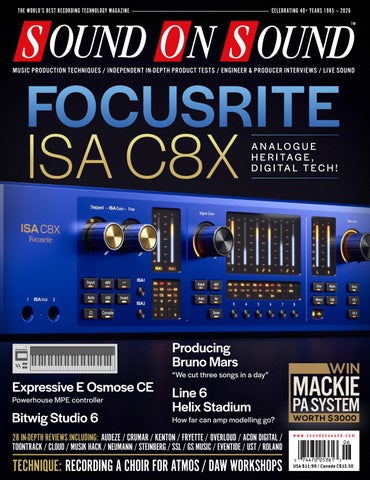
THE WORLD’S BEST RECORDING TECHNOLOGY MAGAZINE
CELEBRATING 40+ YEARS 1985 — 2026 TM
FOCUSRITE
MUSIC PRODUCTION TECHNIQUES / INDEPENDENT IN-DEPTH PRODUCT TESTS / ENGINEER & PRODUCER INTERVIEWS / LIVE SOUND
ISA C8X
A N A LO G U E H E R I TA G E , D I G I TA L T E C H !
Producing Bruno Mars Expressive E Osmose CE Powerhouse MPE controller
Bitwig Studio 6
“We cut three songs in a day”
Line 6 Helix Stadium
How far can amp modelling go?
28 IN-DEPTH REVIEWS INCLUDING: AUDEZE / CRUMAR / KENTON / FRYETTE / OVERLOUD / ACON DIGITAL / TOONTRACK / CLOUD / MUSIK HACK / NEUMANN / STEINBERG / SSL / GS MUSIC / EVENTIDE / UST / ROLAND
TECHNIQUE: RECORDING A CHOIR FOR ATMOS / DAW WORKSHOPS
WIN
MACKIE
PA SYSTEM WORTH $3000
www.soundonsound.com
USA $11.99 / Canada C$13.50
“Its sound quality, new synthesis features and internal effects are second to none.” —Dave Stewart, Sound On Sound
www.ilio.com
800.747.4546
LE ADER
THE DRIVING FORCE W
hat do the worlds of music tech, veterinary medicine and funeral planning have in common? The answer is that they’ve all become hot property with venture capital and private equity firms. This is partly a generational phenomenon: the musos who turned their attention to building mixers in 1975 are now understandably ready to cash out. It’s partly because Wall Street and the City of London have a nose for an underexploited opportunity. And it’s partly because capital investment is actually necessary for development and growth. Such investment naturally comes with high expectations, and there have already been some high-profile cases where music tech firms haven’t been able to deliver the results expected by their backers. It also tends to lead to a change of company culture. The eccentrics and mavericks who populated the trade show floors of the ’80s and ’90s are fading from the scene. The larger a music tech business grows, and the more the purse strings are held by people with backgrounds outside the industry, the less room there is for genuine individuality. But whatever changes are taking place at the top, it remains true that the people who design and build the equipment are passionate about their jobs. It’s easy to picture the industry as being divided into mad geniuses soldering by hand in their garden sheds, and soulless corporate
SOUND ON SOUND LTD (HEAD OFFICE) ALLIA BUSINESS CENTRE KING’S HEDGES ROAD CAMBRIDGE, CB4 2HY, UK T +44 (0)1223 851658 sos@soundonsound.com www.soundonsound.com
entities whose creative impulses are only focused on cutting costs. In reality, successful ‘boutique’ companies tend to have a very strong business vision to match their design chops. And behind even the largest and blandest of mass-market manufacturers will be a team of extremely clever, highly dedicated designers. No-one goes into building musical equipment for the money. Someone with the skill set to code interface drivers, optimise PCB layouts or squeeze an extra dB of dynamic range out of an A-D chip could almost certainly earn more doing something else. But, luckily for us, these people choose to make music gear. Perhaps they fall into it by accident. Perhaps they’re attracted by the reflected glory of making equipment that gets used by famous people. Probably they enjoy working in a small field where everyone knows everyone else, and rivalries are usually friendly rather than deadly. And, most likely, they’re musicians and engineers themselves. They want to build a better mousetrap because they have their own mice to catch. Focusrite, for example, are a publicly listed company with several hundred employees. But you have only to talk to their design team to realise how significant this month’s cover product is to them. The investment that has gone into the development of the ISA C8X isn’t just financial. It’s personal — and it shows.
“Behind even the largest and blandest of mass-market manufacturers will be a team of extremely clever, highly dedicated designers.”
ADMIN IS T R AT IO N
ADV ER T ISIN G
sos.feedback@soundonsound.com
admin@soundonsound.com
usadsales@soundonsound.com
Editorial Director Dave Lockwood Executive Editor Paul White Editor In Chief Sam Inglis Technical Editor Hugh Robjohns Reviews Editor David Glasper Reviews Editor Matt Houghton Reviews Editor Chris Korff Production Editor Chris Korff News Editor Luke Wood
Managing Director/Chairman Ian Gilby Editorial Director Dave Lockwood Marketing Director Paul Gilby Finance Manager Keith Werthmann
North America Sales Manager Dan Brown Regional Sales Manager David Carson UK Media Sales Manager Chris Cope
S UB S CR I P T I ON S subscribe@soundonsound.com www.soundonsound.com/subscribe
WOR L DW I D E E D I T I O N S
Circulation Manager Luci Harper Administrator Nathalie Balzano
UK/WORLD
Editor In Chief
E DI T OR I A L
WWW.SOUNDONSOUND.COM/SUBSCRIBE
NORTH AMERICA
Sam Inglis
M AR K E T IN G O N LIN E
marketing@soundonsound.com
support@soundonsound.com
International Business Development Nick Humbert
Digital Media Director Paul Gilby Design Andy Baldwin Web Content Editor Callum Hall Web Editor Adam Bull Digital Media Manager Atheen Spencer www.soundonsound.com twitter.com/soundonsoundmag facebook.com/soundonsoundmag instagram.com/soundonsoundmag
P R ODUC T I ON
DIS T R IB U T IO N
graphics@soundonsound.com
distribution@soundonsound.com
Production Manager Michael Groves Designer Mick Reilly Designer Andy Baldwin
International Distribution Magazine Heaven Direct www.magazineheavendirect.com
Printed in the USA Not for re‑sale outside North America
ISSN 1473‑5326 A Member of the SOS Publications Group The contents of this publication are subject to worldwide copyright protection and reproduction in whole or part, whether mechanical or electronic, is expressly forbidden without the prior written consent of the Publisher. Great care is taken to ensure accuracy in the preparation of this publication but neither Sound On Sound Limited nor the Editor can be held responsible for its contents. The views expressed are those of the contributors and not necessarily those of the Publisher or Editor. The Publisher accepts no responsibility for the return of unsolicited manuscripts, photographs, or artwork. © Copyright 2026 Sound On Sound Limited. Incorporating Music Software magazine, Recording Musician magazine, Sound On Stage magazine, SPL magazine, Sound Pro magazine and Performing Musician magazine. All rights reserved. All prices include VAT unless otherwise stated. SOS recognises all trademarks.
June 2026 / www.soundonsound.com
3
120 INSIDE TRACK
IN THIS ISSUE
www.soundonsound.com
June 2026 / issue 8 / volume 41
FEATURES 98 Recording A Choir For An Atmos Mix Would your mic techniques change if you knew your location recordings were destined for a Dolby Atmos release? That’s a question our Technical Editor recently had to ponder...
120 Spotlight:
Orchestral Sample Libraries
WIN
There’s never been a better time to be working with orchestral sample libraries, but the choice can be overwhelming. We round up some of the best in the business.
MACKIE PA SYSTEM
124 Inside Track:
D’Mile & Anthony Masino
Producer and songwriter D’Mile helped develop Bruno Mars’ nostalgic soul sound — and Anthony Masino’s work at retro studio Penrose Recorders played a key role in capturing it.
WORTH $3000 PAGE 56
132 Alva Noto: A Minimal Approach
4
At the forefront of electronic music for more than three decades, Carsten Nicolai has proved that less can indeed be more — and that also extends to the tools he uses.
142 Q&A
136 How I Got That Sound
146 Why I Love... Demo Vocals
Producer and engineer Warren Huart’s approach to recording the guitar on the Fray’s ‘Never Say Never’ is a masterclass in studio miking.
Jay Moussa-Mann explains why studio productions often can’t touch the purity of demo vocals.
June 2026 / www.soundonsound.com
Your studio and recording questions answered.
50 SOLID STATE LOGIC ORIGIN EVO
ON TEST
16 Fryette Amplification
Valvulator GPDI/IR
Valve Guitar Amp For Direct Recording
24 Acon Digital Extract:Dialogue 2 Audio Restoration Plug-in
58 GS Music Bree6 Keyboard
94 Applied Acoustic Systems
Objeq Delay 2 Delay Plug-in
6
Audeze LCD-5s
Polyphonic Analogue Synthesizer
95 iZotope Tonal Balance Control 3 Mix Referencing Plug-in
12
Open-back Headphones
36 Bitwig Studio 6
MIDI Interface
74
Multi-effect Pedal
22 Cloud Microphones
Cloudlifter Mini CL-25 In-line Microphone Preamplifier
10
Crumar Burn
138 MNTRA Nagual Sample Library
28 Musik Hack SweetEQ Saturating EQ Plug-in
140 Native Instruments Moments:
Vocal Clouds
Rotary Speaker Emulator Pedal
60 Eventide Music Mouse Composition Software
66 Expressive E Osmose CE C OV E R
Controller Keyboard
30 Focusrite ISA C8X USB Audio Interface
Line 6 Helix Stadium XL Guitar Amp & Effects Modelling System
Music Production Software
94 Boss PX-1
Kenton USB Solo Mk2
Sample Library
42 Neumann KH 810 II Active Subwoofer
18
Overloud Gem 160 Compressor Plug-in
88 Roland TD516 Electronic Drum Kit
140 Sample Science Ethereal Echoes Sample Library
70
Slate + Ash Ruins Sample Library
50 Solid State Logic Origin Evo Analogue Mixing Console
46 Steinberg Absolute 7 Virtual Instrument Collection
20 Toontrack Drumopolis SDX Superior Drummer Expansion
96 T‑Rex RoomMate D’Luxe Reverb Pedal
64 United Studio Technologies
UT Vintage87
Capacitor Microphone
138 WilTone Productions
Music Row Piano Sample Library
WORKSHOPS 106 SOS For Artists 108 Studio Pro 112 Live 114 Pro Tools 116 Cubase 118 Logic www.soundonsound.com / June 2026
5
ON TE ST
Audeze say that the no-compromise LCD-5s is the best headphone they’ve ever made. Does its quality justify its cost? SAM INGLIS
W
hen a high-end brand introduces a new flagship product, high expectations are the order of the day. And when said product is a pair of headphones costing four figures, those expectations need to be fulfilled. Audeze have done so in the past; I was greatly impressed by their original LCD-X when I reviewed them back in 2015. Since then, the flag has been passed successively to the LCD-2, LCD-3, LCD-4, LCD-5 and now the LCD-5s. However, with each step forward, the price bar has been raised, to the point where the latest model retails at $4500. To say that you could get a pretty nice pair of monitor speakers for that is an understatement. So does the LCD-5s deliver value for money as a studio tool, or is it an expensive luxury? Like all of the abovementioned models, the LCD-5s is a passive design based around the latest iteration of Audeze’s signature planar magnetic technology. That means it incorporates such impressive-sounding features as “Updated Fazor Waveguides, Parallel Uniforce Voicecoil and Fluxor Magnets” in a bid to set “a new standard for accuracy”. It’s also the first flagship model to use Audeze’s SLAM (Symmetric Linear Acoustic Modulator) technology, which equalises the resistance faced by the diaphragm when moving inwards and outwards.
Light Work Historically, planar headphones have had their own strengths and weaknesses. The former include low distortion, good low-frequency response and accurate representation of transients; chief among the latter are low sensitivity and limited high-frequency extension. These flaws have largely been overcome in recent years, thanks to the availability of high-powered rare-earth magnets and to design innovations by Audeze and other manufacturers. Even so, the LCD-5s is less sensitive than most moving-coil models, generating a fairly modest 90dB SPL from a 1mW input. But with a nominal impedance of 14Ω, it remains fairly easy to drive; and,
6
June 2026 / www.soundonsound.com
Audeze LCD-5s Open-back Headphones
let’s face it, if you’re going to spend this much on a pair of headphones, you’ve probably got a half decent amp with which to drive them. The LCD-5s ships in a tankproof, lockable hardcase, and is the first review item that has ever arrived at SOS Towers with a pair of white cotton gloves for handling [not quite; Lauten Audio were first — Ed.]. It comes with a tough braided ‘Y’ cable that attaches to the base of each earcup with a mini-XLR. At the other end, this terminates in a four-pin XLR for ‘balanced’
operation, with a short adaptor cable catering to those of us in the cheap seats with quarter-inch jacks. The original LCD-X was a pretty large and heavy design. I personally found it comfortable enough, but it’s understandable that Audeze have tried to reduce bulk and weight in more recent models. At 475g (about 17oz), the LCD-5s is a good 25 percent lighter than the LCD-X, albeit a little heavier than the LCD-5. Although still chunky, it’s no larger than many moving-coil designs. Audeze’s signature circular earcups and asymmetric cushions are retained, and a touch of visual class is added by the use of tortoiseshell plastic and ‘rose gold’ metal finish. The design gives the earcups plenty of freedom to rotate in all three planes, and a notched metal pole on either side allows the effective length of the headband to be varied to fit your skull. As a result, I found the LCD-5s pleasant and comfortable
With up to 64 analog and 212 digital channels of modular I/O, this is the interface level-up for you’ve been waiting for. Our AD/DA converters provide exceptional depth and clarity and will immediately improve everything you do in tracking, mixing or mastering. I/O cards include Dante, Digilink, USB, Ravenna and MADI (coming soon). Setup and control is elegantly simple with our GraceNet web-based UI. With stunning audio performance and flexible integration, the m701 is a highly capable centerpiece for any studio.
“The transparency of the signal and ease of the interface really allow me to make the sonic manipulations that are necessary to make great records. The m701 is the linchpin of my system and allows me to do what I do without any hindrance.”
“The sound of my jaw hitting the floor is still reverberating in my studio… My previous converters were excellent, but the Grace really blew me away. The phantom center feels more solid and stable, the lowest frequencies feel like they never stop
Anna Frick Mastering Engineer, Ally Sound
Don Gunn Atmos Mix Engineer, TapeOp Magazine
going deeper, and the highs are like silk.”
“When I heard the announcement of the m701 I thought it was a logical addition to the Grace Design portfolio, and it was bound to be an impressive performer. However, it has surpassed even my expectations in terms of configurability, ease of use, and technical performance. This is one heck of a big-boy’s interface!”
www.gracedesign.com • Lyons, CO USA
Hugh Robjohns Technical Editor, Sound On Sound Magazine
ON TE ST
AUDEZE LCD-5S
An exploded view of an LCD-5s earcup, showing the diaphragm with embedded metal strips (blue, centre) that is pushed backwards and forwards by the magnet structure to generate sound.
to wear for long periods. Which is fortunate, because I rarely wanted to take it off.
New Lows The very best monitoring systems have a quality of connecting you directly with the music, in such a way that you set out with good intentions to listen to the system, and 20 minutes later catch yourself marvelling at previously unheard details in favourite recordings. The LCD-5s simply makes music listening more rewarding, not through flattery or subtle enhancement, but by offering a more complete window onto the recording. It allows you to zoom in on those small details, but it also lets you pull the focus back and consider a track or mix as a coherent whole. I was interested to see how the LCD-5s would compare with HEDD Audio’s HEDDphone 2, which until now has probably been my benchmark. They have many of the same strengths; in particular, both have the ability to put across musical dynamics in a way that you’d normally get only on speakers. There’s a noticeable difference in the frequency response of the two models, with the HEDDphone having more presence in the upper midrange. Mixes that sounded just right
8
on the HEDDphone 2 occasionally sounded woolly or boxy when switching to the LCD-5s, and conversely, the HEDDphone sometimes framed as slightly harsh mixes that worked perfectly on the LCD-5s. Of the two, the HEDDphone frequency response was probably closer to that of my Genelec speaker system, but we aren’t talking about right or wrong here, just different flavours of great. And if the HEDDphone has a marginally more neutral tonality overall, the LCD-5s is superior in two significant respects. There’s a natural, relaxed quality to the treble on Audeze’s high-end models that I don’t think I have heard from other headphones. On some of their designs, that comes at the cost of a slightly subdued high-frequency response, but here it just sounds glorious. The LCD-5s makes you aware of problems like excessive sibilance or over-bright hand percussion, but doesn’t make it a painful discovery. It’s super smooth, without being dark or muffled. But the LCD-5s’s greatest strength is at the other end of the frequency spectrum. The bass on the HEDDphones is excellent. The bass on these headphones is jaw-dropping. It’s extended, it’s fast, it’s punchy, it’s clear and it’s thrilling to listen to, yet it’s not bloated or flabby as is the case with some moving-coil models. I lost count of the number of foot taps, vocal plosives, underground trains and other low-frequency noises the LCD-5s let me pick out of recordings where I’d never head them before. And when it comes to balancing bass guitars against bass drums, equalising synths, or fitting together jigsaw puzzles involving floor toms, snares and vocals, the LCD-5s is like no other headphone I’ve ever tried (except the LCD-X, obviously). If you’ve ever had the experience of adding a perfectly integrated subwoofer to an already good speaker system, you’ll have some idea of what switching to the LCD-5s feels like.
High Standards In short, then, my high expectations have been amply fulfilled. But have they been fulfilled to the extent that I’d pay several thousand dollars for a pair of headphones? I’ve always had a strong preference
June 2026 / www.soundonsound.com
for mixing on speakers where possible, and as I said at the outset, you can get a very nice pair of speakers for this sort of money. However, the difference between expensive speakers and expensive headphones is that expensive speakers require an expensive room. And that’s especially true at the low end, which is where the LCD-5s shines the brightest. If you want this sort of low-end presentation from speakers, you don’t only have to budget for the speakers. You also need to put a lot of time and effort into treating the monitoring environment — and by the time you’ve finished, you’re likely to have spent a lot more than the cost of the LCD-5s. And that’s assuming you have a monitoring environment that can be treated, which isn’t always the case. If, like many engineers and producers, you’re working in hotel rooms, Airbnbs and tour busses, high-quality speaker monitoring just isn’t an option. The LCD-5s isn’t a pair of speakers, but it has many of the same strengths; and whereas speakers are at the mercy of their surroundings, the LCD-5s will excel wherever you are. From yurt to yacht, this is a monitoring system of the highest quality.
summary Though naturally not cheap, the LCD-5s represents the state of the art in planar magnetic headphone design, and sounds simply wonderful.
$ $4500 W www.audeze.com
Expert advice, award-winning service, and the world’s best brands.
For nearly 50 years, Sweetwater has helped millions of customers find the perfect gear. Give us a call and discover how our deep product knowledge, legendary customer support, and superior selection can transform your shopping experience.
Sweetwater.com/recording (800) 222-4700
Personalized Advice & Support
Free 2-year Warranty
Fast, Free Shipping
Payment Options for Every Budget
Highly trained Sales Engineers and on-site support team.
Buy with confidence, knowing we have your back.
Most orders leave the same day.
Flexible payments and up to 48-month financing.
ON TE ST
Crumar Burn
Rotary Speaker Emulator Pedal We take the Italian manufacturer’s first dedicated effects box out for a spin... PAUL WHITE
A
lthough there are literally dozens — and in some cases hundreds — of pedal options out there for each of the more common types of effects, there’s a much shorter menu when it comes to rotary speaker emulators. Possibly the best-known models are produced by Strymon, Neo, Roland and Leslie. Add in the Nux, Tech 21 and Fender models and you’d still be pushed to get the count of capable pedals up to 10. Crumar’s Burn pedal brings us another choice. Originally bundled with the Mojo Sorrento organ, it’s their take on the classic Leslie sound, and emulates a two-rotor configuration, each rotor having its own ramping characteristics when changing speeds. Unlike some of the alternatives, it doesn’t model the Leslie’s amp distortion, but it does have a built-in reverb, with a choice of spring or more generic digital algorithm, and the reverb remains active when the rotary effect is bypassed so the tails aren’t chopped off.
Connectivity & Operation Fitted with a mono input and a stereo output, the pedal operates on a standard 9V pedal supply, and one is included in the price. It’s aimed at both guitarists and keyboard players generally, but for those using compatible Crumar keyboards it also features Crumar’s One‑Cord port. This carries power from the keyboard as well as both the audio input and a control line
for speed switching; plugging into the mono input jack overrides this port. Additionally, there’s a TRS jack on the side of the case for connection to Crumar’s HMS-20-BK ‘half moon’ speed switch. There’s no dedicated mono output option, but the effect does sound fine to me in mono, when taken from either output. On the left side of the case is a USB-C service port, plus a recessed gain switch that sets the pedal for instrument or line-level signals. A stereo headphone output on a 3.5mm jack is found on the back panel. In fact, all the audio connections are on the rear panel, and that helps conserve space if used on a pedalboard, and to minimise cable mess if perched on a desktop or atop a keyboard. The pedal includes both a noise gate and a speaker emulator, but these can (independently) be disabled. The status LEDs change colour to indicate the status of these options, which can be set via a power‑up routine. A Ramp control allows users to adjust how quickly the sound transitions from the slow chorale to the fast tremolo effect, and there’s a separate Memphis switch that stops the bass rotor entirely and just leaves the horns spinning. Balance sets the horn/ drum balance and there are further controls for mic Distance and Angle, Speed and Reverb level. Distance and Angle simulate microphone placement. Dual footswitches allow for bypass (with status LED) and for speed change, the latter also including a Stop All the I/O are on the rear, and as well as supporting other instruments in the conventional way, there’s a dedicated port for use with Crumar’s keyboards.
10
June 2026 / www.soundonsound.com
function and a status LED that flashes at the rotation speed. Front Stop simulates stationary rotors both facing forward when stopping the rotary effect by holding down the speed change footswitch.
Feel The Burn? Sonically, the Burn delivers a very convincing rotary effect at both the slow and fast speeds, and while you can use one output for mono as described above, it sounds more expansive in stereo, as you’d expect. Some lesser rotary-speaker emulation pedals sound to me more like modified flangers than actual rotary speakers, but this one is impressively convincing. I did rather miss having an onboard drive emulation for adding the famous Leslie ‘growl’, but if you want that you can always place a dedicated overdrive pedal before the Burn (adding distortion after the pedal doesn’t produce the same effect). Guitar players will almost certainly have a suitable drive pedal already, though for keyboard players it could perhaps be an additional expense. On the plus side you also get two very usable reverb flavours, and that Memphis option delivers a lovely effect that some guitar players like to use as an alternative to the ‘both rotors running’ mode. Overall, it’s a well thought-out pedal with a good balance of controllability and simplicity of operation.
summary A convincing Leslie speaker emulation, the Burn has plenty to commend it for organs and guitars alike, though you might want to pair it with an overdrive.
$ $309. W www.crumar.it
ON TE ST
Kenton USB Solo Mk2 MIDI Interface
Kenton’s latest interface makes it easier than ever for digital to talk to analogue. RORY DOW
M
IDI-to-CV converters are one of those unglamorous studio essentials. Nobody buys one because it’s exciting. You buy one because your Minimoog doesn’t have USB, your DAW doesn’t have CV outputs, and the gap between the two needs bridging. Kenton Electronics have been filling that gap for over 30 years, and the USB Solo Mk2 is their latest attempt to make the analogue-digital love affair as painless as possible.
Overview The USB Solo Mk2 is a small, single-channel MIDI-to-CV converter housed in a compact metal desktop box measuring 140 x 87 x 45mm and weighing a svelte 210g. The rear panel is where all the action happens. On the left is a single USB-C socket, which provides 5V power and USB MIDI data from a computer. To its right sit five 3.5mm mini-jack sockets for CV, gate and the three aux outputs. Finally, a pair of five-pin DIN sockets handle traditional MIDI. The MIDI thru output can double up as a DIN sync connector. The front panel is minimal: a three-digit LCD alongside three buttons. Parameters are selected with Select and their values adjusted with Dec/Inc. It’s an old-school approach that works well enough. The most common parameter numbers are
12
June 2026 / www.soundonsound.com
printed on the case, but others will require the manual to be close by. If you prefer, there’s a free configuration app available from Kenton’s website that gives you everything on one screen. Up to 32 complete parameter sets can be stored and recalled as presets — either from the front panel or via MIDI Program Change — and all settings live in non-volatile EEPROM, so there’s no backup battery to worry about. Kenton have pre-loaded the unit with presets for popular vintage synths, like the SH-101, SH-09, Prodigy, Minimoog, MS-10 and MS-20, CS-10, ARP 2600, and the like. The USB Solo Mk2 has two modes of operation. In Standard mode it accepts MIDI from USB and DIN simultaneously (merging them together) and converts to CV. In Interface mode it does the same, but additionally behaves as a USB MIDI interface, relaying MIDI between your computer and the five-pin DIN MIDI thru. Handy if you’ve run out of USB ports on your computer, though you lose the option of using MIDI thru as a DIN sync output, since that socket is now tied up. Inside the box you’ll find more than just a pitch and gate converter. There are three assignable aux outputs, a dedicated ADSR envelope generator, an LFO, two independent clock dividers, drum and note triggers, and even a built-in MIDI analyser (the built-in display isn’t really up to this task, but it can be useful when you’re trying
to work out why something isn’t talking to something else).
What’s New Compared to the DIN-only Pro Solo Mk3, the headline differences are USB connectivity and the dual-mode design that lets it double as a USB MIDI interface. Against its direct predecessor — the original USB Solo — the Mk2 adds five-pin DIN MIDI input (the original accepted USB only), aux 2 and aux 3 are now continuously variable rather than fixed-function, and there’s a new ADSR envelope generator routable to any aux output. The USB
Kenton USB Solo Mk2 $229 pros • USB and 5-pin DIN MIDI input simultaneously. • Bus-powered via USB-C. • Built-in ADSR and LFO. • Pre-loaded presets for popular vintage synths. • Doubles as a USB MIDI interface.
cons • None that I can think of.
summary The Kenton USB Solo Mk2 is a continuation of everything Kenton is good at. The USB Solo Mk2 is a perfect utility box for single-channel MIDI-to-CV duties.
ON TE ST
KENTON USB SOLO MK2
socket has also moved from the old USB-B to USB-C, bringing the unit in line with most modern computers.
CV & Gate The main CV output supports Hz/V, and anything from 0.92 to 1.62 V/oct scaling, which covers just about every unusual pitch configuration you might come across. The gate output is configurable from 5V to 15V V-trig, with S-trig options. Fine‑tuning and scale adjustment parameters let you dial in precise tracking for those vintage oscillators that refuse to behave. Pitch-bend range is adjustable up to ±48 semitones, and there’s a five-note buffer for polyphonic note memory, so trills and quick legato passages behave as they should. Portamento is catered for too. The USB Solo has its own built-in glide, with a choice of fixed-rate or fixed-time behaviour. It can be switched on permanently, left off, triggered automatically by legato playing, or assigned to any CC. There’s also a dedicated Auto Portamento mode that engages Roland’s own portamento circuit on MC-202s or TB-303s fitted with Kenton’s 5-socket kits — useful if you want the original’s character rather than the USB Solo’s glide. A connected sustain pedal will hold both the gate open and the ADSR at its sustain level in the usual way.
Auxiliary Outputs The three aux outputs are where the real flexibility lives. Each can be independently assigned to respond to MIDI CCs, velocity, aftertouch, pitch-bend, clock dividers, note triggers, drum triggers or the ADSR envelope. Aux 1 and 2 run at 12-bit resolution with a voltage range of approximately -2.7V to +10V. Aux 3 is 10-bit, 0V to +10V. Each output has independent minimum, maximum and reset values, meaning you can scale or invert the response however you like.
The USB Solo Mk2 is conveniently small, measuring 140 x 87 x 45mm and weighing just 210g.
Each aux output also has its own slew rate parameter, which can be used to smooth out stepped CC values. The built-in LFO can modulate both the CV and aux 1 outputs independently, with nine waveshapes, MIDI Clock sync, and key-on reset. Rates run from around 0.1Hz up to 100Hz, and the amount can be controlled via any MIDI message, with CC1 the sensible default for a mod‑wheel vibrato. The onboard ADSR envelope is new to the Mk2 and can be routed to any aux output. Each of the four stages can be assigned to a MIDI CC for real-time control, the envelope can be inverted, and a Reset to Zero option lets you choose whether new notes restart the envelope from zero (digital envelope behaviour) or continue from its current level (analogue behaviour). The latter is much more musical when playing quick legato passages.
Clocking & Sync The MIDI thru socket doubles as a Sync24 output for DIN sync drum machines, with
At the back we find a USB‑C port, 3.5mm sockets for CV, gate and the three auxes, and two five-pin DIN sockets for MIDI and DIN sync.
14
June 2026 / www.soundonsound.com
the two internal clock dividers available as source options. That means you can clock a TR-808, TB-303, or MC-202 at their native 24ppqn, or 48ppqn for Linn and Oberheim machines. The same clock dividers can be routed to any aux output, turning the USB Solo into a handy little clock generator for modular sequencers and arpeggiators. MIDI Start/Stop is also available as an aux source, which is useful for getting an external sequencer to start and stop along with the DAW.
Conclusion The USB Solo Mk2 is a doddle to use. The three-digit LCD display might not convey much info, but it’s good enough and you can edit everything from the front panel using just three buttons. Most people I know who use these boxes have them dedicated to a single synthesizer, so setup is often a once‑only, set-and-forget affair. If you want to make use of the extra modulation sources like the LFO and ADSR, it will feel a bit fiddly compared to your average synthesizer, but these functions can add a lot of functionality to a vintage synth that is perhaps lacking in these simple modulation sources. The USB Solo Mk2 is exactly what you expect from Kenton. Another robust utility box that speaks perfect synth. Whether you’re integrating a vintage synthesizer, or a modern Eurorack modular, or indeed anything with CV capabilities, Kenton have you well covered. $ $229 W www.kentonuk.com
Introducing ISA C8X ISA’s forty-year legacy evolves with a new 2U, USB audio interface. ISA C8X combines Focusrite’s most respected analog designs with modern control, connectivity, and recall. At the heart of ISA C8X are eight microphone preamps. The two ISA transformer-based mic preamps feature Lundahl transformers, stepped and fine gain, switchable impedance, dedicated inserts, and 430 Air lifted directly from the ISA 430 MkII. Console mode introduces warm analog saturation and low-end punch. Alongside the two ISA preamps are six ultra-low-noise Focusrite mic preamps that deliver clean, detailed gain with optional Air and Drive for added character.
Flagship Focusrite RedNet-grade AD/DA conversion ensures uncompromising audio quality for tracking, mixing, and monitoring. With 26 inputs and 28 outputs, including fixed +24dBu line ins and outs, ISA C8X is patch-bay ready and the natural anchor for serious outboard-focused studios. ISA C8X is the next evolution of ISA: built to stay, built to scale, and built to be the center of your professional studio for years to come.
Discover ISA C8X
ON TE ST
Overloud give some virtual VCAs a workout in a characterful compression plug-in. SAM INGLIS
W
ith any large plug-in bundle, you’ll get more use from some plug-ins than others. It has certainly been that way for me with Overloud’s Gem Studio collection, which I reviewed back in August 2021. I haven’t often felt the need to revisit their emulations of the Binson disc echo or Thermionic Culture Vulture, but I’ve leaned pretty heavily on some of the other processors, chief among them Comp G. Gem Comp G is based on the classic SSL G-series compressor, embellished with useful additional touches like a variable high-pass filter, wet/dry mix control and optional Mid-Sides operation, and I’ve used it to good effect on drums and on the master bus. Since that review appeared, the Gem Studio line-up has continued to grow, and the latest addition emulates another classic VCA compressor design — or, rather, three closely related designs.
Grab & Go Gem 160 is intended to replicate three different flavours of dbx 160 hardware: the 160VU, 160XT and 160A. Unlike some other dbx models, none of these devices offered manual attack or release time adjustment. Instead, they feature unique auto‑response characteristics, which are largely responsible for their distinctive, ‘grabby’ sound. Overloud haven’t felt the need to change this, but the Gem 160 plug-in offers the same suite of enhancements that is available on the other Gem compressors. This means you get input and output gain controls, a wet/dry mix control, a Harmonics dial that varies the amount of saturation, and another dial that reduces the detector’s sensitivity to low frequencies. It’s not clear whether this is a simple side-chain high-pass filter or something else, but it is certainly effective. When used on a stereo track or bus, a Mid‑Sides switch doubles up the user interface, in effect adding a second mono instance for the Sides signal. I could wish there was a way to link the controls, but given how few there are, this is hardly a major problem. The 160VU is the oldest of the hardware units being emulated, and has just three main controls: threshold, ratio and make-up gain. Switch to one of the other two
18
June 2026 / www.soundonsound.com
Overloud Gem 160 Compressor Plug-in models, and the GUI changes appropriately. A button labelled Over Easy switches between hard- and soft-knee operation (although the in and out settings look identical on the GUI), and the ratio dial now goes to infinity — and beyond. Beyond, in this case, meaning to the realms of negative compression, whereby signals exceeding the threshold are attenuated to the point of being quieter than signals that don’t reach the threshold level. In practice, this is not quite as brutal as it is on, for example, the Eventide Omnipressor, but you can still achieve some pretty out-there effects, especially on drums.
Get Things Moving Even though the later 160 models have this extreme tone-shaping option, they have the reputation of being less characterful than the original 160VU. If Overloud’s emulations are anything to go by, they certainly preserve the high end more faithfully. Once the VU properly gets to work on your source, it tends to bring a warm and rounded quality to the sound. But it’s the action of the compressor that is really fun. On a bass guitar or bass drum there’s tons of snap and bounce to play with, whilst more
complex sources such as drum overheads and room mics get deliciously squishy. The XT and A variants behave slightly more like a ‘normal’ compressor, and can even be relatively transparent when performing only a couple of dB of gain reduction. At extreme settings, the A is the odd one out, providing a much more controlled sound, albeit still obviously compressed. None of the 160 variants is inherently subtle, and this isn’t a plug-in you’d reach for to give your string quartet an invisible level massage. But if what you’re looking for is compression as an effect, rather than a utilitarian means of reducing dynamic range, Gem 160 really stands out from the crowd. I think Overloud have done an excellent job here, and I can see this joining Gem Comp G as one of my favourite plug-in compressors.
summary When you want compression to add to the sound, not just control it, Overloud’s Gem 160 brings all the attitude you’ll need.
$ $119 W www.ilio.com W www.overloud.com
MEET THE JBL BANDBOX, YOUR AI-POWERED BANDMATE AI
Real-time AI stem separation
Legendary guitar amp and effects models
Powerful JBL sound
Practice and performance tools
For non-commercial use only. It is your responsibility to know and abide by copyright laws in your country, and your use may require permission from the copyright holder(s). Review terms associated with use of prerecorded or licensed music, and streaming services, before using BandBox.
ON TE ST
JOHN WALDEN
T
oontrack have set a very high bar with their SDX expansion packs for Superior Drummer, and the latest release — Drumopolis — is no exception. With producer Tony Visconti at the helm, the facilities of London’s Metropolis at his disposal, the expertise of recording engineer Liam Nolan (credits with Adele, Rihanna and Stormzy, among others) and drummer Stephen Gilchrist (the Damned, Graham Coxon, the Lightning Seeds and more) to collaborate with, and a collection of eight mightily impressive drum kits spanning the 1960s to the present day, the potential is obvious. Just how good can Drumopolis make your own drum tracks sound?
Sonic Pedigree Tony Visconti’s production credits are remarkable and span a huge range of musical genres. That legacy is on full display here and moving through the presets, it’s not difficult to hear the echoes of his work with T Rex, David Bowie or Thin Lizzy in the SDX’s presets. The eight impressive kits (from Singerland, Canopus, Tama, Ludwig, Camco and Rogers) were recorded across two different rooms at Metropolis (a main room and a smaller damped iso‑booth), with optional added ambience captured from an adjacent stone room (plus some surround options). While I’d definitely put their focus on rock, the collection covers a very broad spectrum be that classic, alternative, indie, progressive and more. In addition, the underlying sample base lets you go from a more vintage sound right up to the modern day, and from a tight dry sound (that you can then apply your own choice of processing to) through to excellent ambient and lo-fi (those stone room mics are great here) options. However you present or process them, though, these kits sound fantastic and could grace almost any musical setting. If that setting happens to be your own musical productions created in a recording environment that doesn’t match the facilities of Metropolis, then I suspect your main problem will be making the rest of the tracks sound as good as the drums... which is not such a bad problem to have.
Groove Matters As with all the SDX and EZX expansions, Drumopolis SDX is supplied with a collection of MIDI grooves recorded as part of the sessions. Personally, I think these are often an underappreciated part
20
June 2026 / www.soundonsound.com
Toontrack Drumopolis SDX
Superior Drummer Expansion
What do you get if you combine a legendary producer, a legendary studio and eight exceptional drum kits? of these expansion packages. However, for those of us well aware of our limitations behind a kit, these grooves provide a starting point for a quality of performance to match the quality of the sounds. Stephen Gilchrist’s work here is really very good, with playing styles that span the works that Tony Visconti is known for. And, if you want more of the same, you can add the new Rock Chronicles MIDI drum groove pack — recorded in the same sessions — as a separate purchase. There is great value in these MIDI expansions across all the Toontrack virtual instruments, and building a collection here really does expand the possibilities provided by the performance engines and songwriting features provided by the likes of Superior Drummer and EZdrummer.
Kicks & Snares To Spare? Superior Drummer undoubtedly ships with an excellent core library and, for some users, that might provide all the acoustic
drum sounds they could ever imagine needing. If so, then that’s great... but the SDX (and EZX) expansions do offer something over and above that core library and are often focused on a specific genre or the unique recording history of the producer or studio involved. The Drumopolis SDX does just that. If you have a love for the incredible array of works that Tony Visconti has been involved with and would like to add the essence of those iconic drum sounds to your own tracks, then the Drumopolis SDX will let you do that with some considerable class.
summary The Drumopolis SDX gives you the classic drum sounds from Tony Vistonti’s legendary production back catalogue but with plenty of options to also bring those sounds right up to date.
$ $179 W www.toontrack.com
So advanced, test equipment can't measure it. Someday, all audio gear will be designed like this.
D-1 28-bit DAC It’s a new listening standard which has reset all my expectations. The D-1 somehow captures the dynamics, ambience, impact, transients and three-dimensionality of real life.
Depth and separation is breathtakingly 3D. Once you experience the D-1 DAC, going back to whatever you are currently using, no matter how much you paid for it, is going to be difficult.
Bob Katz, countless hit records, Digital Domain
John Cuniberti, Recording Engineer / Producer, countless gold + platinum records
What you have done is incredible. Simply stunning. Depth and detail that pulls me into the music.
In a word, outstanding — truly in a league of its own. Space, depth, and width are all immediately stunning. Clarity is terrific, very natural. It has rightfully earned its place in my arsenal.
Michael Romanowski, 5-time Grammy winning Immersive Mastering Engineer
Emily Lazar, Grammy winner, 10x nominated Mastering Engineer
The [D-1] sound is elegant and beautiful. The ambient information is clearer. I love what you’ve done here. You can’t have it back!
This DAC is astonishing. The difference is truly amazing. Your DAC is like switching from 35mm to IMAX. The color, depth, and low-level detail is breathtaking.
John Greenham, 4-time Grammy winning Mastering Engineer (Billie Eilish, Lady Gaga)
Paul Blakemore, 5x Grammy nominated, Chief Mastering Engineer, Concord Music
imersiv.com by Millennia
In-depth pro comments
ON TE ST
Cloud Microphones Cloudlifter Mini CL-25 In-line Preamp
Cloud have teamed up with Neutrik to make their acclaimed Cloudlifter technology smaller than ever. NEIL ROGERS
W
hen low-sensitivity microphones are used on quieter sources, they deliver a low output level. In such situations, we’re forced to push most mic preamps into the upper reaches of their gain range, where it’s more likely that noise will be introduced, or that controls exhibit ‘gain bunching’, making it trickier to set the optimum level. It’s now over 15 years since Cloud had the bright idea of putting the active circuitry employed in their ribbon mics into a standalone box, so that the gain stage might be used with any passive mic, thus allowing any mic preamp to be used in its optimum range. The result was the Cloudlifter CL-1, which, along with various more recent stablemates, has generally been shortened to just ‘Cloudlifter’ — and so popular have these been that many engineers now use that word to describe any device designed to boost a passive mic’s signal before the main mic preamplifier. There’s some variation in Cloud’s products but typically, including in this case, they provide 25dB of fixed gain and are really intended for use with passive ribbon mics and low-output moving-coil dynamic microphones. The Cloudlifters need 48V phantom power to work, but don’t pass this on to the mic, thus eliminating the risk of damaging vintage mics that don’t adhere to today’s wiring conventions, or when mics are used with faulty cables. Using a patented Class-A discrete signal path, noise-cancelling JFET chips are directly coupled to both microphone and preamp, so it’s about as close to offering the mythical ‘wire with gain’ as is possible.
Mini Me! The latest addition to the Cloudlifter range is the Mini CL-25 ‘mic activator’, which offers the same award-winning circuitry and performance as the patented CL-1. The result of an engineering collaboration with
22
June 2026 / www.soundonsound.com
legendary connector manufacturers Neutrik, it might not offer anything new sonically, but it’s vanishingly small — it’s genuinely difficult to imagine how it might have been made any smaller without losing the XLR sockets altogether! — so potentially offers greater convenience. The idea is that it can be used anywhere in the chain between microphone and preamp — between cables, directly inserted into stageboxes or a desk’s mic input, or even left attached to the mic itself (at the start of the signal chain which, in theory, is the best place to boost). It’s also designed to be rugged enough to survive thousands of insertion cycles.
In Use The Royer SF-12 is a passive stereo ribbon mic that inherently delivers a low output. Mine sees a lot of action in my studio, but occasionally I find that I’m unable to use it on quieter sources, due to the noise that can be introduced even by good-quality preamps. With the pair of CL-25s I was sent to review, this mic asked a lot less of my preamps. It felt good not to have to crank the gain all the way up on quiet sources, and I also had no issue using them on louder sources like drums or close‑miked piano. I’m not sure I can clearly report that such sources sounded ‘better’, but the CL-25 certainly made the signal louder and took absolutely nothing away as it did so: every time I used my SF-12 it sounded both quiet, and as good as it ever has. I also have in my locker a couple of dynamic mics that are commonly associated with dialogue recording and podcasting — the Electro‑Voice RE-20 and Shure SM7 — and it worked well with both. Though the latter is a great mic, many users have discovered that the SM7 has as a particularly low output, and I’ve used a CL-2 Cloudlifter with it for a few years; as well as solving the level issue, it seems to make a positive difference to how this mic sounds. The Mini CL-25 did exactly the same.
But the most impressive thing about the Mini CL-25 is just how tiny it is: allowing for the XLR plug aspects of the design, Cloud really have fitted everything you need into the very smallest space possible, and that makes it their most convenient option yet. I’ve now used these handy tools with a variety of dynamic and ribbon mics over a number of sessions, and I often leave them plugged into my stagebox, or keep them handy in my pocket for when I’m ‘in the trenches’ setting up for a busy session. Whether you need a Cloudlifter-style device depends very much on your own mics, preamps and the sources you’re recording. But for regular users of SM7s or passive ribbon mics, they’re definitely a worthwhile investment. For studio owners like me who have a wide variety of time-sensitive recording jobs to tackle, this would be a great addition to your box of problem-solving tools.
summary The CL-25 packs Neutrik connectors and Cloud’s well-regarded ‘mic activator’ circuitry into an impressively small package.
$ $149. T Cloud Microphones +1 520 829 4164 E support@cloudmicrophones.com W www.cloudmicrophones.com
The Next Evolution in Audio Post-Production Nuendo 15 delivers the next evolution in audio post-production with offline dialogue intelligibility analysis, upgraded automation, MXF video support, and workflow improvements that increase clarity, consistency, and efficiency.
www.steinberg.net/nuendo All specifications are subject to change without notice. Copyright © 2026 Steinberg Media Technologies GmbH. All rights reserved.
ON TE ST
A C O N D I G I TA L E X T R A C T: D I A L O G U E 2
global sensitivity slider, then, but once your nodes are present, they remain anchored in position as you drag the line — an action that therefore affects the overall curve. Of course, in v2, you get to apply the same principles to reverb and noise too, not just the dialogue extraction. Second, there’s an unassuming ‘EQ’ button: hit this, and the display changes to reveal a three-band equaliser (high and low shelves, and a parametric mid) that allows you to shape the selected channel. You can, for example, decide to tailor the frequency of the reverb sound, rather than simply to turn it up or down. With only three nodes to work with, you can’t do radical things here, but with independent control of the gain, frequency and bandwidth, it’s more than enough to massage the tone of the separated signals, for example to nix harsh consonants and esses, or broadly match mic or room tones on different recordings. You also have the ability, at the cost of more CPU cycles, of having all the processing performed separately for the Mid and Sides components of a stereo signal, though at the time of writing you can’t adjust the EQ or sensitivity independently for those two channels. Finally, as on v1, there’s a handy headphones button to preview the delta signal — hit this and you’ll hear in solo everything the plug-in is removing from the original audio.
In Use I used Extract:Dialogue 2 on several commercial dialogue post-production projects, as well as on some material I’ve
used to evaluate similar tools in the past. But before I dive into that experience, I should start with a couple of caveats. First, as with all such machine-learning‑based tools, this one is designed specifically to identify and separate specific sounds: its utility is confined to separating dialogue, reverb (‘room tone’) and noise (the rest), so if you were to expect it to reduce the reverb on, say, a piano or an acoustic guitar, you’d be disappointed! That said, I had some success using it on sung parts, even if there are better tools out there for processing vocals. Second, the latency in Reaper measured 6408, which is a shade over 66 milliseconds when working at 96kHz (more for lower sample rates). Naturally, this is automatically compensated for by your DAW, but there will be other delays in the signal chain too, so this isn’t a tool I’d look to for live-sound applications or for monitoring while recording. Download and installation on my M1 MacBook Pro was quick, as was authorisation, which is via the simple copy-and-paste of a licence code (a very long code, though — you really don’t want to be typing it out manually!). AAX, AU and VST2 versions are available, but I did the majority of my testing in Reaper v6 with the VST3 version, where I used it both as a regular channel insert effect, and occasionally to treat short clips, allowing me to render that section. For my tests, I used it on a range of voices, including on three different podcast projects. These included male and female voices, English and American speakers
with different accents, as well as a Chinese gentleman speaking English with a strong accent. I also made some recordings of my own voice where there was significant ambient noise and reverberation. Generally, Extract:Dialogue 2 worked very well indeed, and I was able to find a use for it on all parts I tried it on. With suitably well‑recorded material, it was effective at drying the dialogue. Like all tools I’ve used to date, it struggles a little to treat strong first reflections, but that’s best tackled when recording anyway. I used it to reduce the traffic noise on some outdoor recordings captured to a camera (outright removal would have sounded odd alongside the visuals), and to remove sounds like the dehumidifier and air-con units that I used to contrive some noisy indoor recordings for my tests. The EQ was useful in taming the high end of the reverb, to enhance intelligibility without erasing the sense of space. With more problematic material (online podcasts, where the guest was in an office and clearly didn’t have a handle on their audio setup or acoustics), I first used a number of my usual tools to improve the intelligibility, but Acon’s latest release still came in handy. For more radical processing, I often use different tools to work in multiple passes, and after doing some offline work in iZotope RX 11 I first used Extract:Dialogue 2 to tighten things up before setting up Accentize’s dxRevive to do the heavy lifting. This worked really well: Acon’s plug-in enabled dxRevive to deliver a better result. In summary, then, Acon Digital’s Extract:Dialogue 2 is a significant improvement on the previous version, and it does a good job of taming room sound and everyday noise from dialogue recordings. It’s not the only such tool out there, but it’s one of the better ones, and used alongside other restoration tools as part of a processing chain, it can make it possible to rescue sub-par recordings that you’d normally have to bin. It’s also really intuitive to use. If you work with dialogue recordings often, I’d say it’s certainly worth auditioning using the free demo.
summary A significant update to Acon’s dialogue extraction tool, this plug-in now offers separate control over the voice and its reverb, and other noises in a recording, and they’ve done well to pack in so much without crowding the GUI.
Acon managed to pack a lot into a simple interface: note the pink button at the bottom of this screen, which tells you the Reverb channel is in view, and the orange EQ button that tells you the display is for the EQ, rather than the sensitivity.
26
June 2026 / www.soundonsound.com
$ $99. W https://acondigital.com
LCD-X
The Audio Professional's Choice
"The openness and detail I get from my LCD-X's rivals that of my studio monitors and it's great being able to confidently mix on the road." Tane - Producer/Engineer for G-Eazy
ON TE ST
Musik Hack SweetEQ Saturating EQ Plug-in If it ain’t there, you can’t boost it... but you can add a little something! M AT T H O U G H TO N
M
usik Hack’s SweetEQ uses several processes to fill out the sound — pretty much any sound, in fact — more than EQ boosts alone can do. It’s available for AU, VST3 and AAX plug-in hosts and for macOS 10.15 onwards, and Windows 10 and higher.
Overview & Operation The scalable GUI has the option of preset or custom colour schemes, and at the top are some common controls: input and output level knobs, a drop-down menu for preset management, undo/ redo buttons, a bypass toggle, and oversampling options. These are joined by a unity-gain button (really useful since, at times, the controls can result in significant level increases) and a soft/ hard output clip facility. A stylish spectral display beneath deliberately gives only a loose feel for the incoming signal and what you’re doing to it. Overlaid on this is a set of drag-to-adjust bracket filters (ie. one high-pass, the other low-pass) that let you shape the result — very handy for taming the top end, or spot telephone effects and so on. The real business end is at the bottom, where you’ll find four vertical sliders (Low, Density, Lift and High) and a Mix knob that can be broken out to give separate control over the Mid and Sides. The Low band has a second Pitch slider, while the High band has a second one called Calm. With the mix fully wet, you use the four ‘faders’ like boost-only EQ bands — just drag up for ‘more’. Pitch determines where the Low band energy boost is focused, and it’s easiest to tune with a chunky boost that you can then zero and raise to taste. I tended to use Calm to tame the desired boost. From a user point of view, other than juggling the soft/hard-clip stage with the input and output levels that’s it: you just massage your sound into shape. I gather that Musik Hack’s developers spent a lot of time and effort considering the best combination of processing for any given control setting, and the knobs and sliders aren’t simply macro controls — the control ballistics for
28
June 2026 / www.soundonsound.com
each of the blended processes are carefully judged by ear. It shows. Subjectively speaking, these few controls offer a way to tackle thinness or brittleness in a sound, or make pretty much any source sound fuller, fatter: sweeter, in fact! Low seems to be a combination of EQ and saturation. It can fill out the bottom end, or shift the energy in that area. It’s great for giving kicks and bass instruments a sense of power on smaller speakers (laptops, phones...). Density seems to thicken a broader range of frequencies, while Lift emphases the high-mids and ‘low highs’. It sounds like maybe there’s multiband compression involved, and it’s probably the easiest control to overcook; I never ended up with this above 70 percent. Interestingly, it doesn’t seem to interact unhelpfully with boosts in other bands. High comes across largely as a lift of the air frequencies but can have an ‘edge’ that the Calm control can soften if desired.
Verdict Yes, you can achieve something similar by combining traditional plug-ins, but that would require a lot of ‘left brain work’ and take considerable time. Musik Hack’s care over the behaviour of the knobs and sliders really shows: operating this
neat little plug-in really is effortless. SweetEQ’s handful of controls deliver the goods quickly and super-intuitively; I very quickly obtained pleasing results on a huge range of material, from individual kicks and snares, through vocals, guitars and loops, right up to complex stereo material. The effect can be radical reshaping or subtle sweetening. I often found as little as 5 percent on a slider was enough to do what I needed, but other times I opted to push some of them right up, before blending to taste. You might say, I’m smitten with SweetEQ. Highly recommended.
summary A wonderful plug-in that combines EQ, saturation and multiband compression to thicken, sweeten and sculpt pretty much any sound with ease.
$ $99 (discounted to $79 when
going to press). Rent to buy $8.25 ($6.50) per month. W www.musikhack.com
MixCubes™: The #1 selling square mixer-fixer in the world.
Centralize your MIDI studio.
Introducing the MIDI Eight. With the Black Lion Audio MIDI Eight, your entire MIDI rig will be ready to go at a moment’s notice, and you won’t lose time re-connecting all of your MIDI gear if you want to use a different workflow — just choose the desired mode from the front panel and get to making music.
traffic. It’s also got a powered 5-port USB hub built-in for connecting modern USB MIDI devices, mobile devices, or computer peripherals. A Panic button quickly mutes any stuck notes. Visit www.blacklionaudio.com to learn more.
Control your entire collection of synthesizers, controllers, sequencers, and drum machines from a single device: you get eight MIDI input and output ports; three practical standalone routing modes; and bold activity indicators for instant visibility on your MIDI
ON TE ST
USB Audio Interface
Focusrite ISA C8X SAM INGLIS
R
upert Neve’s Input Signal Amplifier circuit has been a constant throughout Focusrite’s 41-year history. Developed to meet the exacting requirements of Sir George Martin, it formed the front end of the Forté and Studio consoles, and the heart of numerous standalone preamps and channel strips. During the same period, the company have become a household name for their computer audio interfaces, thanks to ranges like the Saffires, Claretts and Scarletts. Until now, though, the two strands of Focusrite’s business have never crossed. Most current ISA products have digital connectivity, but it’s a secondary feature, and in some cases a cost option. The fourth-generation Scarletts have some features derived from the ISA line. However, there has never previously been an audio interface with Focusrite’s premium preamp circuit built in. The new ISA C8X is thus a significant product for the British manufacturer, and one into which they’ve poured a huge amount of development resources.
True Blue Like the ISA 828 and 428 rackmounting preamps, the C8X is a 2U box, providing double the front-panel space of the Scarlett or Clarett interfaces. The ISA range’s royal
30
June 2026 / www.soundonsound.com
For the first time, Focusrite have married their analogue heritage and their digital audio expertise in a single product. blue colour scheme is enhanced here with a subtle fine-grained sparkle and chunky contoured face plate. The other dominant colour on display is gold, which is used for most of the indicator LEDs, while the meters light up in a paler blue colour. There are lots of further nice visual touches, too, such as the illuminated ff logo that is echoed in the perforated side panels. This really is a very attractive device indeed — and the C8X doesn’t only look good. It also feels good, thanks to the beautifully weighted encoders with LED halos. With six encoders, 10 meters and no fewer than 30 buttons, it’s a busy front panel, but not crowded or confusing. The bulk of this panel space is taken up by controls relating to the inputs, which are divided into two groups. The ISA C8X has eight analogue inputs, all of which have mic preamps. But whereas the preamps for inputs 3-8 are similar to those in the Scarletts, the first pair implement Focusrite’s ISA design in its full glory. Its fullest glory yet, in fact, since the complement of features on offer here is greater than on any other ISA preamp to date. Compared with previous ISA units, there are two really big developments: complete digital control, with an auto gain-setting function, and an entirely new feature called Console
Mode. These complement numerous existing sound-shaping features, including variable input impedance, high-pass filters, an ‘Air’ option, and switchable, balanced insert points. The left-hand side of the front panel presents meters for both ISA channels, plus a complete set of controls for one, with buttons that let you select which you’re adjusting. Pressing both together links the channels. Like many of Rupert Neve’s preamp designs, the analogue ISA units have a main gain knob that is stepped, augmented by a continuous trim control. That paradigm is carried over to the C8X, but instead of rotary switches, the coarse and fine gain controls are now stepped encoders. This delivers a clear ergonomic improvement over the analogue versions: there’s no need for an additional button to switch between high and low gain ranges, and because the encoders are endless, you can set gain using only the fine control if you want. A similar control paradigm is employed for the other six input channels, whereby you choose which preamp(s) you want to adjust and then use a single set of controls to make changes. The options here include switchable Air mode and variable Harmonic
encoders for the main volume and both headphone outputs. There are dim, mute and mono buttons, plus a talkback toggle that works like that of the Scarlett 18i20. Unlike those of the Scarlett, the headphone outputs have individual mute buttons as well as dedicated volume controls. It’s also possible to assign up to two pairs of alternate main monitors, with buttons available for switching.
Round The Back
Drive. To adjust the amount of drive, you hold the button until its LED turns blue, then turn the gain encoder. Again, each of the six ‘standard’ preamp channels has its own input level meter. The rightmost third of the front panel is given over to monitor control, with endless
The ISA C8X’s digital backbone is similar to that of the Scarlett 18i20. It connects to the host computer over USB, and in addition to its eight analogue inputs it sports 12 analogue outputs, stereo S/PDIF I/O and two pairs of ADAT optical sockets. The second pair of ADAT sockets can’t be used at the same time as the S/PDIF I/O, so the total I/O count is 26 on the input side and 28 on the output side at base sample rates. What is rather different from the Scarlett 18i20 is the way in which all this I/O is arranged. The only front-panel sockets are two pairs of quarter-inch jacks. Those at the left offer high-impedance inputs for direct injection of electric guitars, and the pair to the right are headphone sockets. All the other sockets are on the rear panel, and the C8X’s more professional orientation is apparent from the complete absence of combi sockets. The eight analogue inputs all have separate XLRs and balanced jacks,
Focusrite ISA C8X $2300 pros • Focusrite’s ISA preamp gets full digital control for the first time. • Console Mode and the 430 circuit provide a broad palette of great-sounding tone-shaping options. • I/O configuration designed for permanent installation and use with a patchbay. • Slick and easy-to-use software front end with remote control. • Built-in talkback, speaker switching and monitor control.
cons • The choice of USB for connection and ADAT for expansion helps keep the C8X affordable, but limits I/O count.
summary It’s taken a long time for Focusrite to bring to market an audio interface with their ISA preamps built in, but the wait was very much worth it.
as does the first output pair, the remaining outputs forming another bank of 10 jacks. The point of having dual sockets for all the inputs is to allow the ISA C8X to live in a rack and meet the outside world through a patchbay. For obvious reasons, you don’t want to be plugging and unplugging cables around the back of the interface every time you switch between mic and line sources, and the separate XLR and jack
The C8X is the first Focusrite product to feature digitally controlled ISA preamps.
www.soundonsound.com / June 2026
31
ON TE ST
FOCUSRITE ISA C8X
All eight of the C8X’s analogue inputs feature separate XLR and jack inputs, equipping it for easy use with a patchbay.
sockets allow both types to be permanently connected. The C8X design also routes the line inputs direct to the A-D converters without passing through the mic preamps, so the gain setting does not affect them. Compared with the largest Scarlett interface, the C8X has an extra pair of analogue outputs, and it also has additional options as to what to do with them. You can specify two pairs of alternate speakers rather than just one, and multiple outputs can be ganged under the control of the main volume encoder for basic surround monitoring. However, there’s no provision for speaker calibration, so the delays and EQ necessary for immersive audio will need to be handled elsewhere in the chain. The complement of rear-panel I/O is completed by BNC word clock in and out, MIDI in and out on five-pin DIN, a single USB Type‑C socket, and an IEC mains inlet. The ISA C8X’s comprehensive digital control means that almost every parameter is both editable and recallable from software, as well as from the front panel. Software editing is done from the same Focusrite Control 2 app that partners the Scarletts, and which supports remote editing from a tablet on the same WiFi network as the host computer. This is also where up to six low-latency monitoring mixes can be set up, and where features such as alternate speaker switching and loopback routing are configured. Focusrite Control 2 is by now a very slick and mature piece of software, and if it’s less powerful than something like RME’s TotalMix FX, it is also much less intimidating.
Air Conditioning When the ISA circuit was introduced in the mid-’80s, it marked a step forward compared with previous console preamp designs. It was cleaner, lower in noise, and less prone to distortion. At the time, that seemed like progress! Today, we have easy access to transformerless preamps that offer an even closer approximation
32
June 2026 / www.soundonsound.com
to ‘straight wire with gain’, and perversely, much of the appeal of the ISA design now stems from the ways in which it doesn’t quite achieve this ideal. In the C8X, Focusrite have added some creative new ways to extend and exploit that character. The principal source of distortion in the ISA circuit is the Lundahl LL1538 input transformer. Originally chosen by Rupert Neve as being the most sonically transparent option, it nevertheless exhibits some non-linearity, especially at low
subjective signal level constant. Console Mode is available for all three input types, not only microphones. It should also be noted that instrument signals also pass through the input transformer in this implementation of the ISA circuit, which is not the case on the ISA 828 for example. The ISA C8X input path offers the same choice of four impedance settings found on the 828. Recent Scarlett models, and the ‘clean’ preamp channels on the ISA C8X, additionally feature an option
“The C8X can lay good claim to featuring the most comprehensive implementation of the ISA preamp design yet.” frequencies. Since the transformer is the first thing that your mic ‘sees’, its contribution is independent of the gain setting. Turning up the gain doesn’t give you more transformer saturation: it just makes the output hotter, and eventually drives the op-amps into clipping, which probably isn’t the kind of coloration you want. So, although existing ISA products offer a form of tone‑shaping courtesy of their variable input impedance, they don’t allow the amount of saturation to be varied. Whatever reaction your signal provokes from the input transformer is pretty much what you get; and in my experience as a long-term owner of an ISA 828, that tends to be very subtle. With the C8X, Focusrite have introduced a new way of exploiting the character of the ISA circuit. Console Mode, as the name suggests, is intended to mimic the cumulative saturation effects that stack up as a signal passes through multiple transformers and amplification stages in a large-format mixer. That coloration is emulated here using an additional circuit that adds harmonic distortion, with a drive setting that varies gain on the way in and attenuation on the way out to keep the
labelled Air, intended to recreate the ‘mic air’ option from Focusrite’s classic ISA 430 MkII channel strip. The C8X’s two ISA channels have a button labelled 430, which introduces a similar 10kHz boost — but here it’s achieved in the same (expensive!) way as on the original 430 MkII, using an inductor.
Weights & Measures The extent to which the ISA design pushes the limits of what’s possible in a transformer-based circuit is apparent from the C8X’s specifications. The two ISA channels even marginally outperform the other six in terms of dynamic range (117dB and 116dB respectively, A-weighted) and equivalent input noise (-128dBu and -127dBu respectively, again A-weighted). THD is significantly greater on the ISA channels, even with Console Mode switched off, but then THD is part of the reason you’re buying an ISA device anyway. The ISA channels offer a 79dB gain range, while the others span 69dB, in both cases configurable in 1dB steps. In terms of conversion and line-level circuitry, the C8X offers exemplary measurements. The line outs deliver
To find a dealer visit www.musicmarketing.ca
ON TE ST
BITWIG STUDIO 6
Launcher automation clips, overlaid on the parent clip in the Clip Editor Panel.
Automation in the Arranger, some of it inside clips.
so playback can jump between clips independently of their parents. (Aliased clips individually have their own follow actions.) Automation in the Arranger can behave in ways which are subtle. The Arranger can carry its own track-based automation data in the traditional linear manner regardless of clips. If a clip is dragged into the Arranger, it will override any existing automation, and its own data will take precedence on playback — editing or moving the clip will make its automation erase any existing in the track. Arranger automation clips can be edited in place, and background track automation in the absence of clips can be edited as well — the two types of data coexist, although they can’t overlap in time in the same lane. In addition, any time selection in the Arrangement can be turned into a new automation clip, and an automation clip can be ‘flattened’ into track automation, unrolling loops in the process. Linear automation can therefore be siloed into clips, and even aliased in different places, making automation management easier. By default, automation lanes are shown visually both in Launcher and Arranger on an all-or-nothing basis: a toggle control shows or hides all existing automation per track. This seems a step back from Bitwig 5 which had a more complex menu
38
June 2026 / www.soundonsound.com
arrangement for selective viewing, but now you can switch the project view into so-called ‘automation mode’ and the Arranger switches to showing a single automation type on top of note and audio data; this ‘flying’ automation view follows the parameter being touched or edited. I spent a while wondering whether my editing options had been impoverished, but the new system has a clarity and immediacy which makes up for any loss of power.
Automation Editing Automation editing has been improved as well. There’s a new editing tool called (rather bewilderingly, but perhaps betraying Bitwig’s Berlin roots) the Spray Can. The name suggests it does something free-form and chaotic (and, perhaps, difficult to clean up), but in fact it’s a creator of
step-sequenced data. You can ‘spray’ to create an equally-spaced sequence of notes, duration set by the active grid size, inside a clip at a single pitch (although if that’s your desired end result you are better off creating one long note and using the ‘repeats’ operator to slice it up). The notes created by the Spray Can are distinct and can be edited individually. Alternatively, you can Option-drag to spray them with varying pitches from the outset. The Spray Can also works on automation data, creating techno-friendly stepped values. As a general rule, each step has a beginning and an end control point, the step being level if those points have the same automation value. The Spray Can produces steps with a starting control point only, so each value is ‘held’ until the next point. This is one of those improvements that seems so obvious in retrospect that it’s a wonder we’ve not seen it before now. There are half as many points to deal with, and each step is always level. This sounds like a winner for longer-lasting automation as well: many times I’ve tried to set up a long level automation segment for volume, only to notice that the end is something like 0.1dB lower than the beginning: not a showstopper, but annoying. Now those segments will be level (although you will need to match up the end if it needs to be continuous). The ‘hold’ property can be enabled point-by-point. It’s now possible to add random ‘spread’ to automation control points, just as with note velocities — the effective value will change on each clip launch and loop. Do this with ‘held’ steps and they will stay level, giving a sort of random sample & hold effect on an underlying overall contour. (You can even random-spread points in your linear track automation, though it seems a rather mad thing to do.) If your automation needs are smoother than techno, the Pencil tool has a much improved algorithm for drawing curves, using smooth curved segments between points. Clicking the pencil on top of flat automation lines generates some beautiful
Techno-friendly stepped automation displayed against the parent clip’s audio.
With the Lynx Aurora(n), you don’t need to sacrifice the very best audio quality to enjoy the very best immersive Dolby Atmos® audio interface
Lynx Aurora(n) Atmos® Features • Support for speaker configurations up to 9.1.6 • 320 total room correction filters • Up to 16 filters per channel (including parametric, low-pass, high-pass, and shelving) • Channel level and delay compensation
• Direct import of speaker calibration parameters into Aurora(n) with no manual entry required
Immersive audio opens a world of possibilities in creative music mixing, game audio design, and — of course — sound for picture. But building a studio for immersive audio is a lot more than just adding a bunch of speakers. Choosing the Lynx Aurora(n) means that you not only want the most flexible digital conversion and interfacing for immersive mixes, but also the transparency needed for space, definition, and a level of detail that is simply unattainable with converters that add color and distortion.
• Seamless integration into Lynx NControl software
Dolby and the double-D symbol are registered trademarks of Dolby Laboratories Licensing Corporation.
• Comprehensive bass management with LFE channel and satellite LPF summing • 64-bit floating-point accuracy • Perfect integration between Aurora(n) and Sonarworks sound calibration software as well as Room EQ Wizard (REW)
Get complete specs & info at lynxstudio.com Lynx Studio Technology • Costa Mesa, CA • 714-545-4700 • lynxstudio.com
ON TE ST
BITWIG STUDIO 6
Setting spread ranges for automation points.
curved spikes which I’m sure I can make use of somewhere. Finally, automation clips can be dragged into ‘Segment’ or ‘Curve’ modulation generators and vice versa, really blurring the boundary between creative mixing and device programming. Now that the Launcher can contain multiple clips per track and scene, I was led to wonder what this might mean for MIDI controllers that support clip launching. I plugged in my trusty Novation Launchpad Mini Mk3 to find out. Short answer: the controller still has a view of sessions (as rows) and tracks (columns), but this doesn’t ‘unfold’ to show automation lanes. Buttons are lit according to the colour of the parent clip at each location. In the case of a slot where there are automation clips without a parent clip, the button isn’t illuminated at all, but the slot or scene can still be triggered to run the automation. My initial experimentation suggested that there was no way to launch different automation clips in different scenes whilst looping a single parent clip. If the automation clips are in scenes with no parent clips, then launching scenes or slots launches these clips, but stops the parent clip that’s playing elsewhere. On a whim, I tried removing the Stop button from the empty parent slots. As a result, it became possible to target these slots
Key signature selection, and the Key Filter+ device.
40
June 2026 / www.soundonsound.com
to launch the automation clips without affecting the parent — but launching the enclosing scene would do nothing. At this point I decided to cut my losses and stick with the method that worked. Back on screen, things can get a little more complicated for clips in the linear Arranger. Automation clips can actually be shifted in time relative to their parent clip, and can be changed in length. If its Free Time setting is on, then the loop length can also be changed relative to the parent. (Free Time will turn on if you edit the loop.) Sections of an automation clip that extend in time beyond the parent clip basically get sliced off and orphaned if the parent is resized or moved — but the orphaned parts are established as aliases of the original, so that automation edits are still shared. All in all, the changes to the automation system make it a lot more accessible and usable as a compositional tool, alongside modulation and note operators. Some of the pain points have been removed, and clip automation now feels immediate and more accessible.
Key Signatures Bitwig Studio is now aware of key signatures. This manifests itself in two ways: editing support, which assists with positioning notes to be in the correct scale, and device control, which equips note-processing devices to constrain their behaviour to fit the desired scale. The former does not affect existing note data, whilst the latter potentially alters the musical output of devices. The transport area at the top of Bitwig’s window now contains menus for scale selection, in terms of both root key and scale intervals above that key. Each potential root key is correctly indicated as sharp or flat according to scale (a welcome attention to detail). We are still in equal-temperament 12-note-per-octave territory here, with no attempts to explore
more adventurous tuning systems. The key signature setting here is global for the entire project, although individual devices can choose whether to respect or ignore it. In true Bitwig style, there are modulation options here. If a device is capable of using the global key signature, its on/off setting can be modulated. (Mapping it to a MIDI controller would make the most sense, but if you want to control it with an LFO or step sequencer, you have that option as well.) More intriguingly, the global key and scale can also be modulated. Since this is established at the project level, it can only be affected by modulators in the project panel, not any of those at track or device level. (A MIDI controller could also be pressed into service at the project level to select root key and scale.) Key signature changes can also be automated — alongside tempo and time signature, these automation lanes now have their own dedicated area in the project, and are no longer part of the Master track. This automation data can even be encapsulated in automation clips and looped. Open the device browser and search for ‘key scale’, and you’ll be presented with a list of the Note FX devices which are key‑signature-aware. A new Key Filter is the most obvious one: the existing device already filters by its own root and scale, but in its redesigned incarnation as ‘Key Filter+’ in Bitwig 6 it can opt to use the global settings. Other note processors (Multi-note, Note Transpose, Randomize, Arpeggiator) apply constraints to their output as expected — if you wanted to apply key constraints on input on a device, you could just put a Key Filter+ in front of it.
Conclusion Bitwig Studio 6 has arrived with a design overview which adds some visual flair and clarity to the user interface, and some compositional support in the shape of key signatures. Clip aliasing removes much of the need for duplicating looped material, and helps keep edits in sync. The winning feature of the new release is the rethinking of automation data and its promotion to clips, not only making editing easier but also bringing together techniques of automation and modulation, enabling new ways of controlling device and mixer parameters creatively in the studio or on stage. A recommended upgrade. $ $399 W www.bitwig.com
ICONIC DESIGN, REBORN.
Meet the NEW QU
Reengineered with the latest technology and versatile connectivity for today's sound engineers.
ON TE ST
Brain meets brawn in Neumann’s powerful new smart subwoofer. PHIL WARD
I
’ve always been a subwoofer sceptic. The purist in me bridles a little at the bass‑managed 2.1 concept, and I’ve rarely heard a 2.1 system that I am entirely comfortable with. However, the contemporary audio environment is not the same as it was. Back when subwoofers were first imagined, their role was to enable ‘satellite’ speakers to be made more compact and lounge‑friendly by taking over the responsibility for playing anything below, say 80Hz. And if the satellite speakers were really small, the subwoofer might actually be asked to reach perhaps another octave higher, which for me was a recipe for a decidedly unsatisfactory listening experience. Beginning with the arrival in the early 1990s of 5.1 ‘home cinema’ (and now gaining new momentum with Dolby Atmos and other immersive formats), the subwoofer found a new role: low‑frequency effects (or LFE for short). No longer was the subwoofer simply a crutch for bandwidth‑limited satellites: it was a standalone channel of its own, fed by a discrete signal. Subwoofers have become an inherently important element of the music production landscape. It’s also a matter of SOS record that my recent experience of Neumann monitors has been very positive. So, when offered the chance to hear how my Neumann KH 150s would perform when combined with one of Neumann’s new subwoofers, it seemed too good an opportunity to miss.
Specs Appeal The KH 810 II sits in the middle of Neumann’s new subwoofer range. This model comprises a nominally 10‑inch (250mm) driver mounted in an approximately 55L reflex‑loaded enclosure and driven by an amplifier rated at 180W. The enclosure is wood and finished in Neumann’s usual anthracite grey textured paint. The driver is located in one end of the enclosure, protected by a sturdy perforated metal grille, and the connection panel is located in the opposite end. Twin triangular and generously flared reflex ports exit alongside the driver. Being almost twice as deep as it is high and wide (64.5 x
42
June 2026 / www.soundonsound.com
Neumann KH 810 II Active Subwoofer
33 x 36.8cm), the enclosure is of somewhat idiosyncratic and slightly awkward dimensions. I’ll explain why a little later. Neumann’s bandwidth and maximum level specifications for the KH 810 II are respectively 18Hz at -3dB and 112dB at 1m (subwoofer located on the floor adjacent to a wall). These are impressive specifications and, in contrast to the majority of monitor and subwoofer specifications I read, are believable. Neumann are very unusual in doing the published monitor specification job extremely well. Only Genelec, to my mind, do this equally well. The KH 810 II is not short of interesting electro-acoustic technicalities. Starting with the driver, while its paper diaphragm is conventional, Neumann say its motor system is particularly engineered for linearity, generous diaphragm excursion and, consequently, low distortion. It incorporates Neumann’s “Extremely Linear Force Factor (ELFF) technology and intelligent protection limiters”. Driver‑borne distortion is a significant parameter in subwoofers because the low‑pass
filtering necessary for integration with the monitors occurs before the driver in the signal chain, so any driver distortion products appearing at higher frequencies are radiated without attenuation and can begin to become apparent in the upper bass and even low midrange. Subwoofer distortion really needs to be minimised at source. “Intelligent protection limiters”
Neumann KH 810 II $3899 pros • Fabulous bass. • Brings enhanced performance above the subwoofer band. • Versatile connectivity. • Integration with MA 1 monitor alignment.
cons • Slightly awkward dimensions.
summary The KH 810 II brings subwoofer tech into the modern age with notably high‑performance electro-acoustics and versatile Atmos-compatible connectivity. A seriously impressive example of low‑frequency engineering.
refers to a technique that employs driver excursion control within the subwoofer DSP. This means that the traditional driver engineering technique of building conservative mechanical excursion limiting into the suspension (the surround and/or suspension are engineered to ‘tighten’ before the driver can damage itself by moving too far) is less necessary. That again results in better linearity and lower distortion over the normal excursion range.
Loading... In addition to my subwoofer scepticism, I’ve always been doubtful of reflex‑loaded subwoofers. My scepticism is provoked not only by the sub‑optimal time‑domain characteristics inherent to reflex loading, but also by the fact that reflex ports tuned to very low frequencies (which, by the nature of subwoofers, they have to be) are difficult to accommodate in any reasonably sized enclosure if they are to have adequate maximum linear airflow. Reflex ports become non-linear, and often audibly noisy, when the air velocity passing through them reaches a particular level (generally considered to be around 20 metres per second, depending on the specific geometry of the port). You can reduce the airflow velocity by increasing the cross-sectional area of the reflex port, but then you have to make the port tube longer to hit the same tuning frequency. In the case of subwoofers, it can be that the port length and diameter required to achieve both the tuning frequency and airflow capacity is impractical. Perhaps you can now guess why the KH 810 II is 64.5cm deep: it’s because the reflex ports inside are 47cm long. I’ve been involved in the design of countless speakers over the last four decades or so, but few have had a reflex port even half that long. Another concern with reflex‑loaded subwoofers relates to EQ. With a closed-box subwoofer, if adequate amplifier power and driver excursion are available, it’s theoretically possible to extend the subwoofer’s bandwidth almost endlessly downwards simply with EQ boost. There’s even a standard mathematically derived EQ technique for this called a Linkwitz Transform. However, with a reflex‑loaded subwoofer, the effective bandwidth can practically extend no lower than the reflex port frequency, because below that frequency, the driver excursion simply pumps air in and out of the reflex port without generating significant acoustic output (this is because
the driver and the port go acoustically out of phase below port resonance). Between tuning frequency, airflow and port dimensions, you can perhaps see that designing an effective reflex‑loaded subwoofer is tricky.
In Tune So, what have Neumann done to assuage my concerns? I’ve already described how the bass driver was very specifically engineered for linearity (and consequently low distortion) over generous excursion levels, but, of course, one of the great advantages of reflex over closed-box loading is that it significantly reduces driver excursion around the port tuning frequency. The result is, again, reduced distortion. Secondly, as suggested by the unusually long reflex port tubes, the port tuning frequency is very low, at 22Hz. Not only does this help with driver excursion just where it would otherwise be getting out of hand, it means the potential
time‑domain issue of reflex loading (higher group delay) is kept out of the band where it might impact the dynamics and timing of low‑frequency elements such as bass guitars and kick drums. In fact, Neumann claim that the KH 810 II matches the group‑delay characteristics of their previous closed‑box subs. That’s quite an achievement. A further very significant bit of new engineering is the use of DSP to manage the crossover to the monitors, and in its integration with their proprietary MA 1 monitor alignment software. Before I describe all that, a little about the KH 810 II connectivity and system integration.
Digitally Enhanced The KH 810 II is very much a subwoofer for the Atmos age, and that’s emphasised by its comprehensive rear‑panel connection facilities. For conventional 2.1 systems, it offers balanced stereo XLR analogue inputs and outputs.
In addition to the stereo XLR ins and outs, D-Sub connectors allow for integration into Atmos systems up to 7.1.4 speakers, with the KH 810 II handling both low-frequency extension for the 11 connected speakers, as well as the discrete LFE channel.
www.soundonsound.com / June 2026
43
ON TE ST
JOHN WALDEN
T
he concept of an all-in-one virtual instrument bundle from a single manufacturer is a familiar one. And, whether purchased as a perpetual licence or accessed via a subscription model, it’s also one with some obvious attractions to potential end users: you get to cover a huge span of your virtual instrument needs in a single, well-integrated, suite and, quite often, at a considerable discount compared to buying similar items on an individual basis. So, if the idea of potentially filling a whole swathe of your virtual instrument needs with a single purchase is something that might appeal, what does the nearly 200GB of Absolute’s content have to offer and what’s new in version 7?
Steinberg Absolute 7 Virtual Instrument Collection
Updated and improved, Steinberg’s virtual instrument collection offers more of, well, just about everything.
Core Content Absolute 7’s content consists of two main elements. The first element is supplied by a core collection of virtual instruments — HALion, Groove Agent, Retrologue, Padshop, The Grand 3 and Backbone — and each of these is supplied with their own ‘factory’ sound libraries. These instruments are then supplemented by the second element which consists of a broad selection of sound expansions that expand the source sounds and presets available for each of the core instruments. HALion 7 is Steinberg’s flagship sampler instrument and, like NI’s Kontakt or EastWest’s Opus, provides a sophisticated multitimbral sound engine that, with suitable sonic source material, can offer an endless variety of virtual sound options. Both Retrologue 2 and Padshop 2 provide synthesis options, and between them their contrasting synthesis engines span a lot of sonic ground. The Grand 3 provides a deeply sampled suite of piano options but there are, of course, also extensive piano options available via HALion. Groove Agent is Steinberg’s flagship drum and percussion tool, with its multiple ‘agents’ — Acoustic, Beat and Percussion — providing options for all the obvious categories of sounds. As Groove Agent itself has just received a substantial upgrade to v6, this is one of the obvious highlights of the new Absolute release. Backbone is also drum focused but the engine itself — which lets you blend multiple sample layers for DIY sound design — is also cable of generating some melodic instruments including bass sounds.
46
June 2026 / www.soundonsound.com
Groove Agent 6 now offers sample layering options within the Acoustic Agent.
Of course, many of these core instruments have been explored before within the pages of SOS (for example, HALion 7 in the May 2023 issue). I’ll therefore focus here on the highlight new additions and improvements that arrive with Absolute 7.
Six For Seven Groove Agent has always been a powerful virtual drum and percussion instrument and Steinberg have added to those capabilities in this latest release. However, for me at least, just as significant are the improvements made to the instrument’s usability. There are UI improvements all round, the most obvious being that the UI is now both resizable and scalable. There have always been places where GA’s powerful control set can get pretty dense; resizing and rescaling makes interacting with the UI considerably easier. The mixer has also undergone refinements, and for an even easier editing experience, it can now be undocked from the main UI if required for additional flexibility. The ability to see various subsets of your GA mixer channels alongside an effects editor section makes for a much slicker workflow.
GA6 gets new technical capabilities also including improved pre-listening within the browser, allowing you to audition new sounds in situ as your project plays before loading them, improved time and pitch adjustments thanks to a new spectral Warp
Steinberg Absolute 7 $499 pros • Powerful sound creation possibilities throughout. • Groove Agent 6 includes impressive new options. • VST3, AU and AAX support for all mainstream DAWs. • Highlight new expansions including Carrier8 and Axe Machina. • Extensive collection of drum, piano, guitar and synth sounds provided.
cons • Deep sound‑design feature set brings an obvious learning curve. • Perhaps not the most obvious choice for purely orchestral sound sources.
summary With VST3, AU and AAX support, Steinberg’s Absolute 7 is an impressive virtual instrument bundle combining an extensive preset collection and endless possibilities for sound design.
Mode, and a pitch detection option for sample tuning. However, the two standout additions are the new integrated Pattern Editor (based upon that introduced into Cubase 14) and a very slick toolset for layering multiple samples within an Acoustic Agent kit. The former is brilliantly creative in terms of beat/pattern creation, while the latter takes GA’s DIY drum sound design up a significant notch. The ability to, for example, blend multiple kicks or snares (for example, reinforcing an acoustic kick with an electric one) into your own DIY Acoustic Agent kit is very cool. Within Absolute 7, that sound‑design process is further enabled by the new Kit Pieces sound expansion, giving you a collection of additional kicks, snares and toms to explore. You also get the new Punch Kit (great for more aggressive styles) for Acoustic Agent and the Color Punch Kit for Beat Agent. Both of these bring new sounds and performance pattern options but, of course, the underlying sounds can also be accessed for your own sound‑design use. Groove Agent 6 is something of a beast. Whether it’s acoustic drums, electronic
GA6’s Beat Agent now offers a very creative Pattern Editor environment.
drums or percussion sounds, it can get you started with presets and performance patterns to suit almost any musical genre but, equally, lets you customise and control both those sounds and performances in an infinite number of ways should you wish.
Back To The Bone Given elements of GA6’s expanded feature set, it might be easy to overlook Backbone’s role in Absolute’s line-up. It remains a great tool, though, and, for dedicated DIY
designers of drum (and other) sounds, it’s a toolset well worth exploiting. It’s great for general sample-based sound design of drums or percussion and provides powerful way to blend sample layers to create your own sounds. It can do more than just drums, though; it can also provide some interesting options for melodic/harmonic sounds and risers, stings and transitions. In Absolute 7, those more experimental options are supplemented by the new
Two channels of classic optical compression, now with a switchable 12AT7 tube or solid state signal path, extended ratio range, increased headroom, and more. Available now from your ART dealer.
www.soundonsound.com /aJune r t 2026 p r o a u d47 io.com
ON TE ST
Solid State Logic Origin Evo M AT T H O U G H TO N
S
SL’s portfolio of products now includes preamps, processors, channel strips, digital control surfaces, audio interfaces and DAW plug-ins. But to me, they’ll always be the company who make massive studio consoles! Their best-known range, historically, is the 4000 series (4k for short) and it featured EQ and VCA dynamics processing on the input channels, as well as the famous ‘glue’ compressor on the stereo bus and a semi-automatic recall system. But the enduring popularity of these in-line consoles probably owes just as much to the workflows they make possible as to their impressive sonic performance. Add a decent reverb or two, and you have pretty much all you need to mix a record, mapped out in front of you, within an arm’s reach, and with knob-per-function immediacy.
Evolution SSL continue to develop mixers, and today offer at least 14 models that can be filed into five broad categories: digital live-sound consoles, such as the SSL Live L650; immersive-audio mixing systems; small project-studio mixers like the BiG SiX; digitally controlled analogue consoles — currently only the Oracle (https://sosm.ag/ ssl-oracle) but I’m sure more will follow; and traditional, analogue, large-format studio consoles. Clearly, the new Origin Evo sits
50
June 2026 / www.soundonsound.com
Analogue Mixing Console The Origin has evolved, with both classic 4000-series features and some new ones being added. in that last category, and some might ask if there’s really a market for such a thing. The success of the original Origin suggests there is, and the fact that vintage 4k and 9k models still command high prices lends further credence to that view. Those vintage consoles hold obvious appeal to many but, since the oldest has reached the ripe old age of 50, they come with service and maintenance challenges that are largely side-stepped when purchasing a new console. That’s precisely where the Origin Evo fits in: it’s about the closest modern equivalent there is to an SSK 4k. With a control layout based on SSL’s Duality, it should feel familiar to anyone who’s used a big SSL before and, with 16- and 32-channel options, it can be small enough to be viable in a modern hybrid studio setup, or big enough to track pretty large sessions. It should also sit neatly alongside furniture built to match older SSLs — something that might increase its appeal to a studio planning to retire a vintage desk. They might also be interested to learn that the Origin Evo consumes less than a third of the power of an equivalent 4k, and an order of magnitude less in its low-power sleep
mode. It can also be powered on/off without issue (no need to leave it on all day). All of which adds up to a significant running-cost saving over the lifetime of a console. There’s a lot of electronics packed inside, though, and the top surface gets warm; you’ll still want to factor in the cost of air-con! Finally, this being a modular design, you can keep spare channels to sub in, or swap channel positions on the console, should faults arise. Also, the new channel strips are interchangeable with those of the original Origin, meaning it’s possible to upgrade without having to plumb in a new mixer.
New Features The original Origin has ticked several of those boxes for six years now, but the Evo kicks things up a notch, most notably with a channel dynamics section comprising both compression and gating/expansion. Importantly, there’s one on every channel, so for anyone wanting to replace a 4k, or who likes to compress, not just EQ, while recording and building cue mixes, it should be a far more attractive proposition. It’s based on the 4000E consoles’ channel dynamics, of course — but that
The new channel dynamics section, with both a compressor/limiter and gate/expander.
could mean rather different things to different people! When those consoles first came out, the dynamics processor was designed around Aphex VCAs whose production ceased not long after. SSL initially chose the dbx 2151 VCA as a drop-in replacement, with no circuit adaptations, and this practice continued for a time. But in later E-series mixers there were tweaks to optimise the circuit, changing the sound again. A fair few years later, SSL redesigned it again for their 500-series dynamics modules, this time around a custom discrete VCA based on the specs of the original Aphex VCA. So there’ve been at least four different variants of the 4000E channel dynamics processor! SSL chose to use that last one in the Origin Evo, since the 500-series module version has proved incredibly popular. Another new feature available on the console control surface is a full filter section. As on any analogue console worth its salt, the original Origin channels include a high-pass filter but the Origin Evo adds a low-pass filter. By default, these 18dB/ oct filters are in series with the main EQ section, but not only can they be used in Harrison-esque fashion to bracket-filter a sound or to tame the effect of high and low EQ shelving boosts, they can also be deployed in the side-chain control circuitry of the dynamics processor. I’ll discuss the channel strip in more detail, but first let me draw your attention to the centre section (it’s central in the 32-channel review model but on the right of the 16-channel version), which has been
revised in a no-nonsense way I approve of. SSL Origin Evo Essentially, there are two modules sitting From $49,999 in a 19-inch rack, with space to spare. The main master section and assignable pros bus controls populate one module, and • At heart, the classic SSL sound. the subgroup channel controls sit in • Preamps with >70dB of gain. • ‘Black knob’ 242 EQ with LP/HP filters. another (a system that I’ll cover below). • Space to accommodate SSL’s DAW The remainder remains empty by default, control surfaces. so can be populated with whatever you • Channel strips can be retrofitted to want: 19-inch rackmount gear, a 500-series older Origins. chassis, a flat surface on which to sit cons a laptop, tablet, score or notepad... Or, as on • Stereo channel option might be nice. the review model, SSL’s UF8 control surface, summary to give you hands-on control of your DAW The Origin Evo’s heritage lies in one of session alongside your console controls. the world’s most cherished analogue You can put any of this in any order too. recording consoles, but it adds a host of You might, for instance, have a 500-series features that mean it can remain relevant chassis at the top, and place the console’s in today’s commercial studios. own modules lower down. Or move them higher up, and place a control surface at routing and master section facilities. I’ll then the front. (Being where it is, the front area in conclude with my lasting impression of what particular is inherently a shallow space, so this console is like to use in practice. not all 19-inch hardware will fit there.) Channel Strip Some changes are a little less immediately obvious to the end user, Each channel has three inputs: an XLR and most notable of these is the channel mic input, a line input on a DB25, and control layout. The overall dimensions a ‘monitor’ DAW return (also DB25). The of the channel had to be kept the same, PureDrive mic/line preamp is an evolution partly to ensure compatibility with existing SSL’s VHD design and is used in other Origin consoles, and partly because of products. It’s a beautifully clean, low-noise ergonomics: a person can only reach so far design capable of >70dB of gain. A Drive without having to stand. To accommodate switch brings more character into play — it’s the new features I’ve described above, predominantly second‑harmonic distortion without losing any or giving controls dual at first, but with a greater third-harmonic purposes, that means a denser control contribution at higher gains up to the layout or smaller controls. SSL’s designer clipping point (about +27dBu). There’s Niall Feldman opted for the latter, but you switchable 48V phantom power input, of wouldn’t know it: 10mm knobs are used course, as well as a polarity inverter, and instead of the original’s 11mm ones. It’s such this preamp stage can be switched to feed a small difference to the person using the the long- or short-fader path. So too can the mixer, but those many individual millimetres monitor input, whose generous ±20dB trim add up, and I’m told they were absolutely critical in fitting everything in. Fine margins, perfectly judged. Many features remain as on the original Origin, but since not everyone will be familiar with that model and because we didn’t review it, I thought it would be worth quickly running through the main channel-strip features before Also new: a dedicated high- and low-pass filter section that can be placed in discussing the either fader path, or inserted in the dynamics section’s side-chain. www.soundonsound.com / June 2026
51
ON TE ST
SSL ORIGIN EVO
control makes it easy to cater for the full range of ‘line’ levels. Next on the panel, but not in the signal path, is the direct out: two buttons determine if the tape/DAW out is from the long or short fader path, and pre/post fader. It’s always post EQ/dynamics. Two stereo send knobs come next, taking the signal pre long fader by default, but they can be switched to take the short-fader signal, and to post-fader, so can act as cue-mix or stereo-effects sends, as required. Four mono auxes follow and, again, they can take the long or short fader path, pre or post fader. Intended primarily as effects sends, they could equally well be patched externally to another channel’s input, to facilitate parallel processing, or to create a polarity-inverted mult when using the M-S mic technique. The dynamics section’s compressor has three knobs (threshold, ratio and release) plus a Fast Attack button. Fast mode catches transients and with a ratio going up to infinity, it approaches limiting. In the other setting, transients will be preserved and gentler, more ‘sympathetic’ compression is possible, as is the sculpting of a drum’s sustain, to tighten the sound or make a loop ‘bounce’. The hard/soft knee button is another welcome feature; the original E‑series dynamics had a fixed soft knee. As with the EQ, there’s a hard bypass button and another button to switch the section into the long- or short-fader path. Two LEDs confirm that selection, while the LED brightness indicates the in/bypass state. Below, the gate/expander has threshold, range and release knobs and, again, a Fast Attack button, as well as a switch to toggle between the 20:1 gate and 2:1 expander. The four-band EQ is based on SSL’s ‘black knob’ 242 EQ, famously designed in collaboration with Sir George Martin for his AIR Studios console. The mid bands are fully parametric bells, while the high and low bands have knobs to set the gain and frequency, and are switchable between fixed-Q bells and 12dB/oct shelves. The EQ section can be switched pre/post compressor, as well as into either fader path. With ±18dB of gain in each band there’s ample control at your fingertips over pretty much any source, but there’s also that new 18dB/oct filter stage. The HPF can be swept down from ‘out’ as far as 3kHz, and the LPF from ‘out’ up to 350Hz. By default these are allied to the EQ section but buttons switch the filters (collectively) into the dynamics stage’s side-chain, or the long/short fader path. Another option lurks inside, though:
52
June 2026 / www.soundonsound.com
The full centre section, with master controls in one module, subgroup faders in another, and an (optional) SSL DAW control surface at the bottom. This section takes the form of 19-inch racking, so the positioning of these is flexible, and you could choose to host other things in there, such as a 500-series chassis for subgroup compressors (though deep rack units won’t fit).
a switch on the board let’s you place the filters immediately post the preamp, a feature that’s been available previously as a wire link. So it’s an improvement. I gather that the designer would have liked to make this available externally, but there simply wasn’t space left to accommodate another button on the surface! The long and short fader paths each have an insert point with separate send and return, making it possible to create a setup
in which you have separate normalled paths for recording and mixing — that might sound simple, but the potential to save time and hassle on a session is enormous. The insert sends are always on, so are another means of multing, and the returns are switchable in/ out and pre/post the channel processing.
Routing & Master Section The bus-routing system is clever: sophisticated under the hood, but super
WORLD’S MOST MUSICAL REVERB
Temperance Pro represents an entirely new category of spatial processing built on groundbreaking modal technology. Temperance Pro controls reverb resonances using the familiar 12-note chromatic scale. This allows you to choose which notes bloom or which notes wither within your chosen space, creating musical ambiances that were previously unattainable.
Welcome to the Modal Era. Learn more eventideaudio.com
Eventide is a registered trademark of Eventide Inc. © 2025 Eventide Inc.
ON TE ST
SSL ORIGIN EVO
easy to use. Rather than clutter the strip with lots of buttons, you hit one button on the strip, then hit the desired centre-section destination. Simple! Furthermore, if you hit the destination first, you can then route multiple channels directly to it, and when you ‘interrogate’ a track bus in this way, blue LEDs light to indicate the channels that are already assigned to it. Conceptually, the destinations aren’t particularly complicated, but they may at first feel a little alien to anyone not accustomed to using an SSL — at least while they get their bearings (it doesn’t take long). Rather than routing channels directly to the mono/stereo subgroups, you route to 16 mono ‘track busses’ (numbered 1-6) in the master section module. These have a ±10dB trim control and are normalled to the stereo subgroups A to H, whose separate centre-section module has eight faders, each with L and R mono button, stereo balance knob, and solo and cut (mute) buttons. Another button routes the subgroup to the main mix, and another locks the output to unity gain, regardless of the fader position. I won’t dwell on the remainder of the master section; suffice it to say that everything you’d expect on a large-format SSL is here, including dedicated effects returns, a talkback and listen mic section, that famous VCA stereo bus compressor (with high-pass side-chain filter, and the ability to use the stereo bus insert return as its side-chain source), monitor source and speaker selection, a stereo bus fader, meter configuration and calibration facilities, solo clear, a recording light switch, and much more besides.
Impressions The Origin Evo’s construction and appearance are slick. Immaculate, even. The space between the dozens of knobs on each channel is perfectly judged. So too are the dimensions: reaching right up to the preamp section didn’t cause me to strain or to stand. The main channel faders slide effortlessly with no unwanted play, and the purpose of each channel-strip control is easy to discern. With very few exceptions, the buttons are clearly labelled and do precisely what you’d expect. It all feels just as it should, then: a powerful craft that’s easy to pilot. Might there be any gripes? Not really. There are a couple of controls whose labels are obscured from the listening position by the height of the knob, but quickly (within half an hour) I reached a point where
54
June 2026 / www.soundonsound.com
A closer look at the centre section.
I didn’t need to rely on the labels. And that’s really the point of a console like this: operation becomes instinctive, so you can work quickly, and focus on more important matters, like the musical energy in a mix, or the performances and communication when tracking. Certainly, when performing a test mix, I had no problem whatsoever shaping and routing the sounds as I wanted. I have a few wishlist features, but nothing major. A headphone output or two beneath the centre section might be nice, and perhaps an instrument input to make DI’ing bass or guitar in the control room easier. The option to install some true stereo channels, with a single set of controls, would be cool; you can link adjacent-channel compressors, but there’s no provision for stereo EQ, for example. SSL do offer other models that cater for such wishes and more, of course, and since the Origin Evo is intended for use with a patchbay, it’s not exactly a hardship to wire in a headphone amp or plumb in a DI box. Sound-wise, I can give the Origin Evo no greater compliment than to say that it’s entirely what I’ve come to expect of SSL consoles. Subjectively, it’s clean and quiet, and the EQ and dynamics (both channel and bus) always behaved precisely as I wanted. There’s colour available in the preamps, and there’s perhaps a touch of crunch and aggression in the dynamics section and bus compressor, and more to be found with creative routing should you wish. The EQ
is familiar to me, but the filters add a new dimension, and the dynamics section is so powerful, whether using it as a vocal compander, a drum gate or... well, anything really! Add the SSL control surface to the ‘spare’ rack space in the centre, and you can control even more from the console.
Verdict In conclusion, then, the Origin Evo delivers precisely what many current SSL owners will have been hoping for: it augments the Origin with classic SSL dynamics processing and a dedicated filter section, along with some clever twists that help make the most of them. These might look like relatively small changes, but it’s clearly taken a lot of clever design work to pack all of this into channel-strip modules that remain compatible with the original Origin frame. And it all adds up to a superb package that delivers pretty much everything I’d wish for in a traditional, general-purpose analogue studio console today. Yes, the price is in ‘professional’ territory. But I could probably count on the fingers of one hand the consoles that genuinely compete with this one, in its market niche and for a similar price — and still have digits to spare! $ 16 in-line channels $49,999. 32 channels $74,999.
T Solid State Logic USA +1 212 315 1111. E origin@solidstatelogic.com W solidstatelogic.com
ON TE ST
The new version of GS Music’s Bree6 has gained more than just a keyboard... WILLIAM STOKES
W
hen I reviewed the original GS Music Bree6 back in September of 2025, I concluded that the compact desktop synth was lovingly designed, excellently made and sounded great; but also that, given its consequent price tag, it might struggle to break into an increasingly competitive market for small-footprint hardware synths. This was in small part due to it having no keyboard to speak of, an absence that might not matter to some, but could inadvertently give comparative — and cheaper — keyboarded units such as the Sequential Fourm and the Moog Messenger the edge. It seems that GS Music, the Buenos Aires-based company founded by Guido Salaya (whose e7 is slated as the first analogue polyphonic synth to be designed and assembled in Argentina), have cottoned on to this, delivering a freshly keyboard-endowed Bree6 model. This edition of the synth is essentially still simply named the Bree6, with the manual cover showing images of both versions, though it is referred to within as the Bree6 Keyboard. With a clutch of performance-related mod cons beyond the simple addition of keys, this iteration of the Bree6 promises an all-in-one, bigger-but-still-portable
58
June 2026 / www.soundonsound.com
GS Music Bree6 Keyboard Polyphonic Analogue Synthesizer
package that in many ways serves to justify the existence of its desktop sibling. In fact, it occurs to me that most of the time two such iterations of synthesizers actually appear in the opposite order, with desktop versions tending to be released after their keyboard counterparts. While we’re on the subject, I’ll say that one notable exception is Elektron’s Digitone Keys, which is a good example of just how much difference to the perception of unit a keyboard can make; what with Elektron’s transport-based playability occupying the limelight for its products most of the time.
What’s What A recap on the original Bree6’s architecture, which, in case it wasn’t clear, is present and unabridged in the Keyboard version. A six-voice polyphonic synth, it comprises a stripped‑back set of features to pack a real punch. The desktop version measures a diminutive 360mm in length, 126mm across and just under 70mm deep, and — as previously noted — its build quality is a standout feature; with firm, solidly mounted knobs and buttons, a sharp OLED screen and rugged metal chassis coming together to weigh a reassuring 1.5kg. With a fully analogue signal path, each voice offers a single oscillator with sawtooth or square waveforms and a per-voice
square‑wave sub‑oscillator. Its four-pole low-pass ladder filter of course takes its cues from Moog, and there’s a solitary LFO and two ADSR envelopes. So far so solid, and I have to say — as I did before — that despite a modest feature set that hardly sets out to reinvent synthesis as we know it, at what it’s attempting the Bree6’s core architecture can’t really be faulted. It’s a stripped-down ‘mini-Minimoog’ of sorts, that does a good job of outsourcing all manner of other features to provide a no-nonsense piece of hardware that I have no doubt will stand the test of time in any studio or portable setup. As far as its more distinguishable attributes go, the Bree6 also hosts an onboard OLED screen. As GS Music are rightly proud to proclaim, there is little to no menu-diving here, and it does a good job of presenting clear and handy graphics whenever a parameter is changed; be it simple, bold number values, envelope shapes or the filter cutoff. The Bree6 offers a pair of lush-sounding onboard digital effects in the form of chorus and delay. These are remarkably good, and blend into the sound-sculpting workflow of the thing brilliantly, with the delay reaching short enough times to emulate pinging, ring-mod-reminiscent sounds, and the chorus playing nicely
GS Music Bree6 Keyboard $1699 pros • Once again, excellent build quality overall, and the keyboard is no exception. • Well‑deployed new performance functions, including chord sequencing. • Clear and classic workflow, with several mod cons to boot. • Good value for money.
cons • Some might find just a single oscillator per voice and two possible waveshapes limiting. • Some other instruments in this size and price range offer more varied functionality.
summary This unit feels like the final form of the Moog-referencing Bree6, with a quality keyboard and new performance controls contributing to a top‑notch, highly playable analogue synth.
in tandem with the oscillator Detune parameter. There’s generous space for 512 presets and a decent package of I/O, with both USB and DIN MIDI (in, out and thru) supported, discrete left and right outputs and a TRS headphones output. Finally, at least for the headline features (head back to my review of the original Bree6 for a more in-depth rundown), there’s support for MPE control across both iterations of the Bree6, with menu-configurable relationships between a controller’s pressure and Y axis and the synth’s VCA and VCF.
What’s New Fair to say that having set such a precedent, it would be incongruous of this edition of the Bree6 to start cutting corners. This time its physical size doesn’t so much belie its hefty sound as connote it, measuring 550mm in length, just under 300mm across and just
under 120mm deep, bringing its overall weight to a relatively beefy 6.25kg. The build quality is equally good here — better, in fact, with rather lovely wooden cheeks complementing a bright blue chassis and of course the black and white keys to give the thing a classic, veritably gorgeous colour palette. Should that palette be too much, though, I should point out that the Bree6 Keyboard is also available in black. Happily, the keyboard’s 37 full‑size keys offer a very pleasant action and a great-feeling keybed. It’s velocity-sensitive and has aftertouch, which — and this is not a given, even with expensive synths — is smooth and even in its action. The modulation and pitch wheels are laid out above the keyboard as opposed to beside it, which I personally tend to prefer since it feels like a better use of overall space. Once again these are firm and solid to the touch, and usefully the modulation wheel can have its relationships with the oscillator modulation and filter cutoff adjusted in the quick-to-access Control menu. It’s also worth giving an honourable mention to the additional I/O here, namely an expression pedal input and momentary footswitch (that is, usually a sustain pedal) input. All this, along with the Bree6’s MPE support, comes together to provide more or less the complete performance feature set, and I’m glad to see it done so well.
What’s More I mentioned earlier that this edition of the Bree6 adds more than just a keyboard to the desktop version. Indeed, a new section has appeared on the panel offering controls for an arpeggiator and sequencer. As with many of the Bree6’s features, these aren’t showstoppers on their own but make worthy contributions to a very effective and cohesive piece of synth design. The relationship between such functions
and the Bree6’s well-deployed delay effect can be used to create syncopated patterns that feel like far, far more than the sum of their parts, and are more or less faultless in their capacity to get the job done. The arpeggiator offers up, down, up/down or random orders, along with a wide tempo range of 40 to 240 bpm and divisions of 1/4, 1/8, 1/16 or 1/32 notes. If there was one notable function here it’s the Double and Triple modes button, which groups multiple consecutive notes in twos or threes within each arpeggiator step to ostensibly provide a different, more complex musical behaviour when shifting between chord shapes. The sequencer is even more quick and intuitive — and lengthy if desired, with up to 400 notes allowed: just hit Record, play a succession of notes (including rests, with a dedicated button) and then hit Play. The screen displays a useful MIDI piano‑roll-like graphic when inputting note data, and it’s polyphonic, so chords can be sequenced as well. For the cherry on top, you can save and recall sequences, which is mighty useful for live performance.
Conclusion I went into this review thinking that the addition of a keyboard would be of relatively little consequence for the Bree6. On the contrary, it feels like this edition of the synth is in fact the essential one, opening up its functionality in more powerful ways than ever and cementing the Bree6’s standing as a top‑notch instrument — as well as its designer’s as a developer to be reckoned with. The original’s price tag of just under $1000 felt steep, this edition’s relatively modest increase, to $1699, contrastingly delivers what is really excellent value for money. A very good move from Guido Salaya and co.
In addition to the USB‑B port, MIDI in, out and thru sockets, and quarter-inch audio and headphone outputs found $ $1699 on the desktop Bree6, the Keyboard version has gained quarter-inch inputs for a footswitch and expression pedal. W www.gsmusic.com
www.soundonsound.com / June 2026
59
ON TE ST
EVENTIDE MUSIC MOUSE
A preferences panel gives options for setting up Music Mouse with external audio and MIDI hardware (here it’s playing my Nord piano) and incoming MIDI Clock. For DAW use though, no special configuration is required. Sadly that MIDI ‘source’ field chooses an external clock source only: it’s not possible to attach any real-time controllers.
into my DAW for further exploration. Less (mouse movement) is generally more (musically coherent), I discovered: unfocused sweeps around the pitch grid generally don’t yield much of value. It’s fun to explore the different harmony and pattern options, and if you’re not a keyboard player Music Mouse could be a useful platform in general for interacting with synths and sample libraries. At the same time, limitations await you at every turn, which can be either creatively fruitful or just frustrating. Adjusting velocity, mod wheel and other real-time controllers with keyboard shortcuts is painfully slow: there’s no way to attach any hardware controllers, and thus Music Mouse often feels as distant as those
62
June 2026 / www.soundonsound.com
Voyager probes from being ‘expressive’. Being able to generate notes only on a strict non-adjustable rhythmic division, or as you release your mouse button, also feels bizarrely restrictive to me: I’d have given anything to have a simple ‘trigger’ shortcut available. Or, heck, to be able to use a key or drum pad on a conventional MIDI controller to play and control the length of chords, and add velocity and aftertouch as well, independent of a rhythmic grid. As it stands, Music Mouse is intensely channelling: different users will get different things out of it, but it imposes a rather constructional, angular aesthetic that’s hard to escape. As I say, fertile as well as (sometimes) infuriating. The onboard 32‑preset sound generator is handy for learning the
app in standalone mode, and probably not much else. They’re supposedly 6-operator Yamaha FM patches but I don’t believe that: they are boringly basic. Happily though, MIDI connectivity seems reliable, with options to channelise the output of the four voices and drive multiple instruments at once. You can also have Music Mouse receive MIDI Clock from a DAW, to synchronise its onboard tempo and pattern schemes. This works reliably, except that I found the pitch grid became entirely unresponsive when my DAW transport was not running. There needs to be a kind of clocking ‘freewheel’ between times. There are fables about elephants and mice, and I suppose the elephant in the room here is that if you were designing a responsive X/Y pitch grid system from scratch in 2026, with additional control inputs alongside, you’d choose a tablet or other touchscreen. However, Music Mouse is as much a living slice of computing and music tech history as it is a practical tool, and has its own intrinsic qualities and value. It comes from a pre-Internet, largely pre-digital era where music production was more laborious but also in some ways delightfully weirder, and the peculiar limitations imposed by mouse and computer keys is straight out of those mists of time. At a mere $29 it’s a bargain: a way to explore an entirely different music-generation mindset, and a homage to one of the great music tech pioneers. $ $29 W www.eventideaudio.com
When set to MIDI mode the internal sound generator is disabled and some options appear for directing the different voices to separate channels.
This BEAST is still the
“This interface is easily the best bang for the buck in the market. Not only the preamps are the real deal and sound excellent, but it comes with all their plugins for free, and they´re no doubt the best emulations in their class. Plugins alone are worth the price.”
“This is by far the best desktop audio interface I've used in more than 20 years of music recording. Nothing comes close to the i73 PRO. Great preamps (not just good, GREAT) and a refreshingly good selection of plugins. I absolutely recommend it!”
BEST
“After thoroughly tested the renowned preamps and the converters with all kinds of people and musical styles in the studio, in my humble opinion, everything has been outstanding. Not only from my own subjective perspective, but also according to everyone who came through.”
“The sound impressed me immediately. Everything feels a bit more “glued together and warmer,”. If you’re looking for a high-quality interface at the upper end of the market and you appreciate analog sound, feel, and workflow, then you should definitely try this interface.“
Free for all owners
CONSOLE CHANNEL STRIP
DSP & Native TRY THEM FOR
FREE TODAY
ON TE ST
United Studio Technologies UT Vintage87 Capacitor Microphone
64
June 2026 / www.soundonsound.com
UST claim to have replicated one of the world’s most famous mics, at a fraction of the cost of the original. How does their UT Vintage87 hold up? NEIL ROGERS
T
his review will be my third look at a United Studio Technologies microphone. First and second times around, I was impressed with how their mics performed, and especially at how they compared with mics costing at least three times the price. UST have now attempted to push that quality:price ratio even further, with a stripped-down version of their U87‑style mic that focuses on just the basic features needed for most studio tasks. UST released their Twin87 in 2022 (www.soundonsound.com/reviews/ united-studio-technologies-ut-twin87). That model cleverly offered users the sound of both old and new versions of the classic German studio workhorse. Their latest release focuses on just the ‘vintage’ variant, and employs UST’s K87-style dual-diaphragm capsule, along with a large-core, custom-wound, US-made output transformer. The new version has the same 10dB pad and high-pass filter options as the original, and removing the bottom bell allows a 15kHz RF filter to be engaged using DIP switches. However, the Vintage87 is cardioid-only, which offers some technical advantages as well as simplifying manufacture. As a result, it is very accessibly priced — which will be great news if it sounds as good as UST’s previous releases. The mic follows the same aesthetic as their other models, feeling solid and well made, and includes a similarly solid suspension cradle. The published specs for the UT Vintage87 suggest that it is like the original U87 in offering relatively little headroom, with a maximum SPL of 117dB, or 127dB with the pad switched in. It does, however, have better self-noise performance (10dBA). Because of the custom transformer, nominal output impedance is listed as a surprisingly low 27Ω (the U87 presents 200Ω).
In Use Most of what I record in my studio is typical band line-ups, with vocals, guitar and drums forming 95 percent of my work. I’m a fan of figure-8 and omni polar patterns in certain settings, but
I can happily use cardioid-only mics for most of what I do. I have a 1971 Neumann U87 at my disposal and I know it very well indeed, so, with the caveat that mics of this age won’t all sound alike, it seemed like a good idea to try and put the UT Vintage87 up against my 55-year-old mic as often as I could during the review period. My first opportunity arose with a female vocalist, and the thing that immediately stuck me when I pulled the faders up in the control room was that the UT Vintage87 had a touch more ‘air’ than my U87. That worked really nicely with this singer, and when it came time to do some quick working mixes at the end of the
“I was more than happy to use the considerably cheaper option.” session, I was more than happy to use the considerably cheaper option. On the back of that initial session, I was confident to use the UST mic on its own on a couple of vocal recording sessions. Whether paired with the onboard preamps on my Audient console, or more boutique options, I never once felt the need to rush in and swap the mic out for any of my tried and tested stalwarts.
Vive La Difference With a few hours of downtime on my hands, I recorded some audio examples of the UT Vintage87 in action, comparing it directly against my own vintage U87. You can hear those files at https://sosm.ag/ust-ut87. In a more clinical context, with no clients around, it was interesting to observe and analyse the differences on a few typical studio tasks. I managed to record examples of a female folk singer, a spoken word voiceover, acoustic guitar, drum overhead and upright piano. Despite my best efforts at getting the two capsules to be as close to each other as possible, two mics
United Studio Technologies UT Vintage87 $399 pros • A good-sounding all-round vocal and instrument mic. • Solid, well-built feel. • Excellent value.
cons • None.
summary United Audio have successfully stripped back their U87-style mic to offer a simple, more budget-friendly take on this vintage staple.
of this size will never be perfectly coincident, but even so, it proved a very useful and interesting exercise. The UT mic was clearly a tad brighter than my Neumann, but I often found myself liking that, as it added a nice sense of clarity to an instrument or ‘air’ to female vocals — although I didn’t like it so much above a drum kit. On all the sources, the older mic had a pleasing low-midrange fullness to it that, whilst subtle on some sources, always seemed audible to me. It was worth noting, however, that my musician friend who was in the studio with me was struggling to hear any difference between the mics on most of the sources!
Summing Up When I looked up the price of the UT Vintage87, I was pleasantly surprised, and would happily throw this new release straight into the ring with some of the very best budget-friendly mics that I’ve tried. If you’re primarily looking for a vocal mic, or are unlikely to be limited by not having multiple polar patterns, this is an excellent option at the price. I often think there is a widespread misunderstanding about U87‑style mics. Contrary to popular belief, the 87 isn’t known for elevating a source or providing a ‘wow’ factor. Rather, these are workhorse mics that get most studio jobs done well and can be relied upon in professional recording sessions. If you want a taste of that in your studio, without destroying your credit card, then this mic should be on your shortlist. $ $399. W unitedstudiotech.com www.soundonsound.com / June 2026
65
ON TE ST
Expressive E Osmose CE Controller Keyboard
ROBIN BIGWOOD
The Osmose made quite a stir when it launched in 2023, not least in these pages. Can a controller version with the same super-expressive keyboard cause the same impact? Expressive E Osmose CE From $999 pros • Key vibrato, poly aftertouch and more, all intuitively accessible for most players. • Companion soft synth Ctrl-e has impressive range and sounds fabulous. • High‑quality construction: hardware and software already feels mature and well-rounded.
cons • Offers fewer pots and faders for generic MIDI control than even some budget-level conventional controllers. • Full DAW control is limited to just four DAWs at launch.
summary A controller-only version of the Osmose in a pairing with a multi-engine software synth, offering a sensational playing experience that’s unlike very much else.
66
June 2026 / www.soundonsound.com
T
he Osmose CE is the latest product from French company Expressive E. CE stands for ‘Controller Edition’ and, yes, it’s a version of their now three-year old Osmose synth, without the onboard synth. Two models are available, with 49- and 61-note keyboards. The unique, enticing Osmose keyboard action supports left-right key wobble vibrato, fluid polyphonic aftertouch, and can be exquisitely sensitive to the lightest of touches. Per-note expressivity is achieved with standard MIDI message types, not any sort of arcane proprietary protocol, which is reassuring. And it seems to be the more familiar moving, mechanical nature of the keys that has allowed the Osmose to carve a deeper market niche than some MPE controllers that came before. With the CE (as I’ll refer to it from now on) having no sounds of its own, computer integration features mean a lot. Consequently, Expressive E supply it with a new software synth called Ctrl-e as part of the purchase cost. This is an unusual multi-engine instrument that’s intended as the main software ‘voice’ of the CE, running on your Mac or Windows PC. You’re not absolutely bound to use it — the CE has broad scope as a MIDI controller separately from it — but it provides a premium experience with hundreds of sounds designed for the CE key action with
no extra effort required on the part of the user. Presets are sortable, selectable and tweakable from the CE hardware controls, and potentially deeper editing is possible working with the computer. The CE is cheaper than its equivalent original-model Osmose counterpart, but a good deal of its value is bound up with Ctrl-e, literally and figuratively. Oh, and there are some general DAW control capabilities too, which is a jolly nice bonus.
Day & Night As if to proudly announce its different design and use basis from the original black-coloured Osmose, the CE is white! Well, mostly. A single coated‑aluminium sheet forms the upper, rear and front panels of the casework, with a tough textured plastic material for the remaining sides. Casework looks and feels to be of really good quality, and the unit is a little shallower in height than the original Osmose. The CE’s hi-res IPS LCD screen offers crispness, contrast and readability from all angles. It’s surrounded by four soft buttons above, another five elsewhere, six clickable
encoders, and pitch and mod wheels that look and feel more like faders. There’s a lone volume knob, which seems to be reserved for DAW control duties. What about that keyboard? In both the 49- and 61-key CE versions there’s a standard, piano-like 165mm octave width, and white keys a spacious 154mm playable surface length before merging with a rear section reaching back to a pivot. I had a four‑octave Osmose alongside during the review and its keys seemed to offer a bit less resistance than the CE’s, but it’s hard to know whether that’s more to do with the natural loosening that happens after three years of regular use, or Expressive E’s move last year to in-house manufacturing in Poland, or some other design or component change. Both felt equally good actually, just marginally different. The playing sensation is plushly sprung rather than ‘weighted’. There’s an initial key travel of 9 to 10 mm to a bed of slight resistance. But keys can go down another 10mm or so, much deeper than any normal synth or piano action: a sinking feeling, but not unpleasant! All the while white keys can float about 3mm left or right, and black keys about the same, with more of a rocking motion. From these axes and phases of travel, for MPE-style playing, the CE generates MIDI pressure, CC74 and pitch-bend messages, respectively. Along with Note On/Off, they’re allocated to discrete MIDI channels behind the scenes, ultimately allowing you to swell or
Ctrl-e, here shown running as a VST3 plug-in, is the Osmose CE’s primary software voice and sound bank. It offers as standard a lavish line-up of interesting synths by some respected developers, can be controlled from the CE hardware controls, and is a key part of the package.
vibrate one pitch without affecting others. In some playing scenarios it’s possible to create the odd creak or clack from the CE keys, and to end up inadvertently bending deeply-pressed notes, but a bit of adaptation of touch and awareness quickly improves this. If you have even a modicum of keyboard technique then all the main, musically useful Osmose gestures are very easily achieved. Other real-time control sources include the wheels/faders (generating global-channel pitch-bend and MIDI CC 1) plus two pedal inputs (defaulting to MIDI CC64 and CC1), which can be easily calibrated for all sorts of pedal types. In fact all these can be programmed to generate other message types. That’s true for the keys too, in fact. Powering happens via USB‑C. A good‑quality braided 2m USB-C cable is included, and when connected to a computer directly will power the CE and handle USB MIDI data at the same time. An additional USB socket is there though for when you need to power the unit separately, and a cheap mobile
Feel The pressure I’ll refer you to the ‘Additional Expressive Control’ box of my original Osmose review at www.soundonsound.com/reviews/ expressive-e-osmose for a lengthier discussion, but the CE offers two somewhat hidden but interesting and rewarding playing modes: Pressure Glide and an arpeggiator. Pressure Glide does finely controllable see-saw pitch swoops between held pairs of notes, at pitch intervals that can be set by the user: it works for MPE instruments only. The onboard arpeggiator is highly configurable for note patterns, rate, gate, ratchets and more, and two parameters can be mapped to keyboard gestures, wheels or pedals. It really feels alive.
phone charger worked well for me. For that matter, the CE was also happy running off a single USB‑A to C cable from a powered USB 3 hub, so it does not seem especially fussy about power spec or USB port exclusivity. I was pleased to see the CE retains the Osmose’s DIN MIDI in and out sockets, so you’re not hidebound to USB. These can
On the back panel are full-size MIDI out and in sockets, twin USB‑C ports and two quarter-inch pedal inputs.
www.soundonsound.com / June 2026
67
ON TE ST
With the Link button turned on, values for parameters like direction, cycle, tuning, and retriggering can be unified across the loops.
Slate + Ash RUINS $249 pros • Inspiring collection of core samples including percussive phrases, textural soundscapes, harmonic sweeps, melodic chords, and microtonal experiments. • Extensive tools for manipulation of samples. • Vast library of non-traditional impulse responses. • Samples can also be used outside of the instrument.
cons • No manual.
summary With RUINS, Slate + Ash have put the spotlight on the textures and tones that can originate from pushing the limits of creative expression on an electric guitar. Packed with customisable modulation at every step; an extensive IR library that draws from acoustic spaces, physical objects and instrument articulation; detailed looping and layering; and multiple mic perspectives, the possibilities within the instrument are endless. Guardrails like built-in limiters to prevent reverb chaos, and quantising to keep loop timing consistent prevent things from spinning out of control. RUINS is, at heart, very much a study in sound.
70
June 2026 / www.soundonsound.com
Slate + Ash RUINS Sample Library
Slate + Ash take the guitar to places it’s never been before... S O N A L D ’S I LVA
B
ristol-based Slate + Ash bring their signature sound‑design treatment to the electric guitar in their Kontakt library RUINS, with a little help from their friends: experimental guitar luminaries Stephen O’Malley, Oren Ambarchi, David Torn, Bill Horist, Ben Greenberg and Arjan Miranda, whose performances for the library were recorded at Circular Ruin Studios in New York by producer Randall Dunn. The loops, textures and resonances captured in those sessions were then put through the RUINS playback engine with the aim of deconstructing “guitar textures into raw sonic material”. The result is more than just a set of samples to play around with. Transformation is at the heart of RUINS and what you have are five playgrounds in which to manipulate the sound: Collage, inspired by the tape-splicing techniques of musique concrète; Spatial, with four distinct mic
perspectives and a chain of convolution reverbs; Effects, featuring six DSP effects; Modulation via LFO, a step sequencer, and MIDI CC control; and, finally, Layers, where the dual-layer architecture of the instrument allows two independent sounds to be processed simultaneously.
Layers & Loops Beneath the minimalist design of the interface lies a labyrinthine rabbit hole of controls for every type of sonic manipulation imaginable. With no manual to guide you on your way, your first experience with RUINS can feel daunting, especially if you’re not familiar with its playback engine Collage, which was first introduced in their 2023 library SPECTRES. What appears to be a straightforward polyphonic sampler actually unlocks the complete creative transformation of a sample using looping, granular manipulation, effects chains, spatial processing and other spectral morphing tools.
Samples can be loaded into two independent layers — A/B — from a menu categorised by player and tonality (Tonal, Harmonic, Dissonant). Each sample is then ready to be chopped up into smaller loopable segments, with up to five loops possible per sample. Click and drag to move the loop around or change length. Adjustable parameters for each individual loop include direction, start and end points, cycles, fine and coarse tuning, retriggering and scatter/jitter for timing and volume variation. The Shape menu contains volume and filter envelopes, and the Random controls add variation to volume, pan, tuning, attack, release and filter values for each loop iteration. A drop-down menu on the top right allows selection of key and scale, while Quantise on the bottom left keeps things in rhythm by aligning all loops to a time‑ or position-based value of your choice.
Modulation & Mic Perspectives Every continuous parameter in the instrument can be modulated using one of three sources: LFO, sequencer and MIDI CC control. Since modulation is one of the
SoS Magazine – PSI Michael James 2026_PRINT.pdf
1
Adjust the Bleed parameter to fine-tune the blend between perspectives.
pillars on which RUINS is built, the offerings are generous: LFO controls have a menu of 22 waveshapes ranging from Basic (including sine, triangle), to Rhythmic (pluck, rise, flutter), and Complex (Bounce, Pump, Throb, Dip and more). The step sequencer is customisable by drawing patterns
4/29/26
1:31 PM
manually, adjusting direction, number of steps, step rate, and smoothness to control the transition between steps. MIDI CC control, like in most libraries, is a ‘right click and learn’ affair. Selecting ‘M’ from the menu on the main page brings you to the dedicated
www.soundonsound.com / June 2026
71
ON TE ST
Roland TD516
Electronic Drum Kit Is Roland’s TD516 the perfect electronic drum kit for the studio? MARK GORDON
R
oland have long been at the forefront of electronic drum design, and a steady stream of new V-Drums releases that continue to push the technology forward at pace. At the heart of this latest line-up is a new and deliberately consistent design approach, centred on three control modules — the V31, V51 and flagship V71 — that all share the same core architecture, sound engine and trigger-handling technology. The different models in the range are no longer defined by sound quality alone, but primarily by interface connectivity and workflow. This marks a notable shift from Roland’s previous approach, where the flagship control modules such as the TD-50X offered more hands-on control, as well as a larger sound library and more in-depth editing than the units beneath them, such as the TD-27. The model under review here is the midrange Roland TD516, which centres around the V51 module and sits at a particularly interesting point in the line-up. It is the most affordable kit in the range to include the company’s trio of digital pads — the 14-inch digital snare, 14-inch digital hi-hats and 18-inch digital ride — bringing
88
June 2026 / www.soundonsound.com
flagship-level pad technology into a more accessible package. Alongside the TD516, I also spent time with its acoustic-style sibling, the VAD516. While both kits share identical electronics and sound generation, the VAD version packages the technology within full-depth shells and conventional hardware, adds larger cymbals and introduces an updated digital snare design. The result is a kit aimed squarely at players seeking a traditional look and stage presence.
Get Your Kit On The TD516 is a pad-based kit centred around the new MDS-STD3 four-post rack, an upgraded version of the MDS-STD2 rack that shipped with the TD-27. Although very similar in appearance, the new rack claims to offer enhanced stability, making it more suited to the larger, heavier components included with the V-Drums 5 Series. It also adds additional clamps for greater versatility when positioning drums, with the three boom cymbal arms having the option of mounting on the crossbar or slotting into the vertical posts. The TD516 does not include a hi-hat stand, snare stand or bass drum pedal. While this has long been standard practice, the omission feels more noticeable
now that Roland own DW (Drum Workshop), particularly given that the VAD kits are supplied with Roland’s tripod hardware. The tom pads are entirely new designs. Two 10-inch PD-10P rack toms and a 12-inch PD-12P floor tom offer dual-zone triggering and feature several structural changes. Externally, the pads now use die-cast chrome hoops with a low-profile rubber protector fitted inside the rim, rather than wrapped over it. This gives the pads a more acoustic appearance, while also making rimshots feel more natural under the stick. Internally, Roland have replaced the single central trigger cone used in earlier pads with a three-cone trigger system. This not only helps eliminate hot-spotting but also introduces positional sensing across the head, along with improved detection of shallow and full rimshots. The KD-12 kick pad is another new presence. It is physically larger than the KD-10 used with the TD-27 and visually resembles the earlier KD-140 design. Rather than using a full mesh drumhead, however, the playing surface consists of a mesh-covered foam trigger pad. This produces a slightly firmer and more controlled feel than a full-depth mesh kick drum but remains extremely consistent.
The substantial spurs keep the pad firmly in place even during aggressive double-pedal playing, and Roland include a protective patch designed to prevent premature wear of the mesh surface. Two crash cymbals are included: the 12-inch CY-12C-T and the 14-inch CY-14R-T. Both have been around for a few years and are part of a ‘thin’ series of cymbals that offer a more natural feel and swinging motion. Technically a ride cymbal, in the TD516 configuration the CY-14R-T functions as the second crash rather than a ride, meaning that its bell zone is unused. One of the defining aspects of the TD516 is the inclusion of Roland’s trio of digital pads: the PD-140DS 14-inch digital snare, the VH‑14D 14-inch digital hi‑hats and the CY-18DR 18-inch digital ride cymbal. These components have been present in Roland’s higher-end kits for several years, but their appearance in the mid-tier TD516 significantly elevates its feel and realism. For readers who haven’t encountered them in my earlier reviews, here’s an overview. The PD-140DS 14-inch digital snare makes a significant contribution to the TD516’s acoustic-like feel, with its full-sized metal shell and substantial weight making it look and, more importantly, behave like
a real acoustic snare drum. All three digital components connect to the V51 module via USB, which not only powers their onboard processing but also allows them to transmit far more detailed performance data than a conventional analogue connection. Internally, the PD-140S utilises four cone triggers to supply dynamic and positional information to the module, which not only includes centre to edge position but now also left/right and top/bottom strikes. Cross-stick handling is one of its standout features: place your hand on the head (which responds to the static electricity in your hand), and the pad instantly switches to a cross-stick articulation. There’s no button, no ‘rim-only zone’. It behaves exactly like an acoustic snare drum should. Brush performance is supported, too — struck brush notes are convincing, and it feels as though support for continuous sweeping has been improved, although this still represents the one area where the technology can show its limits with slightly inconsistent results. Roland’s VH‑14D digital hi-hat set the benchmark for e-drum realism. The two-piece design mounts to a conventional hi-hat stand, giving it the movement, mass and physical inertia of acoustic cymbals,
Roland TD516 $3699 pros • Digital snare, hi-hat and ride remain among the most realistic electronic pads available. • New V-series sound engine offers deep, organic-sounding kits. • Mac and PC editor included. • Large colour LCD improves navigation and editing workflow. • Roland Cloud support allows the sound library to grow over time.
cons • Hi-hat still lacks a dedicated bell zone. • Snare stand, hi-hat stand and kick pedal not included with kits. • No positional sensing on VAD516 tom pads.
summary Electronic drumming has rarely felt this refined at this level. The TD516 combines flagship pad technology with a modern, expandable sound platform that makes it an exceptionally powerful studio instrument, while the VAD516 brings the same capability to a more performance-focused format.
with its 14-inch diameter mirroring that of a typical acoustic hi-hat, albeit with a little more substance.
Cloudbusting One of the more forward-looking aspects of the V51 module is its integration with Roland Cloud, Roland’s online ecosystem for sound libraries, instruments and expansion content. While the module already ships with an extensive collection of acoustic and electronic kits, Roland Cloud opens the door to a growing catalogue of additional sounds designed specifically for the current V-Drums platform. Because all the V-series modules share the same internal architecture, any expansion kits remain fully compatible across the entire range, regardless of whether you’re using the V31, V51 or V71. After creating a Roland Cloud account on a computer or mobile device, you can browse expansion packs through the Roland Cloud Manager application. Registering a Roland product grants six months of complimentary access to the available content, after which packs can be obtained either via subscription or purchased as lifetime licences. Once downloaded, expansion packs can be transferred to the module in two ways. The first is
the traditional method: copying the files to an SD card formatted by the module and importing them via the V51’s data-management menu. The process is straightforward, with the module installing the kits and associated samples directly into its internal library. A more streamlined alternative is provided by the Roland Connect app available for iOS and Android. The app communicates with the module and guides you through linking the V51 to your Wi-Fi network. Once configured, expansion packs selected in the app can be downloaded directly to the module, without the need for a computer or SD card. Expansions are stored in the module’s Rack, a storage area capable of holding up to 100 kit and instrument expansions. From there, kits can be loaded into one of six active slots, allowing them to be assigned to user kit locations within the module. Think of the rack as a library shelf and the slots like books you currently have on your desk. In practice, this can seem a slightly clunky process. However, with the
v2.0 firmware update it becomes less of a hands-on hassle because of the ‘Auto Slot Load’ feature that automatically loads the required Expansion/Kit Pack into a slot when you switch to a kit that uses it. The distinction between rack and slot still exists under the hood, but you no longer have to manually manage that relationship. Although the current selection of expansions isn’t huge, the available packs include some excellent DW drum and cymbal collections, each providing several preset kits that integrate seamlessly with the module’s factory sounds. Once installed, these kits behave exactly like the internal presets — they can be edited, combined with user samples and adjusted using the full range of tuning, muffling, ambience and effects parameters. In practical terms, this means that the V51’s sonic palette isn’t fixed at the point of purchase. Instead, the module becomes a platform that can evolve over time as Roland release additional sounds through the Cloud service.
The Roland Cloud app integrates seamlessly with the V51, making it easy to download and install expansion packs directly to the module.
www.soundonsound.com / June 2026
89
ON TE ST
R O L A N D T D 516
Because the control module receives far more detailed positional data via USB, transitions between open, semi-open and closed states are exceptionally smooth and realistic. Foot splashes are crisp, partial openings sound realistic, and fully squeezing the pedal tightens the pitch naturally, just as an acoustic pair would. Bow and edge articulations trigger cleanly but, unfortunately, there is no dedicated bell sensor. This is something I noted in my previous review. Although playing towards the inner bow produces a darker tone that could pass as a functional substitute, considering the cost and technical excellence of the hi-hats I’m still surprised by this omission. Using the same static-electricity technology as the PD-14
snare, surface-muting of the top cymbal with the hand is supported. The final piece of the digital trio is the CY-18DR digital ride, an 18-inch cymbal with a physical presence so close to that of many acoustic counterparts that it genuinely changes the way you play, with its size encouraging natural stick angles and authentic movement. Multiple bow sensors, a dedicated bell sensor and an edge sensor combine to deliver smooth positional changes and consistent articulation from bell to edge, providing an incredibly realistic playing experience. The ride distinguishes shoulder versus tip strokes on the bell convincingly and includes the same touch-to-mute feature found on the VH‑14D hi-hat, which adds another level of
Softly Does It
The V51 Editor offers a structured, software-based view of the module’s sound engine, allowing detailed editing with greater visual clarity. Although the V51 module itself now incorporates a generous colour LCD screen and a far more modern user interface than previous drum brains, Roland also provide a dedicated V51 Editor application for Mac and Windows. Connected via the USB-C port, the software offers a graphical editing environment that mirrors much of the module’s internal structure and allows detailed kit editing to be carried out from a computer screen. The software provides access to most of the day-to-day editing tasks you would expect when building or refining a kit. Instruments can be selected and layered, tuning and envelope parameters adjusted, and effects applied, without the need to scroll through pages on the hardware module. The various mixer views present the entire kit as a set of channel strips, allowing level, pan and send levels to be adjusted quickly, in a format that will feel instantly familiar to anyone accustomed to working in a DAW. The editor does stop just short of being a complete mirror of the module’s internal architecture. Some settings, such as the click configuration and trigger setup, remain accessible only from the module itself, but in practice this is unlikely to be an issue. The only omission I found surprising was the inability to assign instruments to individual outputs. Even so, the ability to view an entire kit’s structure at once and make rapid adjustments on a large screen is extremely welcome, and something I found invaluable when using the SPD-SX Pro. For anyone accustomed to working with software instruments, it makes shaping sounds on the V51 feel far closer to editing a virtual drum instrument than programming a traditional hardware module. One final feature, which adds nothing in terms of functionality but is surprisingly satisfying, is the ability to drag and drop your own image file (JPEG, PNG or GIF) on to the Kit screen to use as a custom kit image within the module.
90
June 2026 / www.soundonsound.com
realism. For players accustomed to riding on large acoustic cymbals, the CY-18DR gets unusually close to the experience.
It’s All Under Control As previously mentioned, the V51 control module is based around the same internal architecture as the V31 and V71, but its physical attributes place it squarely at the centre of the new range. Its commanding presence sports a simple, uncluttered front panel featuring dedicated knobs for many often-used parameters and controls. Kick, Snare, Toms, Hi-hat Cymbals and Ambience have their own individual volume faders, along with buttons to instantly access instrument selection, muffling and tuning. The 4.3-inch colour LCD is a clear step up from previous modules, although Roland’s use of colour within the edit pages is more restrained than you might expect, but this keeps the interface clear and avoids an overly garish appearance. Along with the page up and down buttons, the four-way cursor buttons and large data-entry knob are also used to navigate the display and change parameters. Two large +/- buttons can be used to increment through the preset kits or for data entry, and a fully velocity-sensitive Preview button auditions sounds. Should you get lost in a menu somewhere, a large white Kit button takes you back to the main kit screen and illuminates to confirm its status. The front panel also includes dedicated controls for the master outputs and headphones, alongside a Backing knob that adjusts the level of external audio sources connected to the Mix input, such as a sample pad or MP3 player. This control also governs the click level — a dual role that proved slightly frustrating in practice, as I often use the Mix input of a module for an in-ear monitor feed and would prefer independent control of the click. Bluetooth support is also included, providing a convenient wireless option for playing along with backing tracks. Three USB ports are provided on the rear of the unit for connection to the digital pads, while the analogue pads connect via a 25-pin D-Sub connector on the underside of the module using the supplied loom. Four separate jack trigger inputs are also included for connection to additional auxiliary pads, triggers and cymbals, one of which is used for the second crash cymbal in this configuration. The left and right main outputs are augmented by a second pair of direct outputs, offering a degree of flexibility in sending individual signals to a front-of-house desk for live performances.
The side panel features MIDI in and out sockets, a USB-C socket for connection to a computer or tablet, and a somewhat retro SDHC card slot to import user samples and new expansion packs, and for saving backups. The V51 also features two headphone sockets — quarter-inch and 3.5mm — which is a welcome feature for teaching or rehearsal situations.
Sound Crowd In previous reviews of Roland modules, I have dutifully charted the exact number of kicks, snares and percussion samples, excited when each generation managed to double the tally. With the V51, Roland dispense with the details and simply state: “Instruments — more than 1000”. Which is a quiet acknowledgement of just how far the range has evolved. The number of instruments on the V51 is, indeed, vast and, more importantly, expandable via the Roland Cloud (see box). The Prismatic Sound Modeling technology that was at the heart of the previous generation of modules has been replaced by a new library of high-resolution, multi-layer samples, created in collaboration with Drum Workshop (DW), which Roland now own. These samples are deeply multi-layered, with extensive round-robin randomisation, multiple articulations and behavioural modelling, giving them an organic feel that has much more in common with a modern sample-based virtual instrument than a drum module.
The V51 module sits at the centre of Roland’s new line‑up, combining a streamlined front panel with dedicated faders and a 4.3-inch colour display for clear, hands-on control.
The V51 does retain Roland’s familiar V-Edit parameters — tuning, shell depth, head type, muffling and so on — but they’re now subtly less dramatic than they were under the Prismatic engine, because the raw material is already so deeply sampled and pre-engineered. One other notable change is the move from two user layers per instrument on the previous modules to three on the V51. In the older Prismatic engine, you had a main instrument and a sub-layer, primarily used for layering
Venos Stereo Bus Compressor
a second sound, enhancing transients and adding textures. Since the V51 engine is built around multi-layer sampling, all three layers are discrete, assignable and editable, which allows for more detailed multi-mic combinations, parallel transient layers, additional samples to be added (including user samples) or velocity-dependent switching between timbres. The effects engine has also seen a significant upgrade, where every individual instrument has access to its
NEW!
Adding size, depth and impact to a stereo signal has never been easier. www.soundonsound.com / June 2026 With SPL 120V technology this sound is crowned to king of dynamics.
91
TECHNIQUE
Recording A Choir For An Atmos Mix Would your mic techniques change if you knew your location recordings were destined for a Dolby Atmos release? That’s a question our technical editor recently had to ponder...
HUGH ROBJOHNS
B
ack in August last year, the film, TV and games music composer and producer Hilgrove Kenrick — who is a good friend — invited me to record a choir performing a dozen new compositions that he planned to release as four themed EPs in late 2025 and early 2026. Although I’ve written in SOS about choir recording sessions in various locations over the years, this one, which took place in early October 2025, was a little different — I knew in advance that the project would be released in the Dolby Atmos immersive format. That posed some interesting questions, and I thought it would be worth sharing how we went about answering them.
The Project The performances would be by the 12-strong SATB (Soprano, Alto, Tenor and Bass) choir, Ǣfendrēama, which was founded by Hilgrove and his wife Chloe (herself a composer and choral director), with a backbone of choristers from the UK’s Three Counties’ Cathedrals (Worcester,
98
June 2026 / www.soundonsound.com
Hereford and Gloucester) augmented by friends and colleagues from the wider choral fraternity. The project was to feature several commissions that had been performed but not yet recorded, along with several brand‑new compositions that were ‘ready to go’, many of which crossed over in the Christian calendar and liturgy, notably Remembrance, Christmas and Easter. It made sense to record all of these pieces in one place on the same day, so as to make the most of our setting up time and facilitate a whole series of future releases. The scores for the day were prepared for the majority to view on iPads, by Andrea Possee — she also produced paper copies for a few Luddites, including me!
Location Hilgrove has worked with various forms of surround sound for film and games over the years, but most commonly in 5.1. In 2024, though, he moved premises and, since the Atmos format is increasingly required on commissions, elected to install a 7.1.4 PMC speaker system in his new studio. Having already worked on several Dolby Atmos
releases since then, it was only natural that he’d want a live location recording such as this to capture the acoustic space in such a way that it would translate into spatial audio for an Atmos mix. One significant benefit of working in Atmos, of course, is the ability to scale to different speaker arrays: mixing in 7.1.4 would allow for playback in bigger 9.1.6 rooms, down to binaural on platforms such as Apple Music, and anywhere in between. After brainstorming some recording ideas over a pub lunch, we visited a few potential venues within a 50‑mile radius, and eventually decided to record in the Leominster Priory Church of St Peter and St Paul. With a vast Norman nave and a history that can be traced back to the seventh century, it’s an impressive building all round. But for us, its key strengths were a lovely acoustic, a location well away from any major roads and other environmental urban noise sources, and the ability to drive right up to the door for loading/ unloading. There was also the fact that the church administrators were very flexible in accommodating the needs of the day —
principally in closing the place to the public for the entire day, apart from an hour at lunchtime! The Priory also had a recently restored Nicholson pipe organ, with the added bonus that the company’s head organ voicer happened to be one of the choir’s tenors. On the day, he arrived for the recording, tool bag in hand, just in case of any last-minute pipe tweaking requirements!
Load‑in & Rigging
Photos: James Greenoff
With a venue and recording date secured, all that remained was to plan the load-in and mic rigging, factoring in enough time for two three-hour recording sessions, with breaks for the performers. We also had to sequence the musical pieces in a way that would give sections or soloists a rest between particularly challenging passages. The entire session would have to be rigged, optimised, recorded and derigged in a single 12‑hour day. Oh, and there’d be a photographer wandering around snapping promotional pics throughout, with the last 90 minutes of the day allocated to shooting videos of several pieces, too! I like recording choirs, and not least because it can usually be done with minimal equipment. An eight-channel recorder, along with a pair of headphones, and a few mics, stands and cables, is usually more than enough — that means only one trip from the car, which is my kind of load-in these days! But of course, Hilgrove’s desire to record for an Atmos mix escalated the requirements considerably. While I’ve made plenty of surround-sound recordings over the years too, using both Ambisonic mics and discrete 5.1 mic arrays, I’ve never recorded anything specifically with Atmos in mind. But how hard could it be? Our outline plan was to arrive and be ready to start the load-in at 08:00, and have the system rigged and ready for fine-tuning by 09:30. The choir was scheduled to record from 10:00 to 13:00 and 14:00 to 17:00. The video shoot at the end wouldn’t need sound from me, so we could derig while that was happening, with the aim of being out of the door by 20:00, at the latest. Inevitably, those timings slipped a little on the day, and we recorded later into the evening than originally planned, but it all worked out well.
of the sound of this recording was the building’s large-scale acoustics, so lots of ambient miking (included dedicated height channels) would be required to create a diffuse and decorrelated ambient soundscape to spread across the multitude of Atmos speakers. It soon became clear that, although I have a lot of recording equipment, I’d be hard-pushed to provide everything we’d need. So I asked another friend, classical recording engineer Steve Swinden, for help, and he lent me several high-end mics, specialist stands, and other equipment, as well as scrounging more mics from a friend. He also volunteered to assist throughout the whole day — which was incredibly helpful! Most of the pieces were to be performed with an organ accompaniment, and the building’s Nicholson organ (NPOR N09762, restored 2016) is located at the East end
of the South aisle, about 25 metres away from where the choir would be on the day, in front of the altar at the East end of the North aisle. Obviously, the organ sound would be picked up on all the mics to some extent, but I decided that close-miking the organ would provide additional options in the mix, affording plenty of detail and focus, with nice stereo spreads of the pipework. The organ includes 32ft pipes in the pedal department, and the casework is open on both the North and West sides so, assuming the two sides of the organ might have noticeably different tonalities (depending on the registrations and departments in use), I decided that the option of spreading these different organ sounds anywhere within the Atmos mix could be useful — for example, as stereo spreads down both sides, or across the front and back, or even overhead!
Mic Selection & Placement As the recording deadline loomed, I worked out a technical plan for the microphone selection and placement and the associated gear we’d need for this substantial location recording session. Obviously, a big part
Hugh’s diagram of the performer positions and planned mic placement for this recording session.
www.soundonsound.com / June 2026
99
TECHNIQUE
JOHN WALDEN
S
ynth-infused film and TV scores became prominent in the 1980s, but it’s a musical style that’s seen a big resurgence in recent years. Classic analogue synth sounds (whether real or emulated) generally sit at the heart of these soundtracks, providing pulse-like bass elements that help define the rhythm, evolving pads for texture and harmony, and lead sounds for melodic toplines. Drop in some atmospheric sound‑design elements and a few spot sound effects, and you have all the ingredients you need to start rolling your own. Naturally you can find all you need in an SOS For Artists subscription, so in this workshop we’ll give it a go, aiming for an ‘inspired by Stranger Things’ tension-style cue at around 80 bpm. I’ve put an audio example of the result up on the SOS website (https:// sosm.ag/sosfa-0626), and below I’ll take you step‑by‑step through how I created it.
Tools Of The Trade My first step was to gather the required tools together. I did this inside Cubase 15 LE (which is included in SOSFA), but any DAW would be suitable. SOSFA has a number of good virtual synths, and for my main sound source I picked KV331’s SynthMaster Player 2.9. I’ll call it SMP below. The supplied presets sound great, and while the sound editing functions are somewhat basic, the sound modulation options provided by the EZ knobs are really easy to use and automate. To sit alongside SMP, I grabbed a few samples from the SOSFA library. These included a couple of cool drones/textures from Vadi Sound Eerie Drones & Textures, a punchy kick loop from the D-fused Sounds Synthwave Fashion, impact samples from
106
SOSFA has all you need to create Stranger Things-style cues!
The finished cue within Cubase 15 LE, combining six SMP instances, a compact selection of samples from the SOSFA catalogue, and an equally compact selection of effects plug-ins for compression, EQ, saturation, reverb and delay.
CR2’s Nocturnal Realms and a couple of risers from Audiogem’s Phonk Fury. While Cubase 15 LE has options for compression, EQ, reverb and delay, I decided to augment them with instances of Klevgrand’s Korvpressor, the NoiseAsh Need 73 Console EQ (both used on individual tracks), Audiofied’s Linda Ironverb, IK Multimedia’s MixBox SE (which I used here just for an extra delay option), Eventide’s CrushStation and Tone Empire’s Model 5000 VCA compressor (placed on my stereo master bus).
EZ knob automation (using Cubase LE’s Quick Controls) injected an additional sense of movement. In the final section of the track, the bass performance included some additional notes, just to exploit the arpeggiator pattern more obviously as the cue built to a finish. Korvpressor aside, the only additional processing on the bass synth was a tiny amount of saturation using CrushStation.
Take My Pulse
Texture & SFX On Cue
To provide a rhythmic ‘pulse’ for sections of the track, Next, as shown in the first screen, I sketched I decided to blend two sounds. Using Cubase’s audio out an initial structure for the cue in Cubase, editing tools, I sliced a single kick hit out of my punchy consisting of three sections: an intro, to build kick drum loop and copied that slice to create a one-bar the initial tension; a middle section without ‘heartbeat’ pattern, whose sound I softened with a little the rhythmic pulse, to release that tension EQ from Need 73. When I browsed SMP’s bass presets for suitable bass synth sounds, I wasn’t short of options! Eventually, I settled on a preset that included a basic rhythmic arpeggiator pattern — it seemed to work well alongside my kick drum heartbeat, and you can hear the two playing together, layered with a pad, in the first section of the demo track. The part I used was a simple single sustained note and the arpeggiator did the heavy lifting, and SynthMaster Player offers several presets suitable for this kind of a little volume and SMP musical application.
June 2026 / www.soundonsound.com
Upgrading SynthMaster Player You could easily swap your own choice of virtual synth in place of SynthMaster Player, of course. But I’ve used SMP in both desktop and iOS variants for a number of years, and been really impressed. And while this ‘Player’ version doesn’t offer the comprehensive sound-design features of the full SynthMaster plug-in, the sounds are every bit as impressive, and it gives you just enough control over the generous preset collection to make the sounds your own. If you try, and find that you like the presets SOSFA’s SMP v2.9 has to offer, then it’s worth noting that you can pay to upgrade to SMP v3. This version adds lots more preset editing capabilities, including options to edit the arpeggiator or step‑sequencer patterns used by a preset. Available via KV331’s website, for existing SMP v2.9 owners, I have to say the upgrade price is a bit of a steal!
The SOSFA sample collection provided plenty of options for my risers, hits, kick and texture needs, all of which were imported into my Cubase project prior to use.
and provide contrast; and, finally, with the rhythmic pulse restored and intensified, a build to a final crescendo. I experimented with placing my various riser and impact sounds to highlight the transitions between the sections. For the risers, this required aligning them on the timeline so their peaks hit the transition correctly. In the middle section, I also layered and automated volume for two texture/drone samples, to create a somewhat unsettling soundscape. This section was around 30 seconds in length, so I simply cropped the samples and applied fades in and out to make them work. To complete this textural section, I layered in a sustained single note from a suitable SMP analogue-esque pad preset (SMP has plenty of options!) and applied some automation of the filter for further depth and interest. Then, I went hunting for a further atmospheric pad preset, to add texture in the first and third sections of my cue. The sound I eventually picked was an evolving pad that occasionally added in soft, higher-pitched elements that sounded almost like they were reversed. You can hear this in the first part of sections 1 and 3 in the audio example. It added an interesting touch of mystery while simultaneously feeling somewhat unsettling. I used a little bit of EZ knob automation, targeting various preset parameters under SMP’s hood, to create some additional movement in the sound.
By contrast, the arp in section 3 featured a 16-note arpeggio to inject a little more intensity, and to help the track build towards its end. Again, though, it’s simply a classic analogue-style lead synth sound, this time with some nice delay and a bit of EZ knob automation, and paired with a couple of layered riser samples. It brings the track to a nice conclusion.
Make An Impact The final addition was to create a ‘hit’ at the end of the track. This was done using a blend of two of the impact samples mentioned earlier. A final SMP preset was added to this and I added a little pitch‑wheel tweak to create a pitch-drop effect. This blend of sounds then had a little bit of EQ73 applied, just to soften it slightly, and some
Linda Ironverb for ambience so that this final hit in the cue faded out nicely.
Join The Cue Having routed my various sounds to instrument busses (Group Tracks in Cubase speak) for drums, effects, bass, pads and arps, I added a gentle bit of Korvpressor dynamics control and EQ73 to each bus, balanced and automated the bus faders to taste, and then popped the aforementioned Model 5000L onto my stereo output using one of its ‘mix glue’ presets to (very gently) keep the overall dynamics under control. Job done? Yes... sort of! As ever, there’s always plenty more you could do to refine and improve upon this sort of cue, or add additional ear candy. But, as a proof of concept, it demonstrates well what the SOSFA toolset has to offer for this kind of work. And, if your DAW happens to include video support (Cubase 15 LE includes a video playback window, for example), you could certainly make a start with scoring-to-picture experiments in this genre without the need for any additional tools.
Arp Master The final musical elements to add were some arpeggiated synth sounds. I used these in the second half of sections 1 and 3, just to try and raise the musical stakes and bring each section to a peak. Two different SMP presets were used. In section 1, there’s a fairly slow‑moving eighth-note arpeggiated pattern. The preset sounded very ‘Terminator soundtrack’ to my ears and, again, with some very basic modulation, a touch of CrushStation saturation, and a little extra delay and reverb via a send to MixBox and Linda Ironverb, it hit the spot nicely.
Korvpressor, Need 73 and Crushstation took care of my track-level dynamics, EQ and saturation requirements.
www.soundonsound.com / June 2026
107
Studio Pro
TECHNIQUE
USING MIDI CONTROLLERS
With MIDI Learn enabled, move each controller on your surface in turn to create an entry for it in Studio Pro. You can then define it as a knob, fader or switch, and give it a name.
whereas something like the Midilar controller can get its many controls into all sorts of places in Global mode.
Control Link All the mapping comes together in a slim bar that sits above the instrument or plug‑in GUI. On the right, a drop-down menu lets you select the MIDI controller you want to use for Device Focus. When you select one,
it turns yellow, indicating you are now in Device Focus mode. If you still have the External Instrument mapping editor open, you will see the title change from Focus: Global to Focus: Device, plus the name of the plug‑in. If you click the little cog icon next to the selected MIDI controller, you open the mapping bar, where we finally get to map a control to a parameter. Whether you are in Global or Device Focus, the process is exactly the same. Move a control on your controller, and you’ll see its name (the name you gave it in the mapping editor) appear in the centre of the mapping bar to the right. Move a software control and it will appear alongside on the left.
Between them is a little triangular arrow pointing right-to-left. Click the arrow, which then lights up yellow for Device or blue for Global, and the hardware control is now assigned to the software control. Whenever you move the control, the mapping appears at the top and you can easily click the arrow again to unassign it. As you make your assignments, these will spread along the mapping editor and be saved with the plug‑in. You may have noticed that all the mapping assignments also appear in the main toolbar in a Control Link panel. The panel displays what’s currently under control and also keeps track of recently used parameters which can be useful for quick mappings.
One At A Time?
At the top right of the instrument or plug-in you want to control, you’ll see a drop-down menu that lets you select your MIDI device to use in Device Focus mode. Your MIDI controller will now exclusively control that instrument or plug‑in.
110
June 2026 / www.soundonsound.com
Mapping within certain third-party instruments using their own system can often let you map multiple software controls to a single hardware one. Control Link only allows for a single hardware control to be assigned to a single software parameter. However, if you delve into the Macro Editor for any track in Studio Pro, you’ll find that you can set up a single software knob to control many parameters. Using Control Link, you can map a hardware control to that single knob, effectively giving you control over multiple parameters on a single hardware knob.
Stereo Studio-Grade Tone, No Matter the Distance
SGI Stereo Stereo Instrument Line Driver The Radial SGI Stereo lets you place your amps anywhere - onstage or in an iso room, while preserving the tone and feel of a short instrument cable. By converting your stereo signal to balanced audio, you can run up to 300 feet over a single CAT5 line with no noise or loss of clarity. Manage volume, maintain your stereo effects, and design your setup around sound, not cable constraints.
SPOTLIGHT
VSL Synchron Duality Strings
LUKE WOOD
O
rchestral sample libraries have come a long way in recent years, and the sort of quality and configurability that was once reserved for custom, one-off creations shared amongst the pros is now readily available to all, and usually at a significantly lower cost, too. With so many different products now available, it can be hard to know exactly which ones are likely to suit your particular use case. There’s a lot of variance in terms of sound and features. Some are based on smaller ensembles and focus on subtle, intimate scoring work, others sample huge symphony orchestras and capture the hard-hitting sound that defines modern TV, film and game soundtracks — some do a bit of both! Another consideration is how much control you need over each instrument: if you’re looking to add some ‘ear candy’ to a track then pre-defined ensembles will probably do the trick, but if you want to create a full-on orchestral arrangement, then you’ll need to look at libraries that offer per-section patches. So, let’s take a look at some of the leading orchestral
120
June 2026 / www.soundonsound.com
Orchestral Sample Libraries
There’s never been a better time to be working with orchestral sample libraries, but the choice can be overwhelming. We round up some of the best in the business. library bundles, and more specifically, those that offer full control over each of the core instrument sections that make up a contemporary orchestra.
8dio Century Orchestra
8dio’s flagship bundle brings together every release in their Century Orchestra series, covering all of the key string, woodwind, brass and percussion instruments along with a pair of concert harps. Both the Normale and Sordino string offerings are included, each of which feature a chamber-sized ensemble (6/4/5/4/3), cover a wide variety of articulations that remain consistent across each instrument, and boast a polyphonic legato function that allows for multiple simultaneous legato transitions. Moving on to brass, the collection includes three components: Solo Brass, Artisan Brass
and Ostinato Brass, delivering a mixture of freely programmable solo and ensemble sections and a selection of repeating rhythmic phrases. Ostinato Vol 1: Flutes & Clarinets and Vol 2: Oboes & Bassoons then offer an array of rhythmic woodwind patterns, while Ostinato Strings I and II extend that courtesy to the string section; it’s worth noting that the Century range doesn’t currently include ‘standard’ solo or ensemble woodwind libraries. Century Harps then captures a pair of contrasting concert harps, with one offering a bright, shimmering sound, and the other delivering a more mellow, rounded tone. All of the included offerings run in Native Instruments’ Kontakt, and require the full paid-for version rather than the free Player variant. $ $399. W www.8dio.com
Cinematic Studio Series
Created specifically to meet the needs of modern TV, film and video game composers, Cinematic Studio Series’ collection of orchestral libraries deliver a Hollywood-style sound captured at Trackdown, Australia’s premier scoring stage. Cinematic Studio Strings kicks things off with a 35-piece section (10/7/7/6/5) delivering a sound that sits somewhere between chamber and fully fledged symphonic ensembles. A wealth of short and long articulations are present, and the library promises “stunningly realistic” true legato transitions, with yet more authenticity provided by a collection of rebow samples. Solo Strings then complements the full section with solo violin, viola and cello instruments. Cinematic Studio Brass then includes trumpets, French horns and trombones (both solo and ensemble) along with solo bass trombone and tuba, capturing a wide dynamic range that pushes into the hard-hitting territory of modern scores. As for woodwinds, the series includes flute, oboe, clarinet and bassoon (solo and ensemble), as well as solo piccolo, cor anglais, alto flute, bass clarinet and contrabassoon. All instruments across the series have been captured from multiple mic positions, with each library offering a choice of Close, Main and Room signals (Century Woodwinds also includes a fourth Overhead position) along with a stereo Mix option. Helpfully, the signals can be mixed within the library itself, or routed out to different DAW tracks. Everything runs in Native Instruments’ Kontakt, and will play nicely with both the paid-for and free versions. The collection doesn’t currently extend to percussion, although there is a section for it listed on their website, and the company have stated that a Cinematic Studio Percussion library is in the works. $ $399 per section, Piano $69. W www.cinematicstudioseries.com
Cinesamples CineSymphony Complete / Core Cinesamples’ offerings come in the form of their CineSymphony series, which brings together an entire orchestra captured on the MGM Scoring Stage at Sony Pictures Studios in Los Angeles, and is available in two tiers: Core and Complete. Opting for Core gets you the
company’s CineStrings Core, CineWinds Core, CineBrass Core and CinePerc libraries, which contain all of the mainstay instruments that grace modern orchestral scores. CineStrings includes some unique features which are said to set it apart from the competition, including the Hairpin Creator, a built-in tool for creating natural-sounding crescendos and decrescendos that are linked to DAW tempo. Complete, as its name suggests, gives you access to the company’s entire CineSymphony line-up. Pro versions of the string, woodwind and brass libraries equip each section with a wider range of playing articulations, while CineStrings Runs and Solo deliver pre-recorded string phrases and solo instruments, respectively. The flagship collection also increases the number of instruments included, with an array of additional woodwind and brass expansions joined by CinePiano and CineHarps libraries. If it’s an entry point into orchestral scoring you’re looking for, then CineSymphony Lite delivers a packed-down collection that includes a set of essential instrument sections at a greatly reduced cost. All of Cinesamples’ libraries run in Native Instruments Kontakt, or the free Kontakt Player. $ CineSymphony Core $1499, Complete $3499.
W www.cinesamples.com
EastWest Hollywood Orchestra Opus Edition Said to be “the best-selling and most awarded orchestral virtual instrument ever created”, Hollywood Orchestra Opus Edition delivers an in-depth orchestral collection captured at EastWest’s own studios — a facility that regularly records top-tier artists and film scores, and has played host to everybody from Frank Sinatra to the Rolling Stones. Hollywood Strings captures a symphony string section comprising 57 players (16/14/10/10/7), delivering the large, expansive sound associated with modern blockbusters, and is complemented by Solo
Violin and Cello instalments — there’s also a solo harp included. Hollywood Brass includes a set of ensemble patches for the likes of French horns, trombones and trumpets, along with solo cimbasso, French horn, trombone, trumpet and tuba — its timbral range covers everything from fanfares and romantic melodies to full-on, monstrous low brass. Orchestral Woodwinds takes a similar approach, with ensemble bassoon, clarinet and flute patches joined by an assortment of solo instruments, including bass clarinet and flute, contrabassoon, oboe and piccolo. Orchestral Percussion then rounds off the collection with an array of tuned and untuned instruments available in individual and combo patches. A standout feature is the Hollywood Orchestrator, a built-in sequencer-style tool designed to make quick work of creating orchestral arrangements. Over 600 customisable Ensembles, Ostinatos and Scores presets are included, allowing the tool to carry out everything from simply dividing a chord’s notes between different instrument sections to generating entire arrangements based on the chords being played. Each library includes five mic signals: Close, Mid, Main, Surround and Vintage, which make it possible to tailor the overall sound of each section to suit the task at hand. The collection is also included in EastWest’s mammoth ComposerCloud+ bundle, which provides access to every single sample library and virtual instrument in their current line-up for a modest monthly or annual fee. $ Hollywood Orchestra $599, ComposerCloud+ $179/year.
W www.soundsonline.com
EastWest Hollywood Orchestra Opus Edition
www.soundonsound.com / June 2026
121
SPOTLIGHT
ORCHESTRAL SAMPLE LIBRARIES
Native Instruments Symphony Series Native Instruments’ Symphony Series comprises six libraries that capture all of the key orchestral sections, along with a set of solo brass and woodwind instruments. String Ensemble provides a 60-piece section recorded at Studio 22 in Budapest, and takes the unusual approach of separately capturing A and B divisi groups for each instrument section; an Auto Divisi function then automatically divides notes in a chord between the two, helping to deliver a more natural sound and avoid ‘sample stacking’. Brass Ensemble then delivers a 30-piece section recorded at St Paul’s Church in San Francisco, and comprises four eight-player sections: trumpets, horns, trombones and tubas. A Brass Solo instalment includes solo trumpet, horn 1, horn 2, trombone and tuba patches. Woodwind Ensemble and Solo take the same approach as the brass, offering both a 36-player group (flutes, oboes, clarinets, bassoons, tenor saxophones and bass winds) and solo flute, oboe, clarinet, bassoon, tenor saxophone and contrabassoon, all recorded at Montclair Presbyterian Church in Oakland. Features exclusive to the woodwinds include an Arpeggio Module designed to generate everything from phrases and runs to trills and chords, and an Expression Release function designed to automatically create natural-sounding decays. Returning to Studio 22, Percussion includes 55 tuned and untuned percussion instruments with up to seven articulations each. All of the instalments in the series include Close, Medium, Far and Spot mic signals. The series also comes in an Essentials version that includes fewer articulations and single mic mix, and comes in at a reduced cost. Both variants can also be accessed via Native Instruments’ Komplete bundle, with Essentials included in the Standard tier and the full versions making up part of the Ultimate tier. As you’d expect, all of the Symphony Series offerings are provided as Kontakt libraries. $ Symphony Series $999, Essentials $399.
W www.native-instruments.com
122
June 2026 / www.soundonsound.com
Orchestral Tools Berlin Series
Orchestral Tools Berlin Series All of the instalments in Orchestral Tools’ flagship range have been captured at Teldex Scoring Stage in Berlin in traditional seating positions, offering a comprehensive and cohesive bundle that’s available in three tiers: Full, Pro and Max. Opting for Full gets you Berlin Symphonic Strings, a large 68-player section that spans from pianissimo to triple forté and includes three legato modes; Berlin Brass, which offers solo and ensemble horns, trumpets and trombones along with a tuba; Berlin Woodwinds, a collection of core instruments such as flutes, piccolo, oboes, English horn, clarinets and bassoon; Berlin Percussion, which includes over 100 tuned and untuned instruments; Berlin Strings First Chairs, a set of solo string patches; and Woodwinds additional instruments, which adds a bass clarinet, Eb clarinet, contrabassoon and contrabass clarinet. Pro then augments the core content with Berlin Strings (a smaller 8/6/5/5/4 string section) and some additional brass and woodwind offerings, while Max includes every Berlin Series instalment, including extra soloists, a whole host of additional string, brass and woodwind articulations and some harps, grand pianos and harpsichords. Everything is hosted in Orchestral Tools’ own Sine Player software, although the original Kontakt versions of some components are still available. If you only need a small selection of orchestral goodies, or are just looking to try out something new, Berlin Free Orchestra includes
a basic selection of instruments for free. There’s also Berlin Orchestra, a bundle developed alongside Berklee College of Music that offers a more comprehensive scoring collection created from the same samples used for the Berlin Series, but at less than half the cost of the cheapest Berlin bundle. Unusually, Orchestral Tools also allow users to purchase individual instruments from each collection. $ Full €799, Pro €1399, Max €2499. W www.orchestraltools.com
Sonuscore The Orchestra Complete 4 Sonuscore’s approach to product design focuses on reducing complexity, and all of the libraries in their range have been created with the aim of offering an intuitive experience that puts playing first and programming second. Their full orchestral offering comes in the form of the aptly named The Orchestra Complete. Now in its fourth iteration, the collection captures a full 80-piece ensemble, and offers individually playable string, brass woodwind and percussion sections, along
Sonuscore The Orchestra Complete 4
Spitfire Audio BBC Symphony Orchestra
with a whole host of extras including harp, grand piano, church organ, choir and more. Along with the core content, the library also includes a selection of expansions — Forces Of Fury, Woods Of The Wild, Horns Of Hell and Strings Of Winter — that bolster the main sections’ content with a wealth of additional instruments and articulations. Thanks to the company’s focus on playability, the collection is kitted out with an array of performance features designed to help players create new parts quickly and easily. The library is based around Sonuscore’s Ensemble Engine, a feature that’s capable of creating everything from rhythmic patterns to full arrangements from chord inputs — everything is generated in real time based on the user’s playing, with no pre-recorded loops or phrases involved. Users are able to control which instruments play which notes using a voicing section (over 100 preset options are provided, too) and set up comprehensive keyswitches to quickly transition between different ideas or sections of a cue, while Sequence Designer, Arpeggiator and Velocity Envelope provide familiar interfaces for carrying out more in-depth programming and tweaking. $ $479. W www.sonuscore.com
Spitfire Audio BBCSO / Spitfire Symphony Orchestra BBC Symphony Orchestra has proven to be a hugely popular member of Spitfire Audio’s range, capturing the British Broadcasting Corporation’s orchestra performing at their then home at London’s Maida Vale Studios. String, woodwind, brass and percussion sections are present, with the latter offering a comprehensive collection of tuned and untuned instruments. Two versions of the library
are available, Core and Professional, both of which provide largely the same set of instruments — Pro introduces solo leaders for each string instrument section, and gains a few less common offerings such as a bass flute and clarinets, cor anglais, contrabassoon and contrabass tuba, trombone and clarinet. The big difference is the number of mic positions provided: Core includes a single pre-mixed signal, while Pro comes loaded with a mammoth 20 mic signals for each section. The recently re-released Spitfire Symphony Orchestra then offers a contrasting sound captured in AIR Studios’ Lyndhurst Hall. Along with the original content — which spans all key orchestral sections along with harp and piano — the library has recently been treated to new solo string patches and Motif Brass, an expansion that adds new trumpet, horn and trombone ensembles. As for software, BBCSO is hosted in Spitfire’s own sample player, while SSO requires Kontakt Player. Spitfire have kindly created free Discover versions of both the BBCSO and SSO libraries, allowing news users to try their hand at orchestral programming without needing to part with any cash. More recently, the company have set about creating an all-new collection in another of the world’s most famous facilities: Abbey Road Studio One. The line-up currently covers a range of string, woodwind and percussion sections, with new instalments still in the works. $ BBCSO from $449, SSO $629. W www.spitfireaudio.com
VSL Synchron Series
VSL (Vienna Symphonic Library) are renowned for their orchestral sampling prowess, and the current flagship range comes in the form of the Synchron Series. It’s a sizeable collection that
includes comprehensive orchestral sections along with choirs, pianos, harp and organs, all of which have been captured at the company’s own Synchron Stage Vienna — a fully fledged scoring stage that’s regularly used to record for film, TV and game scores. The bulk of the libraries have been created in the studio’s spacious Stage A room, while some have been recorded in the drier, more intimate-sounding Stage B — the Duality Strings instalments even feature small and large ensembles playing simultaneously in Stage A and Stage B, and allow users to blend seamlessly between the two rooms. Breaking down the libraries on offer could easily take up this entire article, but it’s safe to say that whatever orchestral instrument your piece requires, you’ll almost certainly find it in the Synchron Series! The company pride themselves on attention to detail, and go to painstaking lengths to ensure that the series delivers a natural, lifelike sound, while still providing plenty of in-depth programming capabilities. Each library can be purchased in Standard and Full versions, with the former offering the same set of articulations and core samples but with fewer mic signals — those looking to work in surround and immersive formats will be pleased to see dedicated surround and 3D positions in the Full versions. Everything runs in the company’s own Synchron Player, and offers tight integration with VSL’s MIR Pro convolution reverb and Vienna Ensemble Pro LAN hosting software. The detail-oriented approach and sheer scale of the series means that the full bundles are a serious investment, although it’s possible to purchase just the libraries you require individually. $ Synchron Series Package From $8959. W www.ilio.com www.soundonsound.com / June 2026
123
INSIDE TRACK
D’Mile & Anthony Masino: Bruno Mars The Romantic Producer and songwriter D’Mile helped develop Bruno Mars’ nostalgic soul sound — and Anthony Masino’s work at retro studio Penrose Recorders played a key role in capturing it. PAUL TINGEN
W
ith 16 Grammy Award nominations and six Grammy wins since 2017, Dernst Emile II, aka D’Mile, is one of the most successful American songwriters and producers of the past decade. His credits include Rihanna, Mary J Blige, Janet Jackson, the Carters, HER, Lucky Daye, Silk Sonic and Bruno Mars. Most recently, D’Mile co-wrote and co-produced Mars’ collaboration with Lady Gaga, ‘Die With A Smile’, which was the second-biggest song of 2025, as well as
124
June 2026 / www.soundonsound.com
Mars’ fourth solo album, The Romantic, released in February of this year to worldwide success.
Magic Moments D’Mile and Mars almost always work together at the latter’s Shampoo Press & Curl studio in Los Angeles. It’s named after the songwriting and production trio Bruno Mars formed with Philip Lawrence and Brody Brown, which delivered Mars’ wildly successful third solo album 24K Magic (2016). The studio is full of rare and vintage analogue gear, complemented
by the modern tech needed to make sure recordings can hold their own today. “The way we tend to work is that he comes in with an idea, he’ll get on the piano or guitar, and he’ll ask me what I think of it,” says D’Mile. “He always looks for a yay or nay from me. Very rarely will I come in with an idea. Then we spend a lot of time trying to see what we can turn the idea into. And then we will change our minds, or he’ll say, ‘No, this isn’t right. We need to approach it a different way.’ Over the span of three years we worked on The Romantic, that was happening a lot!
Producer and songwriter D’Mile worked with Bruno Mars and Anderson .Paak on the Silk Sonic project, and has now co-produced Mars’ hit album The Romantic.
of time arranging and rearranging every song, so we ended up with huge amounts of versions of each song. Versions could be completely different, or we’d only change one element, like the bass, or the drums. We tried different tempos, different feel, anything. There might be a ’90s version, and then we’d do an ’80s version, or we’d try a completely different musical genre, or change the chord structure, the arrangement, and so on. Sometimes versions were so different that you’d think they were different songs. This process is unique to Bruno. I don’t really have that process with anybody else. It was the case both when working on the Silk Sonic album and on The Romantic. “At my own studio, GCR, which also has a lot of analogue gear, I’ll start new ideas in Ableton, but I barely used my laptop with Bruno, because we’re performing things live. Sometimes I’d program some fake strings or horns or did some edits in Ableton. Towards the end when we knew what the arrangements were going to be, we had a trumpet player come in and Bruno and I would come up with his parts on the spot. But mostly, Bruno and I just went in and jammed, and Charles recorded. With all those different versions,
and feeding off each other, we each know what roles to play. Most of the time he’s more directive, and I’m more like a sounding board.”
Romantic References The Romantic has a strong retro element, to the point where some listeners have suggested specific ’70s tracks as inspirations for individual songs. According to D’Mile, that doesn’t really reflect the actual writing process. “Bruno wanted the album to be very Chicano soul, but there wasn’t any specific artist
D’Mile: “There might be a ’90s version, and then we’d do an ’80s version, or we’d try a completely different musical genre... Sometimes versions were so different that you’d think they were different songs.” “A lot of the time is also spent working on sounds, trying to see which mics and mic placement work best. Bruno’s incredible engineer, Charles Moniz, is always very helpful when we do this. A regular day in the studio would have seen Bruno, Charles, his assistant Alex Resoagli, and I. Sometimes Brody [Brown], James Fauntleroy and/or Phil Lawrence came in to write or jam. Bruno has all his instruments set up and ready. We go back and forth to see which instrument or drum kit sounds better for which song. I’ll pick up a bass, he’ll pick up a guitar or he’ll hop on the drums, and then we might switch. We could be on any instrument.” During the three-year gestation period, “The songs themselves were often changed and rewritten, and we spent a lot
a lot of credit goes to Charles for being really organised, and knowing where to find everything. Bruno also has a very good memory, and left with a CD or some files every night, so he could listen to what we had done. “At the time, I didn’t get to leave with anything. I think Bruno didn’t want to run the risk of anything leaking, but also, I don’t want to hear the songs finished until they are close to completion. I just want to forget what happened, so when I come back to the studio, I have a fresher perspective. I like to maintain some objectivity. Especially when I also play many of the instruments, like I did on the Silk Sonic record, it helps that I co-produce with Bruno. He’s such a great producer. And when working together
or record we were trying to sound like. Bruno just loves the music from that era. We were listening to all types of things, mainly for the sonics, as in, ‘How did they get that snare sound?’ or ‘How did they get the horns to sound like that?’ Sometimes there was something in what we listened to that Bruno wanted to capture, even if that song didn’t sound at all like what we ended up doing. I can’t remember exactly what we listened to. It’s all a blur. But I do remember hearing ‘Low Rider’ [1975] by War, and a song that had a major impact on the album was ‘Can I Call You Rose’ by Thee Sacred Souls. It’s very recent, from 2020, and recorded by [Daptone Records co-founder] Gabriel Roth. The song sounds like it’s from the ’60s, and Bruno loves it, and how it www.soundonsound.com / June 2026
125
INSIDE TRACK
BRUNO MARS: THE ROMANTIC
The D’Mile Story Now aged 41, D’Mile grew up in Brooklyn, New York. His mother, Yanick Étienne, performed and recorded as a backing singer with Bryan Ferry and Roxy Music, while his father, Dernst Emile, is a producer and music teacher. “Many different instruments were present in our house, and all I needed to do was just grab any of them. When I started playing piano at age three, I was as serious as one can be at that age! There also were an eight-track mixer and an eight-track tape recorder, so I was also used to recordings being made. When I was five or six, my parents went into a major recording studio, with an SSL board and a 24-track tape recorder, and tons of outboard. Seeing all that gear made a big impression on me. I thought these reverbs gave the coolest sound I’d ever heard. At midnight my parents would still be working, and they’d have me sleep behind the SSL board because it was so warm.” Over time, D’Mile learned numerous instruments, and today he plays bass, guitar, drums and keys on most of the tracks he produces. As a teenager, he also became proficient with Cubase. His skills, hard work and family connections combined to deliver his first big break at the age of 20. “My dad was giving lessons to someone who took an interest in my music, and he and someone else took on the roles of my manager. We started getting into business together and doing the daily grind of getting my name out there and trying to get meetings and so on. One day we were able to meet with Full Force, a production team from Brooklyn, who had a lot of hits in the ’90s and ’80s. They were working on a project with a new artist called Rihanna, and heard a track of mine that they loved. They thought it was perfect for Rihanna, so they wrote to it and it appeared on her first album.”
This photo taken during the Silk Sonic sessions shows, left to right, Anderson .Paak, Brody Brown, Bruno Mars and D’Mile.
‘That La, La, La’ featured on Rihanna’s Music Of The Sun, and led to D’Mile also co-writing and co-producing the song ‘Gonna Breakthrough’ on Mary J Blige’s The Breakthrough, and signing to mega‑producer Rodney ‘Darkchild’ Jerkins’ publishing company. “I met Rodney in 2005, and he signed me as a producer. I basically lived at his studio in New Jersey for two years until he and his entire crew moved to LA in 2007. We spoke the same language in a lot of ways. Just seeing his process and how he produces was a blessing, and of course I picked up on a lot of new things. At that time, I was still on Cubase, but when I joined him I got into using the Akai MPC 3000 and switched to Pro Tools, and also Logic.” Having worked with Jerkins on Janet Jackson’s album Discipline (2008) and several other prominent projects, D’Mile went independent in 2009, and continued a career that by most standards would be judged very successful. Despite this, he was contemplating giving up. “I was starting to feel stagnant. Maybe
sounds. So we went to see Gabriel to pick his brain on how he recorded it.” Mars & Co ended up re-recording with a band at Roth’s studio, Penrose Recorders in Riverside, near Los Angeles. “There are versions of the songs in the vaults with me playing bass or drums or whatever, but for this album, Bruno in the end decided to do something different and incorporate his band, which I was all for. I almost wish we’d
126
June 2026 / www.soundonsound.com
there were times when money was a factor, but mainly I felt like I was not progressing. Even though I worked with all those big artists, most of what I had were album cuts and not singles. Before streaming it was respectable to have album cuts, but by that stage the industry tended to only care if you’re in the top 10 or had the biggest record of the week. So I felt like I needed to rethink and level up in some way. I also was trying to get more in the pop world, because everybody was always calling me for R&B music, and I can get bored doing the same thing.” Ironically, it was actually a project with R&B singer Lucky Daye that got D’Mile back on track. “Lucky also was at a place in his life where he felt like it was going to be his last chance. So we were like, ‘Let’s just work together and have fun.’ At the time, he wasn’t signed yet. We were happy just creating music. Then he got signed and the album actually came out, and the reactions were the beginning of a shift in my trajectory.” The opening track of Daye’s debut solo album Painted was nominated
done that with Silk Sonic as well, but because it was recorded during the pandemic, we couldn’t. For me the best part of working on The Romantic was seeing the band play the songs together in one room, like it used to be done back in the day. I always love working with live instrumentation because that’s where I come from. “Towards the end of the process, maybe August-September 2025, after
for a Grammy Award for Best R&B song, as was HER’s ‘Could Have Been’, also co-written and produced by D’Mile. A year later, D’Mile won his first Grammy Song Of The Year for HER’s ‘I Can’t Breathe’. Two years later he received three Grammy Awards (Record Of The Year, Best R&B Song, Song Of The Year) for Silk Sonic’s ‘Leave The Door Open’, which was co-written and produced by Bruno Mars and D’Mile. “I first met Bruno in August 2019. He contacted me via James Fauntleroy, a mutual friend, and Brody Brown [both part of production team 1500 or Nothin’]. One day James texted me, saying that Bruno wanted me to come by his studio. I went over and he’s held me hostage ever since! Our first releases were a Charlie Wilson song ‘Forever Valentine’ [2020], which was something that he had already started with the Stereotypes, and I helped finish it, and the Arashi song ‘Whenever You Call’ [2020], which the two of us did when we were working on the Silk Sonic album and needed a break.”
three years of us writing and producing the songs, we got the band in. Bruno did rehearsals with them for two or three weeks, using the stems from our recordings. I came by a few times, and they were killing it. They sounded great. They included a guitarist friend of mine, Chris Payton, who had already replaced many of Bruno’s and my guitar parts in our original recordings, and I was able to get my drummer friend, Carlin White,
prehensive
mics an
uide PLUS d
n So The Sound O
und Guide
tical A clear, prac eo r guide to ste the recording in real world! LEARN HOW
y
EE
o e r e t S g n i k i M
ar etailed gloss
FR
Includes com
s buyers g d accessorie
Includ es comp re h e n sive mics a nd access ories buyer s guid e P LU S d e ta i l e d glos sar y
TO...
g s and recordin X Choose mic ith confidence techniques w e, in any space. rc — for any sou le stereo le, controllab r. ab st ve ie ch o XA ut trial and err images witho ys really ow stereo arra lisation. h d n ta rs e d n XU depth and loca create width, and th headphone o b h it w rd co X Re ack in mind. speaker playb o to plan. things don’t g if t o o sh le b u X Tro
This FREE fully illustrated, 80-page eBook demystifies the physical and psychoacoustic principles behind stereo audio capture, busting longstanding myths and replacing guesswork with clear, measurable concepts. X It explains why different stereo microphone techniques behave the way they do — and how to choose and use them with confidence in real recording situations.
X Every concept is supported with real-world examples, combining clear explanations, detailed diagrams and audio demonstrations, to make complex ideas immediately usable.
X Designed for recording engineers, music-technology students, and technically minded musicians, this guide gives readers the tools to make deliberate, repeatable stereo recording decisions, leading to successful, predictable results.
Available FREE from sosm.ag/stereo-miking-ebook
FE ATURE
Alva Noto
ROBIN RIMBAUD
T
he work of the German artist and musician Carsten Nicolai occupies a distinctive position at the intersection of sound art, experimental electronic music, natural sciences and visual culture. He emerged in the 1990s as part of a new wave of experimental electronic musicians investigating the sonic residue of digital technology and software, and has been working under the musical alias of Alva Noto since 2000. Ranging from austere electronic compositions to large-scale audiovisual installations, he has developed an artistic language that is rooted in sonic and visual minimalism, scientific curiosity, and the exploration of perception itself.
Minimal In an era where studios can resemble aircraft cockpits, bristling with plug-ins, multiple screens, a modular synth setup and endless options (guilty as charged), Nicolai’s studio it built around the premise that less is more. His work is proof that a reduced setup can transform the act of music making into something immediate, intimate and focused. “I think, for me, the biggest and most radical thing was basically the introduction of what you are capable of in the nomadic life as an electronic musician. I was always very interested in technology that allows me to travel and to work in the same time. So, I was very interested to minimise and to maximise at the same time. When I started, I had two
132
June 2026 / www.soundonsound.com
Carsten Nicolai — A Minimal Approach At the forefront of electronic music for more than three decades, Carsten Nicolai has proved that less can indeed be more — and that also extends to the tools he uses. laptops all the time, because I needed two laptops, because they were not capable of doing everything at the same time. “This was for me, and still is, where I kept that goal, that I tried to keep everything super light. When you look into my studio, you see basically four speakers, a table. There’s a little device, a soundcard, and that’s it. So, boom!” Minimal setups also dissolve the boundary between studio and world. Music can be composed on a train, in a hotel room, or while walking through a city with a portable recorder, and for many electronic musicians even the environment becomes part of the instrument. Hardware and software continue to fascinate him with equal interest, but recent developments in software have made him pause for thought. “I was always very interested in these tools, in experimental tools, and in the period when I started, with both weird hardware stuff and weird software stuff, but now what I see in the moment is a little bit that everything became more and more ‘conditioned,’ if this is the right word. “So‚ I’m missing really little experimental tools, because now everything seems to be so prepared. It offers you this ‘instant
success’ feeling. When you have so many presets it can be so overwhelming, but also very tempting, of course. I think in the time when I started producing music, there’d been some big software, DAWs, digital workstations around like Logic and Cubase. And in this time, other software appeared like Fruity Loops, Native Instruments and Ableton — super tiny little companies. But I found that when I look into updates in Logic and Ableton now that I couldn’t find the menus anymore. I am concerned that the software would fail for me because the young, fresh, new design will take over. If you look into Ableton and Logic today there feels like thousands of menus, under menus, and so on. “I also noticed how incredibly unified people produce music in these days, leading to a kind of monoculture where we’re all using the same tools and so produce, of course, something where the music sounds more and more similar. It’s really difficult to have a very radical approach of having completely different sound aesthetics. “When Ableton came out the biggest appeal was that you could throw a loop inside, and it perfectly synchronised.
Mutek Japan 2025/photo by Shigeo Gomi
something, but how can we achieve this? So, mostly the software I develop can only do one thing. Reaktor can use just one module and it’s fantastic. It’s relatively cheap compared to when you buy analogue gear too. Of course, it’s still very easy to get lost, as usual, but ultimately, it’s great.”
Xerrox The five-volume Alva Noto Xerrox series (2007-2025) introduced a more cinematic widescreen aesthetic, taking his music into more vaporous and spacious territory, with an emphasis on emotion. “I mean, Xerrox was, in the beginning, a completely different aesthetic. I remember when, I think, the first album came out and I played in London at Tate Modern, with Ryoji Ikeda and Monolake as part of a triple bill. And I played Xerrox for the first time there, out of the blue. Nobody knew the work, especially since people expected more of this transformative minimal material with sine waves and very clean sound, and then I suddenly played all this very grainy, noisy more cinematic sound. I was thinking it was important for me to not fall into a certain kind of pattern. “It really, really went from maybe something where I was really simply interested in transforming existing melodic stuff into actually writing melodic stuff. And the shift took place with Xerrox 3 [2015], when I really basically composed the
things before I started to erode them or to manipulate them. That’s the reason why the album took much, much longer, most of the time, because I needed more time to write this kind of stuff. “They all have a very, very emotional backbone, and I could not always work on that. There’s a lot of memories, a lot of, very... I mean, they’re all very... let’s say... incredibly personal... and I gave up on performing this actually because it always took me emotionally to a state where I didn’t want to be when I played live. “At first, I built all these tools, where I basically manipulated sounds, working a lot with the same principle, that we used in Cyclo [2001] with Japanese digital artist Ryoji Ikeda, the collaboration where we basically transformed existing material into different resolutions. “And every software we developed added different kinds of interpolations, adding noise or whatever, and I used these kinds of very grainy, noisy interpolations as a creative tool. Basically, it’s a kind of bit-crusher. I reduced a little bit of the graininess and incorporated singular sounds of this kind of grainy stuff, rather than manipulating the whole thing, and concentrated more on writing than on the manipulation itself. But it was still software-based. “For live, I transferred this approach into some analogue machines such as the OTO Photo: Uwe Walter
But what it did was, basically, was force everybody to be in the grid. And when I listen back to my recordings, I didn’t have this opportunity to synchronise completely very well, compared to how people shuffled things on top of each other and looped, whatever. But this is such a beauty now, as it’s kind of flipped around for me, so unsynchronised stuff has much more attraction now than synchronised stuff.” However, software rather than hardware continues to offer a sense of freedom and possibilities for Nicolai, where sound can be sculpted, stretched, fragmented and rebuilt in ways that were unimaginable a generation ago. Indeed, the iPad with a suite of software tools is now essential to his sonic palette. “I have this feeling now, for instance when working with the iPad. There’s software which costs really not much money, in a way, when you compare it to hardware. There are such weird, little things that can do only one thing. I don’t use it so much for recording, but more for playing live, or reacting in live performance. “I have this fantastic granular synthesis software called Borderlands which is really amazing. I don’t use it so much for recording, because I’m always thinking it’s not ‘me,’ but maybe sometimes I pull it out and record something. I know when I need this kind of grainy, loopy surface here behind something, but this is beautiful. I don’t know another tool that can do that so easily and so intuitively. And as playful as this one. “There is still a belief that you need just this or that software to make a track. More and more I go back and focus on my strong imagination to create what kind of sound I want to achieve. Then I try to memorise this, so as not to lose completely the point, so once you open the software it’s not so very, very overwhelming. I also sometimes make notes or make little photographs, so it reminds me what I wanted to achieve with this kind of feeling, and not drift away.” Coding software such as Native Instruments’ Reaktor and, to a lesser extent, MaxMSP remain tools that Nicolai uses to create his works, which frequently explore his almost mathematically pure music, focusing on sine waves and sharp rhythmic pulses. “I used Reakor a lot. And I still use it a lot, because I think it’s very capable. Not so much MaxMSP, but sometimes for instruments or live performance I work with my assistant Nibo who is a very skilled MaxMSP programmer. Sometimes I’m designing software where I’ve thought, listen, I would love to have this do
Minimal by nature: Carsten Nicolai’s studio is focused on the computer — ‘focused’ being the operative word.
www.soundonsound.com / June 2026
133
FE ATURE
Hear The Sound W https://open.spotify.com/
track/57uX2vR9j9DNiANDYfXw1i
W www.youtube.com/
watch?v=Aihu16RyYp8
Slade’s vocal. From the start, we wanted the guitar to stand alongside the vocal, not sit behind it, a true duet between voice and instrument.”
Room To Breathe
Warren Huart • The Fray ‘Never Say Never’ J O E M AT E R A
E
nglish-born producer and engineer Warren Huart’s credits range from Aerosmith, Disturbed and Korn to James Blunt, Ace Frehley and Daniel Powter, and he also hosts the popular You Tube channel Produce Like A Pro. Asked to select a favourite sound from his back catalogue, he opts for the guitar tone from the Fray’s ‘Never Say Never’. “There is this particular section of the song, the guitar melody at 2:46, where we knew it had to feel powerful and emotional, not just supportive. The part itself actually came first. Dave Welsh, the Fray’s guitarist, wrote that guitar line before the chorus lyric or melody existed. It was so strong that it eventually became the foundation for the chorus melody, intertwining perfectly with Isaac
136
June 2026 / www.soundonsound.com
“The sessions took place at the Record Plant in Sausalito, California, with the Fray becoming the last band ever to record there before its closure in 2008. To record the sound, we used two amplifiers, a ’65 Fender Deluxe and a Vox AC30, running in stereo. Dave played a Fender Telecaster Deluxe with humbuckers, switched to the bridge pickup for that biting yet warm tone. Both amps were placed in the stone live room to the right-hand side of the control room, with the door left open so the sound blasted into the main live room, where all of the drum room mics were already set up. That allowed the guitar to bleed beautifully into the ambient mics, giving it a natural sense of width and energy. Each amp was miked front and back with [Shure] SM57s, with the rear mic flipped out of phase to capture warmth and body without losing clarity. The AC30 ran through an Electro-Harmonix Holy Grail reverb, while we cranked the Deluxe’s spring reverb for extra depth. “Of course, Dave’s super-fast right‑hand picking technique added a sharp, rhythmic aggression that
made the searing, beautiful melody cut straight through the mix. It is one of those performances where the emotion is in the attack, and the way he plays gives the line its urgency and power. To give the sound its size and sense of air, I also miked both the slate room and the main room. That combination provided an incredible spread; you can hear the articulation and space all at once. A touch of DI was added to bring in the pick attack, just enough to cut through. What makes the sound so special is how all these elements, the different rooms, mics and slight delays, interact naturally, creating a huge stereo image from a single guitar performance. “For ambience, I used Gefell CMV563s on the parquet floor, and placed a pair of early ’70s Neumann U87s high up in the room for overall atmosphere. The slate room, on the other hand, was extremely bright, so I used a Coles 4038 ribbon mic there to tame the top end. With the bridge pickup and all that reverb, there was already more than enough brightness to work with. “Because Dave’s guitar line mirrors Isaac’s melody, the part carries the emotional heart of the song, even when the vocal steps back. You walk away humming both at once, which is why this remains one of my favourite guitar sounds I have ever recorded.”
Discover SOS For Artists : A Complete Platform for Modern Music Creators
Your end-to-end music production suite Designed to support independent artists, producers, and collaborators at every stage of the music-making journey, SOS For Artists brings together all the tools needed to take your music from idea to release.
Create
Produce
1. Sample Selection Made Simple Over 3 million royalty-free samples growing monthly.
1. Mix & Effects Tools The effects collection includes EQs, Compressors, Reverbs, Delays and Saturators from trusted names. Including Eventide, Arturia, Baby Audio, IK Multimedia, and Synchro Arts.
2. Instruments & Synths Includes a curated collection of high-quality plug-in instruments from brands like Spitfire, UJAM, Arturia, GForce, Sonuscore, and more.
2. Mastering — Fast, Intelligent SOS For Artists includes access to the advanced AI mastering engine from LANDR.
3. Stem Extraction with AudioShake An integrated stem-splitting plug-in allows you to isolate vocals, drums, bass, or instrumental parts. 4. Starter DAWs Included For newcomers, the subscription includes lite versions of Steinberg Cubase and Ableton Live.
Distribute 1. Global Digital Distribution Distribute your music to over 150 platforms including Spotify, Apple Music, Tidal, Amazon, and Deezer. Or, if you use these platforms transfer all tracks to SOS For Artists without losing data. 2. Monetization & Royalty Splits Retain 100% of your royalties or use the Royalty Split feature and divide the earnings with your collaborators.
FREE PLAN
ESSENTIALS
ign up and explore S the features Kickstart your creativity with 7,800 samples Preview the LANDR Mastering tool Preview Distribution
or $12.99* per year per month $ 1,000 worth of Tools inc 18 Plug-ins 1200 Sample Credits U nlimited MP3 + up to 36 WAV masters U nlimited Distribution
ONLY
99
$
* Monthly price does not offer same number of Plug-ins or Sample Credits ** Also available in most countries worldwide in your local currency.
3. YouTube Integration Link your official YouTube artist channel to keep distributed content and subscriber base in one place. 4. Promotion & Reporting Promotion tools include Linktree-style landing pages and content creation tips to help boost visibility. Detailed royalty reporting shows trends, top countries, and top-performing platforms.
PRO
199
$
or $19.99* per year per month $2,000 worth of Tools inc 64 Plug-ins 2400 Sample Credits Unlimited MP3, WAV + HD WAV masters Unlimited Distribution
ONLY
www.sosforartists.com
ON TE ST
MNTRA Nagual
Plug-in Instrument
HHHH Built for MNTRA’s free MNDALA 2 platform and weighing in at just 1.41GB, Nagual is a polyphonic instrument comprised of what MNTRA describe as rare pre-Hispanic Mexican ceremonial sources. The recordings were captured in collaboration with Ramiro Ramírez, an expert in performing with these historic instruments, to encompass clay flutes, conch trumpets, wooden drums, ocarinas and ritual whistles. However, this library doesn’t only offer straight recreations of these ancient sounds but also includes processed, morphed timbres in which monophonic instruments become polyphonic, touch-sensitive patches, often moving far away from the original voice. XYZ faders allow the user to interact with the patches, either directly from the plug-in window (either as faders or by dragging shapes) or by MIDI control and recorded as automation. The instrument offers 134 presets categorised as Elements (Wind and Percussion), a range of Atelier categories and CNDSD (Ambiental Experimental, Percussion and Sequence). The patches respond to velocity but to my ears there’s no apparent velocity switching. Apparently the original instruments were used for “shifting consciousness through ceremony”, and Ramírez’s expertise with these instruments (which he has played on the scores of some very high-profile movies) has provided MNTRA with authentic performances from which to forge their sound sculptures. The original recordings were made in Panoram Studio’s live room in Mexico City using MNTRA’s own wide-bandwidth multi-miking arrays with Eigenmike Ambisonics processing. Sample start modulation is used to add natural-sounding variations to note attacks. So what are these ancient instruments? Here we’re treated to warbling clay water flutes, conch shell trumpets, huehuetl and teponaztli drums, ocarinas and more. It seems these ancient people gravitated towards blown instruments and percussion. The original sounds are recorded with numerous articulations that include different note lengths, pitch slurs, trills and flutter tonguing. The use of microphones able to capture frequencies outside the human hearing range has allowed some
138
June 2026 / www.soundonsound.com
normally inaudible frequencies to be exploited when pitch‑shifting the samples; indeed the useful range of these samples is very impressive. Some of the shorter articulations, in particular the percussive sounds, make excellent musical punctuations while the wind instruments have an endearingly haunting quality. The more processed sounds still capture the organic feel of the original sources but offer more malleable alternatives, in some cases manifesting as evolving pads, often incorporating breathy sounds, and the way the sound shifts and morphs as you adjust those three real-time controllers is impressive. A few sequenced rhythms and ensembles are also available, again varying in timbre as the real-time controls are manipulated. Nagual clearly has applications in cinematic composition but it also has plenty to offer the ambient or relaxation music composer too. An impressive library for an affordable price. Paul White $59 www.mntra.io
WilTone Productions Music Row Piano Kontakt Instrument
HHHH Music Row Piano (Nashville Studio Grand) is a new and refreshingly simple piano library, designed to offer the perfect commercial piano sound right out of Kontakt. The brainchild of Nashville session player Will Houchens, Music Row Piano is sampled from a single instrument, a Yamaha C7. This is easily one of the most popular models for commercial work, benefitting from a degree of brightness in its tonal colour. European instruments might sound superb in isolation, but can sometimes sound muddy and dark in a mix, requiring extensive EQ’ing. According to Houchens, great care was taken in the selection of mics, placement and signal path assignment, arguably going further than a regular recording session. He also called upon the help and talents of local Nashville engineers to capture the perfect tone through three microphone signals, which are presented in a basic mixer format as part of the interface.
In terms of mics, a pair of AKG C414s were used for close-up detail, a single Sennheiser MD 421 for midrange punch, and a pair Peluso P-47s offer a natural and warm signal. Each of these signals have their strengths, with the appeal of avoiding EQ by being able to blend the signals. The interface itself is simple; the default view provides a nice graphic with a quick click on the settings cog revealing the mixer interface. From here, you have access to the three microphone signals, as well as independent control over mechanical and pedal noise. There is an intrinsic, satisfying playability to this library. Sitting and just exploring the microphone signals in isolation reveals its flexibility. The combination of 47s with support from 414s provides natural appeal. More commercial mixes benefit from the unleashing of the MD 421, adding punch without the need to emphasise frequency content. Of course, the success of this depends on what else you have in your mix, but Music Row Piano wears its heart on its sleeve by providing a useful solution for piano in a mostly commercial context. I did get the sense of a velocity band where sampling is less extensive, in the upper dynamic range as samples move from forté to fortissimo. This is a range that can always present pianistic challenges, both from the sampling and playing perspective, but with the ability to switch velocity curves through the interface a move to a softer curve helped to make this less obvious. The instrument is also equipped with some excellent iso-booth and large room reverberation settings, with impulse responses being curated from some of the finest studios and rooms in Nashville — although anonymity has been preserved! There may be less flexibility here compared to libraries that offer more than one model of instrument, but this could be the perfect companion for your productions if you struggle to get your pianos to sit in a mix. Dave Gale $149 www.musicrowpiano.com
RECORDING & MUSIC TECHNOLOGY SHOW
Saturday 27th June 2026
TIC ON SKETS ALE
NOW
Over 60 popular pro-audio brands Come and get hands-on with Microphones, Monitors, Recorders, Synths, Audio Interfaces, Mixing Consoles, Outboard, Software and much more. Extinct Audio FabFilter Focal Funky Junk Gainlab Audio Genelec HEDD Audio IK Multimedia Imersiv Iso Acoustics Audio IsoTek Systems Kali Audio Klanghabitat
AMS Neve API Audio Arturia Audient Barefoot Sound Bitwig Black Box Analog Designs Buso Audio Cranborne Audio DPA Microphones Drawmer Dynaudio EVE Audio
KMR Lauten Audio Make Noise Milab MOTU Nektar Neumann NORD Nordic Audio Labs Overstayer Pearl Microphones Pope Audio Pulse Techniques (Pultec)
RME Room Sonics Rupert Neve Designs Schoeps Sound On Sound Source Elements Soyuz Microphones Synthax Tantrum Audio Teenage Engineering Telegrapher Loudspeakers Trinnov Zoom
University of Westminster Harrow Campus, London. 20 minutes out of central London between Wembley & Harrow on the Metropolitan tube line.
www.gearexpouk.com A
EVENT
SHOWCASE
David Carson (Regional Sales Manager): david.carson@soundonsound.com
Kludge Audio 506 Equalizer
THE ANALOGUE EQUALIZER FOR THE 96 KHZ AGE
http://www.kludgeaudio.com/500
Piano Organ Synth
Experience acoustic perfection anywhere with the only studio trailer designed specifically for recording artists, composers, musicians, podcasters, and video personalities.
Visit ManyMIDI.com
Find the BEST acoustic fabrics from top brands at the LOWEST prices… Guilford Of Maine
Maharam
Luum
Knoll Textiles
DesignTex
…and more!
…up to 95% OFF retail bstockfabric.com June 2026 / w w w. s o u n d o n s o u n d . c o m
TRANSCRIPTIONS Learn Your Favorite Keyboard Parts Exactly As They Were Recorded
De s i g n yo u r d rea m stu d i o at : m o b i l e s o u n d stu d i o s .c o m
144
Note-for-Note Sheet Music - MIDI Files
Free Sample
Money Back Guarantee
NEW
!
AUDIO & VIDEO CABLES, PANELS, CONNECTORS, ACCESSORIES. What you need, when you need it.
REDCO AUDIO
1-203-502-7600
“A decade of use and still everyone’s favorite mic to use.” –Jason Rubal Veteran Engineer
COPPERPHONE
™
ALSO FROM PLACID AUDIO
®
RESONATOR SERIES™
CARBONPHONE™ & TONE BOX
COPPERPHONE MINI™
CARBONPHONE RU-80™
For more information or to hear sound samples visit:
placidaudio.com
w w w. s o u n d o n s o u n d . c o m / June 2026
145
DEMO VOCALS J AY M O U S S A - M A N N
Y
ou know how they’re always like “Oh just share some behind the scenes of you recording the demo”? Well, I can’t really do that because aesthetically, to be honest, it’s horrific. Often in my dressing gown at some unearthly hour, hair facing all different directions, with squint eyes and a saggy face, I sit hunched over my little office desk, clutching my notebook, I sing those few experimental lines into my microphone. In my head I sound like I look stunning and am singing to an audience of thousands. And those vocal deliveries are almost always my favourites. I do think that modern vocal treatment incorporates a lot more of the rawness of the singer into the mix. And by all means tune the vocal, but the
desire to cut every breath and tune every note because it sounds raw instead of ‘pretty’ is disappointing. Often, a vocalist would choose better delivery over a ‘correct’ note. But a producer might clean that up because they missed the point. They ignore the vocalist’s intentional delivery of a word. Yet some of the best songs with the most memorable moments are created by not hitting the note exactly, or delivering a tone that’s a bit odd. There lies the humanity. I love Melodyne, but sometimes I want to sound like... Well, me. I came to producing through trial and error. I had no formal training. Everything I do has been picked up through a mixture of watching Mix With The Masters, bits of advice from professionals, reading as much as I can and of course, producing terrible
tracks, releasing them, dying of shame and trying again. One thing I have noticed over and over is that I tend to prefer my demo delivery on vocals. The number of times I have re-recorded an entire song, only to realise that the original demo vocal was better to begin with, has made me take stock. These days, my tracks are often a careful mix of demo vocals and comps where I’ve gone in and re-sung the sections that went wrong. My latest single, ‘Honey You Shrunk This Kid’, retained most of the original demo vocal. I was singing straight off the page of lyrics I had written a few moments before. Because I was ‘only’ demo’ing I wasn’t worried about singing a word this way or that. A mindset that can be difficult to repeat later on another take. I decided on my upcoming self‑produced album that
“The number of times I have re-recorded an entire song, only to realise that the original demo vocal was better to begin with, has made me take stock.” 146
June 2026 / www.soundonsound.com
I wanted to retain as much of my real voice as I could. Not on every track. But to stay as true as I could to the way I chose to deliver the song in the first place. Having said all this, the amount of time I spend on my vocals is ridiculous. I very often go back and spend hours trying to deliver just one word exactly the way I need to intonate it. I think about how I’m singing a phrase all the time: should it be more breathy there? Do I need to belt that part? The feeling behind that line doesn’t say it enough. Should I smile here to settle that note properly? There is an earlier version of ‘Honey You Shrunk This Kid’ on my Bandcamp where the bridge is sung quite differently to the released single version. When I released it as a single I went back in and realised I wanted to change the melody slightly. And I’m much happier with the newer version. But ultimately, I think this song works because you can hear the writer laying down her thoughts straight off the page.
THE WORLD – AT YOUR FINGERTIPS.
Legendary engineers. Iconic studios. Timeless drum sounds. Al Schmitt at Capitol. Eddie Kramer at AIR. Bob Rock at The Warehouse. Sylvia Massy at La Fabrique – to name a few. Explore our collection of SDXs for Superior Drummer 3.
WWW.TOONTRACK.COM
Introducing Our Latest
8380A
Transparency Created by Power, Performance and Precision With its pinpoint-precise coaxial driver, powerful 15-inch woofer and high SPL capability, the 8380A delivers exceptionally accurate imaging and neutral sound reproduction for professional studios and demanding high-fidelity listening environments. genelec.com/8380a
DISCOVER
FREE eBook RECORDING TECHNOLOGY
BASICS &BEYOND SECOND EDITION
Get your FREE digital publication from Sound On Sound This FREE illustration-rich eBook is aimed primarily at newcomers to the subject, but will prove equally valuable to anyone struggling with the complexities of today’s sophisticated recording technology. The purpose of this 170-page guide is to introduce readers to the essential components of a modern recording system and to explain the recording process in an easy-to-follow way, demystifying the inevitable jargon, both as it crops up, and with a comprehensive glossary. Written in the accessible, no-nonsense style of the Sound On Sound team of authors and editors, Recording Technology: Basics & Beyond covers: ■ What to buy ■ Studio setup ■ Computers for audio ■ Audio interfaces ■ Monitoring ■ Acoustic treatment ■ Mic techniques ■ How digital audio works ■ Understanding your DAW software ■ Upgrading your system
■ Software instruments ■ Wiring your studio ■ Plug-ins ■ Recording audio ■ Understanding MIDI ■ Recording vocals ■ Mixing ■ Compressors ■ Equalisation ■ Mastering ■ A.I. - in Music
Don’t miss out! Sign up and share the link with friends and colleagues on social media.
https://sosm.ag/recording-ebook