AGEN T RESOURC E
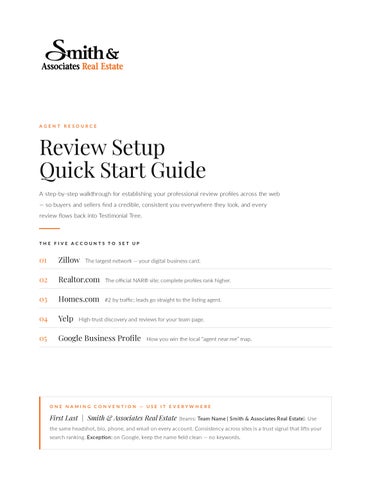
Review Setup Quick Start Guide A step-by-step walkthrough for establishing your professional review profiles across the web — so buyers and sellers find a credible, consistent you everywhere they look, and every review flows back into Testimonial Tree.
TH E F IVE AC C OUN TS TO SE T UP
01
Zillow The largest network — your digital business card.
02
Realtor.com The official NAR® site; complete profiles rank higher.
03
Homes.com #2 by traffic; leads go straight to the listing agent.
04
Yelp High-trust discovery and reviews for your team page.
05
Google Business Profile How you win the local “agent near me” map.
ON E N AMIN G C ON VE N TION — USE IT E VE RYW H E RE
First Last | Smith & Associates Real Estate (teams: Team Name | Smith & Associates Real Estate). Use the same headshot, bio, phone, and email on every account. Consistency across sites is a trust signal that lifts your search ranking. Exception: on Google, keep the name field clean — no keywords.
ACCOUNT 01 OF 05
Zillow The largest real estate network in the U.S. — your free agent profile is your digital business card on Zillow and Trulia.
Go to Zillow.com and click Join (top-right). Use your work email and check “I am a landlord or 1 Register. industry professional.”
2 Open your profile. On the main menu click Agent Hub, then Profile. 3 Add your headshot. Click Edit Photo → Choose file. Use a current, professional headshot — not a logo. 4 Complete the details. Write your bio, then add service specialties, languages, and the areas you serve. past sales. Under Agent Hub → Past Sales, enter each address, sold date, price, and the side you 5 Add represented. your listings. Confirm active listings show under Agent Hub → Listings so you appear as the listing 6 Link agent.
OPTIMIZE
Keep the bio jargon-free and client-focused, fill in every specialty, and refresh past sales monthly. Use the exact naming convention from page 1.
Start here › zillow.com → Join
S M I T H & A S S O C I AT E S R E A L E S TAT E
ACCOUNT 02 OF 05
Realtor.com The official site of the National Association of REALTORS®. A complete profile earns up to 4× more impressions.
your profile. Go to the Find a REALTOR® directory and search your name. Have your MLS name 1 Find and MLS ID ready.
2 Claim it. On your unclaimed profile, click Claim My Profile. 3 Verify. Set up a Control Panel account — choose a password and confirm your MLS identifier. 4 Build the profile. Add a cover photo, headshot, biography, and contact information. expertise. Highlight the geographic regions you serve, specialties, and any designations or 5 Show certifications. 6 Grab your toolkit. In the dashboard, open the Marketing Toolkit for a shareable profile link and QR code. OPTIMIZE
A complete profile ranks higher. Add the shareable link and QR code to your email signature and mailers, and ask satisfied clients for a review each quarter.
Start here › realtor.com → Find a REALTOR®
S M I T H & A S S O C I AT E S R E A L E S TAT E
ACCOUNT 03 OF 05
Homes.com The #2 real estate network by traffic, built on “Your Listing, Your Lead” — leads route to the listing agent, never sold off.
1 Start sign-up. Go to Homes.com, click the profile icon (top-right), then Sign In / Sign Up. 2 Choose agent. At the bottom of the panel, click “Are You an Agent? Sign Up.” 3 Select your MLS. Pick your MLS from the list — or click Other MLS to find it by state. your identity. Enter your name, email, or MLS ID and tap the orange magnifying glass, then 4 Claim select your record. 5 Add contact + photo. Add your phone number, then upload a profile photo (or choose “Do This Later”). & edit. Complete sign-up, then use Edit Profile to round out your bio, specialties, and service 6 Finish areas. OPTIMIZE
A full photo and bio build instant credibility on every listing page. A paid Membership sorts your listings to the top — optional, but the free profile is the priority here.
Start here › homes.com → Sign Up
S M I T H & A S S O C I AT E S R E A L E S TAT E
ACCOUNT 04 OF 05
Yelp A high-trust discovery and reviews platform. Set this up as your team or office business page.
1 Go to Yelp for Business. Visit biz.yelp.com/claim (or download the Yelp for Business app). 2 Find or add. Search your business name. If it’s listed, click Claim; if not, click Add to Yelp for free. 3 Enter details. Add your name, service area, phone, website, and the category “Real Estate Agents.” 4 Create the account. Register a business account with your name, email, and a password. 5 Verify. Enter the verification code sent by phone, text, or email. 6 Complete the page. Fill the “From the business” section, add captioned photos, hours, and service area. OPTIMIZE
Caption every photo — it helps you surface in search. Respond to all reviews; new pages go through a short Yelp moderation review before going live.
Start here › biz.yelp.com/claim
S M I T H & A S S O C I AT E S R E A L E S TAT E
ACCOUNT 05 OF 05
Google Business Profile When someone searches “real estate agent near me,” three profiles show first. This free profile is how you land there.
1 Sign in. Go to google.com/business and sign in with a professional Google account you control. or create. Search your name. Claim an existing listing (Claim this business → Manage now) or 2 Claim Add your business to Google. it cleanly. Use “[Your Name], Smith & Associates Real Estate.” Do not add keywords — it violates 3 Name Google’s rules and risks suspension. category. Primary category “Real Estate Agent” (office: “Real Estate Agency”). Add relevant 4 Set secondary categories.
5 Service area. Set up as a service-area business and list the specific cities and neighborhoods you serve. + verify. Add phone, website, an appointment link, and a description (≤750 chars), then 6 Contact complete verification. OPTIMIZE
Add a headshot plus listing photos, keep your name/phone/website identical everywhere, and collect reviews with the “Get More Reviews” link — turn it into a QR code for closings.
Start here › google.com/business
S M I T H & A S S O C I AT E S R E A L E S TAT E
TH E FIN AL STEP
Connect Everything to Testimonial Tree Once your profiles exist, link them in Testimonial Tree. This is what turns five separate accounts into one review engine — requests go out, and the reviews land where they build your reputation.
1 Log in. Sign in to your Testimonial Tree account. 2 Review Generation. Click Review Generation in the menu. 3 Manage. Click Manage. 4 Add New. Click Add New. each site. Add Google, Zillow, Realtor.com, Homes.com, and Yelp — pasting the profile URL you 5 Add created for each. Now every review request routes clients to the right place. Requests now flow out automatically — and every review lands where it builds your reputation.
Start here › testimonialtree.com
S M I T H & A S S O C I AT E S R E A L E S TAT E
B EST PRAC TIC ES
Getting Reviews — and Making Them Count Reviews are the new resume. Around 30 reviews signals real authority and lifts your ranking on Zillow and Realtor.com — but only a system produces them consistently.
A SK AT T H E RI G H T M O M E N T
At the closing table — ask verbally, then text the direct link before you leave the room. 24–48 hours later — a genuine “How’s the first night in the new home?” check-in that bridges to the ask. Any “wow” moment — when a client says thank you, reply: “Would you share that on Google? I’ll send the link now.”
TH E GROUN D RULES
Never offer incentives — it violates platform policies and feels transactional. One personal ask + one gentle follow-up is the limit. Never a group email blast, never before closing. Always pair the link with a short personal message — never a bare link. Respond to every review within 48 hours; it shows future clients you’re engaged. Put your review link in your email signature — passive and perpetual.
STAY C O N SI ST E N T E V E R YW H E R E
Cross-link your profiles. Add your review-site links (Google, Zillow) to your social bios — and add your social links (Instagram, Facebook, LinkedIn) to your review-site bios. One bio, one headshot, one NAP. Use the same name, photo, biography, phone, and email on every site — including your smithandassociates.com agent page. Consistency is a trust signal that lifts search ranking.
Consistency + a system = reviews that compound
S M I T H & A S S O C I AT E S R E A L E S TAT E
GOING FURTHER
Other Places Worth Activating Once the core five are live, these free channels extend your reach — each reaches a different audience in a different way. Activate the ones that fit how you work.
01
Nextdoor The hyperlocal neighborhood network where residents literally post “can anyone recommend a good agent?” HOW
Claim a free Business Page, verify your neighborhood, post local market updates, and invite past clients to
recommend you.
02
Reddit Buyers and sellers research candidly in local and real-estate subreddits (e.g. r/tampa, r/StPetersburgFL, r/RealEstate). HOW
Answer questions genuinely to build credibility and karma, add your site to your profile — never hard-sell;
overt self-promo gets removed.
03
Pinterest Buyers save home, neighborhood, and staging inspiration; pins keep driving traffic to your site for months. HOW
Open a free business account, build boards by neighborhood, home style, and staging tips, and link each
pin to your listings or site.
04
Local Facebook groups Neighborhood, buy/sell, and newcomer groups are where locals ask for agent referrals every week. HOW
Join community groups (not just realtor groups), be helpful, follow each group’s self-promo rules, and keep
your Facebook business page current.
05
Free agent directories Searchable directories and matching services that send in-market leads with no upfront cost — you pay a referral fee only if a provided lead closes. HOW
Create free profiles on FastExpert, plus HomeLight, Rate My Agent, and the Redfin Partner Agent program.
Add your transaction history and reviews to rank higher.
Show up consistently, everywhere your next client is already looking. SMIT HISHO ME. CO M