


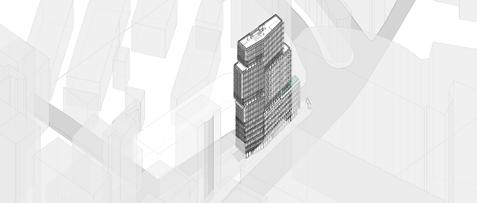
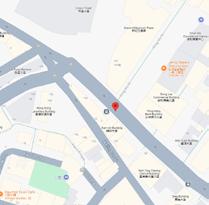
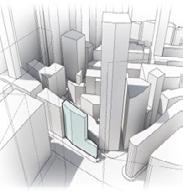
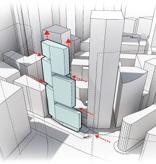
Located at the intersection of Wellington Street and Queens Road Central in Hong Kong’s Central District, this project aims to replace the existing 1970s building, which underutilizes the permitted Gross Floor Area (GFA) of 1,430.7 sq.m.
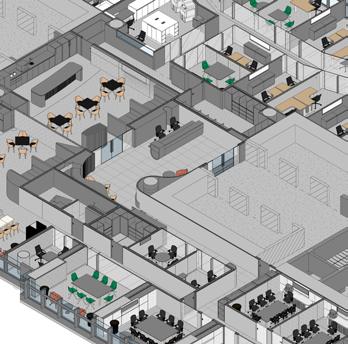
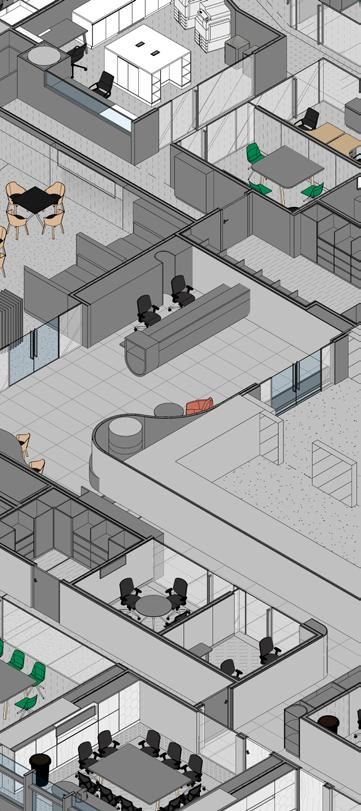
A dynamic refurbishment of the Allen & Overy office located in the iconic Burj Damam, Dubai. This commercial interiors project encompasses a comprehensive approach, including concept development, schematic design, and detailed design stages.
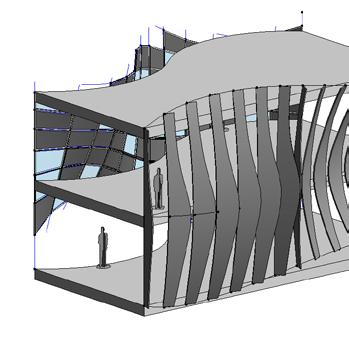
Showcase on exploratory designs in BIM and allied softwares. Featuring conceptual facade designs, in-place massing studies, and Dynamo scripting, each project highlights a commitment to integrating creative design with environmental analysis.
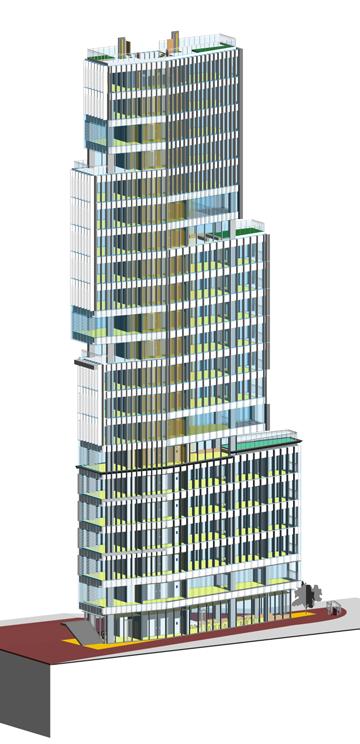
Typology : Mixed-Use High Rise Current Utilised GFA: 1430.7 sq.m
Floor Area: 162.7 sq.m Height Requiremeint : 21 Storey
Level of Detail : LOD 350
Objective
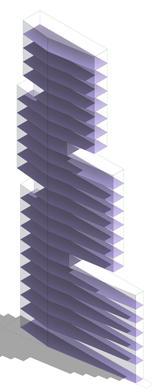
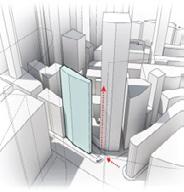
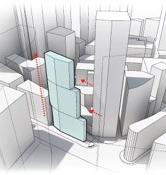
The goal for this project is to design a high-rise that maximizes the GFA, offers a better return on investment, and establishes a prominent landmark at this key urban location.
: 13.8 site location and surrounding context
STRATEGIC DEFINITION
0
Understanding and identifying the clients requirements.
Checking the feasibility of the project based on the same.
PREPARATION & BRIEFING
1
Throughly studying the BEP.
Listing down all the BIM uses relevant to the project.
Understandign the purpose og the MIDP Matrix.
CONCEPT DESIGN
2
Setting up neccessary porject details, grids and levels in Revit.
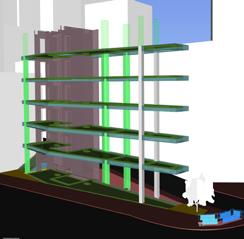
Working on conceptual massing options and generating schedules. Creating sheets, axonometric views and renderings.
individual design scope
DESIGN DEVELOPMENT
3


TECHNICAL DESIGN
Coordinaiton views,; Performance clash detectionnad clash resolution.
4 5
Developing as per LOD requirements. Creating Schedukes and updating sheets for technical design package.
MANUFACTURING & CONSTRUCTION
Preparing a tentative WBS.
Creating shared parameters and IDs to model elements in Revit and performing 4D simulations. Quatingfication in Navisworks for architectural and structural elements.
Creating and naming Architectural and Structural system families based on BEP; Setting up Worksets, Linking relevant files and modelling the elements based on LOD requirements. Integration of coordination model and interference checking. Creating client and government package documentation.
HANDOVER & CLOSE OUT
Understanding the handover process
Post-Occupancy evaluation s done in this stage.
6 7
Understanding facility management and other services that are comissioned to determine and analize the buildign performance post occupancy.




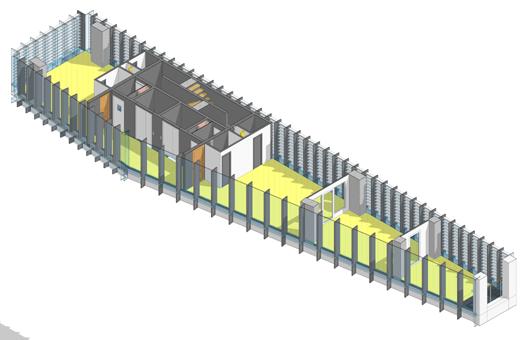
B1NOV_CAP_STR_BEM: B1_500 x 600mm14
B2NOV_CAP_STR_BEM: B2_500 x 450mm1
B3NOV_CAP_STR_BEM: B3_250 x 600mm1
B4NOV_CAP_STR_BEM: B4_200 x 600mm3
B5NOV_CAP_STR_BEM: B5_150 x 600mm1
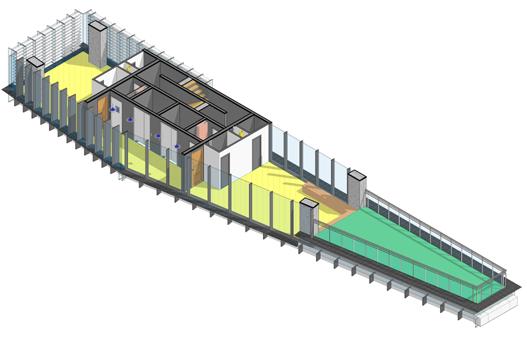
B1NOV_CAP_STR_BEM: B1_500 x 600mm14
B2NOV_CAP_STR_BEM: B2_500 x 450mm1
B3NOV_CAP_STR_BEM: B3_250 x 600mm1
B4NOV_CAP_STR_BEM: B4_200 x 600mm3
B5NOV_CAP_STR_BEM: B5_150 x 600mm1
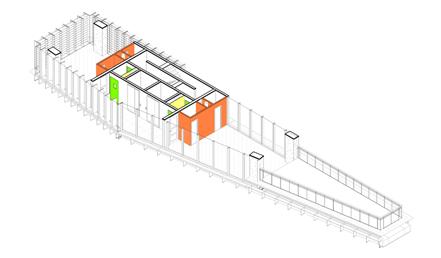
B1NOV_CAP_STR_BEM: B1_500 x 600mm14
B2NOV_CAP_STR_BEM: B2_500 x 450mm1
B3NOV_CAP_STR_BEM: B3_250 x 600mm1
B4NOV_CAP_STR_BEM: B4_200 x 600mm3
B5NOV_CAP_STR_BEM: B5_150 x 600mm1
B1NOV_CAP_STR_BEM: B1_500 x 600mm14
B2NOV_CAP_STR_BEM: B2_500 x 450mm1
B3NOV_CAP_STR_BEM: B3_250 x 600mm1
B4NOV_CAP_STR_BEM: B4_200 x 600mm3
B5NOV_CAP_STR_BEM: B5_150 x 600mm1


Family creation in Reivt was expored through simple, fully parametric model family using reference planes, constraints, and parameters. Nesting of components and set up a parametric array and how to apply materials and other accoutrements.
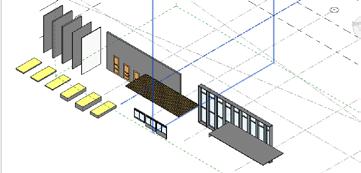
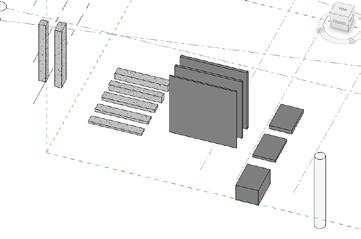
Nested families are families inside other families. Nested families are often used when: The family has repeated elements. There is some complex geometry that we want to control as a whole to define its position in relation to other elements.
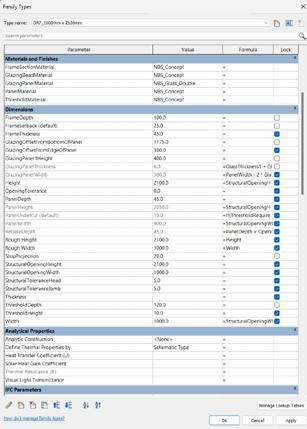


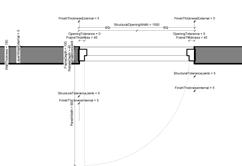

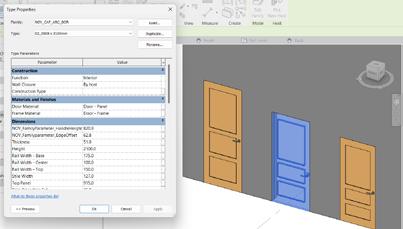
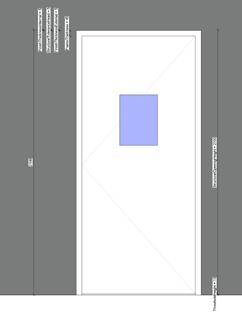
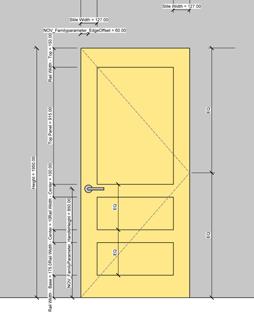


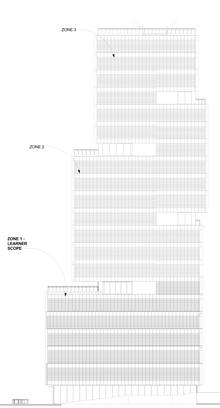
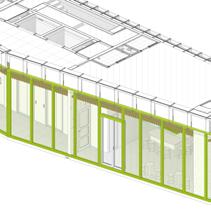
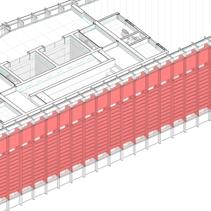
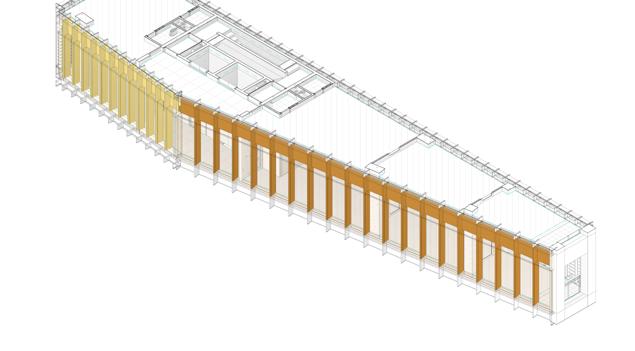
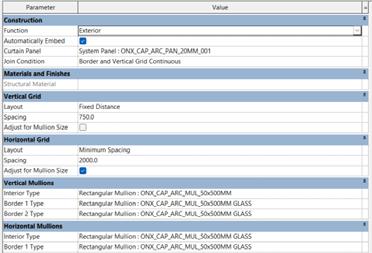
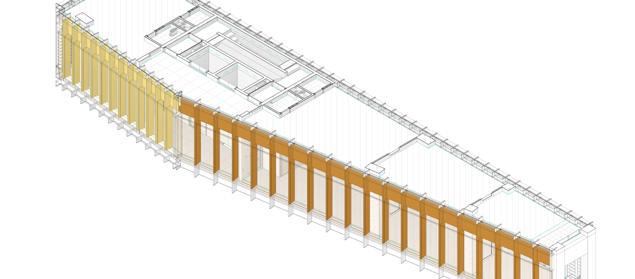
In Revit, site elevations involve modeling to heights as per design intent, as you can see below - referencing part elevations. The multiple facade types featuring varying mullion configurations, potentially louvered designs, and a range of materials, are highlighted below.




Zone 1 - Structural Framing Schedule
Family TypeType MarkCount
x 500mm 1
x 500mm 1
ONX_CAP_STR_COL-C1_900 x 500mm 1
ONX_CAP_STR_COL-C1_900 x 500mm 1
ONX_CAP_STR_COL-C1_900 x 500mm 1
Shape ONX_CAP_STR_COL-C1_900 x 500mm 1
Shape ONX_CAP_STR_COL-C1_900 x 500mm 1
Shape ONX_CAP_STR_COL-C1_900 x 500mm 1
Direct Shape
Direct Shape
Direct Shape
Direct Shape


ONX_CAP_STR_COL-C1_900 x 500mm 1
ONX_CAP_STR_COL-C1_900 x 500mm 1
L 1
Direct Shape ONX_CAP_STR_BE M-B1_500 600mm 145 Direct Shape ONX_CAP_STR_BE M-B3_250 600mm 13 Direct Shape ONX_CAP_STR_BE M-B4_200 600mm 45
Direct Shape ONX_CAP_STR_BE M-B5_150 600mm 15
NOV_CAP_STR_BEMB1_500 600mmB1 14
NOV_CAP_STR_BEMB2_500 450mmB2 1
NOV_CAP_STR_BEMB3_250 600mmB3 1
NOV_CAP_STR_BEMB4_200 600mmB4 3
ONX_CAP_STR_COL-C1_900 x 500mm 1
ONX_CAP_STR_COL-C1_900 x 500mm 1
Direct Shape ONX_CAP_STR_COL-C1_900 x 500mm 1
Direct Shape ONX_CAP_STR_COL-C1_900 x 500mm 1
Direct Shape ONX_CAP_STR_COL-C1_900 x 500mm 1
Direct Shape


ONX_CAP_STR_COL-C1_900 x 500mm 1
Direct Shape ONX_CAP_STR_COL-C1_900 x 500mm 1
Direct Shape ONX_CAP_STR_COL-C1_900 x 500mm 1
Direct Shape ONX_CAP_STR_COL-C1_900 x 500mm 1
Direct Shape ONX_CAP_STR_COL-C1_900 x 500mm 1


Direct Shape ONX_CAP_STR_COL-C1_900 x 500mm 1
L 3
L 2
NOV_CAP_STR_BEMB5_150 600mmB5 1
NOV_CAP_STR_BEMB1_500 600mmB1 14
NOV_CAP_STR_BEMB2_500 450mmB2 1
NOV_CAP_STR_BEMB3_250 600mmB3 1
NOV_CAP_STR_BEMB4_200 600mmB4 3
NOV_CAP_STR_BEMB5_150 600mmB5 1
NOV_CAP_STR_BEMB1_500 600mmB1 14
NOV_CAP_STR_BEMB2_500 450mmB2 1
Direct Shape ONX_CAP_STR_COL-C1_900 x 500mm 1
Direct Shape ONX_CAP_STR_COL-C1_900 x 500mm 1
Direct Shape ONX_CAP_STR_COL-C1_900 x 500mm 1
Direct Shape ONX_CAP_STR_COL-C1_900 x 500mm 1
Direct Shape ONX_CAP_STR_COL-C1_900 x 500mm 2
Direct Shape ONX_CAP_STR_COL-C1_900 x 500mm 1
Direct Shape ONX_CAP_STR_COL-C1_900 x 500mm 1
Direct Shape ONX_CAP_STR_COL-C1_900 x 500mm 1
Direct Shape ONX_CAP_STR_COL-C1_900 x 500mm 1
Direct Shape ONX_CAP_STR_COL-C1_900 x 500mm 1


NOV_CAP_STR_BEMB3_250 600mmB3 1
NOV_CAP_STR_BEMB4_200 600mmB4 3
NOV_CAP_STR_BEMB5_150 600mmB5 1
L 4
NOV_CAP_STR_BEMB1_500 600mmB1 14
NOV_CAP_STR_BEMB2_500 450mmB2 1
NOV_CAP_STR_BEMB3_250 600mmB3 1
NOV_CAP_STR_BEMB4_200 600mmB4 3
NOV_CAP_STR_BEMB5_150 600mmB5 1
Direct Shape ONX_CAP_STR_COL-C1_900 x 500mm 1
L 1


L 6
L 5
L 4
L 3
L 2
Direct Shape ONX_CAP_STR_COL-C1_900 x 500mm 1
Direct Shape ONX_CAP_STR_COL-C1_900 x 500mm 1
L 5
NOV_CAP_STR_BEMB1_500 600mmB1 14
Direct Shape ONX_CAP_STR_COL-C1_900 x 500mm 1
Direct Shape ONX_CAP_STR_COL-C1_900 x 500mm 1
Direct Shape ONX_CAP_STR_COL-C1_900 x 500mm 1
Direct Shape ONX_CAP_STR_COL-C1_900 x 500mm 1
Direct Shape ONX_CAP_STR_COL-C1_900 x 500mm 1

Direct Shape ONX_CAP_STR_COL-C1_900 x 500mm 1
Direct Shape ONX_CAP_STR_COL-C1_900 x 500mm 1
Direct Shape ONX_CAP_STR_COL-C1_900 x 500mm 1
Direct Shape ONX_CAP_STR_COL-C1_900 x 500mm 1
L 6
NOV_CAP_STR_BEMB2_500 450mmB2 1
NOV_CAP_STR_BEMB3_250 600mmB3 1
NOV_CAP_STR_BEMB4_200 600mmB4 3
NOV_CAP_STR_BEMB5_150 600mmB5 1
NOV_CAP_STR_BEMB1_500 600mmB1 14
NOV_CAP_STR_BEMB2_500 450mmB2 1
Direct Shape ONX_CAP_STR_COL-C1_900 x 500mm 1
Direct Shape ONX_CAP_STR_COL-C1_900 x 500mm 1
Direct Shape ONX_CAP_STR_COL-C1_900 x 500mm 1
NOV_CAP_STR_BEMB3_250 600mmB3 1
NOV_CAP_STR_BEMB4_200 600mmB4 3
NOV_CAP_STR_BEMB5_150 600mmB5 1
Direct Shape ONX_CAP_STR_COL-C1_900 x 500mm 1
Direct Shape ONX_CAP_STR_COL-C1_900 x 500mm 1
Direct Shape ONX_CAP_STR_COL-C1_900 x 500mm 2
Basement 1
Level 0
Direct Shape ONX_CAP_STR_COL-C1_900 x 500mm 1
Direct Shape ONX_CAP_STR_COL-C1_900 x 500mm 1
NOV_CAP_STR_COLC1_900 x 500mm C137004


NOV_CAP_STR_COLC2_500 x 500mm C237002
NOV_CAP_STR_BEMB1_500 600mmB1 15
NOV_CAP_STR_BEMB4_200 600mmB4 3
NOV_CAP_STR_BEMB5_150 600mmB5 1
NOV_CAP_STR_COLC1_900 x 500mm C137004
NOV_CAP_STR_COLC2_500 x 500mm C237002
NOV_CAP_STR_COLC1_900 x 500mm C137004
NOV_CAP_STR_COLC2_500 x 500mm C237002
NOV_CAP_STR_COLC1_900 x 500mm C137004


NOV_CAP_STR_COLC2_500 x 500mm C237002
NOV_CAP_STR_COLC1_900 x 500mm C137004
NOV_CAP_STR_COLC2_500 x 500mm C237002
NOV_CAP_STR_COLC1_900 x 500mm C137004
NOV_CAP_STR_COLC2_500 x 500mm C237002

NOV_CAP_STR_COLC1_900 x 500mm C137004
Level 0

NOV_CAP_STR_COLC1_900 x 500mm C148504
NOV_CAP_STR_COLC2_500 x 500mm C248502 Grand total: 102 102
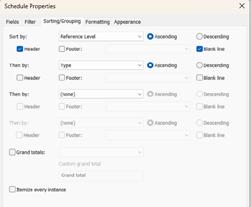
Scheduling in Revit allows for the automatic generation of data tables, while sorting and grouping organize elements based on parameters, enabling efficient data management and clear presentation of project information.
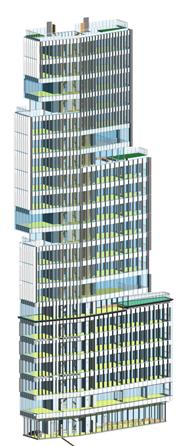
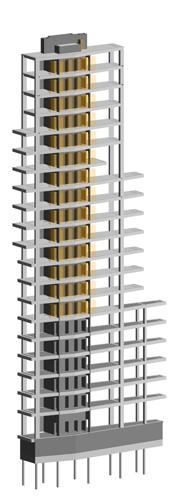
for selected Zone 1
After various iterations, all models from different disciplines are combined into a coordination model. Using Navisworks, the clashes are then detected amongst the models, assigned to the responsible discipline and resolved.
intial clash assessment
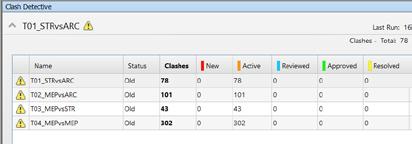
Establishing a clash detection matrix is crucial for identifying potential conflicts between different disciplines (e.g., architectural, structural, MEP) and prioritizing them based on project requirements.
Based on the matrix, create search sets that define specific groups of model elements.
Filtering can be done using element parameters (e.g., category, property, or type) to streamline the identification of relevant components for clash detection.
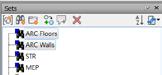
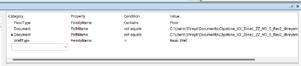
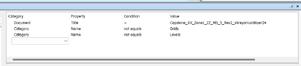
3
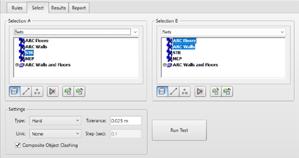
Choose the created search sets and input the necessary data for the clash test, including rules for detection (e.g., hard or soft clashes) and tolerances to define acceptable clearances. This step ensures accurate results and effective clash management.
assesment after class resolution
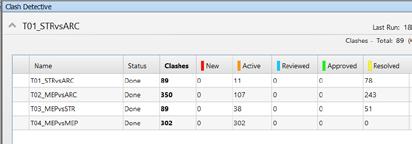
Clash detection in Navisworks identifies conflicts between model elements.
Revit switchback in Dynamo helps navigate directly from clash results back to the original Revit elements, facilitating efficient corrections and improved design coordination.
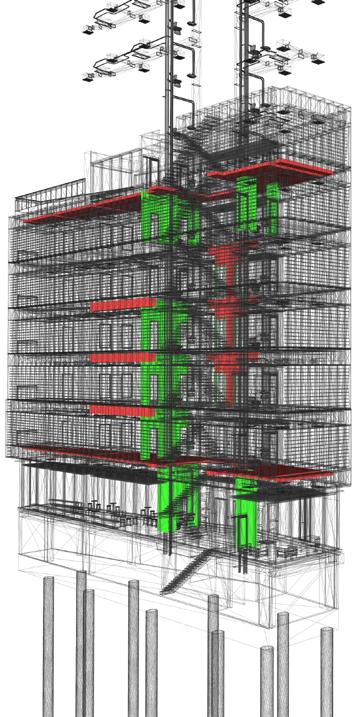
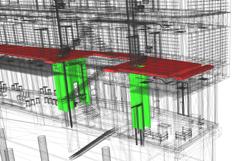
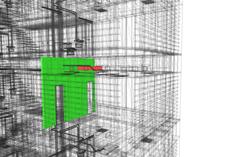
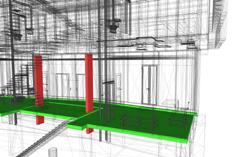
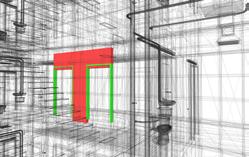
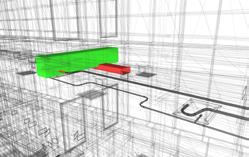
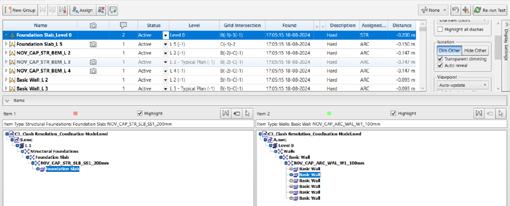
The Clash Detective tool in Navisworks is essential for identifying and resolving conflicts between different elements of a building model, such as structural, architectural, and MEP systems.
Its interface allows users to create clash tests by selecting specific model components, defining tolerance levels, and organizing results into clear reports.
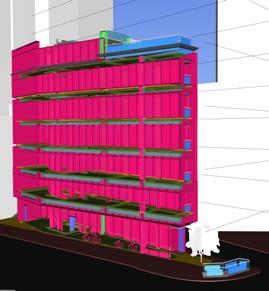
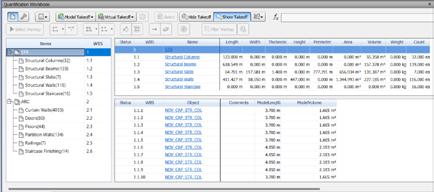
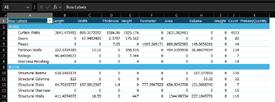
The quantification tool in Navisworks enables accurate measurement of quantities from Revit models, allowing for seamless export to CSV or Excel for effective cost estimation and resource planning.
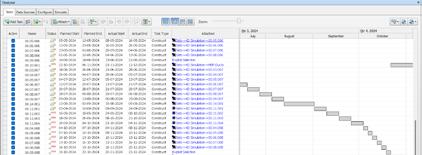
4D simulation in Navisworks integrates time-based scheduling with 3D models to visualize project timelines and construction sequences. By linking Revit models with the WBS, it helps visually represent the project’s progression.

4d simulation
Level of Detail : LOD 350
Project involvement:
- Updated test-fits and BIM model for Detailed Design Package.
- Creation of Room Elevations for various key spaces to describle design intent.
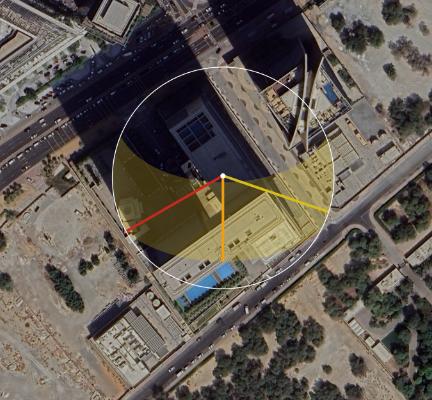
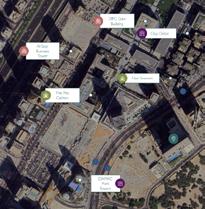
site location and surrounding context
Typology : Commercial Office
Floorplate Area: 30.000 sq.ft
Slab to Slab Height: 4.15m
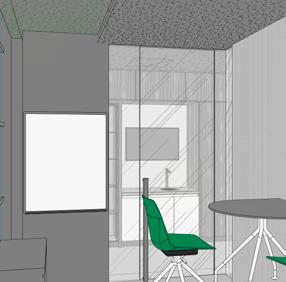
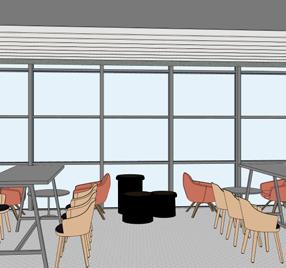
Used space hatching for joineries to enhance understanding of ceiling details.
Utilized tagging for clear identification of ceiling elements.
Distinguished between demolished and retained existing ceilings for clarity.
Organized sheet presentation for professionalism and ease of interpretation.
Specified ceiling heights accurately to inform design intent.
Created legends to clarify symbols and terminology used in the plan.
Applied precise dimensioning and labeling for accurate communication of measurements and specifications.
Ensured accurate integration of detailed views and joinery components for design coherence.
Utilized tagging to effectively annotate elements for clear identification.
Customized tag families for readability and consistency across elevations.
Organized room elevation drawings on sheets for clarity and professional presentation.
Developed detailed joinery elements to reflect design intent and craftsmanship.
Generated schedules for components to document quantities and specifications.
Created legends to clarify hatches and tags used in the elevations.
Applied precise dimensioning and labeling for accurate measurements and specifications.
Ensured accurate integration of detailed views and joinery components for design coherence.
Utilized tagging to effectively annotate elements for clear identification.
Customized tag families for readability and consistency across elevations.
Organized room elevation drawings on sheets for clarity and professional presentation.
Developed detailed joinery elements to reflect design intent and craftsmanship.
Generated schedules for components to document quantities and specifications.
Created legends to clarify hatches and tags used in the elevations.
Applied precise dimensioning and labeling for accurate measurements and specifications.
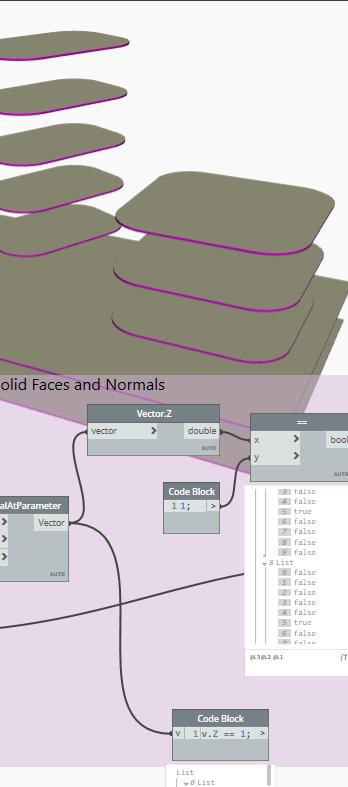
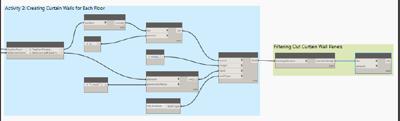
- Parametric modeling, generative design, BIM data analysis, automation of documentation, and data exchange in Dynamo.
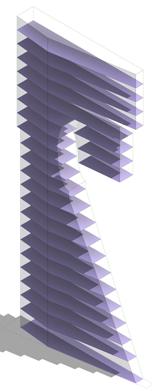
- Creation of adaptive components with points and geometries and use of in-place massing for custom forms in early-stage conceptual design.
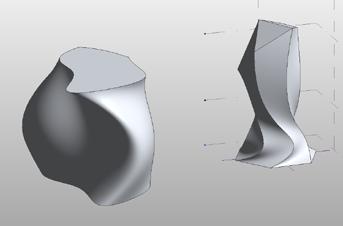
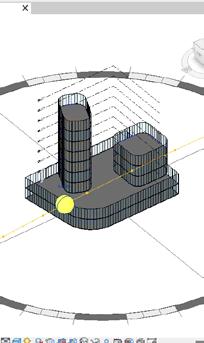
In-place massing in Revit allows users to create custom, project-specific mass forms directly within the model.
It is essential for early-stage conceptual design, enabling flexible and dynamic mass exploration for building volumes, spatial layouts, and façade designs that respond to site constraints.
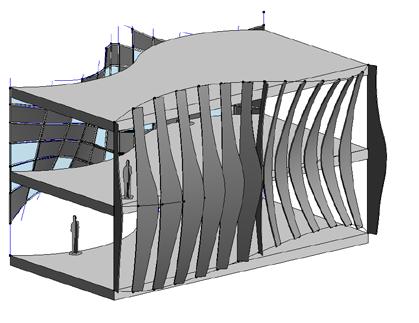

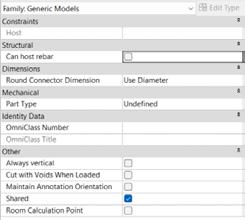
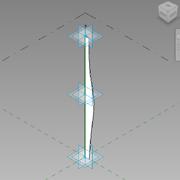
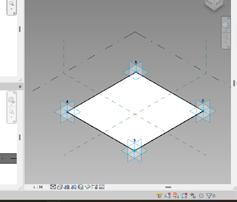
Creating an adaptive component in Revit involves placing adaptive points, connecting them with reference lines or splines, forming geometry such as panels or mullions, and applying them to a divided mass for flexible, responsive design integration.
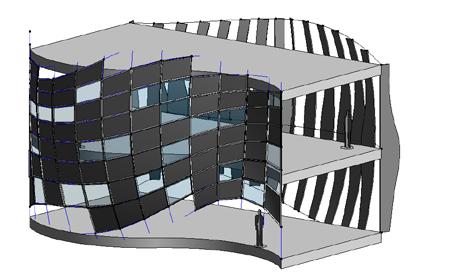
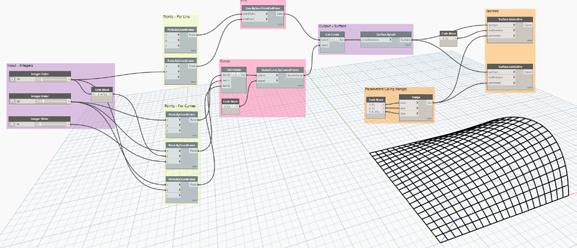
In Dynamo, surfaces are created using NURBS curves from points, and complex surfaces can be tessellated by dividing them with iso-curves for detailed geometric manipulation.
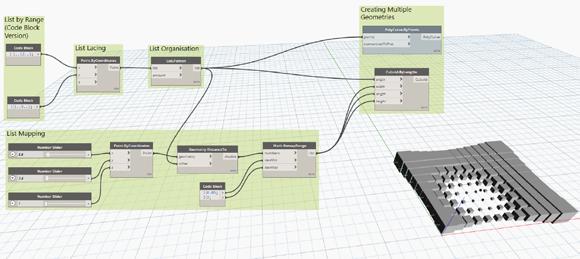
Attractor scripts generate geometries by using points, adjusting their structure, and remapping values based on proximity to create dynamic forms.
& beyond Revit)
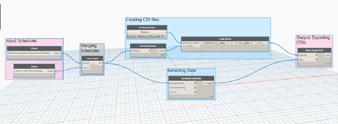
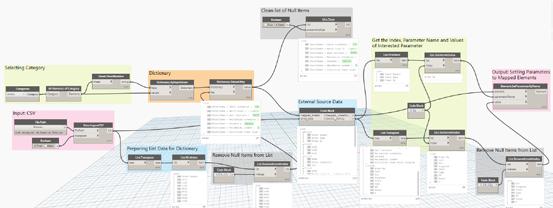
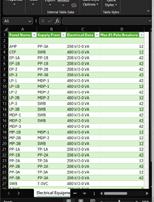
Dynamo scripting enables efficient workflows between Revit and Excel/CSV by exporting schedules, processing data, creating valid file paths, and importing or mapping elements from Excel back into Revit.
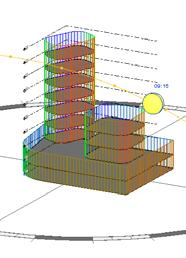
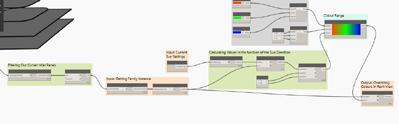
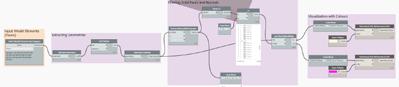
Environmental analysis in Dynamo leverages nodes like Solar Radiation, and SunPath to simulate daylight, solar exposure, and energy performance, enabling data-driven decision making.