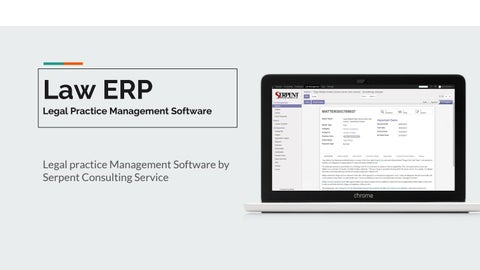
Law ERP Legal Practice Management Software
Legal practice Management Software by Serpent Consulting Service
Key Features
CRM Matter Management Trials Management Document Management Evidence Management Invoice Management
Workflow Step 1
Step 2
Step 3
Step 4
Step 5
Step 6
Step
Matter Creation
Evidence Mapping
Trials Creation
Closed the Trials
Invoice Creation
Closed the matter
Reopen the matter
CRM in Law ERP
CRM
Create Client Request in the system Admin can approve the Client request Automatic client record is generated when admin approves the client request of that client.
Create Client Request in the system
Admin can approve the Client request
Only admin can approve client request. Lawyer and Help Desk Officer can not approve the record. Approve Button will not show to Lawyer and Help Desk Officer
Automatic client record is generated when admin approves the client request of that client.
Client is created
Matter Management in Law ERP
Matter Management
Keep track of the your Matters. Manage dates related to your Matter with Law ERP software. Keep track of each trials related to your matter. Easy to keep tracking of Evidence of that matter. Also Manage document which are related to that specific matter. Just need to open Matter and everything related to that Matter are shown in one place.
Matter From View
Keep track of the your Matters.
Manage dates related to your Matter with Law ERP software.
Keep track of each trials related to your matter.
Record of Each Trials
Easy to keep tracking of Evidence of that matter
Also Manage document which are related to that specific matter.
Just need to open Matter and everything related to that Matter are shown in one place
Lawyer Record
Trials Management in Law ERP
Trials Management
Important Dates are also shown like Openings Dates, Trial Date(Upcoming Trial Date), Closed Date, Reopen Date. Manage all trials of that matter in Trials Menu. System manages stage for trials like - Draft, Open, and Closed. System manages trials Result and Judge of that trials.
Important Dates are also shown like - Openings Dates, Trial Date(Upcoming Trial Date), Closed Date, Reopen Date.
Manage all trials of that matter in trials Menu.
System manages stage for trials like - Draft, Open, and Closed.
System manages trials Result and Judge of that trials.
Document Management
Easy to keep track of the matter’s document
1
Evidence Mapping
82% Easy to maintain and keep Track of the Evidence
Easy maintain track of matter’s evidence. Evidence is Favour or not also managed in this system.
Easy maintain track of matter’s evidence. Evidence is Favour or not also managed in this system.
Evidence in Favour or not also managed in this system.
Invoice Management in Law ERP
Invoice Management
Three ways user can manage the Invoice: By trial - User can create invoice by trial. By Hour - User can create invoice by working hour. By Fixed - Only one invoice is created. User can not create multiple invoice for Fixed type Matter.
By trial - User can create invoice by trial.
Invoice (By Trial)
By Hour - User can create invoice by working hour.
By Hour - User can create invoice by working hour.
By Fixed - Only one invoice is created. User can not create multiple invoice for Fixed type Matter.
For More Queries contact us. Contact contact@serpentcs.com Place a query to know more about our Law ERP module!
Thank You
Serpent Consulting Service