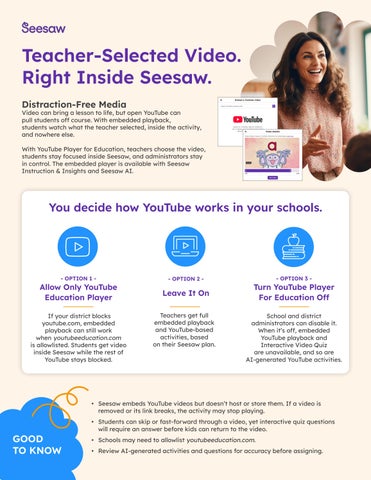
Teacher-Selected Video. Right Inside Seesaw. Distraction-Free Media
Video can bring a lesson to life, but open YouTube can pull students off course. With embedded playback, students watch what the teacher selected, inside the activity, and nowhere else. With YouTube Player for Education, teachers choose the video, students stay focused inside Seesaw, and administrators stay in control. The embedded player is available with Seesaw Instruction & Insights and Seesaw AI.
You decide how YouTube works in your schools.
- OPTION 1 -
Allow Only YouTube Education Player If your district blocks youtube.com, embedded playback can still work when youtubeeducation.com is allowlisted. Students get video inside Seesaw while the rest of YouTube stays blocked.
- OPTION 2 -
Leave It On Teachers get full embedded playback and YouTube-based activities, based on their Seesaw plan.
- OPTION 3 -
Turn YouTube Player For Education Off School and district administrators can disable it. When it’s off, embedded YouTube playback and Interactive Video Quiz are unavailable, and so are AI-generated YouTube activities.
• Seesaw embeds YouTube videos but doesn’t host or store them. If a video is removed or its link breaks, the activity may stop playing.
GOOD TO KNOW
• Students can skip or fast-forward through a video, yet interactive quiz questions will require an answer before kids can return to the video. • Schools may need to allowlist youtubeeducation.com. • Review AI-generated activities and questions for accuracy before assigning.
What’s Included With Each Plan
YouTube Experience
Interactive Video Quiz
Seesaw AI
Everything in Instruction & Insights, plus AI-generated YouTube activities
Unlimited creation and assignment
Seesaw Instruction & Insights
Search or paste, embed, trim, and Present to Class, with distraction-free playback in Seesaw
Available with credits
Seesaw for Schools and Seesaw LMS
Search for videos with a link-out experience
Not included
Free / Seesaw Starter
Search for videos with a link-out experience
Not included
What “link-out” means: Teachers can search for YouTube videos, but they don’t get the embedded player. That means no distraction-free playback inside Seesaw, no trimming, and no embedding in the Creative Canvas.
What Students See (And Don’t See)
What Teachers Can Do
• Videos play inside Seesaw, so students never leave the activity
• Search or paste: Select YouTube Video while creating an activity, then search YouTube or paste a link. • Preview and trim: Set start and end points so students see only what’s needed. • Embed or present: Add video to the Creative Canvas, assign it to students, or use Present to Class. • Add questions with Interactive Video Quiz: Pause the video at chosen moments for comprehension checks, reflection, or formative assessment. Write questions yourself or generate them with AI, aligned to grade level & standard. Teachers review and edit the result.
• No recommended or “up next” videos • No external links or navigation out to YouTube • Signed-out, anonymous playback, with no YouTube login needed • Familiar controls: play, pause, captions, and seeking
Privacy and Safety
Seesaw documents support for FERPA, COPPA, GDPR, and other education-related requirements. Student data is encrypted in transit and at rest, and Seesaw uses multifactor authentication, penetration testing, and restricted access to data.
Accessibility
Seesaw supports captions, audio descriptions, voice instructions, and multimodal responses. Seesaw is partially conformant with WCAG 2.2 Level AA, and user-generated media may lack captions or text alternatives.