S T U D E N T- L E D C O N F E R E N C E S
You're the leader of your conference! This is your chance to show your family how much you've learned. Follow the 4 steps and check off each one as you go. What is a portfolio? A collection of your best work. You pick the work, explain what it shows
about your learning, and set goals for what comes next. More than one Seesaw class? Make a portfolio in each one.
1
W E E KS B E FO R E
Build my portfolio
My teacher picked:
Pathway A
Pathway B
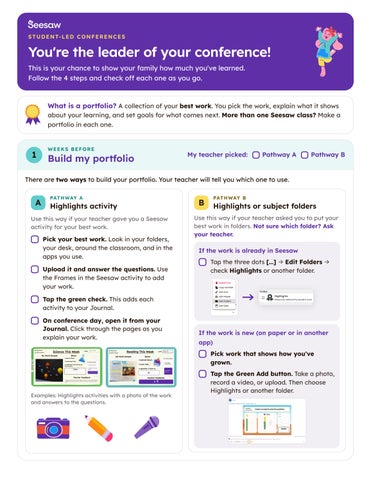
There are two ways to build your portfolio. Your teacher will tell you which one to use. PAT H WAY A
PAT H WAY B
A Highlights activity
B Highlights or subject folders
Use this way if your teacher gave you a Seesaw activity for your best work.
Use this way if your teacher asked you to put your best work in folders. Not sure which folder? Ask your teacher.
Pick your best work. Look in your folders, your desk, around the classroom, and in the apps you use. Upload it and answer the questions. Use the Frames in the Seesaw activity to add your work.
If the work is already in Seesaw
→
Tap the three dots [...] Edit Folders check Highlights or another folder.
→
Tap the green check. This adds each activity to your Journal. On conference day, open it from your Journal. Click through the pages as you explain your work.
If the work is new (on paper or in another app) Pick work that shows how you've grown.
Examples: Highlights activities with a photo of the work and answers to the questions.
Tap the Green Add button. Take a photo, record a video, or upload. Then choose Highlights or another folder.
2
3
DAYS B E FO R E
Get ready Invite your guests. Tell them you'll lead the meeting. Ask them to save questions and feedback for the end.
Set out paper and pencils for your guests. They can write down questions while you share.
Log in to Seesaw and open your Journal. More than one class? Make sure you can get into each one.
Practice! Log in and practice presenting. It helps calm the nervous jitters.
C O N F E R E N C E DAY
Lead my conference Take a deep breath and smile.
W H AT TO S AY
Show your work and look up at your guests. Glance up from the screen every so often. Tell why you chose each piece of work. Was it your favorite? Did it challenge you? Share your next goals. Tell how you'll work toward them, and ask your guests to support you. Ask for feedback and questions. At the end, ask your guests what they want to share or ask.
4
"I chose this because…" "This was my favorite because…" "This challenged me because…" "My next goal is…" "You can help me by…" "Do you have any questions or feedback for me?"
AFTER
Look back and keep growing Think about how it went. How do you feel?
How did my conference go?
You did it!
Write down your goals and plans. Check in on them during the year.
My goal
You led your own conference. Be proud of your hard work!
My plan to reach it