Merged PD Flyers (ENT)

Page 1


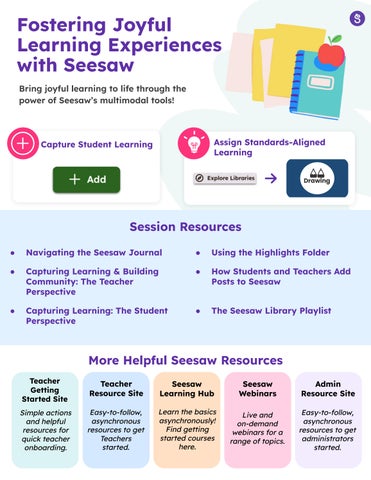
Fostering Joyful Learning Experiences with Seesaw

Bring joyful learning to life through the power of Seesaw’s multimodal tools!

Capture Student Learning Assign Standards-Aligned Learning

Session Resources

● Navigating the Seesaw Journal ● Using the Highlights Folder

● Capturing Learning & Building Community: The Teacher Perspective

● Capturing Learning: The Student Perspective

● How Students and Teachers Add Posts to Seesaw

● The Seesaw Library Playlist

More Helpful Seesaw Resources

Teacher Getting Started Site

Simpleactions andhelpful resourcesfor quickteacher onboarding.

Teacher Resource Site

Easy-to-follow, asynchronous resourcestoget Teachers started.

Seesaw Learning Hub

Learnthebasics asynchronously! Findgetting startedcourses here.

Seesaw Webinars Liveand on-demand webinarsfora rangeoftopics.

Admin

Resource Site

Easy-to-follow, asynchronous resourcestoget administrators started.

Delivering High Impact Instruction

Deliver high-quality, standards-aligned, interactive instruction that empowers students to show their thinking and learning!

Assign Standard and Curriculum Aligned Activities

Grade and Approve Student Work

Session Resources

● Get Started with the Seesaw Library

● About the Seesaw Library

● Tracking Student Progress Against Standards

● Creating and Managing Student Groups

● Sitewide Standards

● How to Assign Instructional Sequences

More Helpful Seesaw Resources

Teacher Getting Started Site

Simpleactions andhelpful resourcesfor quickteacher onboarding.

Teacher Resource Site

Easy-to-follow, asynchronous resourcestoget Teachers started.

Seesaw Learning Hub Learnthebasics asynchronously! Findgetting startedcourses here.

Seesaw Webinars Liveand on-demand webinarsfora rangeoftopics.

Admin Resource Site

Easy-to-follow, asynchronous resourcestoget administrators started.

Authentic Assessment and Insights with Seesaw

Create auto-graded formative assessments to gain meaningful insights in student understanding!

Create Formative Assessments

Session Resources

● Formative Assessment Overview

● Creating and Adding Formative Assessment Questions

● Formative Assessment Student Experience

● How to Use the Focus Mode Tool

View Assessment Data

● Formative Assessment Reporting

● Video: How to Create a Formative Assessment

● Using the Question Assistant for Creating Formative Assessments

More Helpful Seesaw Resources

Teacher Getting Started Site

Simpleactions andhelpful resourcesfor quickteacher onboarding.

Teacher Resource Site

Easy-to-follow, asynchronous resourcestoget Teachers started.

Seesaw Learning Hub Learnthebasics asynchronously! Findgetting startedcourses here.

Seesaw Webinars

Liveand on-demand webinarsfora rangeoftopics.

Admin

Resource Site

Easy-to-follow, asynchronous resourcesto get administrators started.
Turn static files into dynamic content formats.

Create a flipbook
Merged PD Flyers (ENT) by seesawlearning - Issuu