QSG: Getting Started with Seesaw for Teachers

Page 1

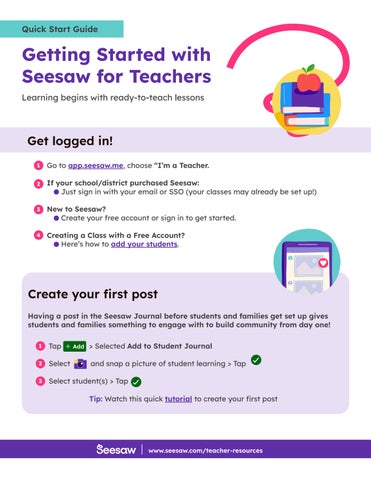
Quick Start Guide

Getting Started with Seesaw for Teachers Learning begins with ready-to-teach lessons

Get logged in! 1

Go to app.seesaw.me, choose “I’m a Teacher.

2

If your school/district purchased Seesaw: Just sign in with your email or SSO (your classes may already be set up!)

3

New to Seesaw? Create your free account or sign in to get started.

4

Creating a Class with a Free Account? Here’s how to add your students.

Create your first post Having a post in the Seesaw Journal before students and families get set up gives students and families something to engage with to build community from day one! 1

Tap

> Selected Add to Student Journal

2

Select

and snap a picture of student learning > Tap

3

Select student(s) > Tap Tip: Watch this quick tutorial to create your first post

www.seesaw.com/teacher-resources


Turn static files into dynamic content formats.

Create a flipbook
QSG: Getting Started with Seesaw for Teachers by seesawlearning - Issuu