M I S S I O N 2 · G R A D E S K– 2 · F R O M L E A R N I N G T U R T L E
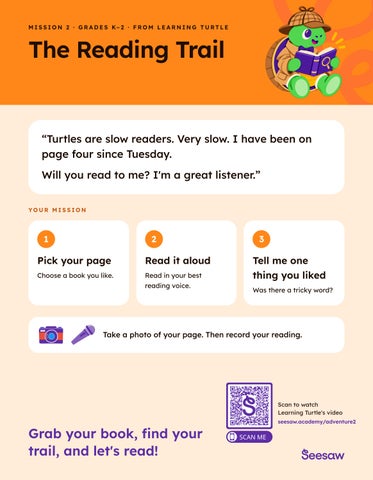
The Reading Trail “Turtles are slow readers. Very slow. I have been on page four since Tuesday. Will you read to me? I'm a great listener.” YOUR MISSION
1
2
3
Pick your page
Read it aloud
Choose a book you like.
Read in your best reading voice.
Tell me one thing you liked Was there a tricky word?
Take a photo of your page. Then record your reading.
Scan to watch Learning Turtle's video
Grab your book, find your trail, and let's read!
seesaw.academy/adventure2
A D V E N T U R E 2 · R E A D I N G · T E A C H E R G U I D E · K– 2
The Reading Trail
Learning Turtle needs a reading buddy. Your class is it.
10–15 minutes
Grades K–2
Camera + Voice or Video
Works with one device
LEARNING GOAL
Students read a just-right text aloud and name one thing they noticed about their reading — a word, a character, or how their voice changed. TEACHER DIRECTIONS
1. Students choose a just-right book or a single page they know well. 2. Give everyone one practice read — whisper reading is fine. For prereaders, let them tell the story using the pictures in the book. 3. Record the read-aloud. Thirty to sixty seconds is plenty. 4. Students add one noticing: a tricky word, a feeling, an author's choice. 5. Post it. You now have a dated reading sample you can revisit.
Which word was tricky? How did you figure it out? STUDENT DIRECTIONS
→
Classroom books or a familiar passage A quiet corner if you have one At least one device
S E E S AW TO O L S
Photo of the page plus voice, or a short video of the reader.
N OT I C I N G P R O M P T S
Pick your page
M AT E R I A L S
BADGE EARNED
Read it aloud
→
Share a noticing
Reading Trail Complete One challenge = one prizedrawing entry. Submit your entry at seesaw.com/adventures
TEACHER CAPTURE
STUDENT CAPTURE
Keep the device with you during small groups and record readers one at a time. Four or five a day gets the whole class through the week.
Partners take turns: one reads, one records. Students photograph the page, add the recording, and post.
Suggested reflection: “What did you notice about your reading today?”
STUDENT CAPTURE GUIDE
Capture your reading
Five simple steps. Complete on your own or during centers
1
Open Seesaw
2
Add
3
Capture
4
Add voice or video
5
Post to the journal
Tap the app and find your class.
Tap the green + Add button.
+
Take a photo of your book page.
Read or retell the story & share what you noticed.
Tap the green check. Your family can see it!
Before you post, check: Can I see my work? Did I share what I noticed? Classroom Adventures with Seesaw
✓