adam X Quick Start Guide
Assembly
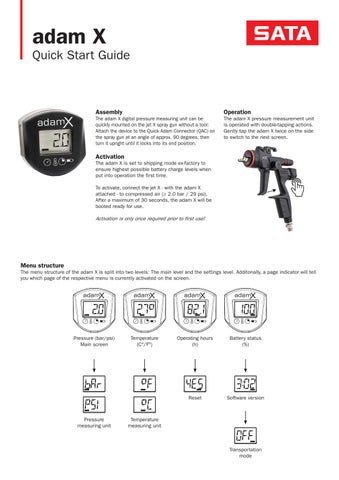
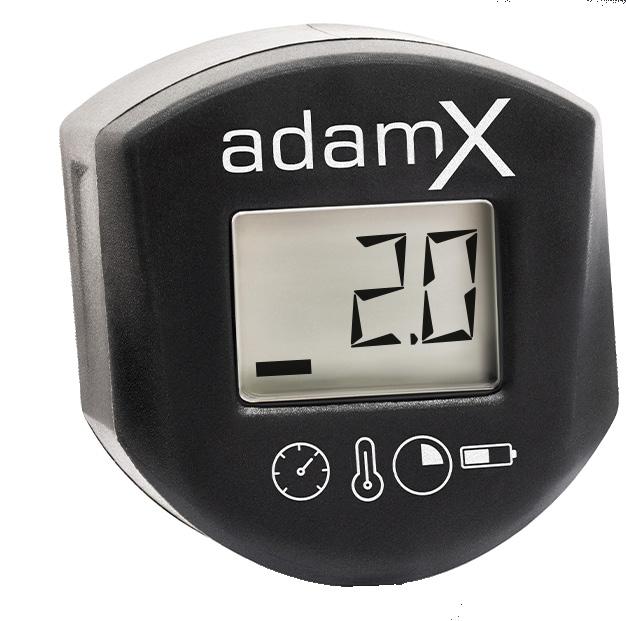
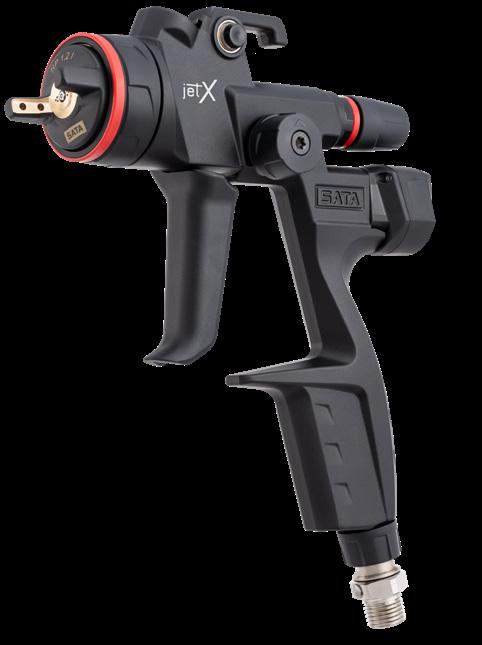
The adam X digital pressure measuring unit can be quickly mounted on the jet X spray gun without a tool: Attach the device to the Quick Adam Connector (QAC) on the spray gun at an angle of approx. 90 degrees, then turn it upright until it locks into its end position.
Activation
The adam X is set to shipping mode ex-factory to ensure highest possible battery charge levels when put into operation the first time.
To activate, connect the jet X - with the adam X attached - to compressed air (≥ 2.0 bar / 29 psi). After a maximum of 30 seconds, the adam X will be booted ready for use.
Activationisonlyoncerequiredpriortofirstuse!
Operation
The adam X pressure measurement unit is operated with double-tapping actions. Gently tap the adam X twice on the side to switch to the next screen.
Menu structure
The menu structure of the adam X is split into two levels: The main level and the settings level. Additonally, a page indicator will tell you which page of the respective menu is currently activated on the screen.
Changing settings
There are two ways to switch to the setting level, depending on the firmware version. To find out which firmware your adam X has, simply remove the spray gun from the compressed air with the adam X attached. If your adam X displays the pressure unit (bar or psi), you have firmware 15 or newer. If no pressure unit is displayed, you have firmware 14 or older
FW 14 and earlier
To enter the settings level, disconnect the jet X from the air hose with the adam X attached.
Double-tap to select the setting required to be changed, then wait until the page indicator starts flashing.
Double-tap again to display the available selection options in the settings level.
Double-tap until the desired setting appears.
Then wait until the page indicator stops flashing. The menu setting has been saved.
FW 15 and later
You can access the adjustment level by disconnecting the jet X with attached unit from the compressed air, then reconnecting and disconnecting it again.
Then double-tap to select the adjustment you want to change, and wait until the side indicator starts flashing. To change the pressure unit, tap all the way through the menu
Double-tap again to display the available selection options in the settings level.
Double-tap until the desired setting appears.
Then wait until the page indicator stops flashing. The menu setting has been saved.
Note:Thescreenwillalwaysreturntothemainlevelwheneverthetriggerispulledwiththegunconnectedtocompressedair.
Operating hours
Provide an indication of the wear-and-tear of the nozzle set. After changing the nozzle set, the timer must be reset manually.
Operating hours indication flashes in slow mode: the nozzle set needs to be checked, might need service or to be replaced if necessary.
Operating hours indication flashes in fast mode: the nozzle set needs to be replaced.
The display can count up to a maximum of 199 hours. Once reached, the timer must be reset manually.
Modes
After twelve seconds of inactivity, the display will be switched off into Sleep Mode. After further 90 seconds, the unit will enter Deep Sleep mode to reduce battery consumption to almost zero. When the adam X is put back into operation, it will undergo a complete initialisation cylcle including pressure calibration.
While painting, it is not possible to change the screen display. It is always the pressure which is displayed.
Transportation mode: Designed for field service staff and technical consultants who travel frequently. In this mode, the adam X does not react to percussions and other impacts to preserve battery lifetime. 12s
Note:Incasethedevicehasbeenmanuallysettotransportationmode,itmustbereactivated(seeActivation)