PRINTING A LEARNING TRANSCRIPT
Option #1 -
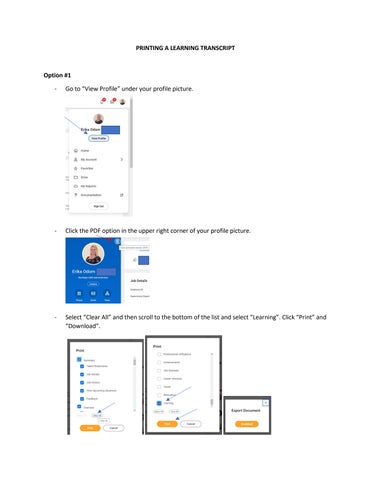
Go to “View Profile” under your profile picture.
-
Click the PDF option in the upper right corner of your profile picture.
-
Select “Clear All” and then scroll to the bottom of the list and select “Learning”. Click “Print” and “Download”.
Option #2 -
From your home page on Workday, enter “My Learning Transcript” into the search bar.
-
Your transcript will immediately generate, and you can export it to either an excel or PDF file.
*This option provides course duration and access to any attachments that are uploaded to a training record.