Bygame Mobile Network Guide: Why Fast Mbps Can Still Feel Laggy A Philippines-focused mobile networking guide to throughput, latency, jitter, packet loss, Android connectivity state, server routing, and local frame performance. A speed test can show hundreds of megabits per second and an online game can still feel delayed, jerky, or inconsistent. That is because download speed measures capacity, while real-time interaction depends on several different properties of the network path. For Filipino readers using Bgame or Bygame as a mobile-gaming reference, the useful engineering model is to separate throughput, latency, jitter, packet loss, connectivity state, and local device performance. A high number in Mbps answers only one of those questions. Android exposes estimated upstream and downstream bandwidth through NetworkCapabilities, but the same API also distinguishes whether a network is validated, congested, suspended, metered, or able to prioritize latency. That separation reflects an important principle: bandwidth and responsiveness are not the same thing.
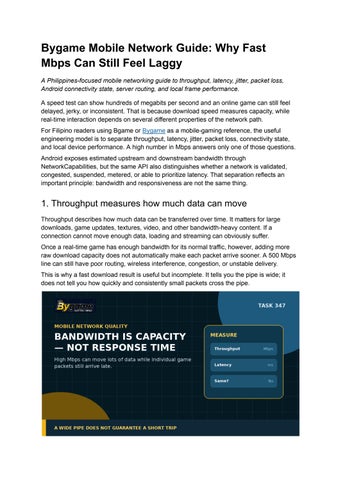
1. Throughput measures how much data can move Throughput describes how much data can be transferred over time. It matters for large downloads, game updates, textures, video, and other bandwidth-heavy content. If a connection cannot move enough data, loading and streaming can obviously suffer. Once a real-time game has enough bandwidth for its normal traffic, however, adding more raw download capacity does not automatically make each packet arrive sooner. A 500 Mbps line can still have poor routing, wireless interference, congestion, or unstable delivery. This is why a fast download result is useful but incomplete. It tells you the pipe is wide; it does not tell you how quickly and consistently small packets cross the pipe.
2. Latency measures delay Latency describes how long data takes to travel between endpoints. In gaming, people often see this as ping or round-trip time. High latency makes actions feel delayed even when the connection never drops. Server distance, routing, ISP congestion, mobile-network conditions, VPN paths, and home-network design can all change round-trip time. Moving from Wi-Fi to cellular can improve or worsen latency depending on the route and radio conditions; the network type alone does not guarantee a result. For interactive traffic, a stable low-latency path can feel better than a much faster connection with a long round trip.
3. Jitter measures how much the delay changes A connection can average a reasonable ping while still feeling bad because the delay is not stable. Jitter is the variation in packet timing from one measurement to the next. That matters because games process a continuing stream of position, input, and state updates. If packets that normally arrive at a steady rhythm suddenly arrive in bursts, the client may need buffering, interpolation, correction, or prediction to hide the inconsistency. High jitter therefore creates a different symptom from consistently high latency. One produces an uneven rhythm; the other produces a steadier but delayed response.
4. Packet loss means some data never arrives Packet loss occurs when data is dropped before it reaches the destination. Depending on the transport and game design, missing information may be ignored, replaced by a later state update, or retransmitted.
In a real-time game, loss can appear as rubber-banding, skipped state changes, delayed corrections, or disconnects. Loss can also amplify delay when reliable traffic must be sent again. This is why a connection that looks fast during a short download test can still be unreliable for continuous interactive traffic. Throughput can remain high even while small but important packets are occasionally lost.
5. Android distinguishes 'internet capable' from 'validated' Android's NetworkCapabilities documentation makes another useful distinction. NET_CAPABILITY_INTERNET means a network is configured to reach the general internet, while NET_CAPABILITY_VALIDATED indicates that Android successfully detected actual internet connectivity the last time it checked. That means an app should not assume that being attached to Wi-Fi or mobile data proves a specific service is reachable. Captive portals, temporary upstream failures, DNS problems, or routing issues can exist even while a network icon is present. Apps should also react to changing NetworkCapabilities through callbacks rather than treating a one-time snapshot as permanent, because network state can change immediately.
6. Wi-Fi bars are not a complete quality test Signal strength is only one part of a Wi-Fi connection. A strong local radio link can still feed into a congested router, overloaded internet connection, poor ISP route, or distant server. The opposite can also happen: a weaker-looking signal may still produce acceptable latency if interference is low and the upstream route is clean. Signal bars should therefore be treated as a local radio clue, not as an end-to-end gaming metric.
A practical test compares the same device on the same server using Wi-Fi and mobile data at similar times, then checks latency, jitter, packet loss, and throughput separately.
7. Local frame drops can be mistaken for network lag Not every stutter is a network problem. A device can lose frames because of thermal throttling, heavy rendering, background CPU load, storage pressure, or graphics settings while the network remains healthy. One useful distinction is whether the entire visual interface stutters or whether movement and server state arrive late while local animations stay smooth. The first pattern points more strongly toward rendering or device performance; the second can point toward the network or server. Neither observation proves the root cause, but separating local rendering from network timing prevents the common mistake of blaming every freeze on Wi-Fi.
8. The server and route matter too A speed test normally measures performance to the test provider's server, not necessarily to the game's server. The route can be completely different. That means a clean speed test does not guarantee a clean path to another region or provider. Peering, congestion, geographic distance, and server load can all change the experience after traffic leaves the local network. The strongest troubleshooting compares measurements to the actual service when the game exposes ping, region, or network telemetry, rather than relying only on a generic broadband test.
9. A practical mobile troubleshooting sequence Start by reproducing the issue and describing the symptom precisely: constant delay, random spikes, rubber-banding, disconnections, or local frame stutter. Then check whether the problem occurs on both Wi-Fi and mobile data. Next, compare latency over time rather than looking at a single ping. Watch for large variation and packet loss. Confirm that Android still sees a validated, non-suspended network and that no VPN or unusual routing layer has been introduced. Then separate the network from the device. Lower graphics settings or cool the device if frame rate is unstable. If the game exposes a server region, make sure the test is being run against the same region that the session uses.
10. Brand-side access guidance is context, not proof of network quality The Bygame giriş guide advises users to check internet stability when access problems occur. That is reasonable troubleshooting context, but it cannot identify whether the underlying issue is bandwidth, latency, jitter, packet loss, routing, DNS, or device performance. Those layers require separate evidence. A login page that loads successfully proves only that one request completed. It does not prove that a long real-time session will have stable packet timing. Good troubleshooting keeps the claim narrow: verify connectivity, measure the quality dimensions that match the symptom, and avoid treating one speed-test number as a complete diagnosis. Fast Mbps and smooth real-time performance are related only up to a point. Throughput measures capacity. Latency measures delay. Jitter measures variation in delay. Packet loss measures missing data. Android connectivity state, route quality, server behavior, and local device performance add more layers. For Bygame readers on Philippine mobile and home networks, the practical habit is to diagnose the layer that matches the symptom. A high download speed can coexist with lag, and a slow-looking connection can sometimes remain perfectly usable for light real-time traffic if its timing is stable. Measure the right variable before deciding what failed.
Sources & Benchmark References Android Developers — NetworkCapabilities — https://developer.android.com/reference/android/net/NetworkCapabilities Android Developers — Manage network usage — https://developer.android.com/develop/connectivity/network-ops/managing Android Developers — Troubleshoot network issues — https://developer.android.com/develop/connectivity/troubleshoot-network-issues
Unity Multiplayer — Understanding latency / lag and packet loss — https://mp-docs.dl.it.unity3d.com/netcode/1.13.0/learn/lagandpacketloss/ Issuu — Terms of Service, effective January 1, 2026 (official page was not directly fetchable in research runtime; current text cross-checked through TOS Tracker) — https://issuu.com/legal/terms Coverage benchmark — Plarium: What Is Latency in Gaming? Everything You Need to Know — https://plarium.com/en/blog/what-is-latency-in-gaming-everything-you-need-to-know/ Coverage benchmark — Urban Play: What Causes Lag in Online Games? Latency, Jitter and Packet Loss Explained — https://www.urbanplay.io/what-causes-lag-in-online-games-latency-jitter-and-packet-loss-expl ained/ Coverage benchmark — INSERT FUTURE: Ping, jitter and packet loss — https://insertfuture.com/en/article/ping-jitter-packet-loss-online-games Bygame — Homepage / brand-side context — https://bygame.ph/